child lock VOLVO XC90 T8 2016 Owner´s Manual
[x] Cancel search | Manufacturer: VOLVO, Model Year: 2016, Model line: XC90 T8, Model: VOLVO XC90 T8 2016Pages: 546, PDF Size: 10.26 MB
Page 231 of 546
LOCKS AND ALARM
229
2. Press the button on the driver's door control
panel. >
Rear child lock Activated will be dis-
played in the instrument panel and the indicator light in the button will illuminateto show that the child safety locking func-tion is activated.
While the child safety locks are activated:
• the rear door windows can only be opened from the driver door control panel
• the rear doors cannot be opened from theinside
To deactivate:
–Press the button in the driver door control panel. >
Rear child lock Deactivated will be dis-
played in the instrument panel and the indicator light in the button will go out toshow that the child safety locking functionis deactivated.
When the ignition is switched off, the current set-ting for the child safety locks will be stored. If thelocks were activated at that time, they will con-tinue to be activated when the ignition isswitched on again.
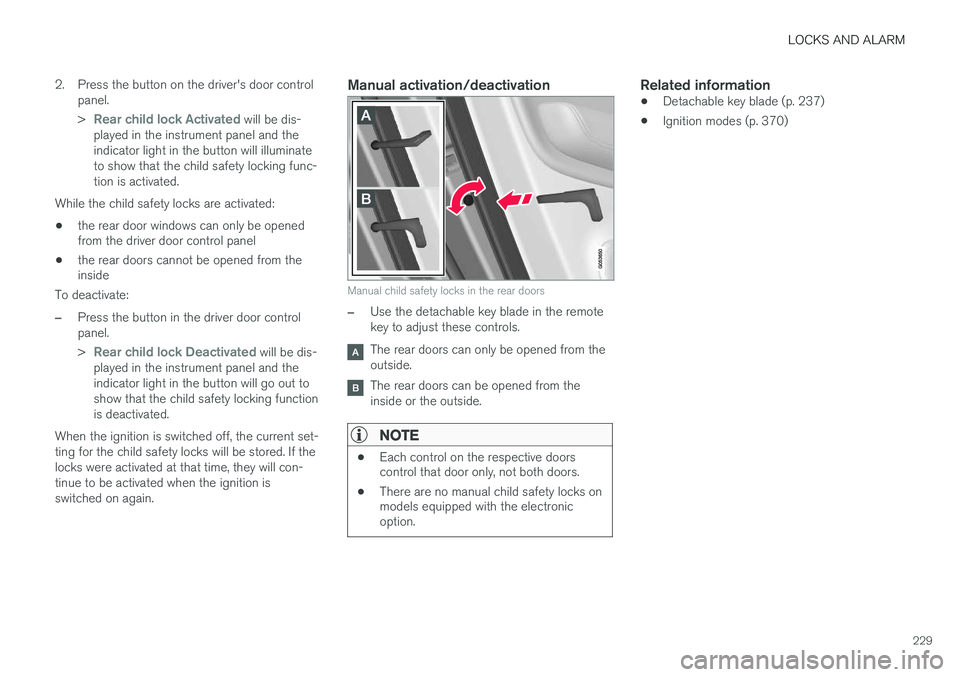
Manual activation/deactivation
Manual child safety locks in the rear doors
–Use the detachable key blade in the remote key to adjust these controls.
The rear doors can only be opened from the outside.
The rear doors can be opened from the inside or the outside.
NOTE
• Each control on the respective doors control that door only, not both doors.
• There are no manual child safety locks onmodels equipped with the electronicoption.
Related information
• Detachable key blade (p. 237)
• Ignition modes (p. 370)
Page 238 of 546
||
LOCKS AND ALARM
* Option/accessory, for more information, see Introduction.
236
NOTE
Avoid placing the remote key closer than approx. (4-6 in.) (10-15 cm) to any metallicobjects or electronic devices such as cellphones, tablets, laptops or chargers.
If interference persists, unlock the vehicle with the detachable key blade and place the remotekey in the backup key reader in the tunnel con-sole cup holder to disarm the alarm.
WARNING
Always remove the remote key from the pas- senger compartment when leaving the vehicle and ensure that the ignition in mode 0, espe-
cially if there are children in the vehicle.
Ordering new keysTwo remote keys are provided with the vehicle (a Key Tag 6
is also included for vehicles equipped
with the optional Passive Entry system). Addi- tional keys (a total of 12) can be ordered andused with the vehicle.
Loss of a remote keyIf a remote key is lost, the others should be takenwith the vehicle to a Volvo retailer. As an anti-theft measure, the code of the lost remote keymust be erased from the system. The number of registered keys for the vehicle can be found inthe center display's Top view.
NOTE
Additional or duplicate remote control keys can be obtained from any authorized Volvoretailer. You can also obtain additional or duplicate remote control keys from certain independentrepair facilities and locksmiths that are quali-fied to make remote control keys. Each keymust be programmed to work with your vehi-cle. A list of independent repair facilities and/or locksmiths known to Volvo that can cut andcode replacement keys can be found: •
on the Volvo website, www.volvocars.com/us
• by calling Volvo Customer Care at1-800-458-1552.
Key TagIn addition to the two remote keys provided, a smaller third key, called a Key Tag, is also provi-ded for vehicles equipped with the optionalPassive Entry system. This key functions in the same way as a standard remote key but does not have a detachable key blade and its battery cannot be replaced; a newKey Tag has to be ordered.
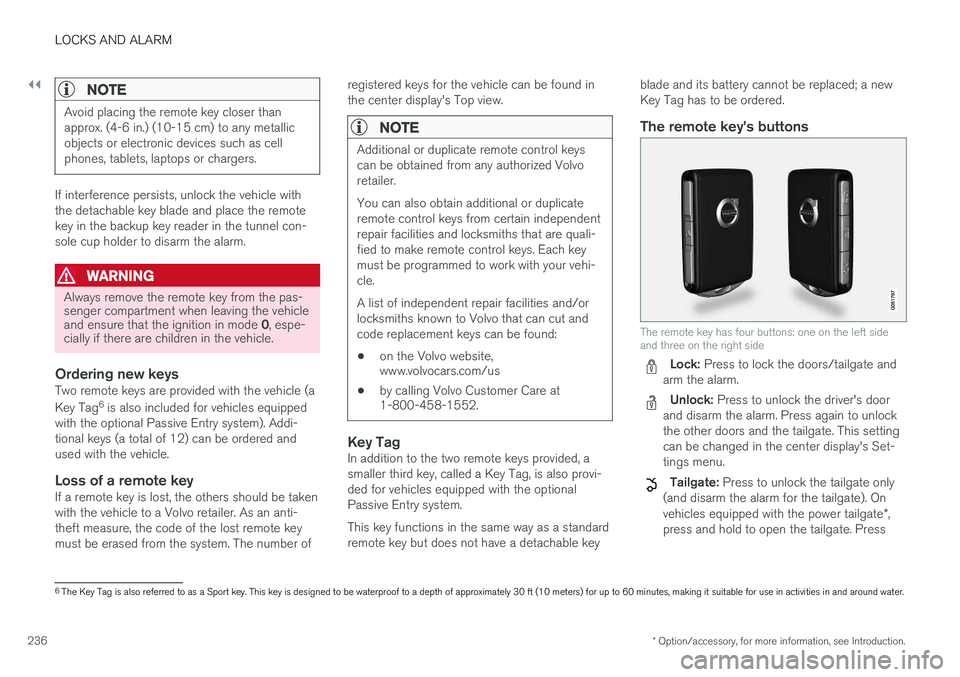
The remote key's buttons
The remote key has four buttons: one on the left side and three on the right side
Lock: Press to lock the doors/tailgate and
arm the alarm.
Unlock: Press to unlock the driver's door
and disarm the alarm. Press again to unlock the other doors and the tailgate. This settingcan be changed in the center display's Set-tings menu.
Tailgate: Press to unlock the tailgate only
(and disarm the alarm for the tailgate). On vehicles equipped with the power tailgate *,
press and hold to open the tailgate. Press
6 The Key Tag is also referred to as a Sport key. This key is designed to be waterproof to a depth of approximately 30 ft (10 meters) for up to 60 minutes, making it suitable for use in activities in and around water.
Page 239 of 546
LOCKS AND ALARM
}}
237
and hold to close an open tailgate (an audi- ble warning signal will sound).
Panic alarm: Press to attract attention dur-
ing emergency situations. To activate, press
and hold this button for at least 3 seconds or press it twice within 3 seconds to activate the turn signals and horn. To deactivate,
wait approximately 5 seconds and press the button again (the panic alarm will also deac-tivate automatically after several minutes).
InterferenceMetallic objects or electromagnetic fields mayinterfere with the remote key's function. Avoidplacing the remote key within 4-6 in. (10-15 cm)of a cell phone or a metallic object. If interference persists, use the remote key's detachable key blade to unlock the vehicle andplace the remote key in the backup key reader inthe tunnel console cup holder.
Loss of a remote keyIf a remote keys is lost, a new one can beordered. The other keys should be taken with thevehicle to a Volvo retailer or authorized independ-ent locksmith. As an anti-theft measure, the codeof the lost remote key must be erased from thesystem. The number of registered keys for thevehicle can be found in the center display's Topview.
Related information
• Remote key's range (p. 235)
• Detachable key blade (p. 237)
• Changing the remote key's battery (p. 232)
Detachable key blade Your vehicle's remote key contains a detachable key blade that can be used to unlock the driver'sdoor, etc. A Volvo retailer can provide you with the key blade's unique code.
Using the detachable key bladeThe remote key's detachable key blade can be used to:
• Unlock the driver's door if the central locking system cannot be activated using the remotekey
• Lock all doors
• Activate/deactivate the mechanical childsafety locks in the rear doors
The Key Tag 7
does not have a detachable key
blade.
7 Models with the optional Passive Entry system only.
Page 240 of 546
||
LOCKS AND ALARM
* Option/accessory, for more information, see Introduction.
238
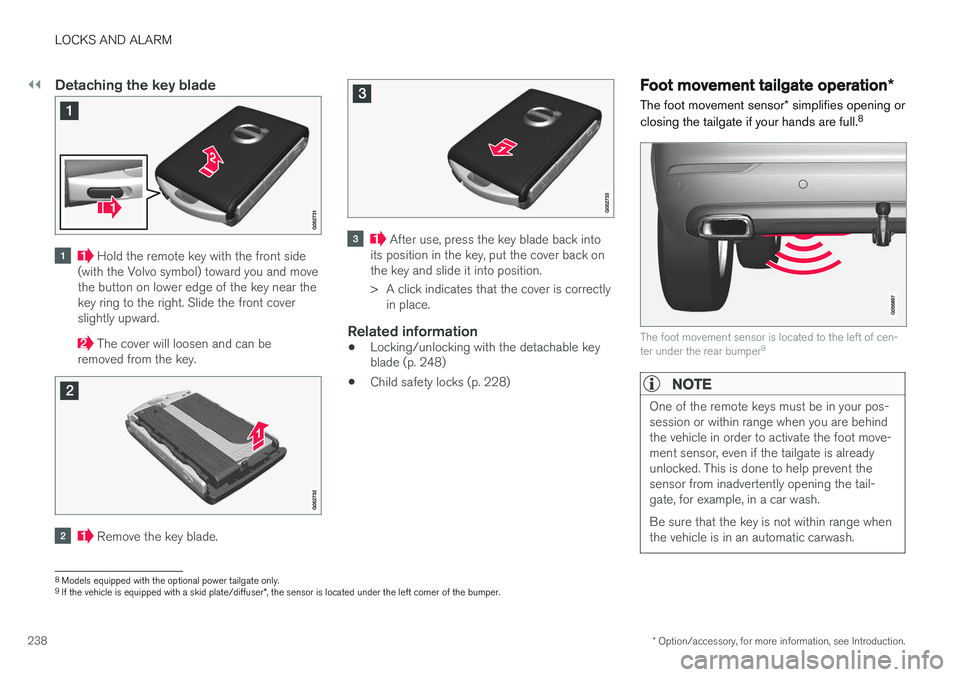
Detaching the key blade
Hold the remote key with the front side
(with the Volvo symbol) toward you and move the button on lower edge of the key near thekey ring to the right. Slide the front coverslightly upward.
The cover will loosen and can be
removed from the key.
Remove the key blade.
After use, press the key blade back into
its position in the key, put the cover back on the key and slide it into position.
> A click indicates that the cover is correctly in place.
Related information
• Locking/unlocking with the detachable key blade (p. 248)
• Child safety locks (p. 228)
Foot movement tailgate operation
*
The foot movement sensor * simplifies opening or
closing the tailgate if your hands are full. 8
The foot movement sensor is located to the left of cen- ter under the rear bumper
9
NOTE
One of the remote keys must be in your pos- session or within range when you are behindthe vehicle in order to activate the foot move-ment sensor, even if the tailgate is alreadyunlocked. This is done to help prevent thesensor from inadvertently opening the tail-gate, for example, in a car wash. Be sure that the key is not within range when the vehicle is in an automatic carwash.
8
Models equipped with the optional power tailgate only.
9 If the vehicle is equipped with a skid plate/diffuser *, the sensor is located under the left corner of the bumper.
Page 244 of 546
LOCKS AND ALARM
* Option/accessory, for more information, see Introduction.
242
Locking/unlocking from inside the vehicle The lock buttons on either of the front doors can be used to lock or unlock all doors and the tail-gate at the same time. The rear doors can be locked using their respective lock buttons *.
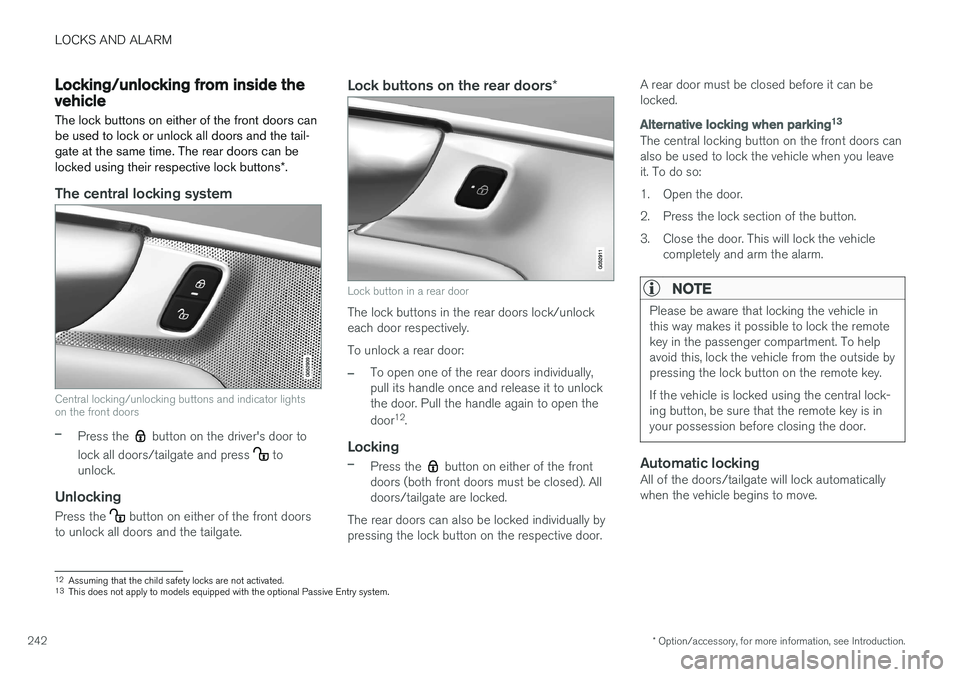
The central locking system
Central locking/unlocking buttons and indicator lights on the front doors
–Press the button on the driver's door to
lock all doors/tailgate and press
to
unlock.
Unlocking
Press the button on either of the front doors
to unlock all doors and the tailgate.
Lock buttons on the rear doors *
Lock button in a rear door
The lock buttons in the rear doors lock/unlock each door respectively. To unlock a rear door:
–To open one of the rear doors individually, pull its handle once and release it to unlockthe door. Pull the handle again to open the door12
.
Locking
–Press the button on either of the front
doors (both front doors must be closed). All doors/tailgate are locked.
The rear doors can also be locked individually bypressing the lock button on the respective door. A rear door must be closed before it can belocked.
Alternative locking when parking
13
The central locking button on the front doors can also be used to lock the vehicle when you leaveit. To do so:
1. Open the door.
2. Press the lock section of the button.
3. Close the door. This will lock the vehicle
completely and arm the alarm.
NOTE
Please be aware that locking the vehicle in this way makes it possible to lock the remotekey in the passenger compartment. To helpavoid this, lock the vehicle from the outside bypressing the lock button on the remote key. If the vehicle is locked using the central lock- ing button, be sure that the remote key is inyour possession before closing the door.
Automatic lockingAll of the doors/tailgate will lock automatically when the vehicle begins to move.
12Assuming that the child safety locks are not activated.13
This does not apply to models equipped with the optional Passive Entry system.
Page 245 of 546
LOCKS AND ALARM
}}
* Option/accessory, for more information, see Introduction.243
Related information
•Locking/unlocking from outside the vehicle (p. 243)
• Child safety locks (p. 228)
Locking/unlocking from outside the vehicle The buttons on the remote key can be used to lock or unlock all doors and the tailgate at thesame time. This can also be done without press-ing the remote key buttons on models equippedwith the optional keyless Passive Entry system. The power tailgate
* can also be opened/closed
by moving your foot under a sensor beneath therear bumper *.
The lock/unlock settings can be changed in the center display's Top view. Go to:
SettingsMy CarRemote Unlockand select Unlock All Doors or Driver Door
Only.
In order to lock the vehicle, the driver's door must be closed. If the tailgate or any of the other doorsare open, they will be locked and the alarm will bearmed when they are closed.
NOTE
Be sure the remote key is outside of the vehi- cle before the other doors/tailgate are closedto help avoid locking the remote inside thevehicle.
If the locks repeatedly do not react when the unlock button is pressed, it may be necessary toreplace the battery in the remote. In this case, the driver's door can be unlocked with the detacha-ble key blade.
Keyless Passive Entry
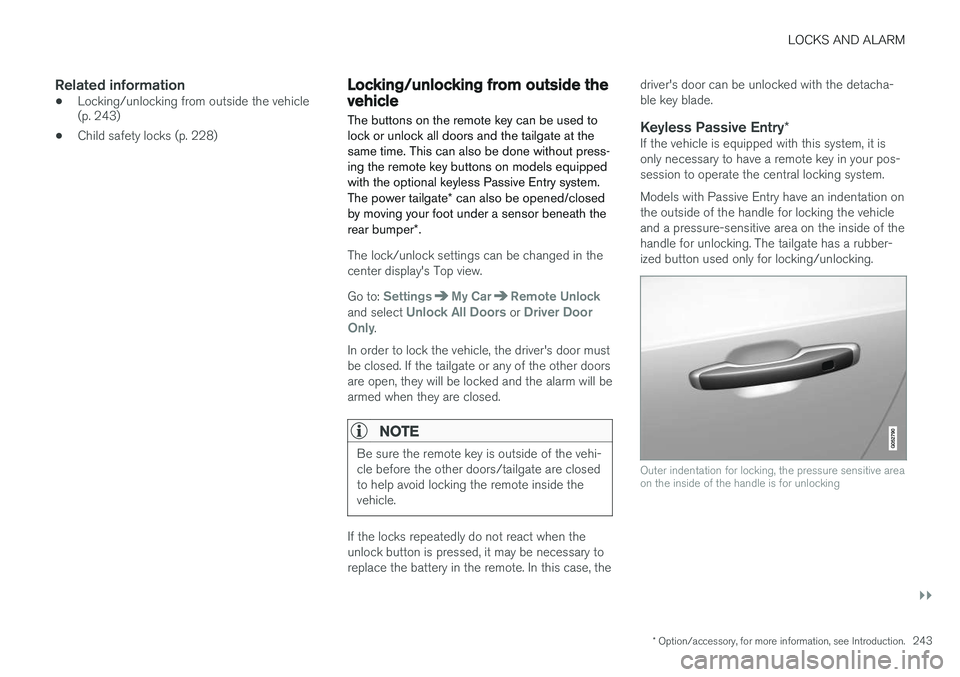
*If the vehicle is equipped with this system, it isonly necessary to have a remote key in your pos-session to operate the central locking system. Models with Passive Entry have an indentation on the outside of the handle for locking the vehicleand a pressure-sensitive area on the inside of thehandle for unlocking. The tailgate has a rubber-ized button used only for locking/unlocking.
Outer indentation for locking, the pressure sensitive area on the inside of the handle is for unlocking
Page 251 of 546
LOCKS AND ALARM
249
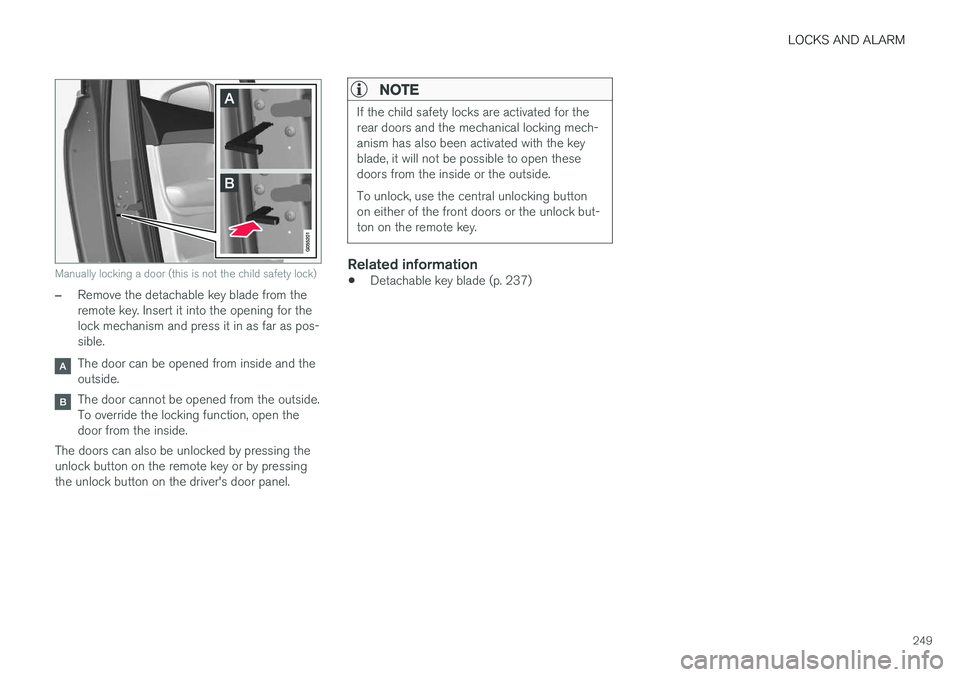
Manually locking a door (this is not the child safety lock)
–Remove the detachable key blade from the remote key. Insert it into the opening for thelock mechanism and press it in as far as pos-sible.
The door can be opened from inside and the outside.
The door cannot be opened from the outside. To override the locking function, open thedoor from the inside.
The doors can also be unlocked by pressing theunlock button on the remote key or by pressingthe unlock button on the driver's door panel.
NOTE
If the child safety locks are activated for the rear doors and the mechanical locking mech-anism has also been activated with the keyblade, it will not be possible to open thesedoors from the inside or the outside. To unlock, use the central unlocking button on either of the front doors or the unlock but-ton on the remote key.
Related information
• Detachable key blade (p. 237)
Page 536 of 546
INDEX
534Brake system
Brake pad inspection 347
fluid 528
general information 346, 348, 350
Bulbs 500 replacing 496
specifications 501
C
Cameradriver support systems 252
limitations 254
Camera, Park Assist 311, 313, 315, 316
Capacity weight 449, 525
Cargo area, steel grid 219
Cargo area cover 221Cargo compartment fuses 493
raising/lowering the level 215
Cargo net 217
Cargo space 208
Car wash 511
Catalytic converter 364CD, USB, iPod, AUX, Bluetooth, Recents, Library, Shuffle, Similar, Change device, Pri-
mary Audio Default Language, Subtitle, Pri- mary Subtitle Default Language, Video, DivX ® VOD 424
CD player 424 Cell phone hands-free 414
Pairing 415
Cell phone voice control 122 Center display changing settings 34
cleaning 515
keyboard 35
navigating in 42
overview 32
screen in the center console 49
symbols in the status bar 47
Chains 451
Changing a wheel 453Charging cable hybrid battery 375
Child restraints recalls and registration 70
Child restraint systems 70 booster cushions 77
convertible seats 74
infant seats 72
ISOFIX/LATCH anchors 78
top tether anchors 80Child safety 68booster cushions 77
child restraint systems 70, 79
convertible seats 74
infant seats 72
Child safety locks 228 Child seats lower attachment points 79
City safety 287, 293City Safety crossing traffic 291
detecting objects 290
limitations 293
rear collision warning 292
symbols and messages 297
troubleshooting 295
City Safety, On/Off 289 Cleaning exterior 511
interior 513
Clean Zone Interior Package 186
Climate system 188 air distribution 201, 202, 204
air filter 187
air vents 202
auto mode 187
blower 191
center display controls 189
Page 542 of 546
INDEX
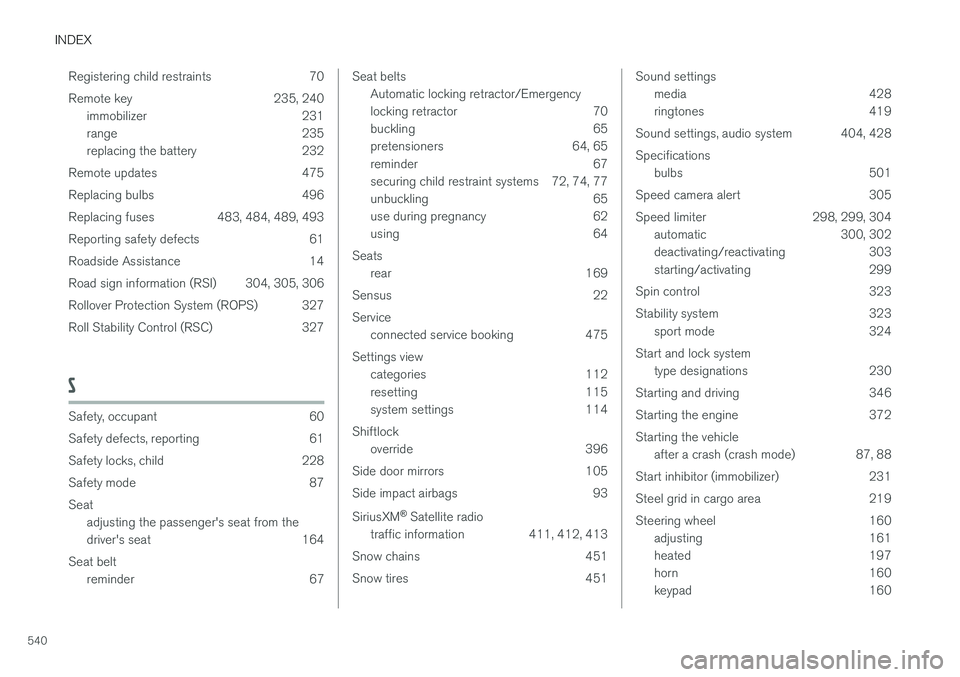
540Registering child restraints 70
Remote key 235, 240
immobilizer 231
range 235
replacing the battery 232
Remote updates 475
Replacing bulbs 496
Replacing fuses 483, 484, 489, 493
Reporting safety defects 61
Roadside Assistance 14
Road sign information (RSI) 304, 305, 306
Rollover Protection System (ROPS) 327
Roll Stability Control (RSC) 327
S
Safety, occupant 60
Safety defects, reporting 61
Safety locks, child 228
Safety mode 87Seat adjusting the passenger's seat from the
driver's seat 164
Seat belt reminder 67
Seat beltsAutomatic locking retractor/Emergency
locking retractor 70
buckling 65
pretensioners 64, 65
reminder 67
securing child restraint systems 72, 74, 77
unbuckling 65
use during pregnancy 62
using 64
Seats rear 169
Sensus 22 Service connected service booking 475
Settings view categories 112
resetting 115
system settings 114
Shiftlock override 396
Side door mirrors 105
Side impact airbags 93 SiriusXM ®
Satellite radio
traffic information 411, 412, 413
Snow chains 451
Snow tires 451Sound settings media 428
ringtones 419
Sound settings, audio system 404, 428 Specifications bulbs 501
Speed camera alert 305
Speed limiter 298, 299, 304 automatic 300, 302
deactivating/reactivating 303
starting/activating 299
Spin control 323
Stability system 323 sport mode 324
Start and lock system type designations 230
Starting and driving 346
Starting the engine 372Starting the vehicle after a crash (crash mode) 87, 88
Start inhibitor (immobilizer) 231
Steel grid in cargo area 219
Steering wheel 160 adjusting 161
heated 197
horn 160
keypad 160
Page 543 of 546
INDEX
541
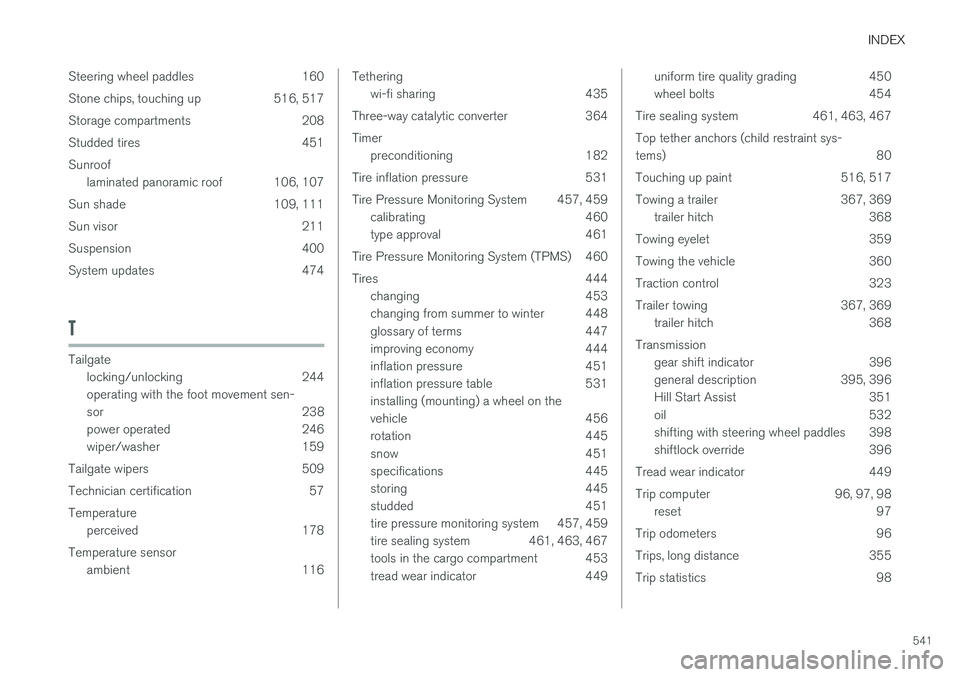
Steering wheel paddles 160
Stone chips, touching up 516, 517
Storage compartments 208
Studded tires 451Sunroof
laminated panoramic roof 106, 107
Sun shade 109, 111
Sun visor 211
Suspension 400
System updates 474
T
Tailgate locking/unlocking 244 operating with the foot movement sen-
sor 238
power operated 246
wiper/washer 159
Tailgate wipers 509
Technician certification 57Temperature perceived 178
Temperature sensor ambient 116
Tetheringwi-fi sharing 435
Three-way catalytic converter 364 Timer preconditioning 182
Tire inflation pressure 531
Tire Pressure Monitoring System 457, 459 calibrating 460
type approval 461
Tire Pressure Monitoring System (TPMS) 460
Tires 444 changing 453
changing from summer to winter 448
glossary of terms 447
improving economy 444
inflation pressure 451
inflation pressure table 531installing (mounting) a wheel on the
vehicle 456
rotation 445
snow 451
specifications 445
storing 445
studded 451
tire pressure monitoring system 457, 459
tire sealing system 461, 463, 467
tools in the cargo compartment 453
tread wear indicator 449uniform tire quality grading 450
wheel bolts 454
Tire sealing system 461, 463, 467 Top tether anchors (child restraint sys- tems) 80
Touching up paint 516, 517
Towing a trailer 367, 369 trailer hitch 368
Towing eyelet 359
Towing the vehicle 360
Traction control 323
Trailer towing 367, 369 trailer hitch 368
Transmission gear shift indicator 396
general description 395, 396
Hill Start Assist 351
oil 532
shifting with steering wheel paddles 398
shiftlock override 396
Tread wear indicator 449
Trip computer 96, 97, 98 reset 97
Trip odometers 96
Trips, long distance 355
Trip statistics 98