warning lights VOLVO XC90 T8 2016 Owner´s Manual
[x] Cancel search | Manufacturer: VOLVO, Model Year: 2016, Model line: XC90 T8, Model: VOLVO XC90 T8 2016Pages: 546, PDF Size: 10.26 MB
Page 352 of 546
STARTING AND DRIVING
350
Braking effect after a collisionIn certain types of collisions, the vehicle's brakes are applied to help prevent or mitigate a secon-dary collision.
Maintaining control of the vehicle after a collision may be difficult. To help avoid or mitigate theeffect of a secondary collision, the brakes areapplied automatically to help bring the vehicle toa stop. The brake lights and hazard warning flashers will be activated and the flashers will remain on afterthe vehicle has come to a standstill. The parkingbrake will then be applied automatically. In a situation where stopping the vehicle may not be desirable, the driver can override this systemby pressing the accelerator pedal. This feature can only function if the brake system is intact after the collision.
Related information
• Brake functions (p. 348)
• Airbag system (p. 89)
• Rear Collision Warning (RCW) (p. 292)
Emergency brake lights
The emergency brake lights activate in the event of hard braking/rapid deceleration at most nor-mal driving speeds or if the ABS system is acti-vated. This function causes an additional taillighton each side of the vehicle to illuminate to helpalert vehicles traveling behind.
Once the emergency brake lights have been acti- vated, if the driver releases the brake pedal, thebrake lights will return to their normal function.
Related information
• Brakes (p. 346)
• Hazard warning flashers (p. 147)
• Brake lights (p. 146)
Hill Descent Control (HDC) HDC is a type of low-speed automatic engine brake and makes it possible to increase ordecrease the vehicle's speed on steep downhillgradients using only the accelerator pedal, with-out applying the brakes. HDC is integrated into the
Off Road drive
mode.
HDC is particularly useful when driving down steep hills with rough surfaces, and where theroad may have slippery patches.
WARNING
HDC does not function in all situations, and is a supplementary braking aid. The driver hasfull responsibility for driving in a safe manner.
FunctionHDC allows the vehicle to roll forward or in reverse at very low speed with enhanced enginebraking. However, speed can be adjusted withthe accelerator pedal. When the acceleratorpedal is released, the vehicle will return to verylow speed. The driver can use the brakes to slow or stop the vehicle at any time. HDC is activated along with Low Speed Control (LSC), which together make driving on slipperysurfaces at low speeds easier.
Page 357 of 546
STARTING AND DRIVING
}}
355
Before a long distance trip
It is always worthwhile to have your vehicle checked by a trained and qualified Volvo servicetechnician before driving long distances. Yourretailer will also be able to supply you with bulbs,fuses, spark plugs and wiper blades for your usein the event that problems occur.
As a minimum, the following items should be checked before any long trip:
• Check that engine runs smoothly and that fuel consumption and the oil level are normal.
• Before leaving on a trip, fill the fuel tank andmake sure the hybrid battery is fully charged.During the trip, make a habit of refueling reg-ularly.
• Check for fuel, oil, and fluid leakage.
• Check condition of drive belts.
• Check state of the battery's charge.
• Examine tires carefully and replace thosethat are worn. Also, check tire inflation pres-sure.
• The brakes, front wheel alignment, and steer-ing gear should be checked by a trained andqualified Volvo service technician only.
• Check all lights, including high beams.
• Reflective warning triangles are legallyrequired in some states/provinces.
• Have a word with a trained and qualifiedVolvo service technician if you intend to drive in countries where it may be difficult toobtain the correct fuel.
• Consider your destination. If you will be driv-ing through an area where snow or ice arelikely to occur, consider using snow tires.
Driving economically
Better driving economy can be obtained by thinking ahead, avoiding rapid starts and stopsand adjusting the speed of your vehicle to imme-diate traffic conditions.
Driving economically with the XC90 T8Twin Engine Plug-in Hybrid
Plan your driving in order to utilize the electric motor as much as possible. An energy-conserving driving style lowers current consumption from the hybrid battery and helpsincrease electric driving range.
Charging
• Charge the hybrid battery regularly using the charging cable. Whenever possible, begin adrive with a fully charged battery.
• Check the location of charging points.
• Where possible, choose parking spaces withcharging points.
Page 359 of 546
STARTING AND DRIVING
}}
357
Driving through standing water
The vehicle should be driven with extreme cau- tion if it is necessary to drive through standingwater.
The vehicle can be driven through water up to a depth approximately level with the floor at walk-ing speed to help prevent water from enteringthe differential and/or the transmission or dam-aging electrical components. • If possible, check the depth of the water before driving through it. Take particular carewhen driving through flowing water.
• Before driving through water, always select the
Off Road drive mode to ensure that the
gasoline engine is running and to maximize ground clearance.
• After driving through water, apply the brakesand check that they are functioning correctly.
• Clean the electrical connections for trailerwiring after driving in mud or water.
• When driving through water, maintain lowspeed and do not stop in the water.
CAUTION
• Damage may occur to the engine, trans- mission, electrical components, etc. if thevehicle is driven through water higherthan its floor level. Be aware that wavescreated by other vehicles could cause thelevel to temporarily be above the vehicle'sfloor level.
• Damage to any components due to waterabove the floor level, vapor lock or insuffi-cient oil is not covered under warranty.
• If the engine has been stopped while thevehicle is in water, do not attempt torestart it. Have the vehicle towed out ofthe water and inspected by a trained andqualified Volvo service technician.
WARNING
• Avoid driving through standing or rushing water. Doing so can be dangerous and itmay also be difficult to determine theactual depth of the water.
• If water cannot be avoided, after drivingthrough the water, press lightly on thebrake pedal to ensure that the brakes arefunctioning normally. Water or mud canmake the brake linings slippery, resultingin delayed braking effect.
Related information
•
Towing recommendations (p. 360)
Overheating the engine and transmission
In demanding driving conditions, such as when transporting heavy loads, driving in mountainousareas or in very hot weather there is a risk ofoverheating the engine or transmission.
• The engine's output may be slightly limited if there is a risk of overheating.
• Remove e.g., auxiliary lights mounted in frontof the grille in hot weather.
• If the temperature of the engine coolantbecomes too high, the warning symbol will illuminate and the message
Engine
temperature/Stop safely will be displayed.
Stop the vehicle as soon as possible in a safe place and let the engine idle for severalminutes.
• If the message
Engine temperature/High
temperature Turn off engine or Engine
coolant/Stop safely is displayed, stop
safely and turn off the engine.
• If the transmission begins to overheat, an alternative gear shifting program will beselected. An integrated protective functionwill also by activated, the warning symbol will illuminate and the message
Transmission
warmHigh temperature Reduce speed
or Transmission warmStop safely, wait
for cooling will be displayed in the instru-
ment panel.
Page 373 of 546
STARTING AND DRIVING
* Option/accessory, for more information, see Introduction.371
ModeFunctions available
0•The odometer, clock and tem- perature gauge are illuminated
• Power seats
* can be adjusted
• The power windows can be oper-ated
• The 12-volt socket in the cargocompartment can be used
• The center display is activatedand can be used
• The infotainment system can beused for a limited time
In this mode, certain functions can only be used for a limited time to helpminimize battery drain
I• The laminated panoramic roof
*,
power seats */windows,12-volt
sockets in the passenger com- partment, Bluetooth, navigation system *, climate system blower,
windshield wipers can be oper- ated
• The infotainment system will start(if it was started when the ignitionwas switched off)
Using electrical current will drain the start battery in this mode.
ModeFunctions available
II• The headlights illuminate
• Warning/indicator lights illumi- nate for 5 seconds
• A number of other functions willalso be activated. However, the heated seats
* and heated rear
window functions can only be activated when the engine is run-ning.
This mode should only be used for very short periods to help avoiddraining the battery.
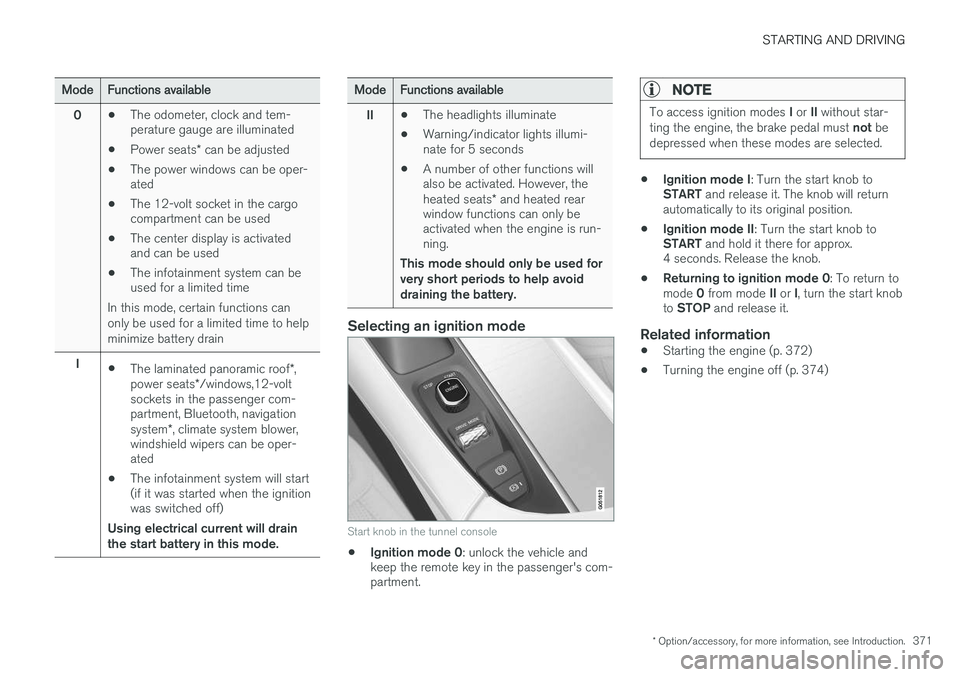
Selecting an ignition mode
Start knob in the tunnel console
• Ignition mode 0
: unlock the vehicle and
keep the remote key in the passenger's com- partment.
NOTE
To access ignition modes I or II without star-
ting the engine, the brake pedal must not be
depressed when these modes are selected.
• Ignition mode I
: Turn the start knob to
START and release it. The knob will return
automatically to its original position.
• Ignition mode II
: Turn the start knob to
START and hold it there for approx.
4 seconds. Release the knob.
• Returning to ignition mode 0
: To return to
mode 0 from mode II or I, turn the start knob
to STOP and release it.
Related information
•Starting the engine (p. 372)
• Turning the engine off (p. 374)
Page 374 of 546
STARTING AND DRIVING
372
Battery drain Your vehicle's electrical functions drain the bat- tery to varying extents.
Avoid using ignition mode II as much as posssi-
ble, or electrical functions that require a great deal of electrical current when the engine is notrunning. Using ignition mode I whenever possible con-
sumes less electrical current. Functions that require a great deal of electrical current include:
• the climate system blower
• headlights
• wipers
• infotainment system (especially at high vol- ume).
If the battery's charge level is low, a text message will appear in the instrument panel. The vehicle'senergy-saving function will then turn off orreduce certain functions that are currently con-suming electrical current. If the battery needs to be recharged, start the engine and let it idle for at least 15 minutes ordrive the vehicle (driving charges the batteryfaster than letting the engine idle).
Related information
• Ignition modes (p. 370)
Starting the engine
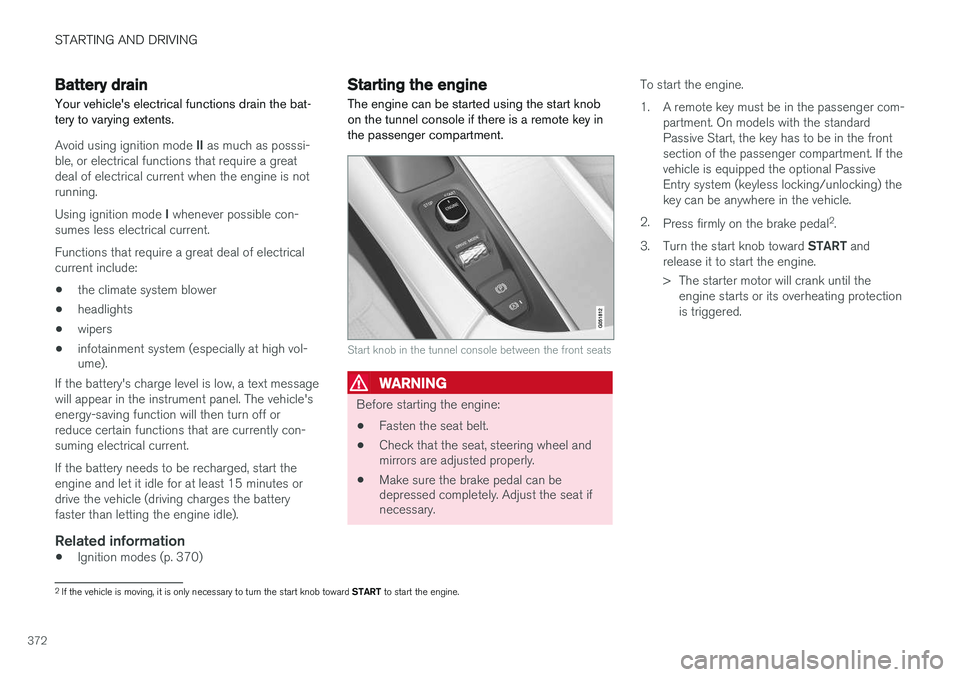
The engine can be started using the start knob on the tunnel console if there is a remote key inthe passenger compartment.
Start knob in the tunnel console between the front seats
WARNING
Before starting the engine:
• Fasten the seat belt.
• Check that the seat, steering wheel and mirrors are adjusted properly.
• Make sure the brake pedal can bedepressed completely. Adjust the seat ifnecessary. To start the engine.
1. A remote key must be in the passenger com-
partment. On models with the standard Passive Start, the key has to be in the frontsection of the passenger compartment. If thevehicle is equipped the optional PassiveEntry system (keyless locking/unlocking) thekey can be anywhere in the vehicle.
2. Press firmly on the brake pedal 2
.
3. Turn the start knob toward START and
release it to start the engine.
> The starter motor will crank until the engine starts or its overheating protection is triggered.
2If the vehicle is moving, it is only necessary to turn the start knob toward START to start the engine.
Page 389 of 546
STARTING AND DRIVING
}}
387
Charger status indicators
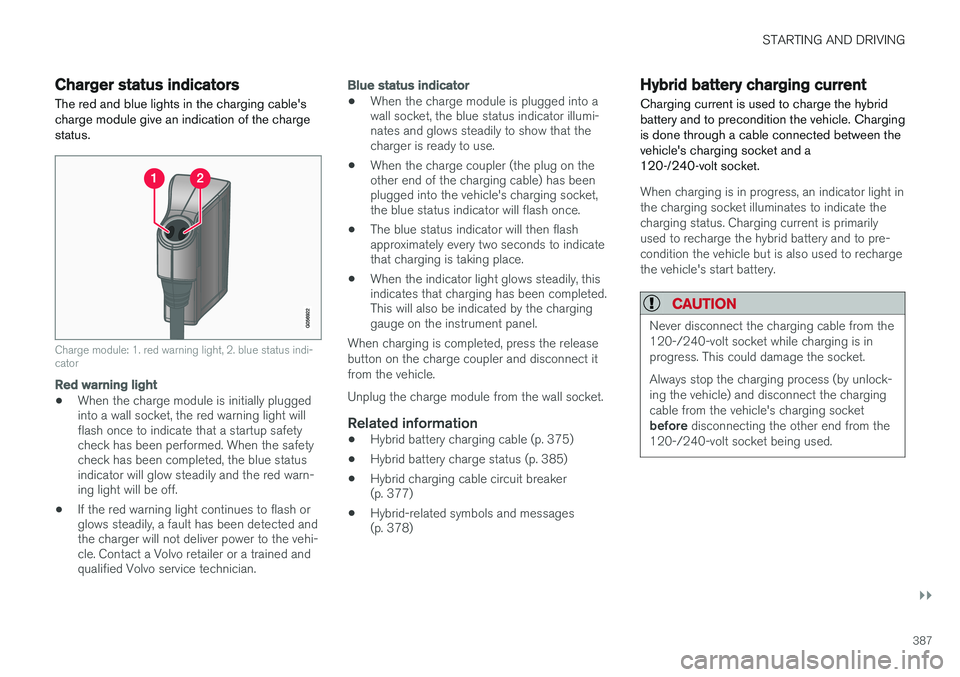
The red and blue lights in the charging cable's charge module give an indication of the chargestatus.
Charge module: 1. red warning light, 2. blue status indi- cator
Red warning light
• When the charge module is initially plugged into a wall socket, the red warning light willflash once to indicate that a startup safetycheck has been performed. When the safetycheck has been completed, the blue statusindicator will glow steadily and the red warn-ing light will be off.
• If the red warning light continues to flash orglows steadily, a fault has been detected andthe charger will not deliver power to the vehi-cle. Contact a Volvo retailer or a trained andqualified Volvo service technician.
Blue status indicator
• When the charge module is plugged into a wall socket, the blue status indicator illumi-nates and glows steadily to show that thecharger is ready to use.
• When the charge coupler (the plug on theother end of the charging cable) has beenplugged into the vehicle's charging socket,the blue status indicator will flash once.
• The blue status indicator will then flashapproximately every two seconds to indicatethat charging is taking place.
• When the indicator light glows steadily, thisindicates that charging has been completed.This will also be indicated by the charginggauge on the instrument panel.
When charging is completed, press the release button on the charge coupler and disconnect itfrom the vehicle. Unplug the charge module from the wall socket.
Related information
• Hybrid battery charging cable (p. 375)
• Hybrid battery charge status (p. 385)
• Hybrid charging cable circuit breaker (p. 377)
• Hybrid-related symbols and messages(p. 378)
Hybrid battery charging current
Charging current is used to charge the hybrid battery and to precondition the vehicle. Chargingis done through a cable connected between thevehicle's charging socket and a120-/240-volt socket.
When charging is in progress, an indicator light in the charging socket illuminates to indicate thecharging status. Charging current is primarilyused to recharge the hybrid battery and to pre-condition the vehicle but is also used to rechargethe vehicle's start battery.
CAUTION
Never disconnect the charging cable from the 120-/240-volt socket while charging is inprogress. This could damage the socket. Always stop the charging process (by unlock- ing the vehicle) and disconnect the chargingcable from the vehicle's charging socket before disconnecting the other end from the
120-/240-volt socket being used.
Page 499 of 546
MAINTENANCE AND SERVICING
497
WARNING
•The ignition should be switched off com- pletely (be in ignition mode
0) when
replacing bulbs.
• If the engine has been running just prior to replacing bulbs in the headlight hous-ing, please keep in mind that componentsin the engine compartment will be hot.
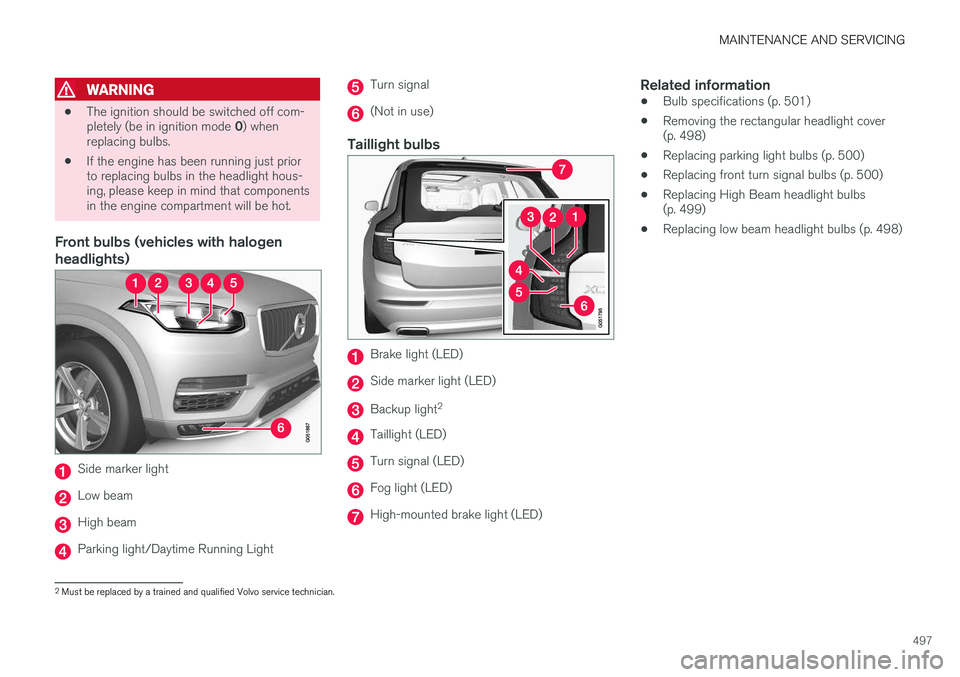
Front bulbs (vehicles with halogen headlights)
Side marker light
Low beam
High beam
Parking light/Daytime Running Light
Turn signal
(Not in use)
Taillight bulbs
Brake light (LED)
Side marker light (LED)
Backup light 2
Taillight (LED)
Turn signal (LED)
Fog light (LED)
High-mounted brake light (LED)
Related information
•
Bulb specifications (p. 501)
• Removing the rectangular headlight cover (p. 498)
• Replacing parking light bulbs (p. 500)
• Replacing front turn signal bulbs (p. 500)
• Replacing High Beam headlight bulbs(p. 499)
• Replacing low beam headlight bulbs (p. 498)
2
Must be replaced by a trained and qualified Volvo service technician.
Page 535 of 546
INDEX
533
A
A/C (air conditioning) 198
Accessory installation warning 26, 28
Active high beams 143
Active yaw control 323
Adaptive brake lights 350
Adaptive cruise control 266, 268, 269,271, 272, 273, 282, 283, 284, 286
passing assistance 284
radar sensor 283, 284
Adaptive Cruise Control fault tracing 285
Airbags disconnecting the front passenger
Page 537 of 546
INDEX
535
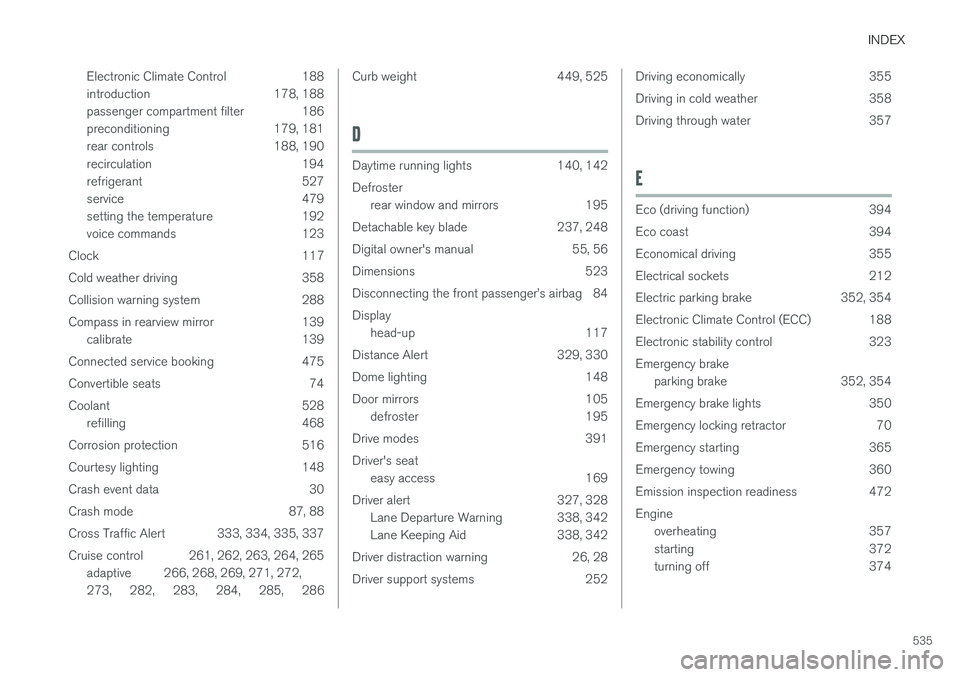
Electronic Climate Control 188
introduction 178, 188
passenger compartment filter 186
preconditioning 179, 181
rear controls 188, 190
recirculation 194
refrigerant 527
service 479
setting the temperature 192
voice commands 123
Clock 117
Cold weather driving 358
Collision warning system 288
Compass in rearview mirror 139 calibrate 139
Connected service booking 475
Convertible seats 74
Coolant 528 refilling 468
Corrosion protection 516
Courtesy lighting 148
Crash event data 30
Crash mode 87, 88
Cross Traffic Alert 333, 334, 335, 337
Cruise control 261, 262, 263, 264, 265 adaptive 266, 268, 269, 271, 272, 273 , 282 , 283 , 284 , 285 , 286
Curb weight 449, 525
D
Daytime running lights 140, 142 Defroster
rear window and mirrors 195
Detachable key blade 237, 248
Digital owner's manual 55, 56
Dimensions 523
Disconnecting the front passenger
Page 541 of 546
INDEX
539
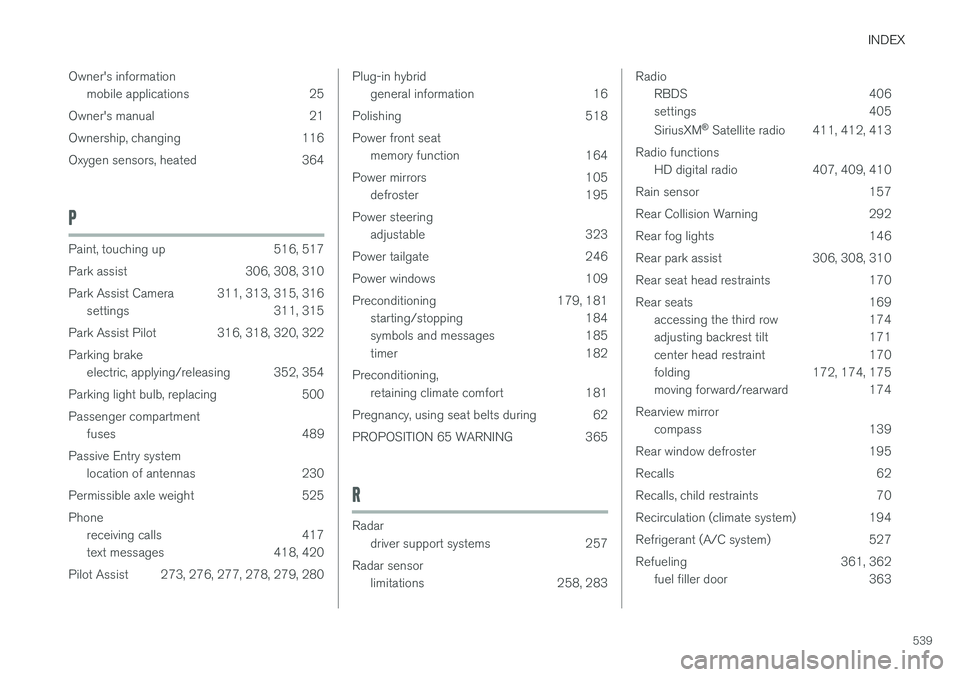
Owner's information
mobile applications 25
Owner's manual 21
Ownership, changing 116
Oxygen sensors, heated 364
P
Paint, touching up 516, 517
Park assist 306, 308, 310
Park Assist Camera 311, 313, 315, 316 settings 311, 315
Park Assist Pilot 316, 318, 320, 322Parking brake electric, applying/releasing 352, 354
Parking light bulb, replacing 500Passenger compartment fuses 489
Passive Entry system location of antennas 230
Permissible axle weight 525Phone receiving calls 417
text messages 418, 420
Pilot Assist 273, 276, 277, 278, 279, 280
Plug-in hybrid general information 16
Polishing 518 Power front seat memory function 164
Power mirrors 105 defroster 195
Power steering adjustable 323
Power tailgate 246
Power windows 109
Preconditioning 179, 181 starting/stopping 184
symbols and messages 185
timer 182
Preconditioning, retaining climate comfort 181
Pregnancy, using seat belts during 62
PROPOSITION 65 WARNING 365
R
Radar driver support systems 257
Radar sensor limitations 258, 283
Radio
RBDS 406
settings 405 SiriusXM ®
Satellite radio 411, 412, 413
Radio functions HD digital radio 407, 409, 410
Rain sensor 157
Rear Collision Warning 292
Rear fog lights 146
Rear park assist 306, 308, 310
Rear seat head restraints 170
Rear seats 169 accessing the third row 174
adjusting backrest tilt 171
center head restraint 170
folding 172, 174, 175
moving forward/rearward 174
Rearview mirror compass 139
Rear window defroster 195
Recalls 62
Recalls, child restraints 70
Recirculation (climate system) 194
Refrigerant (A/C system) 527
Refueling 361, 362 fuel filler door 363