wheel VOLVO XC90 T8 2016 Owner´s Manual
[x] Cancel search | Manufacturer: VOLVO, Model Year: 2016, Model line: XC90 T8, Model: VOLVO XC90 T8 2016Pages: 546, PDF Size: 10.26 MB
Page 271 of 546
DRIVER SUPPORT
}}
* Option/accessory, for more information, see Introduction.269
Activating ACC (putting it in active mode and setting a speed)
Before ACC can be put in active mode:
• The driver's seat belt must be buckled and the driver's door must be closed.
• There must be a vehicle ahead (a target vehi-cle) or your vehicle's current speed must beat least 10 mph (15 km/h).
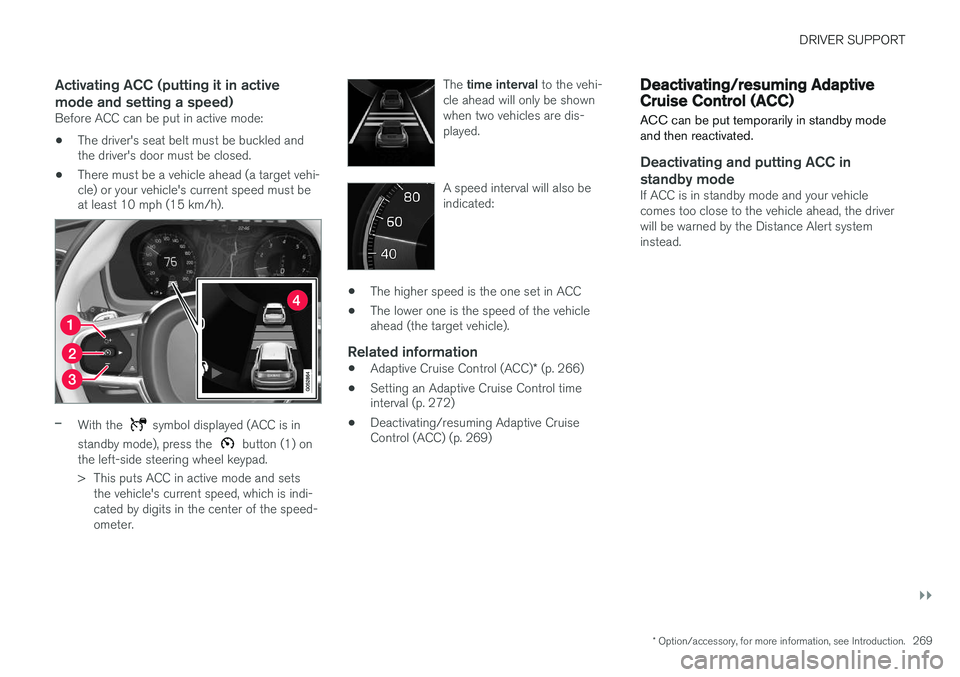
–With the symbol displayed (ACC is in
standby mode), press the
button (1) on
the left-side steering wheel keypad.
> This puts ACC in active mode and sets the vehicle's current speed, which is indi- cated by digits in the center of the speed-ometer. The
time interval to the vehi-
cle ahead will only be shownwhen two vehicles are dis-played.
A speed interval will also be indicated:
• The higher speed is the one set in ACC
• The lower one is the speed of the vehicle ahead (the target vehicle).
Related information
•
Adaptive Cruise Control (ACC)
* (p. 266)
• Setting an Adaptive Cruise Control timeinterval (p. 272)
• Deactivating/resuming Adaptive CruiseControl (ACC) (p. 269)
Deactivating/resuming Adaptive Cruise Control (ACC)
ACC can be put temporarily in standby mode and then reactivated.
Deactivating and putting ACC in standby mode
If ACC is in standby mode and your vehicle comes too close to the vehicle ahead, the driverwill be warned by the Distance Alert systeminstead.
Page 272 of 546
||
DRIVER SUPPORT
* Option/accessory, for more information, see Introduction.
270 To temporarily deactivate and put Adaptive Cruise Control in standby mode:
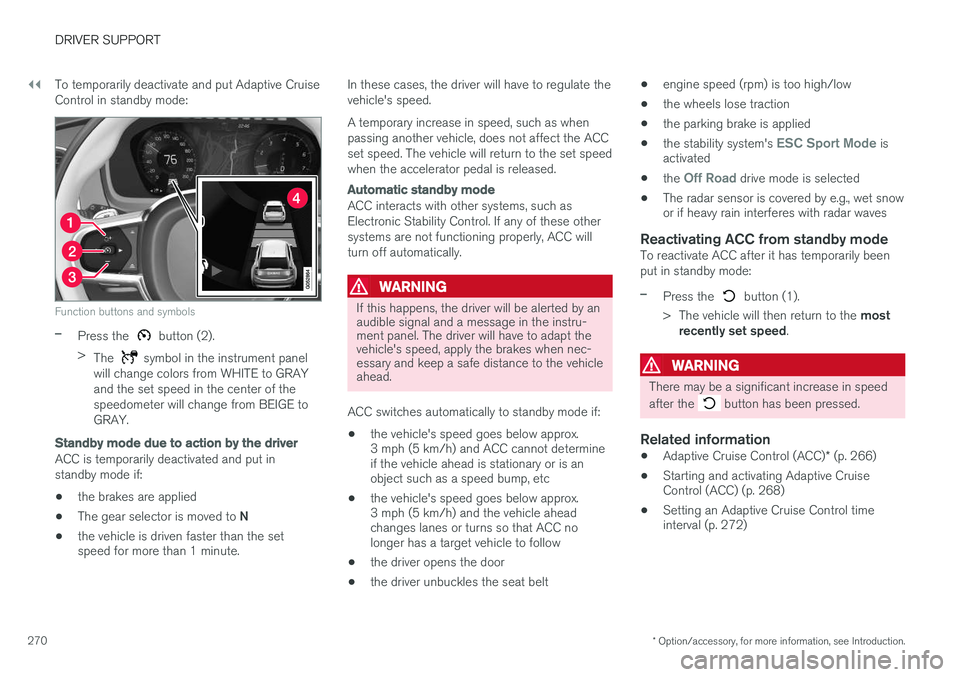
Function buttons and symbols
–Press the button (2).
> The
symbol in the instrument panel
will change colors from WHITE to GRAY and the set speed in the center of thespeedometer will change from BEIGE toGRAY.
Standby mode due to action by the driver
ACC is temporarily deactivated and put in standby mode if:
• the brakes are applied
• The gear selector is moved to
N
• the vehicle is driven faster than the set speed for more than 1 minute. In these cases, the driver will have to regulate the vehicle's speed. A temporary increase in speed, such as when passing another vehicle, does not affect the ACCset speed. The vehicle will return to the set speedwhen the accelerator pedal is released.
Automatic standby mode
ACC interacts with other systems, such as Electronic Stability Control. If any of these othersystems are not functioning properly, ACC willturn off automatically.
WARNING
If this happens, the driver will be alerted by an audible signal and a message in the instru-ment panel. The driver will have to adapt thevehicle's speed, apply the brakes when nec-essary and keep a safe distance to the vehicleahead.
ACC switches automatically to standby mode if: • the vehicle's speed goes below approx. 3 mph (5 km/h) and ACC cannot determineif the vehicle ahead is stationary or is anobject such as a speed bump, etc
• the vehicle's speed goes below approx.3 mph (5 km/h) and the vehicle aheadchanges lanes or turns so that ACC nolonger has a target vehicle to follow
• the driver opens the door
• the driver unbuckles the seat belt •
engine speed (rpm) is too high/low
• the wheels lose traction
• the parking brake is applied
• the stability system's
ESC Sport Mode is
activated
• the
Off Road drive mode is selected
• The radar sensor is covered by e.g., wet snow or if heavy rain interferes with radar waves
Reactivating ACC from standby modeTo reactivate ACC after it has temporarily been put in standby mode:
–Press the button (1).
> The vehicle will then return to the most
recently set speed .
WARNING
There may be a significant increase in speed after the
button has been pressed.
Related information
•Adaptive Cruise Control (ACC)
* (p. 266)
• Starting and activating Adaptive Cruise Control (ACC) (p. 268)
• Setting an Adaptive Cruise Control timeinterval (p. 272)
Page 278 of 546
||
DRIVER SUPPORT
* Option/accessory, for more information, see Introduction.
276
WARNING
Pilot Assist only provides warnings for vehi- cles that its radar sensor and camera havedetected. For this reason, a warning may begiven later than expected or not at all. Thedriver should never wait for a warning beforeapplying the brakes.
Related information
• Pilot Assist limitations (p. 280)
• Pilot Assist auto-hold brake function (p. 279)
• Distance Alert
* (p. 329)
• Other Adaptive Cruise Control (ACC) func-tions (p. 282)
• Setting an Adaptive Cruise Control timeinterval (p. 272)
Starting and activating Pilot Assist
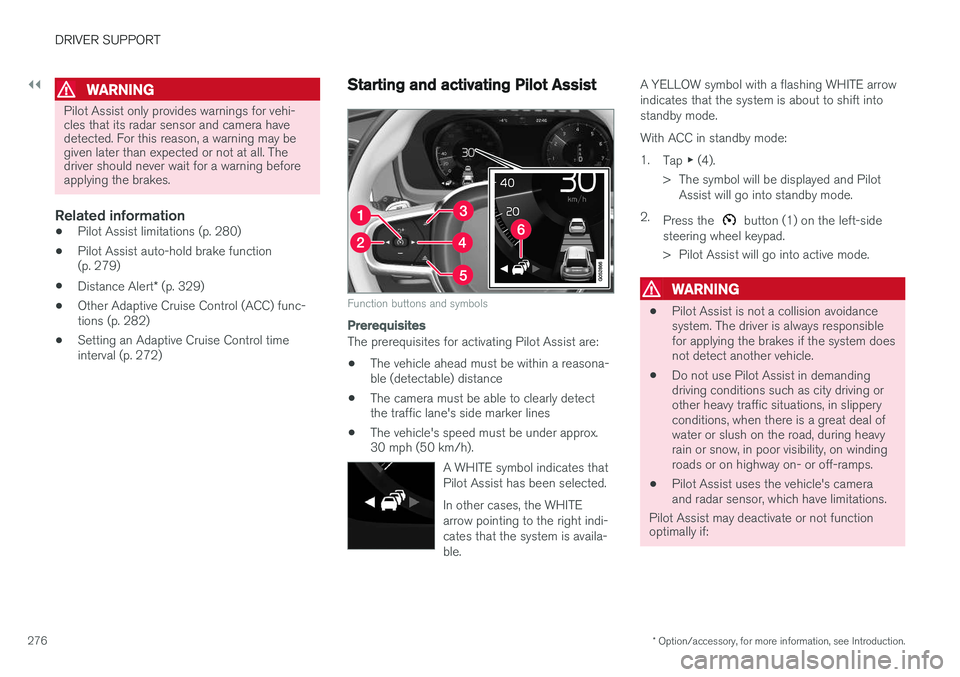
Function buttons and symbols
Prerequisites
The prerequisites for activating Pilot Assist are:
• The vehicle ahead must be within a reasona- ble (detectable) distance
• The camera must be able to clearly detectthe traffic lane's side marker lines
• The vehicle's speed must be under approx.30 mph (50 km/h).
A WHITE symbol indicates that Pilot Assist has been selected. In other cases, the WHITE arrow pointing to the right indi-cates that the system is availa-ble.
A YELLOW symbol with a flashing WHITE arrow indicates that the system is about to shift intostandby mode. With ACC in standby mode:1.Tap ▶ (4).
> The symbol will be displayed and Pilot Assist will go into standby mode.
2. Press the
button (1) on the left-side
steering wheel keypad.
> Pilot Assist will go into active mode.
WARNING
• Pilot Assist is not a collision avoidance system. The driver is always responsiblefor applying the brakes if the system doesnot detect another vehicle.
• Do not use Pilot Assist in demandingdriving conditions such as city driving orother heavy traffic situations, in slipperyconditions, when there is a great deal ofwater or slush on the road, during heavyrain or snow, in poor visibility, on windingroads or on highway on- or off-ramps.
• Pilot Assist uses the vehicle's cameraand radar sensor, which have limitations.
Pilot Assist may deactivate or not function optimally if:
Page 279 of 546
DRIVER SUPPORT
}}
* Option/accessory, for more information, see Introduction.277
•the lane's side market lines are missing, badly faded or cross each other.
• the division of lanes is not clear, e.g.,when a line divides or merges withanother, at exits or if there are many roadsigns/markers.
• if there are edges or other lines on ornear the lane, e.g., curbs, cracks, repairedareas, sharp shadows, etc.
• the lane is narrow or winding.
• the weather conditions (rain, snow, fog,slush, poor visibility, backlighting, etc).
The driver should also be aware that Pilot Assist has the following limitations: • High curbs, barriers and temporary obsta- cles (cones, barriers etc) may not bedetected or could be detected incorrectlyas side marker lines, which may create arisk of collision. The driver must ensure asafe distance to these obstacles.
• The camera or radar sensor may not beable to detect objects if there are pot-holes or if there are stationary objectspartially or completely blocking the road.
• Pilot Assist does not "see" pedestrians,animals, etc.
• Pilot Assist's steering capacity is limitedand may not always be able to help thedriver keep the vehicle in the lane.Hands on the steering wheel
Pilot Assist only functions when the driver's hands are on the steering wheel
, which is con-
tinuously monitored by the system. If this is notthe case, the driver will be alerted by a text mes-sage in the instrument panel. If the driver's handsare not returned to the steering wheel, an audiblesignal will sound. If the driver does not return his/her hands to the steering wheel after the audible signal, PilotAssist will go into standby mode and must be reactivated by pressing
.
Related information
• Pilot Assist
* (p. 273)
Deactivating/resuming Pilot Assist
Putting Pilot Assist in standby mode
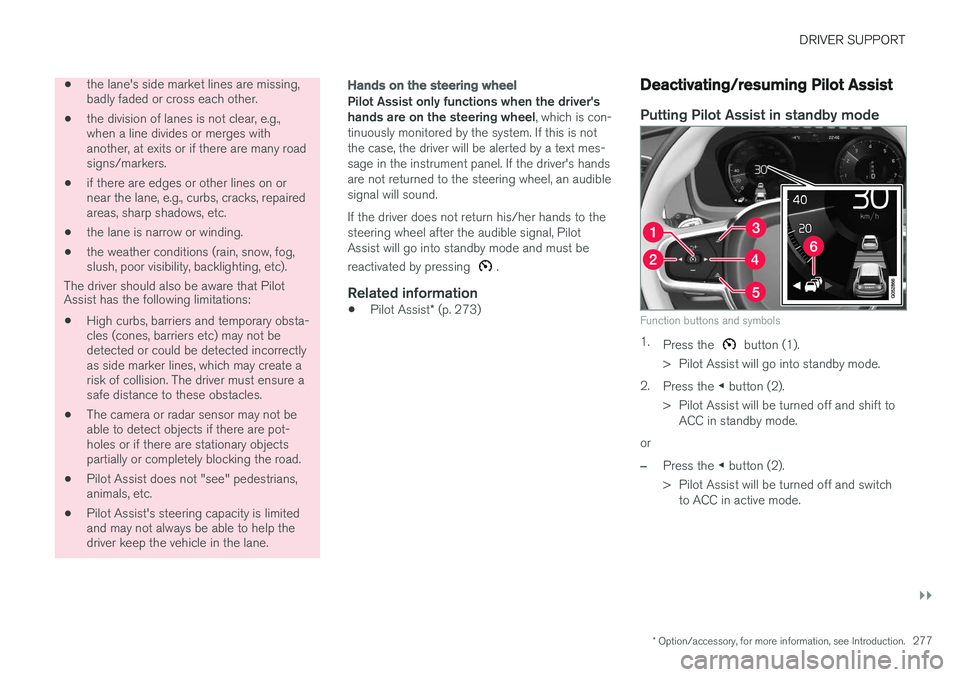
Function buttons and symbols
1.
Press the button (1).
> Pilot Assist will go into standby mode.
2. Press the ◀ button (2).
> Pilot Assist will be turned off and shift to ACC in standby mode.
or
–Press the ◀ button (2).
> Pilot Assist will be turned off and switch to ACC in active mode.
Page 280 of 546
||
DRIVER SUPPORT
* Option/accessory, for more information, see Introduction.
278
Standby mode due to driver action
If a turn signal is used or if the accelerator pedal is pressed, Pilot Assist will temporarily go intostandby mode. When the turn signal is switchedoff or the accelerator pedal is released, PilotAssist will reactivate automatically. Automatic reactivation from standby mode can be done within 1 minute. After 1 minute haselapsed, Pilot Assist must be reactivated man- ually by pressing the
button.
Pilot Assist will temporarily go into standby mode if: • the brakes are applied
• the gear selector is moved to the
N position.
The driver will then have to regulate speed and distance to the vehicle ahead, or reactivate Pilot Assist manually by pressing the
button on
the left-side steering wheel keypad.
Automatic standby mode
Pilot Assist interacts with other systems, such as Electronic Stability Control. If any of these othersystems are not functioning properly, Pilot Assistwill automatically be deactivated.
WARNING
If this happens, the driver will be alerted by an audible signal and a message in the instru-ment panel. The driver will have to adapt thevehicle's speed, apply the brakes when nec-essary and keep a safe distance to the vehicleahead.
Pilot Assist switches automatically to standby mode if: • the camera cannot detect the traffic lane's side marker lines
• the vehicle ahead is not within a reasonable(detectable) distance
• the driver's hands are not on the steeringwheel
• the driver unbuckles the seat belt
• engine speed (rpm) is too high/low
• the wheels lose traction
• brake temperature is too high
• The camera lens/radar sensor is covered bye.g., wet snow or if heavy rain interferes withradar waves
Reactivating Pilot Assist from standby mode
–Press the button (1).
> The most recently set speed will be used.
Related information
• Pilot Assist
* (p. 273)
Setting a Pilot Assist time interval
Different time intervals to the vehicle ahead can be selected and are shown in the instrumentpanel as 1–5 horizontal bars.
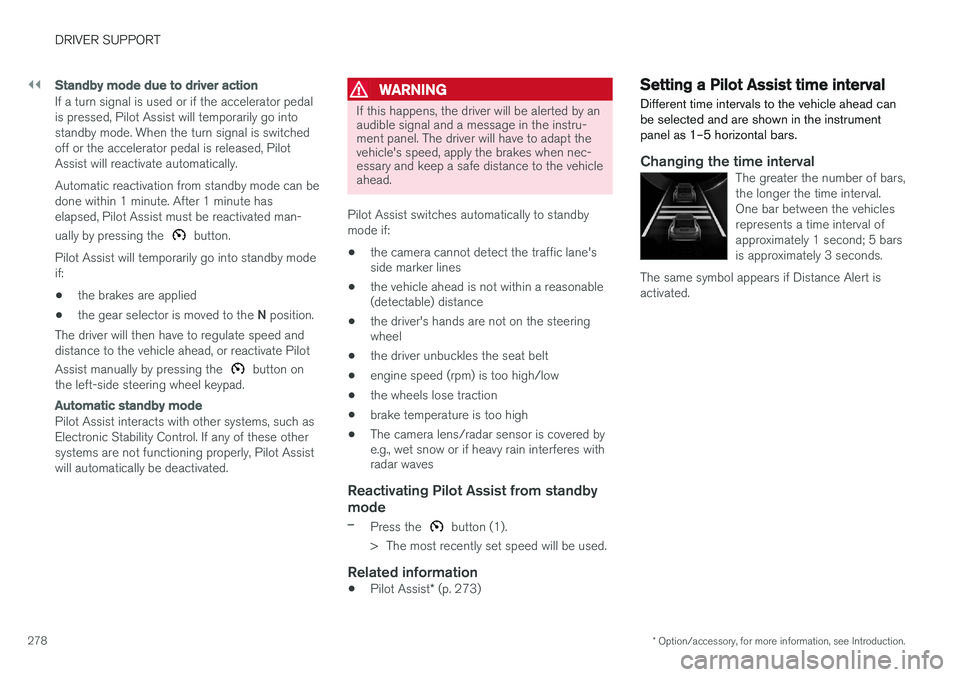
Changing the time intervalThe greater the number of bars, the longer the time interval.One bar between the vehiclesrepresents a time interval ofapproximately 1 second; 5 barsis approximately 3 seconds.
The same symbol appears if Distance Alert isactivated.
Page 284 of 546
DRIVER SUPPORT
282
Other Adaptive Cruise Control (ACC) functions
ACC has several supplementary functions:
• Changing target vehicles
• Automatic standby mode when changing tar- gets
• Auto-hold brake function
• Deactivation of the auto-hold brake function
• Automatically setting the parking brake
Changing target vehicles
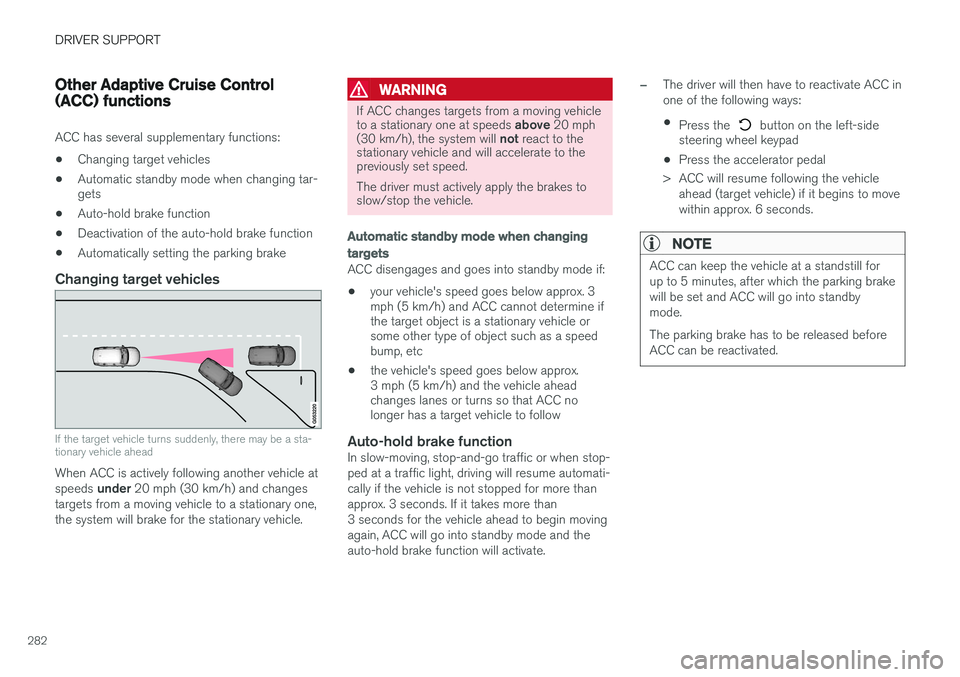
If the target vehicle turns suddenly, there may be a sta- tionary vehicle ahead
When ACC is actively following another vehicle at speeds
under 20 mph (30 km/h) and changes
targets from a moving vehicle to a stationary one, the system will brake for the stationary vehicle.
WARNING
If ACC changes targets from a moving vehicle to a stationary one at speeds above 20 mph
(30 km/h), the system will not react to the
stationary vehicle and will accelerate to the previously set speed. The driver must actively apply the brakes to slow/stop the vehicle.
Automatic standby mode when changing targets
ACC disengages and goes into standby mode if:
• your vehicle's speed goes below approx. 3 mph (5 km/h) and ACC cannot determine ifthe target object is a stationary vehicle orsome other type of object such as a speedbump, etc
• the vehicle's speed goes below approx.3 mph (5 km/h) and the vehicle aheadchanges lanes or turns so that ACC nolonger has a target vehicle to follow
Auto-hold brake functionIn slow-moving, stop-and-go traffic or when stop- ped at a traffic light, driving will resume automati-cally if the vehicle is not stopped for more thanapprox. 3 seconds. If it takes more than3 seconds for the vehicle ahead to begin movingagain, ACC will go into standby mode and theauto-hold brake function will activate.
–The driver will then have to reactivate ACC in one of the following ways:
• Press the
button on the left-side
steering wheel keypad
• Press the accelerator pedal
> ACC will resume following the vehicle ahead (target vehicle) if it begins to move
within approx. 6 seconds.
NOTE
ACC can keep the vehicle at a standstill for up to 5 minutes, after which the parking brakewill be set and ACC will go into standbymode. The parking brake has to be released before ACC can be reactivated.
Page 287 of 546
DRIVER SUPPORT
* Option/accessory, for more information, see Introduction.285
Adaptive Cruise Control (ACC) - fault tracing
If this symbol is displayed in the instru- ment panel and the message
Windscreen sensor Sensor
blocked, see Owner's manual
appears, the ACC radar sensor is blocked and cannot detect vehicles ahead.
This message also indicates that the following systems may have reduced functionality:
• Distance Alert
• City Safety
• Driver Alert Control
• Pilot Assist
• Lane Departure Warning (LDW) •
Lane Keeping Aid (LKA)
• Traffic Sign Information (TSI)
The following table lists possible causes for thismessage being displayed and suitable actions:
CauseAction
The windshield in front of the radar is dirty or covered with snow/ice.Clean/clear the windshield in front of the radar.
Heavy rain or snow is interfering with the radar signals.No action possible. Heavy precipitation may affect the function of the radar.
Swirling water or snow from the surface of the road may interfere with the radar signals.No action possible. A very wet or snow-covered road surface may affect the function of the radar.
The windshield in front of the radar is clean but the message remains in the display.Wait a short time. It may take several minutes for the radar to detect that it is no longer obstructed.
A text message can be erased by briefly pressing the O button on the right-side steering wheel
keypad. If the message recurs, contact a trained and authorized Volvo service technician orretailer.
Related information
• Adaptive Cruise Control (ACC)
* (p. 266)
Page 295 of 546
DRIVER SUPPORT
}}
293
Related information
•City Safety
™ (p. 287)
• Whiplash protection system (p. 63)
• Seat belts (p. 64)
• City Safety warning level settings (p. 289)
City Safety limitations
City Safety ™ may have limited or reduced func-
tionality in certain situations.
The function has several limitations that the driver should be familiar with:
Low objects
Hanging objects, such as flags for overhanging loads or accessories such as auxiliary lights orfront protective grids that extend beyond theheight of the hood may limit City Safety's func-tion.
Slippery driving conditions
The extended braking distance on slippery roads may reduce City Safety's capacity to help avoid acollision. In situations of this type, the ABSbrakes and Electronic Stability Control will helpprovide braking power and stability.
Backlighting
Strong sunlight, reflections, extreme light con- trasts, the use of sunglasses, or if the driver is notlooking straight ahead may make the visual warn-ing signal in the windshield difficult to see.
Heat
If the temperature in the passenger compartment is very high, the camera and radar sensor may betemporarily turned off for approx. 15 minutesafter the engine has been started to protect theirelectronic components. When the temperaturehas cooled sufficiently, the camera and radarsensor will restart automatically. The visual warning signal may also be temporarilydisabled due to high passenger compartmenttemperatures caused by strong sunlight. Warnings may not be given if the distance to the vehicle ahead is short and the driver is activelyoperating the vehicle (clearly depressing a pedalor turning the steering wheel).
Reduced visibility
City Safety's functions may be greatly impeded or deactivated by e.g., intense snowfall or rain, indense fog, in very dusty conditions or if there isblowing snow in front of the vehicle. Condensa-tion, ice, snow or dirt on the windshield may alsoreduce the system's functionality.
NOTE
•
Keep the windshield in front of the radar sensor free of ice, snow, dirt, etc.
• Snow or ice on the hood deeper than2 inches (5 cm) may obstruct the sensor.Keep the hood free of ice and snow.
• Do not mount or in any way attach any-thing on the windshield that couldobstruct the radar sensor.
Page 303 of 546
DRIVER SUPPORT
* Option/accessory, for more information, see Introduction.301
•
Deactivating/reactivating the Speed Limiter
*
(p. 303)
• Road Sign Information (RSI)
* (p. 304)
Activating/deactivating the Automatic Speed Limiter (ASL) *
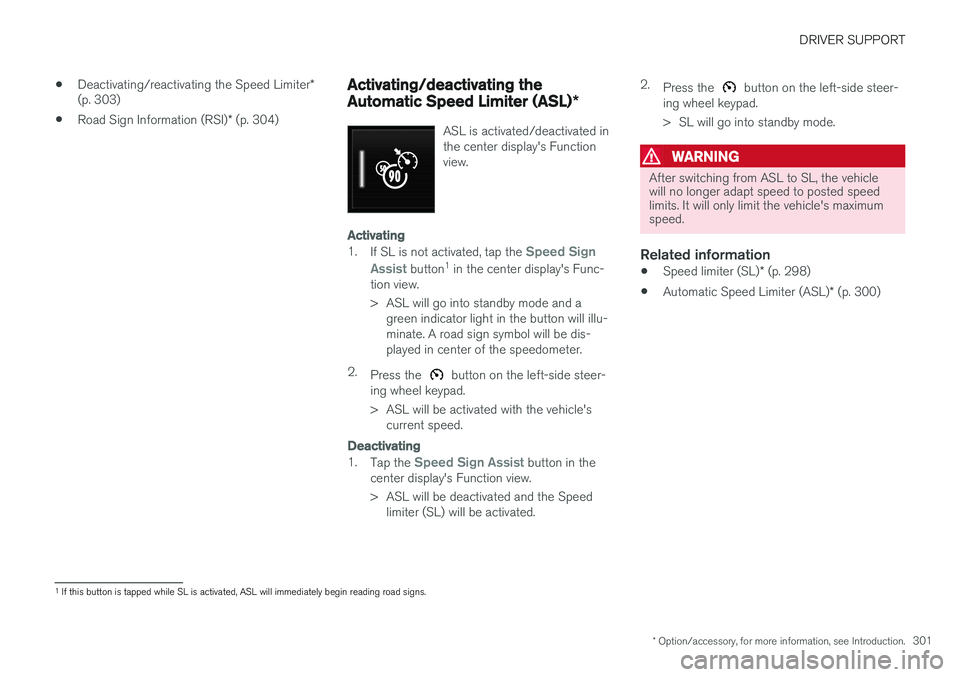
ASL is activated/deactivated in the center display's Functionview.
Activating
1.
If SL is not activated, tap the Speed Sign
Assist
button 1
in the center display's Func-
tion view.
> ASL will go into standby mode and a green indicator light in the button will illu- minate. A road sign symbol will be dis-played in center of the speedometer.
2. Press the
button on the left-side steer-
ing wheel keypad.
> ASL will be activated with the vehicle's current speed.
Deactivating
1. Tap the Speed Sign Assist button in the
center display's Function view.
> ASL will be deactivated and the Speed limiter (SL) will be activated. 2.
Press the
button on the left-side steer-
ing wheel keypad.
> SL will go into standby mode.
WARNING
After switching from ASL to SL, the vehicle will no longer adapt speed to posted speedlimits. It will only limit the vehicle's maximumspeed.
Related information
• Speed limiter (SL)
* (p. 298)
• Automatic Speed Limiter (ASL)
* (p. 300)
1
If this button is tapped while SL is activated, ASL will immediately begin reading road signs.
Page 315 of 546
DRIVER SUPPORT
}}
* Option/accessory, for more information, see Introduction.313
Park Assist Camera (PAC)*
trajectory lines and fields
The Park Assist Camera system uses trajectory and lines and fields to indicate the vehicle'sposition in relation to its immediate surround-ings.
Trajectory lines
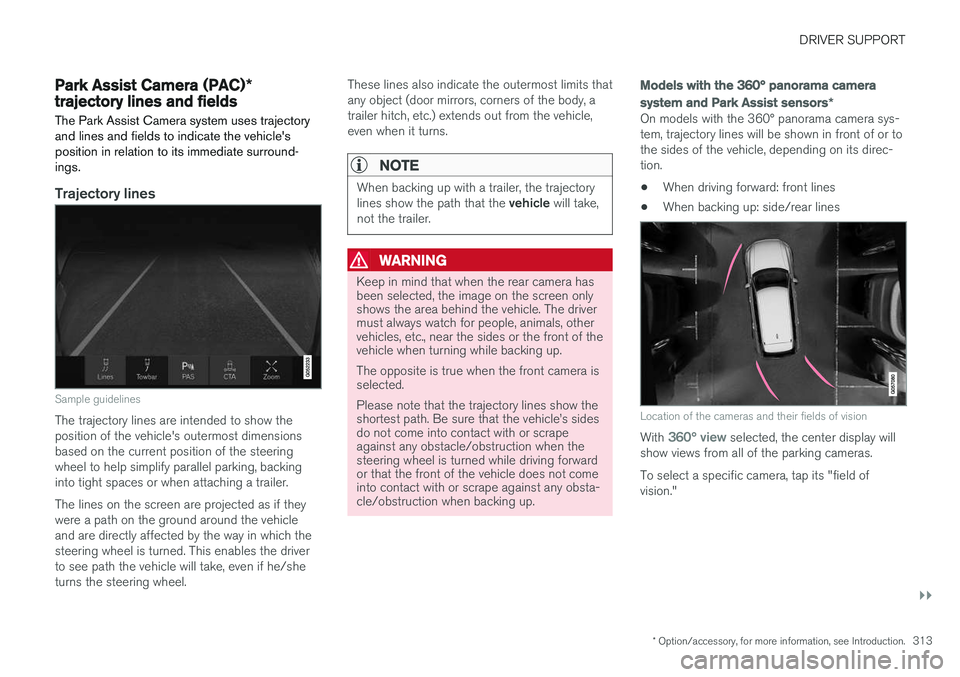
Sample guidelines
The trajectory lines are intended to show the position of the vehicle's outermost dimensionsbased on the current position of the steeringwheel to help simplify parallel parking, backinginto tight spaces or when attaching a trailer. The lines on the screen are projected as if they were a path on the ground around the vehicleand are directly affected by the way in which thesteering wheel is turned. This enables the driverto see path the vehicle will take, even if he/sheturns the steering wheel. These lines also indicate the outermost limits thatany object (door mirrors, corners of the body, atrailer hitch, etc.) extends out from the vehicle,even when it turns.
NOTE
When backing up with a trailer, the trajectory lines show the path that the
vehicle will take,
not the trailer.
WARNING
Keep in mind that when the rear camera has been selected, the image on the screen onlyshows the area behind the vehicle. The drivermust always watch for people, animals, othervehicles, etc., near the sides or the front of thevehicle when turning while backing up. The opposite is true when the front camera is selected. Please note that the trajectory lines show the shortest path. Be sure that the vehicle