AUX VOLVO XC90 T8 2016 Owner´s Manual
[x] Cancel search | Manufacturer: VOLVO, Model Year: 2016, Model line: XC90 T8, Model: VOLVO XC90 T8 2016Pages: 546, PDF Size: 10.26 MB
Page 10 of 546
8
Driving with a trailer367
Detachable trailer hitch 368
Trailer Stability Assist (TSA) 369
Ignition modes 370
Battery drain 372
Starting the engine 372
Turning the engine off 374
Driving systems 374
Hybrid battery charging cable 375
Hybrid charging cable circuit breaker 377
Hybrid-related symbols and messages 378
Preparations for charging the hybrid battery 380
Stopping hybrid battery charging 381
Initiating hybrid battery charging 382
Charging the hybrid battery 383
Hybrid battery charge status 385
Charger status indicators 387
Hybrid battery charging current 387
Long-term storage of a vehicle witha hybrid battery 388
Using the electric motor in city driving 389
Drive modes 390
ECO drive mode 394
Automatic transmission 395
Shiftlock396
Gear shift indicator 396
Gear selector positions 396
Steering wheel paddles *
398
Low Speed Control (LSC) 399
All Wheel Drive (AWD) 400
Suspension and leveling control *
400
INFOTAINMENT
The infotainment system
404
Sound settings 404
Radio 405
Radio settings 405
RBDS radio 406
Changing and searching for radio stations 406
HD Radio ™reception
407
Switching HD Radio on and off 409
HD Radio sub-channels 409
HD Radio limitations 410
SiriusXM ®
Satellite radio * 411
Using SiriusXM ®
Satellite radio radio *412
SiriusXM ®
Satellite radio * settings 413
Phone 414
Pairing a cell phone 415
Connecting/disconnecting a cell phone 416
Handling phone calls 417
Handling text messages 418
Phone settings 419
Text message settings 420
Connecting a Bluetooth ®
device 420
Connecting a device via theAUX/USB socket 420
Media player 421
Page 11 of 546
9
Apple CarPlay422
Apple CarPlay settings 423
CD (media) player *
424
Playing media 424
Media searches 426
Playing media through the AUX/USB sockets 427
Streaming media through a Blue-tooth connection 427
Media sound settings 428
Gracenote 428
Video 429
Media player technical data 429
Internet connected vehicle 431
Connecting to the Internet 431
Apps (applications) 433
Bluetooth settings 433
Downloading, updating and uninstal-ling apps 434
Internet connection troubleshooting 435
Tethering (Wi-Fi sharing) 435
Deleting Wi-Fi networks 436
Wi-Fi technology and security 436
Vehicle modem settings 437
Infotainment system license information 437
Terms, conditions and confidentiality441
WHEELS AND TIRES
Tires444
Tire sidewall designations 445
Wheel (rim) designations 447
Tire terminology 447
Tire direction of rotation 448
Tread wear indicator 449
Loading specifications 449
Uniform Tire Quality Grading 450
Snow tires and chains 451
Checking tire inflation pressure 451
Changing tires 453
Tools in the cargo compartment 453
Jack 453
Wheel bolts 454
Removing a wheel 454
Installing a wheel 456
Tire Pressure Monitoring System (TPMS) 457
Checking inflation pressure 458
Reinflating tires equipped with the Tire Pressure Monitoring System (TPMS) 459
Calibrating the Tire PressureMonitoring System (TPMS) 460
Tire Pressure Monitoring Systemtype approval 461
Tire sealing system 461
Page 146 of 546
||
INSTRUMENTS AND CONTROLS
* Option/accessory, for more information, see Introduction.
144
Operation
Activate/deactivate this function by turning the ring on the left-side steering wheel lever to
.
If the ring is not in this position, toggling between high and low beams must be done manually. If the ring is turned to another position while the high beams are on, the headlights will automati-cally switch to low beams. A white symbol (
) in the instrument panel
indicates that the function has been activated. When the high beams are on, the symbol will change to blue.
NOTE
•Keep the windshield in front of the cam- era free of ice, snow, dirt, etc.
• Do not mount or in any way attach any-thing on the windshield that couldobstruct the camera.
If a message is displayed in the instrument panel saying that active high beams are temporarilyunavailable, switching between high and lowbeams will have to be done manually. However, the light switch can remain in the
position.
The same applies if a message saying that the windshield sensors are blocked and the
symbol are displayed. The symbol will go
out if this happens. Automatic high beams may be temporarily unavailable (e.g., in heavy fog or rain). When thesystem becomes active again or if the sensors inthe windshield are no longer obscured, the mes- sages will disappear and the
symbol will
illuminate.
WARNING
• Automatic high beams are a driving aid designed to help provide the best possi-ble headlight illumination in good drivingconditions.
• The driver is always responsible for man-ually toggling between high and lowbeams when this is required by traffic orweather conditions.
CAUTION
In the following situations, it may be neces- sary to switch between high and low beamsmanually:
• In heavy fog or rain
• In blowing snow or slush
• In bright moonlight
• In freezing rain
• In areas with dim street lighting
• When oncoming vehicles have dim front lighting
• If there are pedestrians on or near theroad
• If there are reflective objects, such assigns, near the road
• When oncoming vehicles' lights areobscured by e.g., fences, bushes, etc.
• When there are vehicles on connectingroads
• At the top of hills or in dips in the road
• In sharp curves
Auxiliary lights
*If the vehicle is equipped with auxiliary lights, the driver can use the center display to activate/deactivate them or decide if they will go on/off along with the high beams 11
.
11 These lights must be connected to the vehicle's electrical system by a trained and qualified Volvo service technician.
Page 212 of 546
||
LOADING AND STORAGE
* Option/accessory, for more information, see Introduction.
210 Unlocking the glove compartment
1. This function can be deactivated from the
center display's Function or Settings view:
• Go to Function view and tap
Private
locking locked.
• Go to settings and select
My CarLocking and Unlocking Feedback.
Deselect the Private Locking box.
> A pop-up window will appear.
2. Specify the code to be used to lock the glove compartment and tap
Confirm.
> The glove compartment will be unlocked.
Using the glove compartment as a cooler *
The glove compartment can be used to cool drinks or food and the cooling feature functionswhen the climate system is active (i.e., when the ignition is in mode II or when the engine is run-
ning).
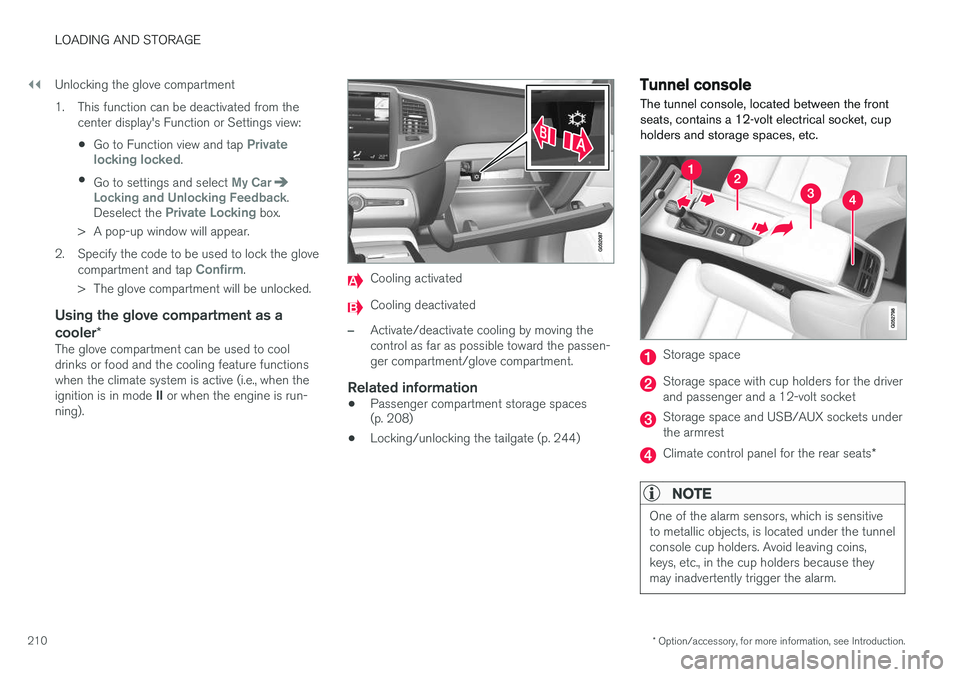
Cooling activated
Cooling deactivated
–Activate/deactivate cooling by moving the control as far as possible toward the passen-ger compartment/glove compartment.
Related information
• Passenger compartment storage spaces (p. 208)
• Locking/unlocking the tailgate (p. 244)
Tunnel console The tunnel console, located between the front seats, contains a 12-volt electrical socket, cupholders and storage spaces, etc.
Storage space
Storage space with cup holders for the driver and passenger and a 12-volt socket
Storage space and USB/AUX sockets under the armrest
Climate control panel for the rear seats
*
NOTE
One of the alarm sensors, which is sensitive to metallic objects, is located under the tunnelconsole cup holders. Avoid leaving coins,keys, etc., in the cup holders because theymay inadvertently trigger the alarm.
Page 295 of 546
DRIVER SUPPORT
}}
293
Related information
•City Safety
™ (p. 287)
• Whiplash protection system (p. 63)
• Seat belts (p. 64)
• City Safety warning level settings (p. 289)
City Safety limitations
City Safety ™ may have limited or reduced func-
tionality in certain situations.
The function has several limitations that the driver should be familiar with:
Low objects
Hanging objects, such as flags for overhanging loads or accessories such as auxiliary lights orfront protective grids that extend beyond theheight of the hood may limit City Safety's func-tion.
Slippery driving conditions
The extended braking distance on slippery roads may reduce City Safety's capacity to help avoid acollision. In situations of this type, the ABSbrakes and Electronic Stability Control will helpprovide braking power and stability.
Backlighting
Strong sunlight, reflections, extreme light con- trasts, the use of sunglasses, or if the driver is notlooking straight ahead may make the visual warn-ing signal in the windshield difficult to see.
Heat
If the temperature in the passenger compartment is very high, the camera and radar sensor may betemporarily turned off for approx. 15 minutesafter the engine has been started to protect theirelectronic components. When the temperaturehas cooled sufficiently, the camera and radarsensor will restart automatically. The visual warning signal may also be temporarilydisabled due to high passenger compartmenttemperatures caused by strong sunlight. Warnings may not be given if the distance to the vehicle ahead is short and the driver is activelyoperating the vehicle (clearly depressing a pedalor turning the steering wheel).
Reduced visibility
City Safety's functions may be greatly impeded or deactivated by e.g., intense snowfall or rain, indense fog, in very dusty conditions or if there isblowing snow in front of the vehicle. Condensa-tion, ice, snow or dirt on the windshield may alsoreduce the system's functionality.
NOTE
•
Keep the windshield in front of the radar sensor free of ice, snow, dirt, etc.
• Snow or ice on the hood deeper than2 inches (5 cm) may obstruct the sensor.Keep the hood free of ice and snow.
• Do not mount or in any way attach any-thing on the windshield that couldobstruct the radar sensor.
Page 309 of 546
DRIVER SUPPORT
}}
307
The tone becomes constant when you are within approximately 1 ft (30 cm) of an object and theinnermost sensor field will be red. If there areobjects within this distance both behind and infront of the vehicle, the tone alternates betweenfront and rear speakers. While an audible signal is being given, its volume level can be raised/lowered using the
>II control
in the center console or can be adjusted in the Setting menu.
WARNING
Park Assist is an information system, NOT a safety system. This system is designed to bea supplementary aid when parking the vehicle.It is not, however, intended to replace the driv-er's attention and judgement.
Rear park assist
The system's rear sensors are activated automat- ically when the engine is started and are active ifthe vehicle rolls rearward with the gear selector in N or if R has been selected.
The distance monitored behind the vehicle is approximately 5 ft (1.5 m). The audible signalcomes from the rear speakers. The rear sensors will be deactivated automatically when towing a trailer if Volvo genuine trailer wir-ing is used. If a non-Volvo trailer hitch is beingused, it may be necessary to switch off the sys-tem manually.
Side park assist
The system's side sensors are activated automat- ically when the engine is started and are active atspeeds below approximately 6 mph (10 km/h). The distance monitored along the sides of thevehicle is approximately 1 ft (0.3 m). The audiblesignal comes from the side speakers.
Front park assist
The system's front sensors are activated auto- matically when the engine is started and areactive at speeds below approximately 6 mph(10 km/h). The distance monitored in front of the vehicle is approximately 2.5 ft (0.8 m). The audible signalcomes from the front speakers. Front Park Assist is deactivated if the parking brake is applied or if the gear selector is put in
P.
When installing auxiliary headlights, be sure that they do not obstruct the front sensors. Otherwise,these lights could trigger a Park Assist warning.
Page 350 of 546
||
STARTING AND DRIVING
* Option/accessory, for more information, see Introduction.
348
Instrument panel symbols
SymbolExplanation
A
B
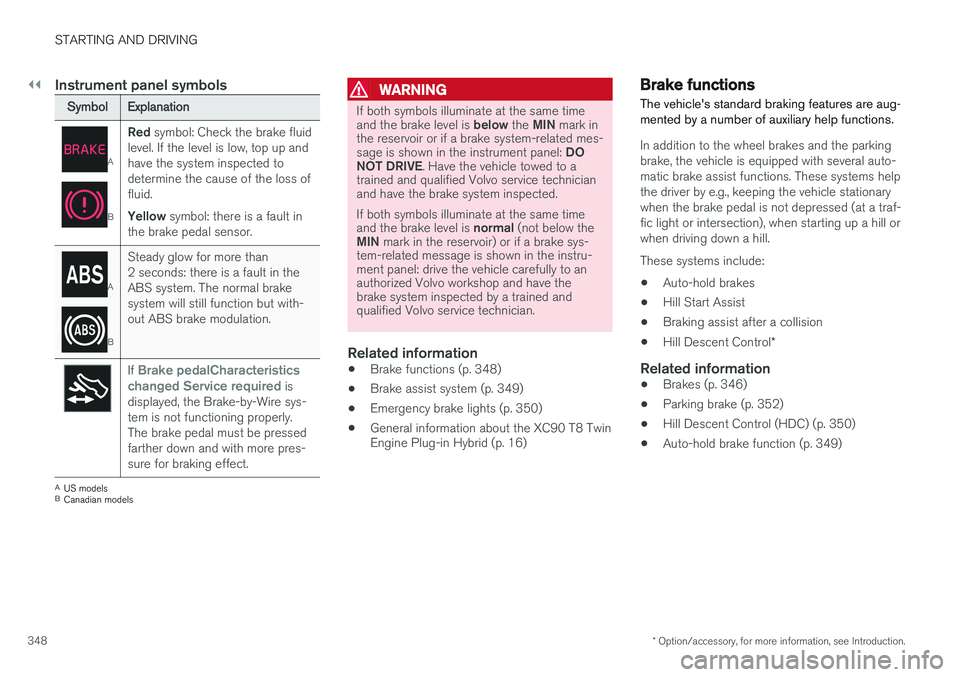
Red symbol: Check the brake fluid
level. If the level is low, top up and have the system inspected todetermine the cause of the loss offluid. Yellow symbol: there is a fault in
the brake pedal sensor.
A
B
Steady glow for more than 2 seconds: there is a fault in theABS system. The normal brakesystem will still function but with-out ABS brake modulation.
If Brake pedalCharacteristics
changed Service required is
displayed, the Brake-by-Wire sys- tem is not functioning properly.The brake pedal must be pressedfarther down and with more pres-sure for braking effect.
A US models
B Canadian models
WARNING
If both symbols illuminate at the same time and the brake level is below the MIN mark in
the reservoir or if a brake system-related mes-sage is shown in the instrument panel: DO
NOT DRIVE . Have the vehicle towed to a
trained and qualified Volvo service technician and have the brake system inspected. If both symbols illuminate at the same time and the brake level is normal (not below the
MIN mark in the reservoir) or if a brake sys-
tem-related message is shown in the instru- ment panel: drive the vehicle carefully to anauthorized Volvo workshop and have thebrake system inspected by a trained andqualified Volvo service technician.
Related information
• Brake functions (p. 348)
• Brake assist system (p. 349)
• Emergency brake lights (p. 350)
• General information about the XC90 T8 Twin Engine Plug-in Hybrid (p. 16)
Brake functions
The vehicle's standard braking features are aug- mented by a number of auxiliary help functions.
In addition to the wheel brakes and the parking brake, the vehicle is equipped with several auto-matic brake assist functions. These systems helpthe driver by e.g., keeping the vehicle stationarywhen the brake pedal is not depressed (at a traf-fic light or intersection), when starting up a hill orwhen driving down a hill. These systems include: • Auto-hold brakes
• Hill Start Assist
• Braking assist after a collision
• Hill Descent Control
*
Related information
•Brakes (p. 346)
• Parking brake (p. 352)
• Hill Descent Control (HDC) (p. 350)
• Auto-hold brake function (p. 349)
Page 356 of 546
||
STARTING AND DRIVING
354
Heavy load uphill
A heavy load, such as a trailer, can cause the vehicle to roll backward when the parking brakeis released automatically on a steep incline. Tohelp avoid this:
1. Keep the electric parking brake controlpushed in.
2. While pressing the accelerator pedal to pull away, release the parking brake control only after the vehicle begins to move.
Parking brake settingsAutomatically setting the parking brake can beturned on or off in the center display's Top view. 1.Tap
Settings in Top view.
2. Tap
My CarElectric Parking Brake and
deselect Auto Activate Parking Brake.
Related information
• Parking brake (p. 352)
• Parking brake malfunctions (p. 354)
• Auto-hold brake function (p. 349)
Parking brake malfunctions
If it has not been possible to apply or release the parking brake after several attempts, consult atrained and authorized Volvo service technicianor retailer.
An audible signal will sound if the parking brake is applied when the vehicle is being driven. If thevehicle must be parked while the parking brake isnot functioning properly: • Put the gear selector in
P.
• If the vehicle is pointing
uphill, turn the front
wheels so that they point away from the curb.
• If the vehicle is pointing
downhill, turn the
front wheels so that they point toward the curb.
• Put the gear selector in
P.
Low battery charge levelIf the battery is discharged, the parking brake cannot be operated. Connect an auxiliary batteryto the vehicle.
Replacing brake padsThe rear brake pads have to be replaced by atrained and authorized Volvo service techniciandue to the design of the electric parking brake.
Symbols in the instrument panel
SymbolExplanation
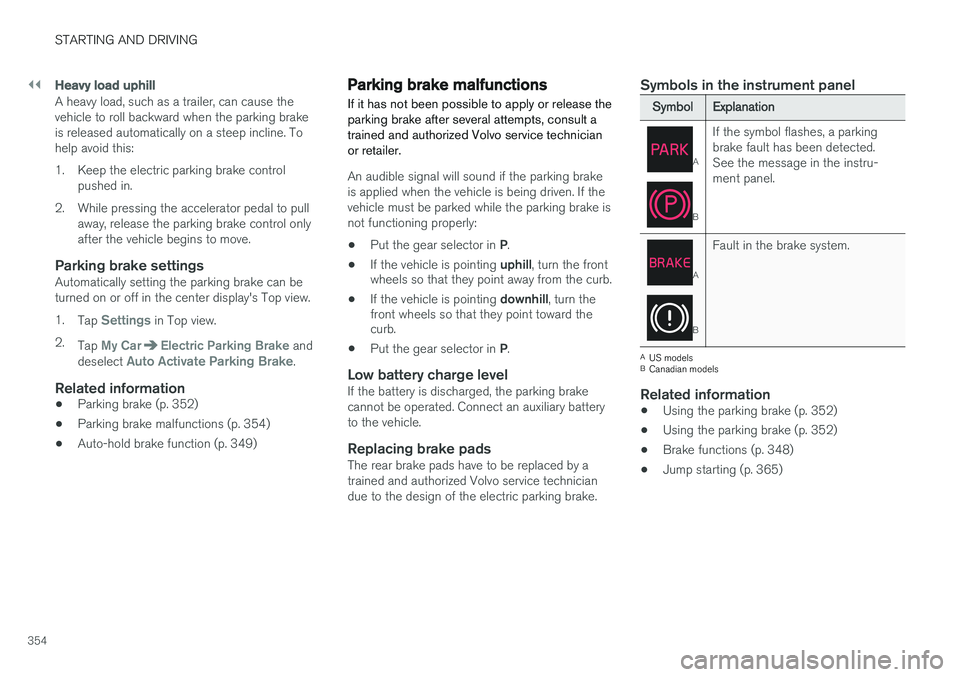
A
B
If the symbol flashes, a parking brake fault has been detected.See the message in the instru-ment panel.
A
B
Fault in the brake system.
A
US models
B Canadian models
Related information
• Using the parking brake (p. 352)
• Using the parking brake (p. 352)
• Brake functions (p. 348)
• Jump starting (p. 365)
Page 359 of 546
STARTING AND DRIVING
}}
357
Driving through standing water
The vehicle should be driven with extreme cau- tion if it is necessary to drive through standingwater.
The vehicle can be driven through water up to a depth approximately level with the floor at walk-ing speed to help prevent water from enteringthe differential and/or the transmission or dam-aging electrical components. • If possible, check the depth of the water before driving through it. Take particular carewhen driving through flowing water.
• Before driving through water, always select the
Off Road drive mode to ensure that the
gasoline engine is running and to maximize ground clearance.
• After driving through water, apply the brakesand check that they are functioning correctly.
• Clean the electrical connections for trailerwiring after driving in mud or water.
• When driving through water, maintain lowspeed and do not stop in the water.
CAUTION
• Damage may occur to the engine, trans- mission, electrical components, etc. if thevehicle is driven through water higherthan its floor level. Be aware that wavescreated by other vehicles could cause thelevel to temporarily be above the vehicle'sfloor level.
• Damage to any components due to waterabove the floor level, vapor lock or insuffi-cient oil is not covered under warranty.
• If the engine has been stopped while thevehicle is in water, do not attempt torestart it. Have the vehicle towed out ofthe water and inspected by a trained andqualified Volvo service technician.
WARNING
• Avoid driving through standing or rushing water. Doing so can be dangerous and itmay also be difficult to determine theactual depth of the water.
• If water cannot be avoided, after drivingthrough the water, press lightly on thebrake pedal to ensure that the brakes arefunctioning normally. Water or mud canmake the brake linings slippery, resultingin delayed braking effect.
Related information
•
Towing recommendations (p. 360)
Overheating the engine and transmission
In demanding driving conditions, such as when transporting heavy loads, driving in mountainousareas or in very hot weather there is a risk ofoverheating the engine or transmission.
• The engine's output may be slightly limited if there is a risk of overheating.
• Remove e.g., auxiliary lights mounted in frontof the grille in hot weather.
• If the temperature of the engine coolantbecomes too high, the warning symbol will illuminate and the message
Engine
temperature/Stop safely will be displayed.
Stop the vehicle as soon as possible in a safe place and let the engine idle for severalminutes.
• If the message
Engine temperature/High
temperature Turn off engine or Engine
coolant/Stop safely is displayed, stop
safely and turn off the engine.
• If the transmission begins to overheat, an alternative gear shifting program will beselected. An integrated protective functionwill also by activated, the warning symbol will illuminate and the message
Transmission
warmHigh temperature Reduce speed
or Transmission warmStop safely, wait
for cooling will be displayed in the instru-
ment panel.
Page 368 of 546
||
STARTING AND DRIVING
3661.
Switch the ignition off completely (mode 0).
2. Ensure that the auxiliary battery to be used is 12-volt.
3. If the 12-volt auxiliary battery to be used is in another vehicle, switch off that vehicle's igni- tion and be sure that the vehicles are nottouching each other.
4. Connect one of the red jumper cable's clamps to the auxiliary battery's positive (+)terminal (1).
CAUTION
Connect the jumper cables carefully to avoid short circuits with other components in theengine compartment.
5. Open the cover over the positive (+) jump start terminal (2).
6. Connect the red jumper cable's other clamp to your vehicle's positive (+) jump start termi- nal (2).
7. Connect one of the black jumper cable's clamps to the auxiliary battery's negative (–)terminal (3).
8. Connect the black jumper cable's other clamp to your vehicle's negative (–) jumpstart terminal (4). 9. Check that the jumper cables are securely
attached to help avoid sparks when the vehi-cle is started.
10. Start the engine in the assisting vehicle and run it for a short time at approx. 1,500 rpm.
11. Start the engine in your vehicle. If the vehicle does not start, allow an additional10 minutes of charging time and then try tostart the engine again.
NOTE
During normal starts, the electric motor is pri- oritized and the gasoline engine will not start.This means that when the start knob has been turned toward START and released, the
electric motor is activated ("started") and the vehicle is ready to be driven. The warning andinformation symbols in the instrument panelwill go out and the chosen theme will be dis-played to indicate that the electric motor hasbeen activated.
CAUTION
Do not touch the jumper cable connections while the vehicle is being started. This couldgenerate sparks.
12. After the vehicle has started, carefully remove the jumper cables in reverse order, beginning with the black one. Ensure that the black jumper cable's clamps do not come in contact with the vehicle's orthe auxiliary battery's positive terminals orthe red jumper cable's clamps while it is con-nected.
WARNING
PROPOSITION 65 WARNING! Battery posts, terminals, and related accesso- ries contain lead and lead compounds, chemi-cals known to the state of California to causecancer and reproductive harm. Wash handsafter handling.
WARNING
• Do not connect the jumper cable to any part of the fuel system or to any movingparts. Avoid touching hot manifolds.
• Batteries generate hydrogen gas, whichis flammable and explosive.
• Battery fluid contains sulfuric acid. Do notallow battery fluid to contact eyes, skin,fabrics or painted surfaces. If contactoccurs, flush the affected area immedi-ately with water. Obtain medical helpimmediately if eyes are affected.
• Never expose the battery to open flameor electric spark.