park assist VOLVO XC90 T8 2016 Owner´s Manual
[x] Cancel search | Manufacturer: VOLVO, Model Year: 2016, Model line: XC90 T8, Model: VOLVO XC90 T8 2016Pages: 546, PDF Size: 10.26 MB
Page 8 of 546
6
DRIVER SUPPORT
Driver support systems252
Driver support system camera 252
Camera limitations 254
Driver support system radar unit 257
Radar sensor limitations 258
Cruise Control (CC) 261
Starting and activating Cruise Control 261
Changing Cruise Control speed 262
Deactivating/resuming Cruise Control (CC) 263
Turning Cruise Control off 264
Switching between Cruise Control (CC) and Adaptive Cruise Control (ACC) *265
Adaptive Cruise Control (ACC) *
266
Starting and activating Adaptive Cruise Control (ACC) 268
Deactivating/resuming AdaptiveCruise Control (ACC) 269
Changing Adaptive Cruise Control(ACC) speed 271
Setting an Adaptive Cruise Controltime interval 272
Pilot Assist *
273
Starting and activating Pilot Assist 276
Deactivating/resuming Pilot Assist 277
Setting a Pilot Assist time interval 278
Pilot Assist auto-hold brake function279
Pilot Assist limitations 280
Other Adaptive Cruise Control (ACC) functions 282
Radar sensor 283
Radar sensor - type approval 284
Adaptive cruise control passingassistance 284
Adaptive Cruise Control (ACC) - faulttracing 285
Adaptive Cruise Control (ACC) sym-bols and messages 286
City Safety ™
287
City Safety warning level settings 289
Detecting cyclists and pedestrianswith City Safety 290
City Safety in crossing traffic 291
Rear Collision Warning (RCW) 292
City Safety limitations 293
City Safety ™ troubleshooting
295
City Safety symbols and messages 297
Speed limiter (SL) *
298
Starting and activating the Speed Limiter (SL) * 299
Changing a Speed Limiter (SL) *
maximum speed 299
Automatic Speed Limiter (ASL) *
300
Activating/deactivating the Automatic Speed Limiter (ASL) *301
Changing tolerance for the Automatic Speed Limiter 302
Deactivating/reactivating the Speed Limiter * 303
Turning the Speed Limiter * off
304
Road Sign Information (RSI) *
304
Road Sign Assistance (RSI) * operation
305
Road Sign Assistance (RSI) * limitations
306
Park Assist *
306
Activating/deactivating Park Assist 308
Park Assist limitations 308
Park assist symbols and messages 310
Park Assist Camera (PAC) *
311
Park Assist Camera (PAC) * trajectory
lines and fields 313
Starting the Park Assist Camera (PAC) *
315
Park Assist Camera (PAC) * limitations
316
Park Assist Pilot (PAP) *
316
Using Park Assist Pilot (PAP) *
318
Park Assist Pilot (PAP) * limitations
320
Park Assist Pilot (PAP) * symbols and
messages 322
Adjustable steering force *
323
Electronic Stability Control (ESC) 323
Page 9 of 546
7
Electronic Stability Control (ESC) sport mode324
Electronic Stability Control (ESC)symbols and messages 325
Roll stability control (RSC) 327
Driver Alert Control (DAC) 327
Driver Alert Control limitations 328
Using Driver Alert Control (DAC) 328
Distance Alert *
329
Using Distance Alert *
329
Distance Alert * limitations
330
Blind Spot Information (BLIS) *
330
Blind Spot Information (BLIS) * On/Off
332
Blind Spot Information (BLIS) * limitations
332
Cross Traffic Alert (CTA) *
333
Activating/deactivating Cross Traffic Alert (CTA) * 334
Cross Traffic Alert (CTA) * limitations
335
Blind Spot Information (BLIS) * with
Cross Traffic Alert (CTA) * symbols
and messages 337
Driving lane assistance 338
Activating/deactivating Lane Departure Warning (LDW) 340
Activating/deactivating Lane Keeping Aid (LKA) * 340
Driving lane assistance symbols and messages
342
STARTING AND DRIVING
Starting and driving
346
Brakes 346
Brake functions 348
Auto-hold brake function 349
Brake assist system 349
Braking effect after a collision 350
Emergency brake lights 350
Hill Descent Control (HDC) 350
Hill Start Assist 351
Parking brake 352
Using the parking brake 352
Parking brake malfunctions 354
Before a long distance trip 355
Driving economically 355
Driving through standing water 357
Overheating the engine and transmission 357
Winter driving 358
Towing eyelet 359
Towing recommendations 360
Fuel 361
Octane rating 362
Opening/closing the fuel filler door 363
Emission controls 364
Jump starting 365
Page 23 of 546
INTRODUCTION
* Option/accessory, for more information, see Introduction.21
Owner's manual and the environment
The wood pulp in Volvo's printed owner's infor- mation comes from FSC ®
(Forest Stewardship
Council ®
) certified forests and other responsible
sources.
FSC ®
The symbol above indicates that the wood pulp is FSC
®
certified.
Related information
• Volvo and the environment (p. 20)
IntelliSafe
—driver support
IntelliSafe is Volvo's philosophy regarding vehi- cle safety. It encompasses a number of systems,both standard and optional, that are designed tohelp make driving and traveling in a Volvo safer.
SupportSystems that help make driving safer are an inte- gral part of IntelliSafe. These include optional features such as Adaptive Cruise Control * that
helps maintain a set distance to a vehicle ahead,Park Assist Pilot *, which assists in parking the
vehicle, Cross Traffic Alert *, Blind Spot
Information *, etc.
Accident preventionSystems such as City Safety are designed to automatically apply the brakes in situations inwhich the driver does not have time to react. Lane Keeping Aid * alerts the drive if the vehicle
inadvertently crosses a lane's/road's side marker line.
ProtectionThe vehicle is equipped with e.g., seat belt pre-tensioners that pull the seat belts taut in criticalsituations when there is a collision risk andnumerous airbags designed to help provide cush-ioning if certain types of collisions should occur.
Related information
• Adaptive Cruise Control (ACC)
* (p. 266)
• Park Assist Pilot (PAP)
* (p. 316) •
High and low beam headlights (p. 143)
• Cross Traffic Alert (CTA)
* (p. 333)
• Blind Spot Information (BLIS)
* (p. 330)
• City Safety
™ (p. 287)
• Driving lane assistance (p. 338)
• Airbag system (p. 89)
• Roll stability control (RSC) (p. 327)
• Seat belts (p. 64)
• General safety information (p. 60)
Page 30 of 546
||
INTRODUCTION
28
Related information
•Owner's manual in mobile devices (p. 25)
• Navigating in the digital owner's manual (p. 56)
• On-board digital owner's manual (p. 55)
Driver distraction
Please keep the following warnings in mind when operating/servicing your vehicle.
A driver has a responsibility to do everything pos- sible to ensure his or her own safety and thesafety of passengers in the vehicle and otherssharing the roadway. Avoiding distractions is partof that responsibility. Driver distraction results from driver activities that are not directly related to controlling the vehiclein the driving environment. Your new Volvo is, orcan be, equipped with many feature-rich enter-tainment and communication systems. Theseinclude hands-free cellular telephones, navigationsystems, and multipurpose audio systems. Youmay also own other portable electronic devicesfor your own convenience. When used properlyand safely, they enrich the driving experience.Improperly used, any of these could cause a dis-traction. For all of these systems, we want to provide the following warning that reflects the strong Volvoconcern for your safety. Never use these devicesor any feature of your vehicle in a way that dis-tracts you from the task of driving safely. Distrac-tion can lead to a serious accident. In addition tothis general warning, we offer the following guid-ance regarding specific newer features that maybe found in your vehicle:
WARNING
• Never use a hand-held cellular telephone while driving. Some jurisdictions prohibitcellular telephone use by a driver whilethe vehicle is moving.
• If your vehicle is equipped with a naviga-tion system, set and make changes toyour travel itinerary only with the vehicleparked.
• Never program your audio system whilethe vehicle is moving. Program radio pre-sets with the vehicle parked, and use yourprogrammed presets to make radio usequicker and simpler.
• Never use portable computers or per-sonal digital assistants while the vehicleis moving.
Accessory installation
•We strongly recommend that Volvo ownersinstall only genuine, Volvo-approved acces-sories, and that accessory installations beperformed only by a trained and qualifiedVolvo service technician.
• Genuine Volvo accessories are tested toensure compatibility with the performance,safety, and emission systems in your vehicle.Additionally, a trained and qualified Volvoservice technician knows where accessoriesmay and may not be safely installed in yourVolvo. In all cases, please consult a trained
Page 48 of 546
||
INTRODUCTION
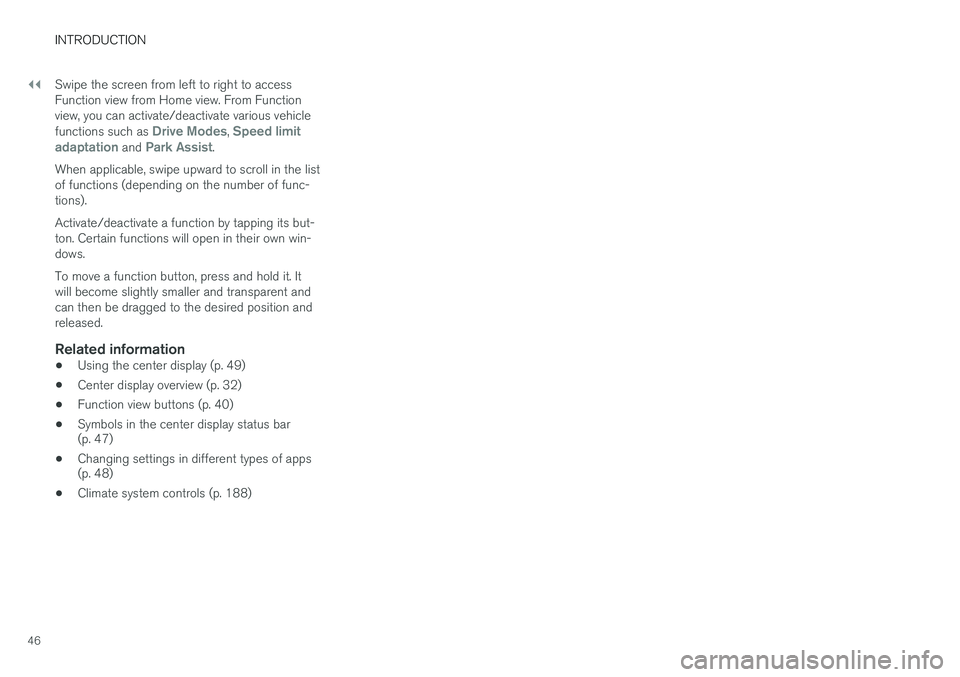
46Swipe the screen from left to right to access Function view from Home view. From Functionview, you can activate/deactivate various vehicle functions such as
Drive Modes, Speed limit
adaptation and Park Assist.
When applicable, swipe upward to scroll in the list of functions (depending on the number of func-tions). Activate/deactivate a function by tapping its but- ton. Certain functions will open in their own win-dows. To move a function button, press and hold it. It will become slightly smaller and transparent andcan then be dragged to the desired position andreleased.
Related information
• Using the center display (p. 49)
• Center display overview (p. 32)
• Function view buttons (p. 40)
• Symbols in the center display status bar (p. 47)
• Changing settings in different types of apps(p. 48)
• Climate system controls (p. 188)
Page 114 of 546
||
INSTRUMENTS AND CONTROLS
* Option/accessory, for more information, see Introduction.
112
Changing a setting
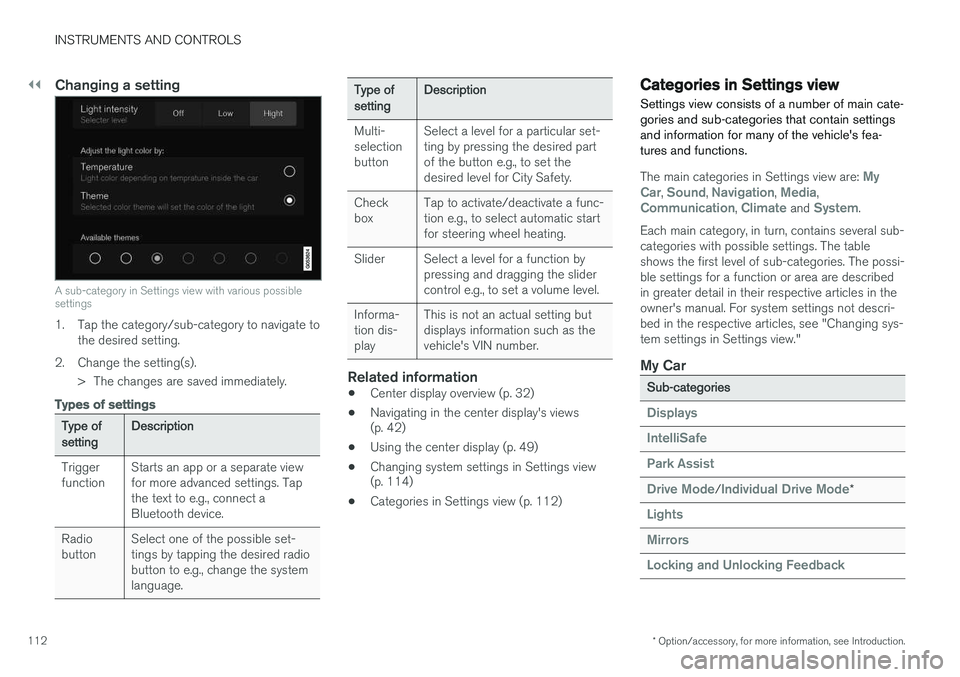
A sub-category in Settings view with various possible settings
1. Tap the category/sub-category to navigate to
the desired setting.
2. Change the setting(s). > The changes are saved immediately.
Types of settings
Type of settingDescription
Trigger functionStarts an app or a separate view for more advanced settings. Tapthe text to e.g., connect aBluetooth device.
Radio buttonSelect one of the possible set- tings by tapping the desired radiobutton to e.g., change the systemlanguage.
Type of settingDescription
Multi- selectionbuttonSelect a level for a particular set- ting by pressing the desired partof the button e.g., to set thedesired level for City Safety.
Check boxTap to activate/deactivate a func- tion e.g., to select automatic startfor steering wheel heating.
SliderSelect a level for a function by pressing and dragging the slidercontrol e.g., to set a volume level.
Informa- tion dis-playThis is not an actual setting but displays information such as thevehicle's VIN number.
Related information
• Center display overview (p. 32)
• Navigating in the center display's views (p. 42)
• Using the center display (p. 49)
• Changing system settings in Settings view(p. 114)
• Categories in Settings view (p. 112)
Categories in Settings view
Settings view consists of a number of main cate- gories and sub-categories that contain settingsand information for many of the vehicle's fea-tures and functions.
The main categories in Settings view are: My
Car, Sound, Navigation, Media,Communication, Climate and System.
Each main category, in turn, contains several sub- categories with possible settings. The tableshows the first level of sub-categories. The possi-ble settings for a function or area are describedin greater detail in their respective articles in theowner's manual. For system settings not descri-bed in the respective articles, see "Changing sys-tem settings in Settings view."
My Car
Sub-categories
Displays
IntelliSafe
Park Assist
Drive Mode/Individual Drive Mode*
Lights
Mirrors
Locking and Unlocking Feedback
Page 254 of 546
DRIVER SUPPORT
* Option/accessory, for more information, see Introduction.
252
Driver support systems
The vehicle is equipped with a number of driver support systems that help provide the driver withactive/passive support.
Some of these systems are standard while others are optional and they are designed to e.g., helpthe driver maintain a set speed or a set distanceto a vehicle ahead, or warn the driver of a poten-tial collision situation and in certain cases applythe brakes if necessary. Certain optional systemscan also assist in various parking situations.
Related information
• Adjustable steering force
* (p. 323)
• Electronic Stability Control (ESC) (p. 323)
• Speed limiter (SL)
* (p. 298)
• Cruise Control (CC) (p. 261)
• Adaptive Cruise Control (ACC)
* (p. 266)
• Pilot Assist
* (p. 273)
• Distance Alert
* (p. 329)
• City Safety
™ (p. 287)
• Blind Spot Information (BLIS)
* (p. 330)
• Cross Traffic Alert (CTA)
* (p. 333)
• Driver Alert Control (DAC) (p. 327)
• Driving lane assistance (p. 338)
• Road Sign Information (RSI)
* (p. 304)
• Park Assist
* (p. 306)
• Park Assist Pilot (PAP)
* (p. 316) •
Park Assist Camera (PAC)
* (p. 311)
Driver support system camera
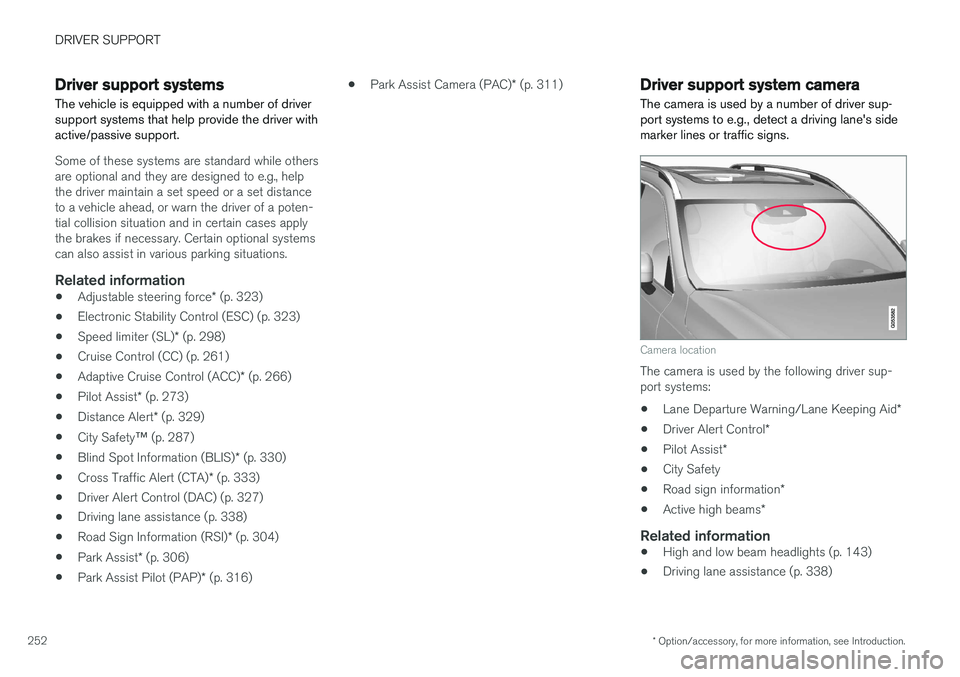
The camera is used by a number of driver sup- port systems to e.g., detect a driving lane's sidemarker lines or traffic signs.
Camera location
The camera is used by the following driver sup- port systems:
• Lane Departure Warning/Lane Keeping Aid
*
• Driver Alert Control
*
• Pilot Assist
*
• City Safety
• Road sign information
*
• Active high beams
*
Related information
•High and low beam headlights (p. 143)
• Driving lane assistance (p. 338)
Page 258 of 546
||
DRIVER SUPPORT
* Option/accessory, for more information, see Introduction.
256 •
Road Sign Assistance (RSI)
* limitations
(p. 306)
• Park Assist Pilot (PAP)
* limitations (p. 320)
• City Safety limitations (p. 293)
• Driving lane assistance (p. 338)
• Adaptive Cruise Control (ACC)
* (p. 266)
Page 262 of 546
||
DRIVER SUPPORT
* Option/accessory, for more information, see Introduction.
260
Damaged windshield
CAUTION
• Service and maintenance on City Safety may only be carried out by a trained andqualified Volvo service technician.
• If a crack, scratch or stone chip shouldoccur in the section of the windshield infront the camera/radar sensor, contact atrained and qualified Volvo service techni-cian to repair or replace the windshield.Failing to do so may result in reducedCity Safety functionality.
To help prevent limited or reduced functional- ity, please also observe the following:
• Volvo recommends that cracks, scratches or stone chips on the windshield in front of the camera/radar sensor should
not
be repaired; in such cases, the entire windshield should be replaced.
• Before the windshield is replaced, con-tact a Volvo retailer to ensure that thecorrect windshield is ordered and instal-led. If the wrong type of windshield isused, this may cause City Safety to func-tion improperly or not at all.
• Volvo recommends the use of only Genu-ine Volvo Replacement Windshields.
• When replacing windshield wipers, usethe same type or ones approved by Volvo.
After the windshield has been replaced, the camera/radar sensor will have to be recalibra-ted by a trained and qualified Volvo servicetechnician to help ensure proper function ofall of the vehicle's camera-/radar-based sys-tems.
MaintenanceIn order for camera and radar sensor to function properly, the area of the windshield must be keptfree of dirt, ice, snow, etc. and should be washedregularly with a suitable car washing detergent.
Related information
•
City Safety
™ (p. 287)
• Driver support systems (p. 252)
• Road Sign Assistance (RSI)
* limitations
(p. 306)
• Park Assist Pilot (PAP)
* limitations (p. 320)
• City Safety limitations (p. 293)
• Driving lane assistance (p. 338)
• Adaptive Cruise Control (ACC)
* (p. 266)
Page 268 of 546
DRIVER SUPPORT
* Option/accessory, for more information, see Introduction.
266
Adaptive Cruise Control (ACC) *
ACC is an optional system designed to assist the driver by maintaining a set speed or a settime interval to the vehicle ahead.
The driver sets that desired speed and time inter- val to the vehicle ahead. When the camera andradar sensor detects a slower moving vehicleahead, your vehicle's speed is automaticallyadapted. When there are no longer slower mov-ing vehicles ahead, your vehicle will accelerate toresume the set speed. ACC is designed to follow a vehicle ahead in the same lane and maintain a time interval to thatvehicle set by the driver. If the radar sensor doesnot detect a vehicle ahead, ACC will insteadmaintain the speed set by the driver. ACC is designed to smoothly regulate speed. However, the driver must apply the brakes in sit-uations that require immediate braking. Thisapplies when there are great differences inspeed between vehicles, or if the vehicle aheadbrakes suddenly. Due to limitations in the radarsensor, braking may occur unexpectedly or not atall. Adaptive Cruise Control can follow another vehi- cle from a standstill up to 125 mph (200 km/h).Always observe posted speed limits.
WARNING
• It is advisable to read through all of the related articles pertaining to ACC (seethe list at the end of this article).
• Adaptive Cruise Control cannot cover alldriving situations and traffic, weather androad conditions.
• This system is designed to be a supple-mentary driving aid. It is not, however,intended to replace the driver's attentionand judgement. The driver is responsiblefor maintaining a safe distance and speedand must intervene if Adaptive CruiseControl does not maintain a suitablespeed or suitable distance to the vehicleahead.
• Maintenance of ACC components mayonly be performed by a trained and quali-fied Volvo technician.
OverviewThe distance to the vehicle ahead (in the same lane) is monitored by a radar sensor. Your vehi-cle's speed is regulated by accelerating andbraking. The brakes may emit a sound when theyare being modulated by the adaptive cruise con-trol system. This is normal.
WARNING
•
Adaptive Cruise Control is not a collision avoidance system. The driver is alwaysresponsible for applying the brakes if thesystem does not detect another vehicle.
• Adaptive Cruise Control does not react topeople or animals, or small vehicles suchas bicycles and motorcycles. It also doesnot react to slow moving, parked orapproaching vehicles, or stationaryobjects.
• Do not use Adaptive Cruise Control indemanding driving conditions such as citydriving or other heavy traffic situations, inslippery conditions, when there is a greatdeal of water or slush on the road, duringheavy rain or snow, in poor visibility, onwinding roads or on highway on- or off-ramps.
WARNING
The brake pedal moves when the adaptive cruise control system modulates the brakes.Do not rest your foot under the brake pedal.