ad blue VOLVO XC90 T8 2017 Owner´s Manual
[x] Cancel search | Manufacturer: VOLVO, Model Year: 2017, Model line: XC90 T8, Model: VOLVO XC90 T8 2017Pages: 580, PDF Size: 10.37 MB
Page 149 of 580
INSTRUMENTS AND CONTROLS
}}
147
High and low beam headlights
If the ignition is in mode II or when the engine is started, the low beams are activated automati- cally if the lighting ring is in position
. In
dark conditions, the low beams will also be on if the lighting ring is in the
position.
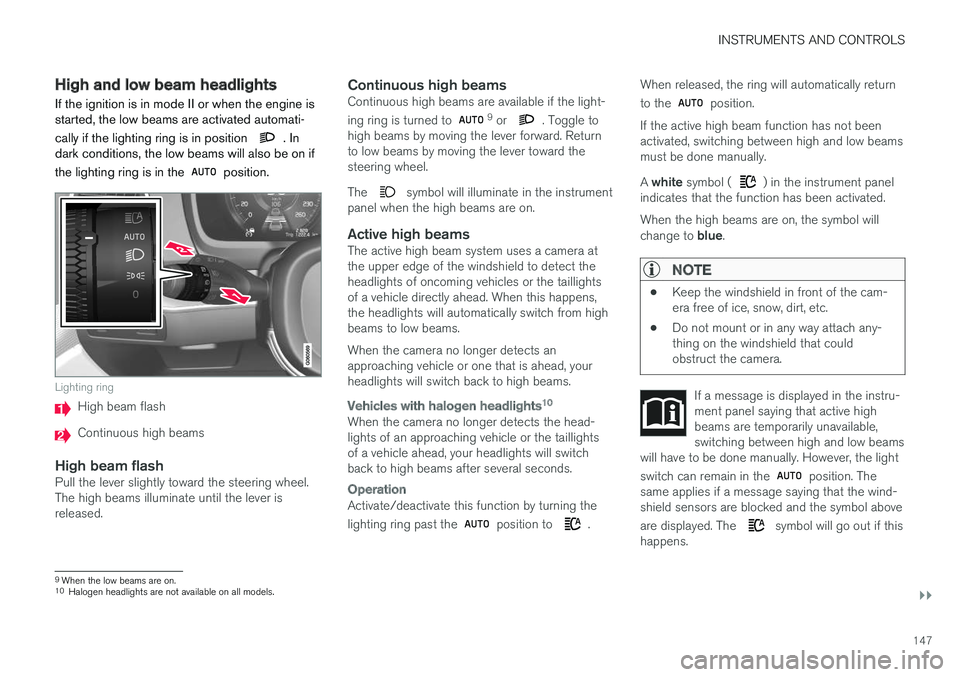
Lighting ring
High beam flash
Continuous high beams
High beam flashPull the lever slightly toward the steering wheel. The high beams illuminate until the lever isreleased.
Continuous high beamsContinuous high beams are available if the light- ing ring is turned to 9 or . Toggle to
high beams by moving the lever forward. Return to low beams by moving the lever toward thesteering wheel. The
symbol will illuminate in the instrument
panel when the high beams are on.
Active high beamsThe active high beam system uses a camera at the upper edge of the windshield to detect theheadlights of oncoming vehicles or the taillightsof a vehicle directly ahead. When this happens,the headlights will automatically switch from highbeams to low beams. When the camera no longer detects an approaching vehicle or one that is ahead, yourheadlights will switch back to high beams.
Vehicles with halogen headlights 10
When the camera no longer detects the head- lights of an approaching vehicle or the taillightsof a vehicle ahead, your headlights will switchback to high beams after several seconds.
Operation
Activate/deactivate this function by turning the lighting ring past the
position to .When released, the ring will automatically return to the
position.
If the active high beam function has not been activated, switching between high and low beamsmust be done manually. A white symbol (
) in the instrument panel
indicates that the function has been activated. When the high beams are on, the symbol will change to blue.
NOTE
•Keep the windshield in front of the cam- era free of ice, snow, dirt, etc.
• Do not mount or in any way attach any-thing on the windshield that couldobstruct the camera.
If a message is displayed in the instru- ment panel saying that active highbeams are temporarily unavailable,switching between high and low beams
will have to be done manually. However, the light switch can remain in the
position. The
same applies if a message saying that the wind- shield sensors are blocked and the symbol above are displayed. The
symbol will go out if this
happens.
9 When the low beams are on.10
Halogen headlights are not available on all models.
Page 196 of 580
CLIMATE
* Option/accessory.
194
Air quality
The materials used in the passenger compart- ment have been selected and designed to bepleasant and comfortable, even for people withasthma or other types of allergies.
Materials in the passenger compartment
The materials used have been developed to help minimize the amount of dust and make the cabineasier to keep clean. All floor mats (including the cargo compartment) can be easily removed for cleaning. Only use cleaning agents and car care products recommended by Volvo. Clean regularly and fol-low the instructions included with the product.
Air filtering systemsIn addition to the passenger compartment filter, the Clean Zone Interior Package * and the Interior
Air Quality System * contribute to a cleaner pas-
senger compartment environment.
Clean Zone *The Clean Zone function monitors the conditions that affect good passenger compartment airquality.
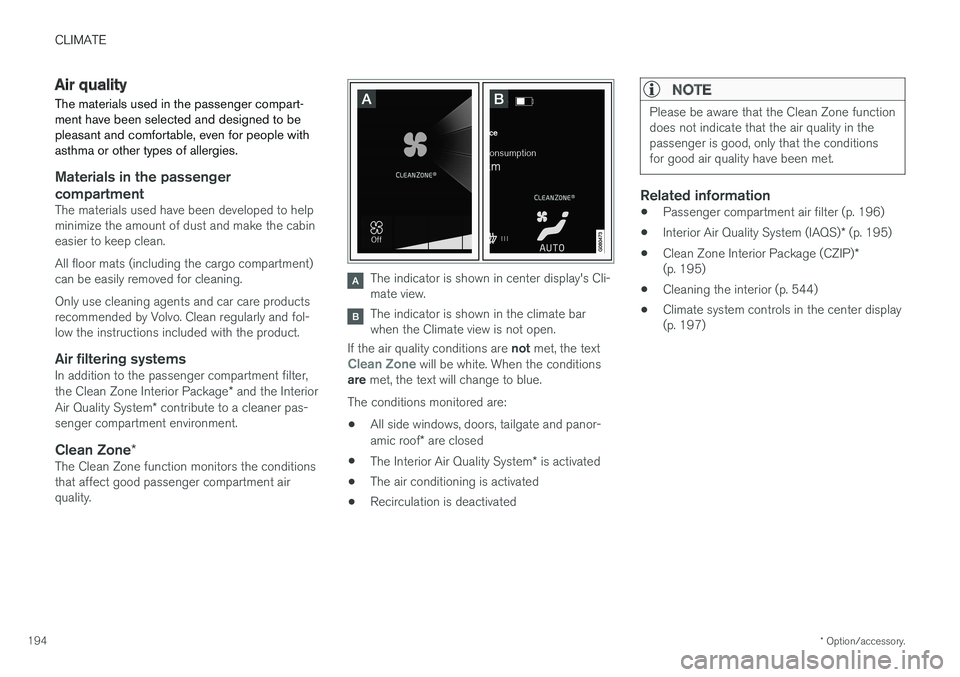
The indicator is shown in center display's Cli- mate view.
The indicator is shown in the climate bar when the Climate view is not open.
If the air quality conditions are not met, the text
Clean Zone will be white. When the conditions
are met, the text will change to blue.
The conditions monitored are:
• All side windows, doors, tailgate and panor- amic roof
* are closed
• The Interior Air Quality System
* is activated
• The air conditioning is activated
• Recirculation is deactivated
NOTE
Please be aware that the Clean Zone function does not indicate that the air quality in thepassenger is good, only that the conditionsfor good air quality have been met.
Related information
•
Passenger compartment air filter (p. 196)
• Interior Air Quality System (IAQS)
* (p. 195)
• Clean Zone Interior Package (CZIP)
*
(p. 195)
• Cleaning the interior (p. 544)
• Climate system controls in the center display (p. 197)
Page 391 of 580
STARTING AND DRIVING
}}
* Option/accessory.389
Ignition modes
The vehicle's ignition can be put in various modes (levels) to make different functions availa-ble.
The vehicle's ignition has 3 modes: 0, I, and II
that can be used to operate various functions without starting the engine. The following tableshows examples of which functions are availablein the respective modes.
Mode Functions available
0 •The odometer, clock and tem- perature gauge are illuminated
• Power seats
* can be adjusted
• The power windows can be oper-ated
• The 12-volt socket in the cargocompartment can be used
• The center display is activatedand can be used
• The infotainment system can beused for a limited time
In this mode, certain functions canonly be used for a limited time to helpminimize battery drain
I •The laminated panoramic roof
*,
power seats */windows,12-volt
sockets in the passenger com-partment, Bluetooth, navigation system *, climate system blower,
windshield wipers can be oper- ated
• The infotainment system will start(if it was started when the ignitionwas switched off)
Using electrical current will drainthe start battery in this mode.Mode Functions available
II •The headlights illuminate
• Warning/indicator lights illumi- nate for 5 seconds
• A number of other functions willalso be activated. However, the heated seats
* and heated rear
window functions can only be activated when the engine is run-ning.
This mode should only be used forvery short periods to help avoiddraining the battery.
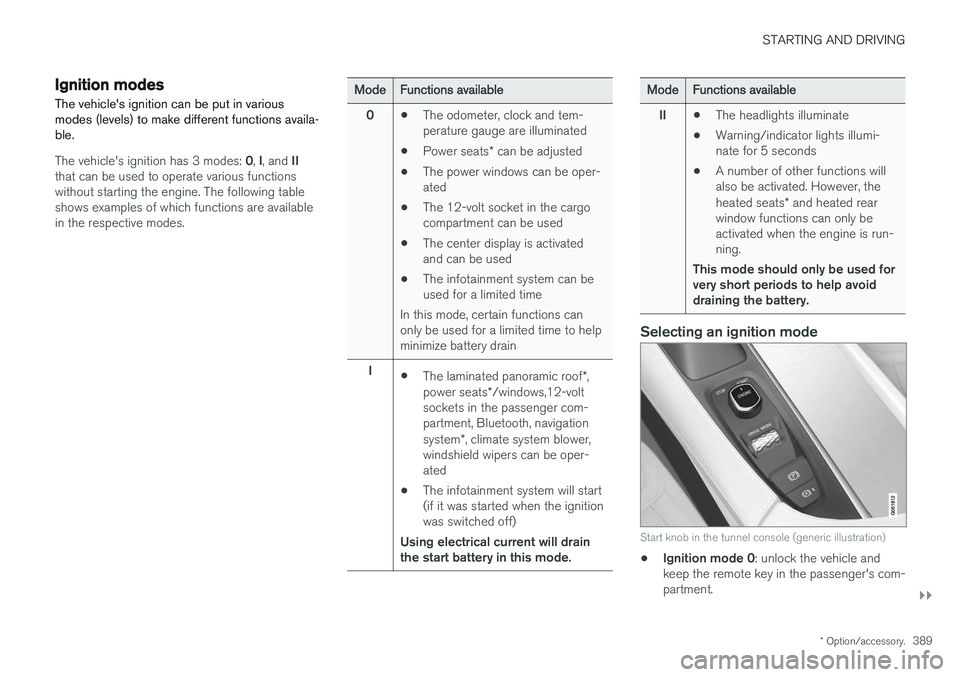
Selecting an ignition mode
Start knob in the tunnel console (generic illustration)
• Ignition mode 0
: unlock the vehicle and
keep the remote key in the passenger's com- partment.
Page 398 of 580
||
STARTING AND DRIVING
396
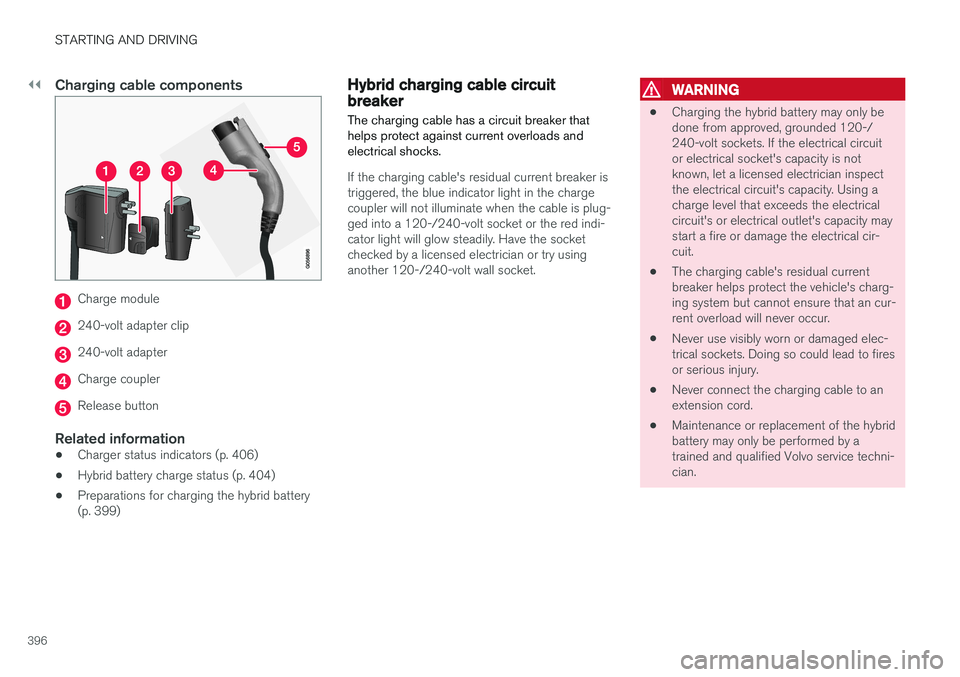
Charging cable components
Charge module
240-volt adapter clip
240-volt adapter
Charge coupler
Release button
Related information
•Charger status indicators (p. 406)
• Hybrid battery charge status (p. 404)
• Preparations for charging the hybrid battery (p. 399)
Hybrid charging cable circuit breaker
The charging cable has a circuit breaker that helps protect against current overloads andelectrical shocks.
If the charging cable's residual current breaker is triggered, the blue indicator light in the chargecoupler will not illuminate when the cable is plug-ged into a 120-/240-volt socket or the red indi-cator light will glow steadily. Have the socketchecked by a licensed electrician or try usinganother 120-/240-volt wall socket.
WARNING
• Charging the hybrid battery may only be done from approved, grounded 120-/240-volt sockets. If the electrical circuitor electrical socket's capacity is notknown, let a licensed electrician inspectthe electrical circuit's capacity. Using acharge level that exceeds the electricalcircuit's or electrical outlet's capacity maystart a fire or damage the electrical cir-cuit.
• The charging cable's residual currentbreaker helps protect the vehicle's charg-ing system but cannot ensure that an cur-rent overload will never occur.
• Never use visibly worn or damaged elec-trical sockets. Doing so could lead to firesor serious injury.
• Never connect the charging cable to anextension cord.
• Maintenance or replacement of the hybridbattery may only be performed by atrained and qualified Volvo service techni-cian.
Page 405 of 580
STARTING AND DRIVING
}}
403
CAUTION
Never disconnect the charging cable from the 120-/240-volt socket while charging is inprogress. This could damage the socket. Always stop the charging process (by unlock- ing the vehicle) and disconnect the chargingcable from the vehicle's charging socket before disconnecting the other end from the
120-/240-volt socket being used.
During the charging process, condensation may form under the vehicle, which is normal and iscaused by cooling the hybrid battery.
Related information
• Hybrid battery charge status (p. 404)
• Charging the hybrid battery (p. 403)
• Hybrid battery charging cable (p. 394)
• Stopping hybrid battery charging (p. 400)
Charging the hybrid battery In addition to the conventional fuel tank, Twin Engine Plug-in Hybrid vehicles are also equip-ped with a rechargeable lithium-ion hybrid bat-tery.
The hybrid battery is recharged using a charging cable located in a storage compartment underthe floor of the cargo area. See also the article"Charging cable."
WARNING
The hybrid electrical system in your vehicle uses high voltage electrical current. Any dam-age to this system or to the hybrid batterymay result in the danger of overheating, fire,or serious injury. If the vehicle is involved in acollision or is subjected to flooding, fires, etc.,have it inspected by a trained and qualifiedVolvo service technician. Prior to this inspec-tion, the vehicle should be parked outdoors ata safe distance from any building or poten-tially flammable materials.
The hybrid battery's charging time depends on the charging current used.
NOTE
The capacity of the hybrid battery diminishes somewhat with age and use, which couldresult in increased use of the gasoline engineand consequently, slightly higher fuel con-sumption.
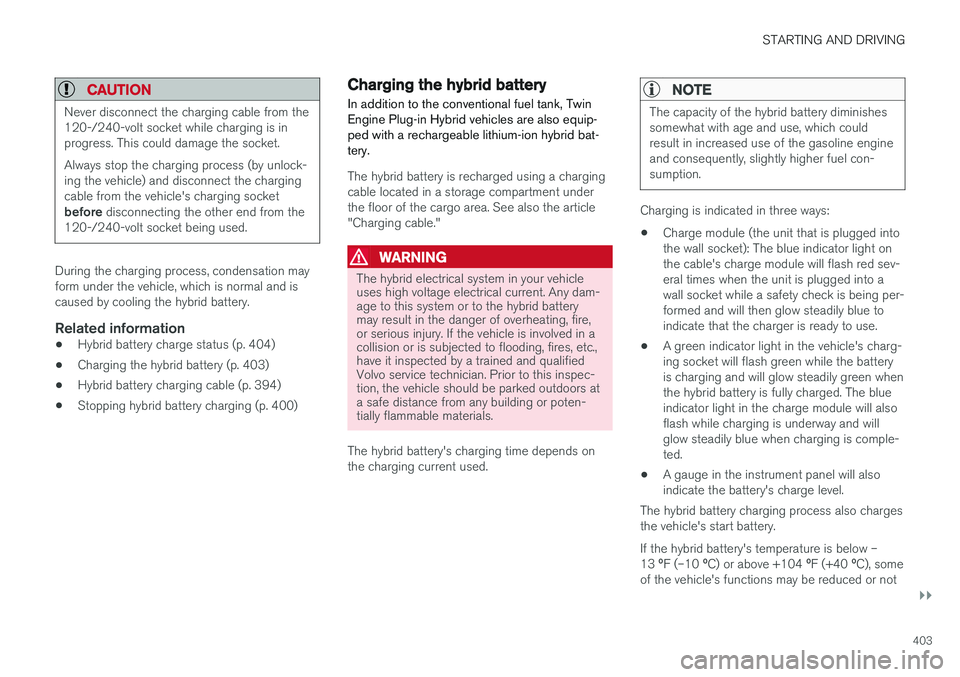
Charging is indicated in three ways: • Charge module (the unit that is plugged into the wall socket): The blue indicator light onthe cable's charge module will flash red sev-eral times when the unit is plugged into awall socket while a safety check is being per-formed and will then glow steadily blue toindicate that the charger is ready to use.
• A green indicator light in the vehicle's charg-ing socket will flash green while the batteryis charging and will glow steadily green whenthe hybrid battery is fully charged. The blueindicator light in the charge module will alsoflash while charging is underway and willglow steadily blue when charging is comple-ted.
• A gauge in the instrument panel will alsoindicate the battery's charge level.
The hybrid battery charging process also chargesthe vehicle's start battery. If the hybrid battery's temperature is below – 13 ºF (–10 ºC) or above +104 ºF (+40 ºC), some
of the vehicle's functions may be reduced or not
Page 407 of 580
STARTING AND DRIVING
405
LEDindica- tor light'scolorExplanation
White Courtesy light
Yellow Standby mode (e.g., after a door has been opened or if the charger coupling is not lockedin position in the chargingsocket): waiting for charging tobegin
Flashinggreen Charging is in progress (theslower the light flashes, thecloser the battery is to beingfully charged)
Green Charging completed (the light will go out after a short time)
Red A fault has occurred
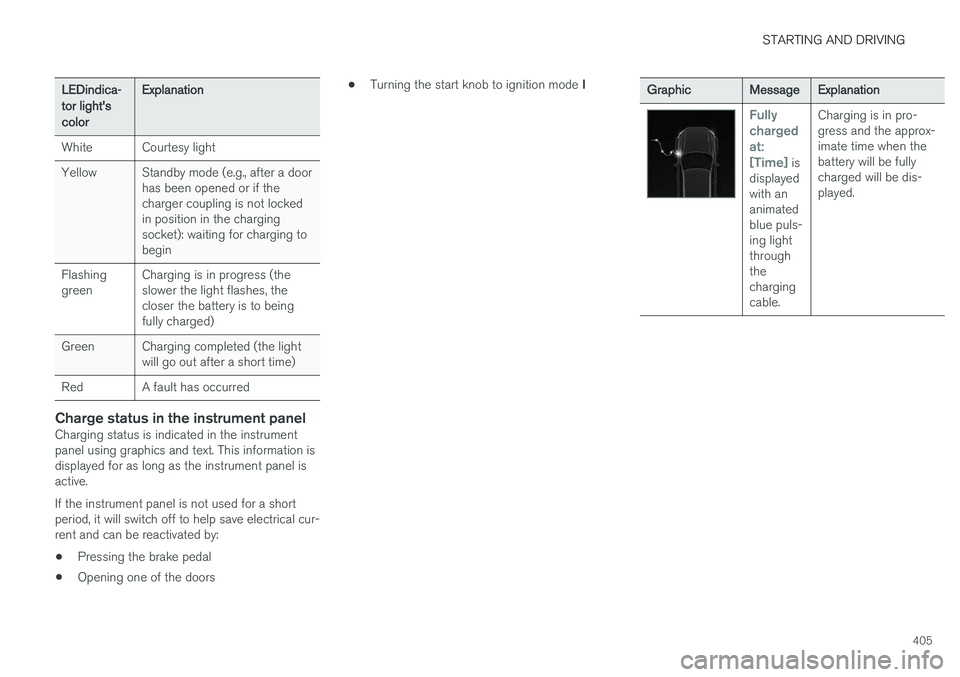
Charge status in the instrument panelCharging status is indicated in the instrument panel using graphics and text. This information isdisplayed for as long as the instrument panel isactive. If the instrument panel is not used for a short period, it will switch off to help save electrical cur-rent and can be reactivated by:
• Pressing the brake pedal
• Opening one of the doors •
Turning the start knob to ignition mode
I
GraphicMessageExplanation
Fully chargedat:[Time]
is
displayed with ananimatedblue puls-ing lightthroughthechargingcable. Charging is in pro-gress and the approx-imate time when thebattery will be fullycharged will be dis-played.
Page 408 of 580
STARTING AND DRIVING
406
GraphicMessageExplanation
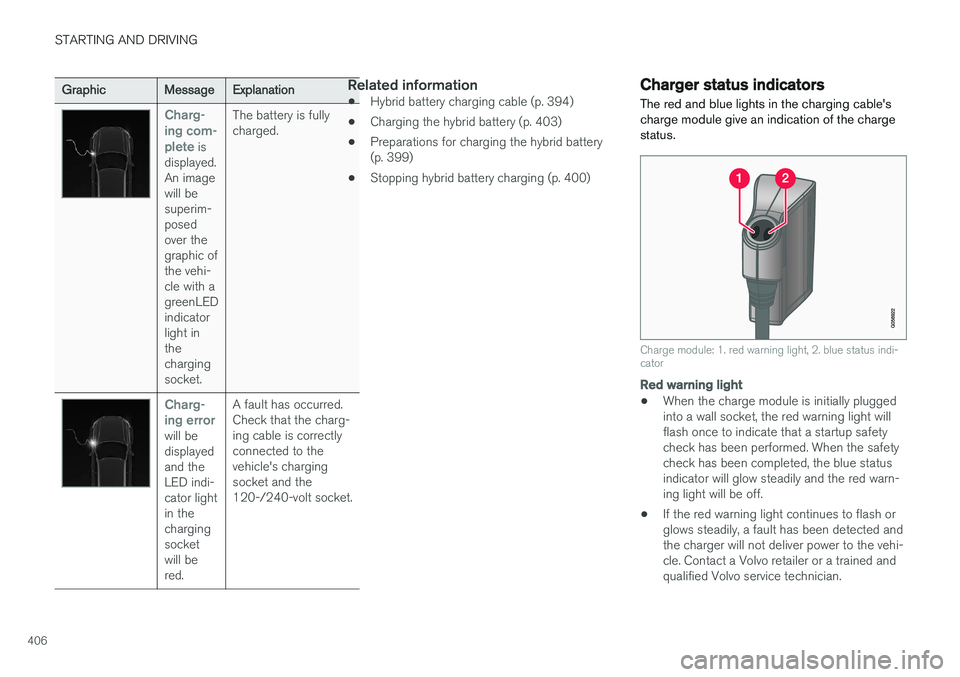
Charg- ing com-plete
is
displayed. An imagewill besuperim-posedover thegraphic ofthe vehi-cle with agreenLEDindicatorlight inthechargingsocket. The battery is fullycharged.
Charg- ing error
will be displayedand theLED indi-cator lightin thechargingsocketwill bered.
A fault has occurred.Check that the charg-ing cable is correctlyconnected to thevehicle's chargingsocket and the120-/240-volt socket.
Related information
•
Hybrid battery charging cable (p. 394)
• Charging the hybrid battery (p. 403)
• Preparations for charging the hybrid battery (p. 399)
• Stopping hybrid battery charging (p. 400)
Charger status indicators
The red and blue lights in the charging cable's charge module give an indication of the chargestatus.
Charge module: 1. red warning light, 2. blue status indi- cator
Red warning light
• When the charge module is initially plugged into a wall socket, the red warning light willflash once to indicate that a startup safetycheck has been performed. When the safetycheck has been completed, the blue statusindicator will glow steadily and the red warn-ing light will be off.
• If the red warning light continues to flash orglows steadily, a fault has been detected andthe charger will not deliver power to the vehi-cle. Contact a Volvo retailer or a trained andqualified Volvo service technician.
Page 409 of 580
STARTING AND DRIVING
407
Blue status indicator
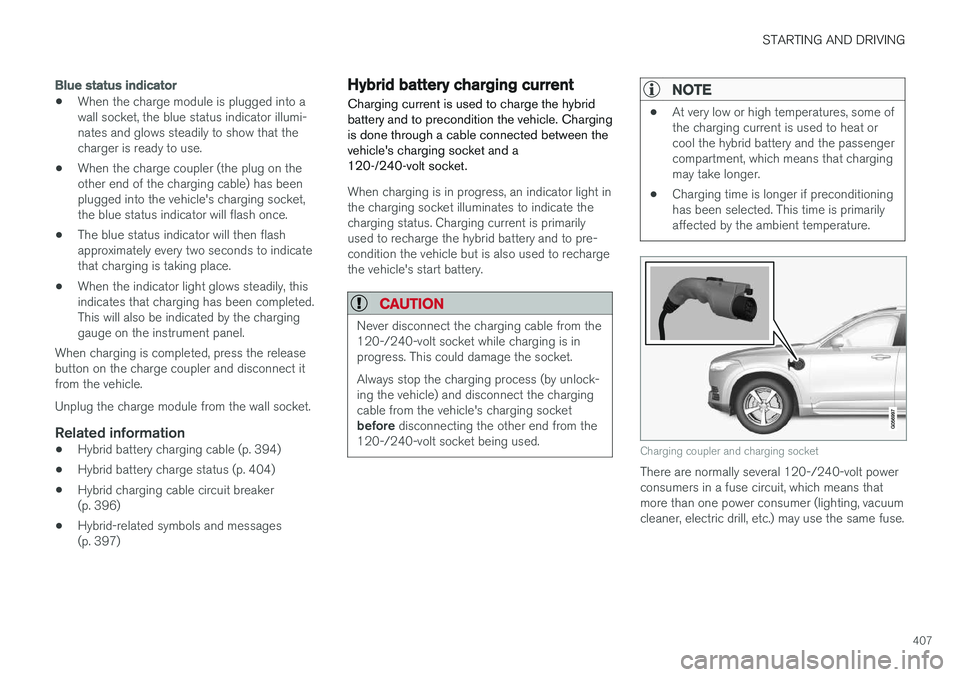
•When the charge module is plugged into a wall socket, the blue status indicator illumi-nates and glows steadily to show that thecharger is ready to use.
• When the charge coupler (the plug on theother end of the charging cable) has beenplugged into the vehicle's charging socket,the blue status indicator will flash once.
• The blue status indicator will then flashapproximately every two seconds to indicatethat charging is taking place.
• When the indicator light glows steadily, thisindicates that charging has been completed.This will also be indicated by the charginggauge on the instrument panel.
When charging is completed, press the releasebutton on the charge coupler and disconnect itfrom the vehicle. Unplug the charge module from the wall socket.
Related information
• Hybrid battery charging cable (p. 394)
• Hybrid battery charge status (p. 404)
• Hybrid charging cable circuit breaker (p. 396)
• Hybrid-related symbols and messages(p. 397)
Hybrid battery charging current
Charging current is used to charge the hybrid battery and to precondition the vehicle. Chargingis done through a cable connected between thevehicle's charging socket and a120-/240-volt socket.
When charging is in progress, an indicator light in the charging socket illuminates to indicate thecharging status. Charging current is primarilyused to recharge the hybrid battery and to pre-condition the vehicle but is also used to rechargethe vehicle's start battery.
CAUTION
Never disconnect the charging cable from the 120-/240-volt socket while charging is inprogress. This could damage the socket. Always stop the charging process (by unlock- ing the vehicle) and disconnect the chargingcable from the vehicle's charging socket before disconnecting the other end from the
120-/240-volt socket being used.
NOTE
• At very low or high temperatures, some of the charging current is used to heat orcool the hybrid battery and the passengercompartment, which means that chargingmay take longer.
• Charging time is longer if preconditioninghas been selected. This time is primarilyaffected by the ambient temperature.
Charging coupler and charging socket
There are normally several 120-/240-volt power consumers in a fuse circuit, which means thatmore than one power consumer (lighting, vacuumcleaner, electric drill, etc.) may use the same fuse.
Page 424 of 580
INFOTAINMENT
422
The infotainment system
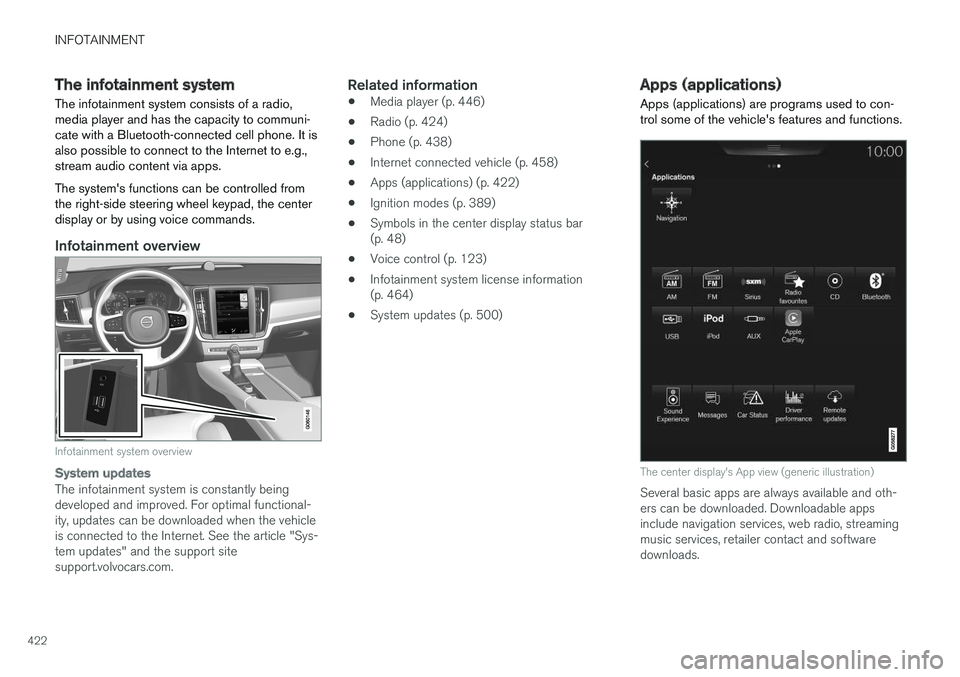
The infotainment system consists of a radio, media player and has the capacity to communi-cate with a Bluetooth-connected cell phone. It isalso possible to connect to the Internet to e.g.,stream audio content via apps. The system's functions can be controlled from the right-side steering wheel keypad, the centerdisplay or by using voice commands.
Infotainment overview
Infotainment system overview
System updates
The infotainment system is constantly being developed and improved. For optimal functional-ity, updates can be downloaded when the vehicleis connected to the Internet. See the article "Sys-tem updates" and the support sitesupport.volvocars.com.
Related information
• Media player (p. 446)
• Radio (p. 424)
• Phone (p. 438)
• Internet connected vehicle (p. 458)
• Apps (applications) (p. 422)
• Ignition modes (p. 389)
• Symbols in the center display status bar(p. 48)
• Voice control (p. 123)
• Infotainment system license information(p. 464)
• System updates (p. 500)
Apps (applications)
Apps (applications) are programs used to con- trol some of the vehicle's features and functions.
The center display's App view (generic illustration)
Several basic apps are always available and oth- ers can be downloaded. Downloadable appsinclude navigation services, web radio, streamingmusic services, retailer contact and softwaredownloads.
Page 440 of 580
||
INFOTAINMENT
* Option/accessory.
438 4. Tap one of the divisions to display:
•
In progress: play-by-play information
about a match/game/tournament cur- rently in progress. Continue tapping todisplay. In the detailed view, you can alsoselect a radio station that is currentlybroadcasting an ongoing sporting event
•
Headlines for MLB: Tap to display brief
headline information
•
Scheduled: schedules for coming
matches, games, etc.
•
Scores: match/game results
The same principle applies to all sports.
Related information
• Using SiriusXM ®
Satellite radio * (p. 430)
Phone
A Bluetooth-enabled cell phone can be paired and connected to the vehicle's integrated hands-free system.
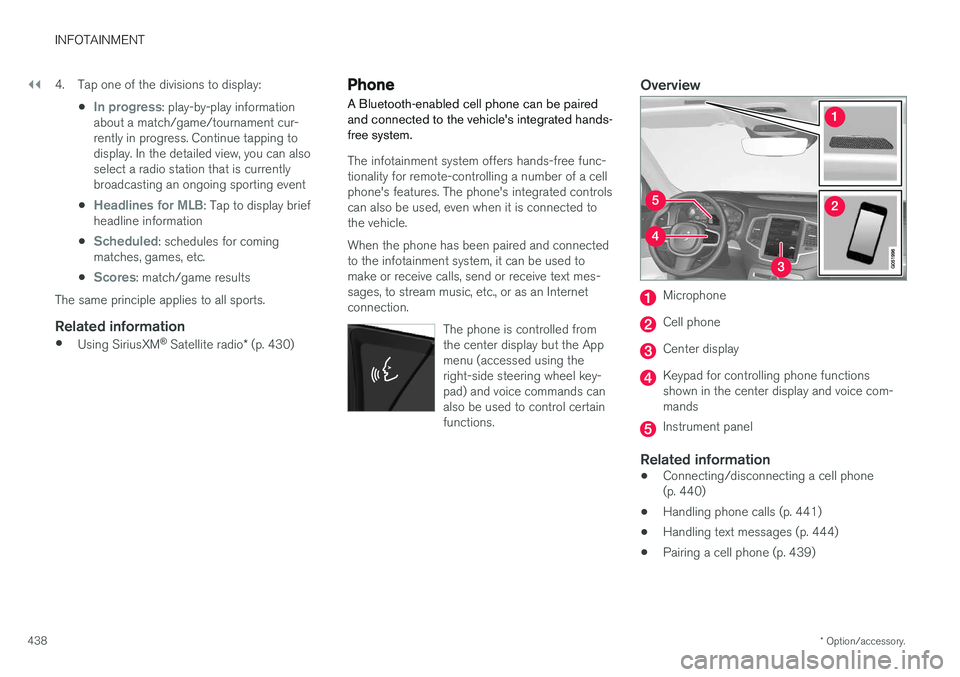
The infotainment system offers hands-free func- tionality for remote-controlling a number of a cellphone's features. The phone's integrated controlscan also be used, even when it is connected tothe vehicle. When the phone has been paired and connected to the infotainment system, it can be used tomake or receive calls, send or receive text mes-sages, to stream music, etc., or as an Internetconnection.
The phone is controlled fromthe center display but the Appmenu (accessed using theright-side steering wheel key-pad) and voice commands canalso be used to control certainfunctions.
Overview
Microphone
Cell phone
Center display
Keypad for controlling phone functions shown in the center display and voice com-mands
Instrument panel
Related information
•Connecting/disconnecting a cell phone (p. 440)
• Handling phone calls (p. 441)
• Handling text messages (p. 444)
• Pairing a cell phone (p. 439)