ESP VOLVO XC90 T8 2017 Owner´s Manual
[x] Cancel search | Manufacturer: VOLVO, Model Year: 2017, Model line: XC90 T8, Model: VOLVO XC90 T8 2017Pages: 580, PDF Size: 10.37 MB
Page 200 of 580
||
CLIMATE
198
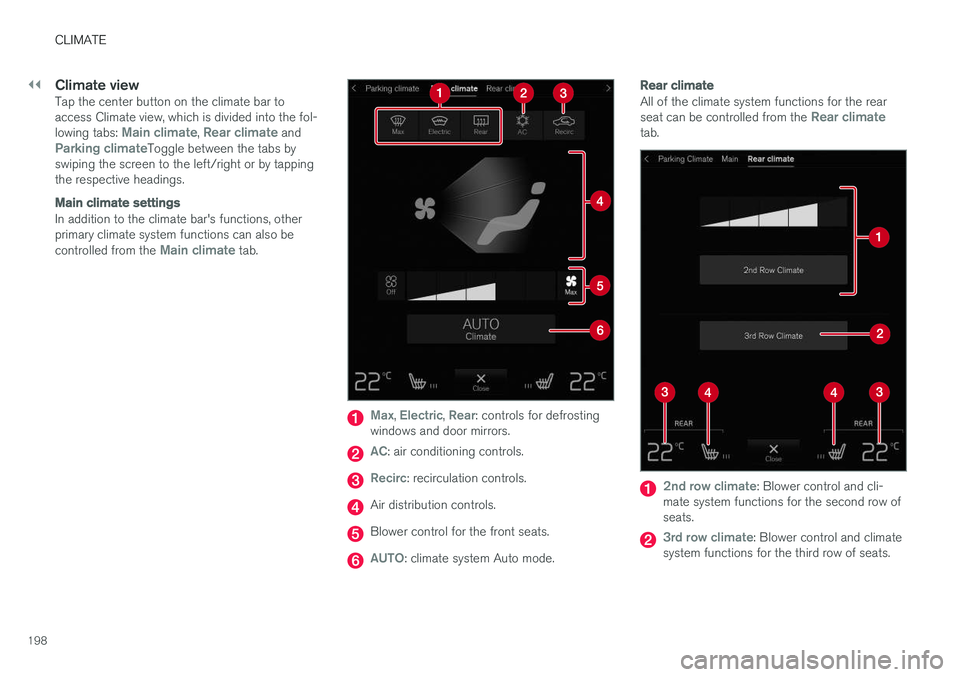
Climate viewTap the center button on the climate bar to access Climate view, which is divided into the fol- lowing tabs:
Main climate, Rear climate andParking climateToggle between the tabs by
swiping the screen to the left/right or by tapping the respective headings.
Main climate settings
In addition to the climate bar's functions, other primary climate system functions can also be controlled from the
Main climate tab.
Max, Electric, Rear: controls for defrosting
windows and door mirrors.
AC: air conditioning controls.
Recirc: recirculation controls.
Air distribution controls.
Blower control for the front seats.
AUTO: climate system Auto mode.
Rear climate
All of the climate system functions for the rear seat can be controlled from the Rear climatetab.
2nd row climate: Blower control and cli-
mate system functions for the second row of seats.
3rd row climate: Blower control and climate
system functions for the third row of seats.
Page 205 of 580
CLIMATE
203
•
Rear climate system controls on the tunnel console (p. 199)
• Perceived temperature (p. 186)
Turning recirculation on and off
Recirculation can be used to shut out exhaust fumes, smoke, etc., from the passenger com-partment.
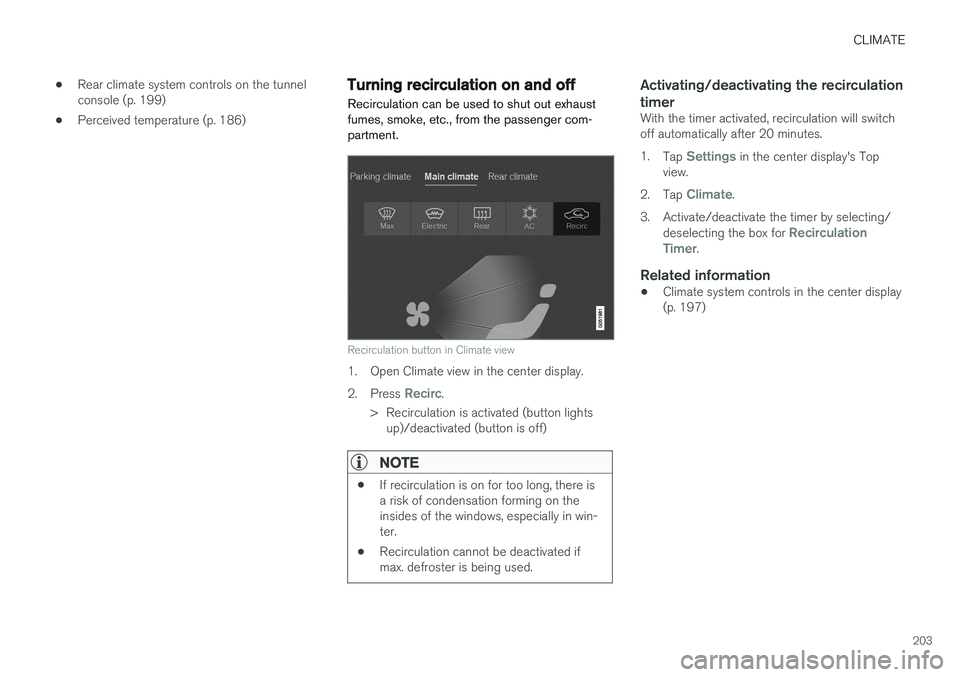
Recirculation button in Climate view
1. Open Climate view in the center display. 2. Press
Recirc.
> Recirculation is activated (button lights up)/deactivated (button is off)
NOTE
• If recirculation is on for too long, there is a risk of condensation forming on theinsides of the windows, especially in win-ter.
• Recirculation cannot be deactivated ifmax. defroster is being used.
Activating/deactivating the recirculation timer
With the timer activated, recirculation will switch off automatically after 20 minutes. 1.
Tap
Settings in the center display's Top
view.
2. Tap
Climate.
3. Activate/deactivate the timer by selecting/ deselecting the box for
Recirculation
Timer.
Related information
• Climate system controls in the center display (p. 197)
Page 208 of 580
||
CLIMATE
* Option/accessory.
206 1.
Tap
Settings in the center display's Top
view and select Climate.
2. Activate/deactivate the respective defroster functions when the engine is started by selecting/deselecting the boxes for
Auto
Front Defroster and Auto Rear Defroster.
The heating function will switch off automatically when the window/mirror is sufficiently warm andthe ice/condensation has disappeared.
Related information
• Climate system controls (p. 197)
• Climate system controls in the center display(p. 197)
• Defrosting windows and mirrors (p. 204)
• Air conditioning (p. 207)
• Turning recirculation on and off (p. 203)
• Adjusting air distribution (p. 211)
• Setting the blower speed (p. 199)
• Automatic climate control (p. 196)
• Turning front seat ventilation
* on and off
(p. 209)
• Turning steering wheel heating
* on and off
(p. 206)
Turning steering wheel heating * on
and off
The steering wheel can be heated electrically for added comfort in cold weather.
Activating/deactivating steering wheel
heating
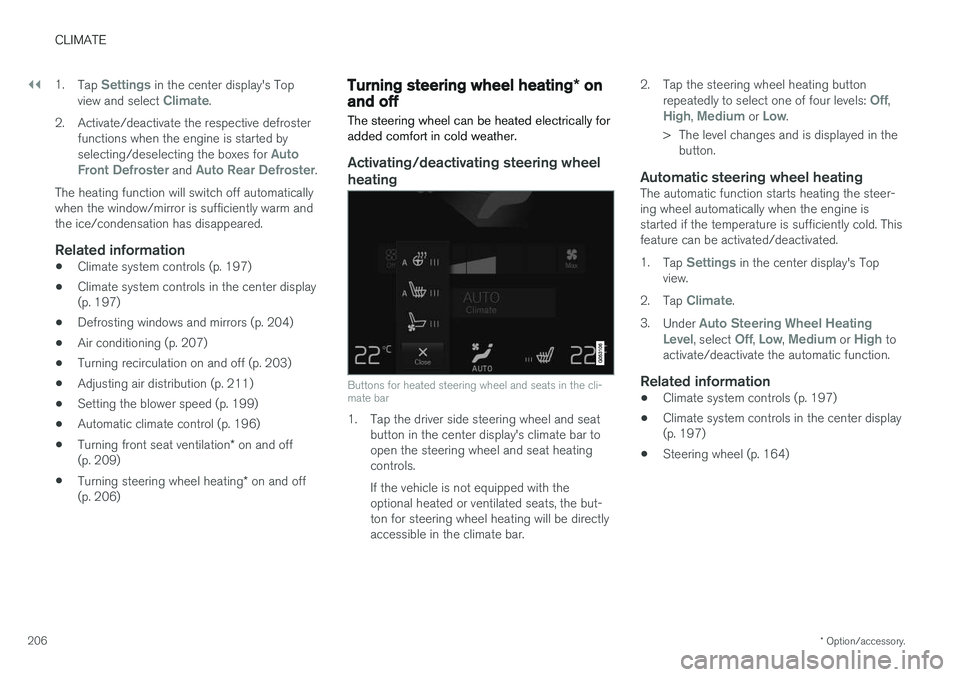
Buttons for heated steering wheel and seats in the cli- mate bar
1. Tap the driver side steering wheel and seat button in the center display's climate bar to open the steering wheel and seat heatingcontrols. If the vehicle is not equipped with the optional heated or ventilated seats, the but-ton for steering wheel heating will be directlyaccessible in the climate bar. 2. Tap the steering wheel heating button
repeatedly to select one of four levels:
Off,High, Medium or Low.
> The level changes and is displayed in the button.
Automatic steering wheel heatingThe automatic function starts heating the steer- ing wheel automatically when the engine isstarted if the temperature is sufficiently cold. Thisfeature can be activated/deactivated. 1. Tap
Settings in the center display's Top
view.
2. Tap
Climate.
3. Under
Auto Steering Wheel Heating
Level, select Off, Low, Medium or High to
activate/deactivate the automatic function.
Related information
• Climate system controls (p. 197)
• Climate system controls in the center display (p. 197)
• Steering wheel (p. 164)
Page 213 of 580
CLIMATE
}}
211
Opening/closing/directing air vents
Some of the passenger compartment air vents can be open/closed/directed individually.
Direct the dashboard and door pillar outer air vents toward the side windows to demist/defrost. Direct the vents into the passenger compartment to help maintain a comfortable temperature inwarm weather.
Opening/closing air vents
Air vent thumb wheel 5
–Turn the thumb wheel to open/close the air flow from the vent. The more of the white lines on the thumb wheel that are visible, the greater the air flow.
Directing air flow
Air flow control 5
–Move the control from side to side or up/ down to direct the flow of air from the vent.
Related information
•
Air distribution (p. 210)
• Adjusting air distribution (p. 211)
• Air distribution table (p. 213)
Adjusting air distribution
Air distribution can be adjusted manually.
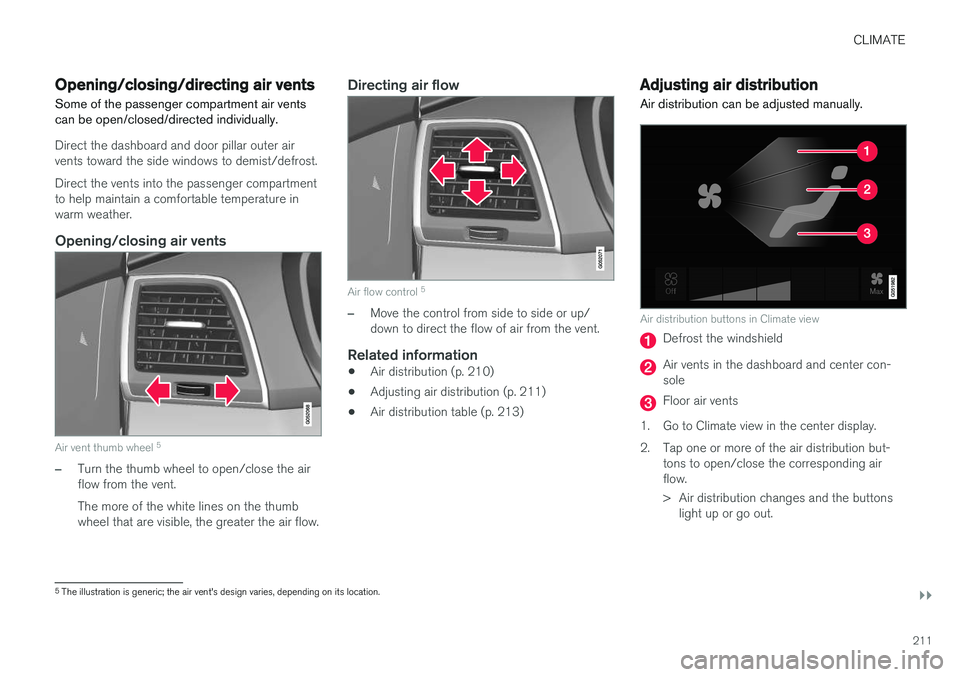
Air distribution buttons in Climate view
Defrost the windshield
Air vents in the dashboard and center con- sole
Floor air vents
1. Go to Climate view in the center display.
2. Tap one or more of the air distribution but- tons to open/close the corresponding air flow.
> Air distribution changes and the buttonslight up or go out.
5The illustration is generic; the air vent's design varies, depending on its location.
Page 219 of 580
LOADING AND STORAGE
}}
* Option/accessory.217
Raising/lowering the rear-end of the vehicle*
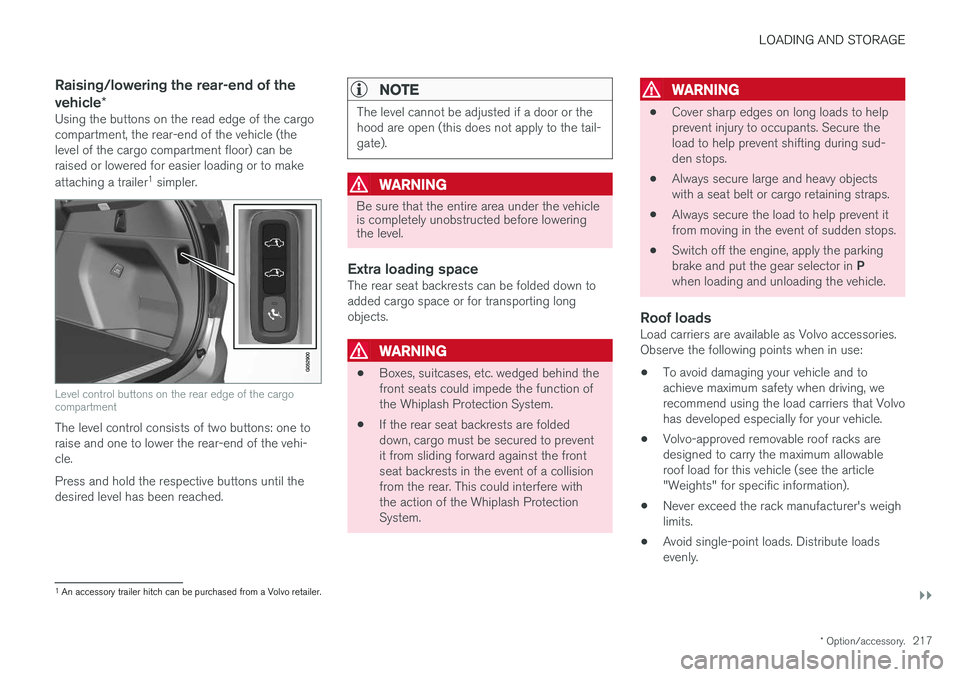
Using the buttons on the read edge of the cargo compartment, the rear-end of the vehicle (thelevel of the cargo compartment floor) can beraised or lowered for easier loading or to make attaching a trailer 1
simpler.
Level control buttons on the rear edge of the cargo compartment
The level control consists of two buttons: one to raise and one to lower the rear-end of the vehi-cle. Press and hold the respective buttons until the desired level has been reached.
NOTE
The level cannot be adjusted if a door or the hood are open (this does not apply to the tail-gate).
WARNING
Be sure that the entire area under the vehicle is completely unobstructed before loweringthe level.
Extra loading spaceThe rear seat backrests can be folded down to added cargo space or for transporting longobjects.
WARNING
• Boxes, suitcases, etc. wedged behind the front seats could impede the function ofthe Whiplash Protection System.
• If the rear seat backrests are foldeddown, cargo must be secured to preventit from sliding forward against the frontseat backrests in the event of a collisionfrom the rear. This could interfere withthe action of the Whiplash ProtectionSystem.
WARNING
• Cover sharp edges on long loads to help prevent injury to occupants. Secure theload to help prevent shifting during sud-den stops.
• Always secure large and heavy objectswith a seat belt or cargo retaining straps.
• Always secure the load to help prevent itfrom moving in the event of sudden stops.
• Switch off the engine, apply the parking brake and put the gear selector in
P
when loading and unloading the vehicle.
Roof loadsLoad carriers are available as Volvo accessories. Observe the following points when in use:
• To avoid damaging your vehicle and toachieve maximum safety when driving, werecommend using the load carriers that Volvohas developed especially for your vehicle.
• Volvo-approved removable roof racks aredesigned to carry the maximum allowableroof load for this vehicle (see the article"Weights" for specific information).
• Never exceed the rack manufacturer's weighlimits.
• Avoid single-point loads. Distribute loadsevenly.
1
An accessory trailer hitch can be purchased from a Volvo retailer.
Page 224 of 580
||
LOADING AND STORAGE
* Option/accessory.
222 3. Insert the other upper hook into the ceiling
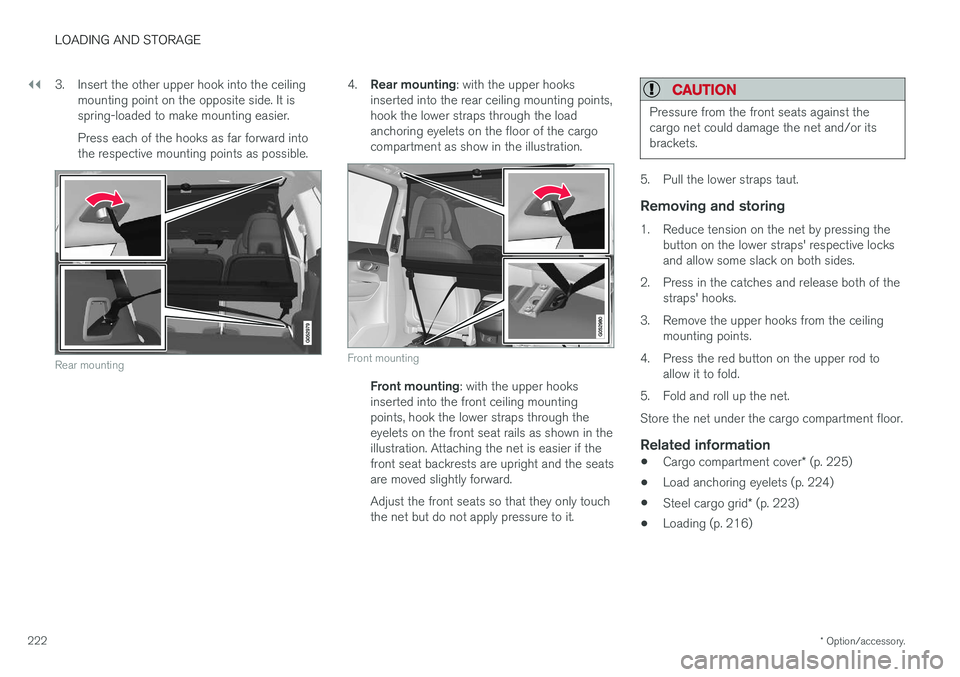
mounting point on the opposite side. It is spring-loaded to make mounting easier. Press each of the hooks as far forward into the respective mounting points as possible.
Rear mounting
4.Rear mounting : with the upper hooks
inserted into the rear ceiling mounting points, hook the lower straps through the loadanchoring eyelets on the floor of the cargocompartment as show in the illustration.
Front mounting
Front mounting : with the upper hooks
inserted into the front ceiling mounting points, hook the lower straps through theeyelets on the front seat rails as shown in theillustration. Attaching the net is easier if thefront seat backrests are upright and the seatsare moved slightly forward. Adjust the front seats so that they only touch the net but do not apply pressure to it.
CAUTION
Pressure from the front seats against the cargo net could damage the net and/or itsbrackets.
5. Pull the lower straps taut.
Removing and storing
1. Reduce tension on the net by pressing the button on the lower straps' respective locks and allow some slack on both sides.
2. Press in the catches and release both of the straps' hooks.
3. Remove the upper hooks from the ceiling mounting points.
4. Press the red button on the upper rod to allow it to fold.
5. Fold and roll up the net. Store the net under the cargo compartment floor.
Related information
• Cargo compartment cover
* (p. 225)
• Load anchoring eyelets (p. 224)
• Steel cargo grid
* (p. 223)
• Loading (p. 216)
Page 238 of 580
||
LOCKS AND ALARM
* Option/accessory.
236 Each of the remote keys provided with the vehicle can be linked to a driver profile containing uniquepersonal settings that will be applied when thatparticular key is used. See also the article "Driverprofile" for additional information.
NOTE
Avoid placing the remote key closer than approx. (4-6 in.) (10-15 cm) to any metallicobjects or electronic devices such as cellphones, tablets, laptops or chargers.
If interference persists, unlock the vehicle with the detachable key blade and place the remotekey in the backup key reader in the tunnel con-sole cup holder to disarm the alarm.
WARNING
Always remove the remote key from the pas- senger compartment when leaving the vehicle and ensure that the ignition in mode
0, espe-
cially if there are children in the vehicle.
Key TagIn addition to the two remote keys provided, a smaller third key, called a Key Tag, is also provi-ded for vehicles equipped with the optionalPassive Entry system. This key functions in the same way as a standardremote key but does not have a detachable keyblade and its battery cannot be replaced; a newKey Tag has to be ordered.
Ordering new keysTwo remote keys are provided with the vehicle (a Key Tag
2
is also included for vehicles equipped
with the optional Passive Entry system). Addi- tional keys (a total of 12) can be ordered andused with the vehicle.
The remote key's buttons
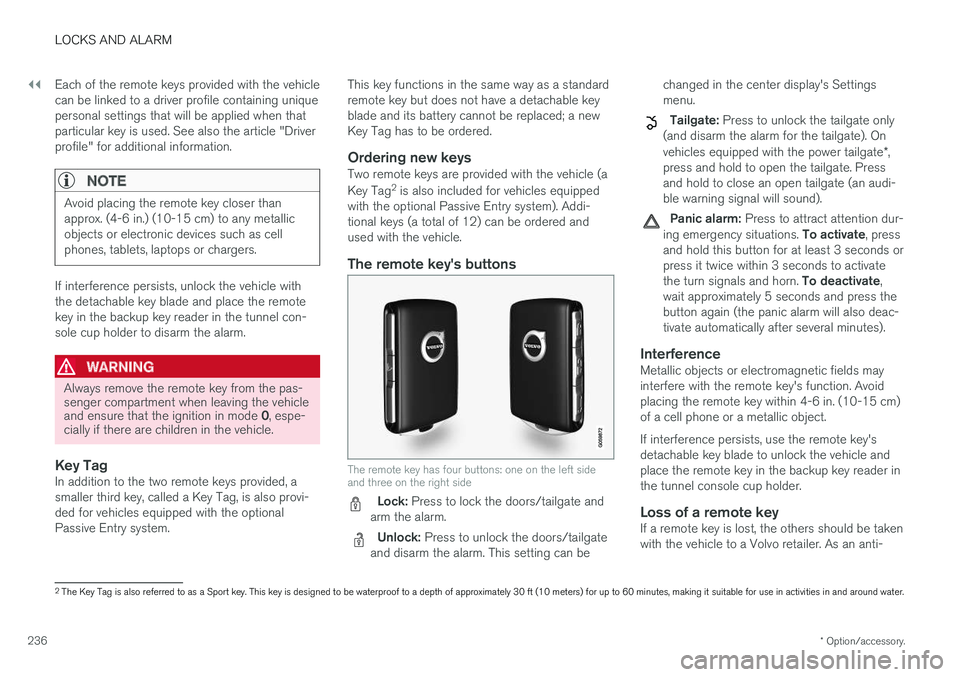
The remote key has four buttons: one on the left side and three on the right side
Lock: Press to lock the doors/tailgate and
arm the alarm.
Unlock: Press to unlock the doors/tailgate
and disarm the alarm. This setting can be changed in the center display's Settings menu.
Tailgate: Press to unlock the tailgate only
(and disarm the alarm for the tailgate). On vehicles equipped with the power tailgate *,
press and hold to open the tailgate. Press and hold to close an open tailgate (an audi-ble warning signal will sound).
Panic alarm: Press to attract attention dur-
ing emergency situations. To activate, press
and hold this button for at least 3 seconds or press it twice within 3 seconds to activate the turn signals and horn. To deactivate,
wait approximately 5 seconds and press the button again (the panic alarm will also deac-tivate automatically after several minutes).
InterferenceMetallic objects or electromagnetic fields mayinterfere with the remote key's function. Avoidplacing the remote key within 4-6 in. (10-15 cm)of a cell phone or a metallic object. If interference persists, use the remote key's detachable key blade to unlock the vehicle andplace the remote key in the backup key reader inthe tunnel console cup holder.
Loss of a remote keyIf a remote key is lost, the others should be takenwith the vehicle to a Volvo retailer. As an anti-
2 The Key Tag is also referred to as a Sport key. This key is designed to be waterproof to a depth of approximately 30 ft (10 meters) for up to 60 minutes, making it suitable for use in activities in and around water.
Page 245 of 580
LOCKS AND ALARM
}}
* Option/accessory.243
Unlocking
Pull a door handle to unlock and open the door or press the rubberized button under the tailgateopening control. The lock indicator light on thedashboard will go out to show that the vehicle isunlocked and the alarm has been disarmed. The lock/unlock settings can be changed in the center display's Top view: Go to:
SettingsMy CarKeyless Unlockand select All Doors or Single Door.
Automatic relockingIf no door or the tailgate is opened within two minutes after being unlocked, the vehicle willautomatically relock.
Remote door unlockThe vehicle can be unlocked using the Volvo OnCall app.
Related information
•Remote key (p. 235)
• Remote key's range (p. 237)
• Detachable key blade (p. 239)
• Alarm (p. 253)
• Locking/unlocking from inside the vehicle(p. 243)
• Foot movement tailgate operation
* (p. 240)
• Locking/unlocking the tailgate (p. 246)
Locking/unlocking from inside the vehicle The lock buttons on either of the front doors can be used to lock or unlock all doors and the tail-gate at the same time. The rear doors can be locked using their respective lock buttons
*.
The central locking system
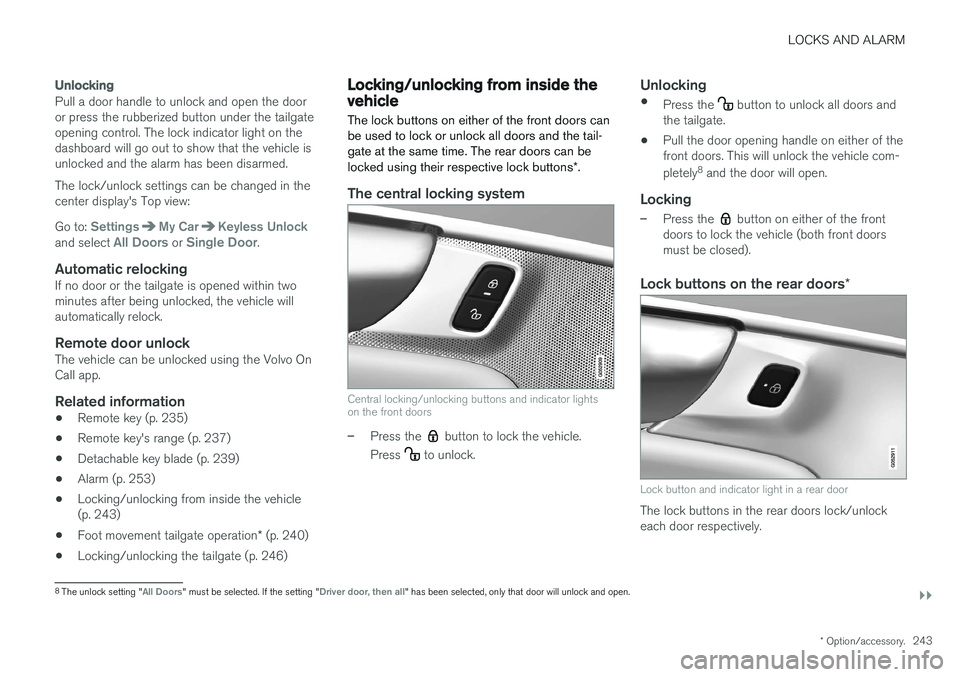
Central locking/unlocking buttons and indicator lights on the front doors
–Press the button to lock the vehicle.
Press
to unlock.
Unlocking
• Press the button to unlock all doors and
the tailgate.
• Pull the door opening handle on either of the front doors. This will unlock the vehicle com- pletely 8
and the door will open.
Locking
–Press the button on either of the front
doors to lock the vehicle (both front doors must be closed).
Lock buttons on the rear doors *
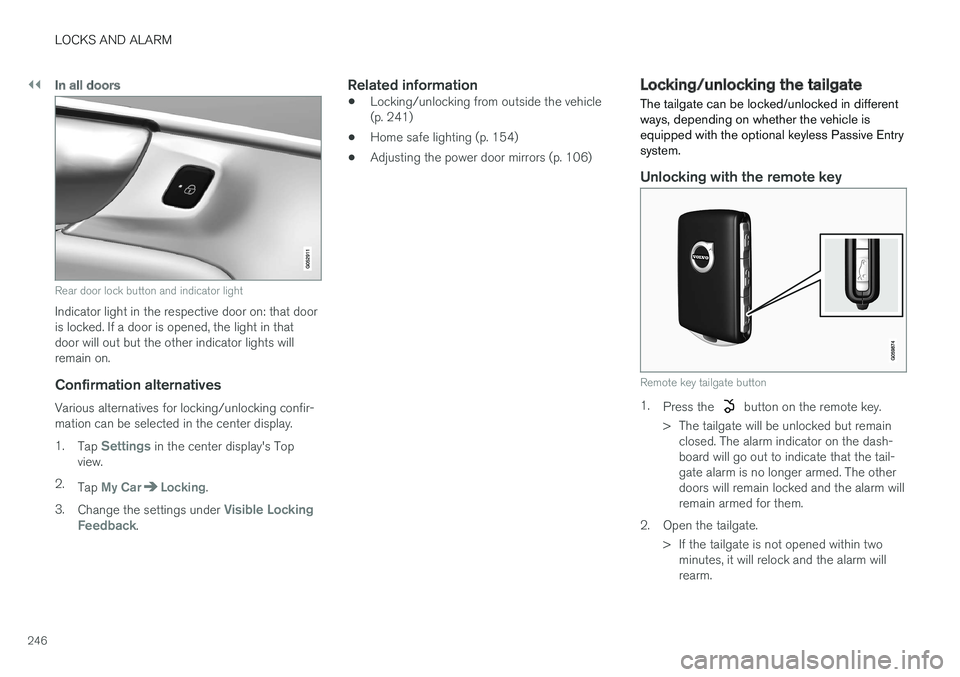
Lock button and indicator light in a rear door
The lock buttons in the rear doors lock/unlock each door respectively.
8
The unlock setting "All Doors" must be selected. If the setting "Driver door, then all" has been selected, only that door will unlock and open.
Page 248 of 580
||
LOCKS AND ALARM
246
In all doors
Rear door lock button and indicator light
Indicator light in the respective door on: that door is locked. If a door is opened, the light in thatdoor will out but the other indicator lights willremain on.
Confirmation alternatives
Various alternatives for locking/unlocking confir-mation can be selected in the center display. 1.Tap
Settings in the center display's Top
view.
2. Tap
My CarLocking.
3. Change the settings under
Visible Locking
Feedback.
Related information
• Locking/unlocking from outside the vehicle (p. 241)
• Home safe lighting (p. 154)
• Adjusting the power door mirrors (p. 106)
Locking/unlocking the tailgate The tailgate can be locked/unlocked in different ways, depending on whether the vehicle isequipped with the optional keyless Passive Entrysystem.
Unlocking with the remote key
Remote key tailgate button
1.
Press the button on the remote key.
> The tailgate will be unlocked but remain closed. The alarm indicator on the dash- board will go out to indicate that the tail-gate alarm is no longer armed. The otherdoors will remain locked and the alarm willremain armed for them.
2. Open the tailgate. > If the tailgate is not opened within twominutes, it will relock and the alarm willrearm.
Page 257 of 580
LOCKS AND ALARM
255
2. Press the button on the driver's door control
panel. >
Rear child lock Activated will be dis-
played in the instrument panel and the indicator light in the button will illuminateto show that the child safety locking func-tion is activated.
While the child safety locks are activated:
• the rear door windows can only be openedfrom the driver door control panel
• the rear doors cannot be opened from theinside
To deactivate:
–Press the button in the driver door control panel. >
Rear child lock Deactivated will be dis-
played in the instrument panel and the indicator light in the button will go out toshow that the child safety locking functionis deactivated.
When the ignition is switched off, the current set-ting for the child safety locks will be stored. If thelocks were activated at that time, they will con-tinue to be activated when the ignition isswitched on again.
Symbol Message Explanation
Rear child lockActivatedThe rear-door child safetylocks are acti-vated.
Rear child lockDeacti-vatedThe rear-door child safetylocks are deacti-vated.
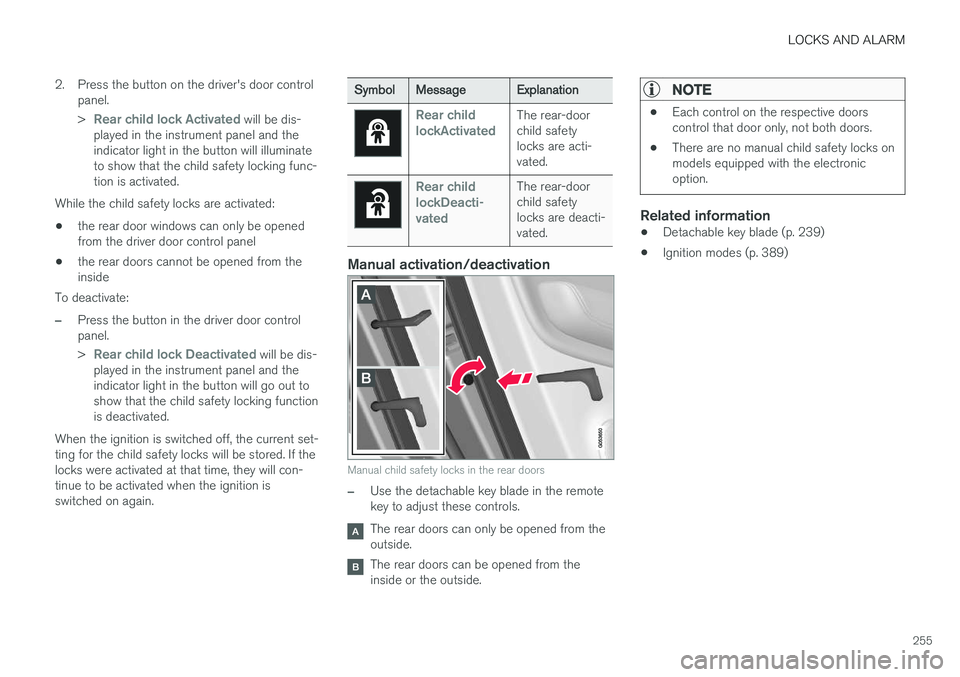
Manual activation/deactivation
Manual child safety locks in the rear doors
–Use the detachable key blade in the remote key to adjust these controls.
The rear doors can only be opened from the outside.
The rear doors can be opened from the inside or the outside.
NOTE
•Each control on the respective doors control that door only, not both doors.
• There are no manual child safety locks onmodels equipped with the electronicoption.
Related information
• Detachable key blade (p. 239)
• Ignition modes (p. 389)