park assist VOLVO XC90 T8 2017 Owner´s Manual
[x] Cancel search | Manufacturer: VOLVO, Model Year: 2017, Model line: XC90 T8, Model: VOLVO XC90 T8 2017Pages: 580, PDF Size: 10.37 MB
Page 366 of 580
||
STARTING AND DRIVING
* Option/accessory.
364
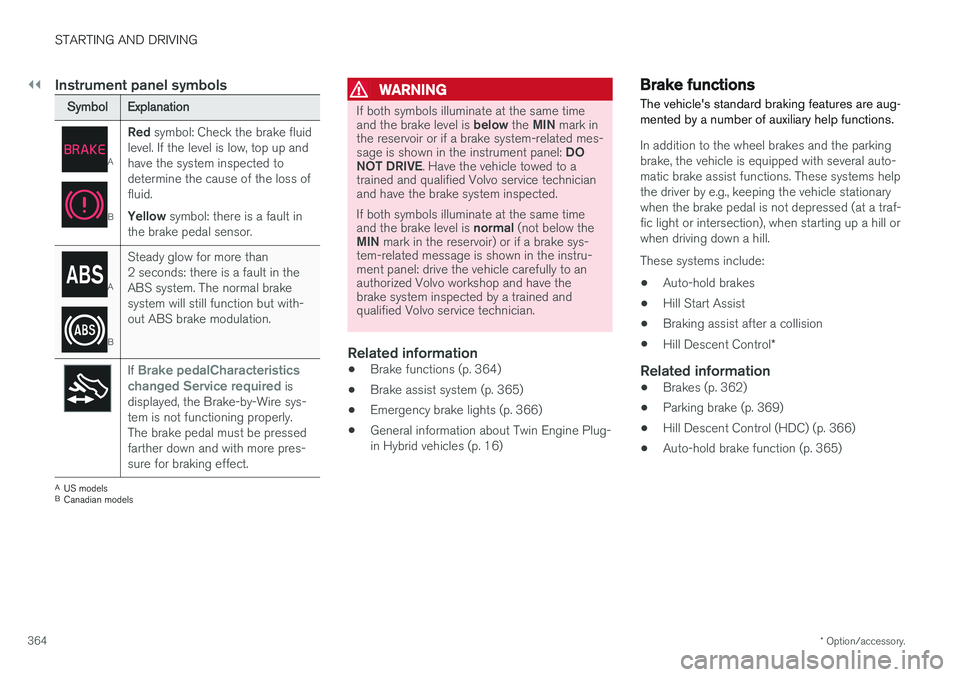
Instrument panel symbols
Symbol Explanation
A
BRed
symbol: Check the brake fluid
level. If the level is low, top up and have the system inspected todetermine the cause of the loss offluid. Yellow symbol: there is a fault in
the brake pedal sensor.
A
B Steady glow for more than 2 seconds: there is a fault in theABS system. The normal brakesystem will still function but with-out ABS brake modulation.
If Brake pedalCharacteristics
changed Service required is
displayed, the Brake-by-Wire sys- tem is not functioning properly.The brake pedal must be pressedfarther down and with more pres-sure for braking effect.
A US models
B Canadian models
WARNING
If both symbols illuminate at the same time and the brake level is below the MIN mark in
the reservoir or if a brake system-related mes-sage is shown in the instrument panel: DO
NOT DRIVE . Have the vehicle towed to a
trained and qualified Volvo service technician and have the brake system inspected. If both symbols illuminate at the same time and the brake level is normal (not below the
MIN mark in the reservoir) or if a brake sys-
tem-related message is shown in the instru- ment panel: drive the vehicle carefully to anauthorized Volvo workshop and have thebrake system inspected by a trained andqualified Volvo service technician.
Related information
• Brake functions (p. 364)
• Brake assist system (p. 365)
• Emergency brake lights (p. 366)
• General information about Twin Engine Plug- in Hybrid vehicles (p. 16)
Brake functions
The vehicle's standard braking features are aug- mented by a number of auxiliary help functions.
In addition to the wheel brakes and the parking brake, the vehicle is equipped with several auto-matic brake assist functions. These systems helpthe driver by e.g., keeping the vehicle stationarywhen the brake pedal is not depressed (at a traf-fic light or intersection), when starting up a hill orwhen driving down a hill. These systems include: • Auto-hold brakes
• Hill Start Assist
• Braking assist after a collision
• Hill Descent Control
*
Related information
•Brakes (p. 362)
• Parking brake (p. 369)
• Hill Descent Control (HDC) (p. 366)
• Auto-hold brake function (p. 365)
Page 367 of 580
STARTING AND DRIVING
365
Auto-hold brake function
With the Auto-hold brake function, the driver can release the brake pedal and the brakes willremain applied, for example, when the vehiclehas stopped at a traffic light or intersection.
When the vehicle is no longer moving forward, Auto-hold applies the brakes automatically, eitherusing the normal brakes or the parking brake.The brakes will be released when the acceleratorpedal is depressed. If the driver's door is opened or the engine is turned off, the parking brake will be applied auto-matically. Auto-hold is deactivated when the transmission is in neutral or if the driver's door is open and theseat belt is unbuckled.
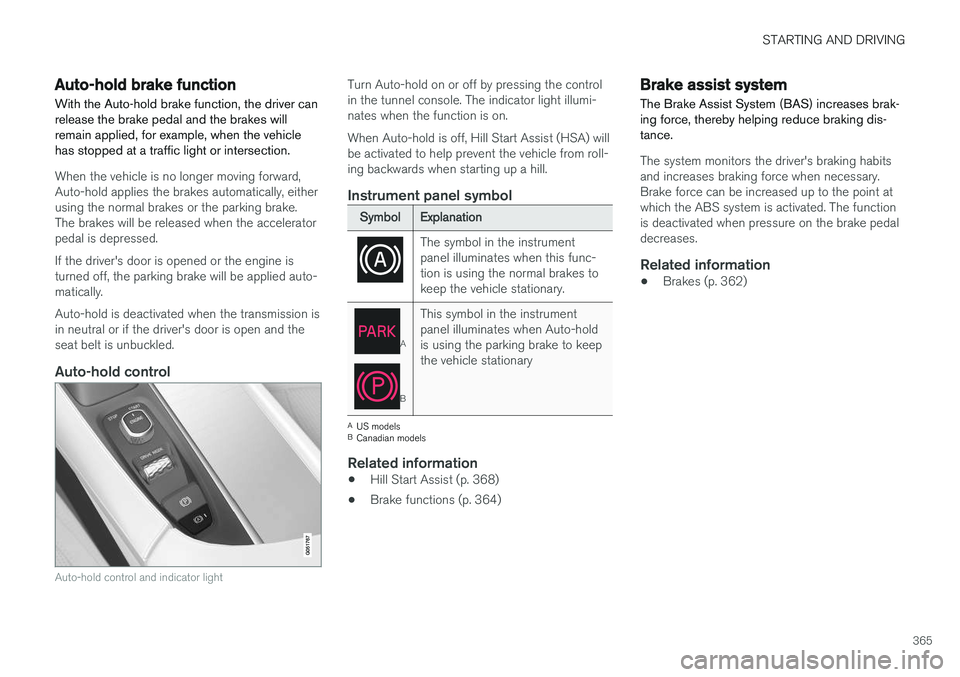
Auto-hold control
Auto-hold control and indicator light
Turn Auto-hold on or off by pressing the control in the tunnel console. The indicator light illumi-nates when the function is on. When Auto-hold is off, Hill Start Assist (HSA) will be activated to help prevent the vehicle from roll-ing backwards when starting up a hill.
Instrument panel symbol
Symbol Explanation
The symbol in the instrument panel illuminates when this func-tion is using the normal brakes tokeep the vehicle stationary.
A
BThis symbol in the instrument panel illuminates when Auto-holdis using the parking brake to keepthe vehicle stationary
A
US models
B Canadian models
Related information
• Hill Start Assist (p. 368)
• Brake functions (p. 364)
Brake assist system The Brake Assist System (BAS) increases brak- ing force, thereby helping reduce braking dis-tance.
The system monitors the driver's braking habits and increases braking force when necessary.Brake force can be increased up to the point atwhich the ABS system is activated. The functionis deactivated when pressure on the brake pedaldecreases.
Related information
• Brakes (p. 362)
Page 385 of 580
STARTING AND DRIVING
}}}}
383
1.
Switch the ignition off completely (mode 0).
2. Ensure that the auxiliary battery to be used is 12-volt.
3. If the 12-volt auxiliary battery to be used is in another vehicle, switch off that vehicle's igni- tion and be sure that the vehicles are nottouching each other.
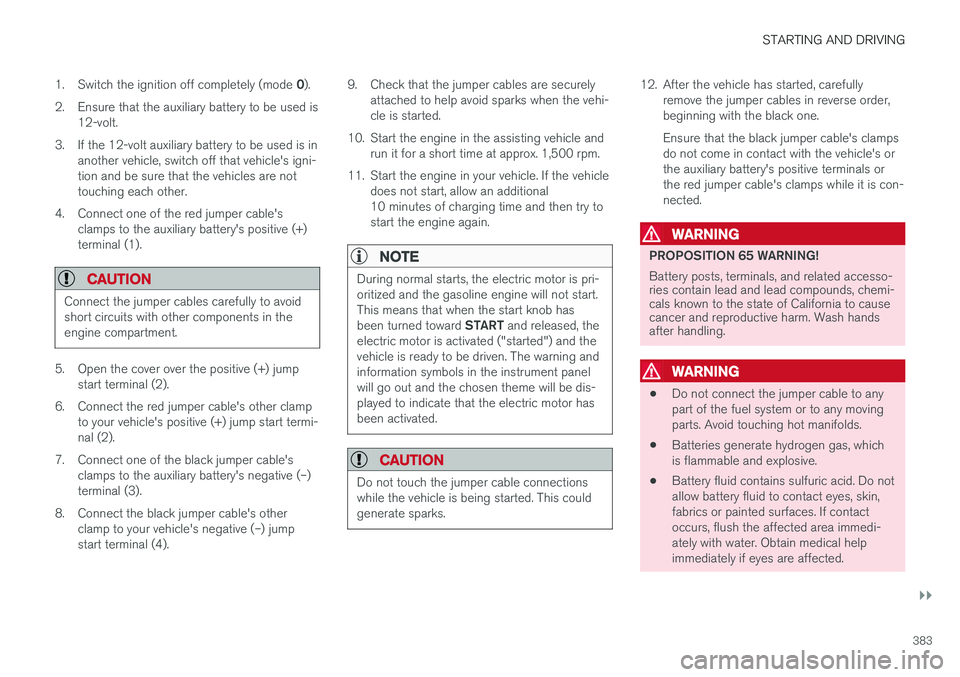
4. Connect one of the red jumper cable's clamps to the auxiliary battery's positive (+)terminal (1).
CAUTION
Connect the jumper cables carefully to avoid short circuits with other components in theengine compartment.
5. Open the cover over the positive (+) jumpstart terminal (2).
6. Connect the red jumper cable's other clamp to your vehicle's positive (+) jump start termi- nal (2).
7. Connect one of the black jumper cable's clamps to the auxiliary battery's negative (–)terminal (3).
8. Connect the black jumper cable's other clamp to your vehicle's negative (–) jumpstart terminal (4). 9. Check that the jumper cables are securely
attached to help avoid sparks when the vehi-cle is started.
10. Start the engine in the assisting vehicle and run it for a short time at approx. 1,500 rpm.
11. Start the engine in your vehicle. If the vehicle does not start, allow an additional10 minutes of charging time and then try tostart the engine again.
NOTE
During normal starts, the electric motor is pri- oritized and the gasoline engine will not start.This means that when the start knob has been turned toward START and released, the
electric motor is activated ("started") and the vehicle is ready to be driven. The warning andinformation symbols in the instrument panelwill go out and the chosen theme will be dis-played to indicate that the electric motor hasbeen activated.
CAUTION
Do not touch the jumper cable connections while the vehicle is being started. This couldgenerate sparks.
12. After the vehicle has started, carefully remove the jumper cables in reverse order, beginning with the black one. Ensure that the black jumper cable's clamps do not come in contact with the vehicle's orthe auxiliary battery's positive terminals orthe red jumper cable's clamps while it is con-nected.
WARNING
PROPOSITION 65 WARNING! Battery posts, terminals, and related accesso- ries contain lead and lead compounds, chemi-cals known to the state of California to causecancer and reproductive harm. Wash handsafter handling.
WARNING
• Do not connect the jumper cable to any part of the fuel system or to any movingparts. Avoid touching hot manifolds.
• Batteries generate hydrogen gas, whichis flammable and explosive.
• Battery fluid contains sulfuric acid. Do notallow battery fluid to contact eyes, skin,fabrics or painted surfaces. If contactoccurs, flush the affected area immedi-ately with water. Obtain medical helpimmediately if eyes are affected.
Page 568 of 580
INDEX
566Booster cushions 88
Brake assist system 365
Brake lights 150, 366Brakes
auto-hold 365
Brake system Brake pad inspection 363
fluid 560
general information 362, 364, 366
Bulbs 529 replacing 524
specifications 530
C
Cameradriver support systems 308
limitations 309
Camera, Park Assist 348, 350, 352, 353
Capacity weight 478, 557
Cargo area, steel grid 223
Cargo area cover 225Cargo compartment fuses 520
raising/lowering the level 216
Cargo net 221
Cargo space 216
Car wash 541
Catalytic converter 381CD, USB, iPod, AUX, Bluetooth, Recents, Library, Shuffle, Similar, Change device,Audio Language, Off, Subtitle Language, Video, DivX ® VOD 452
CD player 451 Cell phone hands-free 438
Pairing 439
Cell phone voice control 124 Center display changing settings 35
cleaning 546
keyboard 36
navigating in 43
overview 33
screen in the center console 49
symbols in the status bar 48
Chains 479
Changing a wheel 481Charging cable hybrid battery 394
Child restraints recalls and registration 81Child restraint systems 81booster cushions 88
convertible seats 85
infant seats 83
ISOFIX/LATCH anchors 89
top tether anchors 91
Child safety 79 booster cushions 88
child restraint systems 81, 90
convertible seats 85
infant seats 83
Child safety locks 254 Child seats lower attachment points 90
City safety 312, 320City Safety crossing traffic 317
detecting objects 315
limitations 320
rear collision warning 324
symbols and messages 323
troubleshooting 318
City Safety, On/Off 314 City Safety ™
Multi Target 318
Cleaning exterior 541
interior 544
Page 573 of 580
INDEX
571
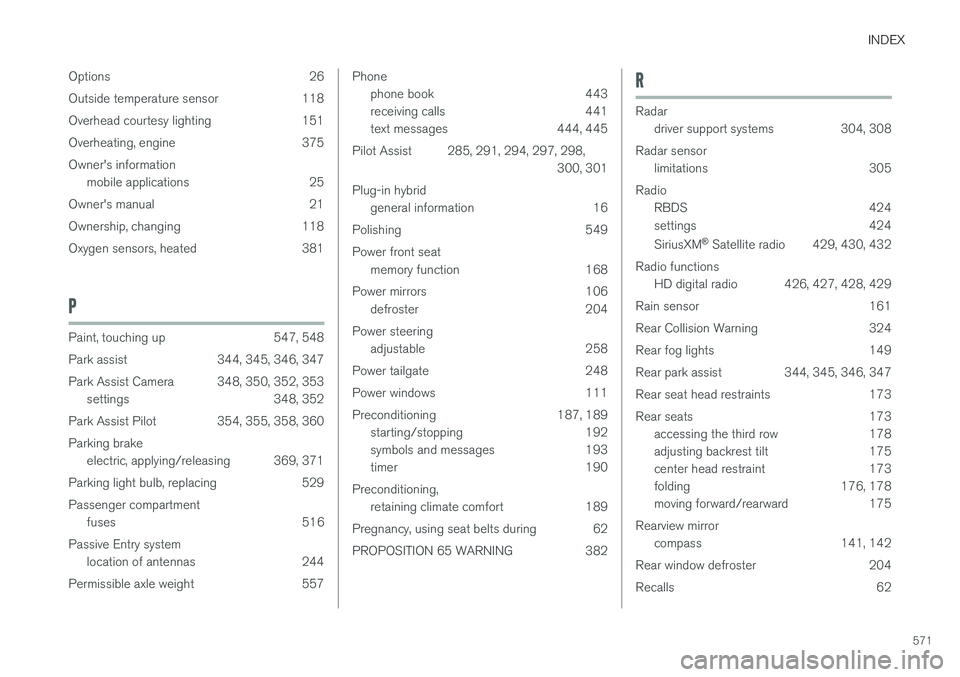
Options 26
Outside temperature sensor 118
Overhead courtesy lighting 151
Overheating, engine 375Owner's information
mobile applications 25
Owner's manual 21
Ownership, changing 118
Oxygen sensors, heated 381
P
Paint, touching up 547, 548
Park assist 344, 345, 346, 347
Park Assist Camera 348, 350, 352, 353 settings 348, 352
Park Assist Pilot 354, 355, 358, 360Parking brake electric, applying/releasing 369, 371
Parking light bulb, replacing 529Passenger compartment fuses 516
Passive Entry system location of antennas 244
Permissible axle weight 557
Phone phone book 443
receiving calls 441
text messages 444, 445
Pilot Assist 285, 291, 294, 297, 298, 300, 301
Plug-in hybrid general information 16
Polishing 549 Power front seat memory function 168
Power mirrors 106 defroster 204
Power steering adjustable 258
Power tailgate 248
Power windows 111
Preconditioning 187, 189 starting/stopping 192
symbols and messages 193
timer 190
Preconditioning, retaining climate comfort 189
Pregnancy, using seat belts during 62
PROPOSITION 65 WARNING 382R
Radar driver support systems 304, 308
Radar sensor limitations 305
Radio RBDS 424
settings 424 SiriusXM ®
Satellite radio 429, 430, 432
Radio functions HD digital radio 426, 427, 428, 429
Rain sensor 161
Rear Collision Warning 324
Rear fog lights 149
Rear park assist 344, 345, 346, 347
Rear seat head restraints 173
Rear seats 173 accessing the third row 178
adjusting backrest tilt 175
center head restraint 173
folding 176, 178
moving forward/rearward 175
Rearview mirror compass 141, 142
Rear window defroster 204
Recalls 62