buttons VOLVO XC90 T8 2017 Owner´s Manual
[x] Cancel search | Manufacturer: VOLVO, Model Year: 2017, Model line: XC90 T8, Model: VOLVO XC90 T8 2017Pages: 580, PDF Size: 10.37 MB
Page 271 of 580
DRIVER SUPPORT
* Option/accessory.269
Reactivating SL from standby modeTo reactivate SL after it has temporarily been put in standby mode:
–Press the button (1).
> The maximum speed marker (4) and sym- bols will change colors to WHITE and the vehicle's maximum speed will be limited tothe previously set maximum speed.
or
–Press the button (2).
> The symbols will change colors from GRAY to WHITE and the vehicle's current speed will be set as the maximum speed.
Increasing the speed with the accelerator pedal
The set maximum speed can be temporarily exceeded using the accelerator pedal withoutputting SL in standby mode, for instance whenquick acceleration is required.
1. Press the accelerator pedal as far down as possible and release it when the vehicle has reached the desired speed.
> SL remains activated (the symbols in theinstrument panel will remain WHITE).
2. Release the accelerator pedal when the tem- porary acceleration is completed.
> The vehicle will slow down and its speedwill remain under the set maximum speed.
Related information
• Speed limiter (SL)
* (p. 263)
• Starting and activating the Speed Limiter (SL)
* (p. 264)
Turning the Speed Limiter * off
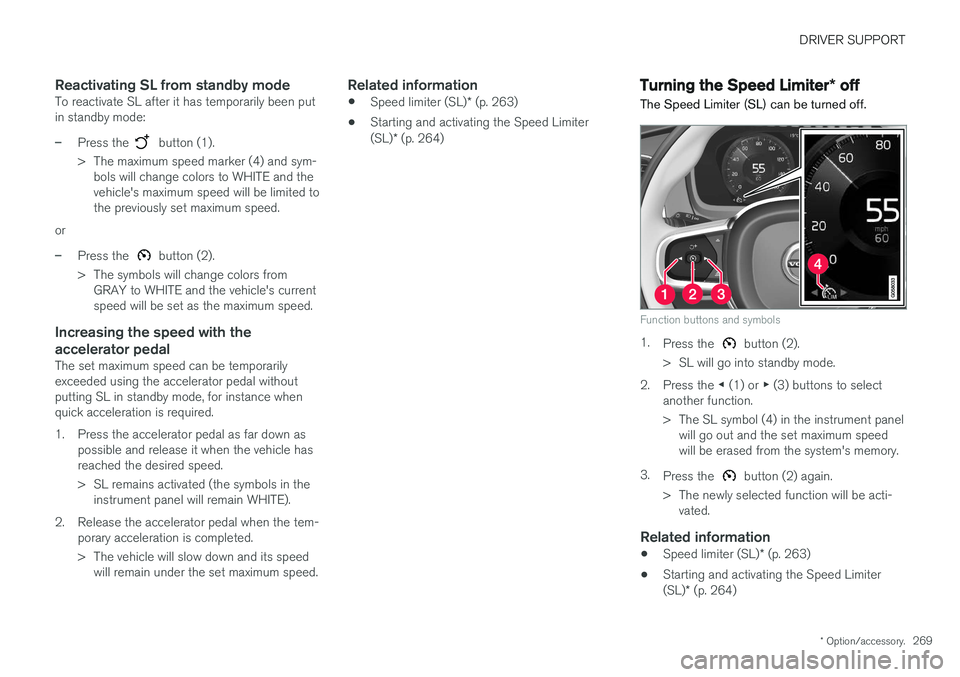
The Speed Limiter (SL) can be turned off.
Function buttons and symbols
1. Press the button (2).
> SL will go into standby mode.
2. Press the ◀ (1) or ▶ (3) buttons to select
another function.
> The SL symbol (4) in the instrument panel will go out and the set maximum speed will be erased from the system's memory.
3. Press the
button (2) again.
> The newly selected function will be acti- vated.
Related information
• Speed limiter (SL)
* (p. 263)
• Starting and activating the Speed Limiter (SL)
* (p. 264)
Page 272 of 580
DRIVER SUPPORT
* Option/accessory.
270
Cruise Control (CC)
Cruise Control (CC) is designed to assist the driver by maintaining a set speed. It is primarilyintended for use on long straight roads in steadytraffic, such as on highways and other mainroads in smoothly flowing traffic.
Overview
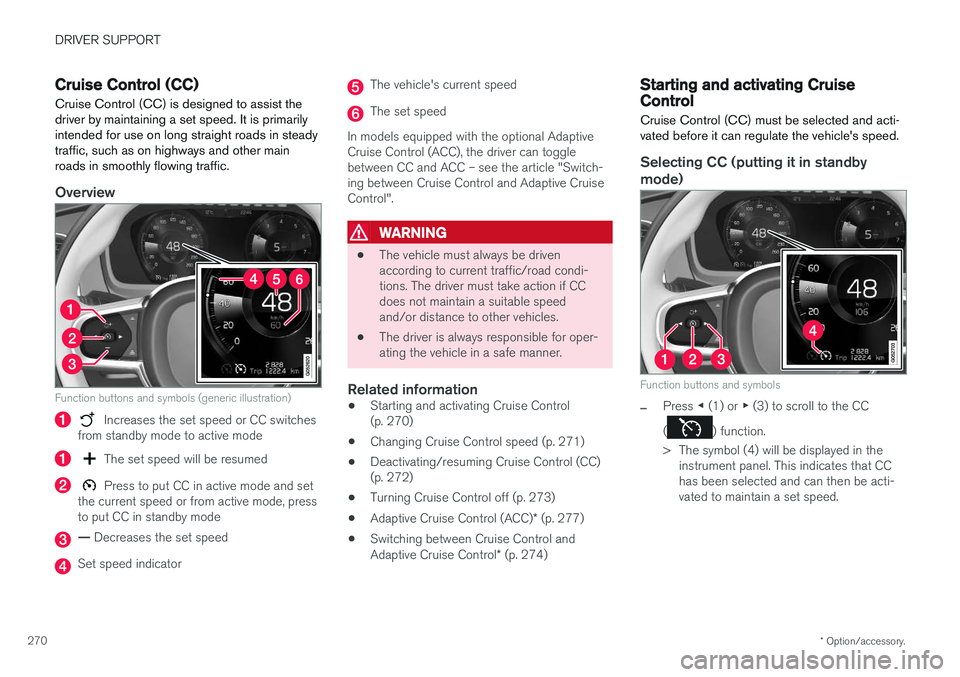
Function buttons and symbols (generic illustration)
Increases the set speed or CC switches
from standby mode to active mode
The set speed will be resumed
Press to put CC in active mode and set
the current speed or from active mode, press to put CC in standby mode
— Decreases the set speed
Set speed indicator
The vehicle's current speed
The set speed
In models equipped with the optional Adaptive Cruise Control (ACC), the driver can togglebetween CC and ACC – see the article "Switch-ing between Cruise Control and Adaptive CruiseControl".
WARNING
• The vehicle must always be driven according to current traffic/road condi-tions. The driver must take action if CCdoes not maintain a suitable speedand/or distance to other vehicles.
• The driver is always responsible for oper-ating the vehicle in a safe manner.
Related information
•Starting and activating Cruise Control(p. 270)
• Changing Cruise Control speed (p. 271)
• Deactivating/resuming Cruise Control (CC)(p. 272)
• Turning Cruise Control off (p. 273)
• Adaptive Cruise Control (ACC)
* (p. 277)
• Switching between Cruise Control and Adaptive Cruise Control
* (p. 274)
Starting and activating Cruise Control
Cruise Control (CC) must be selected and acti- vated before it can regulate the vehicle's speed.
Selecting CC (putting it in standby
mode)
Function buttons and symbols
–Press ◀ (1) or ▶ (3) to scroll to the CC
(
) function.
> The symbol (4) will be displayed in the instrument panel. This indicates that CC has been selected and can then be acti-vated to maintain a set speed.
Page 273 of 580
DRIVER SUPPORT
* Option/accessory.271
NOTE
Before CC can be activated, the vehicle's speed must be at least 20 mph (30 km/h).This is also the lowest speed that can be set.
Activating CC (putting it in active mode and setting a speed)
–With the symbol displayed (CC is in
standby mode), press the
button (2) on
the left-side steering wheel keypad.
> This puts CC in active mode and will maintain the vehicle's current speed.
Related information
• Cruise Control (CC) (p. 270)
• Switching between Cruise Control and Adaptive Cruise Control
* (p. 274)
• Deactivating/resuming Cruise Control (CC) (p. 272)
• Turning Cruise Control off (p. 273)
Changing Cruise Control speed
Changing a set speed
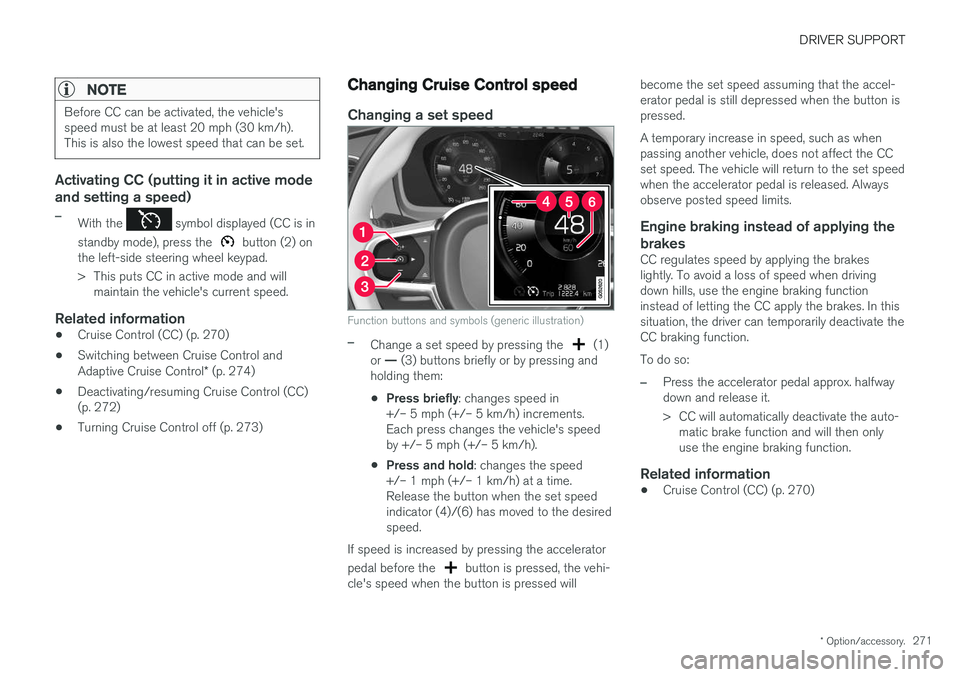
Function buttons and symbols (generic illustration)
–Change a set speed by pressing the (1)
or — (3) buttons briefly or by pressing and
holding them:
• Press briefly
: changes speed in
+/– 5 mph (+/– 5 km/h) increments. Each press changes the vehicle's speedby +/– 5 mph (+/– 5 km/h).
• Press and hold
: changes the speed
+/– 1 mph (+/– 1 km/h) at a time.Release the button when the set speedindicator (4)/(6) has moved to the desiredspeed.
If speed is increased by pressing the accelerator pedal before the
button is pressed, the vehi-
cle's speed when the button is pressed will become the set speed assuming that the accel- erator pedal is still depressed when the button ispressed. A temporary increase in speed, such as when passing another vehicle, does not affect the CCset speed. The vehicle will return to the set speedwhen the accelerator pedal is released. Alwaysobserve posted speed limits.
Engine braking instead of applying the
brakes
CC regulates speed by applying the brakeslightly. To avoid a loss of speed when drivingdown hills, use the engine braking functioninstead of letting the CC apply the brakes. In thissituation, the driver can temporarily deactivate theCC braking function. To do so:
–Press the accelerator pedal approx. halfway down and release it.
> CC will automatically deactivate the auto- matic brake function and will then only use the engine braking function.
Related information
• Cruise Control (CC) (p. 270)
Page 274 of 580
DRIVER SUPPORT
272
Deactivating/resuming Cruise Control (CC) Cruise Control (CC) can be temporarily deacti- vated and put in standby mode.
Deactivating and putting CC in standbymode
To temporarily deactivate and put Cruise Control in standby mode:
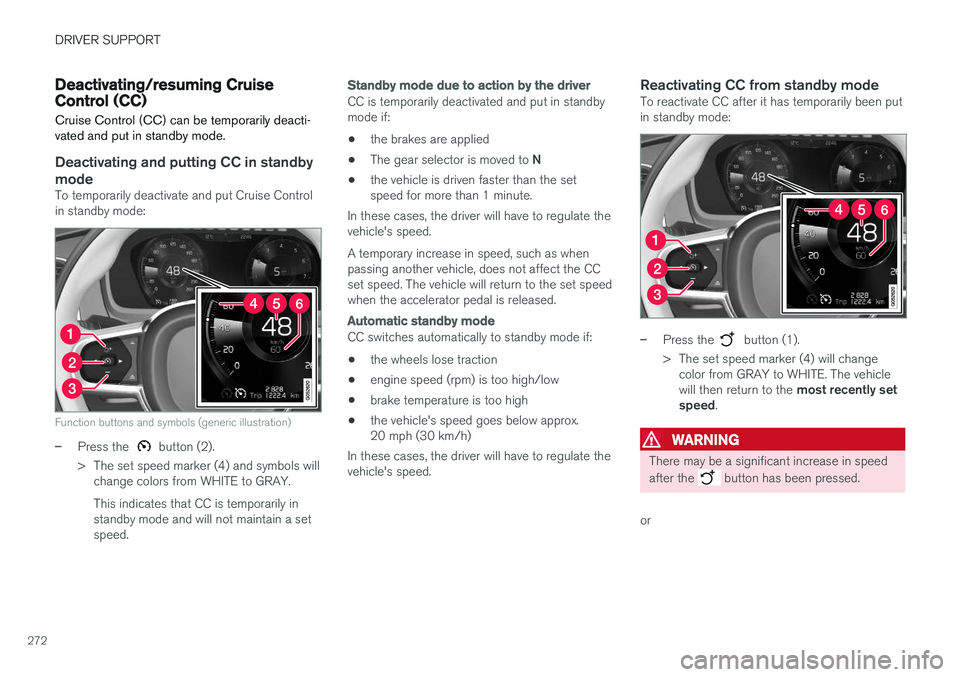
Function buttons and symbols (generic illustration)
–Press the button (2).
> The set speed marker (4) and symbols will change colors from WHITE to GRAY. This indicates that CC is temporarily in standby mode and will not maintain a setspeed.
Standby mode due to action by the driver
CC is temporarily deactivated and put in standby mode if:
• the brakes are applied
• The gear selector is moved to
N
• the vehicle is driven faster than the setspeed for more than 1 minute.
In these cases, the driver will have to regulate thevehicle's speed. A temporary increase in speed, such as when passing another vehicle, does not affect the CCset speed. The vehicle will return to the set speedwhen the accelerator pedal is released.
Automatic standby mode
CC switches automatically to standby mode if:
• the wheels lose traction
• engine speed (rpm) is too high/low
• brake temperature is too high
• the vehicle's speed goes below approx. 20 mph (30 km/h)
In these cases, the driver will have to regulate thevehicle's speed.
Reactivating CC from standby modeTo reactivate CC after it has temporarily been putin standby mode:
–Press the button (1).
> The set speed marker (4) will change color from GRAY to WHITE. The vehicle will then return to the most recently set
speed .
WARNING
There may be a significant increase in speed after the
button has been pressed.
or
Page 275 of 580
DRIVER SUPPORT
* Option/accessory.273
–Press the button (2).
> The set speed marker (4) and symbols will change colors from GRAY to WHITE. CC will then set and maintain the vehicle's current speed.
Related information
•Cruise Control (CC) (p. 270)
• Starting and activating Cruise Control (p. 270)
Turning Cruise Control off
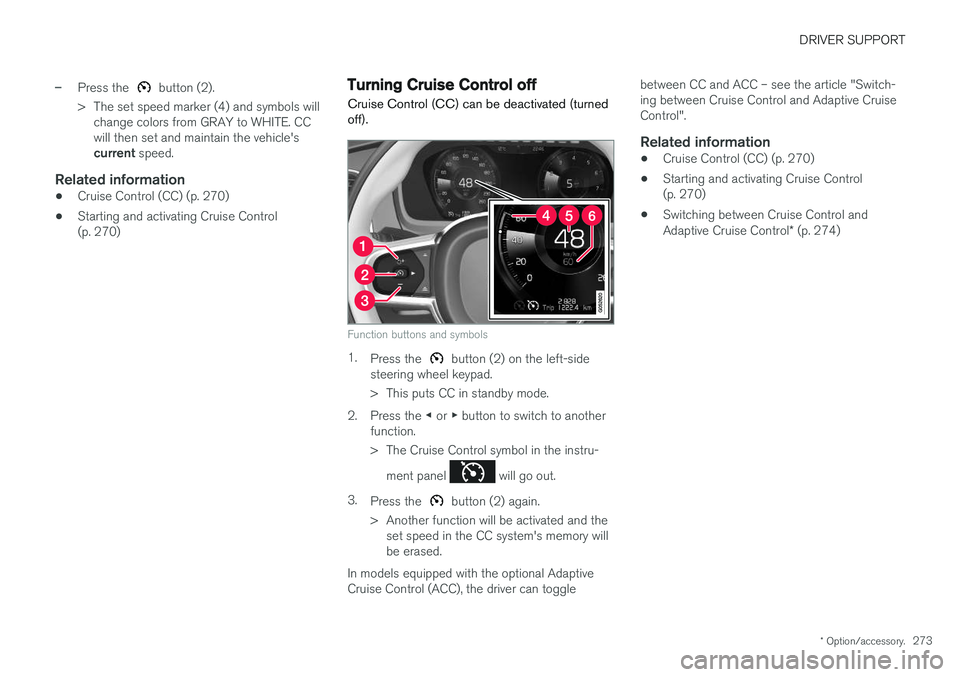
Cruise Control (CC) can be deactivated (turned off).
Function buttons and symbols
1. Press the button (2) on the left-side
steering wheel keypad.
> This puts CC in standby mode.
2. Press the ◀ or ▶ button to switch to another
function.
> The Cruise Control symbol in the instru-
ment panel
will go out.
3. Press the
button (2) again.
> Another function will be activated and the set speed in the CC system's memory will be erased.
In models equipped with the optional AdaptiveCruise Control (ACC), the driver can toggle between CC and ACC – see the article "Switch-ing between Cruise Control and Adaptive CruiseControl".
Related information
•
Cruise Control (CC) (p. 270)
• Starting and activating Cruise Control(p. 270)
• Switching between Cruise Control and Adaptive Cruise Control
* (p. 274)
Page 281 of 580
DRIVER SUPPORT
}}
279
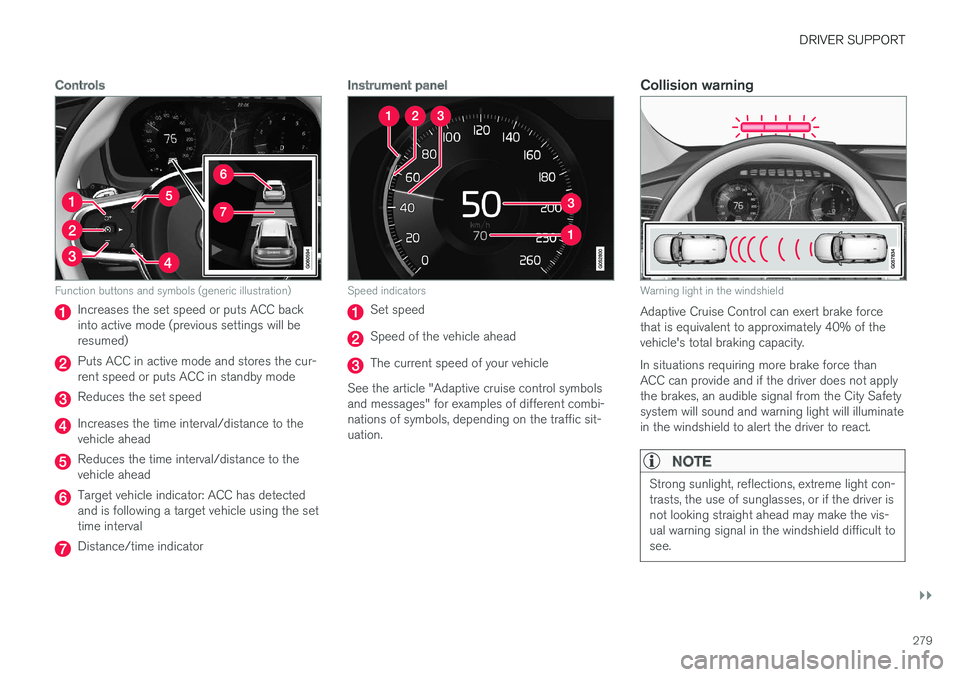
Controls
Function buttons and symbols (generic illustration)
Increases the set speed or puts ACC back into active mode (previous settings will beresumed)
Puts ACC in active mode and stores the cur- rent speed or puts ACC in standby mode
Reduces the set speed
Increases the time interval/distance to the vehicle ahead
Reduces the time interval/distance to the vehicle ahead
Target vehicle indicator: ACC has detected and is following a target vehicle using the settime interval
Distance/time indicator
Instrument panel
Speed indicators
Set speed
Speed of the vehicle ahead
The current speed of your vehicle
See the article "Adaptive cruise control symbols and messages" for examples of different combi-nations of symbols, depending on the traffic sit-uation.
Collision warning
Warning light in the windshield
Adaptive Cruise Control can exert brake force that is equivalent to approximately 40% of thevehicle's total braking capacity. In situations requiring more brake force than ACC can provide and if the driver does not applythe brakes, an audible signal from the City Safetysystem will sound and warning light will illuminatein the windshield to alert the driver to react.
NOTE
Strong sunlight, reflections, extreme light con- trasts, the use of sunglasses, or if the driver isnot looking straight ahead may make the vis-ual warning signal in the windshield difficult tosee.
Page 282 of 580
||
DRIVER SUPPORT
* Option/accessory.
280
WARNING
Adaptive Cruise Control only warns of vehicles detected by the radar sensor. In some casesthere may be no warning or the warning maybe delayed. The driver should always apply thebrakes when necessary.
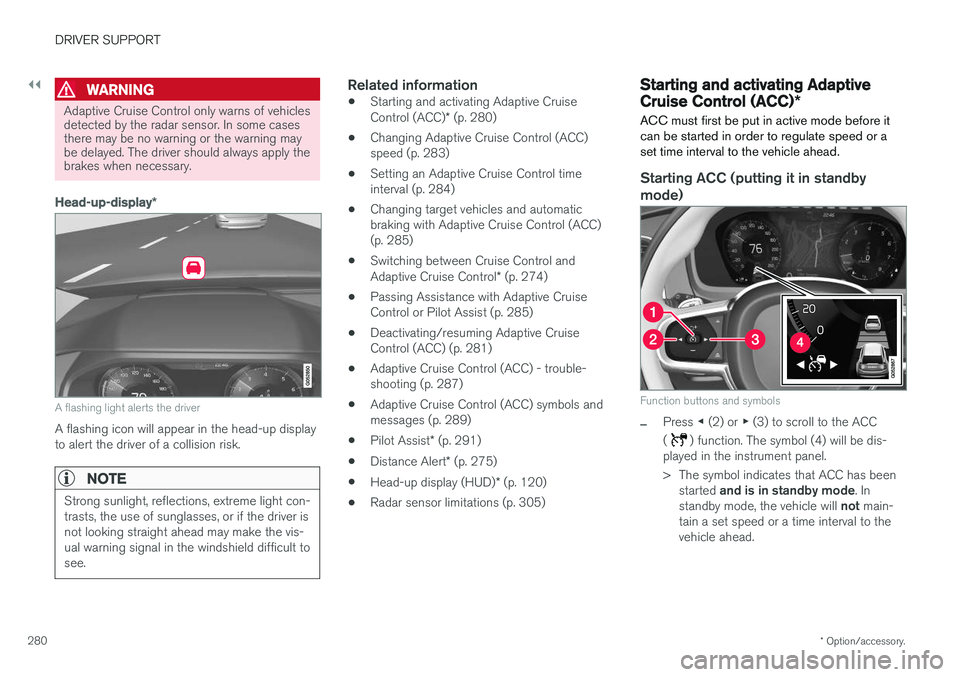
Head-up-display *
A flashing light alerts the driver
A flashing icon will appear in the head-up display to alert the driver of a collision risk.
NOTE
Strong sunlight, reflections, extreme light con- trasts, the use of sunglasses, or if the driver isnot looking straight ahead may make the vis-ual warning signal in the windshield difficult tosee.
Related information
•Starting and activating Adaptive Cruise Control (ACC)
* (p. 280)
• Changing Adaptive Cruise Control (ACC) speed (p. 283)
• Setting an Adaptive Cruise Control timeinterval (p. 284)
• Changing target vehicles and automaticbraking with Adaptive Cruise Control (ACC)(p. 285)
• Switching between Cruise Control and Adaptive Cruise Control
* (p. 274)
• Passing Assistance with Adaptive Cruise Control or Pilot Assist (p. 285)
• Deactivating/resuming Adaptive CruiseControl (ACC) (p. 281)
• Adaptive Cruise Control (ACC) - trouble-shooting (p. 287)
• Adaptive Cruise Control (ACC) symbols andmessages (p. 289)
• Pilot Assist
* (p. 291)
• Distance Alert
* (p. 275)
• Head-up display (HUD)
* (p. 120)
• Radar sensor limitations (p. 305)
Starting and activating Adaptive Cruise Control (ACC)
*
ACC must first be put in active mode before it can be started in order to regulate speed or aset time interval to the vehicle ahead.
Starting ACC (putting it in standby
mode)
Function buttons and symbols
–Press ◀ (2) or ▶ (3) to scroll to the ACC
(
) function. The symbol (4) will be dis-
played in the instrument panel.
> The symbol indicates that ACC has been
started and is in standby mode . In
standby mode, the vehicle will not main-
tain a set speed or a time interval to the vehicle ahead.
Page 283 of 580
DRIVER SUPPORT
}}
* Option/accessory.281
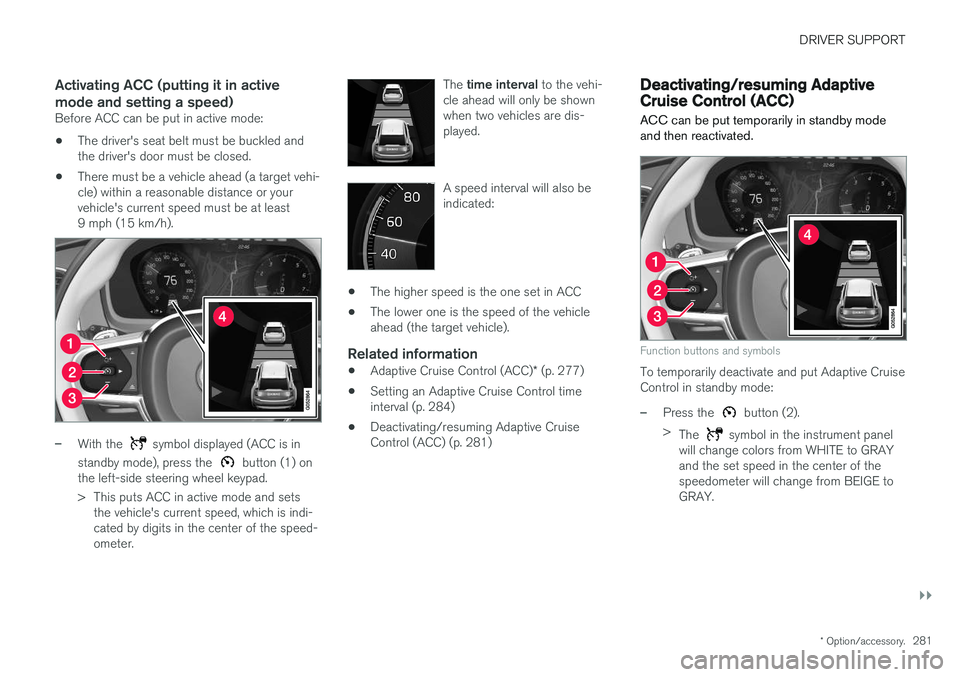
Activating ACC (putting it in active mode and setting a speed)
Before ACC can be put in active mode:
• The driver's seat belt must be buckled and the driver's door must be closed.
• There must be a vehicle ahead (a target vehi-cle) within a reasonable distance or yourvehicle's current speed must be at least9 mph (15 km/h).
–With the symbol displayed (ACC is in
standby mode), press the
button (1) on
the left-side steering wheel keypad.
> This puts ACC in active mode and sets the vehicle's current speed, which is indi- cated by digits in the center of the speed-ometer. The
time interval to the vehi-
cle ahead will only be shownwhen two vehicles are dis-played.
A speed interval will also be indicated:
• The higher speed is the one set in ACC
• The lower one is the speed of the vehicle ahead (the target vehicle).
Related information
•
Adaptive Cruise Control (ACC)
* (p. 277)
• Setting an Adaptive Cruise Control timeinterval (p. 284)
• Deactivating/resuming Adaptive CruiseControl (ACC) (p. 281)
Deactivating/resuming Adaptive Cruise Control (ACC)
ACC can be put temporarily in standby mode and then reactivated.
Function buttons and symbols
To temporarily deactivate and put Adaptive Cruise Control in standby mode:
–Press the button (2).
> The
symbol in the instrument panel
will change colors from WHITE to GRAY and the set speed in the center of thespeedometer will change from BEIGE toGRAY.
Page 285 of 580
DRIVER SUPPORT
* Option/accessory.283
•
Passing Assistance with Adaptive Cruise Control or Pilot Assist (p. 285)
• Adaptive Cruise Control (ACC) symbols andmessages (p. 289)
• Distance Alert
* (p. 275)
Changing Adaptive Cruise Control (ACC) speed
ACC makes it possible to set various speeds.
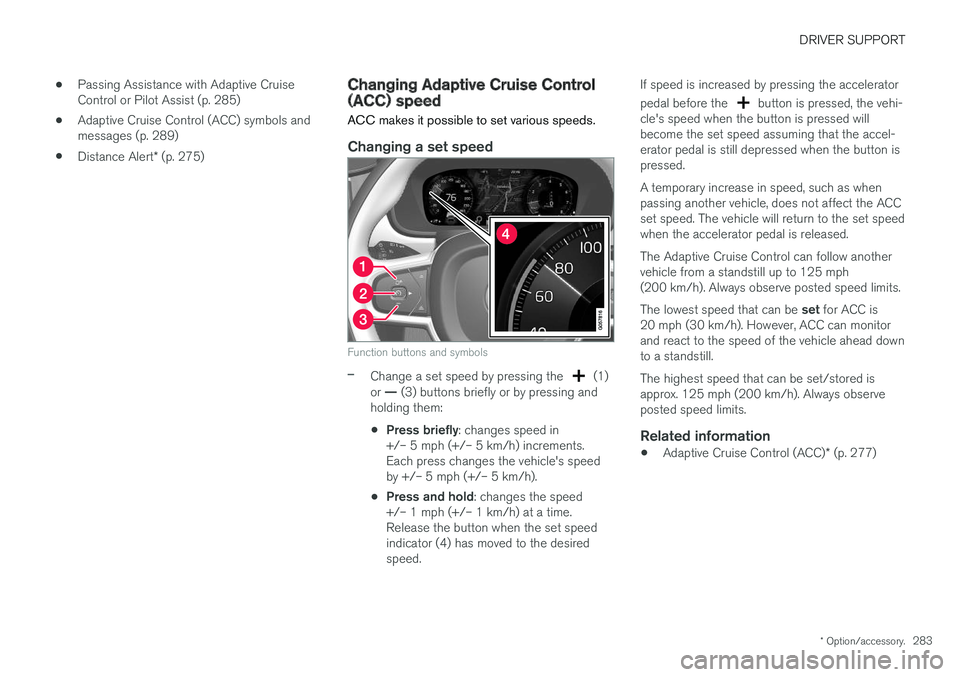
Changing a set speed
Function buttons and symbols
–Change a set speed by pressing the (1)
or — (3) buttons briefly or by pressing and
holding them:
• Press briefly
: changes speed in
+/– 5 mph (+/– 5 km/h) increments. Each press changes the vehicle's speedby +/– 5 mph (+/– 5 km/h).
• Press and hold
: changes the speed
+/– 1 mph (+/– 1 km/h) at a time.Release the button when the set speedindicator (4) has moved to the desiredspeed. If speed is increased by pressing the accelerator pedal before the
button is pressed, the vehi-
cle's speed when the button is pressed will become the set speed assuming that the accel-erator pedal is still depressed when the button ispressed. A temporary increase in speed, such as when passing another vehicle, does not affect the ACCset speed. The vehicle will return to the set speedwhen the accelerator pedal is released. The Adaptive Cruise Control can follow another vehicle from a standstill up to 125 mph(200 km/h). Always observe posted speed limits. The lowest speed that can be set for ACC is
20 mph (30 km/h). However, ACC can monitor and react to the speed of the vehicle ahead downto a standstill. The highest speed that can be set/stored is approx. 125 mph (200 km/h). Always observeposted speed limits.
Related information
• Adaptive Cruise Control (ACC)
* (p. 277)
Page 286 of 580
DRIVER SUPPORT
* Option/accessory.
284
Setting an Adaptive Cruise Control time interval
ACC makes it possible to set various time inter- vals to the vehicle ahead.
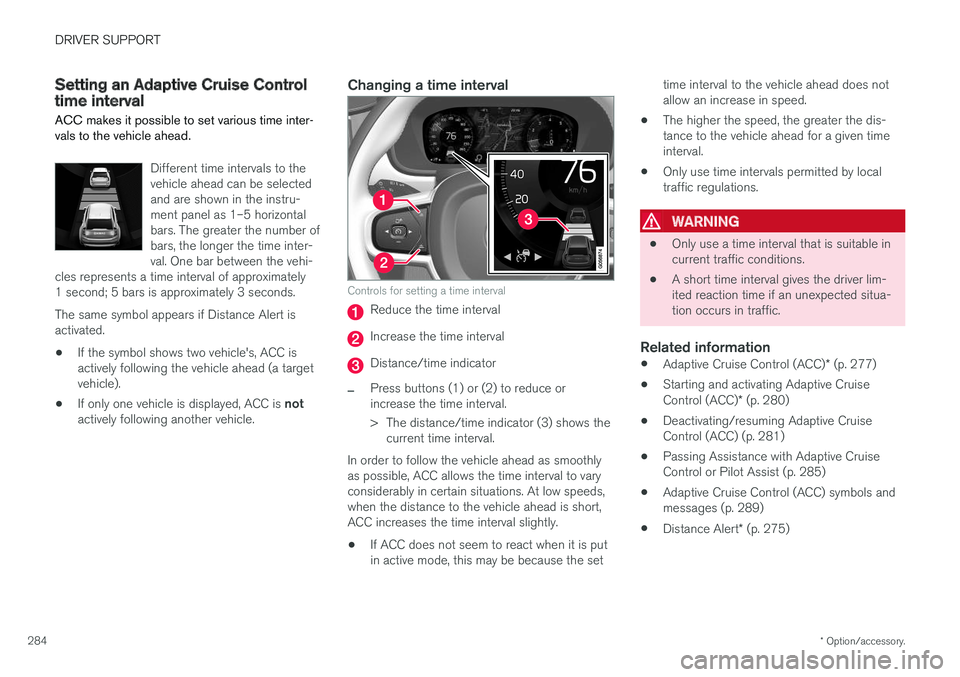
Different time intervals to the vehicle ahead can be selectedand are shown in the instru-ment panel as 1–5 horizontalbars. The greater the number ofbars, the longer the time inter-val. One bar between the vehi-
cles represents a time interval of approximately1 second; 5 bars is approximately 3 seconds. The same symbol appears if Distance Alert is activated.
• If the symbol shows two vehicle's, ACC is actively following the vehicle ahead (a targetvehicle).
• If only one vehicle is displayed, ACC is
not
actively following another vehicle.
Changing a time interval
Controls for setting a time interval
Reduce the time interval
Increase the time interval
Distance/time indicator
–Press buttons (1) or (2) to reduce or increase the time interval.
> The distance/time indicator (3) shows the current time interval.
In order to follow the vehicle ahead as smoothly as possible, ACC allows the time interval to varyconsiderably in certain situations. At low speeds,when the distance to the vehicle ahead is short,ACC increases the time interval slightly. • If ACC does not seem to react when it is put in active mode, this may be because the set time interval to the vehicle ahead does notallow an increase in speed.
• The higher the speed, the greater the dis-tance to the vehicle ahead for a given timeinterval.
• Only use time intervals permitted by localtraffic regulations.
WARNING
•
Only use a time interval that is suitable in current traffic conditions.
• A short time interval gives the driver lim-ited reaction time if an unexpected situa-tion occurs in traffic.
Related information
•
Adaptive Cruise Control (ACC)
* (p. 277)
• Starting and activating Adaptive Cruise Control (ACC)
* (p. 280)
• Deactivating/resuming Adaptive Cruise Control (ACC) (p. 281)
• Passing Assistance with Adaptive CruiseControl or Pilot Assist (p. 285)
• Adaptive Cruise Control (ACC) symbols andmessages (p. 289)
• Distance Alert
* (p. 275)