warning VOLVO XC90 T8 2017 Owner´s Manual
[x] Cancel search | Manufacturer: VOLVO, Model Year: 2017, Model line: XC90 T8, Model: VOLVO XC90 T8 2017Pages: 580, PDF Size: 10.37 MB
Page 146 of 580
||
INSTRUMENTS AND CONTROLS
144
Lighting
ring posi- tion Result
With the ignition in mode II or if the engine is running:
• The Daytime Running Lights will be
on in daylight condi-
tions B
• The low beam headlights will automatically switch on indark conditions
• Tunnel detection will be acti-vated
• Active High Beams (AHB)can be activated
• High beam flash can be used
• Continuous high beams canbe used in dark conditions
Active High Beams On/Off
A
The parking lights will be on in this position, even if the ignition is switched off. In dark conditions, the rear parking lights illumi-nate automatically when the tailgate is open, regardless of thering's position or ignition mode.
B US models only: The use of Daytime Running Lights can beactivated/deactivated in the center display's Settings menu.
NOTE
Volvo recommends the use of Daytime Run- ning Lights in the United States. The use of these lights is mandatory in Canada .
Volvo recommends using the position
whenever possible.
WARNING
• Daytime Running Lights are a driving aid designed to help make the vehicle visibleto other roads users.
• The driver is always responsible foradapting the use of Daytime RunningLights/headlights according to ambientlighting and weather conditions.
Lighting panel
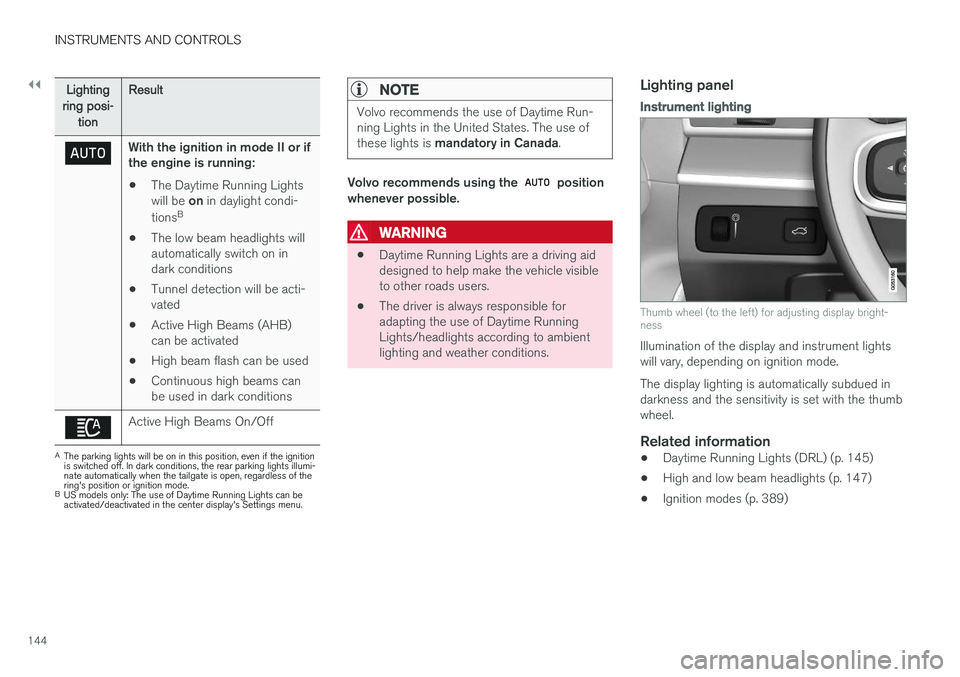
Instrument lighting
Thumb wheel (to the left) for adjusting display bright- ness
Illumination of the display and instrument lights will vary, depending on ignition mode. The display lighting is automatically subdued in darkness and the sensitivity is set with the thumbwheel.
Related information
• Daytime Running Lights (DRL) (p. 145)
• High and low beam headlights (p. 147)
• Ignition modes (p. 389)
Page 150 of 580
||
INSTRUMENTS AND CONTROLS
* Option/accessory.
148 Active high beams may be temporarily unavailable (e.g., in heavy fog or rain). When the systembecomes active again or if the sensors in thewindshield are no longer obscured, the messages will disappear and the
symbol will illumi-
nate.
WARNING
• Automatic high beams are a driving aid designed to help provide the best possi-ble headlight illumination in good drivingconditions.
• The use of aftermarket or non-Volvoglass can have an adverse effect on theautomatic high beam function.
• The driver is always responsible for man-ually toggling between high and lowbeams when this is required by traffic orweather conditions.
CAUTION
In the following situations, it may be neces- sary to switch between high and low beamsmanually:
• In heavy fog or rain
• In blowing snow or slush
• In bright moonlight
• In freezing rain
• In areas with dim street lighting
• When oncoming vehicles have dim frontlighting
• If there are pedestrians on or near theroad
• If there are reflective objects, such assigns, near the road
• When oncoming vehicles' lights areobscured by e.g., fences, bushes, etc.
• When there are vehicles on connectingroads
• At the top of hills or in dips in the road
• In sharp curves
Related information
•
City Safety
™ troubleshooting (p. 318)
• Lighting panel and controls (p. 143)
Active Bending Lights
*
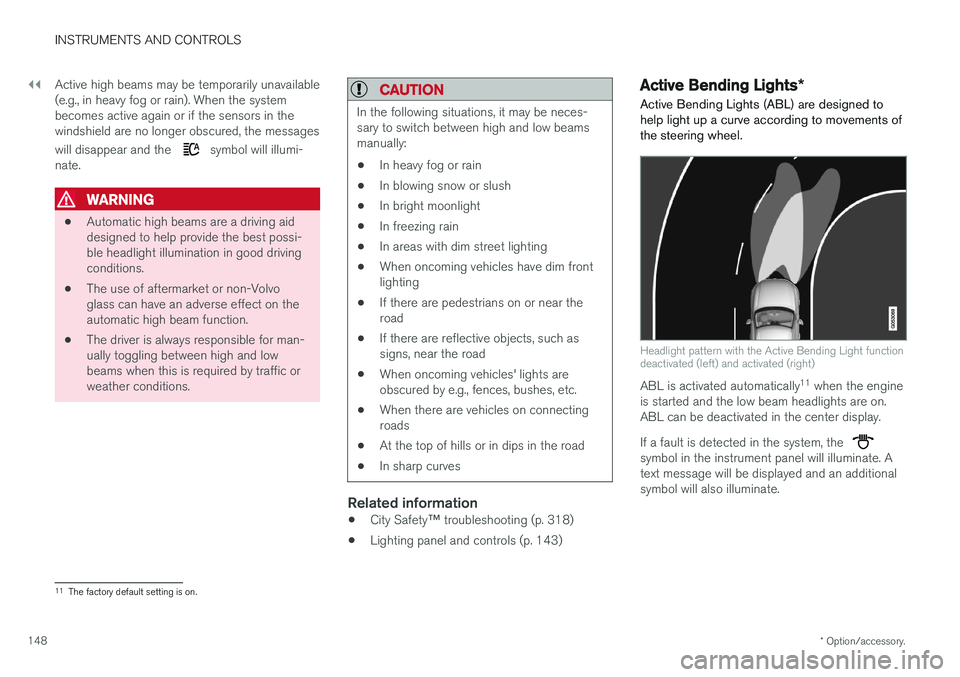
Active Bending Lights (ABL) are designed to help light up a curve according to movements ofthe steering wheel.
Headlight pattern with the Active Bending Light function deactivated (left) and activated (right)
ABL is activated automatically 11
when the engine
is started and the low beam headlights are on. ABL can be deactivated in the center display. If a fault is detected in the system, the
symbol in the instrument panel will illuminate. A text message will be displayed and an additionalsymbol will also illuminate.
11 The factory default setting is on.
Page 152 of 580
INSTRUMENTS AND CONTROLS
* Option/accessory.
150
Brake lights The brake lights illuminate automatically when the brakes are applied.
In addition to illuminating when the brake pedal is depressed, the brake lights also illuminate whenone of the driver support systems (e.g., adaptivecruise control, City Safety or collision warning)slow the vehicle.
Related information
• Adaptive Cruise Control (ACC)
* (p. 277)
• City Safety
™ (p. 312)
• Emergency brake lights (p. 366)
Hazard warning flashers
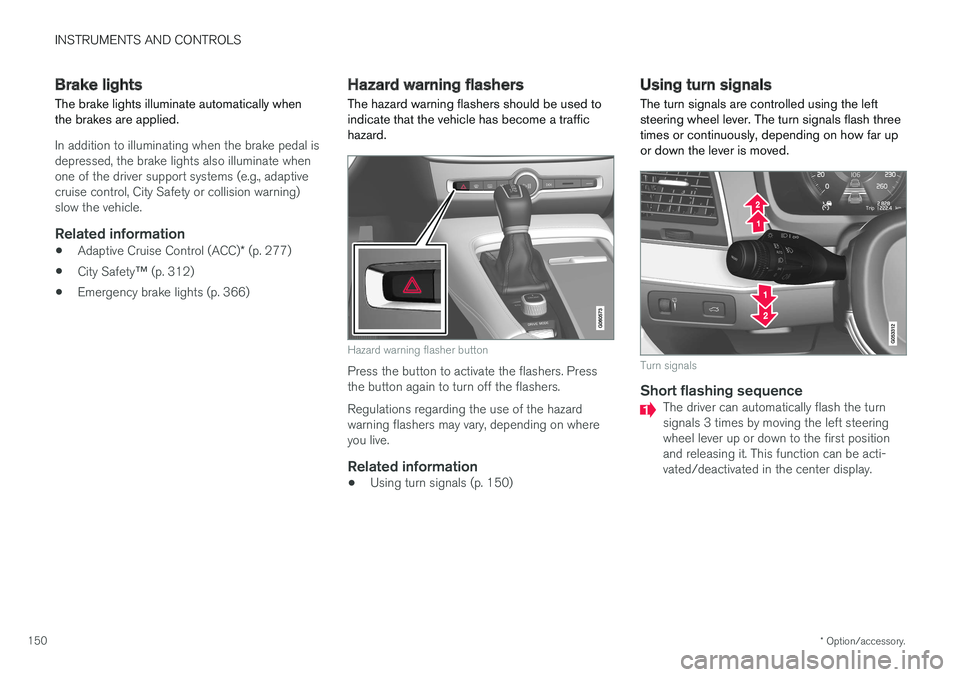
The hazard warning flashers should be used to indicate that the vehicle has become a traffichazard.
Hazard warning flasher button
Press the button to activate the flashers. Press the button again to turn off the flashers. Regulations regarding the use of the hazard warning flashers may vary, depending on whereyou live.
Related information
• Using turn signals (p. 150)
Using turn signals
The turn signals are controlled using the left steering wheel lever. The turn signals flash threetimes or continuously, depending on how far upor down the lever is moved.
Turn signals
Short flashing sequenceThe driver can automatically flash the turn signals 3 times by moving the left steeringwheel lever up or down to the first positionand releasing it. This function can be acti-vated/deactivated in the center display.
Page 153 of 580
INSTRUMENTS AND CONTROLS
}}
151
NOTE
•This automatic flashing sequence can be interrupted by immediately moving thelever in the opposite direction.
• If the turn signal indicator flashes fasterthan normal, see the message in theinstrument panel.
Continuous flashing sequenceMove the lever as far up or down as possible to start the turn signals.
The turn signals will be cancelled automaticallyby the movement of the steering wheel, or thelever can be returned to its initial position byhand.
Related information
• Lighting panel and controls (p. 143)
• Hazard warning flashers (p. 150)
• Settings view (p. 113)
Passenger compartment lighting
The passenger compartment lighting is con- trolled using the buttons in the ceiling above thefront and rear seats.
All passenger compartment lighting can be turned on and off manually within 30 minutesafter:
• the vehicle is unlocked but the engine hasnot been started
• the engine is switched off and the ignition is in mode
0.
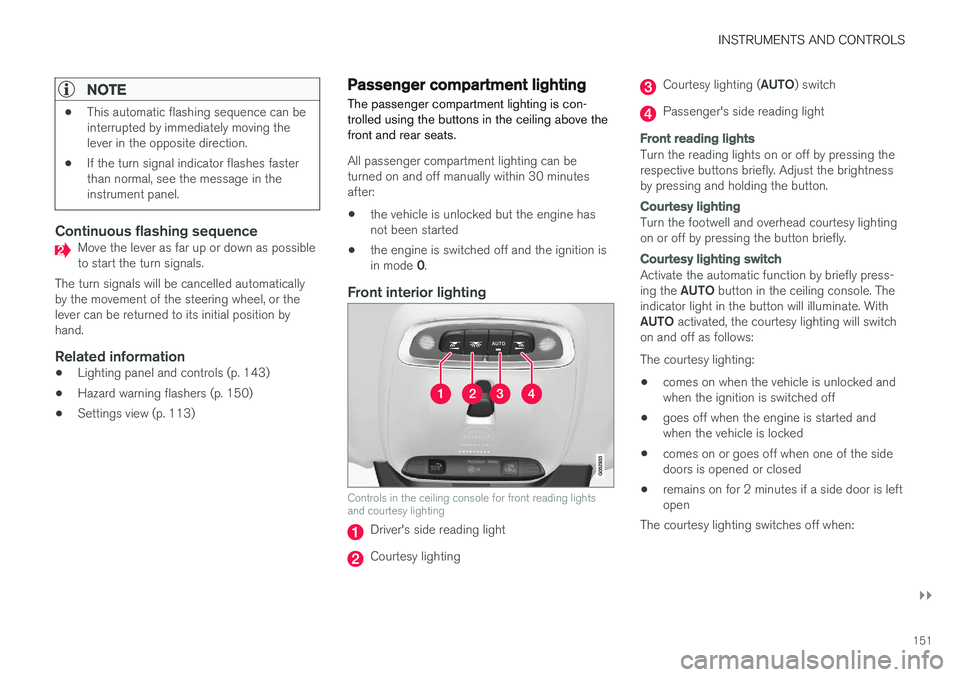
Front interior lighting
Controls in the ceiling console for front reading lights and courtesy lighting
Driver's side reading light
Courtesy lighting
Courtesy lighting ( AUTO) switch
Passenger's side reading light
Front reading lights
Turn the reading lights on or off by pressing the respective buttons briefly. Adjust the brightnessby pressing and holding the button.
Courtesy lighting
Turn the footwell and overhead courtesy lighting on or off by pressing the button briefly.
Courtesy lighting switch
Activate the automatic function by briefly press- ing the AUTO button in the ceiling console. The
indicator light in the button will illuminate. WithAUTO activated, the courtesy lighting will switch
on and off as follows: The courtesy lighting: • comes on when the vehicle is unlocked and when the ignition is switched off
• goes off when the engine is started andwhen the vehicle is locked
• comes on or goes off when one of the sidedoors is opened or closed
• remains on for 2 minutes if a side door is leftopen
The courtesy lighting switches off when:
Page 156 of 580
INSTRUMENTS AND CONTROLS
* Option/accessory.
154
Home safe lighting
The home safe lighting function illuminates the area in front of the vehicle in dark conditions.
This function turns on the headlights, parking lights, outer door handle lights * and license plate
lights for a set amount of time. The length of time that these lights remain illumi- nated can be set in the center display. Thedefault setting is 30 seconds. To activate home safe lighting:1. Switch off the ignition (mode 0).
2. Push the turn signal lever as far as possible towards the dashboard and release it.
3. Exit the vehicle and lock the doors.
Related information
• Using the center display (p. 49)
• Settings view (p. 113)
• Ignition modes (p. 389)
Approach lighting
Approach lighting (the parking lights, outer door handle lights *, license plate lighting, courtesy
lighting and footwell lighting) can be activated to provide light as you walk toward the vehicle.
To use this feature, deselect/select Welcome
Light in the center display's menu system.
If this function has been selected in the menu, it
is activated by pressing the unlock button on the remote key as you approach the vehicle .
If a door is opened while the function is activated, the lighting in the outer door handle * and cour-
tesy lighting will remain illuminated for a some- what longer period of time.
Related information
• Settings view (p. 113)
• Home safe lighting (p. 154)
• Remote key (p. 235)
Messages in the instrument panel and center display Information and warning messages are dis- played in the instrument panel and center dis-play.
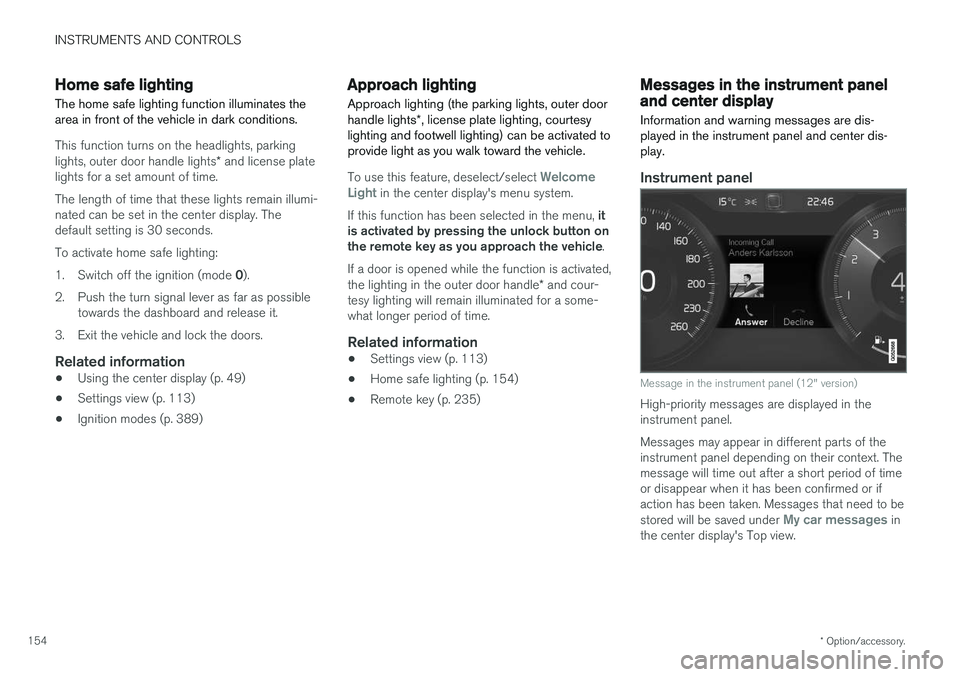
Instrument panel
Message in the instrument panel (12" version)
High-priority messages are displayed in the instrument panel. Messages may appear in different parts of the instrument panel depending on their context. Themessage will time out after a short period of timeor disappear when it has been confirmed or ifaction has been taken. Messages that need to be stored will be saved under
My car messages in
the center display's Top view.
Page 167 of 580
INSTRUMENTS AND CONTROLS
}}
* Option/accessory.165
Adjusting the steering wheel
The steering wheel can be adjusted to various positions.
WARNING
Never adjust the steering wheel while driving.
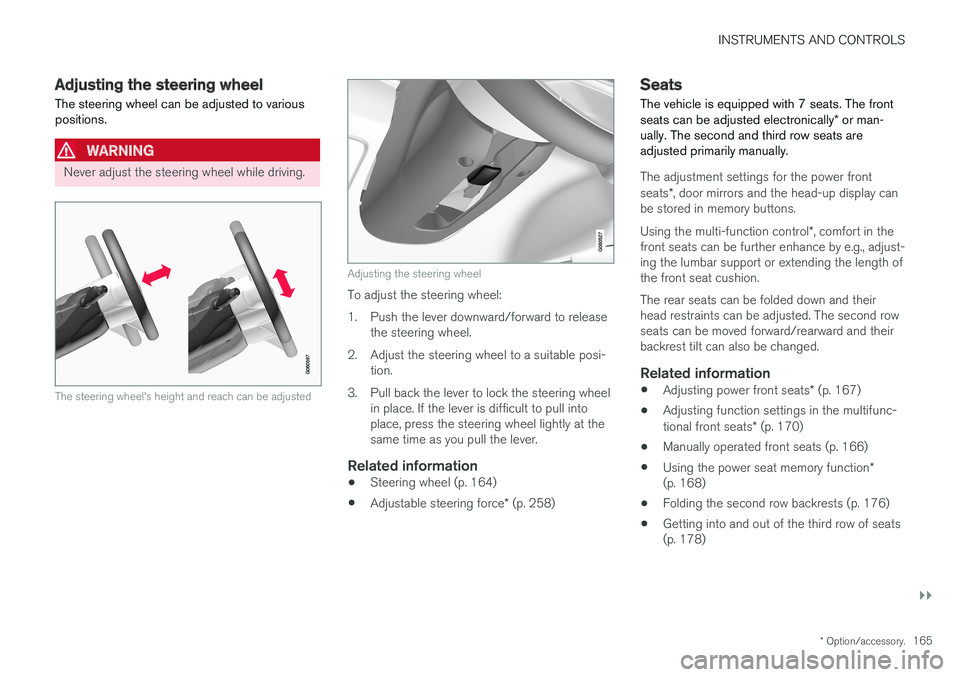
The steering wheel's height and reach can be adjusted
Adjusting the steering wheel
To adjust the steering wheel:
1. Push the lever downward/forward to release the steering wheel.
2. Adjust the steering wheel to a suitable posi- tion.
3. Pull back the lever to lock the steering wheel in place. If the lever is difficult to pull into place, press the steering wheel lightly at thesame time as you pull the lever.
Related information
• Steering wheel (p. 164)
• Adjustable steering force
* (p. 258)
Seats
The vehicle is equipped with 7 seats. The front seats can be adjusted electronically * or man-
ually. The second and third row seats are adjusted primarily manually.
The adjustment settings for the power front seats *, door mirrors and the head-up display can
be stored in memory buttons. Using the multi-function control *, comfort in the
front seats can be further enhance by e.g., adjust- ing the lumbar support or extending the length ofthe front seat cushion. The rear seats can be folded down and their head restraints can be adjusted. The second rowseats can be moved forward/rearward and theirbackrest tilt can also be changed.
Related information
• Adjusting power front seats
* (p. 167)
• Adjusting function settings in the multifunc- tional front seats
* (p. 170)
• Manually operated front seats (p. 166)
• Using the power seat memory function
*
(p. 168)
• Folding the second row backrests (p. 176)
• Getting into and out of the third row of seats (p. 178)
Page 168 of 580
INSTRUMENTS AND CONTROLS
* Option/accessory.
166 •
Moving the second row seats forward/rear- ward (p. 175)
• Adjusting the second row backrest tilt(p. 175)
Manually operated front seats
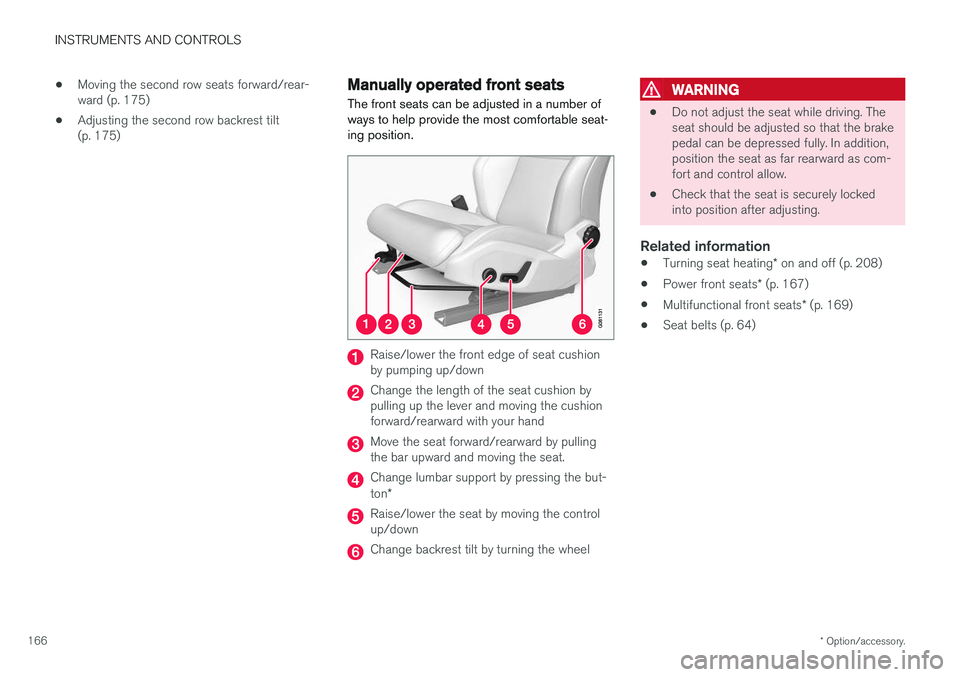
The front seats can be adjusted in a number of ways to help provide the most comfortable seat-ing position.
Raise/lower the front edge of seat cushion by pumping up/down
Change the length of the seat cushion by pulling up the lever and moving the cushionforward/rearward with your hand
Move the seat forward/rearward by pulling the bar upward and moving the seat.
Change lumbar support by pressing the but- ton *
Raise/lower the seat by moving the control up/down
Change backrest tilt by turning the wheel
WARNING
• Do not adjust the seat while driving. The seat should be adjusted so that the brakepedal can be depressed fully. In addition,position the seat as far rearward as com-fort and control allow.
• Check that the seat is securely lockedinto position after adjusting.
Related information
•
Turning seat heating
* on and off (p. 208)
• Power front seats
* (p. 167)
• Multifunctional front seats
* (p. 169)
• Seat belts (p. 64)
Page 171 of 580
INSTRUMENTS AND CONTROLS
}}
* Option/accessory.169
2.
Press and release the M button. The indica-
tor light in the button will illuminate.
3. Press button 1, 2 or 3 within 3 seconds to
store the current position of the seat/ mirrors/head-up display in the selected but-ton.
> When the position has been stored in the selected button, an audible signal will sound and the indicator light in the M but-
ton will go out.
If none of the buttons (1, 2 or 3) are pressedwithin 3 seconds, the indicator light in the M but-
ton will go out and the position will not be stored.
The seat/mirrors/head-up display must be moved before new settings can be stored.
Using a stored positionA stored position can be used when one of thefront doors is opened or closed:
Front door open
–Press one of the bottons ( 1–3 ) briefly. The
seat, door mirrors and head-up display will move to the positions stored in that button.
Front door closed
–Press and hold one of the buttons ( 1–3 ) until
the seat, door mirrors and head-up display have moved to the positions stored in thatbutton. The seat, door mirrors and head-up display willstop automatically if the button is released beforethe they have reached the stored positions.
WARNING
•
Because the driver's seat can be adjusted with the ignition off, children should neverbe left unattended in the vehicle.
• Movement of the seat can be STOPPEDat any time by pressing any button on thepower seat control panel.
• Do not adjust the seat while driving. Theseat should be adjusted so that the brakepedal can be depressed fully. In addition,position the seat as far rearward as com-fort and control allow.
• The seat rails on the floor must not beobstructed in any way when the seat is inmotion.
Related information
•
Adjusting power front seats
* (p. 167)
• Power front seats
* (p. 167)
Multifunctional front seats *
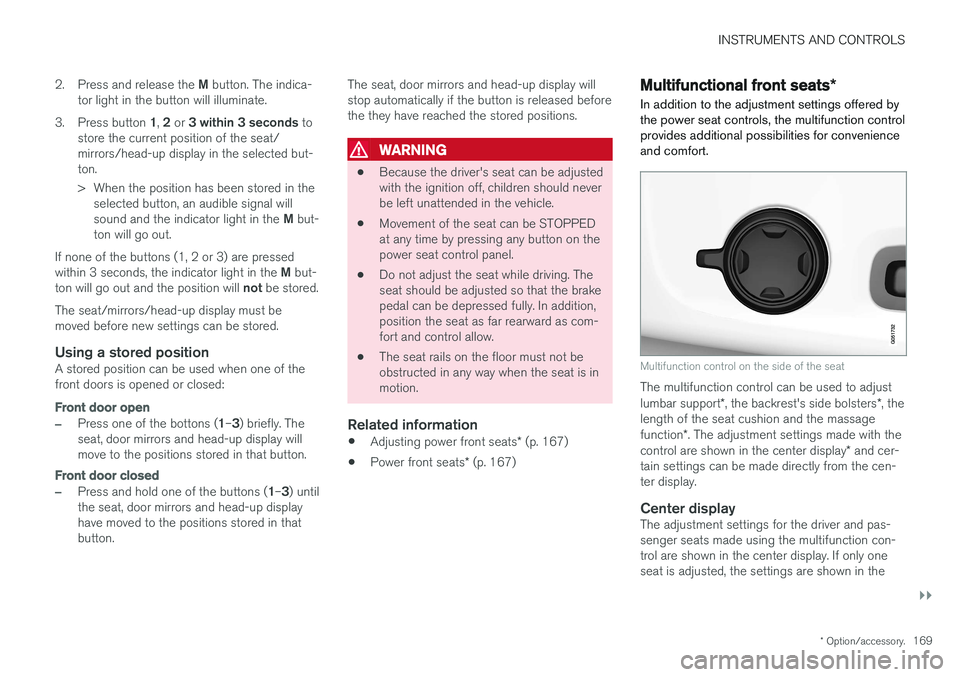
In addition to the adjustment settings offered by the power seat controls, the multifunction controlprovides additional possibilities for convenienceand comfort.
Multifunction control on the side of the seat
The multifunction control can be used to adjust lumbar support *, the backrest's side bolsters *, the
length of the seat cushion and the massagefunction *. The adjustment settings made with the
control are shown in the center display * and cer-
tain settings can be made directly from the cen- ter display.
Center displayThe adjustment settings for the driver and pas-senger seats made using the multifunction con-trol are shown in the center display. If only oneseat is adjusted, the settings are shown in the
Page 176 of 580
||
INSTRUMENTS AND CONTROLS
* Option/accessory.
174
WARNING
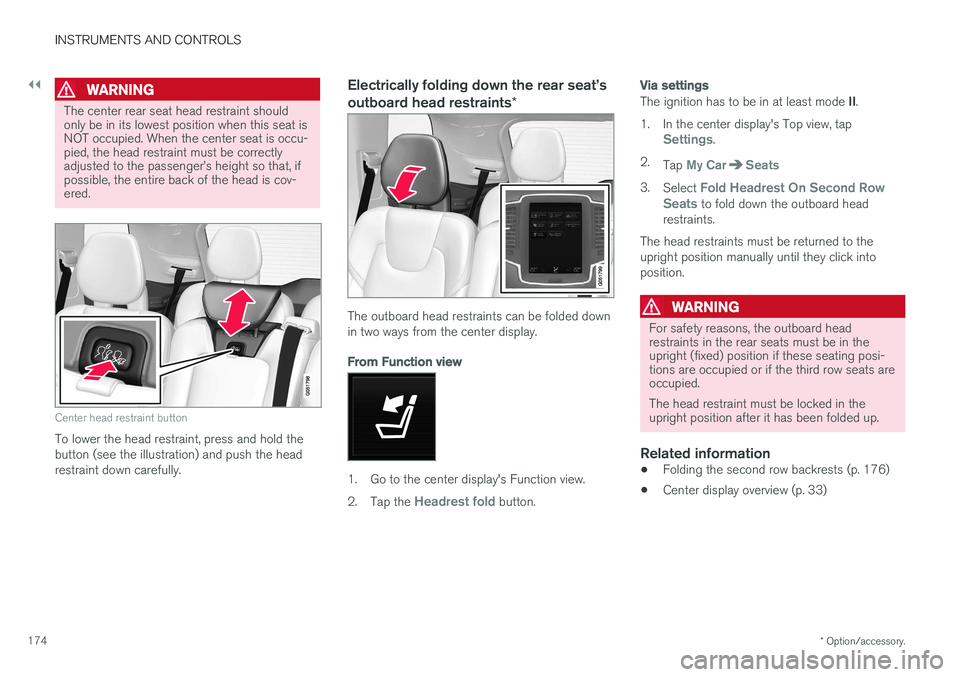
The center rear seat head restraint should only be in its lowest position when this seat isNOT occupied. When the center seat is occu-pied, the head restraint must be correctlyadjusted to the passenger
Page 177 of 580
INSTRUMENTS AND CONTROLS
}}
175
Moving the second row seats forward/rearward
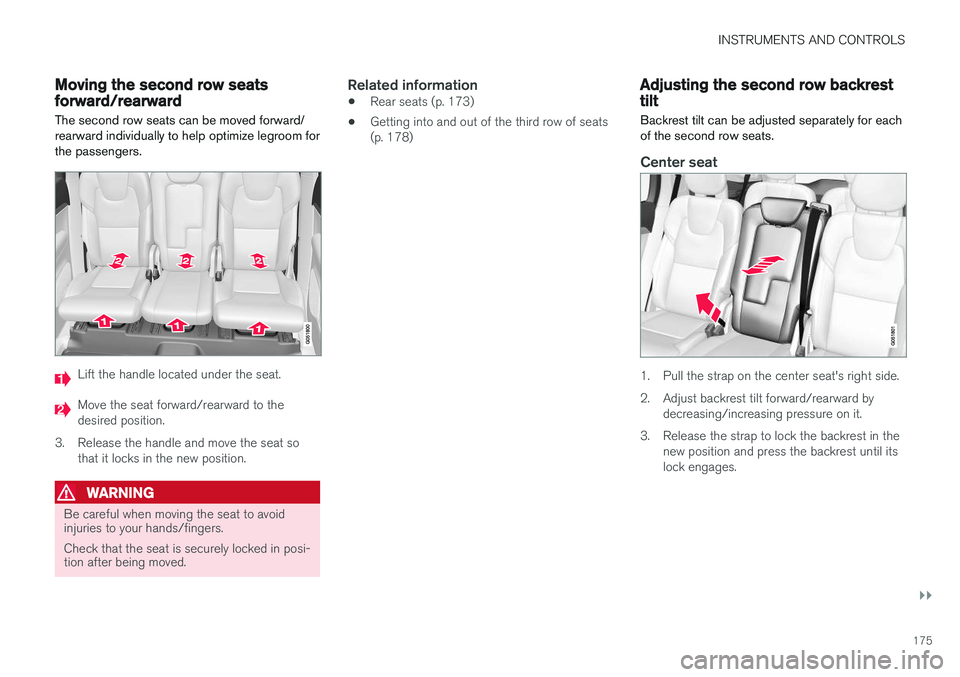
The second row seats can be moved forward/ rearward individually to help optimize legroom forthe passengers.
Lift the handle located under the seat.
Move the seat forward/rearward to the desired position.
3. Release the handle and move the seat so that it locks in the new position.
WARNING
Be careful when moving the seat to avoid injuries to your hands/fingers. Check that the seat is securely locked in posi- tion after being moved.
Related information
• Rear seats (p. 173)
• Getting into and out of the third row of seats (p. 178)
Adjusting the second row backrest tilt
Backrest tilt can be adjusted separately for each of the second row seats.
Center seat
1. Pull the strap on the center seat's right side.
2. Adjust backrest tilt forward/rearward by decreasing/increasing pressure on it.
3. Release the strap to lock the backrest in the new position and press the backrest until its lock engages.