light VOLVO XC90 T8 2018 Owner´s Manual
[x] Cancel search | Manufacturer: VOLVO, Model Year: 2018, Model line: XC90 T8, Model: VOLVO XC90 T8 2018Pages: 686, PDF Size: 11.51 MB
Page 482 of 686
||
STARTING AND DRIVING
* Option/accessory.
480 www.HomeLink.com, www.youtube.com/ HomeLinkGentex or call 1-800-355-3515.
Programming individual buttons
To program an individual HomeLink
®
button:
1. Press and hold the desired button for about 20 seconds.
2. When the indicator light on HomeLink ®
starts flashing slowly, it is possible to pro-gram as usual. Note: If the button you are reprogramming
does not program with a new device, it will return to the previously saved programming.
Resetting the HomeLink ®
buttons
It is only possible to reset all HomeLink ®
buttons
at once. It is not possible to reset individual but-tons. Individual buttons can only be reprogram-med.
–Press and hold the outer buttons (1 and 3) on HomeLink ®
for about 10 seconds.
> When the indicator light goes from a steady glow to flashing, the buttons have been reset and are ready for reprogram-ming.
Related information
• Using HomeLink (p. 480)
• HomeLink ®
* (p. 478)
• Type approval for HomeLink ®
* (p. 481)
Using HomeLink
Once HomeLink ®
is programmed, it can be
used instead of the separate remote controls.
Press and hold the programming button. The garage door, gate, alarm system, etc. will be acti-vated (this may take several seconds). If the but-ton is held down for more than 20 seconds,reprogramming will begin. The indicator light willglow steadily or flash when the button has beenpressed. The original remote controls may be used concurrently with HomeLink ®
if desired.
NOTE
If the ignition is off, HomeLink ®
works for
30 minutes after the driver's door has been opened.
WARNING
• If you use HomeLink ®
to open a garage
door or gate, be sure no one is near the gate or door while it is in motion.
• Do not use HomeLink ®
with any garage
door opener that lacks safety stop andreverse features as required by US fed-eral safety standards (this includes anygarage door opener model manufacturedbefore April 1, 1982). A garage door thatcannot detect an object - signaling thedoor to stop and reverse - does not meetcurrent U.S. federal safety standards. Formore information, contact HomeLink at:www.homelink.com.
Related information
• HomeLink ®
* (p. 478)
• Programming HomeLink ®
* (p. 479)
• Type approval for HomeLink ®
* (p. 481)
Page 564 of 686
||
WHEELS AND TIRES
* Option/accessory.
562
NOTE
Always remember to calibrate the Tire Pres- sure Monitoring System when the wheelshave been changed or the tire inflation pres-sure has been corrected according to the tirepressure decal or tire inflation pressure table. If correct reference values have not been set, the system cannot issue low tire pressurealerts correctly. The vehicle must be stationary with the engine running to access the calibration but-ton and to start the calibration process.
WARNING
The exhaust gases contain carbon monoxide, which is invisible and odorless but very poi-sonous. For this reason, always perform thecalibration procedure outdoors or in a work-shop with exhaust gas evacuation equipment.
Related information
• Recommended tire pressure (p. 559)
• Adjusting tire pressure (p. 558)
• Viewing tire pressure status in the center display
* (p. 562)
• Action when warned of low tire pressure (p. 563)
• Tire pressure monitoring system
* (p. 559)
Viewing tire pressure status in the
center display *
With the system for tire pressure monitoring, Tyre Pressure Monitoring System (TPMS), tirepressure status can be viewed in the center dis-play.
Checking status1. Open the Car status app in App view.
2.Tap TPMS to display the status of the tires.
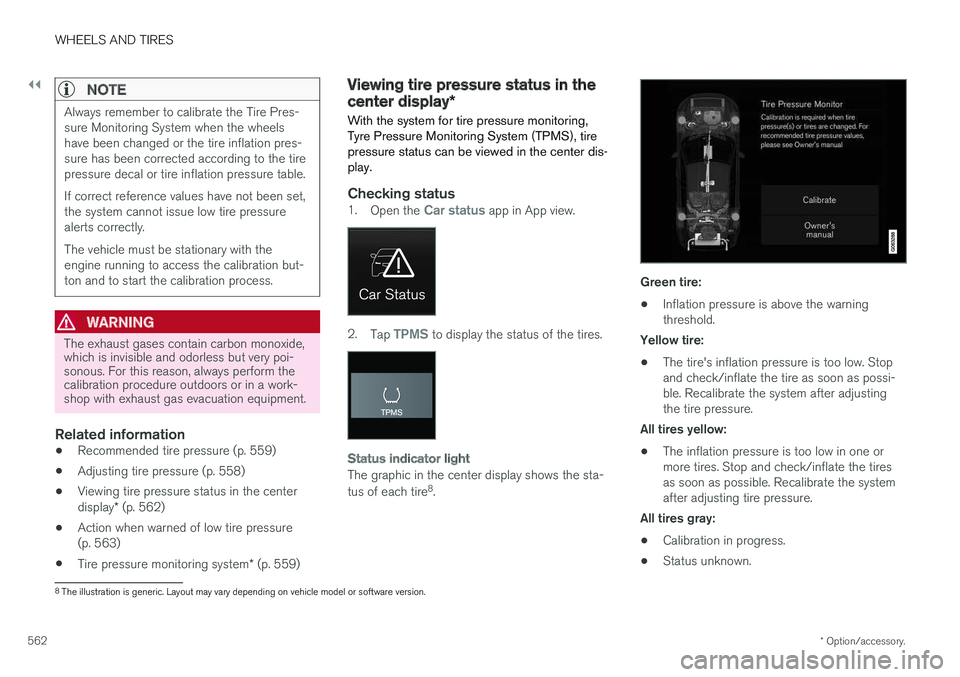
Status indicator light
The graphic in the center display shows the sta- tus of each tire 8
.
Green tire:
• Inflation pressure is above the warning threshold.
Yellow tire:
• The tire's inflation pressure is too low. Stopand check/inflate the tire as soon as possi-ble. Recalibrate the system after adjustingthe tire pressure.
All tires yellow:
• The inflation pressure is too low in one ormore tires. Stop and check/inflate the tiresas soon as possible. Recalibrate the systemafter adjusting tire pressure.
All tires gray: • Calibration in progress.
• Status unknown.
8
The illustration is generic. Layout may vary depending on vehicle model or software version.
Page 567 of 686
WHEELS AND TIRES
}}
* Option/accessory.565
Jack*
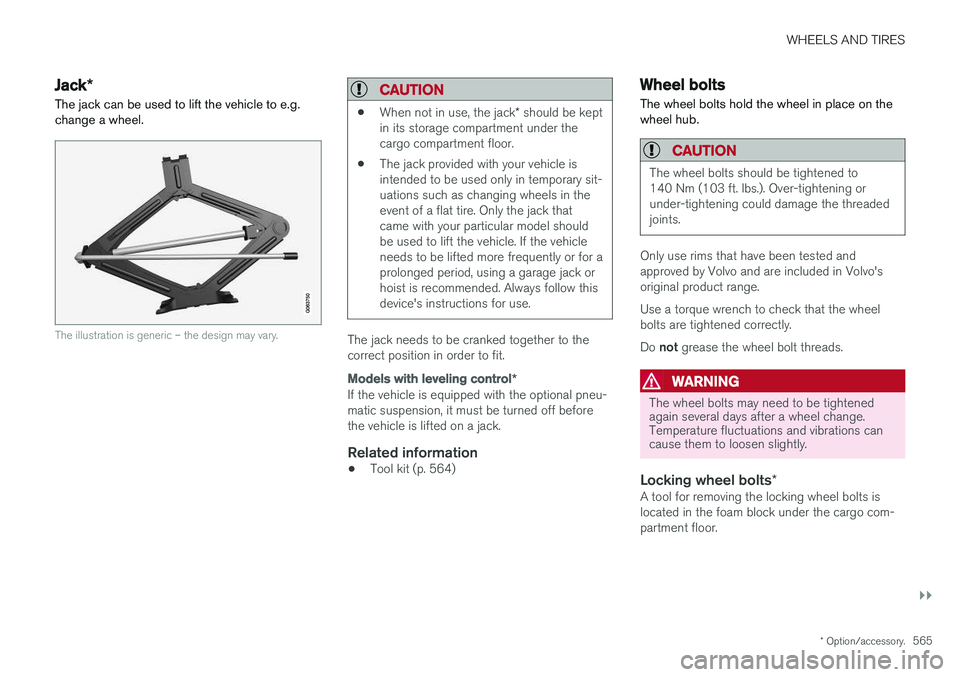
The jack can be used to lift the vehicle to e.g. change a wheel.
The illustration is generic – the design may vary.
CAUTION
• When not in use, the jack
* should be kept
in its storage compartment under the cargo compartment floor.
• The jack provided with your vehicle isintended to be used only in temporary sit-uations such as changing wheels in theevent of a flat tire. Only the jack thatcame with your particular model shouldbe used to lift the vehicle. If the vehicleneeds to be lifted more frequently or for aprolonged period, using a garage jack orhoist is recommended. Always follow thisdevice's instructions for use.
The jack needs to be cranked together to the correct position in order to fit.
Models with leveling control
*
If the vehicle is equipped with the optional pneu- matic suspension, it must be turned off beforethe vehicle is lifted on a jack.
Related information
•Tool kit (p. 564)
Wheel bolts
The wheel bolts hold the wheel in place on the wheel hub.
CAUTION
The wheel bolts should be tightened to 140 Nm (103 ft. lbs.). Over-tightening orunder-tightening could damage the threadedjoints.
Only use rims that have been tested and approved by Volvo and are included in Volvo'soriginal product range. Use a torque wrench to check that the wheel bolts are tightened correctly. Do not grease the wheel bolt threads.
WARNING
The wheel bolts may need to be tightened again several days after a wheel change.Temperature fluctuations and vibrations cancause them to loosen slightly.
Locking wheel bolts *A tool for removing the locking wheel bolts is located in the foam block under the cargo com-partment floor.
Page 571 of 686
WHEELS AND TIRES
}}
* Option/accessory.569
1. Clean the contact surfaces between the
wheel and the wheel hub.
2. Lift the wheel into place. Tighten the wheel bolts securely. Do not grease the wheel bolt threads.
3. Lower the vehicle so that the wheel cannot rotate.
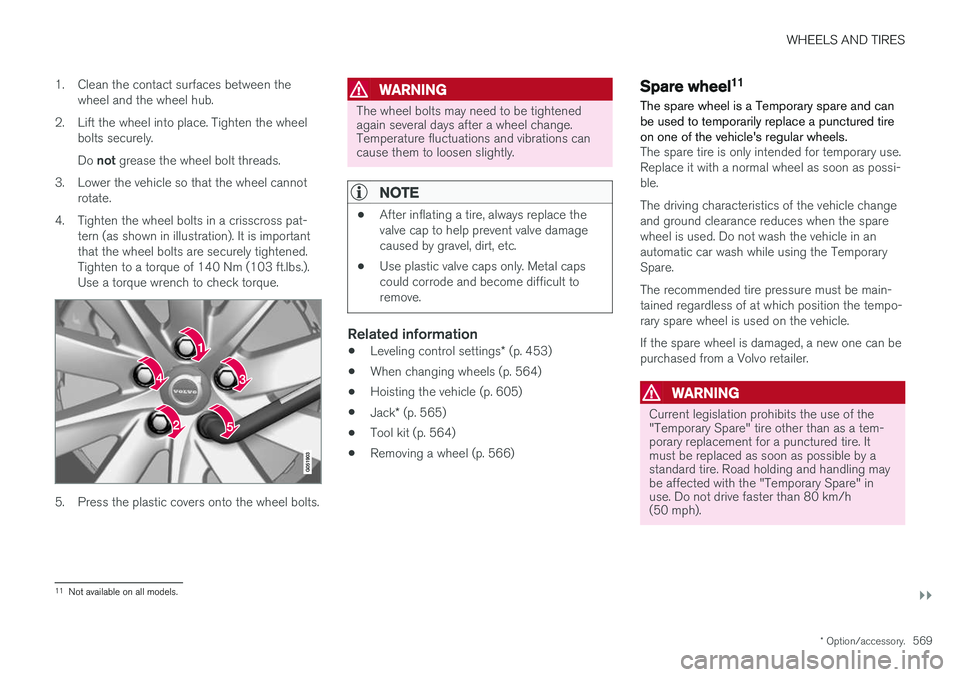
4. Tighten the wheel bolts in a crisscross pat- tern (as shown in illustration). It is important that the wheel bolts are securely tightened.Tighten to a torque of 140 Nm (103 ft.lbs.).Use a torque wrench to check torque.
5. Press the plastic covers onto the wheel bolts.
WARNING
The wheel bolts may need to be tightened again several days after a wheel change.Temperature fluctuations and vibrations cancause them to loosen slightly.
NOTE
• After inflating a tire, always replace the valve cap to help prevent valve damagecaused by gravel, dirt, etc.
• Use plastic valve caps only. Metal capscould corrode and become difficult toremove.
Related information
•
Leveling control settings
* (p. 453)
• When changing wheels (p. 564)
• Hoisting the vehicle (p. 605)
• Jack
* (p. 565)
• Tool kit (p. 564)
• Removing a wheel (p. 566)
Spare wheel11
The spare wheel is a Temporary spare and can be used to temporarily replace a punctured tireon one of the vehicle's regular wheels.
The spare tire is only intended for temporary use. Replace it with a normal wheel as soon as possi-ble. The driving characteristics of the vehicle change and ground clearance reduces when the sparewheel is used. Do not wash the vehicle in anautomatic car wash while using the TemporarySpare. The recommended tire pressure must be main- tained regardless of at which position the tempo-rary spare wheel is used on the vehicle. If the spare wheel is damaged, a new one can be purchased from a Volvo retailer.
WARNING
Current legislation prohibits the use of the "Temporary Spare" tire other than as a tem-porary replacement for a punctured tire. Itmust be replaced as soon as possible by astandard tire. Road holding and handling maybe affected with the "Temporary Spare" inuse. Do not drive faster than 80 km/h(50 mph).
11 Not available on all models.
Page 584 of 686
LOADING, STORAGE AND PASSENGER COMPARTMENT
* Option/accessory.
582
Electrical outlets
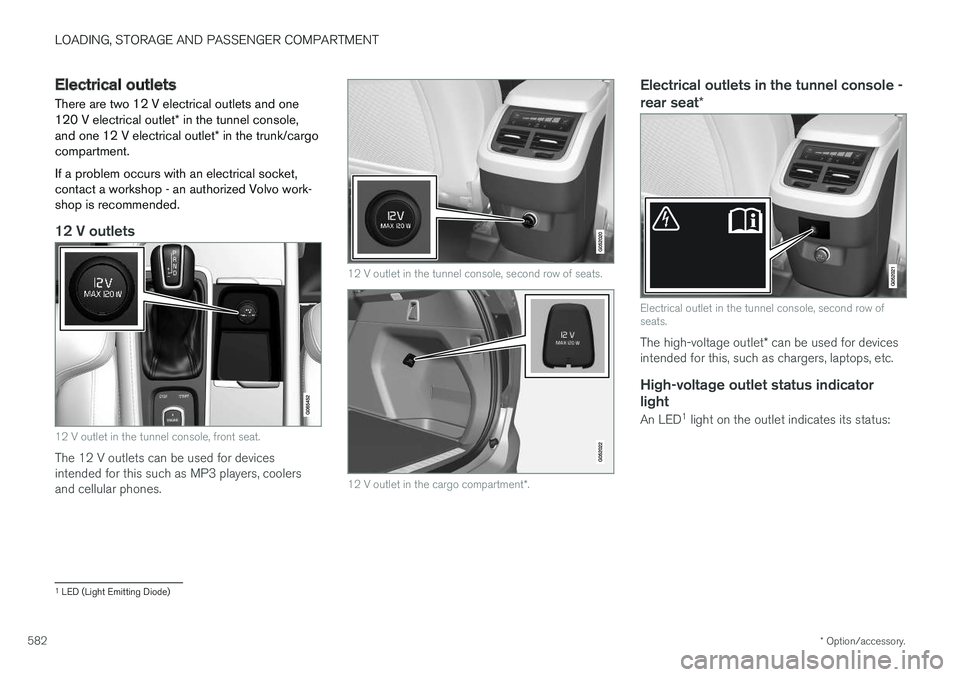
There are two 12 V electrical outlets and one 120 V electrical outlet * in the tunnel console,
and one 12 V electrical outlet * in the trunk/cargo
compartment. If a problem occurs with an electrical socket, contact a workshop - an authorized Volvo work-shop is recommended.
12 V outlets
12 V outlet in the tunnel console, front seat.
The 12 V outlets can be used for devices intended for this such as MP3 players, coolersand cellular phones.
12 V outlet in the tunnel console, second row of seats.
12 V outlet in the cargo compartment *.
Electrical outlets in the tunnel console - rear seat *
Electrical outlet in the tunnel console, second row of seats.
The high-voltage outlet * can be used for devices
intended for this, such as chargers, laptops, etc.
High-voltage outlet status indicator
light
An LED 1
light on the outlet indicates its status:
1 LED (Light Emitting Diode)
Page 585 of 686
LOADING, STORAGE AND PASSENGER COMPARTMENT
583
Status indicator lightCauseAction
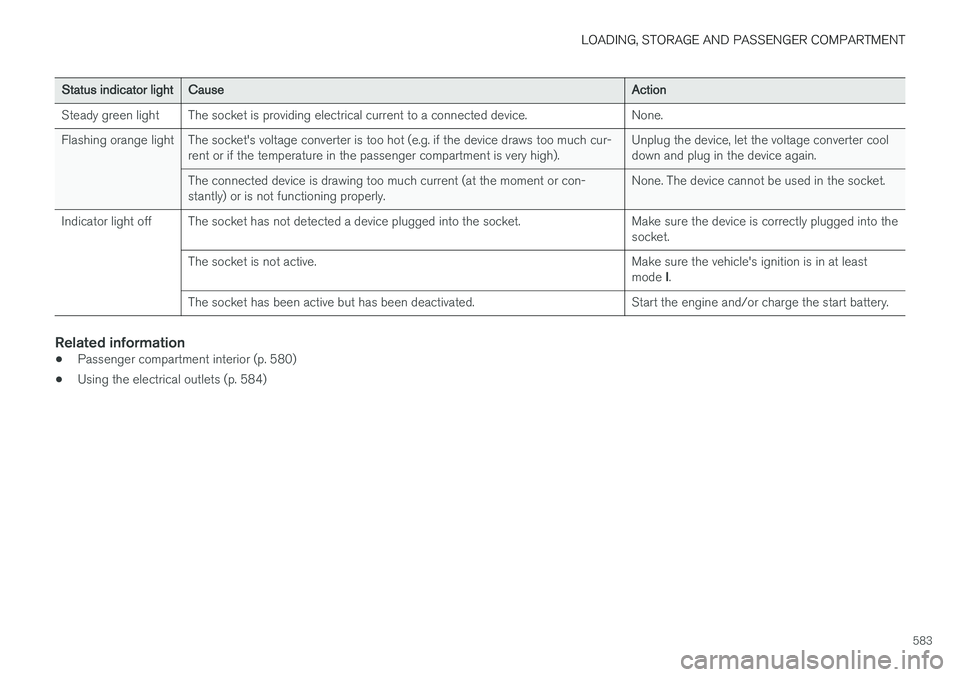
Steady green light The socket is providing electrical current to a connected device. None.
Flashing orange light The socket's voltage converter is too hot (e.g. if the device draws too much cur- rent or if the temperature in the passenger compartment is very high). Unplug the device, let the voltage converter cool down and plug in the device again.
The connected device is drawing too much current (at the moment or con-stantly) or is not functioning properly. None. The device cannot be used in the socket.
Indicator light off The socket has not detected a device plugged into the socket. Make sure the device is correctly plugged into the socket.
The socket is not active. Make sure the vehicle's ignition is in at least mode I.
The socket has been active but has been deactivated. Start the engine and/or charge the start battery.
Related information
• Passenger compartment interior (p. 580)
• Using the electrical outlets (p. 584)
Page 586 of 686
LOADING, STORAGE AND PASSENGER COMPARTMENT
* Option/accessory.
584
Using the electrical outlets
The 12 V outlet can be used for devices intended for this such as MP3 players, coolersand cellular phones. The high-voltage outlet * can be used for devices
intended for this, such as chargers, laptops, etc.
The ignition must be in at least mode I for the
outlets to supply current. The outlets will then be active as long as there is sufficient charge in thestart battery. If the engine is turned off and the vehicle is locked, the outlets will be deactivated. If theengine is turned off and the vehicle remainsunlocked, the sockets will remain active for up to7 minutes.
NOTE
Bear in mind that using the electrical outlets when the engine is off could cause the starterbattery to have too low of a charge level,which could limit other functionality. Accessories connected to the electrical out- lets can be activated even when the vehicleelectrical system is off or if preconditioning isused. For this reason, disconnect plugs whenthey are not in use to prevent the starter bat-tery from becoming discharged.
WARNING
• Do not use accessories with large or heavy plugs – they could damage the out-let or come loose while you are driving.
• Do not use accessories that could causedisruptions to e.g. the vehicle's radioreceiver or electrical system.
• Position the accessory so that there is norisk of it injuring the driver or passengersin the event of heavy braking or a colli-sion.
• Pay attention to connected accessoriesas they can generate heat that could burnpassengers or the interior.
Using 12 V outlets1. Remove the stopper (tunnel console) or fold
down the cover (trunk/cargo compartment)over the socket and plug in the device.
2. Unplug the device and put the stopper back in (tunnel console) or fold up the cover(trunk/cargo compartment) when the socketis not in use or left unattended.
CAUTION
The maximum power is 120 W (10 A) per outlet.
Using high-voltage outletsThe ignition must be in at least mode I for outlets
to supply current. The outlets will then be active as long as there is sufficient charge in the startbattery. 1. Slide down the cover over the outlet and plug in the device. >
The LED 2
light on the outlet will indicate
its status.
2. The outlet is supplying electrical current when the light is glowing steadily green.
3. Disconnect the device by pulling out the plug (do not pull on the cord). Pull up the cover when the outlet is not in use or is left unattended.
CAUTION
The maximum power is 150 W.
WARNING
Do not attempt to alter or repair the high-volt- age outlet on your own. Volvo recommendscontacting an authorized Volvo workshop.
2LED (Light Emitting Diode)
Page 588 of 686
LOADING, STORAGE AND PASSENGER COMPARTMENT
* Option/accessory.
586
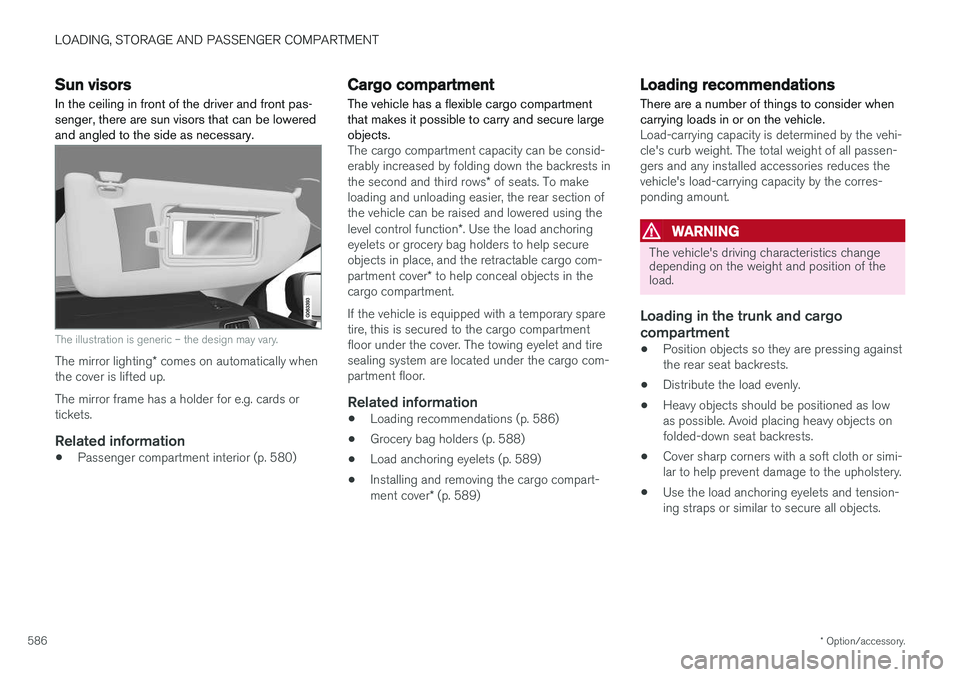
Sun visors In the ceiling in front of the driver and front pas- senger, there are sun visors that can be loweredand angled to the side as necessary.
The illustration is generic – the design may vary.
The mirror lighting * comes on automatically when
the cover is lifted up. The mirror frame has a holder for e.g. cards or tickets.
Related information
• Passenger compartment interior (p. 580)
Cargo compartment The vehicle has a flexible cargo compartment that makes it possible to carry and secure largeobjects.
The cargo compartment capacity can be consid- erably increased by folding down the backrests in the second and third rows
* of seats. To make
loading and unloading easier, the rear section of the vehicle can be raised and lowered using the level control function *. Use the load anchoring
eyelets or grocery bag holders to help secure objects in place, and the retractable cargo com- partment cover * to help conceal objects in the
cargo compartment. If the vehicle is equipped with a temporary spare tire, this is secured to the cargo compartmentfloor under the cover. The towing eyelet and tiresealing system are located under the cargo com-partment floor.
Related information
• Loading recommendations (p. 586)
• Grocery bag holders (p. 588)
• Load anchoring eyelets (p. 589)
• Installing and removing the cargo compart- ment cover
* (p. 589)
Loading recommendations
There are a number of things to consider when carrying loads in or on the vehicle.
Load-carrying capacity is determined by the vehi- cle's curb weight. The total weight of all passen-gers and any installed accessories reduces thevehicle's load-carrying capacity by the corres-ponding amount.
WARNING
The vehicle's driving characteristics change depending on the weight and position of theload.
Loading in the trunk and cargo compartment
• Position objects so they are pressing against the rear seat backrests.
• Distribute the load evenly.
• Heavy objects should be positioned as lowas possible. Avoid placing heavy objects onfolded-down seat backrests.
• Cover sharp corners with a soft cloth or simi-lar to help prevent damage to the upholstery.
• Use the load anchoring eyelets and tension-ing straps or similar to secure all objects.
Page 592 of 686
LOADING, STORAGE AND PASSENGER COMPARTMENT
* Option/accessory.
590
Operating the cargo compartment
cover *
The cover can be used in two positions: fully open to completely cover the cargo compart-ment or partially retracted to make it easier toreach further into the cargo compartment.
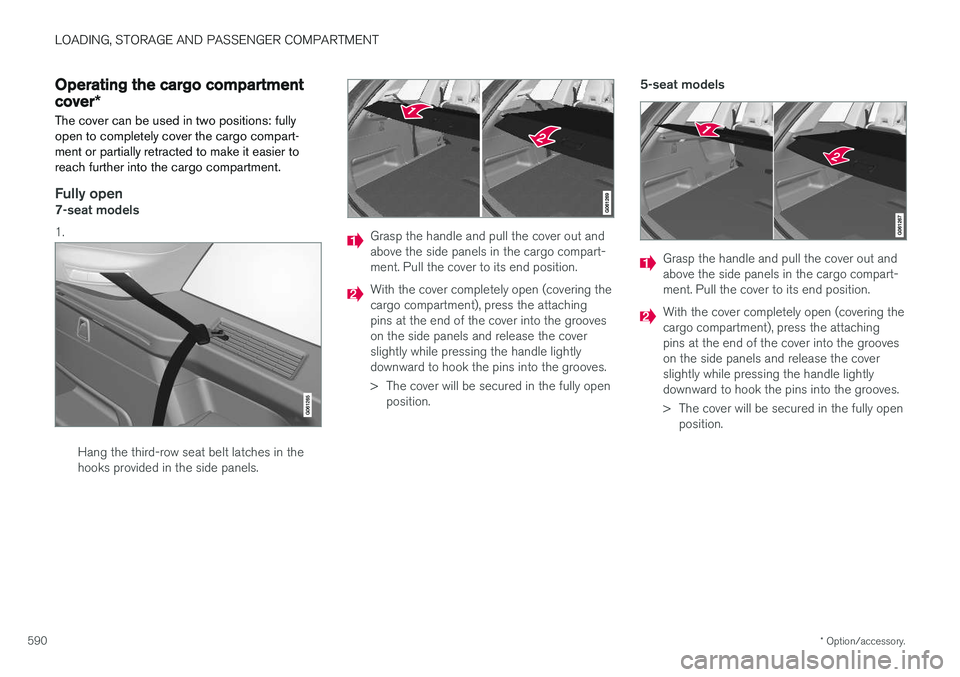
Fully open7-seat models 1.
Hang the third-row seat belt latches in the hooks provided in the side panels.
Grasp the handle and pull the cover out and above the side panels in the cargo compart-ment. Pull the cover to its end position.
With the cover completely open (covering the cargo compartment), press the attachingpins at the end of the cover into the grooveson the side panels and release the coverslightly while pressing the handle lightlydownward to hook the pins into the grooves.
> The cover will be secured in the fully open position. 5-seat models
Grasp the handle and pull the cover out and above the side panels in the cargo compart-ment. Pull the cover to its end position.
With the cover completely open (covering the cargo compartment), press the attachingpins at the end of the cover into the grooveson the side panels and release the coverslightly while pressing the handle lightlydownward to hook the pins into the grooves.
> The cover will be secured in the fully open
position.
Page 593 of 686
LOADING, STORAGE AND PASSENGER COMPARTMENT
* Option/accessory.591
Loading mode
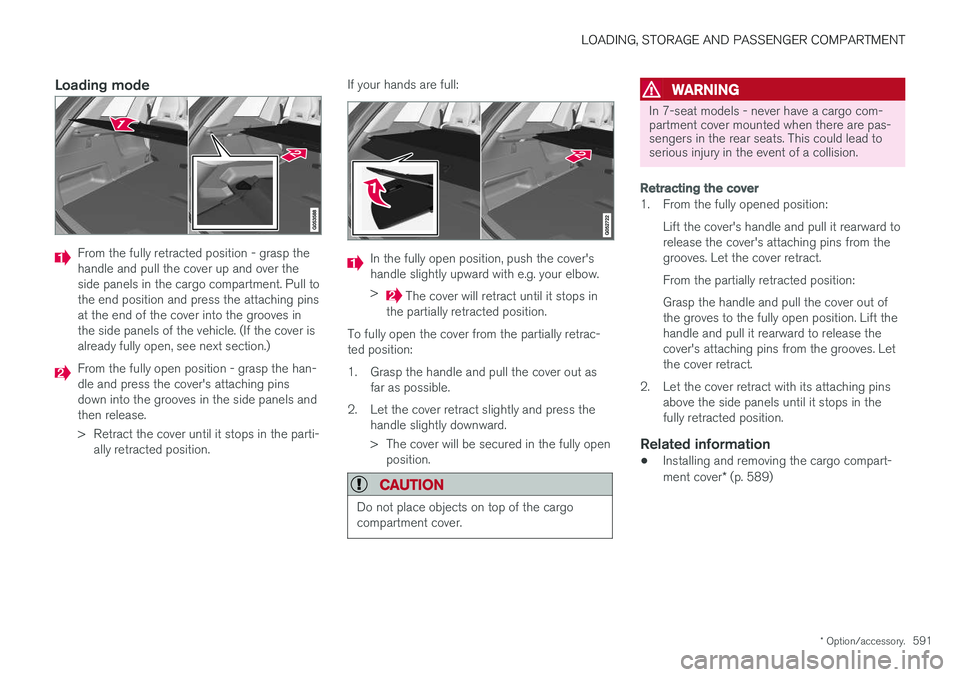
From the fully retracted position - grasp the handle and pull the cover up and over theside panels in the cargo compartment. Pull tothe end position and press the attaching pinsat the end of the cover into the grooves inthe side panels of the vehicle. (If the cover isalready fully open, see next section.)
From the fully open position - grasp the han- dle and press the cover's attaching pinsdown into the grooves in the side panels andthen release.
> Retract the cover until it stops in the parti-
ally retracted position. If your hands are full:
In the fully open position, push the cover's handle slightly upward with e.g. your elbow. >
The cover will retract until it stops in
the partially retracted position.
To fully open the cover from the partially retrac- ted position:
1. Grasp the handle and pull the cover out as far as possible.
2. Let the cover retract slightly and press the handle slightly downward.
> The cover will be secured in the fully openposition.
CAUTION
Do not place objects on top of the cargo compartment cover.
WARNING
In 7-seat models - never have a cargo com- partment cover mounted when there are pas-sengers in the rear seats. This could lead toserious injury in the event of a collision.
Retracting the cover
1. From the fully opened position:
Lift the cover's handle and pull it rearward to release the cover's attaching pins from thegrooves. Let the cover retract. From the partially retracted position: Grasp the handle and pull the cover out of the groves to the fully open position. Lift thehandle and pull it rearward to release thecover's attaching pins from the grooves. Letthe cover retract.
2. Let the cover retract with its attaching pins above the side panels until it stops in thefully retracted position.
Related information
• Installing and removing the cargo compart- ment cover
* (p. 589)