Maintenance VOLVO XC90 T8 2018 Owner´s Manual
[x] Cancel search | Manufacturer: VOLVO, Model Year: 2018, Model line: XC90 T8, Model: VOLVO XC90 T8 2018Pages: 686, PDF Size: 11.51 MB
Page 59 of 686
SAFETY
}}
57
seated occupant and determine if the passeng- er's side front airbag should be enabled (mayinflate) or disabled (will not inflate). The OWS will disable (will not inflate) the pas- senger's side front airbag when:
• the front passenger's seat is unoccupied, orhas small/medium objects in the front seat,
• the system determines that an infant is pres-ent in a rear-facing infant seat that is instal-led according to the manufacturer's instruc-tions,
• the system determines that a small child ispresent in a forward-facing child restraintthat is installed according to the manufactur-er's instructions,
• the system determines that a small child ispresent in a booster seat,
• a front passenger takes his/her weight off ofthe seat for a period of time,
• a child or a small person occupies the frontpassenger's seat.
The OWS uses a PASSENGER AIRBAG OFFindicator lamp which will illuminate and stay on toremind you that the passenger's side front airbagis disabled. The PASSENGER AIRBAG OFF indi-cator lamp is located in the overhead console,near the base of the rearview mirror.
NOTE
When the ignition is switched on, the OWS indicator light will illuminate for several sec-onds while the system performs a self-diag-nostic test.
However, if a fault is detected in the system:
• The OWS indicator light will stay on
• The SRS warning light will come on and stay on and a text message will be displayed.
WARNING
If a fault in the system is detected and indi- cated as described, be aware that the pas-senger's side front airbag will not deploy inthe event of a collision. In this case, the SRSsystem and Occupant Weight Sensor shouldbe inspected by a trained and qualified Volvoservice technician as soon as possible.
WARNING
• Never try to open, remove or repair any components in the OWS system. Thiscould cause the system to malfunction.Maintenance or repairs should only becarried out by an a trained and qualifiedVolvo service technician.
• The front passenger's seat should not bemodified in any way. This could reducepressure on the seat cushion, whichmight interfere with the OWS system'sfunction.
Page 107 of 686
DISPLAYS AND VOICE CONTROL
}}
105
Related information
•App menu in instrument panel (p. 103)
• Messages in the instrument panel (p. 105)
Messages in the instrument panel
The instrument panel shows messages in certain circumstances to inform or assist the driver.
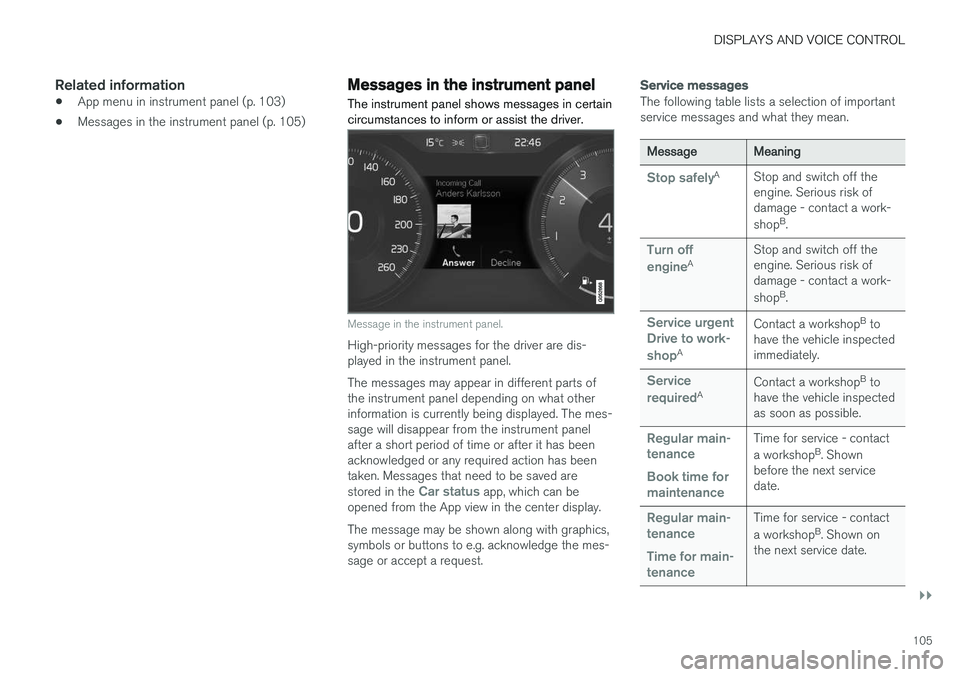
Message in the instrument panel.
High-priority messages for the driver are dis- played in the instrument panel. The messages may appear in different parts of the instrument panel depending on what otherinformation is currently being displayed. The mes-sage will disappear from the instrument panelafter a short period of time or after it has beenacknowledged or any required action has beentaken. Messages that need to be saved are stored in the
Car status app, which can be
opened from the App view in the center display. The message may be shown along with graphics, symbols or buttons to e.g. acknowledge the mes-sage or accept a request.
Service messages
The following table lists a selection of important service messages and what they mean.
MessageMeaning
Stop safelyA Stop and switch off the engine. Serious risk ofdamage - contact a work- shopB
.
Turn off engineA Stop and switch off the engine. Serious risk ofdamage - contact a work- shop
B
.
Service urgent Drive to work- shop
A Contact a workshop
B
to
have the vehicle inspected immediately.
Service requiredA Contact a workshop
B
to
have the vehicle inspected as soon as possible.
Regular main- tenance Book time for maintenanceTime for service - contact a workshop B
. Shown
before the next service date.
Regular main- tenance Time for main- tenanceTime for service - contact a workshop B
. Shown on
the next service date.
Page 108 of 686
||
DISPLAYS AND VOICE CONTROL
106
MessageMeaning
Regular main- tenance Maintenance overdueTime for service - contact a workshopB
. Shown when
the date for service has passed.
Temporarily offA A function has been tem- porarily deactivated andwill be reactivated auto-matically while driving orafter the engine is restar-ted.
A
Part of message, shown along with information on the location of the problem.
B An authorized Volvo workshop is recommended.
Related information
• Handling messages in the instrument panel (p. 106)
• Handling messages saved from the instru-ment panel (p. 107)
• Messages in the center display (p. 140)
Handling messages in theinstrument panel
Messages in the instrument panel are controlled using the right-side steering wheel keypad.
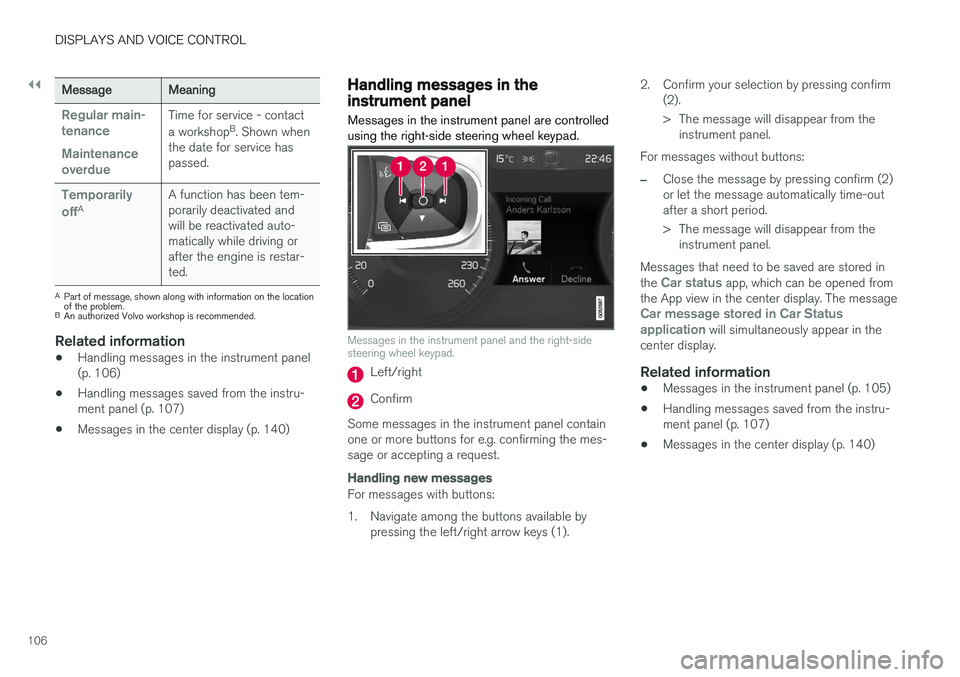
Messages in the instrument panel and the right-side steering wheel keypad.
Left/right
Confirm
Some messages in the instrument panel contain one or more buttons for e.g. confirming the mes-sage or accepting a request.
Handling new messages
For messages with buttons:
1. Navigate among the buttons available by pressing the left/right arrow keys (1). 2. Confirm your selection by pressing confirm
(2).
> The message will disappear from theinstrument panel.
For messages without buttons:
–Close the message by pressing confirm (2) or let the message automatically time-outafter a short period.
> The message will disappear from the instrument panel.
Messages that need to be saved are stored in the
Car status app, which can be opened from
the App view in the center display. The message
Car message stored in Car Status application will simultaneously appear in the
center display.
Related information
• Messages in the instrument panel (p. 105)
• Handling messages saved from the instru- ment panel (p. 107)
• Messages in the center display (p. 140)
Page 236 of 686
CLIMATE CONTROL
234
Deleting preconditioning timersettings
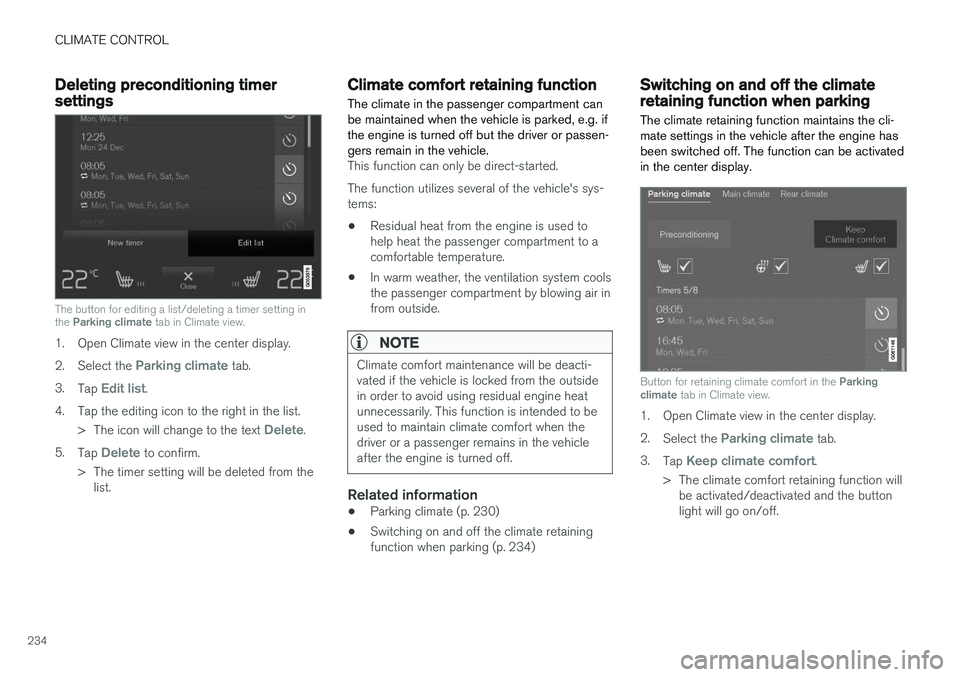
The button for editing a list/deleting a timer setting in the Parking climate tab in Climate view.
1. Open Climate view in the center display. 2.
Select the
Parking climate tab.
3. Tap
Edit list.
4. Tap the editing icon to the right in the list. >The icon will change to the text
Delete.
5. Tap
Delete to confirm.
> The timer setting will be deleted from the list.
Climate comfort retaining function
The climate in the passenger compartment can be maintained when the vehicle is parked, e.g. ifthe engine is turned off but the driver or passen-gers remain in the vehicle.
This function can only be direct-started. The function utilizes several of the vehicle's sys- tems:
• Residual heat from the engine is used tohelp heat the passenger compartment to acomfortable temperature.
• In warm weather, the ventilation system coolsthe passenger compartment by blowing air infrom outside.
NOTE
Climate comfort maintenance will be deacti- vated if the vehicle is locked from the outsidein order to avoid using residual engine heatunnecessarily. This function is intended to beused to maintain climate comfort when thedriver or a passenger remains in the vehicleafter the engine is turned off.
Related information
• Parking climate (p. 230)
• Switching on and off the climate retaining function when parking (p. 234)
Switching on and off the climateretaining function when parking
The climate retaining function maintains the cli- mate settings in the vehicle after the engine hasbeen switched off. The function can be activatedin the center display.
Button for retaining climate comfort in the Parking
climate tab in Climate view.
1. Open Climate view in the center display. 2.
Select the
Parking climate tab.
3. Tap
Keep climate comfort.
> The climate comfort retaining function will be activated/deactivated and the button light will go on/off.
Page 237 of 686
CLIMATE CONTROL
235
NOTE
Maintained climate comfort is not possible when there is not sufficient residual engineheat to maintain the climate settings in thepassenger compartment, or if the outsidetemperature is above approximately 20 °C(68 °F).
NOTE
Climate comfort maintenance will be deacti- vated if the vehicle is locked from the outsidein order to avoid using residual engine heatunnecessarily. This function is intended to beused to maintain climate comfort when thedriver or a passenger remains in the vehicleafter the engine is turned off.
Page 297 of 686
DRIVER SUPPORT
}}
* Option/accessory.295
WARNING
•The radar sensor has a limited field of vision. In some situations, it may detect avehicle later than expected or not detectother vehicles at all.
• The radar sensor cannot cover all drivingsituations and traffic, weather and roadconditions.
• The driver is responsible for maintaining asafe distance and speed and must inter-vene if the various driver support systemsdo not maintain a suitable speed or suita-ble distance to the vehicle ahead.
• Maintenance of radar sensor componentsmay only be performed by a trained andqualified Volvo technician.
• Strong sunlight, reflections from the roadsurface, strong lighting contrasts or usingsunglasses may make the warning light inthe windshield difficult to see. Poorweather or winding roads can affect theradar sensor's capacity to detect vehiclesahead.
• A vehicle's size (e.g., a motorcycle) canalso affect the radar sensor's capacity todetect another vehicle. This may result inthe warning light illuminating at a shorterdistance than the one that has been setor not illuminating at all.
•High speeds may also result in the warn- ing light illuminating at a shorter distancethan the one that has been set due tolimitations in the radar sensor's range.
NOTE
The function uses the vehicle's radar unit, which has some general limitations – see thesection "Radar unit limitations".
Related information
•
Distance Alert
* (p. 291)
Adaptive Cruise Control *
Adaptive Cruise Control (ACC 41
) helps the
driver maintain a constant speed with a set time interval to the vehicle ahead.
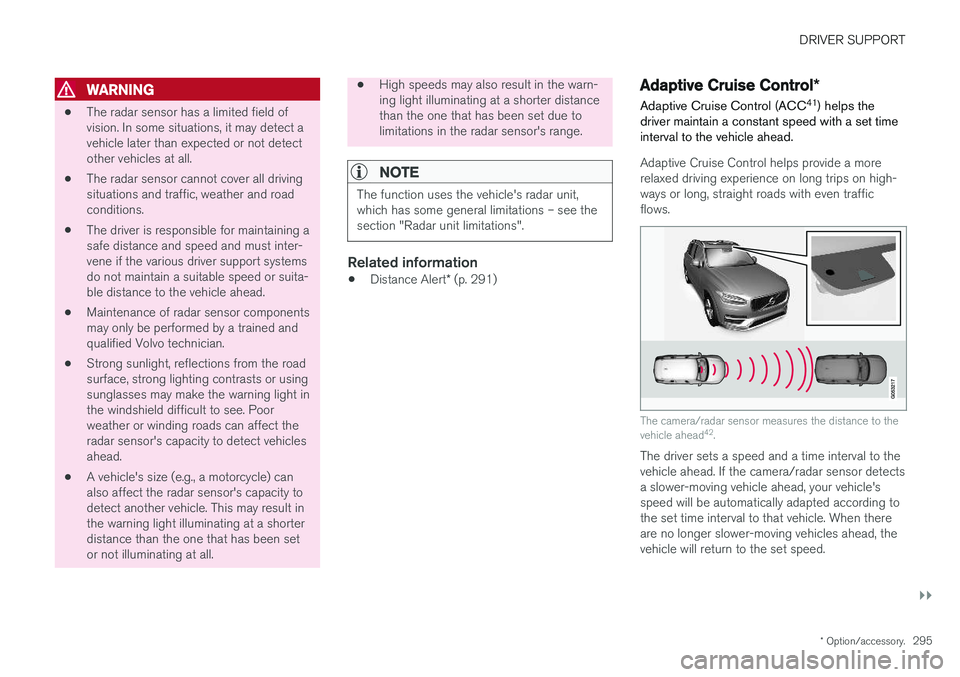
Adaptive Cruise Control helps provide a more relaxed driving experience on long trips on high-ways or long, straight roads with even trafficflows.
The camera/radar sensor measures the distance to the vehicle ahead 42
.
The driver sets a speed and a time interval to the vehicle ahead. If the camera/radar sensor detects a slower-moving vehicle ahead, your vehicle's speed will be automatically adapted according to the set time interval to that vehicle. When thereare no longer slower-moving vehicles ahead, thevehicle will return to the set speed.
Page 298 of 686
||
DRIVER SUPPORT
296
WARNING
•The Adaptive Cruise Control function is supplementary driver support intended tofacilitate driving and help make it safer –it cannot handle all situations in all traffic,weather and road conditions.
• The driver is advised to read all sectionsin the Owner's Manual about this functionto learn of its limitations, which the drivermust be aware of before using the func-tion (see the link list at the end of thisarticle).
• Adaptive Cruise Control is not a substi-tute for the driver's attention and judg-ment. The driver is always responsible forensuring the vehicle is driven in a safemanner, at the appropriate speed, with anappropriate distance to other vehicles,and in accordance with current trafficrules and regulations.
NOTE
Depending on market, this function may be either Standard or Optional.
Adaptive Cruise Control regulates speed by accelerating and braking. It is normal for the brakes to emit a slight sound when they arebeing used to adjust speed. Adaptive Cruise Control always attempts to regu- late speed smoothly. The driver must apply thebrakes in situations requiring immediate braking.For example, when there are great differences inspeed between vehicles or if the vehicle aheadbrakes suddenly. Due to limitations in the radarsensor, braking may occur unexpectedly or not atall. Adaptive Cruise Control is designed to follow a vehicle ahead in the same lane and maintain atime interval to that vehicle set by the driver. If theradar sensor does not detect a vehicle ahead, itwill instead maintain the speed set by the driver.This will also happen if the speed of the vehicleahead exceeds the set speed for your vehicle.
• Adaptive Cruise Control can follow anothervehicle at speeds from a standstill up to200 km/h (125 mph).
WARNING
• Adaptive Cruise Control is not a collision avoidance system. The driver is alwaysresponsible and must intervene if the sys-tem fails to detect a vehicle ahead.
• Adaptive Cruise Control does not brakefor people or animals and does not brakefor small vehicles, such as bikes andmotorcycles. Similarly, it does not brakefor low trailers, oncoming, slow-moving orstationary vehicles and objects.
• Do not use Adaptive Cruise Control indemanding situations, such as in city traf-fic, at intersections, on slippery surfaces,with a lot of water or slush on the road, inheavy rain/snow, in poor visibility, onwinding roads, or on on/off ramps.
CAUTION
Maintenance of Adaptive Cruise Control com- ponents may only be performed by a work-shop – an authorized Volvo workshop is rec-ommended.
41
Adaptive Cruise Control
42 Note: This illustration is general and details may vary depending on model.
Page 314 of 686
||
DRIVER SUPPORT
312
WARNING
•The Pilot Assist function is supplementary driver support intended to facilitate driv-ing and help make it safer – it cannothandle all situations in all traffic, weatherand road conditions.
• The driver is advised to read all sectionsin the Owner's Manual about this functionto learn of its limitations, which the drivermust be aware of before using the func-tion (see the link list at the end of thisarticle).
• Pilot Assist should only be used if thereare clear lane lines painted on each sideof the lane. All other use will increase therisk of contact with nearby obstacles thatcannot be detected by the functions.
• Pilot Assist is not a substitute for the driv-er's attention and judgment. The driver isalways responsible for ensuring the vehi-cle is driven in a safe manner, at theproper position within the lane, at theappropriate speed, with an appropriatedistance to other vehicles, and in accord-ance with current traffic rules and regula-tions.
NOTE
Depending on market, this function may be either Standard or Optional.
Pilot Assist regulates speed by accelerating and braking. It is normal for the brakes to emit a slightsound when they are being used to adjust speed. Pilot Assist attempts to smoothly regulate speed. The driver must apply the brakes in situationsrequiring immediate braking. For example, whenthere are great differences in speed betweenvehicles or if the vehicle ahead brakes suddenly.Due to limitations in the camera and radar sen-sor, braking may occur unexpectedly or not at all. Pilot Assist is designed to follow a vehicle ahead in the same lane and maintain a time interval tothat vehicle set by the driver. If the radar sensordoes not detect a vehicle ahead, it will insteadmaintain the speed set by the driver. This will alsohappen if the speed of the vehicle aheadexceeds the set speed for your vehicle.
• Pilot Assist can follow another vehicle atspeeds from a standstill up to 200 km/h(125 mph).
• Pilot Assist can provide steering assistancefrom near-stationary speeds up to 140 km/h(87 mph).
WARNING
• Pilot Assist is not a collision avoidance system. The driver must intervene if thesystem fails to detect a vehicle ahead.
• Pilot Assist does not brake for people,animals, objects, small vehicles (e.g.cycles and motorcycles), low trailers aswell as oncoming, slow or stationary vehi-cles.
• Do not use Pilot Assist in demanding sit-uations, such as in city traffic, at intersec-tions, on slippery surfaces, with a lot ofwater or slush on the road, in heavy rain/snow, in poor visibility, on winding roads,on highway on- or off-ramps, or with atrailer connected to the vehicle.
CAUTION
Maintenance of the integrated components in Pilot Assist may only be performed by a work-shop – an authorized Volvo workshop is rec-ommended.
In curves and forks in the roadPilot Assist is designed to interact with the driver. The driver should never wait for steering assis-tance from Pilot Assist, but instead should alwaysbe ready to increase his or her own steeringefforts, particularly in curves.
Page 328 of 686
||
DRIVER SUPPORT
* Option/accessory.
326
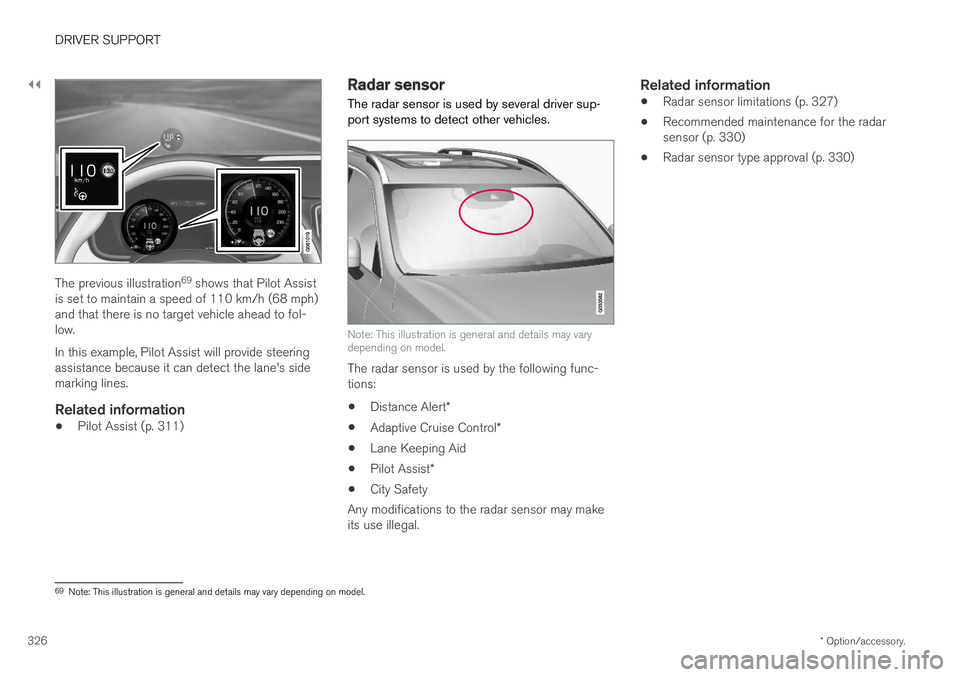
The previous illustration 69
shows that Pilot Assist
is set to maintain a speed of 110 km/h (68 mph) and that there is no target vehicle ahead to fol-low. In this example, Pilot Assist will provide steering assistance because it can detect the lane's sidemarking lines.
Related information
• Pilot Assist (p. 311)
Radar sensor
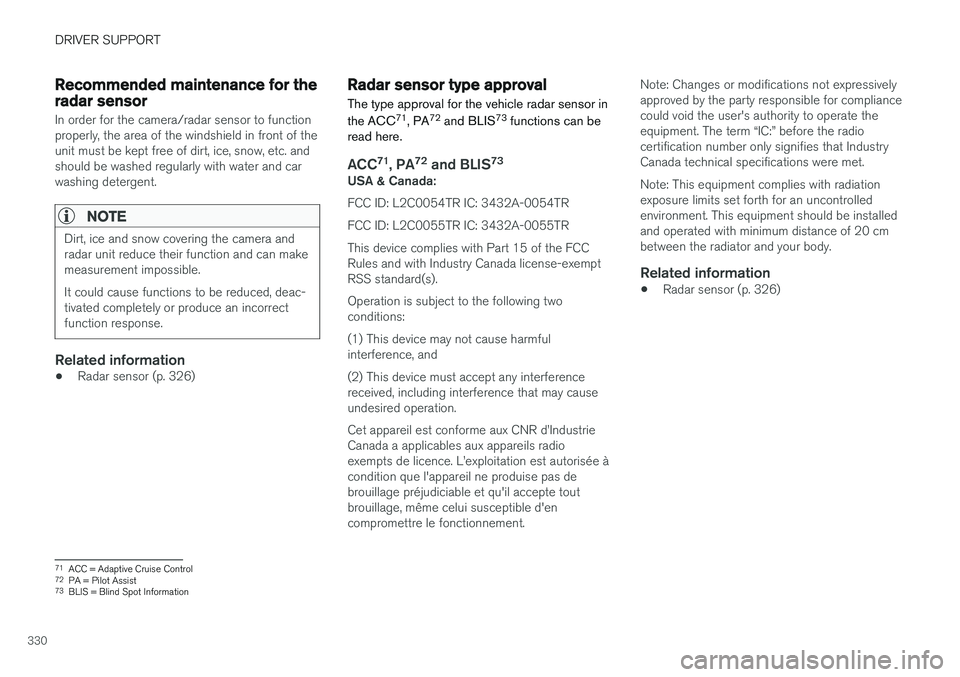
The radar sensor is used by several driver sup- port systems to detect other vehicles.
Note: This illustration is general and details may vary depending on model.
The radar sensor is used by the following func- tions:
• Distance Alert
*
• Adaptive Cruise Control
*
• Lane Keeping Aid
• Pilot Assist
*
• City Safety
Any modifications to the radar sensor may makeits use illegal.
Related information
• Radar sensor limitations (p. 327)
• Recommended maintenance for the radarsensor (p. 330)
• Radar sensor type approval (p. 330)
69
Note: This illustration is general and details may vary depending on model.
Page 332 of 686
DRIVER SUPPORT
330
Recommended maintenance for theradar sensor
In order for the camera/radar sensor to function properly, the area of the windshield in front of theunit must be kept free of dirt, ice, snow, etc. andshould be washed regularly with water and carwashing detergent.
NOTE
Dirt, ice and snow covering the camera and radar unit reduce their function and can makemeasurement impossible. It could cause functions to be reduced, deac- tivated completely or produce an incorrectfunction response.
Related information
•Radar sensor (p. 326)
Radar sensor type approval
The type approval for the vehicle radar sensor in the ACC 71
, PA 72
and BLIS 73
functions can be
read here.
ACC 71
, PA 72
and BLIS 73USA & Canada: FCC ID: L2C0054TR IC: 3432A-0054TR FCC ID: L2C0055TR IC: 3432A-0055TRThis device complies with Part 15 of the FCC Rules and with Industry Canada license-exemptRSS standard(s). Operation is subject to the following two conditions: (1) This device may not cause harmful interference, and (2) This device must accept any interference received, including interference that may causeundesired operation. Cet appareil est conforme aux CNR d