navigation VOLVO XC90 T8 2018 Owner´s Manual
[x] Cancel search | Manufacturer: VOLVO, Model Year: 2018, Model line: XC90 T8, Model: VOLVO XC90 T8 2018Pages: 686, PDF Size: 11.51 MB
Page 95 of 686
DISPLAYS AND VOICE CONTROL
93
Related information
•Displaying trip statistics in the center display (p. 92)
• Trip computer (p. 89)
• Resetting the trip odometer (p. 91)
Date and time
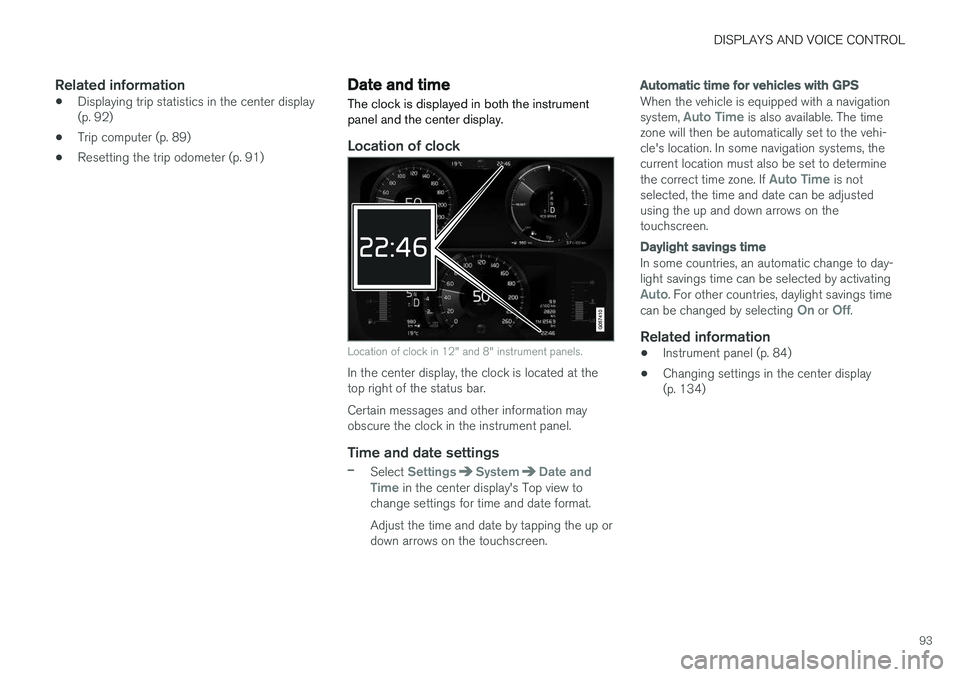
The clock is displayed in both the instrument panel and the center display.
Location of clock
Location of clock in 12" and 8" instrument panels.
In the center display, the clock is located at the top right of the status bar. Certain messages and other information may obscure the clock in the instrument panel.
Time and date settings
–Select SettingsSystemDate and
Time in the center display's Top view to
change settings for time and date format. Adjust the time and date by tapping the up or down arrows on the touchscreen.
Automatic time for vehicles with GPS
When the vehicle is equipped with a navigation system, Auto Time is also available. The time
zone will then be automatically set to the vehi- cle's location. In some navigation systems, thecurrent location must also be set to determine the correct time zone. If
Auto Time is not
selected, the time and date can be adjusted using the up and down arrows on thetouchscreen.
Daylight savings time
In some countries, an automatic change to day- light savings time can be selected by activating
Auto. For other countries, daylight savings time
can be changed by selecting On or Off.
Related information
• Instrument panel (p. 84)
• Changing settings in the center display (p. 134)
Page 106 of 686
||
DISPLAYS AND VOICE CONTROL
104
AppFunctions
Trip com- puter Select a trip odometer, changeinstrument panel display set-tings, etc.
Media player Select active source for media player.
Phone Call a contact from the call list.
Navigation Guide to destination, etc.
Related information
• Instrument panel (p. 84)
• Center display overview (p. 109)
• Handling the App menu in the instrument panel (p. 104)
Handling the App menu in theinstrument panel
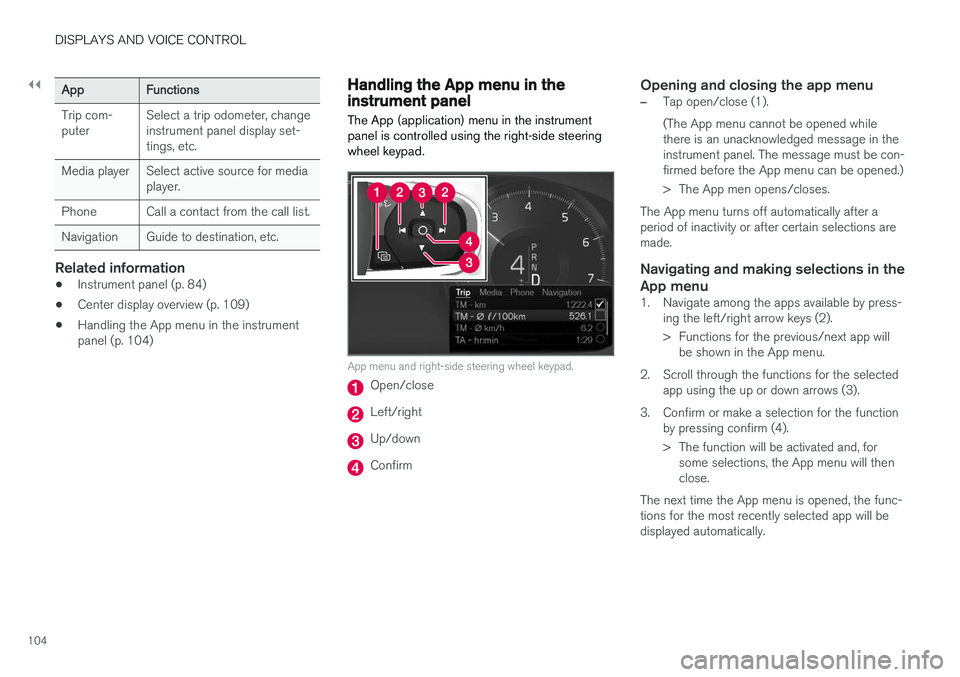
The App (application) menu in the instrument panel is controlled using the right-side steeringwheel keypad.
App menu and right-side steering wheel keypad.
Open/close
Left/right
Up/down
Confirm
Opening and closing the app menu
–Tap open/close (1). (The App menu cannot be opened while there is an unacknowledged message in theinstrument panel. The message must be con-firmed before the App menu can be opened.)
> The App men opens/closes.
The App menu turns off automatically after a period of inactivity or after certain selections aremade.
Navigating and making selections in the
App menu
1. Navigate among the apps available by press- ing the left/right arrow keys (2).
> Functions for the previous/next app willbe shown in the App menu.
2. Scroll through the functions for the selected app using the up or down arrows (3).
3. Confirm or make a selection for the function by pressing confirm (4).
> The function will be activated and, forsome selections, the App menu will then close.
The next time the App menu is opened, the func-tions for the most recently selected app will bedisplayed automatically.
Page 113 of 686
DISPLAYS AND VOICE CONTROL
* Option/accessory.111
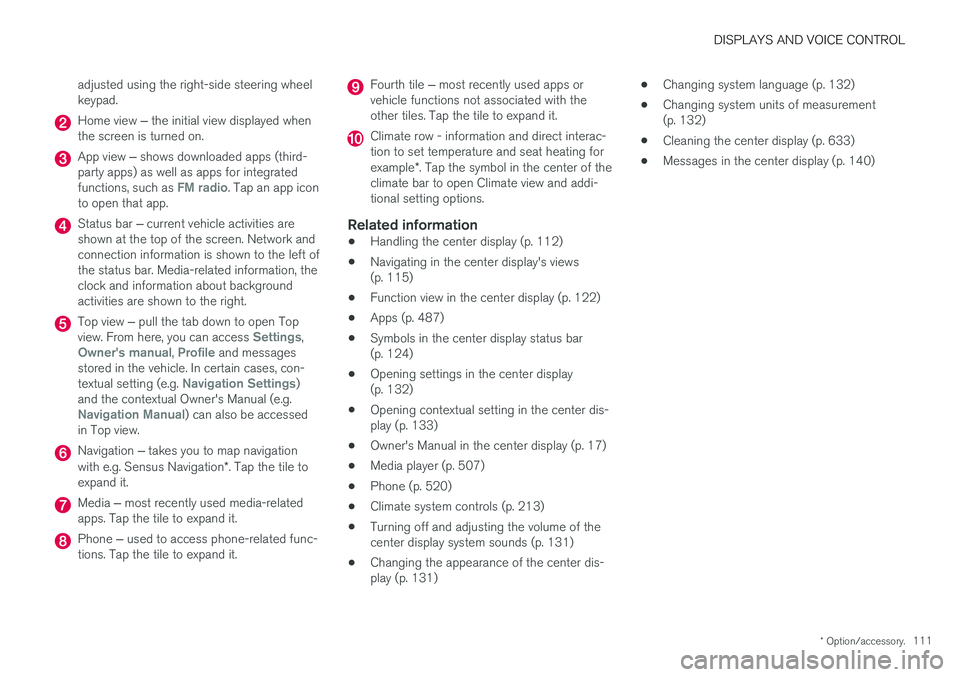
adjusted using the right-side steering wheel keypad.
Home view
‒ the initial view displayed when
the screen is turned on.
App view ‒ shows downloaded apps (third-
party apps) as well as apps for integrated functions, such as
FM radio. Tap an app icon
to open that app.
Status bar ‒ current vehicle activities are
shown at the top of the screen. Network and connection information is shown to the left ofthe status bar. Media-related information, theclock and information about backgroundactivities are shown to the right.
Top view ‒ pull the tab down to open Top
view. From here, you can access Settings,Owner's manual, Profile and messages
stored in the vehicle. In certain cases, con- textual setting (e.g.
Navigation Settings)
and the contextual Owner's Manual (e.g.
Navigation Manual) can also be accessed
in Top view.
Navigation ‒ takes you to map navigation
with e.g. Sensus Navigation *. Tap the tile to
expand it.
Media ‒ most recently used media-related
apps. Tap the tile to expand it.
Phone ‒ used to access phone-related func-
tions. Tap the tile to expand it.
Fourth tile ‒ most recently used apps or
vehicle functions not associated with the other tiles. Tap the tile to expand it.
Climate row - information and direct interac- tion to set temperature and seat heating for example *. Tap the symbol in the center of the
climate bar to open Climate view and addi- tional setting options.
Related information
• Handling the center display (p. 112)
• Navigating in the center display's views(p. 115)
• Function view in the center display (p. 122)
• Apps (p. 487)
• Symbols in the center display status bar(p. 124)
• Opening settings in the center display(p. 132)
• Opening contextual setting in the center dis-play (p. 133)
• Owner's Manual in the center display (p. 17)
• Media player (p. 507)
• Phone (p. 520)
• Climate system controls (p. 213)
• Turning off and adjusting the volume of thecenter display system sounds (p. 131)
• Changing the appearance of the center dis-play (p. 131) •
Changing system language (p. 132)
• Changing system units of measurement(p. 132)
• Cleaning the center display (p. 633)
• Messages in the center display (p. 140)
Page 117 of 686
DISPLAYS AND VOICE CONTROL
}}
* Option/accessory.115
Activating and deactivating thecenter display
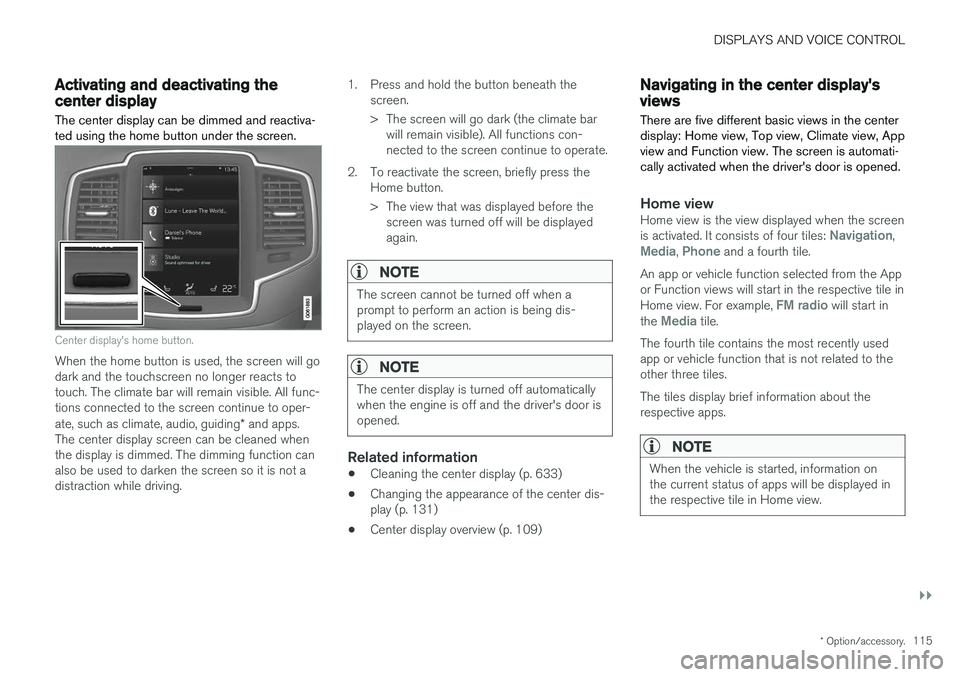
The center display can be dimmed and reactiva- ted using the home button under the screen.
Center display's home button.
When the home button is used, the screen will go dark and the touchscreen no longer reacts totouch. The climate bar will remain visible. All func-tions connected to the screen continue to oper- ate, such as climate, audio, guiding * and apps.
The center display screen can be cleaned when the display is dimmed. The dimming function can also be used to darken the screen so it is not adistraction while driving. 1. Press and hold the button beneath the
screen.
> The screen will go dark (the climate barwill remain visible). All functions con- nected to the screen continue to operate.
2. To reactivate the screen, briefly press the Home button.
> The view that was displayed before thescreen was turned off will be displayed again.
NOTE
The screen cannot be turned off when a prompt to perform an action is being dis-played on the screen.
NOTE
The center display is turned off automatically when the engine is off and the driver's door isopened.
Related information
• Cleaning the center display (p. 633)
• Changing the appearance of the center dis- play (p. 131)
• Center display overview (p. 109)
Navigating in the center display'sviews
There are five different basic views in the center display: Home view, Top view, Climate view, Appview and Function view. The screen is automati-cally activated when the driver's door is opened.
Home viewHome view is the view displayed when the screen is activated. It consists of four tiles: Navigation,Media, Phone and a fourth tile.
An app or vehicle function selected from the App or Function views will start in the respective tile in Home view. For example,
FM radio will start in
the Media tile.
The fourth tile contains the most recently used app or vehicle function that is not related to theother three tiles. The tiles display brief information about the respective apps.
NOTE
When the vehicle is started, information on the current status of apps will be displayed inthe respective tile in Home view.
Page 118 of 686
||
DISPLAYS AND VOICE CONTROL
* Option/accessory.
116
NOTE
In Home view's standard mode – short press on the Home button. An animation describingaccess to the various views is shown on thescreen.
NOTE
When the vehicle is moving:
• Certain functions (e.g. using the center display's keyboard) may be deactivated.
• Certain texts (e.g. those generated byapps) will be shortened to three rows. Tap the
Read out button to have the
entire message read aloud.
• The message will be shortened to one row. Tap the
Read out button to have
the entire message read aloud.
Status barCurrent vehicle activities are shown at the top of the screen in the status bar. Network and con-nection information is shown to the left of thestatus bar. Media-related information, the clockand information about background activities areshown to the right.
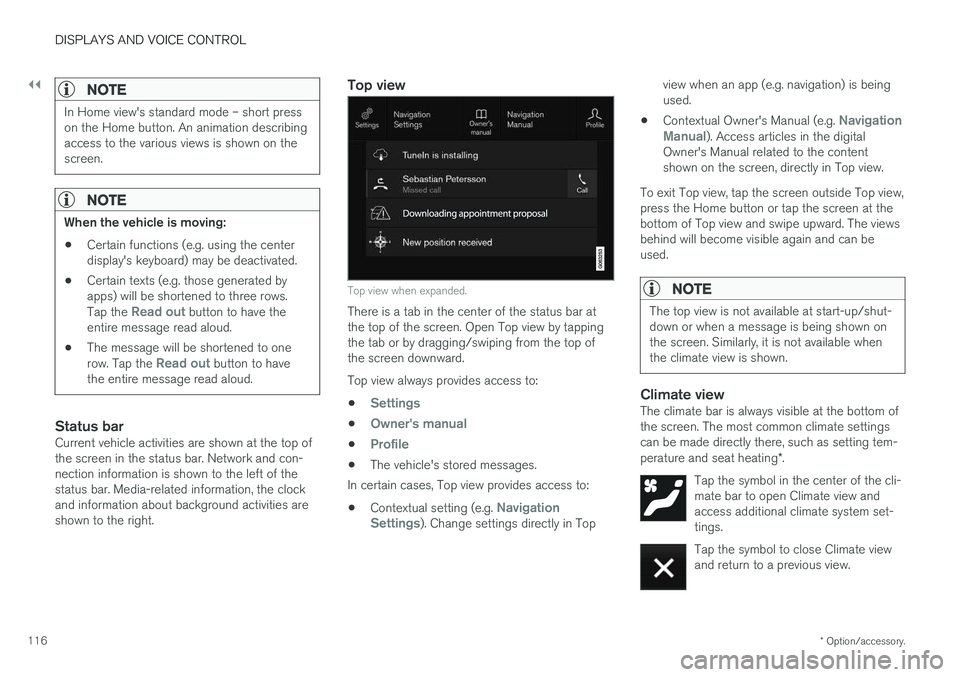
Top view
Top view when expanded.
There is a tab in the center of the status bar at the top of the screen. Open Top view by tappingthe tab or by dragging/swiping from the top ofthe screen downward. Top view always provides access to:
•
Settings
•Owner's manual
•Profile
• The vehicle's stored messages.
In certain cases, Top view provides access to:
• Contextual setting (e.g.
Navigation
Settings). Change settings directly in Top view when an app (e.g. navigation) is being used.
• Contextual Owner's Manual (e.g.
Navigation
Manual). Access articles in the digital
Owner's Manual related to the content shown on the screen, directly in Top view.
To exit Top view, tap the screen outside Top view,press the Home button or tap the screen at thebottom of Top view and swipe upward. The viewsbehind will become visible again and can beused.
NOTE
The top view is not available at start-up/shut- down or when a message is being shown onthe screen. Similarly, it is not available whenthe climate view is shown.
Climate viewThe climate bar is always visible at the bottom of the screen. The most common climate settingscan be made directly there, such as setting tem- perature and seat heating *.
Tap the symbol in the center of the cli- mate bar to open Climate view andaccess additional climate system set-tings.
Tap the symbol to close Climate view and return to a previous view.
Page 121 of 686
DISPLAYS AND VOICE CONTROL
}}
119
Handling tiles in the center display Home view consists of four tiles:
Navigation,Media, Phone and a fourth tile. These views
can be expanded.
Page 123 of 686
DISPLAYS AND VOICE CONTROL
121
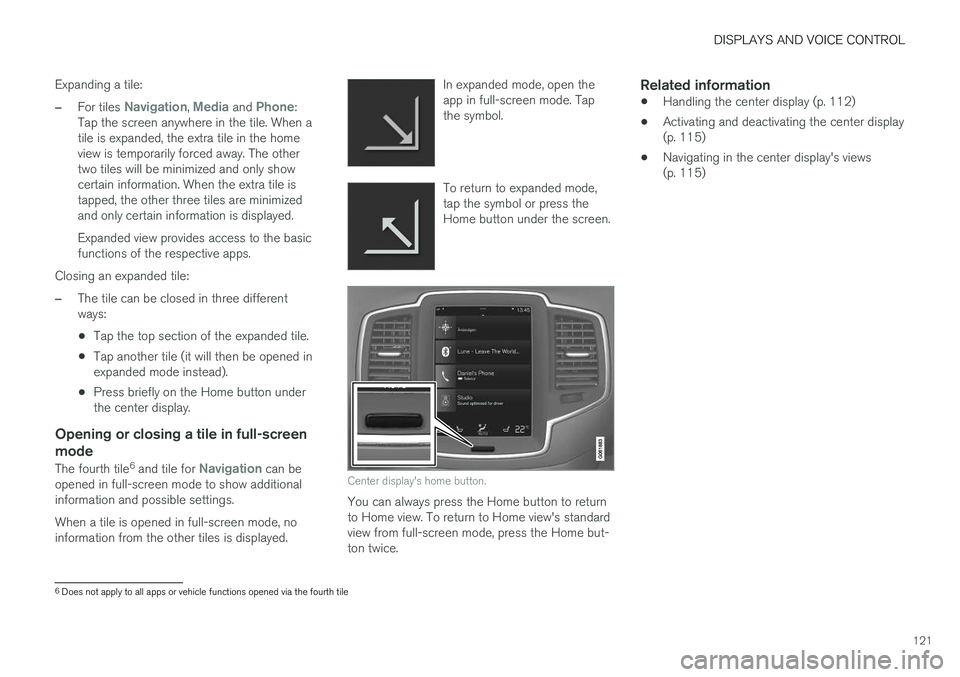
Expanding a tile:
–For tiles Navigation, Media and Phone:
Tap the screen anywhere in the tile. When a tile is expanded, the extra tile in the homeview is temporarily forced away. The othertwo tiles will be minimized and only showcertain information. When the extra tile istapped, the other three tiles are minimizedand only certain information is displayed. Expanded view provides access to the basic functions of the respective apps.
Closing an expanded tile:
–The tile can be closed in three different ways:
• Tap the top section of the expanded tile.
• Tap another tile (it will then be opened inexpanded mode instead).
• Press briefly on the Home button underthe center display.
Opening or closing a tile in full-screen mode
The fourth tile 6
and tile for Navigation can be
opened in full-screen mode to show additional information and possible settings. When a tile is opened in full-screen mode, no information from the other tiles is displayed. In expanded mode, open theapp in full-screen mode. Tapthe symbol.
To return to expanded mode, tap the symbol or press theHome button under the screen.
Center display's home button.
You can always press the Home button to return to Home view. To return to Home view's standardview from full-screen mode, press the Home but-ton twice.
Related information
•
Handling the center display (p. 112)
• Activating and deactivating the center display(p. 115)
• Navigating in the center display's views(p. 115)
6
Does not apply to all apps or vehicle functions opened via the fourth tile
Page 135 of 686
DISPLAYS AND VOICE CONTROL
133
Related information
•Center display overview (p. 109)
• Changing settings in the center display (p. 134)
• Setting types in the center display (p. 135)
• Table of settings in the center display(p. 136)
Opening contextual setting in thecenter display
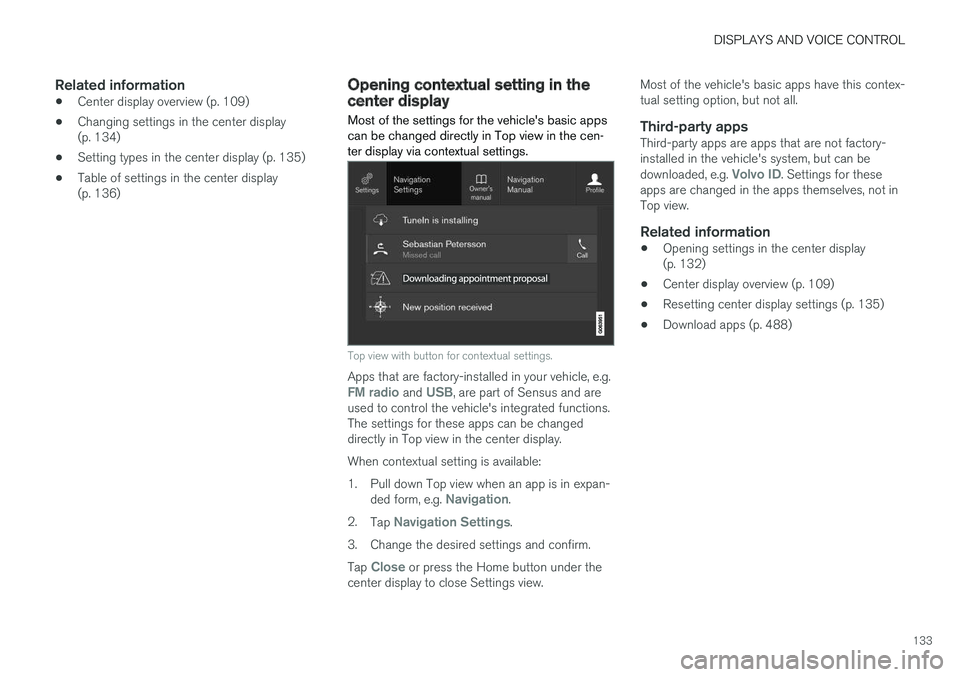
Most of the settings for the vehicle's basic apps can be changed directly in Top view in the cen-ter display via contextual settings.
Top view with button for contextual settings.
Apps that are factory-installed in your vehicle, e.g.FM radio and USB, are part of Sensus and are
used to control the vehicle's integrated functions. The settings for these apps can be changeddirectly in Top view in the center display. When contextual setting is available:
1. Pull down Top view when an app is in expan-
ded form, e.g.
Navigation.
2. Tap
Navigation Settings.
3. Change the desired settings and confirm. Tap
Close or press the Home button under the
center display to close Settings view. Most of the vehicle's basic apps have this contex- tual setting option, but not all.
Third-party appsThird-party apps are apps that are not factory-installed in the vehicle's system, but can be downloaded, e.g.
Volvo ID. Settings for these
apps are changed in the apps themselves, not in Top view.
Related information
• Opening settings in the center display(p. 132)
• Center display overview (p. 109)
• Resetting center display settings (p. 135)
• Download apps (p. 488)
Page 138 of 686
||
DISPLAYS AND VOICE CONTROL
* Option/accessory.
136
Type ofsettingDescription
Slider Select a level for a function by pressing and dragging the slider control, e.g. to set volume level.
Informa-tion dis-play This is not an actual setting, butinstead displays information suchas the vehicle's VIN number.
Related information
•
Center display overview (p. 109)
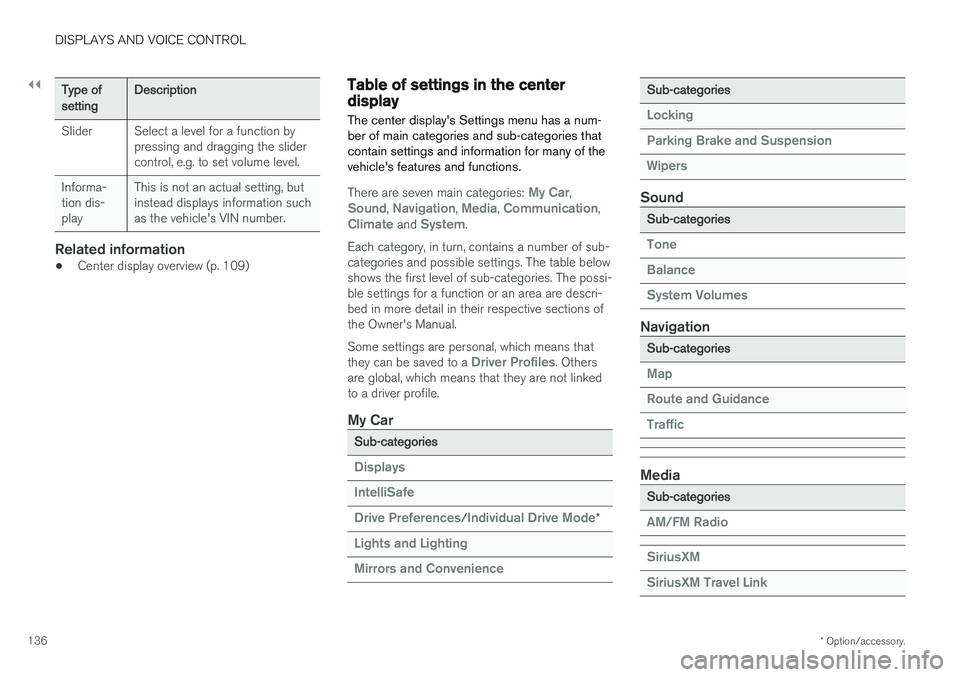
Table of settings in the centerdisplay The center display's Settings menu has a num- ber of main categories and sub-categories thatcontain settings and information for many of thevehicle's features and functions.
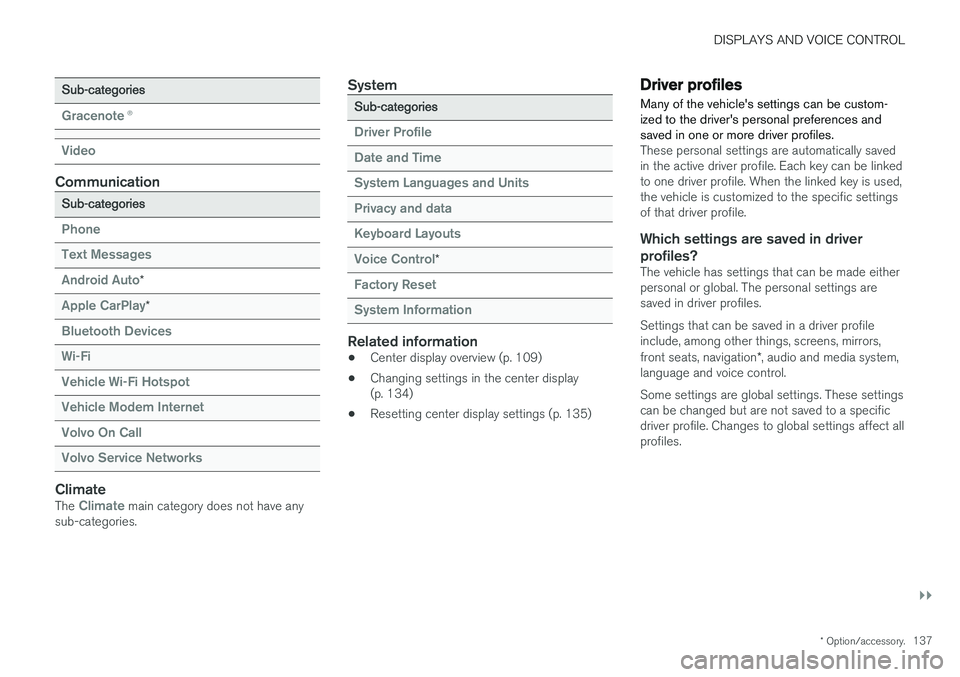
There are seven main categories: My Car,Sound, Navigation, Media, Communication,Climate and System.
Each category, in turn, contains a number of sub- categories and possible settings. The table belowshows the first level of sub-categories. The possi-ble settings for a function or an area are descri-bed in more detail in their respective sections ofthe Owner's Manual. Some settings are personal, which means that they can be saved to a
Driver Profiles. Others
are global, which means that they are not linked to a driver profile.
My Car
Sub-categories
Displays IntelliSafe Drive Preferences
/Individual Drive Mode*
Lights and Lighting Mirrors and Convenience
Sub-categories
Locking Parking Brake and SuspensionWipers
Sound
Sub-categories
Tone BalanceSystem Volumes
Navigation
Sub-categories
Map Route and GuidanceTraffic
Media
Sub-categories
AM/FM Radio SiriusXM SiriusXM Travel Link
Page 139 of 686
DISPLAYS AND VOICE CONTROL
}}
* Option/accessory.137
Sub-categories
Gracenote®
Video
Communication
Sub-categories
Phone Text Messages Android Auto
*
Apple CarPlay*
Bluetooth Devices Wi-FiVehicle Wi-Fi HotspotVehicle Modem Internet Volvo On Call Volvo Service Networks
ClimateThe Climate main category does not have any
sub-categories.
System
Sub-categories
Driver Profile Date and TimeSystem Languages and UnitsPrivacy and dataKeyboard Layouts Voice Control
*
Factory Reset System Information
Related information
• Center display overview (p. 109)
• Changing settings in the center display (p. 134)
• Resetting center display settings (p. 135)
Driver profiles
Many of the vehicle's settings can be custom- ized to the driver's personal preferences andsaved in one or more driver profiles.
These personal settings are automatically saved in the active driver profile. Each key can be linkedto one driver profile. When the linked key is used,the vehicle is customized to the specific settingsof that driver profile.
Which settings are saved in driver profiles?
The vehicle has settings that can be made eitherpersonal or global. The personal settings aresaved in driver profiles. Settings that can be saved in a driver profile include, among other things, screens, mirrors, front seats, navigation *, audio and media system,
language and voice control. Some settings are global settings. These settings can be changed but are not saved to a specificdriver profile. Changes to global settings affect allprofiles.