service indicator VOLVO XC90 T8 2018 Owner´s Manual
[x] Cancel search | Manufacturer: VOLVO, Model Year: 2018, Model line: XC90 T8, Model: VOLVO XC90 T8 2018Pages: 686, PDF Size: 11.51 MB
Page 562 of 686
||
WHEELS AND TIRES
* Option/accessory.
560 function, the telltale will flash for approximately one minute and then remain continuously illumi-nated. This sequence will continue upon subse-quent vehicle start-ups as long as the malfunc-tion exists. When the malfunction indicator is illu-minated, the system may not be able to detect orsignal low tire pressure as intended. TPMS malfunctions may occur for a variety of reasons, including the installation of replacementor alternate tires or wheels on the vehicle thatprevent the TPMS from functioning properly. Always check the TPMS malfunction telltale after replacing one or more tires or wheels on yourvehicle to ensure that the replacement or alter-nate tires and wheels allow the TPMS to con-tinue to function properly.
Messages in the instrument panelIf tire pressure is too low, the low tire pressurewarning symbol is shown in the instrument panelalong with a message.
•
Tire pressure low Check tires, calibrate
after fill
•Tire pressure system Temporarily
unavailable
•Tire pressure system Service required
To keep in mind
• Always calibrate the system after changing wheels or adjusting tire pressure. See the tire pressure placard on the driver's side B pillarfor Volvo-recommended tire pressures.
• If you switch to a tire of another size than thefactory-mounted tires, the system must becalibrated for these tires to avoid false warn-ings.
• If a spare wheel 7
is used, it is possible that
the tire pressure monitoring system will notwork correctly due to the differencesbetween the wheels.
• The system does not replace the need forregular tire inspection and maintenance.
• It is not possible to deactivate the tire pres-sure monitoring system.
WARNING
• Incorrect inflation pressure could lead to tire failure, which could cause the driverto lose control of the vehicle.
• The system cannot predict sudden tiredamage.
Related information
•
Recommended tire pressure (p. 559)
• Viewing tire pressure status in the center display
* (p. 562)
• Action when warned of low tire pressure (p. 563) •
Calibrating the tire pressure monitoring sys- tem
* (p. 561)
7
Not available on all models.
Page 565 of 686
WHEELS AND TIRES
}}
* Option/accessory.563
The vehicle may need to be driven for a few minutes at a speed above 35 km/h (22 mph) toactivate the system. All tires gray and a message: •
Tire pressure system Temporarily
unavailable. The indicator symbol will flash
for about 1 minute and then glow steadily. The system is temporarily unavailable and willbe activated momentarily.
•
Tire pressure system Service required.
The indicator symbol will flash for about 1 minute and then glow steadily. If the system is not working properly, contact a workshop 9
.
Related information
• Calibrating the tire pressure monitoring sys- tem
* (p. 561)
• Action when warned of low tire pressure (p. 563)
• Tire pressure monitoring system
* (p. 559)
• Vehicle status (p. 602)
Action when warned of low tirepressure
When the tire pressure monitoring system, Tyre Pressure Monitoring System (TPMS), detectslow pressure in one or more of the vehicle'stires, the driver will be alerted that action is nee-ded.
If the system's indicator symbol illumi- nates and the message Tire pressure
low is displayed, check the tire pres-
sure and inflate if necessary.
1. Switch off the ignition.
2. Check the inflation pressure on all four tires using a tire pressure gauge.
3. Inflate the tire to the correct pressure (see the tire pressure decal on the driver's side door pillar).
4. Through calibration of the system via the center display after the tire pressure hasbeen adjusted. Please be aware that the indicator symbol will not go out until the low tire pressure hasbeen corrected and the system has beenrecalibrated.
NOTE
To help prevent incorrect inflation pressure, pressure should be checked when the tiresare cold. The tires are considered to be coldwhen they have reached the same tempera-ture as the ambient temperature (about 3hours after the vehicle was last driven). Afterdriving for a few kilometers, the tires will warmup and the pressure will increase.
NOTE
• After inflating a tire, always replace the valve cap to help prevent valve damagecaused by gravel, dirt, etc.
• Use plastic valve caps only. Metal capscould corrode and become difficult toremove.
WARNING
•Incorrect inflation pressure could lead to tire failure, which could cause the driverto lose control of the vehicle.
• The system cannot predict sudden tiredamage.
9
An authorized Volvo workshop is recommended.
Page 573 of 686
WHEELS AND TIRES
}}
571
Snow tires
Snow tires are designed for winter driving.
Volvo recommends snow tires with specific dimensions. The tire dimensions vary dependingon engine type. When driving with snow tires, thecorrect type of tires must be mounted on all fourwheels.
NOTE
Contact a Volvo dealer for advice on the best choice of rims and tires.
Tips for changing snow tiresWhen switching between regular tires and snow tires, mark the tires according to which side they were mounted on, e.g. L for left and R for right.
Studded tiresStudded tires should be broken in by driving 500–1000 km (300–600 miles) slowly and gen-tly to help the studs settle properly in the tires.This gives the tire, and especially the studs, alonger service life.
NOTE
Regulations regarding the use of studded tires vary from country to country.
Tread depthRoad conditions with ice, slush and low tempera- tures place considerably higher demands on tiresthan summer conditions. Volvo therefore recom-mends not driving on snow tires that have a treaddepth of less than 4 mm (0.15 inch).
Related information
• When changing wheels (p. 564)
• Winter driving (p. 461)
• Tread wear indicator (p. 553)
Snow chains
Using snow chains and/or snow tires can help improve traction in winter driving conditions.
WARNING
Use Volvo genuine snow chains or equivalent snow chains that are suitable for the vehicle model and the tire and wheel sizes. Only one-
sided snow chains are permitted.
If uncertain about snow chains, Volvo recom- mends contacting an authorized Volvo work-shop. Use of the wrong snow chains couldcause serious damage to the vehicle andresult in an accident.
12 The backrest in the third row of seats * must be folded down.
Page 604 of 686
||
MAINTENANCE AND SERVICE
* Option/accessory.
602
NOTE
Data downloading can affect other services such as transfer data, e.g. web radio. If theaffect on other services is experienced asproblematic, the download can be interrupted.Alternatively, it may be appropriate to switchoff or cancel other services.
NOTE
An update can be interrupted when the igni- tion is switched off and the vehicle is left. However, the update does not have to be completed before the vehicle is left as theupdate is resumed the next time the vehicle isused.
Updating all system software
–Select Install all at the bottom of the list.
To avoid displaying a list, select
Install all via theSystem updates button.
Updating individual system software
–Select Install to choose the software you
would like to download.
Canceling software download
–Tap the checkbox in the activity indicator that replaced the Install button when the down-
load began. Note that only a download can be cancelled. An installation cannot be cancelled once it hasbegun.
Deactivating the background search for
software update
Automatic background searching for softwareupdates is activated as the default factory setting,but the function can be deactivated. 1. Tap
Settings in the center display's Top
view.
2. Tap
SystemDownload Center.
3. Tap to deselect
Auto Software Update.
Related information
• Download Center (p. 601)
• Internet-connected vehicle
* (p. 529)
• Navigating in the center display's views (p. 115)
Vehicle status
The vehicle's general status can be displayed in the center display along with the option to schedule service 3
.
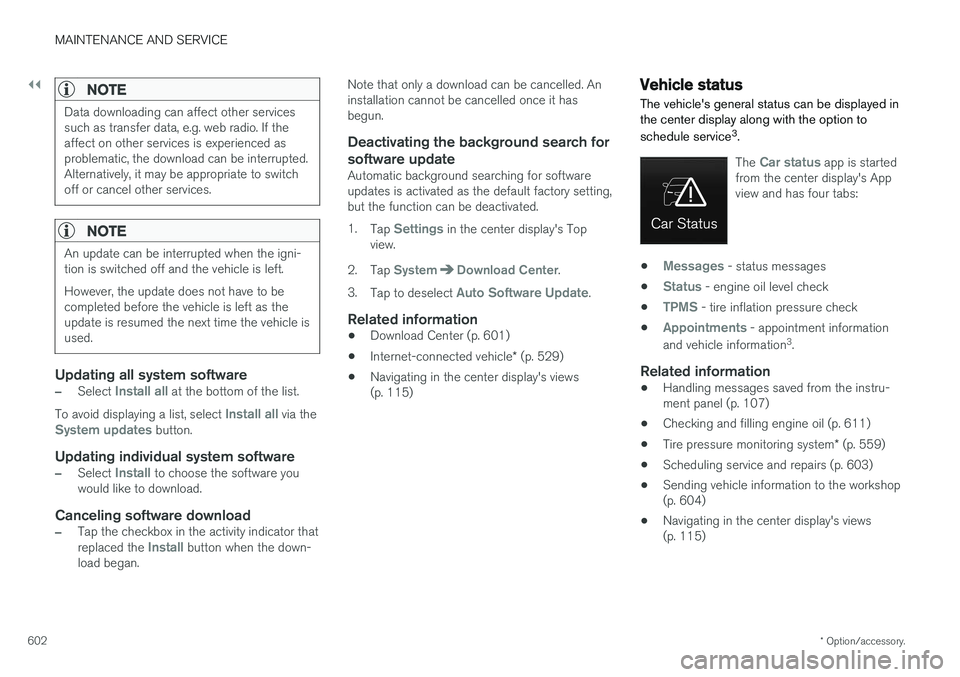
The Car status app is started
from the center display's App view and has four tabs:
•Messages - status messages
•
Status - engine oil level check
•
TPMS - tire inflation pressure check
•
Appointments - appointment information
and vehicle information 3
.
Related information
• Handling messages saved from the instru- ment panel (p. 107)
• Checking and filling engine oil (p. 611)
• Tire pressure monitoring system
* (p. 559)
• Scheduling service and repairs (p. 603)
• Sending vehicle information to the workshop(p. 604)
• Navigating in the center display's views(p. 115)
Page 606 of 686
||
MAINTENANCE AND SERVICE
* Option/accessory.
604 2. To accept the suggested appointment, tap
Accept. To decline the suggested appoint-
ment, tap Send new proposal or Decline.
For some markets, the system reminds you when an appointment time is approaching and the navi- gation system 7
can also guide you to the work-
shop at the appointed time.
Related information
• Vehicle status (p. 602)
• Sending vehicle information to the workshop (p. 604)
• Navigating in the center display's views (p. 115)
• Volvo ID (p. 26)
• Internet-connected vehicle
* (p. 529)
Sending vehicle information to the
workshop8
Vehicle-related information can be sent at any time from the vehicle, e.g. if you schedule a visitto a workshop and would like to assist yourworkshop by providing additional basic informa-tion. Sending vehicle information is not the sameas scheduling service.
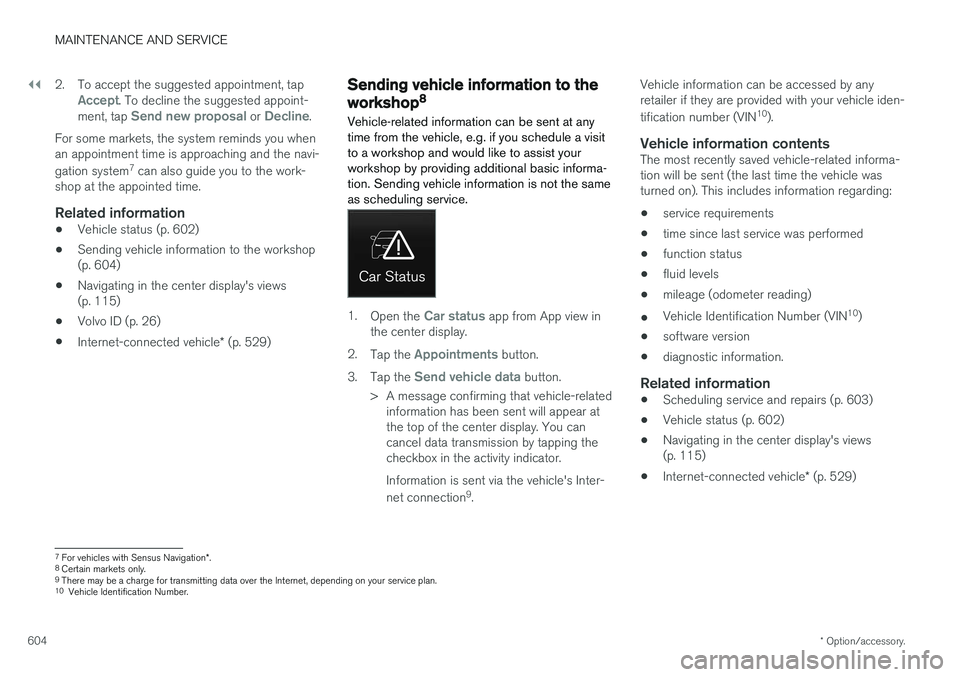
1. Open the Car status app from App view in
the center display.
2. Tap the
Appointments button.
3. Tap the
Send vehicle data button.
> A message confirming that vehicle-related information has been sent will appear at the top of the center display. You cancancel data transmission by tapping thecheckbox in the activity indicator. Information is sent via the vehicle's Inter- net connection 9
. Vehicle information can be accessed by any retailer if they are provided with your vehicle iden- tification number (VIN
10
).
Vehicle information contentsThe most recently saved vehicle-related informa- tion will be sent (the last time the vehicle wasturned on). This includes information regarding:
• service requirements
• time since last service was performed
• function status
• fluid levels
• mileage (odometer reading)
• Vehicle Identification Number (VIN 10
)
• software version
• diagnostic information.
Related information
•Scheduling service and repairs (p. 603)
• Vehicle status (p. 602)
• Navigating in the center display's views(p. 115)
• Internet-connected vehicle
* (p. 529)
7
For vehicles with Sensus Navigation *.
8 Certain markets only.
9 There may be a charge for transmitting data over the Internet, depending on your service plan.
10 Vehicle Identification Number.
Page 629 of 686
MAINTENANCE AND SERVICE
}}
* Option/accessory.627
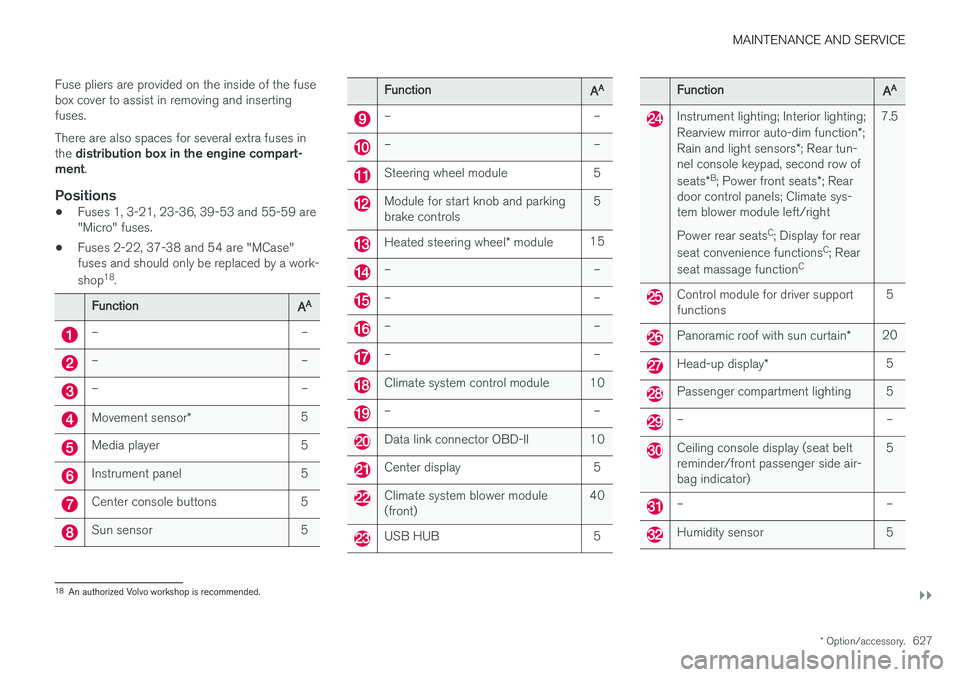
Fuse pliers are provided on the inside of the fuse box cover to assist in removing and insertingfuses. There are also spaces for several extra fuses in the
distribution box in the engine compart-
ment .
Positions
•Fuses 1, 3-21, 23-36, 39-53 and 55-59 are "Micro" fuses.
• Fuses 2-22, 37-38 and 54 are "MCase"fuses and should only be replaced by a work- shop 18
.
FunctionAA
– –
– –
– –
Movement sensor * 5
Media player 5
Instrument panel 5
Center console buttons 5
Sun sensor 5
FunctionAA
– –
– –
Steering wheel module 5
Module for start knob and parking brake controls 5
Heated steering wheel
* module 15
– –
– –
– –
– –
Climate system control module 10
– –
Data link connector OBD-II 10
Center display 5
Climate system blower module (front) 40
USB HUB 5
FunctionAA
Instrument lighting; Interior lighting; Rearview mirror auto-dim function
*;
Rain and light sensors *; Rear tun-
nel console keypad, second row of seats *B
; Power front seats *; Rear
door control panels; Climate sys- tem blower module left/right Power rear seats C
; Display for rear
seat convenience functions C
; Rear
seat massage function C7.5
Control module for driver support functions
5
Panoramic roof with sun curtain
*20
Head-up display
* 5
Passenger compartment lighting 5
– –
Ceiling console display (seat belt reminder/front passenger side air-bag indicator) 5
– –
Humidity sensor 5
18
An authorized Volvo workshop is recommended.
Page 651 of 686
MAINTENANCE AND SERVICE
}}
* Option/accessory.649
NOTE
The wiper blades are different lengths. The blade on the driver's side is longer than theone on the passenger side.
Related information
•Using the rain sensor (p. 177)
• Using the windshield and headlight washers (p. 179)
• Using automatic rear window wiping whenbacking up (p. 181)
• Heated windshield washer nozzles
* (p. 177)
• Using the rain sensor's memory function(p. 178)
• Using the rear window wiper/washer(p. 180)
• Filling washer fluid (p. 650)
• Windshield wipers in the service position(p. 649)
• Changing rear window wipers (p. 647)
• Using the windshield wipers (p. 176)
Windshield wipers in the serviceposition
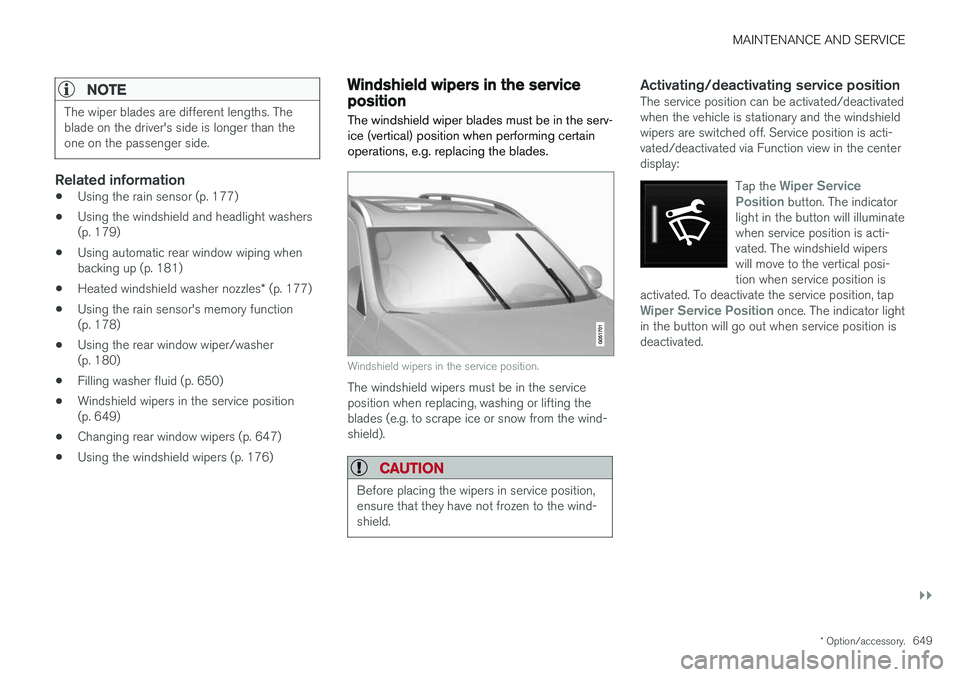
The windshield wiper blades must be in the serv- ice (vertical) position when performing certainoperations, e.g. replacing the blades.
Windshield wipers in the service position.
The windshield wipers must be in the service position when replacing, washing or lifting theblades (e.g. to scrape ice or snow from the wind-shield).
CAUTION
Before placing the wipers in service position, ensure that they have not frozen to the wind-shield.
Activating/deactivating service positionThe service position can be activated/deactivated when the vehicle is stationary and the windshieldwipers are switched off. Service position is acti-vated/deactivated via Function view in the centerdisplay:
Tap the
Wiper Service
Position button. The indicator
light in the button will illuminate when service position is acti-vated. The windshield wiperswill move to the vertical posi-tion when service position is
activated. To deactivate the service position, tap
Wiper Service Position once. The indicator light
in the button will go out when service position is deactivated.
Page 680 of 686
INDEX
678Start battery 469, 615
overload 469
Start engine 424 Starting the engine after a collision 62
Start the vehicle 424
Steel cargo grid 592Steering assistance at risk of colli-
sion 372, 373, 374, 375, 376, 377, 378, 380 Steering assistance at risk of rear-end col-
lision 377, 378 Steering power level, see Steering wheel
resistance 272 Steering resistance at risk of head-on colli-
sion 375, 376
Steering wheel 199 heating 218
keypad 199
paddle 199
steering wheel adjustment 199
Steering wheel keypad 199
Steering wheel paddles 441Steering wheel resistance, speed-depend- ent 272
Stone chips and scratches 645, 646
Storage compartments 580 center console 581
glove compartment 585
sun visor 586
Sunroof pinch protection 166
Sun shade panoramic roof 172, 175
pinch protection 166
rear door 169
Sun visor 586 mirror lighting 163
Symbols indicator symbols 94
Symbols and messages Adaptive Cruise Control 309
center display's status bar 124
Collision warner with auto-brake 346
hybrid-related 419
parking climate 236
Symbols and messages for Assistance at
risk of collision 380
system updates 601
T
Tailgate locking/unlocking 243, 256
open/close with foot movement 265
power 261
unlocking from inside 259
Technician certification 37 Temperature adjusting 226, 227, 228
perceived 203
Temperature monitoring 411 Temporary spare spare tire 569
Temporary tire sealing system execution, checking 573
Inflating tires 577
location 572
overview 572
sealing compound 572
Terms and conditions services 34
users 536
Tire dimensions 554, 564
Tire pressure decal 559Tire pressure monitoring calibrating 561
Tires 550 direction of rotation 552
glossary of terms 553
inflation pressure table 665
mounting 568
pressure 665