display VOLVO XC90 T8 2018 Owner´s Manual
[x] Cancel search | Manufacturer: VOLVO, Model Year: 2018, Model line: XC90 T8, Model: VOLVO XC90 T8 2018Pages: 686, PDF Size: 11.51 MB
Page 423 of 686
HYBRID INFORMATION
421
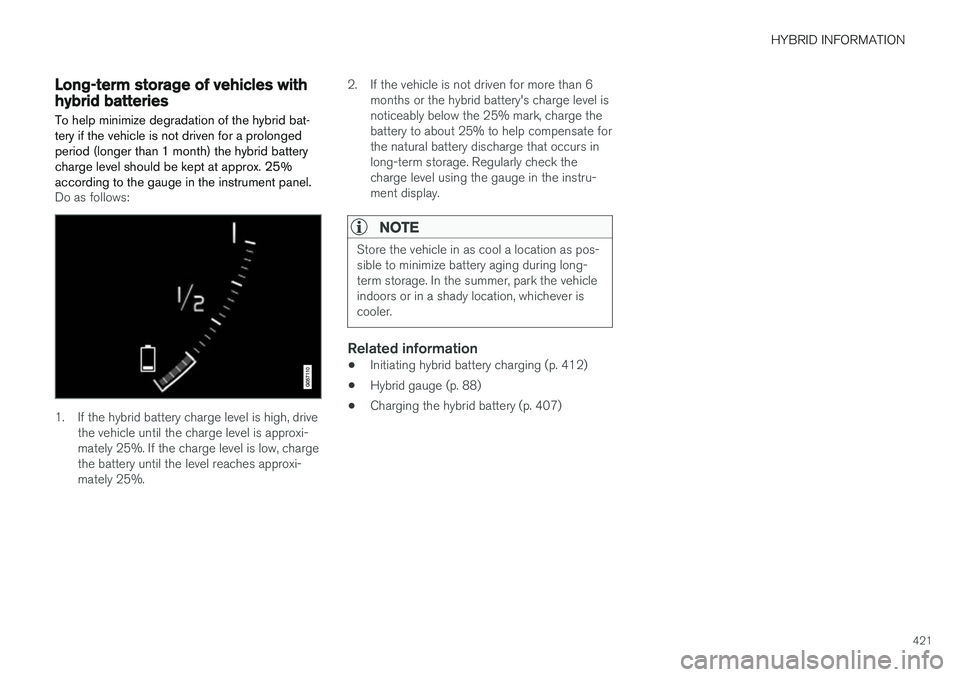
Long-term storage of vehicles withhybrid batteries To help minimize degradation of the hybrid bat- tery if the vehicle is not driven for a prolongedperiod (longer than 1 month) the hybrid batterycharge level should be kept at approx. 25%according to the gauge in the instrument panel.
Do as follows:
1. If the hybrid battery charge level is high, drivethe vehicle until the charge level is approxi- mately 25%. If the charge level is low, chargethe battery until the level reaches approxi-mately 25%. 2. If the vehicle is not driven for more than 6
months or the hybrid battery's charge level isnoticeably below the 25% mark, charge thebattery to about 25% to help compensate forthe natural battery discharge that occurs inlong-term storage. Regularly check thecharge level using the gauge in the instru-ment display.
NOTE
Store the vehicle in as cool a location as pos- sible to minimize battery aging during long-term storage. In the summer, park the vehicleindoors or in a shady location, whichever iscooler.
Related information
• Initiating hybrid battery charging (p. 412)
• Hybrid gauge (p. 88)
• Charging the hybrid battery (p. 407)
Page 426 of 686
STARTING AND DRIVING
* Option/accessory.
424
Starting the vehicle
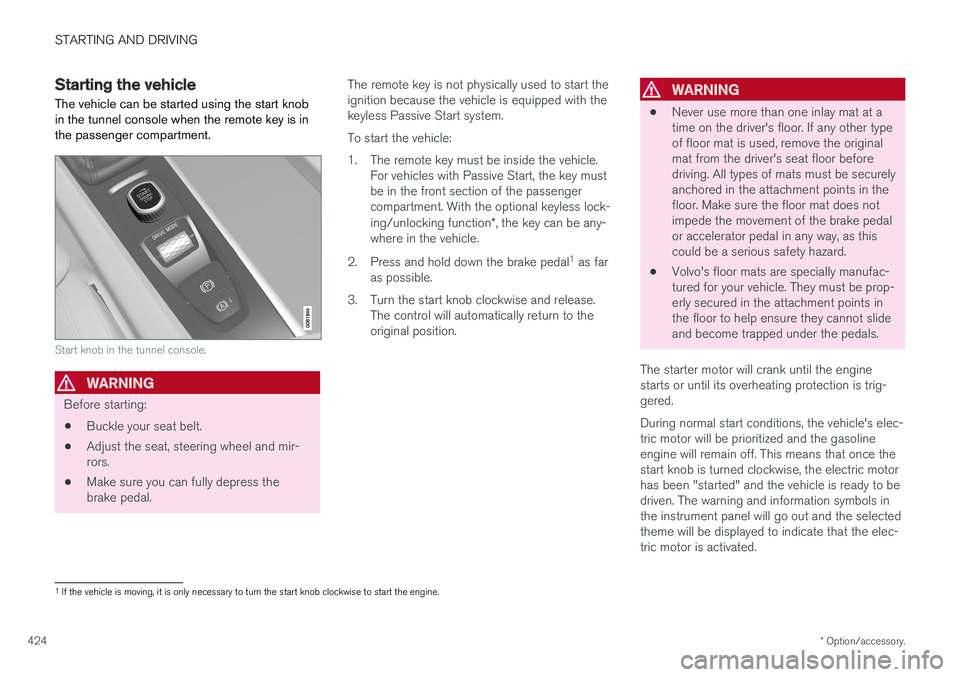
The vehicle can be started using the start knob in the tunnel console when the remote key is inthe passenger compartment.
Start knob in the tunnel console.
WARNING
Before starting:
• Buckle your seat belt.
• Adjust the seat, steering wheel and mir- rors.
• Make sure you can fully depress thebrake pedal. The remote key is not physically used to start theignition because the vehicle is equipped with thekeyless Passive Start system. To start the vehicle:
1. The remote key must be inside the vehicle.
For vehicles with Passive Start, the key must be in the front section of the passengercompartment. With the optional keyless lock- ing/unlocking function *, the key can be any-
where in the vehicle.
2. Press and hold down the brake pedal 1
as far
as possible.
3. Turn the start knob clockwise and release. The control will automatically return to the original position.
WARNING
• Never use more than one inlay mat at a time on the driver's floor. If any other typeof floor mat is used, remove the originalmat from the driver's seat floor beforedriving. All types of mats must be securelyanchored in the attachment points in thefloor. Make sure the floor mat does notimpede the movement of the brake pedalor accelerator pedal in any way, as thiscould be a serious safety hazard.
• Volvo's floor mats are specially manufac-tured for your vehicle. They must be prop-erly secured in the attachment points inthe floor to help ensure they cannot slideand become trapped under the pedals.
The starter motor will crank until the enginestarts or until its overheating protection is trig-gered. During normal start conditions, the vehicle's elec- tric motor will be prioritized and the gasolineengine will remain off. This means that once thestart knob is turned clockwise, the electric motorhas been "started" and the vehicle is ready to bedriven. The warning and information symbols inthe instrument panel will go out and the selectedtheme will be displayed to indicate that the elec-tric motor is activated.
1 If the vehicle is moving, it is only necessary to turn the start knob clockwise to start the engine.
Page 429 of 686
STARTING AND DRIVING
}}
* Option/accessory.427
•
Jump starting using another battery (p. 469)
• Selecting ignition mode (p. 428)
Ignition modes
The vehicle's ignition can be put in various modes (levels) to make different functions availa-ble.
To enable the use of a limited number of func- tions when the engine is not running, the ignition can be put in one of three different levels: 0, I
and II. These levels are referred to as "ignition
modes" in the Owner's Manual. The following table shows which functions are available in each ignition mode:
ModeFunctions
0 •The odometer, clock and tem- perature gauge are illuminated A
.
• The power seats
* can be
adjusted.
• The power windows can be used.
• The center display is activatedand can be used A
.
• The 12 V outlet in the cargo com- partment
* can be used.
• The infotainment system can be used A
.
In this ignition mode, the functions are available for a limited time and then switch off automatically.
I •The panoramic roof, power win-dows, 12 V outlet in passengercompartment, Bluetooth, naviga-tion, phone, blower and wind-shield wipers can be used.
• The power seats can be adjusted.
• The 12 V outlet in the cargo com-partment can be used.
Electrical current will be takenfrom the battery in this ignitionmode.
Page 432 of 686
||
STARTING AND DRIVING
430augment braking. This is indicated in the instru- ment panel with the pointer down in the red area.
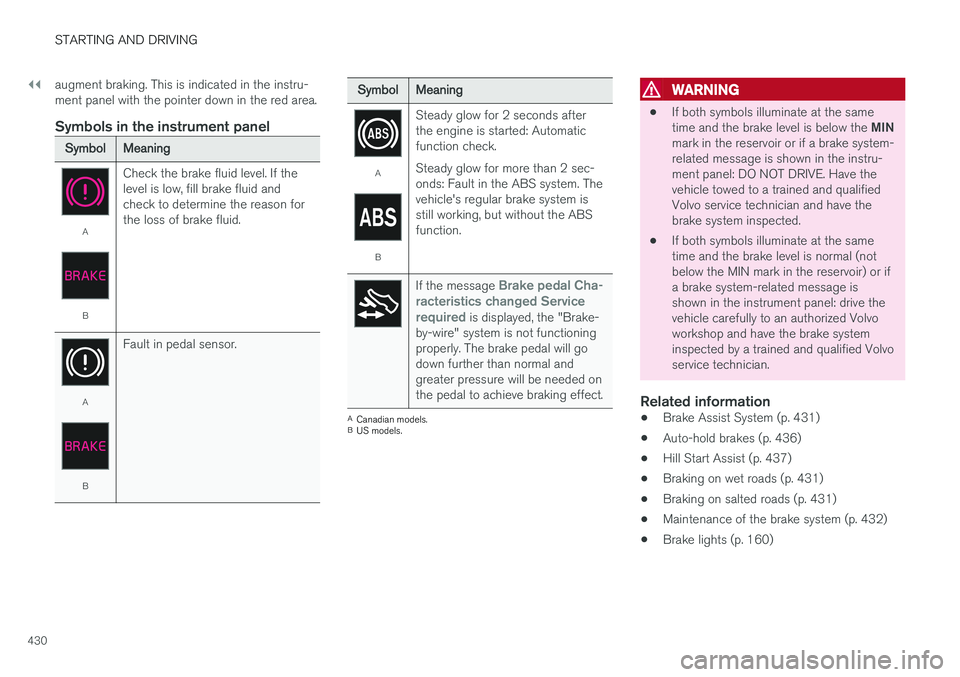
Symbols in the instrument panel
SymbolMeaning
A
B
Check the brake fluid level. If the level is low, fill brake fluid andcheck to determine the reason forthe loss of brake fluid.
A
BFault in pedal sensor.
SymbolMeaning
A
BSteady glow for 2 seconds after the engine is started: Automaticfunction check. Steady glow for more than 2 sec- onds: Fault in the ABS system. Thevehicle's regular brake system isstill working, but without the ABSfunction.
If the message Brake pedal Cha-
racteristics changed Service required
is displayed, the "Brake-
by-wire" system is not functioning properly. The brake pedal will godown further than normal andgreater pressure will be needed onthe pedal to achieve braking effect.
A Canadian models.
B US models.
WARNING
• If both symbols illuminate at the same time and the brake level is below the
MIN
mark in the reservoir or if a brake system- related message is shown in the instru-ment panel: DO NOT DRIVE. Have thevehicle towed to a trained and qualifiedVolvo service technician and have thebrake system inspected.
• If both symbols illuminate at the sametime and the brake level is normal (notbelow the MIN mark in the reservoir) or ifa brake system-related message isshown in the instrument panel: drive thevehicle carefully to an authorized Volvoworkshop and have the brake systeminspected by a trained and qualified Volvoservice technician.
Related information
• Brake Assist System (p. 431)
• Auto-hold brakes (p. 436)
• Hill Start Assist (p. 437)
• Braking on wet roads (p. 431)
• Braking on salted roads (p. 431)
• Maintenance of the brake system (p. 432)
• Brake lights (p. 160)
Page 435 of 686
STARTING AND DRIVING
}}
433
Activating and deactivating theparking brake Use the parking brake to help keep the vehicle stationary when it is parked.
Activating the parking brake
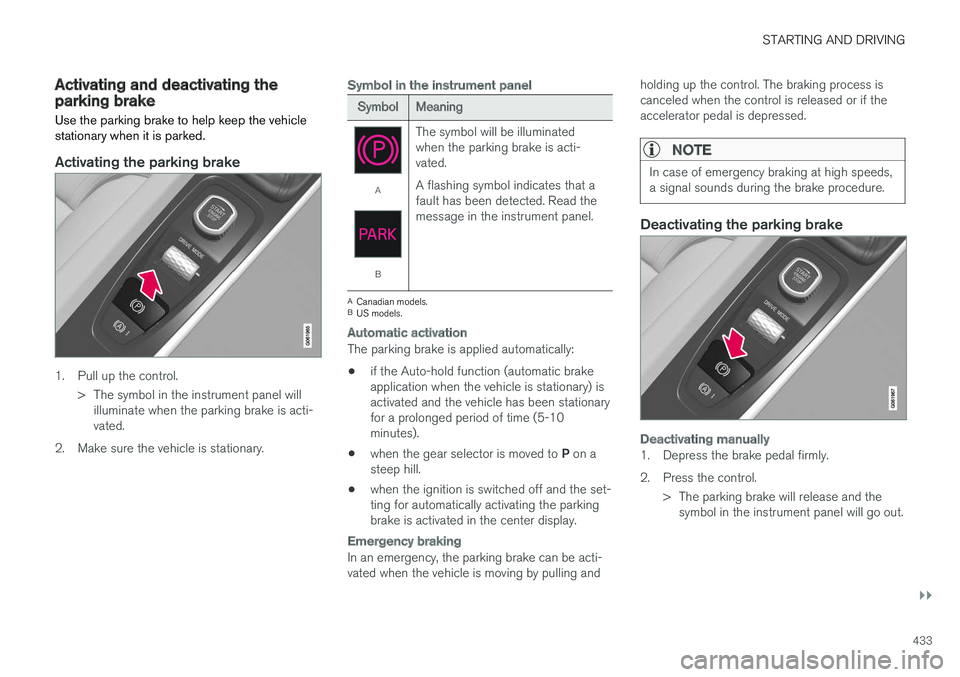
1. Pull up the control.> The symbol in the instrument panel willilluminate when the parking brake is acti- vated.
2. Make sure the vehicle is stationary.
Symbol in the instrument panel
SymbolMeaning
A
B The symbol will be illuminated when the parking brake is acti-vated. A flashing symbol indicates that a fault has been detected. Read themessage in the instrument panel.
A
Canadian models.
B US models.
Automatic activation
The parking brake is applied automatically:
• if the Auto-hold function (automatic brake application when the vehicle is stationary) isactivated and the vehicle has been stationaryfor a prolonged period of time (5-10minutes).
• when the gear selector is moved to
P on a
steep hill.
• when the ignition is switched off and the set-ting for automatically activating the parkingbrake is activated in the center display.
Emergency braking
In an emergency, the parking brake can be acti- vated when the vehicle is moving by pulling and holding up the control. The braking process iscanceled when the control is released or if theaccelerator pedal is depressed.
NOTE
In case of emergency braking at high speeds, a signal sounds during the brake procedure.
Deactivating the parking brake
Deactivating manually
1. Depress the brake pedal firmly.
2. Press the control.
> The parking brake will release and thesymbol in the instrument panel will go out.
Page 436 of 686
||
STARTING AND DRIVING
434
Deactivating automatically
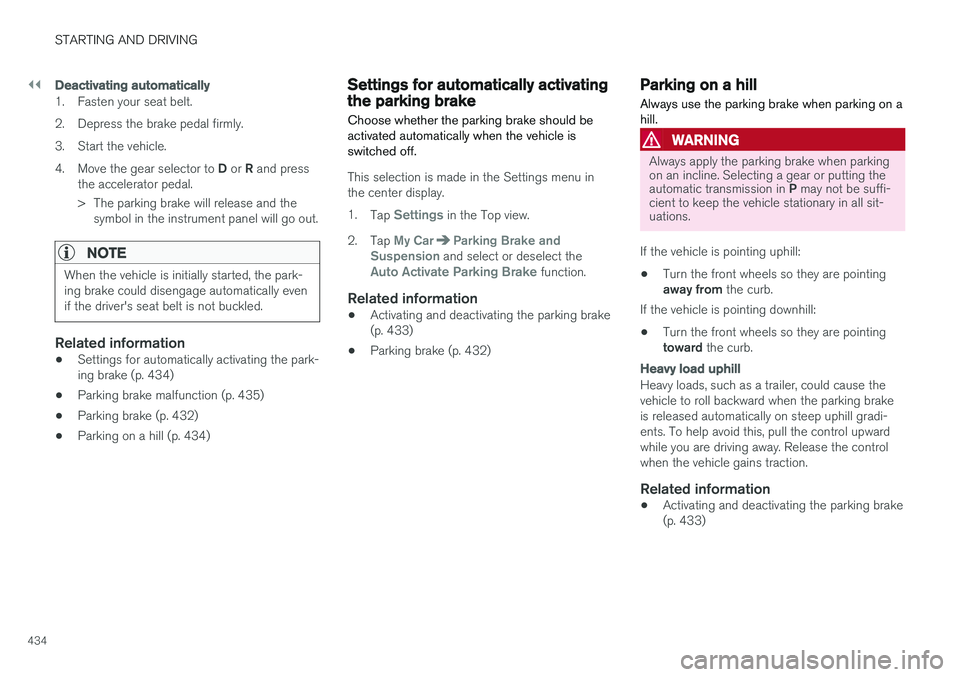
1. Fasten your seat belt.
2. Depress the brake pedal firmly.
3. Start the vehicle.4.Move the gear selector to D or R and press
the accelerator pedal.
> The parking brake will release and the symbol in the instrument panel will go out.
NOTE
When the vehicle is initially started, the park- ing brake could disengage automatically evenif the driver's seat belt is not buckled.
Related information
• Settings for automatically activating the park- ing brake (p. 434)
• Parking brake malfunction (p. 435)
• Parking brake (p. 432)
• Parking on a hill (p. 434)
Settings for automatically activatingthe parking brake
Choose whether the parking brake should be activated automatically when the vehicle isswitched off.
This selection is made in the Settings menu in the center display. 1. Tap
Settings in the Top view.
2. Tap
My CarParking Brake and
Suspension and select or deselect theAuto Activate Parking Brake function.
Related information
• Activating and deactivating the parking brake (p. 433)
• Parking brake (p. 432)
Parking on a hill
Always use the parking brake when parking on a hill.
WARNING
Always apply the parking brake when parking on an incline. Selecting a gear or putting the automatic transmission in P may not be suffi-
cient to keep the vehicle stationary in all sit- uations.
If the vehicle is pointing uphill: • Turn the front wheels so they are pointing away from
the curb.
If the vehicle is pointing downhill:
• Turn the front wheels so they are pointingtoward
the curb.
Heavy load uphill
Heavy loads, such as a trailer, could cause the vehicle to roll backward when the parking brakeis released automatically on steep uphill gradi-ents. To help avoid this, pull the control upwardwhile you are driving away. Release the controlwhen the vehicle gains traction.
Related information
•Activating and deactivating the parking brake(p. 433)
Page 440 of 686
||
STARTING AND DRIVING
* Option/accessory.
438
Related information
• Rear Collision Warning (p. 347)
• BLIS
* (p. 348)
• Brake functions (p. 429)
Transmission The transmission is part of the vehicle's driveline (power transmission) between the engine andthe drive wheels. The function of the transmis-sion is to change gears depending on speedand power needs.
The vehicle has an 8-speed automatic transmis- sion and an electric motor for rear-wheel drive.The number of gears allows the engine's torqueand power band to be effectively utilized. Two ofthe gears are overdrive gears that save fuel whendriving at a constant engine speed. The steering wheel paddles
* can be used to shift up or down
manually. The instrument panel shows the gear currently in use.
CAUTION
Check the operating temperature of the transmission to help avoid damage to any ofthe drive system components. If there is a riskof overheating, a warning symbol will appearin the instrument panel and a text messagewill be displayed. Follow the recommenda-tions given.
Symbols in the instrument panelIf a problem should occur with the transmission, a symbol and a message will appear in the instru-ment panel.
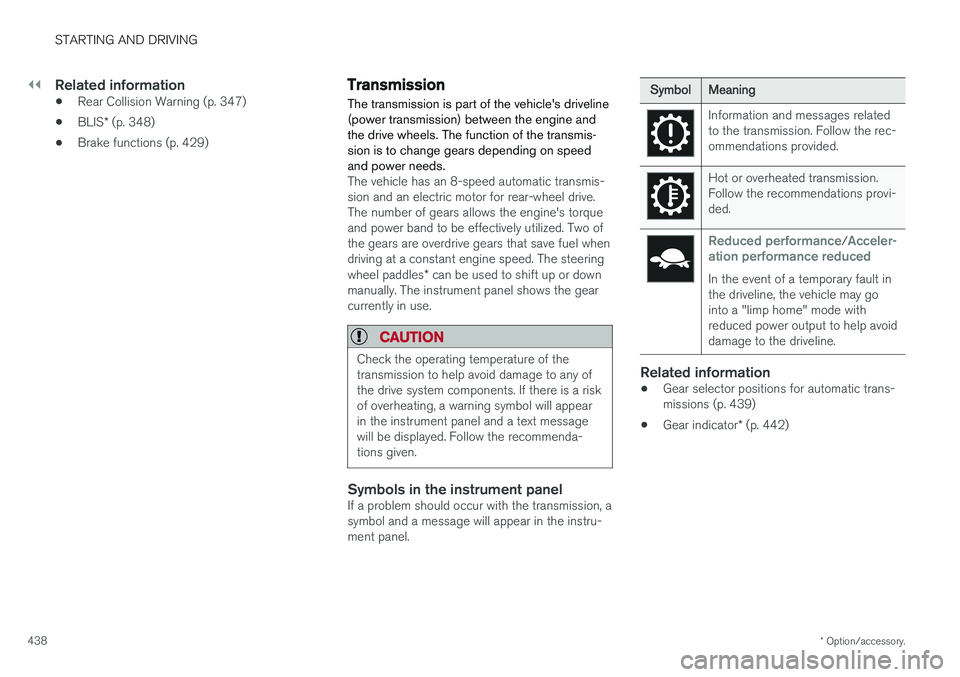
SymbolMeaning
Information and messages related to the transmission. Follow the rec-ommendations provided.
Hot or overheated transmission. Follow the recommendations provi-ded.
Reduced performance/Acceler-
ation performance reduced
In the event of a temporary fault in the driveline, the vehicle may gointo a "limp home" mode withreduced power output to help avoiddamage to the driveline.
Related information
• Gear selector positions for automatic trans- missions (p. 439)
• Gear indicator
* (p. 442)
Page 441 of 686
STARTING AND DRIVING
}}
439
Gear selector positions forautomatic transmissions In vehicles with an automatic transmission, the system selects the optimal gear for the currentdriving conditions. The transmission also has amanual mode.
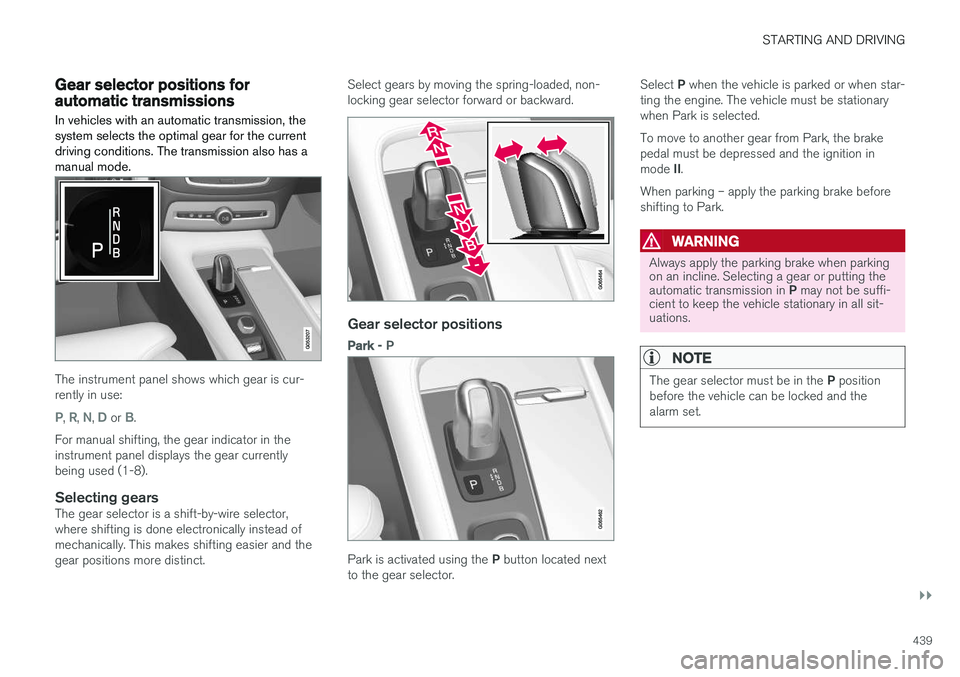
The instrument panel shows which gear is cur- rently in use:
P, R, N, D or B.
For manual shifting, the gear indicator in the instrument panel displays the gear currentlybeing used (1-8).
Selecting gearsThe gear selector is a shift-by-wire selector,where shifting is done electronically instead ofmechanically. This makes shifting easier and thegear positions more distinct. Select gears by moving the spring-loaded, non-locking gear selector forward or backward.
Gear selector positions
Park -
P
Park is activated using the P button located next
to the gear selector. Select
P when the vehicle is parked or when star-
ting the engine. The vehicle must be stationary when Park is selected. To move to another gear from Park, the brake pedal must be depressed and the ignition in mode II.
When parking – apply the parking brake before shifting to Park.
WARNING
Always apply the parking brake when parking on an incline. Selecting a gear or putting the automatic transmission in P may not be suffi-
cient to keep the vehicle stationary in all sit- uations.
NOTE
The gear selector must be in the P position
before the vehicle can be locked and the alarm set.
Page 442 of 686
||
STARTING AND DRIVING
* Option/accessory.
440 Help functions The system will automatically shift to
P:
• if the ignition is switched off while
D or R is
selected.
• if the driver unbuckles the seat belt and opens the driver's door while the vehicle isrunning with the gear selector in a gear other than
P.
To park a vehicle with an unbuckled seat belt andopen door – end P mode by shifting to R or D
again.
Reverse - R
Select R when backing up. The vehicle must be
stationary when Reverse is selected.
Neutral - N
No gear is selected and the engine can be started. Apply the parking brake if the vehicle is stationary with the gear selector in N.
To move the gear selector from Neutral to another gear, the brake pedal must be depressed and the ignition in mode II.
D drive mode
D is the normal driving gear position. The trans-
mission shifts up or down automatically depend- ing on acceleration and speed. The vehicle mustbe stationary when the gear selector is moved from R to D.
Brake - B
B can be selected at any time during a drive. In B
mode, the engine braking function is activated when the accelerator pedal is released, whichhelps charge the hybrid battery. This offers addi-tional opportunities to recharge the hybrid bat-tery, since the battery is charged even when thebrake pedal is not depressed.
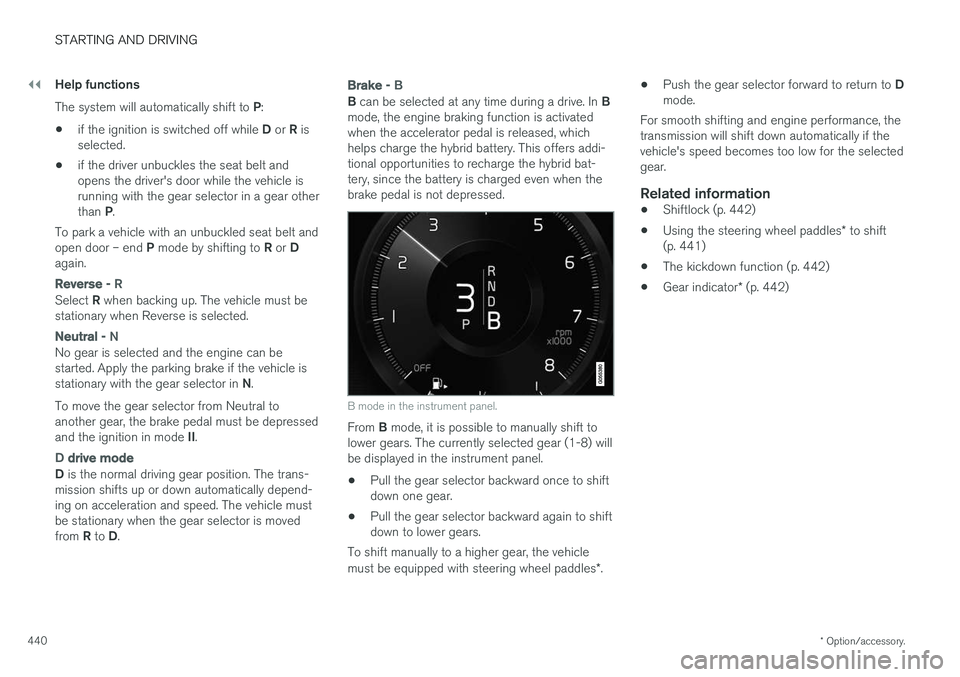
B mode in the instrument panel.
From B mode, it is possible to manually shift to
lower gears. The currently selected gear (1-8) will be displayed in the instrument panel.
• Pull the gear selector backward once to shiftdown one gear.
• Pull the gear selector backward again to shiftdown to lower gears.
To shift manually to a higher gear, the vehicle must be equipped with steering wheel paddles *. •
Push the gear selector forward to return to
D
mode.
For smooth shifting and engine performance, the
transmission will shift down automatically if the vehicle's speed becomes too low for the selectedgear.
Related information
• Shiftlock (p. 442)
• Using the steering wheel paddles
* to shift
(p. 441)
• The kickdown function (p. 442)
• Gear indicator
* (p. 442)
Page 443 of 686
STARTING AND DRIVING
* Option/accessory.441
Using the steering wheel paddles *to shift
The steering wheel paddles are a supplement to the gear selector and make it possible to shiftmanually without removing your hands from thesteering wheel.
Activating the steering wheel paddlesIn order to shift gears using the paddles, they must first be activated:
–Pull one of the paddles toward the steering wheel.
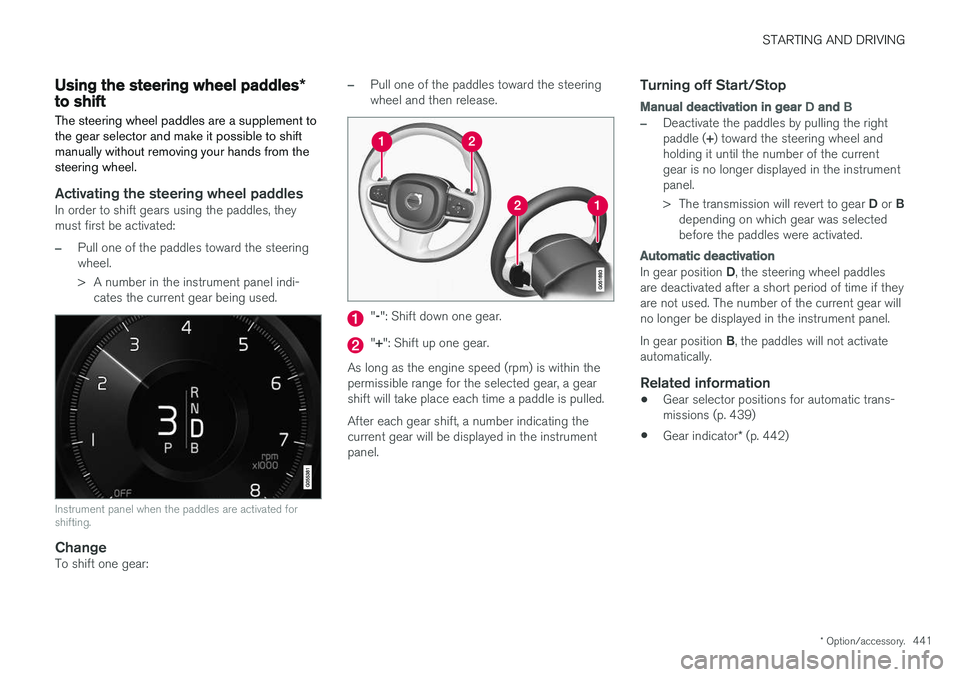
> A number in the instrument panel indi- cates the current gear being used.
Instrument panel when the paddles are activated for shifting.
ChangeTo shift one gear:
–Pull one of the paddles toward the steering wheel and then release.
"-": Shift down one gear.
" + ": Shift up one gear.
As long as the engine speed (rpm) is within the permissible range for the selected gear, a gearshift will take place each time a paddle is pulled. After each gear shift, a number indicating the current gear will be displayed in the instrumentpanel.
Turning off Start/Stop
Manual deactivation in gear D and B
–Deactivate the paddles by pulling the right paddle ( +) toward the steering wheel and
holding it until the number of the current gear is no longer displayed in the instrumentpanel. > The transmission will revert to gear D or B
depending on which gear was selected before the paddles were activated.
Automatic deactivation
In gear position D, the steering wheel paddles
are deactivated after a short period of time if they are not used. The number of the current gear willno longer be displayed in the instrument panel. In gear position B, the paddles will not activate
automatically.
Related information
• Gear selector positions for automatic trans- missions (p. 439)
• Gear indicator
* (p. 442)