child lock VOLVO XC90 T8 2018 Owner´s Manual
[x] Cancel search | Manufacturer: VOLVO, Model Year: 2018, Model line: XC90 T8, Model: VOLVO XC90 T8 2018Pages: 686, PDF Size: 11.51 MB
Page 253 of 686
KEY, LOCKS AND ALARM
}}
251
Locking and unlocking withdetachable key blade
The detachable key blade can be used to unlock the vehicle from the outside, e.g. if the battery inthe remote key is discharged.
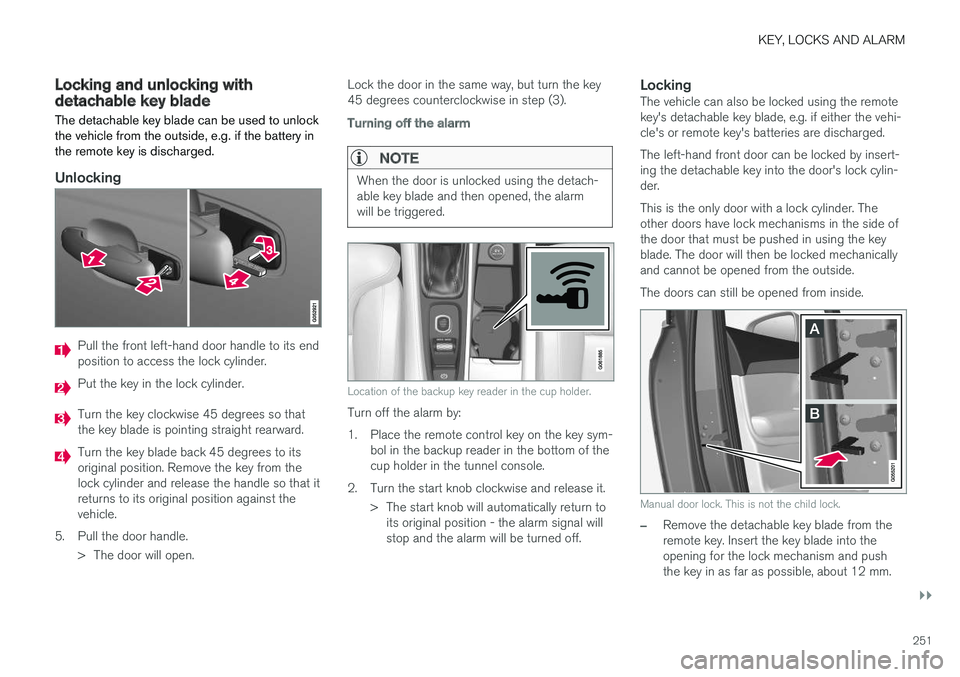
Unlocking
Pull the front left-hand door handle to its end position to access the lock cylinder.
Put the key in the lock cylinder.
Turn the key clockwise 45 degrees so that the key blade is pointing straight rearward.
Turn the key blade back 45 degrees to its original position. Remove the key from thelock cylinder and release the handle so that itreturns to its original position against thevehicle.
5. Pull the door handle. > The door will open. Lock the door in the same way, but turn the key45 degrees counterclockwise in step (3).
Turning off the alarm
NOTE
When the door is unlocked using the detach- able key blade and then opened, the alarmwill be triggered.
Location of the backup key reader in the cup holder.
Turn off the alarm by:
1. Place the remote control key on the key sym-
bol in the backup reader in the bottom of the cup holder in the tunnel console.
2. Turn the start knob clockwise and release it. > The start knob will automatically return toits original position - the alarm signal willstop and the alarm will be turned off.
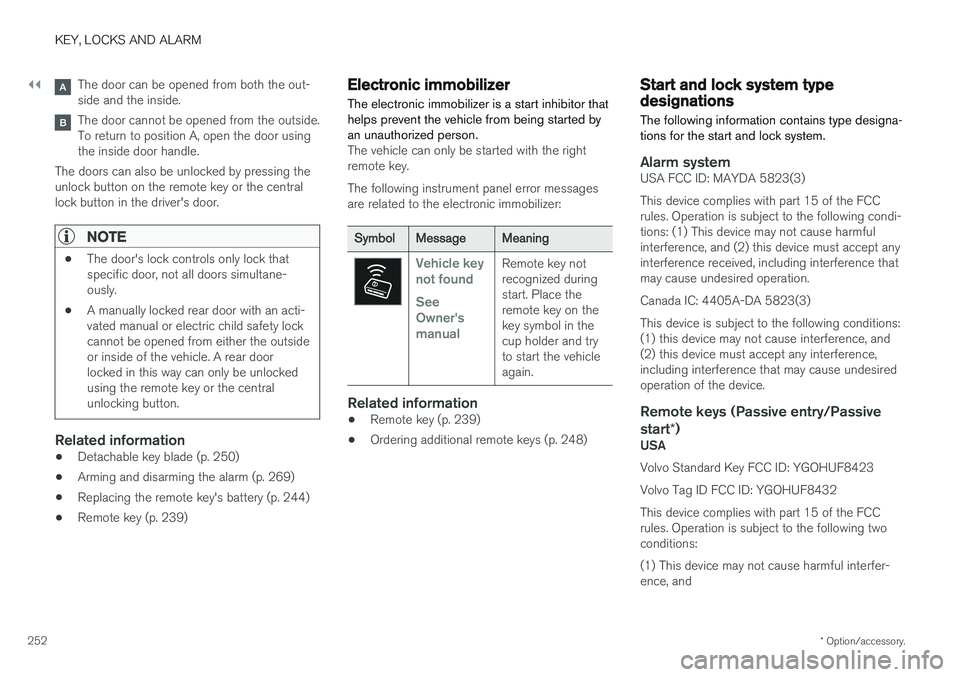
LockingThe vehicle can also be locked using the remotekey's detachable key blade, e.g. if either the vehi-cle's or remote key's batteries are discharged. The left-hand front door can be locked by insert- ing the detachable key into the door's lock cylin-der. This is the only door with a lock cylinder. The other doors have lock mechanisms in the side ofthe door that must be pushed in using the keyblade. The door will then be locked mechanicallyand cannot be opened from the outside. The doors can still be opened from inside.
Manual door lock. This is not the child lock.
–Remove the detachable key blade from the remote key. Insert the key blade into theopening for the lock mechanism and pushthe key in as far as possible, about 12 mm.
Page 254 of 686
||
KEY, LOCKS AND ALARM
* Option/accessory.
252
The door can be opened from both the out- side and the inside.
The door cannot be opened from the outside. To return to position A, open the door usingthe inside door handle.
The doors can also be unlocked by pressing theunlock button on the remote key or the centrallock button in the driver's door.
NOTE
• The door's lock controls only lock that specific door, not all doors simultane-ously.
• A manually locked rear door with an acti-vated manual or electric child safety lockcannot be opened from either the outsideor inside of the vehicle. A rear doorlocked in this way can only be unlockedusing the remote key or the centralunlocking button.
Related information
• Detachable key blade (p. 250)
• Arming and disarming the alarm (p. 269)
• Replacing the remote key's battery (p. 244)
• Remote key (p. 239)
Electronic immobilizer
The electronic immobilizer is a start inhibitor that helps prevent the vehicle from being started byan unauthorized person.
The vehicle can only be started with the right remote key. The following instrument panel error messages are related to the electronic immobilizer:
SymbolMessageMeaning
Vehicle key not found See Owner'smanualRemote key not recognized duringstart. Place theremote key on thekey symbol in thecup holder and tryto start the vehicleagain.
Related information
• Remote key (p. 239)
• Ordering additional remote keys (p. 248)
Start and lock system typedesignations
The following information contains type designa- tions for the start and lock system.
Alarm systemUSA FCC ID: MAYDA 5823(3) This device complies with part 15 of the FCC rules. Operation is subject to the following condi-tions: (1) This device may not cause harmfulinterference, and (2) this device must accept anyinterference received, including interference thatmay cause undesired operation. Canada IC: 4405A-DA 5823(3)This device is subject to the following conditions: (1) this device may not cause interference, and(2) this device must accept any interference,including interference that may cause undesiredoperation of the device.
Remote keys (Passive entry/Passive start *)
USA Volvo Standard Key FCC ID: YGOHUF8423 Volvo Tag ID FCC ID: YGOHUF8432This device complies with part 15 of the FCC rules. Operation is subject to the following two conditions: (1) This device may not cause harmful interfer- ence, and
Page 260 of 686
||
KEY, LOCKS AND ALARM
* Option/accessory.
258
Alternative unlocking method
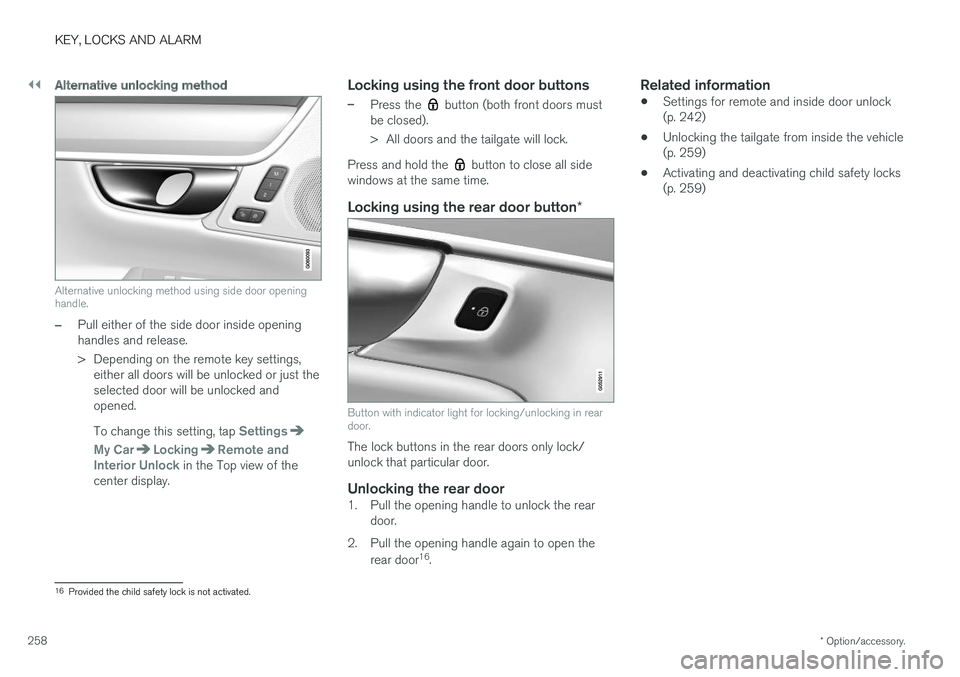
Alternative unlocking method using side door opening handle.
–Pull either of the side door inside opening handles and release.
> Depending on the remote key settings,
either all doors will be unlocked or just the selected door will be unlocked andopened. To change this setting, tap
Settings
My CarLockingRemote and
Interior Unlock in the Top view of the
center display.
Locking using the front door buttons
–Press the button (both front doors must
be closed).
> All doors and the tailgate will lock.
Press and hold the
button to close all side
windows at the same time.
Locking using the rear door button *
Button with indicator light for locking/unlocking in rear door.
The lock buttons in the rear doors only lock/ unlock that particular door.
Unlocking the rear door1. Pull the opening handle to unlock the rear
door.
2. Pull the opening handle again to open the rear door 16
.
Related information
• Settings for remote and inside door unlock(p. 242)
• Unlocking the tailgate from inside the vehicle(p. 259)
• Activating and deactivating child safety locks(p. 259)
16
Provided the child safety lock is not activated.
Page 261 of 686
KEY, LOCKS AND ALARM
}}
* Option/accessory.259
Unlocking the tailgate from insidethe vehicle
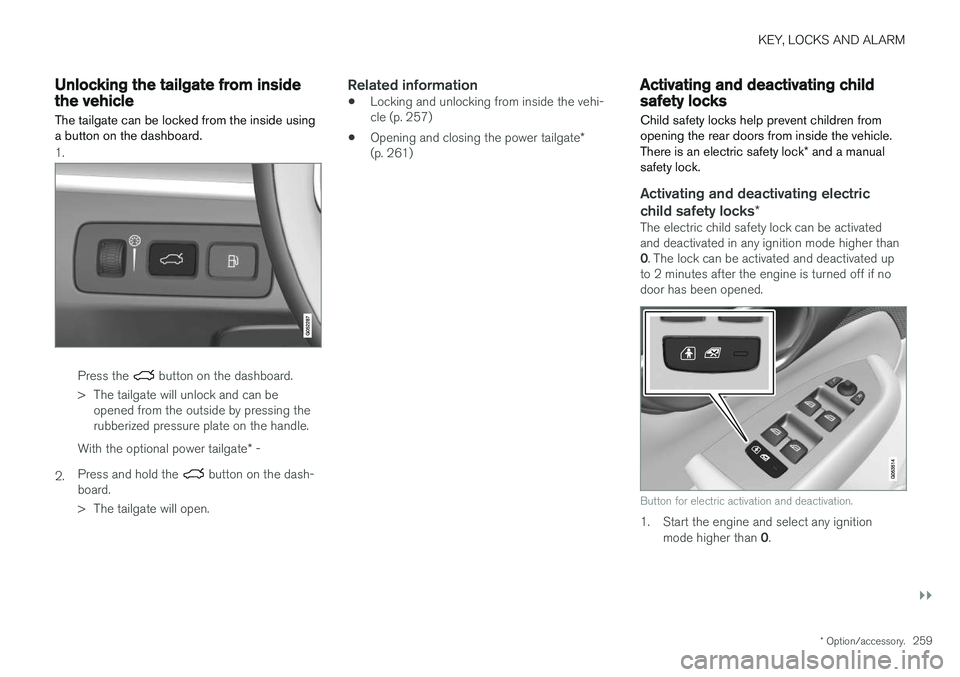
The tailgate can be locked from the inside using a button on the dashboard.
1.
Press the button on the dashboard.
> The tailgate will unlock and can be opened from the outside by pressing the rubberized pressure plate on the handle.
2. With the optional power tailgate
* -
Press and hold the
button on the dash-
board.
> The tailgate will open.
Related information
• Locking and unlocking from inside the vehi- cle (p. 257)
• Opening and closing the power tailgate
*
(p. 261)
Activating and deactivating childsafety locks
Child safety locks help prevent children from opening the rear doors from inside the vehicle. There is an electric safety lock * and a manual
safety lock.
Activating and deactivating electric child safety locks *
The electric child safety lock can be activated and deactivated in any ignition mode higher than 0. The lock can be activated and deactivated up
to 2 minutes after the engine is turned off if no door has been opened.
Button for electric activation and deactivation.
1. Start the engine and select any ignition
mode higher than 0.
Page 262 of 686
||
KEY, LOCKS AND ALARM
2602. Press the button on the driver's door control
panel. >The message
Rear child lock Activatedwill be shown in the instrument panel and the indicator light will illuminate to showthat the child safety locks are activated.
When the electric child safety locks are activated:
• the rear windows can only be opened usingthe driver's door control panel
• the rear doors cannot be opened from theinside.
To deactivate the child safety locks:
–Press the button on the driver's door control panel. > The message
Rear child lock
Deactivated will be shown in the instru-
ment panel and the indicator light will go out to show that the child safety locks aredeactivated.
When the engine is turned off, the current settingwill be saved. If the locks were activated whenthe engine was turned off, they will remain acti-vated the next time the engine is started.
SymbolMessageMeaning
Rear child lock Acti-
vatedThe child safety locks are acti-vated.
Rear child lock Deacti-
vatedThe child safety locks are deacti-vated.
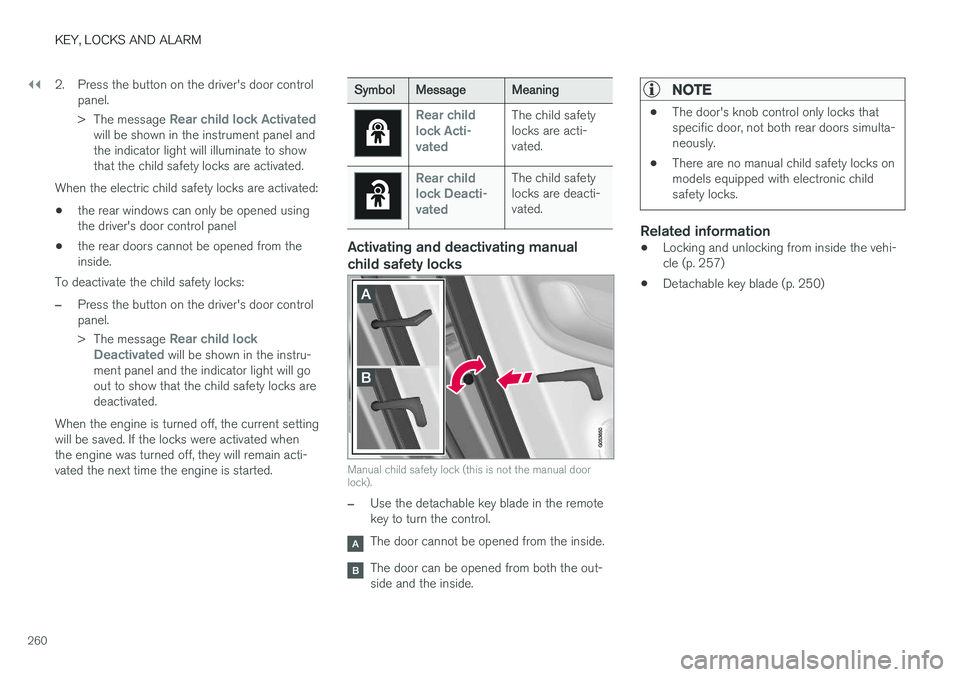
Activating and deactivating manual child safety locks
Manual child safety lock (this is not the manual door lock).
–Use the detachable key blade in the remote key to turn the control.
The door cannot be opened from the inside.
The door can be opened from both the out- side and the inside.
NOTE
• The door's knob control only locks that specific door, not both rear doors simulta-neously.
• There are no manual child safety locks onmodels equipped with electronic childsafety locks.
Related information
•Locking and unlocking from inside the vehi- cle (p. 257)
• Detachable key blade (p. 250)
Page 414 of 686
||
HYBRID INFORMATION
412
CAUTION
Make sure the charging socket's protective cover is positioned so it does not damage thepaint (in e.g., windy conditions).
Perform the following steps in reverse to close the charger door.
NOTE
Since the hatch is locked during driving, the vehicle must be unlocked again to be able toopen the hatch.
Related information
•Initiating hybrid battery charging (p. 412)
• Stopping hybrid battery charging (p. 418)
• Charging the hybrid battery (p. 407)
Initiating hybrid battery charging
The hybrid battery is charged by connecting a charging cable between the vehicle and a120/240 V outlet (alternating current). Only use the charging cable supplied with the car or a replacement cable recommended byVolvo.
CAUTION
Never connect the charging cable if there is a risk of a thunderstorm or there is lightning.
WARNING
• The charging cable must be grounded when in use. It is equipped with a cordwith a grounding conductor and agrounding plug. The plug must beinserted into an appropriate outlet that isproperly installed and grounded inaccordance with all local codes and ordi-nances and is not damaged in any way.
• Children should be supervised when inthe vicinity of the charging cable when itis plugged in.
• High voltage is present in your electricmeter housing and power distributionservice panel. Contact with high voltagecan cause death or serious personalinjury.
• Do not use the charging cable if it isdamaged in any way. A damaged or mal-functioning charging cable may only berepaired by a workshop – a authorizedVolvo workshop is recommended.
• Always position the charging cable sothat it will not be driven over, stepped on,tripped over or otherwise damaged, orcause personal injury.
Page 427 of 686
STARTING AND DRIVING
}}
425
In some situations, such as in cold weather or if the hybrid battery's charge level is too low, thegasoline engine will start instead. The vehicle should not be started with the charg- ing cable connected. However, if the cable can-not be pulled out or if the vehicle incorrectlydetects a cable that is not connected, the vehiclecan be started using an override procedure:
1. Press the brake pedal and turn the start
knob clockwise.
2.
Charge cable Remove before start will
appear in the instrument panel.
3. Turn the start knob clockwise again. 4.
Removed? Turn and hold start knob 7swill appear. Turn the knob clockwise and hold it for 7 seconds to start the vehicle.
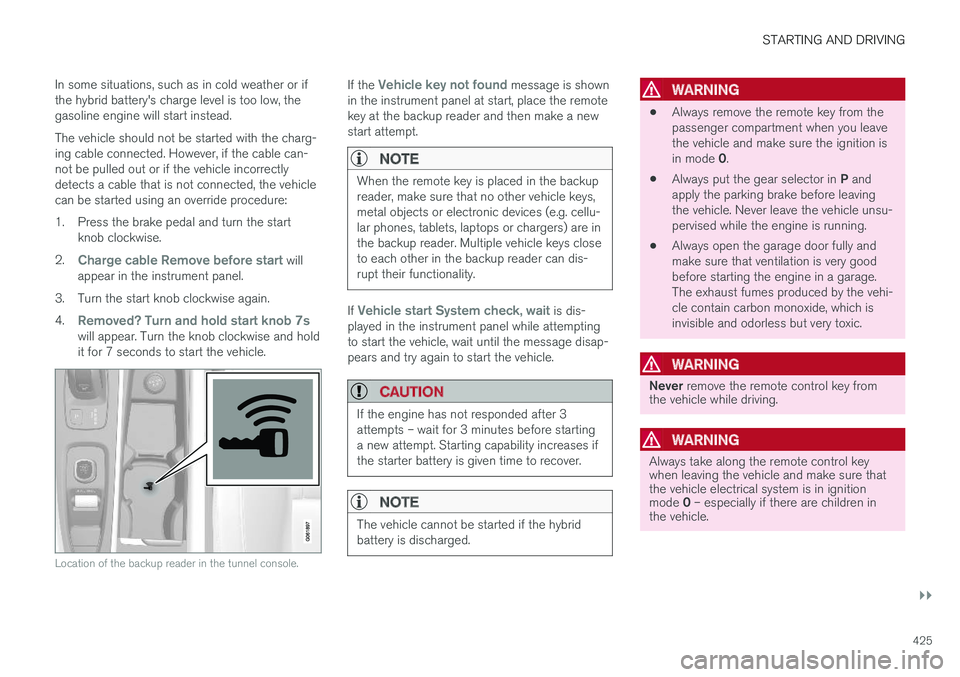
Location of the backup reader in the tunnel console.
If the Vehicle key not found message is shown
in the instrument panel at start, place the remote key at the backup reader and then make a newstart attempt.
NOTE
When the remote key is placed in the backup reader, make sure that no other vehicle keys,metal objects or electronic devices (e.g. cellu-lar phones, tablets, laptops or chargers) are inthe backup reader. Multiple vehicle keys closeto each other in the backup reader can dis-rupt their functionality.
If Vehicle start System check, wait is dis-
played in the instrument panel while attempting to start the vehicle, wait until the message disap-pears and try again to start the vehicle.
CAUTION
If the engine has not responded after 3 attempts – wait for 3 minutes before startinga new attempt. Starting capability increases ifthe starter battery is given time to recover.
NOTE
The vehicle cannot be started if the hybrid battery is discharged.
WARNING
• Always remove the remote key from the passenger compartment when you leavethe vehicle and make sure the ignition is in mode
0.
• Always put the gear selector in
P and
apply the parking brake before leaving the vehicle. Never leave the vehicle unsu-pervised while the engine is running.
• Always open the garage door fully andmake sure that ventilation is very goodbefore starting the engine in a garage.The exhaust fumes produced by the vehi-cle contain carbon monoxide, which isinvisible and odorless but very toxic.
WARNING
Never
remove the remote control key from
the vehicle while driving.
WARNING
Always take along the remote control key when leaving the vehicle and make sure thatthe vehicle electrical system is in ignition mode 0 – especially if there are children in
the vehicle.
Page 587 of 686
LOADING, STORAGE AND PASSENGER COMPARTMENT
585
WARNING
•Only use accessories that are not dam- aged or malfunctioning. The accessoriesmust be designed for 120 V and 60 Hz,with plugs intended for the outlet. Theaccessories must be CE marked, ULmarked or have an equivalent safetymarking.
• New let outlets, plugs or accessoriescome into contact with water or anotherfluid. Do not touch or use the outlet if itappears damaged or has been in contactwith water or another fluid.
• Do not connect power strips, adapters orextension cords to the outlet has thiscould cause the outlet's safety functionsto malfunction.
• The outlet is equipped with a pet guard.Make sure that no one picks at or dam-ages the outlet in such a way that theguard is disabled. Children should not beleft unsupervised in the vehicle when theoutlet is active.
Failure to follow the above could lead to severe or fatal electrical shocks.
Related information
• Electrical outlets (p. 582)
• Passenger compartment interior (p. 580)
Using the glove compartment
The glove compartment is located on the pas- senger side. The glove compartment can beused to store the Owner's Manual, maps, etc.There is also room for a pen and a card holder.
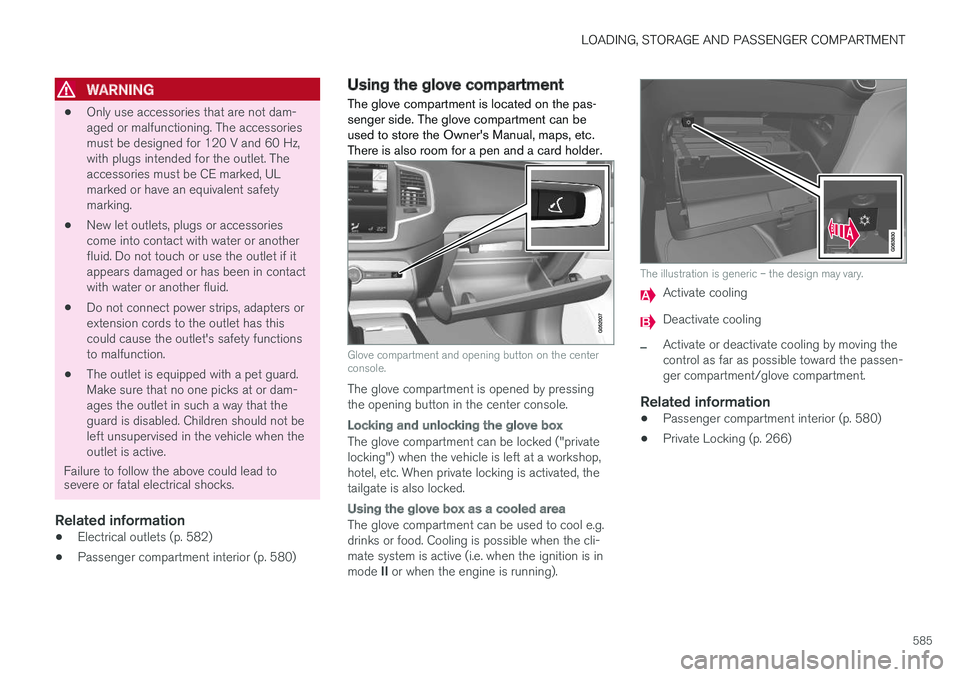
Glove compartment and opening button on the center console.
The glove compartment is opened by pressing the opening button in the center console.
Locking and unlocking the glove box
The glove compartment can be locked ("private locking") when the vehicle is left at a workshop,hotel, etc. When private locking is activated, thetailgate is also locked.
Using the glove box as a cooled area
The glove compartment can be used to cool e.g. drinks or food. Cooling is possible when the cli- mate system is active (i.e. when the ignition is in mode II or when the engine is running).
The illustration is generic – the design may vary.
Activate cooling
Deactivate cooling
–Activate or deactivate cooling by moving the control as far as possible toward the passen-ger compartment/glove compartment.
Related information
• Passenger compartment interior (p. 580)
• Private Locking (p. 266)
Page 671 of 686
INDEX
669
Charge level
vehicle function 459
Charging hybrid battery 407 opening and closing the charging
door 411
start charging 412
Status 414, 415, 416
stop charging 418
Charging cable 409
Charging current 408
Checking engine oil level 611
Child restraints 63, 65 booster cushions 71
convertible seats 69
infant seats 67
integrated booster cushion 76
ISOFIX/LATCH anchors 74
lower attachment points 74
recalls and registration 65
top tether anchors 72
Child safety 63
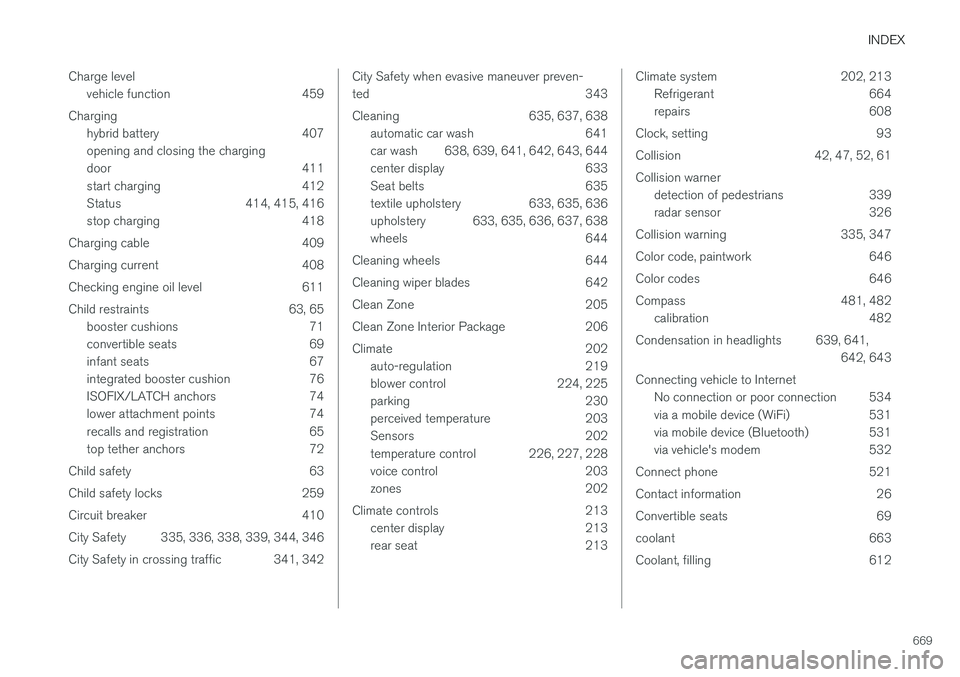
Child safety locks 259
Circuit breaker 410
City Safety 335, 336, 338, 339, 344, 346
City Safety in crossing traffic 341, 342
City Safety when evasive maneuver preven- ted 343
Cleaning 635, 637, 638 automatic car wash 641
car wash 638, 639, 641, 642, 643, 644
center display 633
Seat belts 635
textile upholstery 633, 635, 636
upholstery 633, 635, 636, 637, 638
wheels 644
Cleaning wheels 644
Cleaning wiper blades 642
Clean Zone 205
Clean Zone Interior Package 206
Climate 202 auto-regulation 219
blower control 224, 225
parking 230
perceived temperature 203
Sensors 202
temperature control 226, 227, 228
voice control 203
zones 202
Climate controls 213 center display 213
rear seat 213Climate system 202, 213
Refrigerant 664
repairs 608
Clock, setting 93
Collision 42, 47, 52, 61Collision warner detection of pedestrians 339
radar sensor 326
Collision warning 335, 347
Color code, paintwork 646
Color codes 646
Compass 481, 482 calibration 482
Condensation in headlights 639, 641, 642, 643
Connecting vehicle to Internet No connection or poor connection 534
via a mobile device (WiFi) 531
via mobile device (Bluetooth) 531
via vehicle's modem 532
Connect phone 521
Contact information 26
Convertible seats 69
coolant 663
Coolant, filling 612
Page 679 of 686
INDEX
677
Roll Stability Control 273
Roof load, max. weight 659
RSC (Roll Stability Control) 273
Run-off Mitigation 373, 374
S
Safety 42
pregnancy 43
Safety belt, see Seat belt 47
Safety defects, reporting 44
Safety mode 61 starting/moving 62
Sealing compound 572
Seat, see Seats 184
Seat belt reminder 51
Seat belts 47 Automatic locking retractor/Emergency
locking retractor 65
buckling/unbuckling 48
pregnancy 43
seat belt reminder 51
seat belt tensioner 50
securing child restraint systems 67, 69, 71
Seat belt tensioner 50 resetting 51
Seats
heating 215, 216
manual front seat 184
memory function front seat 186, 187
power front seats 185
ventilation 217
whiplash protection 46
Sensors air quality 207
climate 202
Sensus connection and entertainment 30
Sensus Navigation 359
Service position 649
Service program 598
Set time interval 293
settings 135 Categories 136
contextual 133
resetting 135
settings menu 135
Shiftlock 442
Side airbag 60
Side Impact Protection System 60
SIM card 533
SIPS (Side Impact Protection System) 60Sirius Satellite radio Travel link 502
SiriusXM ® Satellite radio
traffic information 498, 499, 500
Slippery conditions 461
Slippery road conditions 461
Software updates 33
Sound settings 486, 527 phone 528
playing media 508, 509
text message 527
Spare tire 569, 570
Speed camera 361
Speed Limiter 278, 281, 282, 285 getting started 279
shut down 281
temporary deactivation 280
Speed symbols, tires 554
Spin control 274
Stability and traction control system 274, 277 operation 275, 276
Stability system 274
Stains 633, 635, 636, 637, 638 Start and lock system type designations 252