steering VOLVO XC90 TWIN ENGINE 2018 Owners Manual
[x] Cancel search | Manufacturer: VOLVO, Model Year: 2018, Model line: XC90 TWIN ENGINE, Model: VOLVO XC90 TWIN ENGINE 2018Pages: 686, PDF Size: 17 MB
Page 637 of 686
MAINTENANCE AND SERVICE
}}
635
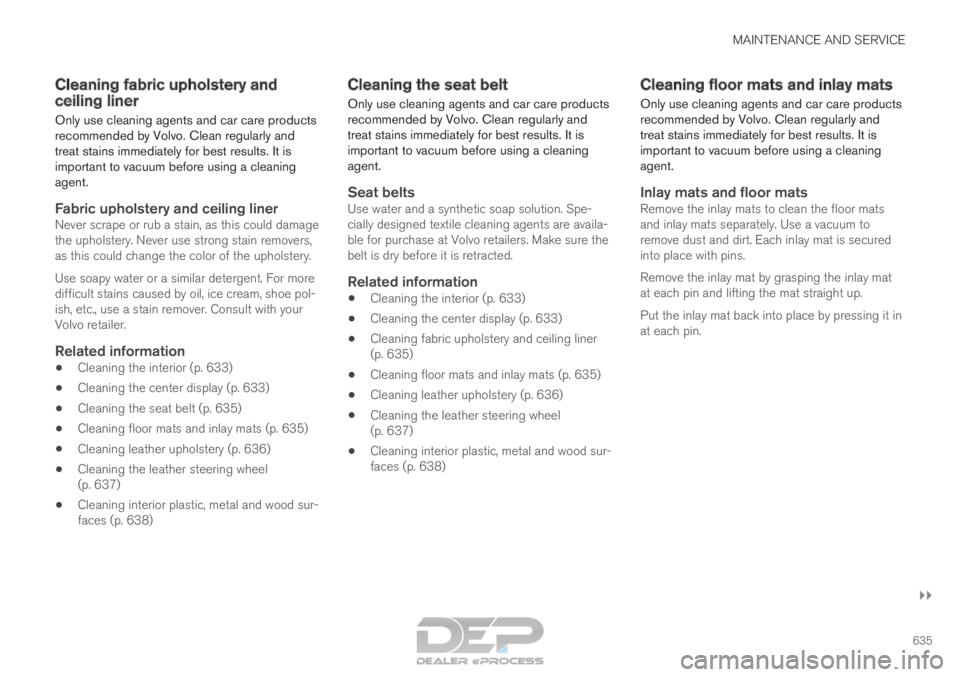
Cleaning fabric upholstery and
ceiling liner
Only use cleaning agents and car care products
recommended by Volvo. Clean regularly and
treat stains immediately for best results. It is
important to vacuum before using a cleaning
agent.
Fabric upholstery and ceiling linerNever scrape or rub a stain, as this could damage
the upholstery. Never use strong stain removers,
as this could change the color of the upholstery.
Use soapy water or a similar detergent. For more
difficult stains caused by oil, ice cream, shoe pol-
ish, etc., use a stain remover. Consult with your
Volvo retailer.
Related information
•
Cleaning the interior (p. 633)
• Cleaning the center display (p. 633)
• Cleaning the seat belt (p. 635)
• Cleaning floor mats and inlay mats (p. 635)
• Cleaning leather upholstery (p. 636)
• Cleaning the leather steering wheel
(p. 637)
• Cleaning interior plastic, metal and wood sur-
faces (p. 638) Cleaning the seat belt
Only use cleaning agents and car care products
recommended by Volvo. Clean regularly and
treat stains immediately for best results. It is
important to vacuum before using a cleaning
agent.
Seat beltsUse water and a synthetic soap solution. Spe-
cially designed textile cleaning agents are availa-
ble for purchase at Volvo retailers. Make sure the
belt is dry before it is retracted.
Related information
• Cleaning the interior (p. 633)
• Cleaning the center display (p. 633)
• Cleaning fabric upholstery and ceiling liner
(p. 635)
• Cleaning floor mats and inlay mats (p. 635)
• Cleaning leather upholstery (p. 636)
• Cleaning the leather steering wheel
(p. 637)
• Cleaning interior plastic, metal and wood sur-
faces (p. 638) Cleaning floor mats and inlay mats
Only use cleaning agents and car care products
recommended by Volvo. Clean regularly and
treat stains immediately for best results. It is
important to vacuum before using a cleaning
agent.
Inlay mats and floor matsRemove the inlay mats to clean the floor mats
and inlay mats separately. Use a vacuum to
remove dust and dirt. Each inlay mat is secured
into place with pins.
Remove the inlay mat by grasping the inlay mat
at each pin and lifting the mat straight up.
Put the inlay mat back into place by pressing it in
at each pin.
Page 638 of 686

||MAINTENANCE AND SERVICE
* Option/accessory.
636
WARNING •
Never use more than one inlay mat at a
time on the driver's floor. If any other type
of floor mat is used, remove the original
mat from the driver's seat floor before
driving. All types of mats must be securely
anchored in the attachment points in the
floor. Make sure the floor mat does not
impede the movement of the brake pedal
or accelerator pedal in any way, as this
could be a serious safety hazard.
• Volvo's floor mats are specially manufac-
tured for your vehicle. They must be prop-
erly secured in the attachment points in
the floor to help ensure they cannot slide
and become trapped under the pedals.
After vacuuming, a specially designed textile
cleaning agent should be used to remove stains
on floor mats. Floor mats should be cleaned with
products recommended by Volvo retailers.
Related information
• Cleaning the interior (p. 633)
• Cleaning the center display (p. 633)
• Cleaning fabric upholstery and ceiling liner
(p. 635)
• Cleaning the seat belt (p. 635)
• Cleaning leather upholstery (p. 636) •
Cleaning the leather steering wheel
(p. 637)
• Cleaning interior plastic, metal and wood sur-
faces (p. 638) Cleaning leather upholstery
Only use cleaning agents and car care products
recommended by Volvo. Clean regularly and
treat stains immediately for best results. It is
important to vacuum before using a cleaning
agent.
Leather upholstery*Volvo's leather upholstery is treated to protect its
original appearance. Over time, sunlight, grease,
dirt, etc. could break down the protective layer.
This could result in scratches and cracking.
Leather upholstery is a natural product that
changes and acquires a beautiful patina over
time. Regular cleaning and treatments are
required to preserve the qualities and color of the
leather. Volvo offers a comprehensive product,
Volvo Leather Care Kit/Wipes, for cleaning and
treating leather upholstery that, when used as
directed, preserves the leather's protective coa-
ting.
For best results, Volvo recommends cleaning and
applying protective cream one to four times a
year (or more as needed). Volvo Leather Care Kit
951 0251 and Volvo Leather Softener 943
7429 are available for purchase at Volvo retailers.
Page 639 of 686

MAINTENANCE AND SERVICE
637
Cleaning the leather upholstery
1. Apply the leather cleaner to a damp spongeand squeeze it until the cleaner foams.
2. Move the sponge in circular motions to apply the foam to the stain.
3. Dampen the stain thoroughly with the sponge. Let the sponge absorb the stain and
do not rub.
4. Dry the stain using a soft towel and let the leather dry completely.
Protecting the leather upholstery
1. Apply a small amount of leather protector toa cloth and then apply the protector to the
leather using light circular movements.
2. Let it dry for approximately 20 minutes.
Protecting the leather upholstery makes it better
able to withstand sunlight's harmful UV rays.
Related information
• Cleaning the interior (p. 633)
• Cleaning the center display (p. 633)
• Cleaning fabric upholstery and ceiling liner
(p. 635)
• Cleaning the seat belt (p. 635)
• Cleaning floor mats and inlay mats (p. 635)
• Cleaning the leather steering wheel
(p. 637)
• Cleaning interior plastic, metal and wood sur-
faces (p. 638) Cleaning the leather steering wheel
Only use cleaning agents and car care products
recommended by Volvo. Clean regularly and
treat stains immediately for best results. It is
important to vacuum before using a cleaning
agent.
Leather steering wheelLeather needs to breathe. Never cover the
leather steering wheel with a plastic protector.
Volvo Leather Care Kit 951 0251 and Leather
Softener 943 7429 are recommended for clean-
ing the leather steering wheel. First, remove dirt,
dust, etc. with a damp sponge or cloth.
CAUTION Sharp objects such as rings could damage
the leather on the steering wheel.
If there are stains on the steering wheel:
Type 1(ink, wine, coffee, milk, sweat or blood)
–
Use a soft cloth or sponge. Wipe the steering
wheel using a solution of 5% ammonia. For
blood stains, mix approximately 2 dl(1 cup) of
water with 25 g (one ounce) of salt and wipe
the stain.
Type 2(grease, oil, sauces or chocolate)
1.
Same procedure as for Type 1 stains.
2. Finish by wiping the wheel with an absorbent paper or towel. Type 3(dry dirt or dust)
1. Remove the dirt/dust using a soft brush.
2. Same procedure as for Type 1 stains.
Related information
•
Cleaning the interior (p. 633)
• Cleaning the center display (p. 633)
• Cleaning fabric upholstery and ceiling liner
(p. 635)
• Cleaning the seat belt (p. 635)
• Cleaning floor mats and inlay mats (p. 635)
• Cleaning leather upholstery (p. 636)
• Cleaning interior plastic, metal and wood sur-
faces (p. 638)
Page 640 of 686

MAINTENANCE AND SERVICE
638Cleaning interior plastic, metal and
wood surfaces
Only use cleaning agents and car care products
recommended by Volvo. Clean regularly and
treat stains immediately for best results.
Interior plastic, metal and wood
surfaces
A lightly dampened microfiber cloth is recom-
mended for cleaning interior details and surfaces.
These cloths are available for purchase at Volvo
retailers.
Never scrape or rub a stain. Never use strong
stain removers.
CAUTION
Do not use solvent containing alcohol to
clean the instrument panel glass.
CAUTION
Keep in mind that glossy surfaces can be
easily scratched. Wipe these surfaces with a
clean and dry microfiber cloth using small, cir-
cular motions. If necessary, moisten the cloth
lightly with clean water.
Related information
•
Cleaning the interior (p. 633)
• Cleaning the center display (p. 633) •
Cleaning fabric upholstery and ceiling liner
(p. 635)
• Cleaning the seat belt (p. 635)
• Cleaning floor mats and inlay mats (p. 635)
• Cleaning leather upholstery (p. 636)
• Cleaning the leather steering wheel (p. 637) Cleaning the exterior
The vehicle should be washed as soon as it
becomes dirty. This makes the vehicle easier to
clean because dirt does not attach as strongly. It
also reduces the risk of scratches and keeps the
vehicle looking new. Wash the vehicle in a car
wash or garage with an oil separator. Use a car
washing detergent.
Related information
• Cleaning the exterior (p. 638)
• Polishing and waxing (p. 639)
• Hand washing (p. 639)
• Automatic car washes (p. 641)
• High-pressure washing (p. 642)
• Cleaning the wiper blades (p. 642)
• Cleaning exterior plastic, rubber and trim
components (p. 643)
• Cleaning rims (p. 644)
• Corrosion protection (p. 644)
Page 669 of 686
INDEX
667
1, 2, 3 ... 4WD
443
A ABS
anti-lock brakes
429
AC (Air conditioning) 228
ACC - Adaptive Cruise Control 295, 298, 299, 300, 301, 302, 304, 305, 306, 307, 309
Accessories and extra equipment 35 installation 36
Accessory installation warning 36
Active Bending Lights 159
Adapting driving characteristics 272, 445
Adaptive Cruise Control 295, 298, 299, 300, 301, 302, 304, 305, 306, 307, 309
change cruise control functionality 307
function 295
manage speed 299, 300
pass 304, 305
radar sensor 326
set time interval 301, 302
troubleshooting 307
Adjusting the steering wheel 199 Airbag
52
activation/deactivation
56
driver's side 53
passenger side 53, 56
Air bag, see Airbag 52
Air conditioning 228
Air conditioning, fluid volume and grade 664
Air distribution 207
air vents 207, 209
changing 208
defrosting 220
recirculation 219
table showing options 210
Air quality 204, 206
allergy and asthma 206
passenger compartment filter 207
Air recirculation 219
Alarm 268
deactivating 269
Allergy and asthma-inducing substances 206
All Wheel Drive, AWD 443
All Wheel Drive (AWD) 443
All Wheel Drive (four-wheel drive) 443
Android Auto 518, 520
Antenna location 257 Apple CarPlay
515, 517
Approach lighting 161
Apps 487
Assistance at risk of collision 372, 373, 374, 375, 376, 377, 378, 380
Audio and media 486
Audio system HD digital radio 497
SiriusXM® Satellite radio 498, 499, 500
Auto-climate 219
Auto hold 436
Auto-hold brakes 436
activate and deactivate 436
after collision 437
Automatic car wash 641
Automatic high beam 157
Automatic locking 261
Automatic relocking 241, 254
Automatic Speed Limiter 282, 284, 285
Automatic transmission 439
kickdown 442
oil 663
Trailer 472
INDEX
Page 674 of 686
INDEX
672Gear indicator 442
Gear selector positions
automatic transmission 439
Glass laminated/reinforced 166
Glove compartment 585
Gracenote® 511
Grocery bag holders 588
Gross vehicle weight 659
GSI - Gear shift indicator 442
Guide lines for Park Assist Camera 388
H Handbrake
432, 433
Hand wash
639
Hard disk space 538
Hazard warning flashers 161
HDC 454
HD radio 494
Head restraint 194
Head-up display 142
activate and deactivate 144
cleaning 634 replacing windshield
608
settings
144
Heated washer nozzles 177
Heating Seats 215, 216
steering wheel 218
windows 222, 223
Height adjustment 450, 453
high beams 156, 157
High engine temperature 468
Hill Descent Control 454, 455
activate with function button 455
Hill Start Assist 437
Hill Start Assist (HSA) 437
Hoisting the vehicle 605
HomeLink® 478
programming 479
use 480
HomeLink® remote control programmable 478
Home safe lighting 161
Honk 199
Hood, opening 607
Horn 199
Hybrid battery 619
Charging 407 Hybrid battery gauge
88
Hybrid gauge 87
I IAQS (Interior Air Quality System) 206
IC (Inflatable Curtain)
60
ID, Volvo 26
Identification number 38
Ignition mode 427, 428
Immobilizer 252
Electronic immobilizer 252
Indicator symbols 94
Individual drive mode 445
Infant seats 67
Inflatable curtain 60
Inflatable Curtain 60
Inflating tires 577
Inflation pressure adjusting 558
Checking 557
recommended 559
Inflation pressure monitoring 559
action 563
Status 562
Page 677 of 686
INDEX
675
Overheating 468, 472
Owner's information 16
OWNER'S MANUAL 21
environmental labeling 23
in cellular phone 20
in the center display 17, 18
P Paddle at steering wheel
199
Paint color code
646
paint damage and touch-up 645, 646
Panoramic roof opening and closing 173
pinch protection 166
sun shade 172, 175
ventilation position 174
PAP – Park Assist Pilot 395, 396, 399, 400, 402, 403
Park Assist Camera 386, 387, 388, 390, 391, 393, 394
settings 391
Park Assist Camera limitations 391
Park Assist Pilot 395, 396, 399, 400, 402, 403
function 395, 396, 400, 402, 403 limitations
400
operation
396, 399
Symbols and messages 403
Park Assist Pilot – PAP 395, 396, 399, 400, 402, 403
parking on hills 434
Parking Assist 381, 382, 383, 384, 385 function 381, 382, 383
Parking brake 432 activate and deactivate 433
automatic activation 434
Low battery charge level 435
Parking climate 230 Symbols and messages 236
Passenger compartment filter 207
Passenger compartment interior 580 center console 581
electrical outlet 582
glove compartment 585
sun visor 586
Passenger compartment lighting 162, 164 auto switch 162
Passing assistance 304, 305, 321
personal information (Privacy Policy) 34
Phone 520 changing to another 524 connect
521
connect automatically 523
connect manually 523
delete 525
disconnect 524
phone call 525, 527
text message 526
voice control 147
Pilot Assist 311, 314, 315, 316, 317, 319, 321, 322, 323, 324
pass 321
pinch protection 166
resetting 167
PIN code 533
Polishing 639
Position lights 154
Power 661
electric motor 661
Power folding door mirrors 171
Power panoramic roof 172
Power save mode 469
Power seats 185
Power tailgate 261
Power windows 167, 168
pinch protection 166
Page 680 of 686
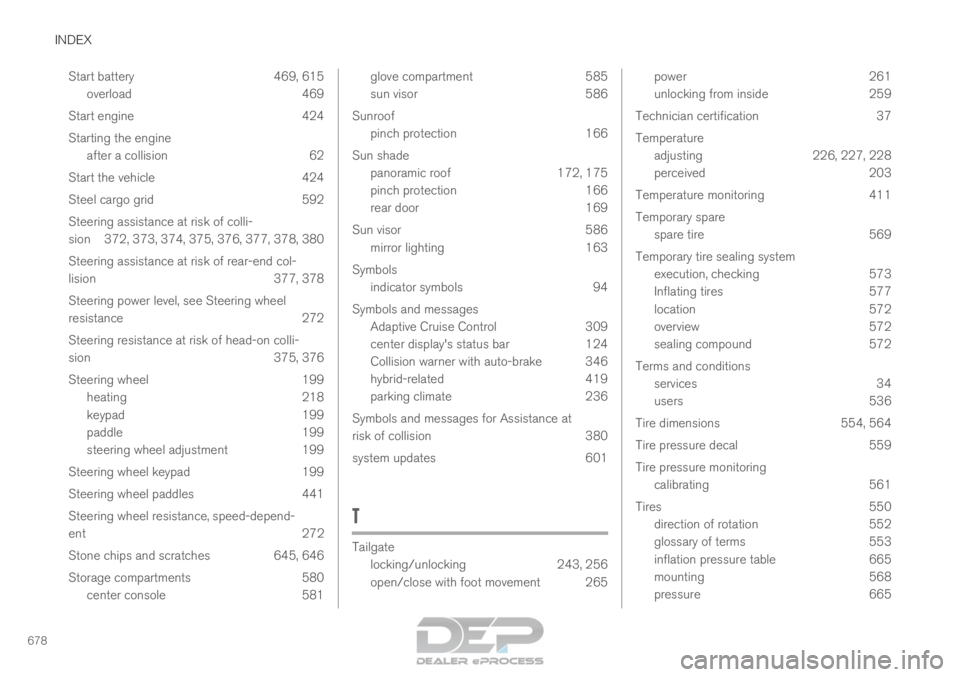
INDEX
678Start battery 469, 615
overload 469
Start engine 424
Starting the engine after a collision 62
Start the vehicle 424
Steel cargo grid 592
Steering assistance at risk of colli-
sion 372, 373, 374, 375, 376, 377, 378, 380
Steering assistance at risk of rear-end col-
lision 377, 378
Steering power level, see Steering wheel
resistance 272
Steering resistance at risk of head-on colli-
sion 375, 376
Steering wheel 199 heating 218
keypad 199
paddle 199
steering wheel adjustment 199
Steering wheel keypad 199
Steering wheel paddles 441
Steering wheel resistance, speed-depend-
ent 272
Stone chips and scratches 645, 646
Storage compartments 580 center console 581 glove compartment
585
sun visor
586
Sunroof pinch protection 166
Sun shade panoramic roof 172, 175
pinch protection 166
rear door 169
Sun visor 586 mirror lighting 163
Symbols indicator symbols 94
Symbols and messages Adaptive Cruise Control 309
center display's status bar 124
Collision warner with auto-brake 346
hybrid-related 419
parking climate 236
Symbols and messages for Assistance at
risk of collision 380
system updates 601
T Tailgate
locking/unlocking
243, 256
open/close with foot movement 265 power
261
unlocking from inside
259
Technician certification 37
Temperature adjusting 226, 227, 228
perceived 203
Temperature monitoring 411
Temporary spare spare tire 569
Temporary tire sealing system execution, checking 573
Inflating tires 577
location 572
overview 572
sealing compound 572
Terms and conditions services 34
users 536
Tire dimensions 554, 564
Tire pressure decal 559
Tire pressure monitoring calibrating 561
Tires 550
direction of rotation 552
glossary of terms 553
inflation pressure table 665
mounting 568
pressure 665