fuel consumption VOLVO XC90 TWIN ENGINE 2018 Owners Manual
[x] Cancel search | Manufacturer: VOLVO, Model Year: 2018, Model line: XC90 TWIN ENGINE, Model: VOLVO XC90 TWIN ENGINE 2018Pages: 686, PDF Size: 17 MB
Page 30 of 686
||
YOUR VOLVO
* Option/accessory.28
goal. In addition to continuous environmentalrefinement of conventional gasoline-poweredinternal combustion engines, Volvo is activelylooking at advanced technology alternative-fuelvehicles.
When you drive a Volvo, you become our partnerin the work to lessen the vehicle's impact on theenvironment. To reduce your vehicle's environ-mental impact, you can:
•Maintain proper air pressure in your tires.Tests have shown decreased fuel economywith improperly inflated tires.
•Follow the recommended maintenanceschedule in your Warranty and ServiceRecords Information booklet.
•Drive at a constant speed whenever possible.
•See a trained and qualified Volvo servicetechnician as soon as possible for inspectionif the check engine (malfunction indicator)light illuminates, or stays on after the vehiclehas started.
•Properly dispose of any vehicle-related wastesuch as used motor oil, used batteries, brakepads, etc.
•When cleaning your vehicle, please use gen-uine Volvo car care products. All Volvo carcare products are formulated to be environ-mentally friendly.
Twin Engine vehicles
•If possible, precondition the vehicle with thecharging cable before driving.
•If preconditioning is not possible in coldweather, use the seat and steering wheelheating primarily. Avoid heating the entirepassenger compartment, which reduces thehybrid battery's charge level.
•Choose the Pure drive mode to help mini-mize electric power consumption.
•In hilly terrain, put the gear selector in modeB to utilize the electric motor's braking func-tion when the accelerator pedal is released.This helps charge the hybrid battery.
Related information
•Economical driving (p. 456)
•Starting and stopping preconditioning(p. 231)
•The Owner's Manual and the environment(p. 23)
•Air quality (p. 204)
IntelliSafe - driver support
IntelliSafe is Volvo Cars' philosophy regardingvehicle safety. IntelliSafe consists of a number ofsystems, both standard and optional, that aredesigned to help make driving safer, preventaccidents and protect passengers and otherroad users.
Support
IntelliSafe includes driver support functions suchas Adaptive cruise control* which helps the driverto maintain an even speed combined with a pre-selected time interval to the vehicle ahead.
Pilot Assist4 helps the driver keep the vehicle inthe current traffic lane by providing steeringassistance and maintaining an even speed and aset time interval to the vehicle ahead.
Park Assist Pilot* helps the driver pull into andout of parking spaces.
Other examples of systems that can help thedriver are the Active main beam, Cross TrafficAlert (CTA)* and Blind Spot Information (BLIS)*systems.
Prevention
City Safety is a function intended to help preventaccidents. The function can help prevent or miti-gate a collision with pedestrians, cyclists, largeanimals or other vehicles. Light, sound and pulsa-tions in the brake pedal are provided to alert of a
4Depending on market, this function can be either standard or optional.
Page 87 of 686
DISPLAYS AND VOICE CONTROL
85Left side
In the centerRight side
– Media player
Distance to discharged battery
– Navigation system mapCurrent fuel consumption
– PhoneApp menu (activated using steering wheel keypad)
– Voice Control–
– CompassA
–A
Depends on selected drive mode.
B Total distance.
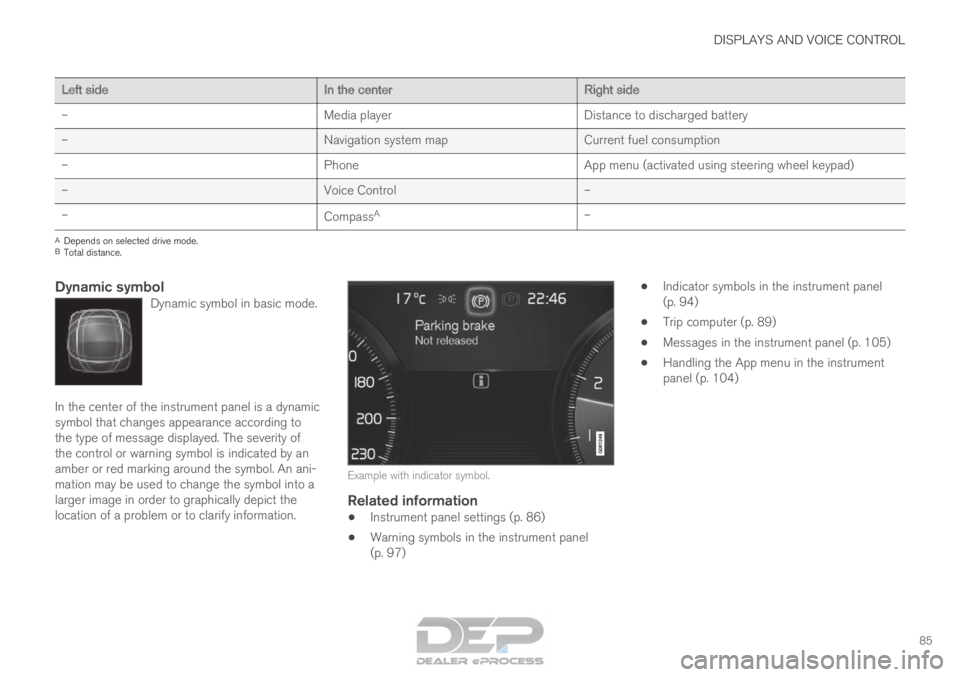
Dynamic symbolDynamic symbol in basic mode. In the center of the instrument panel is a dynamic
symbol that changes appearance according to
the type of message displayed. The severity of
the control or warning symbol is indicated by an
amber or red marking around the symbol. An ani-
mation may be used to change the symbol into a
larger image in order to graphically depict the
location of a problem or to clarify information.
Example with indicator symbol.
Related information
•
Instrument panel settings (p. 86)
• Warning symbols in the instrument panel
(p. 97) •
Indicator symbols in the instrument panel
(p. 94)
• Trip computer (p. 89)
• Messages in the instrument panel (p. 105)
• Handling the App menu in the instrument
panel (p. 104)
Page 91 of 686
DISPLAYS AND VOICE CONTROL
}}89
Trip computer
The vehicle's trip computer registers and calcu-
lates data while driving such as mileage, fuel
consumption and average speed.
To help promote fuel-efficient driving, data is
recorded on both current and average fuel con-
sumption. Data from the trip computer can be
displayed in the instrument panel.
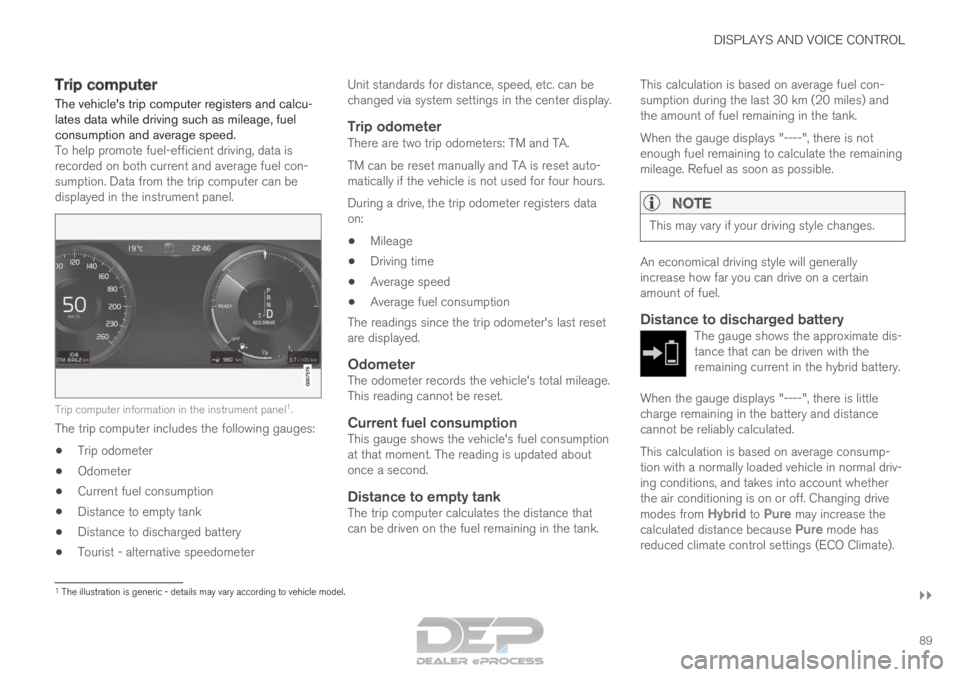
Trip computer information in the instrument panel
1
.
The trip computer includes the following gauges:
• Trip odometer
• Odometer
• Current fuel consumption
• Distance to empty tank
• Distance to discharged battery
• Tourist - alternative speedometer Unit standards for distance, speed, etc. can be
changed via system settings in the center display.
Trip odometerThere are two trip odometers: TM and TA.
TM can be reset manually and TA is reset auto-
matically if the vehicle is not used for four hours.
During a drive, the trip odometer registers data
on:
• Mileage
• Driving time
• Average speed
• Average fuel consumption
The readings since the trip odometer's last reset
are displayed.
OdometerThe odometer records the vehicle's total mileage.
This reading cannot be reset.
Current fuel consumptionThis gauge shows the vehicle's fuel consumption
at that moment. The reading is updated about
once a second.
Distance to empty tankThe trip computer calculates the distance that
can be driven on the fuel remaining in the tank. This calculation is based on average fuel con-
sumption during the last 30 km (20 miles) and
the amount of fuel remaining in the tank.
When the gauge displays "----", there is not
enough fuel remaining to calculate the remaining
mileage. Refuel as soon as possible.
NOTE This may vary if your driving style changes.
An economical driving style will generally
increase how far you can drive on a certain
amount of fuel.
Distance to discharged batteryThe gauge shows the approximate dis-
tance that can be driven with the
remaining current in the hybrid battery.
When the gauge displays "----", there is little
charge remaining in the battery and distance
cannot be reliably calculated.
This calculation is based on average consump-
tion with a normally loaded vehicle in normal driv-
ing conditions, and takes into account whether
the air conditioning is on or off. Changing drive
modes from
Hybrid to Pure may increase the
calculated distance because Pure mode has
reduced climate control settings (ECO Climate). 1
The illustration is generic - details may vary according to vehicle mode\
l.
Page 92 of 686
||DISPLAYS AND VOICE CONTROL
90
NOTE
This may vary if your driving style changes.
An economical driving style will generally
increase how far you can drive on a certain
amount of fuel.
Starting values for fully charged hybrid
battery
Because it is difficult to predict driving style and
other factors that affect the range of electric
motors, Volvo uses a starting value when the
vehicle is fully charged. This starting value pro-
vides an "up to" amount instead of a prediction
on the range of the electric current in the motor.
The difference in starting value between
Hybrid
and Pure is because the vehicle is permitted to
use more current from the hybrid battery in
Pure
mode, and because the vehicle switches to ECO
Climate.
Mileage when using electric motor
To achieve the longest possible mileage when
using the electric motor, the driver of an electric
vehicle also needs to think about conserving
electricity. The more electricity consumers
(stereo, heated windows/mirrors/seats, very cold
air from climate control system, etc.) that are
active, the shorter the potential mileage.
NOTE In addition to high electrical consumption in
the passenger compartment, rapid accelera-
tion, sudden braking, high speeds, heavy
loads, low ambient temperatures and driving
up hills can reduce possible driving distance.
Tourist - alternative speedometerThe alternative digital speedometer makes it eas-
ier to drive in countries where speed limit signs
are shown in a different measurement unit than
the one shown in the vehicle's gauges.
When used, the digital speed is displayed in the
opposite unit to that shown in the analog speed-
ometer. If mph is used in the analog speedome-
ter, the equivalent speed in km/h will be shown
in the digital speedometer.
Related information
• Displaying trip data in the instrument panel
(p. 90)
• Resetting the trip odometer (p. 91)
• Displaying trip statistics in the center display
(p. 92)
• Instrument panel (p. 84) Displaying trip data in the
instrument panel
Data recorded and calculated by the trip com-
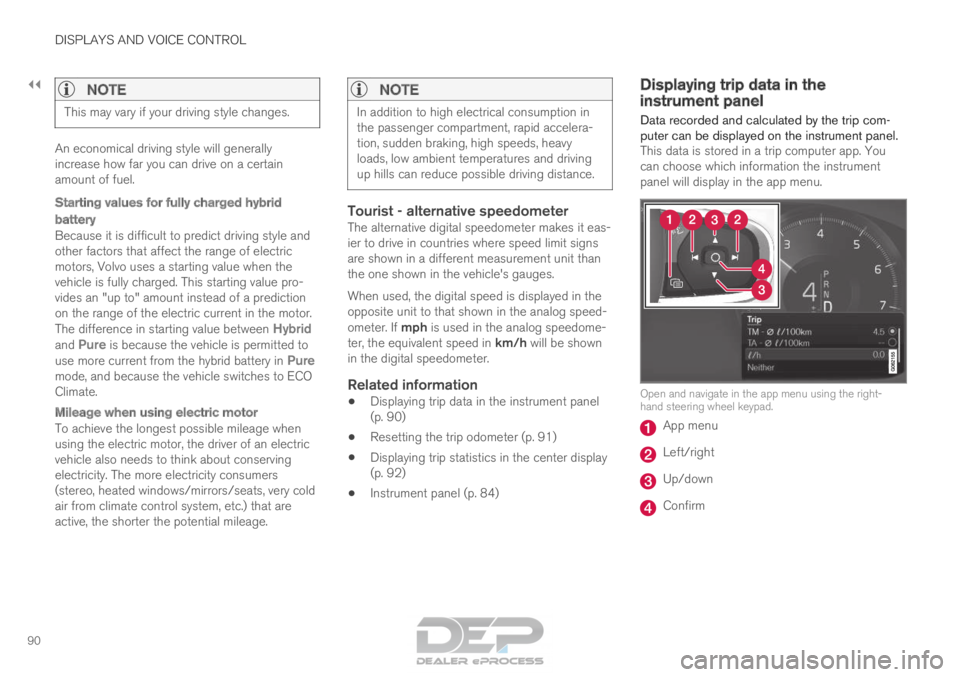
puter can be displayed on the instrument panel. This data is stored in a trip computer app. You
can choose which information the instrument
panel will display in the app menu. Open and navigate in the app menu using the right-
hand steering wheel keypad.
App menu
Left/right
Up/down
Confirm
Page 93 of 686

DISPLAYS AND VOICE CONTROL
91
1. Open the app menu in the instrument panel
by pressing (1).
(The App menu cannot be opened while
there is an unacknowledged message in the
instrument panel. The message must be con-
firmed before the App menu can be opened.)
2. Navigate to the trip computer app by moving left or right using (2).
> The top four menu rows show measuredvalues for trip odometer TM. The next four
menu rows show measured values for trip
odometer TA. Scroll up or down in the list
using (3).
3. Scroll down to the option buttons to choose which information to show in the instrument
panel:
• Distance to empty tank
• Odometer
• Mileage for trip odometer TM, TA or no
display of mileage
• Current fuel consumption, average fuel
consumption for TM or TA, or no display
of fuel consumption
• Tourist (alternative speedometer).
• Distance to discharged battery
Select or clear a selection using the O but-
ton (4). The change will apply immediately.
Related information
• Trip computer (p. 89)
• Resetting the trip odometer (p. 91) Resetting the trip odometer
Resetting the trip odometer using the left-side
steering wheel lever. –
Reset all information in trip odometer TM (i.e.
mileage, average fuel consumption, average
speed and driving time) by pressing and
holding the RESET button on the left-hand
steering wheel lever.
Tapping the RESET button only resets the
distance driven.
The TA trip odometer can not be manually reset.
It resets automatically if the vehicle is not used
for four hours or more.
Related information
• Trip computer (p. 89)
Page 94 of 686

DISPLAYS AND VOICE CONTROL
92Displaying trip statistics in the
center display
Trip computer statistics can be displayed graphi-
cally in the center display, providing an overview
that facilitates more fuel-efficient driving.
Open the Driver performance
app in the App view to display
trip statistics.
Each bar in the graph repre-
sents a driving distance of 1
kilometers, 10 kilometers or
100 kilometers (or miles). The bars are added
from the right as you drive. The bar at the far right
shows the data for the current trip.
Average fuel consumption and total driving time
are calculated from the most recent reset of the
trip statistics.
Fuel and electricity consumption are shown in
separate graphs. The electricity consumption
shows "net" consumption, i.e. consumed current
minus regenerated current generated by braking. Trip computer statistics
2
.
Related information
• Trip statistics settings (p. 92)
• Trip computer (p. 89) Trip statistics settings
Trip statistics settings can be reset or adjusted.
1. Open the Driver performance app in the
App view to display trip statistics. 2.
Tap Preferences to
• change the graph scale. Select 1, 10 or
100 km/miles for the bar.
• reset data after each trip. Performed when
the vehicle remains stationary for more
than 4 hours.
• reset data for current trip.
Trip statistics, calculated average consump-
tion, and total driving time are always reset
simultaneously.
Unit standards for distance, speed, etc. can be
changed via system settings in the center display. 2
The illustration is generic - details may vary according to vehicle mode\
l.
Page 408 of 686
HYBRID INFORMATION
406General information about Twin
Engine
Twin Engine vehicles are driven just like any
other vehicle, but certain functions differ from a
vehicle powered exclusively by gasoline. The
electric motor powers the vehicle primarily at low
speeds; the gasoline engine is used at higher
speeds or during more active driving. The instrument panel displays Twin Engine-spe-
cific information - charging information, selected
drive mode, distance to discharged battery and
hybrid battery charge level.
Different drive modes can be selected while driv-
ing, e.g. electric power only or, if more power is
needed, a combination of electric and gasoline
power. The vehicle calculates the optimal combi-
nation of driveability, driving experience, environ-
mental impact and fuel economy for the selected
drive mode.
In order to function optimally, the hybrid battery
(and its electrical drive systems) and the gasoline
engine (and its drive systems) must be at the
correct operating temperature. Battery capacity
can be considerably reduced if the battery is too
cold or too hot. Preconditioning prepares the
vehicle's drive systems and passenger compart-
ment before driving to help reduce both wear and
energy consumption. It also helps increase the
hybrid battery's range.
The hybrid battery, which powers the electric
motor, is recharged using the charging cable. It
can also be recharged during light braking and through engine braking in gear position B. The
combustion engine can also help recharge the
hybrid battery.
Important
No electrical current
Keep in mind that if there is no electrical current
to the vehicle, i.e. the ignition is switched off or
the start battery is discharged, certain functions
such as brakes, power steering, etc. will not work.
WARNING If the vehicle does not have electrical current
and both the electric motor and the gasoline
engine are switched off, the brakes cannot be
used to stop the vehicle.
Towing not permitted
Never tow a Twin Engine vehicle behind another
vehicle, as this could damage the electric motor.
Exterior engine noise
WARNING
Keep in mind that the vehicle does not emit
any engine noise when using the electric
motor and may therefore be difficult to detect
for children, pedestrians, cyclists or animals.
This is especially true at low speeds, e.g. in
parking lots.
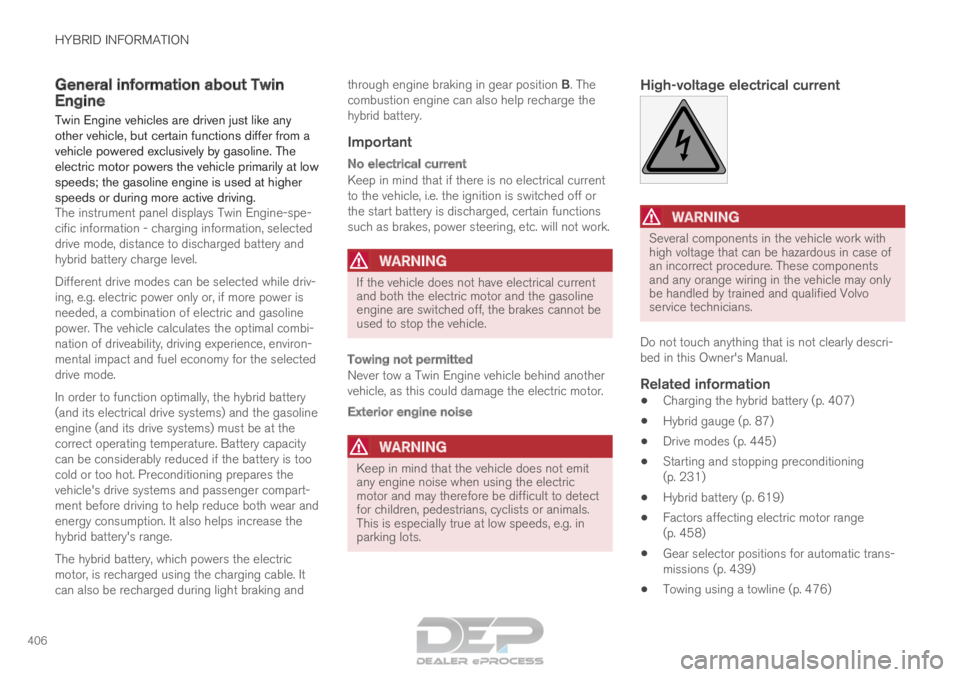
High-voltage electrical current
WARNING Several components in the vehicle work with
high voltage that can be hazardous in case of
an incorrect procedure. These components
and any orange wiring in the vehicle may only
be handled by trained and qualified Volvo
service technicians.
Do not touch anything that is not clearly descri-
bed in this Owner's Manual.
Related information
• Charging the hybrid battery (p. 407)
• Hybrid gauge (p. 87)
• Drive modes (p. 445)
• Starting and stopping preconditioning
(p. 231)
• Hybrid battery (p. 619)
• Factors affecting electric motor range
(p. 458)
• Gear selector positions for automatic trans-
missions (p. 439)
• Towing using a towline (p. 476)
Page 447 of 686

STARTING AND DRIVING
}}
* Option/accessory. 445
Drive modes
Drive modes affect the vehicle's driving charac-
teristics in different ways to enhance and sim-
plify the driving experience in certain types of sit-
uations. Drive modes enable easy access to the vehicle's
many functions and settings in different driving
situations. The following systems are adapted to
help optimize driving characteristics in each drive
mode:
• Steering
• Engine/transmission/all-wheel drive
• Brakes
• Pneumatic suspension* and shock absorbers
• Instrument panel
• Climate control settings
Select the drive mode that is best suited to the
current driving conditions. Keep in mind that not
all drive modes are available in all situations.
Available drive modes
WARNING Keep in mind that the vehicle does not emit
any engine noise when using the electric
motor and may therefore be difficult to detect
for children, pedestrians, cyclists or animals.
This is particularly true at low speeds, e.g. in
parking lots.
WARNING
Do not leave the vehicle in an unventilated
area with a drive mode activated and the com-
bustion engine switched off. The engine will
start automatically if the charge level in the
hybrid battery is low and the resulting exhaust
gases can be very harmful to people and ani-
mals.
HYBRID
•
This is the default mode in which the electric
motor and combustion engine work together.
The vehicle starts in Hybrid mode. The control
system uses both the electric motor and the gas-
oline engine - separately or in tandem - and cal-
culates optimal utilization with regard to perform-
ance, fuel consumption and comfort. At high
speeds, ground clearance is automatically low-
ered 4
to reduce air resistance. Driving capacity on
the electric motor alone is determined by factors such as the hybrid battery's charge level, the
need for heat/cooling in the passenger compart-
ment, etc.
If there is sufficient charge in the battery, it is
possible to drive solely on electric power. When
the accelerator pedal is pressed, only the electric
motor will be activated until the battery reaches a
certain charge level. Above this level, the current
in the battery cannot supply the power requested
by the accelerator pedal and the combustion
engine will start.
When the hybrid battery's charge level is low, the
combustion engine will start more frequently to
save the remaining current in the battery. Charge
the hybrid battery from a 120-240 volt outlet
using a charging cable, or activate
Charge in
Function view to reset the option of only using
the electric motor.
This drive mode is designed for low energy con-
sumption with an optimized mix between the
electric motor and gasoline engine, without com-
promising on climate comfort or driving experi-
ence. When faster acceleration is requested by
the driver, the electric driveline will be utilized to
help provide maximum additional power. The
vehicle also monitors the driving conditions and
automatically engages all-wheel drive if neces-
sary. All-wheel drive and extra electric power are
always available regardless of the battery's
charging status. 4
For vehicles with pneumatic suspension.
Page 449 of 686
STARTING AND DRIVING
}}
447
OFF ROAD
• Maximizes the vehicle's ability to traverse dif-
ficult terrain or poor roads.
In this mode, ground clearance 4
is high, steering
is light, and all-wheel drive and Hill Descent
Control are activated.
This drive mode is only available at low speeds,
up to 40 km/h (25 mph). If this speed is excee-
ded, Off road mode will be cancelled and AWD
mode will be activated instead.
All-wheel drive requires both the combustion and
electric motor to be in continuous operation,
which results in higher fuel consumption.
In Off road mode, a compass will be displayed
between the speedometer and the tachometer in
the instrument panel. The permissible speed
range will be shown in the speedometer.
This drive mode is optimized for maximum control
when driving at low speeds on very poor roads or
difficult terrain. It raises the chassis 4
, reduces
driveline throttle response, and locks the vehicle
in all-wheel drive. The Hill Descent Control func-
tion facilitates controlled driving on steep down-
grades.NOTE This drive mode is not designed to be used
for normal street driving.
NOTE
Due to the increased ground clearance, if the
OFF ROAD mode was selected when the
engine was switched off, the suspension will
lower when the engine is restarted.
CAUTION
Do not use the OFF ROAD drive mode when
towing a trailer without an electrical connec-
tion. This could result in damage to the pneu-
matic suspension system's bellows.
AWD
•
Improves the vehicle's traction and handling
by increasing all-wheel drive.
This drive mode locks the vehicle in all-wheel
drive. An optimal distribution between front and
rear axle torque helps provide the best possible
control, stability and traction, e.g. on slippery
roads or when towing a heavy trailer or another
vehicle. The AWD drive mode is always available
regardless of the hybrid battery's charge status. Both the combustion engine and the electric
motor are engaged to enable all-wheel drive,
which results in higher fuel consumption.
In the other drive modes, the vehicle automati-
cally adapts the need for all-wheel drive accord-
ing to the road surface, and can activate the elec-
tric motor or start the combustion engine as nee-
ded.
POWER
•
Power mode is designed to provide sportier
driving characteristics and a faster accelera-
tion response.
This drive mode maximizes the combined power
from the combustion engine and the electric
motor by providing power to both the front and
rear wheels. Gear shifting will be faster and more
distinct and the transmission will prioritize gears
with a higher traction force. Steering response is
faster, suspension is stiffer and ground clearance
is lower 4
to help reduce body roll when cornering.
Both the combustion engine and the electric
motor are engaged to enable all-wheel drive,
which results in higher fuel consumption.
This drive mode is optimized for maximum per-
formance and throttle response. It changes the
throttle response, gear shifting program and
turbo boost system. Chassis settings and steer-
ing and brake response are also optimized. The
Power drive mode is always available regardless
of the hybrid battery's charge status. 4
For vehicles with pneumatic suspension.
Page 459 of 686
STARTING AND DRIVING
}}
457
Driving
• Choose the Pure drive mode to help mini-
mize electric power consumption.
• Maintain a steady speed and a generous fol-
lowing distance to traffic ahead to minimize
braking. This drive mode has the lowest
power consumption.
• Balance energy requirements using the
accelerator pedal. Use the indicator on the
instrument panel to see available electric
power and avoid starting the combustion
engine unnecessarily. The electric motor is
more effective than the combustion engine,
especially at low speeds.
• When braking is necessary, brake gently
using the brake pedal. This will recharge the
hybrid battery. A regenerative function is
integrated in the brake pedal and can be
augmented by the electric motor's braking
capacity when the gear selector is in mode
B.
• Higher speeds increase energy consumption
- air resistance increases with speed.
• Activate the
Hold function in the Function
view at high speeds when traveling farther
than is possible using the hybrid battery's
capacity.
• Whenever possible, avoid using the Charge
function to charge the hybrid battery. Charg-
ing the battery using the combustion engine increases fuel consumption and carbon diox-
ide emissions.
• In a cold climate, reduce heating of the wind-
shield/rear window, mirrors, seats and the
steering wheel.
• Maintain the correct pressure in the tires and
check pressure regularly.
• The type of tires used could affect energy
consumption - consult a retailer for advice on
suitable tires.
• Remove unnecessary items from the vehicle
- the heavier the load, the higher the fuel
consumption.
• Roof loads increase air resistance and
increase fuel consumption. Remove roof
boxes, ski racks, etc. that are not in use.
• Avoid driving with the windows open.
• Do not keep the vehicle still on an upward
gradient by using the accelerator pedal. Use
the brakes instead.
Related information
•
Drive-E
‒
purer driving pleasure (p. 27)
• Factors affecting electric motor range
(p. 458)
• Using the electric motor only (p. 457)
• Hybrid gauge (p. 87)
• Checking tire pressure (p. 557) Using the electric motor only
When using the electric motor, Volvo Twin
Engine provides a combination of good fuel
economy, low emissions and high performance.
For energy-efficient driving:
• Select the Pure drive mode to help maximize
driving range using only the electric motor.
• Balance energy requirements using the
accelerator pedal. Use the indicator on the
instrument panel's hybrid gauge to see avail-
able electric power and avoid starting the
combustion engine unnecessarily.
• When braking is necessary, brake gently
using the brake pedal. This will recharge the
hybrid battery.
• Activate the
Hold function in the Function
view at high speeds when traveling farther
than is possible using the hybrid battery's
capacity.
• Reduce current consumption in the passen-
ger compartment by reducing e.g. fan speed,
electric heating, or air conditioning use.
Also follow the general economical driving advice
regarding speed, tires and load to maximize
range.
Related information
• General information about Twin Engine
(p. 406)
• Economical driving (p. 456)