warning lights VOLVO XC90 TWIN ENGINE 2019 Owner's Manual
[x] Cancel search | Manufacturer: VOLVO, Model Year: 2019, Model line: XC90 TWIN ENGINE, Model: VOLVO XC90 TWIN ENGINE 2019Pages: 697, PDF Size: 10.33 MB
Page 442 of 697
||STARTING AND DRIVING
440
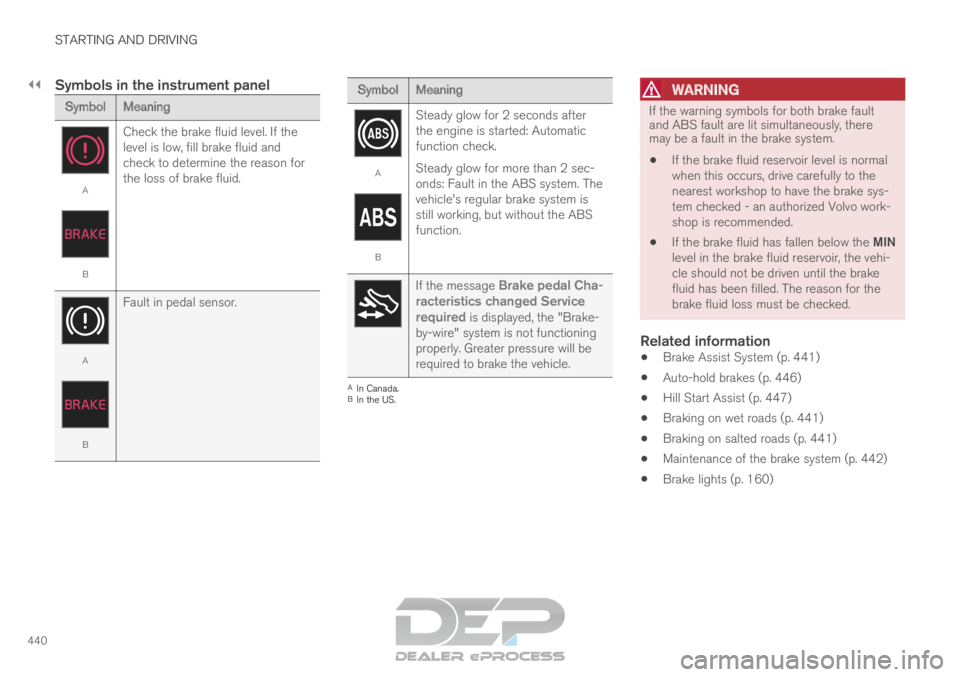
Symbols in the instrument panel
Symbol
Meaning A
B
Check the brake fluid level. If the
level is low, fill brake fluid and
check to determine the reason for
the loss of brake fluid. A
B
Fault in pedal sensor. Symbol
Meaning A
B
Steady glow for 2 seconds after
the engine is started: Automatic
function check.
Steady glow for more than 2 sec-
onds: Fault in the ABS system. The
vehicle's regular brake system is
still working, but without the ABS
function. If the message Brake pedal Cha-
racteristics changed Service
required is displayed, the "Brake-
by-wire" system is not functioning
properly. Greater pressure will be
required to brake the vehicle. A
In Canada.
B In the US.WARNING If the warning symbols for both brake fault
and ABS fault are lit simultaneously, there
may be a fault in the brake system.
If the brake fluid reservoir level is normal
when this occurs, drive carefully to the
nearest workshop to have the brake sys-
tem checked - an authorized Volvo work-
shop is recommended.
If the brake fluid has fallen below the MIN
level in the brake fluid reservoir, the vehi-
cle should not be driven until the brake
fluid has been filled. The reason for the
brake fluid loss must be checked.
Related information
Brake Assist System (p. 441)
Auto-hold brakes (p. 446)
Hill Start Assist (p. 447)
Braking on wet roads (p. 441)
Braking on salted roads (p. 441)
Maintenance of the brake system (p. 442)
Brake lights (p. 160)
Page 449 of 697
STARTING AND DRIVING
}}
447
When shutting off
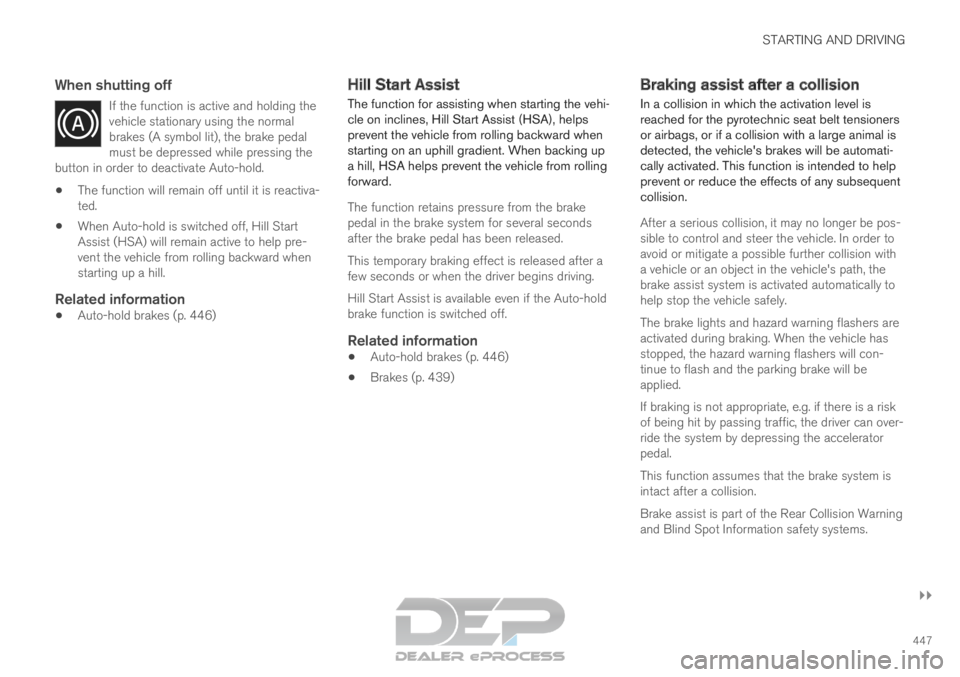
If the function is active and holding the
vehicle stationary using the normal
brakes (A symbol lit), the brake pedal
must be depressed while pressing the
button in order to deactivate Auto-hold.
The function will remain off until it is reactiva-
ted.
When Auto-hold is switched off, Hill Start
Assist (HSA) will remain active to help pre-
vent the vehicle from rolling backward when
starting up a hill.
Related information
Auto-hold brakes (p. 446) Hill Start Assist
The function for assisting when starting the vehi-
cle on inclines, Hill Start Assist (HSA), helps
prevent the vehicle from rolling backward when
starting on an uphill gradient. When backing up
a hill, HSA helps prevent the vehicle from rolling
forward.
The function retains pressure from the brake
pedal in the brake system for several seconds
after the brake pedal has been released.
This temporary braking effect is released after a
few seconds or when the driver begins driving.
Hill Start Assist is available even if the Auto-hold
brake function is switched off.
Related information
Auto-hold brakes (p. 446)
Brakes (p. 439) Braking assist after a collision
In a collision in which the activation level is
reached for the pyrotechnic seat belt tensioners
or airbags, or if a collision with a large animal is
detected, the vehicle's brakes will be automati-
cally activated. This function is intended to help
prevent or reduce the effects of any subsequent
collision.
After a serious collision, it may no longer be pos-
sible to control and steer the vehicle. In order to
avoid or mitigate a possible further collision with
a vehicle or an object in the vehicle's path, the
brake assist system is activated automatically to
help stop the vehicle safely.
The brake lights and hazard warning flashers are
activated during braking. When the vehicle has
stopped, the hazard warning flashers will con-
tinue to flash and the parking brake will be
applied.
If braking is not appropriate, e.g. if there is a risk
of being hit by passing traffic, the driver can over-
ride the system by depressing the accelerator
pedal.
This function assumes that the brake system is
intact after a collision.
Brake assist is part of the Rear Collision Warning
and Blind Spot Information safety systems.
Page 468 of 697
STARTING AND DRIVING
466Hill Descent Control
The function for assisting when driving downhill,
Hill Descent Control (HDC), is a low-speed
function with increased engine braking. The
function makes it possible to increase or
decrease the vehicle's speed on steep downhill
gradients by only using the accelerator pedal,
without applying the brakes.
The function is included in the Off Road drive
mode.
HDC is designed for driving on rough roads at
low speeds and downhill gradients with slippery
or otherwise difficult road surfaces. The driver
does not need to use the brake pedal but can
instead focus on steering.
WARNING
HDC is only intended to be a supplementary
braking aid and it does not function in all sit-
uations.
The driver is always ultimately responsible for
operating the vehicle in a safe manner.
FunctionHill Descent Control allows the vehicle to move
forward or backward at very low speeds assisted
by the brake system. The driver can increase the
speed by pressing the accelerator pedal. When
the accelerator pedal is released, the vehicle will
return to very low speed regardless of how steep the hill is and without the brakes needing to be
applied. The brake lights will illuminate when the
function is activated.
The driver can brake to stop or slow the vehicle
at any time by depressing the brake pedal.
HDC is activated along with Low Speed Control
(LSC), which facilitates and improves traction and
control on rough and slippery surfaces. The sys-
tem is intended to be used at low speeds, up to
approximately 40 km/h (25 mph).
To keep in mind when using HDC
If the function is switched off while driving on
a steep downhill gradient, braking effect will
be gradually reduced.
HDC can be used in gear positions D and R,
and in manual gears 1 or 2.
It is not possible to manually shift to third
gear or higher when HDC is active.
NOTE When LSC with HDC is activated in the OFF
ROAD drive mode, the feel of the accelerator
pedal and engine response will change.
NOTE
This drive mode is not designed to be used
for normal street driving.
NOTE The function is deactivated when driving at
high speeds and must be reactivated at lower
speeds if so desired.
Related information
Activating and deactivating Hill Descent Con-
trol using the function button (p. 467)
Changing drive mode (p. 459)
Low Speed Control (p. 464)
All Wheel Drive (AWD) (p. 452)
Page 481 of 697
STARTING AND DRIVING
}}
479
Emission controls
Three-way catalytic converter
Keep your engine properly tuned. Certain
engine malfunctions, particularly involving the
electrical, fuel or distributor ignition systems,
may cause unusually high three-way catalytic
converter temperatures. Do not continue to
operate your vehicle if you detect engine
misfire, noticeable loss of power or other
unusual operating conditions, such as engine
overheating or backfiring. A properly tuned
engine will help avoid malfunctions that
could damage the three-way catalytic con-
verter.
Do not park your vehicle over combustible
materials, such as grass or leaves, which can
come into contact with the hot exhaust sys-
tem and cause such materials to ignite under
certain wind and weather conditions.
Excessive starter cranking (in excess of one
minute), or an intermittently firing or flooded
engine can cause three-way catalytic con-
verter or exhaust system overheating.
Remember that tampering or unauthorized
modifications to the engine, the Engine Con-
trol Module, or the vehicle may be illegal and
can cause three-way catalytic converter or
exhaust system overheating. This includes:
altering fuel injection settings or compo-
nents, altering emission system components or location or removing components, and/or
repeated use of leaded fuel.NOTE Unleaded fuel is required for vehicles with
three-way catalytic converters.
Heated oxygen sensorsThe heated oxygen sensors monitor the oxygen
content of the exhaust gases. Readings are fed
into a control module that continuously monitors
engine functions and controls fuel injection. The
ratio of fuel to air into the engine is continuously
adjusted for efficient combustion to help reduce
harmful emissions.
Related information
Octane rating (p. 477)
Fuel (p. 476) Overheating of engine and
transmission
In demanding driving conditions, such as driving
in mountainous areas or hot weather, there is a
risk of the engine or transmission overheating,
especially when carrying heavy loads.
Engine power may be temporarily limited.
Remove any auxiliary lights mounted in front
of the grille when driving in hot weather.
If the temperature in the engine's cooling
system becomes too high, a warning symbol
will appear in the instrument panel along with
the message Engine temperature High
temperature Stop safely. Pull over to a safe location and let the engine idle for a few
minutes to cool down.
If the message
Engine temperature High
temperature Turn off engine or Engine
coolant Level low, turn off engine is dis- played, stop the vehicle and turn off the
engine.
If the transmission begins to overheat, an
alternative gear shifting program will be
selected. An integrated protective function
will also be activated, the warning symbol will
illuminate and the message Transmission
warm
Reduce speed to lower
temperature or Transmission hot Stop
safely, wait for cooling will be displayed in the instrument panel. Follow the recommen-
dations given by reducing speed or stopping
Page 489 of 697
STARTING AND DRIVING
487
Disabling the automatic check
The automatic light check can be disabled in the
center display.
1.Tap Settings in the Top view.
2.
Tap My Car Lights and Lighting
.
3. Deselect Automatic Trailer Lamp Check.
Manual check
If the automatic check has been disabled, the
check can be started manually.
1.
Tap Settings in the Top view.
2.
Tap My Car Lights and Lighting
.
3. Select Manual Trailer Lamp Check.
>
The light check will begin. Get out of the
vehicle to perform the check.
Related information
Driving with a trailer (p. 483) Towing using a towline
This section refers to one vehicle being towed
behind another using a towline.
Twin Engine vehicles may not be towed behind
another vehicle due to the risk of damage to the
electric motor. The vehicle must be lifted onto a
tow truck and transported with all four wheels on
the bed or lifting platform of the truck (no wheels
may touch the road).
Towing another vehicleTowing another vehicle requires a lot of power -
use the AWD drive mode. This helps charge the
hybrid battery and improve the vehicle's driving
and roadholding characteristics.
Before towing another vehicle, check applicable
speed limit regulations.
Jump startingDo not tow the vehicle to start the engine. Use an
auxiliary battery if the start battery's charge level
is so low that the engine cannot be started.
CAUTION Attempts to tow-start the vehicle could cause
damage to the electrical drive motor and
three-way catalytic converter.
Related information
Attaching and removing the towing eyelet
(p. 488)
Hazard warning flashers (p. 161)
Recovery (p. 489)
Jump starting using another battery (p. 481)
Selecting ignition mode (p. 438)
Page 654 of 697
||MAINTENANCE AND SERVICE
* Option/accessory.
652
Wash using a sponge, car washing detergent
and plenty of lukewarm water.
Clean the wiper blades with lukewarm soap
solution or car washing detergent.
Dry the vehicle using a clean, soft chamois or
a squeegee. Try not to let drops of water dry
in strong sunlight. This could cause water
drying stains that may need to be polished
out.
In areas with heavy industrial emissions,
more frequent washing of the vehicle's exte-
rior is recommended.
Tar spots from asphalt may remain even after
washing. Use a tar remover to remove these
spots after washing the vehicle.
WARNING Always entrust engine washing to a workshop.
If the engine is hot, there is a risk of fire.
CAUTION
Dirty headlights do not work as well. Clean
them regularly, e.g. when refueling.
Do not use corrosive cleaners. Use water and
a non-abrasive sponge.
NOTE Exterior lighting such as headlights and tail-
lights may develop temporary condensation
on the inside of the lens. This is normal. All
exterior lighting is designed to resist this.
Condensation is normally vented out of the
lamp housing once the light has been lit for
some period of time.
CAUTION
Make sure that the panoramic roof* and
sun shade are closed before washing the
vehicle.
Never use abrasive polishing agents on
the panoramic roof.
Never use wax on the rubber seals
around the panoramic roof.
CAUTION Remember to remove dirt from the drain
holes in the doors and sills after washing the
vehicle.
Related information
Cleaning the exterior (p. 650)
Polishing and waxing (p. 651)
Automatic car washes (p. 653)
High-pressure washing (p. 654)
Cleaning the wiper blades (p. 654)
Cleaning exterior plastic, rubber and trim
components (p. 655)
Cleaning rims (p. 656)
Corrosion protection (p. 656)
Settings for automatically activating the park-
ing brake (p. 444)
Page 679 of 697
INDEX
677
1, 2, 3 ... 4WD
452
A ABS
anti-lock brakes
439
AC (Air conditioning) 230
ACC - Adaptive Cruise Control 300, 303,
304, 305, 306, 307, 309, 310, 311, 312, 313, 314
Accessories and extra equipment 35 installation 36
Accessory installation warning 36, 37
Active Bending Lights 159
Adapting driving characteristics 278, 454
Adaptive Cruise Control 300, 303, 304, 305, 306, 307, 309, 310, 311, 312, 313, 314 change cruise control functionality 313
function 300
manage speed 304, 305
pass 309, 310
radar sensor 332
set time interval 306, 307
troubleshooting 312
Adjusting the steering wheel 201 Airbag
52
activation/deactivation
56
driver's side 53
passenger side 53, 56
Air bag, see Airbag 52
Air conditioning 230
Air conditioning, fluid volume and grade 674
Air distribution 209
air vents 209, 211
changing 210
defrosting 222
recirculation 221
table showing options 212
Air quality 206, 208
allergy and asthma 208
passenger compartment filter 209
Air recirculation 221
Alarm 273
deactivating 274
Allergy and asthma-inducing substances 208
All Wheel Drive, AWD 452
All Wheel Drive (AWD) 452
All Wheel Drive (four-wheel drive) 452
Android Auto 530, 532
Antenna location 262 Apple CarPlay
527, 529
Approach lighting 161
Apps 498
Assistance at risk of collision 380, 381, 382, 383, 384, 385, 386, 387, 389
Audio and media 496
Audio system HD digital radio 508
SiriusXM® Satellite radio 508, 509, 511
Auto-climate 220
Auto hold 446
Auto-hold brakes 446
activate and deactivate 446
after collision 447
Automatic car wash 653
Automatic high beam 157
Automatic locking 266
Automatic relocking 246, 259
Automatic Speed Limiter 287, 289, 290, 291
Automatic transmission 449
kickdown 452
oil 673
Trailer 483
Auxiliary heater 239
INDEX
Page 680 of 697
INDEX
678B Backrest
front seat, adjusting
184, 185, 188,
189, 190, 191
rear seat, adjusting 197, 198
rear seat, folding 193, 198, 199
Battery Hybrid 631
jump-start 481
Maintenance 627
start 627
symbols on the battery 632
warning symbols 632
BLIS 355, 356, 357, 358
Blower adjusting 226
air distribution 210
air vents 211
Bluetooth connect 524
connecting vehicle to Internet 543
phone 532
settings 541
Book service and repair 615
Booster cushions 71
Brake assist after collision 447 Brake fluid
grade
673
Brake functions 438
Brake light 160
Brake position 449
Brakes 439
anti-lock brakes, ABS 439
automatic when stationary 446
Brake Assist System, BAS 441
brake lights 160
brake system 438
emergency brake lights 160
handbrake 442
Maintenance 442
on salted roads 441
on wet roads 441
brake system fluid 673
C Camera sensor
351
Camera unit
337, 341
Capacity weight 588, 669
Cargo compartment 598
attachment points 601
cargo net 606 electrical outlet
594, 596
Lighting
163
Cargo compartment cover 601, 602
cargo net 606
Cargo net 606
Car wash 650, 651, 653, 654, 655, 656
Catalytic converter 479
recovery 487
CD player 522
Cell phone, see Phone 533
Center console 593
Center display change appearance 131
cleaning 645
climate controls 215
Function view 122
keyboard 126
messages 140, 141
operation 112, 115, 119, 124
overview 109
settings 132, 133
switch off and change volume 131
symbols in status bar 124
views 115
Central locking 262
Change of owner 134
Changing a wheel 574
Page 681 of 697
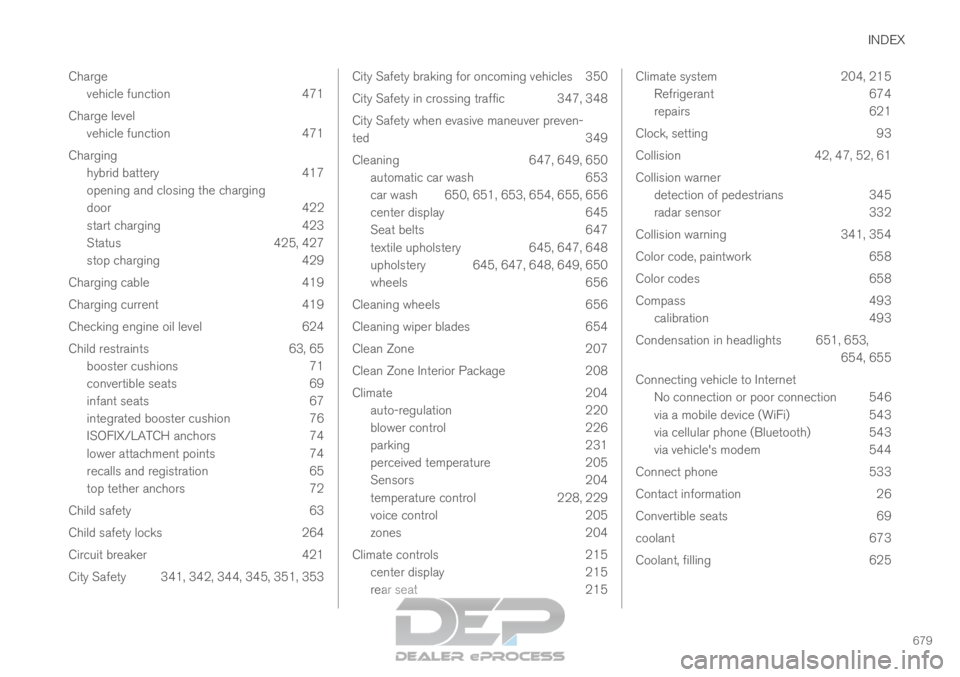
INDEX
679
Charge
vehicle function 471
Charge level vehicle function 471
Charging hybrid battery 417
opening and closing the charging
door 422
start charging 423
Status 425, 427
stop charging 429
Charging cable 419
Charging current 419
Checking engine oil level 624
Child restraints 63, 65 booster cushions 71
convertible seats 69
infant seats 67
integrated booster cushion 76
ISOFIX/LATCH anchors 74
lower attachment points 74
recalls and registration 65
top tether anchors 72
Child safety 63
Child safety locks 264
Circuit breaker 421
City Safety 341, 342, 344, 345, 351, 353 City Safety braking for oncoming vehicles 350
City Safety in crossing traffic
347, 348
City Safety when evasive maneuver preven-
ted 349
Cleaning 647, 649, 650
automatic car wash 653
car wash 650, 651, 653, 654, 655, 656
center display 645
Seat belts 647
textile upholstery 645, 647, 648
upholstery 645, 647, 648, 649, 650
wheels 656
Cleaning wheels 656
Cleaning wiper blades 654
Clean Zone 207
Clean Zone Interior Package 208
Climate 204
auto-regulation 220
blower control 226
parking 231
perceived temperature 205
Sensors 204
temperature control 228, 229
voice control 205
zones 204
Climate controls 215
center display 215
rear seat 215 Climate system
204, 215
Refrigerant 674
repairs 621
Clock, setting 93
Collision 42, 47, 52, 61
Collision warner detection of pedestrians 345
radar sensor 332
Collision warning 341, 354
Color code, paintwork 658
Color codes 658
Compass 493 calibration 493
Condensation in headlights 651, 653, 654, 655
Connecting vehicle to Internet No connection or poor connection 546
via a mobile device (WiFi) 543
via cellular phone (Bluetooth) 543
via vehicle's modem 544
Connect phone 533
Contact information 26
Convertible seats 69
coolant 673
Coolant, filling 625
Page 686 of 697
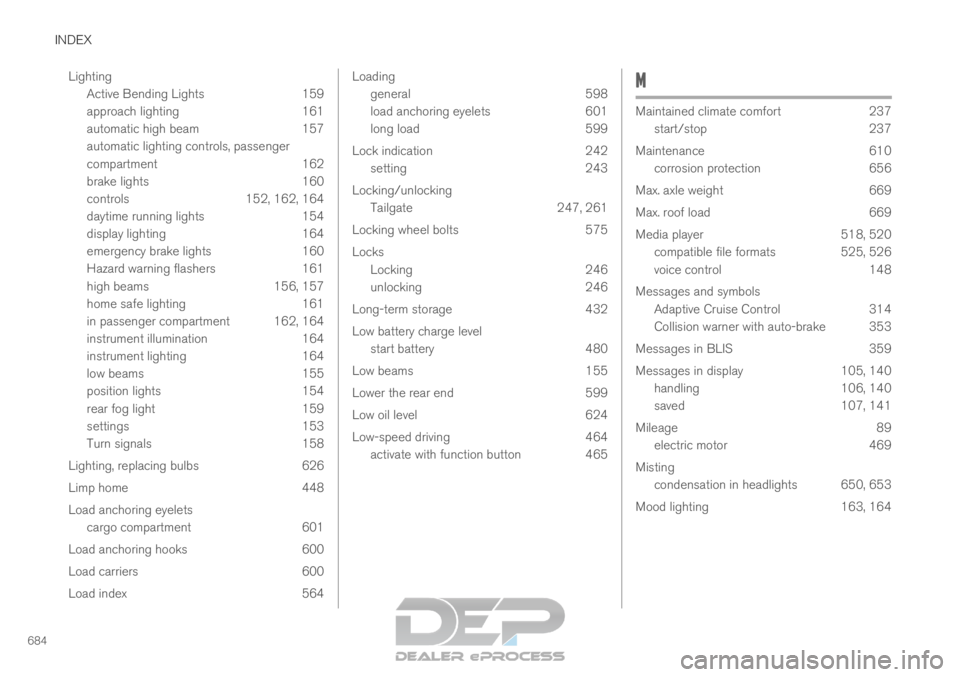
INDEX
684Lighting
Active Bending Lights 159
approach lighting 161
automatic high beam 157
automatic lighting controls, passenger
compartment 162
brake lights 160
controls 152, 162, 164
daytime running lights 154
display lighting 164
emergency brake lights 160
Hazard warning flashers 161
high beams 156, 157
home safe lighting 161
in passenger compartment 162, 164
instrument illumination 164
instrument lighting 164
low beams 155
position lights 154
rear fog light 159
settings 153
Turn signals 158
Lighting, replacing bulbs 626
Limp home 448
Load anchoring eyelets cargo compartment 601
Load anchoring hooks 600
Load carriers 600
Load index 564 Loading
general
598
load anchoring eyelets 601
long load 599
Lock indication 242
setting 243
Locking/unlocking Tailgate 247, 261
Locking wheel bolts 575
Locks Locking 246
unlocking 246
Long-term storage 432
Low battery charge level start battery 480
Low beams 155
Lower the rear end 599
Low oil level 624
Low-speed driving 464
activate with function button 465 M
Maintained climate comfort
237
start/stop
237
Maintenance 610
corrosion protection 656
Max. axle weight 669
Max. roof load 669
Media player 518, 520
compatible file formats 525, 526
voice control 148
Messages and symbols Adaptive Cruise Control 314
Collision warner with auto-brake 353
Messages in BLIS 359
Messages in display 105, 140
handling 106, 140
saved 107, 141
Mileage 89
electric motor 469
Misting condensation in headlights 650, 653
Mood lighting 163, 164