belt VOLVO XC90 TWIN ENGINE 2019 Workshop Manual
[x] Cancel search | Manufacturer: VOLVO, Model Year: 2019, Model line: XC90 TWIN ENGINE, Model: VOLVO XC90 TWIN ENGINE 2019Pages: 697, PDF Size: 10.33 MB
Page 347 of 697
DRIVER SUPPORT
}}
345
The
Late warning distance setting should there-
fore only be used in exceptional cases, such as
when a more dynamic driving style is preferred.
WARNING
No automatic system can guarantee
100% correct function in all situations.
You should therefore never test use of
City Safety in the direction of people, ani-
mals or vehicles – this could lead to
severe damage, serious personal injury or
even death.
City Safety warns the driver if there is a
risk of collision, but the function cannot
reduce the driver's reaction time.
Even if the warning distance has been set
to Early, warnings may be perceived as
late in certain situations – e.g. when there
are large speed differences or if the vehi-
cle ahead suddenly brakes heavily.
With the warning distance set to
Early,
warnings come further in advance. This
may cause the warnings to come more
frequently than with warning distance
Normal, but is recommended since it can
make City Safety more effective.
NOTE The warning with direction indicators for Rear
Collision Warning is deactivated if the colli-
sion warning distance in the City Safety func-
tion is set to the lowest level "
Late".
The seat belt tensioning and braking func-
tions remain active.
Related information
City Safety™ (p. 341) Detecting obstacles with City Safety
City Safety can help detect vehicles, cyclists,
large animals and pedestrians.
VehiclesCity Safety detects most types of vehicles that
are either stationary, moving in the same direc-
tion as your vehicle or those described in “City
Safety in crossing traffic” and City Safety braking
for oncoming vehicles”.
For City Safety to be able to detect a vehicle in
the dark, its headlights and taillights must be on
and clearly visible.
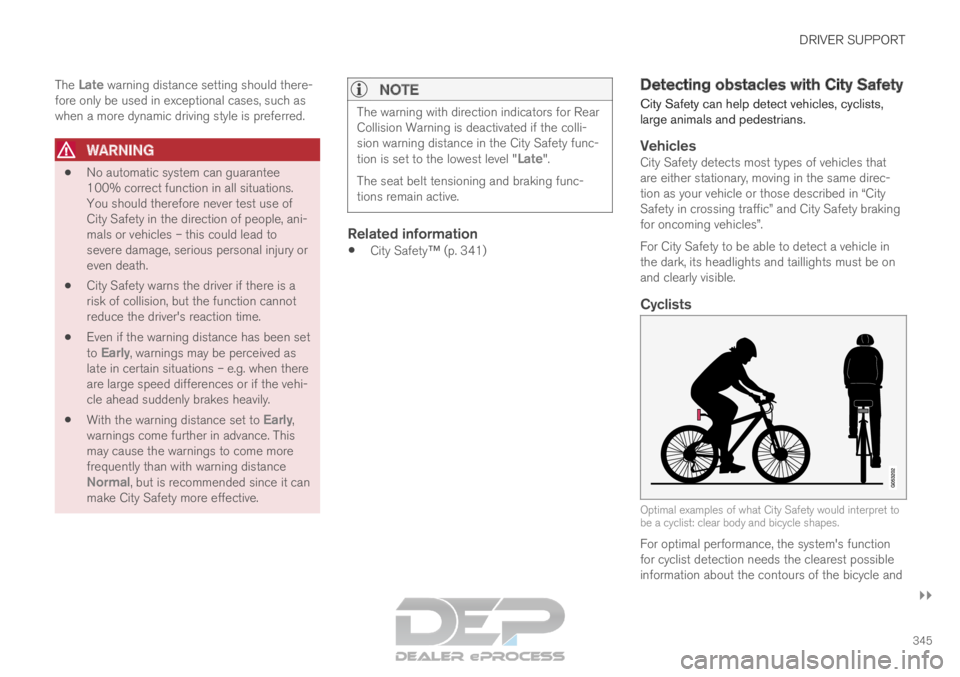
Cyclists
Optimal examples of what City Safety would interpret to
be a cyclist: clear body and bicycle shapes.
For optimal performance, the system's function
for cyclist detection needs the clearest possible
information about the contours of the bicycle and
Page 352 of 697
DRIVER SUPPORT
350City Safety braking for oncoming
vehicles
City Safety can help you apply the brakes for an
oncoming vehicle in your lane.
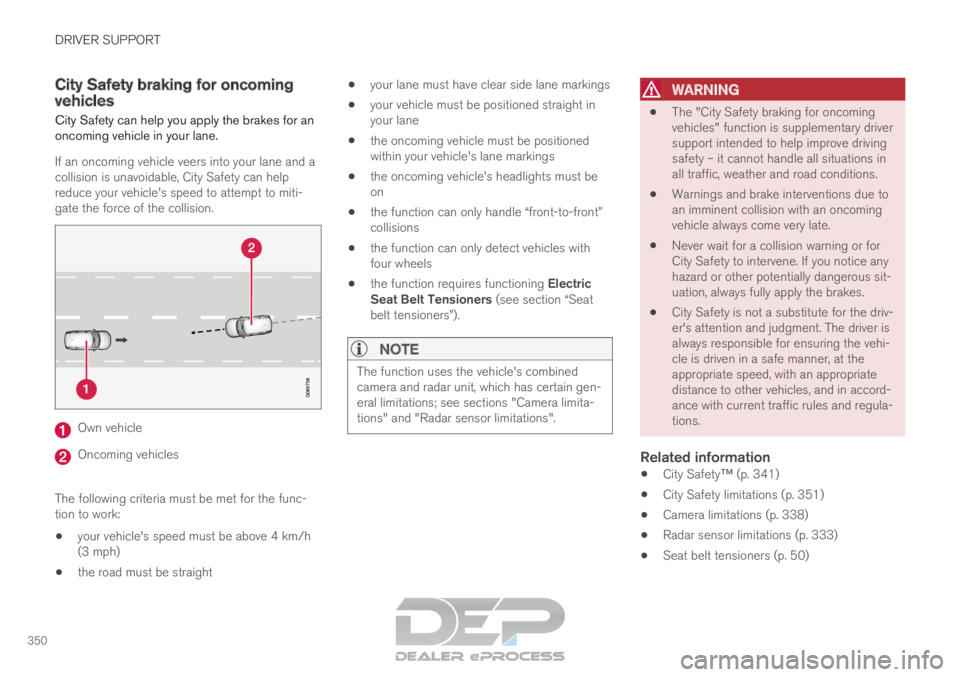
If an oncoming vehicle veers into your lane and a
collision is unavoidable, City Safety can help
reduce your vehicle's speed to attempt to miti-
gate the force of the collision. Own vehicle
Oncoming vehicles
The following criteria must be met for the func-
tion to work:
your vehicle's speed must be above 4 km/h
(3 mph)
the road must be straight
your lane must have clear side lane markings
your vehicle must be positioned straight in
your lane
the oncoming vehicle must be positioned
within your vehicle's lane markings
the oncoming vehicle's headlights must be
on
the function can only handle “front-to-front”
collisions
the function can only detect vehicles with
four wheels
the function requires functioning Electric
Seat Belt Tensioners (see section “Seat
belt tensioners”).
NOTE The function uses the vehicle's combined
camera and radar unit, which has certain gen-
eral limitations; see sections "Camera limita-
tions" and "Radar sensor limitations".
WARNING
The "City Safety braking for oncoming
vehicles" function is supplementary driver
support intended to help improve driving
safety – it cannot handle all situations in
all traffic, weather and road conditions.
Warnings and brake interventions due to
an imminent collision with an oncoming
vehicle always come very late.
Never wait for a collision warning or for
City Safety to intervene. If you notice any
hazard or other potentially dangerous sit-
uation, always fully apply the brakes.
City Safety is not a substitute for the driv-
er's attention and judgment. The driver is
always responsible for ensuring the vehi-
cle is driven in a safe manner, at the
appropriate speed, with an appropriate
distance to other vehicles, and in accord-
ance with current traffic rules and regula-
tions.
Related information
City Safety™ (p. 341)
City Safety limitations (p. 351)
Camera limitations (p. 338)
Radar sensor limitations (p. 333)
Seat belt tensioners (p. 50)
Page 356 of 697
DRIVER SUPPORT
354Rear Collision Warning
The Rear Collision Warning (
RCW) function can
help the driver avoid rear-end collisions from
vehicles approaching from behind.
RCW is automatically activated each time the
engine is started.
RCW can warn the driver of a potential collision
with vehicles approaching from behind by rapidly
flashing the turn signals.
If, at a speed below 30 km/h (20 mph), the RCW
function detects that the car is in danger of being
hit from behind, the seatbelt tensioners may ten-
sion the front seatbelts and activate the Whiplash
Protection System safety system.
Immediately before a collision from behind, RCW
may also activate the foot brake in order to
reduce the forward acceleration of the car during
the collision. However, the brakes will only be
applied if your vehicle is stationary. The brakes
will be immediately released if the accelerator
pedal is depressed.
Related information
Rear Collision Warning limitations (p. 354)
Whiplash Protection System (p. 46) Rear Collision Warning limitations
In some situations, it may be difficult for RCW to
warn the driver of a collision risk.
This may be the case if: the vehicle approaching from the rear is
detected at a late stage
the vehicle approaching from the rear
changes lanes at a late stage
the vehicle approaching from the rear is mov-
ing at a speed above 80 km/h (50 mph)
a trailer, bicycle holder or similar is con-
nected to the vehicle's electrical system - the
RCW function will then be automatically
deactivated.
NOTE In certain markets RCW does not warn with
the direction indicators due to local traffic
regulations – in such cases, that part of the
function is deactivated.
NOTE The warning with direction indicators for Rear
Collision Warning is deactivated if the colli-
sion warning distance in the City Safety func-
tion is set to the lowest level "
Late".
The seat belt tensioning and braking func-
tions remain active.
Related information
Rear Collision Warning (p. 354)
Page 436 of 697
STARTING AND DRIVING
* Option/accessory.
434 Starting the vehicle
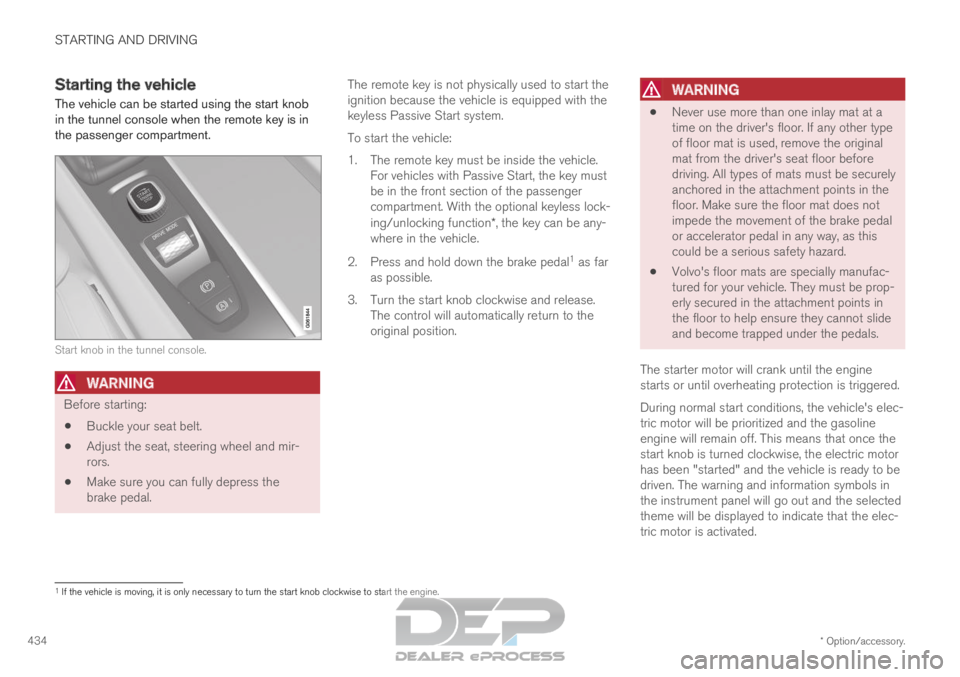
The vehicle can be started using the start knob
in the tunnel console when the remote key is in
the passenger compartment. Start knob in the tunnel console.
WARNING
Before starting:
Buckle your seat belt.
Adjust the seat, steering wheel and mir-
rors.
Make sure you can fully depress the
brake pedal. The remote key is not physically used to start the
ignition because the vehicle is equipped with the
keyless Passive Start system.
To start the vehicle:
1.
The remote key must be inside the vehicle.
For vehicles with Passive Start, the key must
be in the front section of the passenger
compartment. With the optional keyless lock-
ing/unlocking function*, the key can be any-
where in the vehicle.
2. Press and hold down the brake pedal 1
as far
as possible.
3. Turn the start knob clockwise and release. The control will automatically return to the
original position.
WARNING
Never use more than one inlay mat at a
time on the driver's floor. If any other type
of floor mat is used, remove the original
mat from the driver's seat floor before
driving. All types of mats must be securely
anchored in the attachment points in the
floor. Make sure the floor mat does not
impede the movement of the brake pedal
or accelerator pedal in any way, as this
could be a serious safety hazard.
Volvo's floor mats are specially manufac-
tured for your vehicle. They must be prop-
erly secured in the attachment points in
the floor to help ensure they cannot slide
and become trapped under the pedals.
The starter motor will crank until the engine
starts or until overheating protection is triggered.
During normal start conditions, the vehicle's elec-
tric motor will be prioritized and the gasoline
engine will remain off. This means that once the
start knob is turned clockwise, the electric motor
has been "started" and the vehicle is ready to be
driven. The warning and information symbols in
the instrument panel will go out and the selected
theme will be displayed to indicate that the elec-
tric motor is activated. 1
If the vehicle is moving, it is only necessary to turn the start knob cl\
ockwise to start the engine.
Page 446 of 697
||STARTING AND DRIVING
444
Deactivating automatically
1. Fasten your seat belt.
2. Depress the brake pedal firmly.
3. Start the vehicle.
4.
Move the gear selector to D or R and press
the accelerator pedal.
> The parking brake will release and the symbol in the instrument panel will go out.
NOTE When the vehicle is initially started, the park-
ing brake could disengage automatically even
if the driver's seat belt is not buckled.
Related information
Settings for automatically activating the park-
ing brake (p. 444)
Parking brake malfunction (p. 445)
Parking brake (p. 442)
Parking on a hill (p. 444) Settings for automatically activating
the parking brake
Choose whether the parking brake should be
activated automatically when the vehicle is
switched off.
This selection is made in the Settings menu in
the center display.
1. Tap Settings in the Top view.
2.
Tap My Car Parking Brake and
Suspension and select or deselect the
Auto Activate Parking Brake function.
Related information
Activating and deactivating the parking brake
(p. 443)
Parking brake (p. 442) Parking on a hill
Always use the parking brake when parking on a
hill.
WARNING Always apply the parking brake when parking
on an incline. Selecting a gear or putting the
automatic transmission in P may not be suffi-
cient to keep the vehicle stationary in all sit-
uations.
If the vehicle is pointing uphill: Turn the front wheels so they are pointing
away from the curb.
If the vehicle is pointing downhill:
Turn the front wheels so they are pointing
toward the curb.
Heavy load uphill
Heavy loads, such as a trailer, could cause the
vehicle to roll backward when the parking brake
is released automatically on steep uphill gradi-
ents. To help avoid this, pull the control upward
while you are driving away. Release the control
when the vehicle gains traction.
Related information
Activating and deactivating the parking brake
(p. 443)
Page 448 of 697
STARTING AND DRIVING
446Auto-hold brakes
With the Auto-hold brake function, the driver can
release the brake pedal and the brakes will
remain applied, for example, when the vehicle
has stopped at a traffic light or intersection.
When the vehicle stops, the brakes are activated
automatically. The function can use either the
normal brakes or the parking brakes to keep the
vehicle stationary and works on flat surfaces or
hills. When driving off, the brakes will be automat-
ically released if the driver's seat belt is buckled.
NOTE When braking to a stop on an uphill or down-
hill gradient, depress the brake pedal with
slightly more force than usual before releas-
ing to ensure that the vehicle cannot move at
all.
The parking brake is activated if:
the vehicle is switched off
the driver's door is opened
the driver's seat belt is removed
the vehicle has been stationary for a pro-
longed period of time (5-10 minutes)
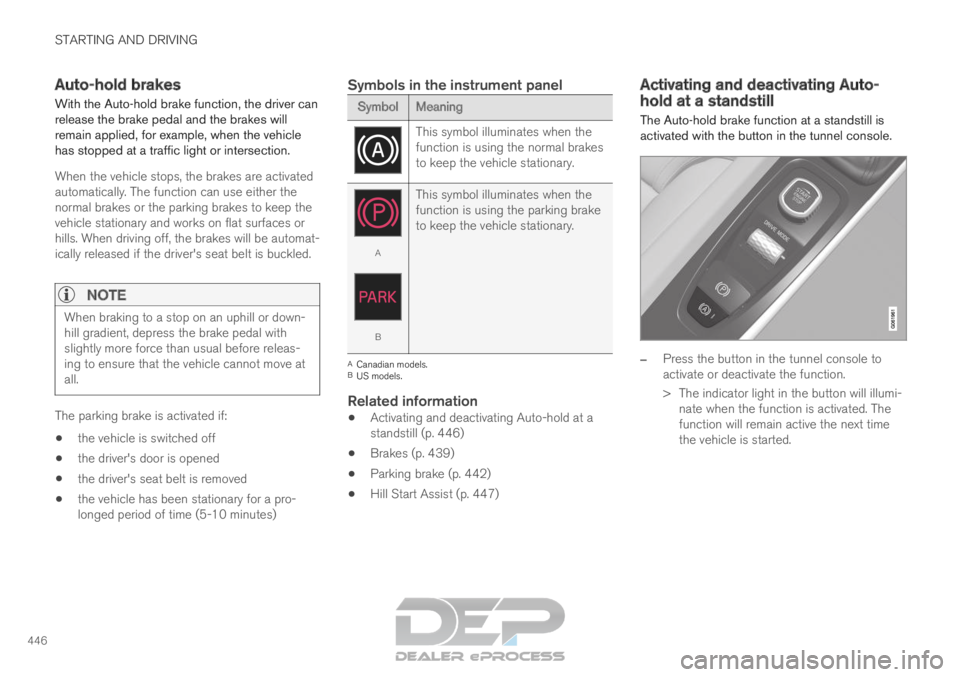
Symbols in the instrument panel Symbol
Meaning This symbol illuminates when the
function is using the normal brakes
to keep the vehicle stationary.
A
B
This symbol illuminates when the
function is using the parking brake
to keep the vehicle stationary. A
Canadian models.
B US models.
Related information
Activating and deactivating Auto-hold at a
standstill (p. 446)
Brakes (p. 439)
Parking brake (p. 442)
Hill Start Assist (p. 447) Activating and deactivating Auto-
hold at a standstill
The Auto-hold brake function at a standstill is
activated with the button in the tunnel console.
–
Press the button in the tunnel console to
activate or deactivate the function.
>
The indicator light in the button will illumi-
nate when the function is activated. The
function will remain active the next time
the vehicle is started.
Page 449 of 697
STARTING AND DRIVING
}}
447
When shutting off
If the function is active and holding the
vehicle stationary using the normal
brakes (A symbol lit), the brake pedal
must be depressed while pressing the
button in order to deactivate Auto-hold.
The function will remain off until it is reactiva-
ted.
When Auto-hold is switched off, Hill Start
Assist (HSA) will remain active to help pre-
vent the vehicle from rolling backward when
starting up a hill.
Related information
Auto-hold brakes (p. 446) Hill Start Assist
The function for assisting when starting the vehi-
cle on inclines, Hill Start Assist (HSA), helps
prevent the vehicle from rolling backward when
starting on an uphill gradient. When backing up
a hill, HSA helps prevent the vehicle from rolling
forward.
The function retains pressure from the brake
pedal in the brake system for several seconds
after the brake pedal has been released.
This temporary braking effect is released after a
few seconds or when the driver begins driving.
Hill Start Assist is available even if the Auto-hold
brake function is switched off.
Related information
Auto-hold brakes (p. 446)
Brakes (p. 439) Braking assist after a collision
In a collision in which the activation level is
reached for the pyrotechnic seat belt tensioners
or airbags, or if a collision with a large animal is
detected, the vehicle's brakes will be automati-
cally activated. This function is intended to help
prevent or reduce the effects of any subsequent
collision.
After a serious collision, it may no longer be pos-
sible to control and steer the vehicle. In order to
avoid or mitigate a possible further collision with
a vehicle or an object in the vehicle's path, the
brake assist system is activated automatically to
help stop the vehicle safely.
The brake lights and hazard warning flashers are
activated during braking. When the vehicle has
stopped, the hazard warning flashers will con-
tinue to flash and the parking brake will be
applied.
If braking is not appropriate, e.g. if there is a risk
of being hit by passing traffic, the driver can over-
ride the system by depressing the accelerator
pedal.
This function assumes that the brake system is
intact after a collision.
Brake assist is part of the Rear Collision Warning
and Blind Spot Information safety systems.
Page 452 of 697
||STARTING AND DRIVING
* Option/accessory.
450 Help functions
The system will automatically shift to P:
if the ignition is switched off while D or R is
selected.
if the driver unbuckles the seat belt and
opens the driver's door while the vehicle is
running with the gear selector in a gear other
than P.
To park a vehicle with an unbuckled seat belt and
open door – end P mode by shifting to R or D
again.
The system will not automatically shift to P if the
ignition is switched off while the gear selector is
in the neutral position (N). This is to make it pos-
sible to wash the vehicle in an automatic car
wash in which the vehicle is pulled forward on
rolling wheels.
Reverse - R
Select R when backing up. The vehicle must be
stationary when Reverse is selected.
Neutral - N
No gear is selected and the engine can be
started. Apply the parking brake if the vehicle is
stationary with the gear selector in N.
To move the gear selector from Neutral to
another gear, the brake pedal must be depressed
and the ignition in mode II.
D drive mode
D is the normal driving gear position. The trans-
mission shifts up or down automatically depend- ing on acceleration and speed. The vehicle must
be stationary when the gear selector is moved
from R to D.
Brake - B
B can be selected at any time during a drive. In B
mode, the engine braking function is activated
when the accelerator pedal is released, which
helps charge the hybrid battery. This offers addi-
tional opportunities to recharge the hybrid bat-
tery, since the battery is charged even when the
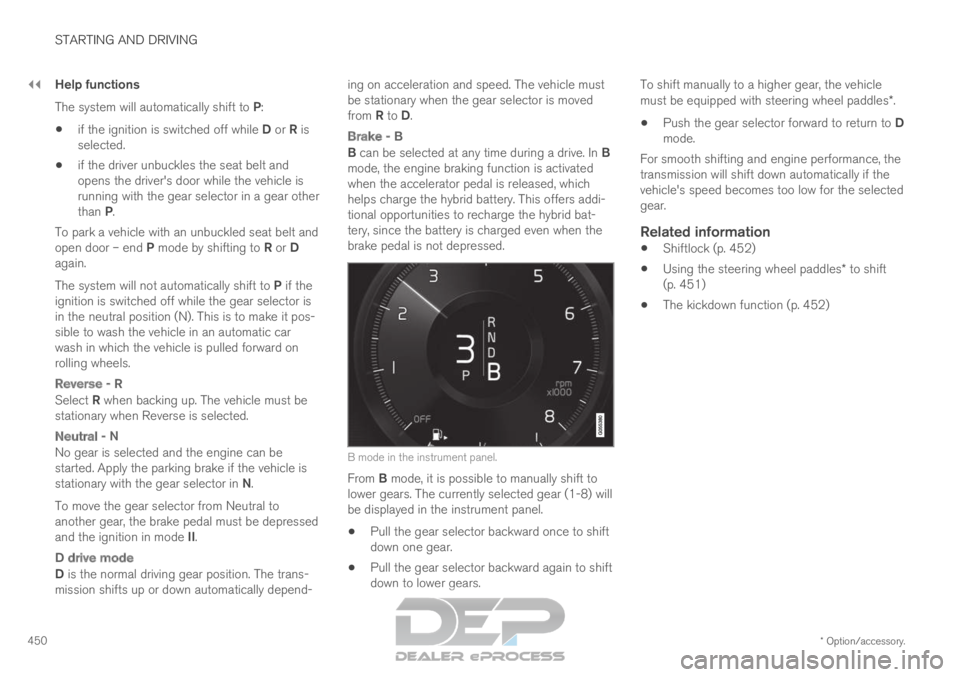
brake pedal is not depressed. B mode in the instrument panel.
From B mode, it is possible to manually shift to
lower gears. The currently selected gear (1-8) will
be displayed in the instrument panel.
Pull the gear selector backward once to shift
down one gear.
Pull the gear selector backward again to shift
down to lower gears. To shift manually to a higher gear, the vehicle
must be equipped with steering wheel paddles*.
Push the gear selector forward to return to D
mode.
For smooth shifting and engine performance, the
transmission will shift down automatically if the
vehicle's speed becomes too low for the selected
gear.
Related information
Shiftlock (p. 452)
Using the steering wheel paddles* to shift
(p. 451)
The kickdown function (p. 452)
Page 603 of 697

LOADING, STORAGE AND PASSENGER COMPARTMENT
}}
* Option/accessory. 601
Installing and removing the cargo compart-
ment cover* (p. 601)
Installing and removing the steel cargo grid*
(p. 604) Load anchoring eyelets
The load anchoring eyelets in the cargo com-
partment can be used to secure objects with
straps, a net, etc.
WARNING Hard, sharp and/or heavy objects in or pro-
truding from the vehicle can cause injury in
the event of hard braking.
Always secure large and heavy objects with a
seat belt or cargo retaining straps.
Related information
Loading recommendations (p. 598)
Weights (p. 669) Installing and removing the cargo
compartment cover*
The cover can be rolled out to conceal objects
in the cargo compartment.
Installing the cargo compartment
cover 3 Press the end piece on one side of the cover
into the retaining bracket in the side panel of
the cargo compartment.
Then put the other end piece in the recess in
the side panel on the opposite side.
3
In the XC90 Excellence, the cargo compartment cover is permanently fixed\
and cannot be taken out or put in.
Page 604 of 697

||LOADING, STORAGE AND PASSENGER COMPARTMENT
* Option/accessory.
602 Push the end piece down on both sides, one
at a time.
>
When a click is heard and the red marks
on each end piece are no longer visible,
the cover is in place. Check that it is
secure.
Removing the cargo compartment
cover
In retracted position:
1. Press the button on one of the cover's ends and lift out that end.
For 7-seat models - remove the third row
seat belt latches from the hooks above the
side panels.
2. Carefully lift the cover up and out. > The other end will release automaticallyand the cover can then be lifted out of the
cargo compartment.
Related information
Operating the cargo compartment cover*
(p. 602)
Loading recommendations (p. 598) Operating the cargo compartment
cover*
The cover can be used in two positions: fully
open to completely cover the cargo compart-
ment or partially retracted to make it easier to
reach further into the cargo compartment.
Fully open
7-seat models
1. Hang the third-row seat belt latches in the
hooks provided in the side panels. Grasp the handle and pull the cover out and
above the side panels in the cargo compart-
ment. Pull the cover to its end position.
With the cover completely open (covering the
cargo compartment), press the attaching
pins at the end of the cover into the grooves
on the side panels and release the cover
slightly while pressing the handle lightly
downward to hook the pins into the grooves.
>
The cover will be secured in the fully open
position.
5-seat models