steering VOLVO XC90 TWIN ENGINE 2020 Owners Manual
[x] Cancel search | Manufacturer: VOLVO, Model Year: 2020, Model line: XC90 TWIN ENGINE, Model: VOLVO XC90 TWIN ENGINE 2020Pages: 693, PDF Size: 13.34 MB
Page 369 of 693

DRIVER SUPPORT
* Option/accessory.367
The function is active at speeds between
60-140 km/h (37-87 mph) on roads with clearly visible traffic lane markings/lines. If your vehicle is starting to veer from your own lane and a vehicle is approaching fromthe opposite direction, this function can helpthe driver steer the vehicle back into its ownlane. However, the function will not provide steer-
ing assistance if the turn signal is used. The function will also not be activated if it detectsthat the driver is actively operating the vehicle.
Related information
Steering assistance at risk of collision(p. 364)
Collision risk warning from driver support(p. 309)
Steering assistance during collision riskslimitations (p. 368)
Steering assistance during collision risks from behind
*
Steering assistance has several sub-func- tions. If you become distracted and do notnotice your vehicle starting to veer out of thelane while another vehicle is approachingfrom behind or is in your vehicle's blind spot,Steering assistance during collision risksfrom behind can help provide assistance.
The function provides assistance by steering your vehicle back into your own lane.
Another vehicle in blind spot zone
Own vehicle
If your vehicle is beginning to veer out of your lane while another vehicle is in your blind spotor another vehicle is rapidly approaching in the next lane, this function can help the driversteer the vehicle back into its own lane. Even if the driver intentionally changes lanes using a turn signal without noticing anothervehicle approaching, the function can provideassistance. The function is active at speeds between 60-140 km/h (37-87 mph) on roads withclearly visible traffic lane markings/lines. The lights in the door mirrors will flash while steering assistance is being provided, whether or not the BLIS
96
function is activated.
Related information
Steering assistance at risk of collision (p. 364)
BLIS
* (p. 342)
Steering assistance during collision riskslimitations (p. 368)
96
Blind Spot Information
Page 370 of 693

DRIVER SUPPORT
* Option/accessory.
368
Steering assistance during collision risks limitations
The function may have limited functionality in certain situations and not intervene, e.g.:
for smaller vehicles such as motorcycles
if more than half of your vehicle has moved into the adjacent lane
on roads/lanes with indistinct or no sidelane markings
outside the speed range 60-140 km/h(37-87 mph)
when speed-dependent power steeringwheel resistance is working at reducedpower – e.g. during cooling due to over-heating.
Functionality may also be reduced in other sit-uations, such as: road work
winter driving conditions
narrow roads
poor road surfaces
a very sporty driving style
bad weather with reduced visibility.
In these demanding driving conditions, the function may not be able to properly assist thedriver. In these situations, it is recommendedthat it is turned off.
NOTE
The function uses the vehicle's camera and radar sensor, which has certain generallimitations.
Related information
Steering assistance at risk of collision (p. 364)
Run-Off Mitigation with steering assis-tance (p. 365)
Steering assistance during collision risksfrom oncoming traffic (p. 366)
Steering assistance during collision risks from behind
* (p. 367)
Page 371 of 693

DRIVER SUPPORT
369
Symbols and messages for steering assistance during collisionrisks
A number of symbols and messages related to steering assistance may be displayed in the instrument panel. Several examples areprovided below.
Symbol Message
Meaning
Collision avoidance assistance Automatic interventionWhen the function is activated, a message will appear to alert the driver.
Windscreen sensor Sensor blocked, see Owner's manualThe camera's ability to detect the lane in front of the vehicle is reduced.
A text message can be erased by briefly press- ing the
button in the center of the right-
side steering wheel keypad. If the message persists: Contact a workshop ‒
an authorized Volvo workshop is recom- mended.
Related information
Steering assistance at risk of collision(p. 364)
Steering assistance during collision riskslimitations (p. 368)
Page 374 of 693

||
DRIVER SUPPORT
* Option/accessory.
372
Side sensors
The warning signal will begin pulsating rapidly when the obstacle is less than approx. 25 cm (0.8 ft) fromthe vehicle.
Park Assist's side sensors are automatically activated when the engine is started. They areactive at speeds below 10 km/h (6 mph). The distance monitored is approx. 25 cm (0.8 ft) out from the sides. The detection area of the side sensors increa- ses significantly, however, when the steeringangle of the front wheel increases anddepending on the position of the steeringwheel, obstacles up to approx. 90 cm (3 ft)diagonally behind or in front of the vehicle canbe detected.
Related information
Park Assist
* (p. 370)
Park Assist sensor field (p. 380)
Activating or deactivating Park Assist
*
The Park Assist function can be activated or deactivated.
Park Assist's front and side sensors are auto- matically activated when the engine is started.The rear sensors are activated if the vehicle ismoving backward or reverse gear is engaged.
Activate or deactivate thefunction using this button inthe center display's Functionview.
GREEN button indicator light – the func- tion is activated.
GRAY button indicator light – the functionis deactivated.
In vehicles equipped with Park Assist Cam- era *, Park Assist can also be activated or deac-
tivated from the relevant camera view.
Related information
Park Assist
* (p. 370)
Park Assist limitations (p. 372)
Park Assist limitations Park Assist may not be able to detect all con- ditions in all situations and functionality maytherefore be limited in certain cases.
The driver should be aware of the following limitations for Park Assist:
WARNING
The parking sensors have dead/blind spots where objects cannot bedetected.
Pay particular attention to people andanimals near the vehicle.
Bear in mind that the front end of thevehicle may swing out towards oncom-ing traffic during the parking maneuver.
WARNING
Be extra cautious when reversing if this symbol isshown when a trailer, bikecarrier or similar isattached and electricallyconnected to the vehicle. The symbol indicates that
the rear parking assist sensors are deacti-
vated and will not warn of any obstacles.
Page 376 of 693

DRIVER SUPPORT
* Option/accessory.
374
Park Assist symbols and messages
Symbols and messages for the Park Assist system may be displayed in the instrument panel and/or the center display. Severalexamples are provided below.
Symbol Message Meaning
The rear Park Assist sensors are
turned off and no acoustic warnings for obstacles/
objects will be provided.
Park Assist System Sensors blocked, cleaning neededOne or more of the sensors are blocked. Check and clean/remove the obstacle as soon as possible.
Park Assist System Unavailable Service requiredThe system is not functioning as intended. Contact a workshop A
.
A An authorized Volvo workshop is recommended.
A text message can be erased by briefly press- ing the
button in the center of the right-
side steering wheel keypad. If a message cannot be erased, contact a workshop A
.
Related information
Park Assist
* (p. 370)
Park Assist limitations (p. 372)
Page 380 of 693
||
DRIVER SUPPORT
* Option/accessory.
378
Side cameras
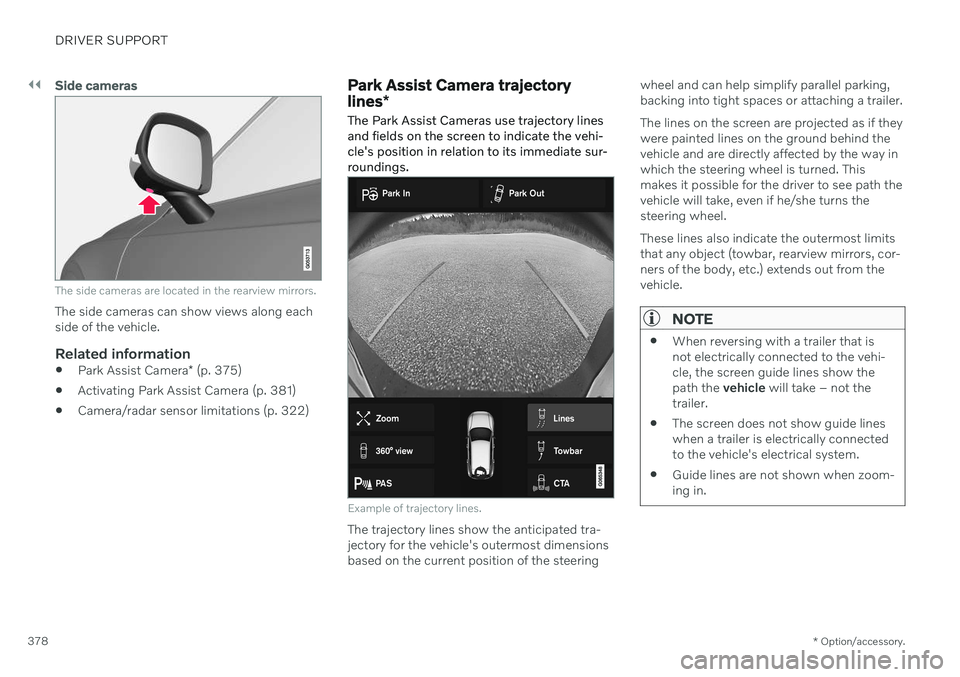
The side cameras are located in the rearview mirrors.
The side cameras can show views along each side of the vehicle.
Related information
Park Assist Camera
* (p. 375)
Activating Park Assist Camera (p. 381)
Camera/radar sensor limitations (p. 322)
Park Assist Camera trajectory lines
*
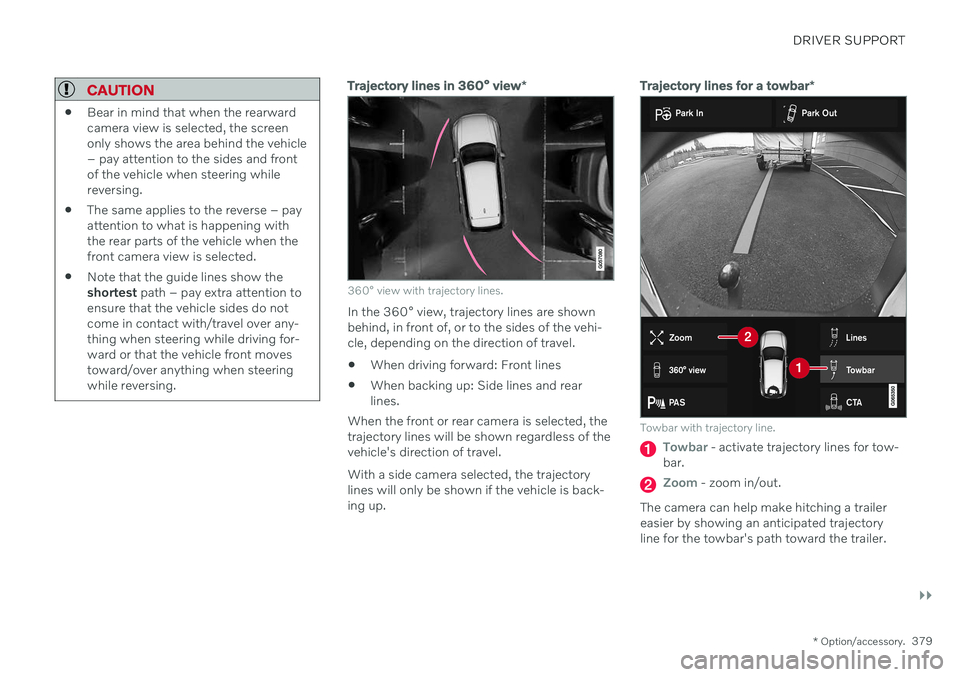
The Park Assist Cameras use trajectory lines and fields on the screen to indicate the vehi-cle's position in relation to its immediate sur-roundings.
Example of trajectory lines.
The trajectory lines show the anticipated tra- jectory for the vehicle's outermost dimensionsbased on the current position of the steering wheel and can help simplify parallel parking,backing into tight spaces or attaching a trailer. The lines on the screen are projected as if they were painted lines on the ground behind thevehicle and are directly affected by the way inwhich the steering wheel is turned. Thismakes it possible for the driver to see path thevehicle will take, even if he/she turns thesteering wheel. These lines also indicate the outermost limits that any object (towbar, rearview mirrors, cor-ners of the body, etc.) extends out from thevehicle.
NOTE
When reversing with a trailer that is not electrically connected to the vehi-cle, the screen guide lines show thepath the
vehicle will take – not the
trailer.
The screen does not show guide lineswhen a trailer is electrically connectedto the vehicle's electrical system.
Guide lines are not shown when zoom-ing in.
Page 381 of 693
DRIVER SUPPORT
}}
* Option/accessory.379
CAUTION
Bear in mind that when the rearward camera view is selected, the screenonly shows the area behind the vehicle– pay attention to the sides and frontof the vehicle when steering whilereversing.
The same applies to the reverse – payattention to what is happening withthe rear parts of the vehicle when thefront camera view is selected.
Note that the guide lines show theshortest
path – pay extra attention to
ensure that the vehicle sides do notcome in contact with/travel over any-thing when steering while driving for-ward or that the vehicle front movestoward/over anything when steeringwhile reversing.
Trajectory lines in 360° view *
360° view with trajectory lines.
In the 360° view, trajectory lines are shown behind, in front of, or to the sides of the vehi-cle, depending on the direction of travel. When driving forward: Front lines
When backing up: Side lines and rear lines.
When the front or rear camera is selected, thetrajectory lines will be shown regardless of thevehicle's direction of travel. With a side camera selected, the trajectory lines will only be shown if the vehicle is back-ing up.
Trajectory lines for a towbar *
Towbar with trajectory line.
Towbar - activate trajectory lines for tow-
bar.
Zoom - zoom in/out.
The camera can help make hitching a trailer easier by showing an anticipated trajectoryline for the towbar's path toward the trailer.
Page 383 of 693
DRIVER SUPPORT
}}
* Option/accessory.381
Side sensor fields
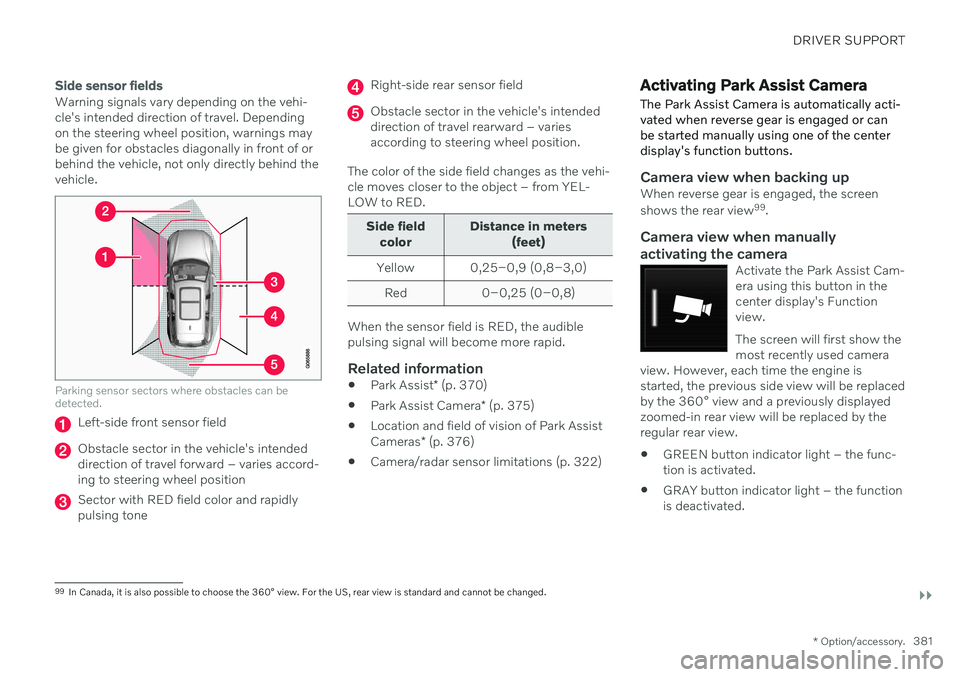
Warning signals vary depending on the vehi- cle's intended direction of travel. Dependingon the steering wheel position, warnings maybe given for obstacles diagonally in front of orbehind the vehicle, not only directly behind thevehicle.
Parking sensor sectors where obstacles can be detected.
Left-side front sensor field
Obstacle sector in the vehicle's intended direction of travel forward – varies accord-ing to steering wheel position
Sector with RED field color and rapidly pulsing tone
Right-side rear sensor field
Obstacle sector in the vehicle's intended direction of travel rearward – variesaccording to steering wheel position.
The color of the side field changes as the vehi-cle moves closer to the object – from YEL-LOW to RED.
Side field color Distance in meters
(feet)
Yellow 0,25–0,9 (0,8–3,0) Red 0–0,25 (0–0,8)
When the sensor field is RED, the audible pulsing signal will become more rapid.
Related information
Park Assist
* (p. 370)
Park Assist Camera
* (p. 375)
Location and field of vision of Park Assist Cameras
* (p. 376)
Camera/radar sensor limitations (p. 322)
Activating Park Assist Camera
The Park Assist Camera is automatically acti- vated when reverse gear is engaged or canbe started manually using one of the centerdisplay's function buttons.
Camera view when backing upWhen reverse gear is engaged, the screen shows the rear view 99
.
Camera view when manually
activating the camera
Activate the Park Assist Cam- era using this button in thecenter display's Functionview. The screen will first show the most recently used camera
view. However, each time the engine isstarted, the previous side view will be replacedby the 360° view and a previously displayedzoomed-in rear view will be replaced by theregular rear view.
GREEN button indicator light – the func- tion is activated.
GRAY button indicator light – the functionis deactivated.
99
In Canada, it is also possible to choose the 360° view. For the US, rear view is standard and cannot be changed.
Page 385 of 693
DRIVER SUPPORT
* Option/accessory.383
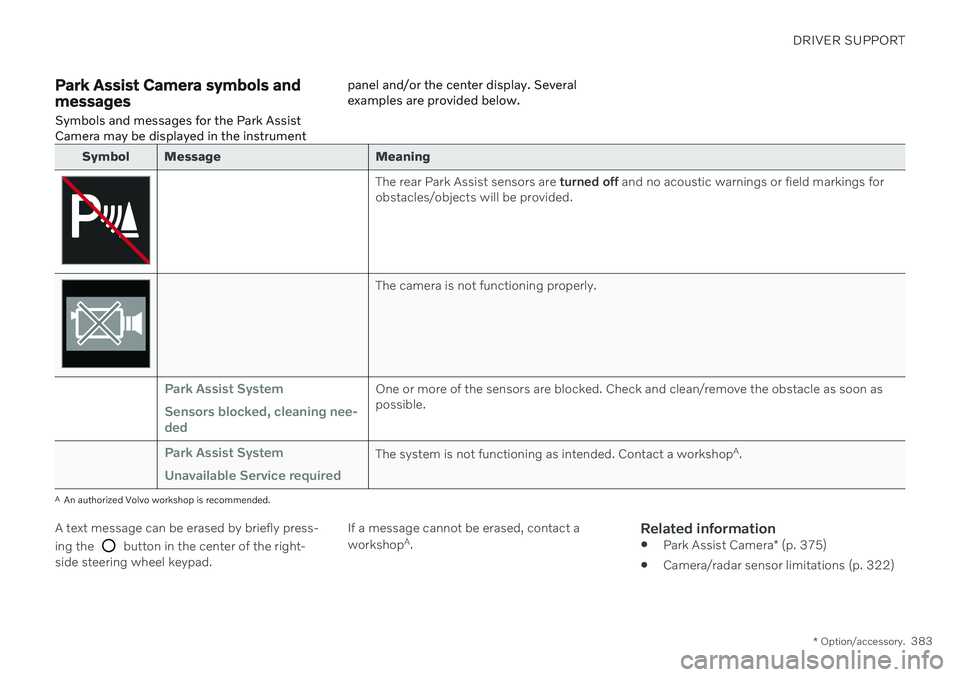
Park Assist Camera symbols and messages
Symbols and messages for the Park Assist Camera may be displayed in the instrument panel and/or the center display. Severalexamples are provided below.
Symbol Message Meaning
The rear Park Assist sensors are
turned off and no acoustic warnings or field markings for
obstacles/objects will be provided.
The camera is not functioning properly.
Park Assist System Sensors blocked, cleaning nee- dedOne or more of the sensors are blocked. Check and clean/remove the obstacle as soon as possible.
Park Assist System Unavailable Service requiredThe system is not functioning as intended. Contact a workshop A
.
A An authorized Volvo workshop is recommended.
A text message can be erased by briefly press- ing the
button in the center of the right-
side steering wheel keypad. If a message cannot be erased, contact a workshop
A
.
Related information
Park Assist Camera
* (p. 375)
Camera/radar sensor limitations (p. 322)
Page 386 of 693
DRIVER SUPPORT
* Option/accessory.
384
Park Assist Pilot *
Park Assist Pilot (PAP 100
) can help the driver
maneuver the vehicle when parking. The function can also assist with steering whenpulling out from a parallel parking space.
The function first checks whether there is suf- ficient space and then helps the driver steerthe vehicle into the space. The center display uses symbols, graphics and messages to inform the driver of what stepsneed to be taken and when.
WARNING
The function is supplementary driver support intended to facilitate drivingand help make it safer – it cannot han-dle all situations in all traffic, weatherand road conditions.
The driver is advised to read all sec-tions in the Owner's Manual about thisfunction to learn of its limitations,which the driver must be aware ofbefore using the function.
Driver support functions are not a sub-stitute for the driver's attention andjudgment. The driver is always respon-sible for ensuring the vehicle is drivenin a safe manner, at the appropriatespeed, with an appropriate distance toother vehicles, and in accordance withcurrent traffic rules and regulations.
Related information
Driver support systems (p. 280)
Types of parking with Park Assist Pilot
*
(p. 385)
Using Park Assist Pilot
* (p. 386)
Leaving a parallel parking space with Park Assist Pilot
* (p. 389)
Park Assist Pilot
* limitations (p. 389)
Park Assist Pilot
* messages (p. 392)
100
Park Assist Pilot