key battery VOLVO XC90 TWIN ENGINE 2020 User Guide
[x] Cancel search | Manufacturer: VOLVO, Model Year: 2020, Model line: XC90 TWIN ENGINE, Model: VOLVO XC90 TWIN ENGINE 2020Pages: 693, PDF Size: 13.34 MB
Page 261 of 693
KEY, LOCKS AND ALARM
}}
259
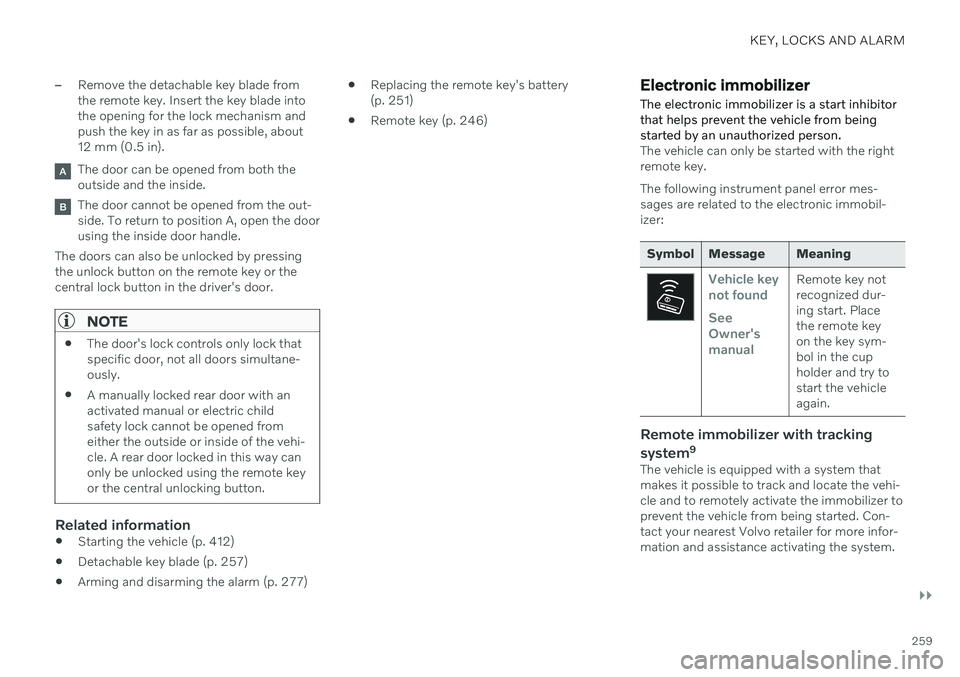
–Remove the detachable key blade from the remote key. Insert the key blade intothe opening for the lock mechanism andpush the key in as far as possible, about12 mm (0.5 in).
The door can be opened from both the outside and the inside.
The door cannot be opened from the out- side. To return to position A, open the doorusing the inside door handle.
The doors can also be unlocked by pressingthe unlock button on the remote key or thecentral lock button in the driver's door.
NOTE
The door's lock controls only lock that specific door, not all doors simultane-ously.
A manually locked rear door with anactivated manual or electric childsafety lock cannot be opened fromeither the outside or inside of the vehi-cle. A rear door locked in this way canonly be unlocked using the remote keyor the central unlocking button.
Related information
Starting the vehicle (p. 412)
Detachable key blade (p. 257)
Arming and disarming the alarm (p. 277)
Replacing the remote key's battery (p. 251)
Remote key (p. 246)
Electronic immobilizer The electronic immobilizer is a start inhibitor that helps prevent the vehicle from beingstarted by an unauthorized person.
The vehicle can only be started with the right remote key. The following instrument panel error mes- sages are related to the electronic immobil-izer:
Symbol Message Meaning
Vehicle key not found See Owner'smanualRemote key not recognized dur-ing start. Placethe remote keyon the key sym-bol in the cupholder and try tostart the vehicleagain.
Remote immobilizer with tracking system 9
The vehicle is equipped with a system that makes it possible to track and locate the vehi-cle and to remotely activate the immobilizer toprevent the vehicle from being started. Con-tact your nearest Volvo retailer for more infor-mation and assistance activating the system.
Page 278 of 693
KEY, LOCKS AND ALARM
276
Alarm The alarm emits sound and light signals if anyone without a valid remote key attemptsto break into the vehicle or interferes with thestart battery or alarm siren.
When armed, the alarm will be triggered if:
the hood, tailgate or any door is opened.
a battery cable is disconnected.
the alarm siren is disconnected.
Alarm signalsThe following occurs if the alarm is triggered:
A siren will sound for 30 seconds or until the alarm is turned off.
The hazard warning flashers will flash for5 minutes or until the alarm is turned off.
If the reason the alarm was triggered is notrectified, the alarm cycle will repeat up to 10 times 15
.
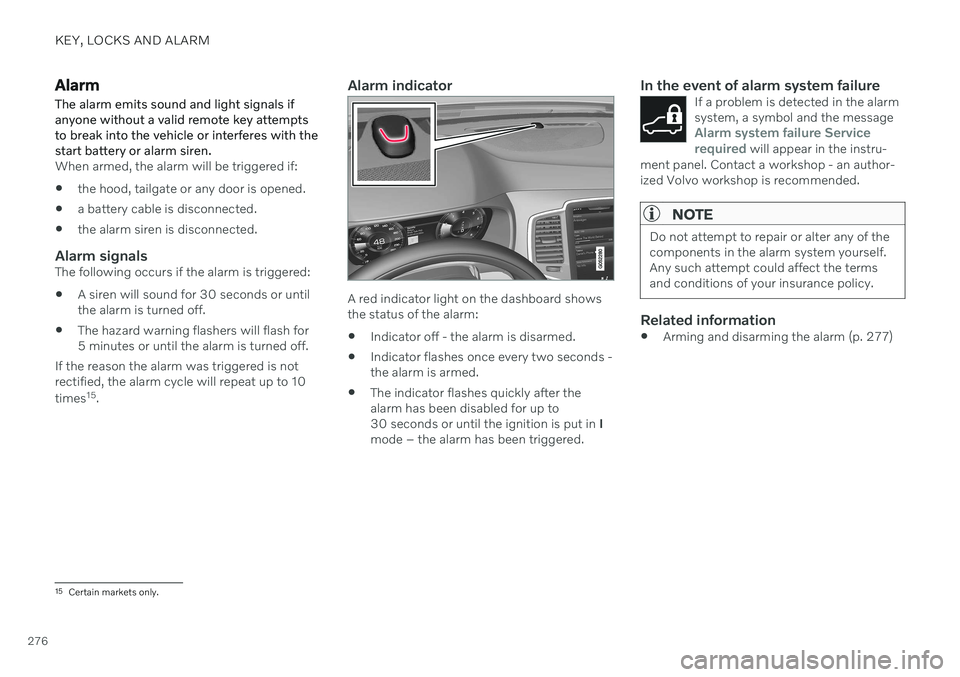
Alarm indicator
A red indicator light on the dashboard shows the status of the alarm:
Indicator off - the alarm is disarmed.
Indicator flashes once every two seconds -the alarm is armed.
The indicator flashes quickly after thealarm has been disabled for up to30 seconds or until the ignition is put in
I
mode – the alarm has been triggered.
In the event of alarm system failureIf a problem is detected in the alarmsystem, a symbol and the message
Alarm system failure Service
required will appear in the instru-
ment panel. Contact a workshop - an author- ized Volvo workshop is recommended.
NOTE
Do not attempt to repair or alter any of the components in the alarm system yourself.Any such attempt could affect the termsand conditions of your insurance policy.
Related information
Arming and disarming the alarm (p. 277)
15
Certain markets only.
Page 279 of 693
KEY, LOCKS AND ALARM
}}
* Option/accessory.277
Arming and disarming the alarm
The alarm is armed when the vehicle is locked.
Arming the alarmLock and arm the vehicle by
pressing the lock button on the remote key
.
touch the marked surface on the outside of the door handle or the rubberized pres- sure plate on the tailgate 16
.
If the vehicle is equipped with both keyless locking/unlocking * and power tailgate *, the
button
on the lower edge of the tailgate
can also be used to lock and arm the vehicle.
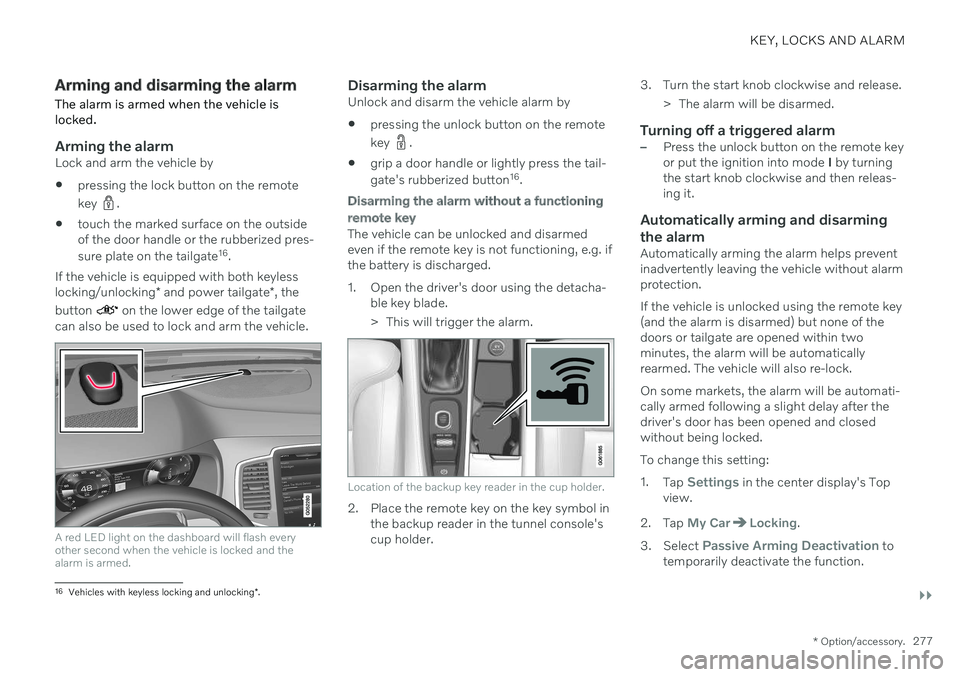
A red LED light on the dashboard will flash every other second when the vehicle is locked and thealarm is armed.
Disarming the alarmUnlock and disarm the vehicle alarm by
pressing the unlock button on the remote key
.
grip a door handle or lightly press the tail- gate's rubberized button 16
.
Disarming the alarm without a functioning
remote key
The vehicle can be unlocked and disarmed even if the remote key is not functioning, e.g. ifthe battery is discharged.
1. Open the driver's door using the detacha- ble key blade.
> This will trigger the alarm.
Location of the backup key reader in the cup holder.
2. Place the remote key on the key symbol inthe backup reader in the tunnel console's cup holder. 3. Turn the start knob clockwise and release.
> The alarm will be disarmed.
Turning off a triggered alarm–Press the unlock button on the remote key or put the ignition into mode I by turning
the start knob clockwise and then releas-ing it.
Automatically arming and disarming the alarm
Automatically arming the alarm helps prevent inadvertently leaving the vehicle without alarmprotection. If the vehicle is unlocked using the remote key (and the alarm is disarmed) but none of thedoors or tailgate are opened within twominutes, the alarm will be automaticallyrearmed. The vehicle will also re-lock. On some markets, the alarm will be automati- cally armed following a slight delay after thedriver's door has been opened and closedwithout being locked. To change this setting:1. Tap
Settings in the center display's Top
view.
2. Tap
My CarLocking.
3. Select
Passive Arming Deactivation to
temporarily deactivate the function.
16 Vehicles with keyless locking and unlocking *.
Page 409 of 693

HYBRID INFORMATION
* Option/accessory.407
Stopping hybrid battery charging To stop charging of the hybrid battery, unlock the vehicle, unplug the charging cable fromthe vehicle's charging socket and thenunplug the cable from the 120/240 V outlet(alternating current).
CAUTION
Before the charging cable is removed from the vehicle's charging socket, the vehiclemust be unlocked using the unlock buttonon the remote key. This must be done evenif the vehicle's doors are already unlocked.If the vehicle is not unlocked using theunlock button, the charging cable or sys-tem may be damaged.
NOTE
Always unlock the vehicle so that charging is cut off before the connection to the120/240 V outlet (AC, alternating current)is disconnected. Note that the chargingcable must be disconnected from the vehi-cle's charging socket before it is discon-nected from the 120/240 V outlet, partlyto prevent damage to the system and partyto prevent unintentional interruption ofcharging.
Unlock the vehicle with the remote key. Charging will stop.
Press the lock button on the charging cable's handle. The handle will bereleased/unlocked. Remove the cablefrom the vehicle's charging socket, put thesocket's cover back in place and close thecharger door.
Unplug the cable from the 120/240 V out- let. Stow the charging cable in the storage compartment under the cargo area floor.
Charging cable automatically locksIf the charging cable cannot be removed fromthe charging socket, it will automatically lockinto place again after unlocking to maximizecharging and range and to enable precondi-tioning before driving. The charging cable canbe removed again if the vehicle is unlockedusing the remote key. For vehicles with Passive Entry*, the handle can be used to lock
and unlock.
Related information
Opening and closing the charging socket cover (p. 400)
Charge cable (p. 397)
Charging the hybrid battery (p. 395)
Initiating hybrid battery charging (p. 401)
Page 415 of 693
STARTING AND DRIVING
}}
413
will go out and the selected theme will be dis- played to indicate that the electric motor isactivated. In some situations, such as in cold weather or if the hybrid battery's charge level is too low,the gasoline engine will start instead.
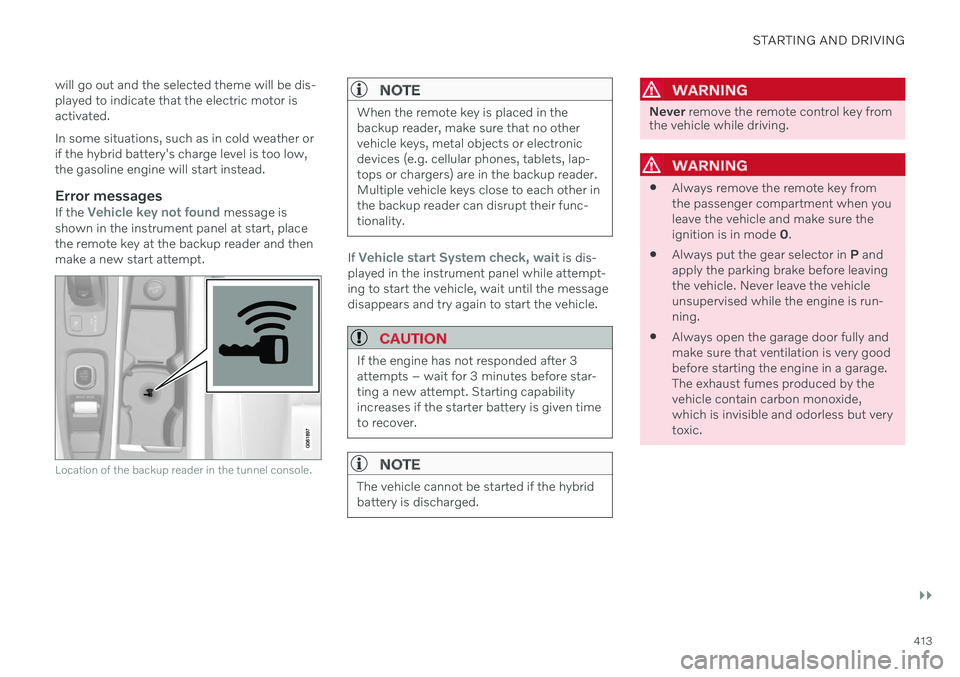
Error messagesIf the Vehicle key not found message is
shown in the instrument panel at start, place the remote key at the backup reader and thenmake a new start attempt.
Location of the backup reader in the tunnel console.
NOTE
When the remote key is placed in the backup reader, make sure that no othervehicle keys, metal objects or electronicdevices (e.g. cellular phones, tablets, lap-tops or chargers) are in the backup reader.Multiple vehicle keys close to each other inthe backup reader can disrupt their func-tionality.
If Vehicle start System check, wait is dis-
played in the instrument panel while attempt- ing to start the vehicle, wait until the messagedisappears and try again to start the vehicle.
CAUTION
If the engine has not responded after 3 attempts – wait for 3 minutes before star-ting a new attempt. Starting capabilityincreases if the starter battery is given timeto recover.
NOTE
The vehicle cannot be started if the hybrid battery is discharged.
WARNING
Never remove the remote control key from
the vehicle while driving.
WARNING
Always remove the remote key from the passenger compartment when youleave the vehicle and make sure theignition is in mode
0.
Always put the gear selector in
P and
apply the parking brake before leavingthe vehicle. Never leave the vehicleunsupervised while the engine is run-ning.
Always open the garage door fully andmake sure that ventilation is very goodbefore starting the engine in a garage.The exhaust fumes produced by thevehicle contain carbon monoxide,which is invisible and odorless but verytoxic.
Page 418 of 693
||
STARTING AND DRIVING
* Option/accessory.
416
Mode Functions
I The panoramic roof, power windows, 12-volt electricalsocket in the passenger com-partment, Bluetooth, naviga-tion, phone, blower and wind-shield wipers can be used.
The power seats can beadjusted.
The 12-volt electrical socket
* in
the cargo compartment can beused.
Electrical current will be taken
from the battery in this ignitionmode.
II The headlights illuminate.
Warning/indicator lights illumi-nate for 5 seconds.
A number of other systems areactivated. However, seat andrear window heating can onlybe activated when the engineis running.
This ignition mode uses a lot of
current from the battery andshould be avoided wheneverpossible!
A Also activated when the door is opened.
Related information
Starting the vehicle (p. 412)
Adjusting the steering wheel (p. 206)
Jump starting using another battery (p. 459)
Selecting ignition mode (p. 416)
Selecting ignition mode
The vehicle's ignition can be put in various modes (levels) to make different functionsavailable.
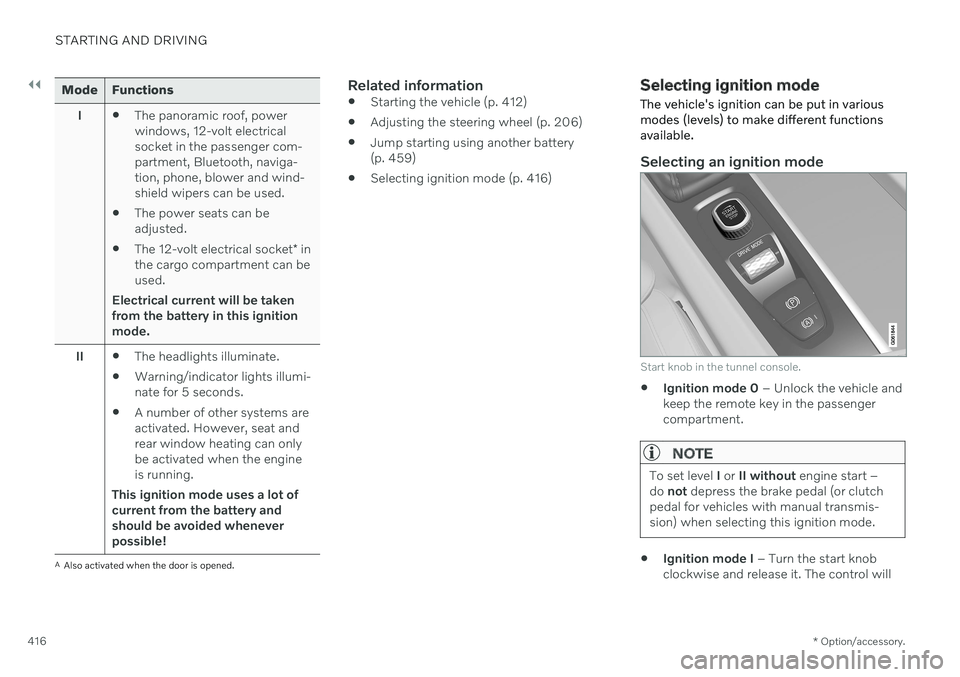
Selecting an ignition mode
Start knob in the tunnel console.
Ignition mode 0
– Unlock the vehicle and
keep the remote key in the passenger compartment.
NOTE
To set level I or II without engine start –
do not depress the brake pedal (or clutch
pedal for vehicles with manual transmis- sion) when selecting this ignition mode.
Ignition mode I
– Turn the start knob
clockwise and release it. The control will
Page 677 of 693
INDEX
675
Center console 579
Center display change appearance 134
cleaning 639
climate controls 219
Function view 125
keyboard 129
messages 143, 144
operation 115, 118, 122, 127
overview 113
settings 135, 136
switch off and change volume 134
symbols in status bar 127
views 118
Central locking 265
Change of owner 137
Changing a wheel 560 Charge vehicle function 449
Charge level vehicle function 449
Charging hybrid battery 395 opening and closing the charging
door 400
start charging 401
Status 403, 405
stop charging 407
Charging cable 397
Charging current 397
Checking engine oil level 609
Child restraints 65, 67booster cushions 74
convertible seats 72
infant seats 69
integrated booster cushion 79
ISOFIX/LATCH anchors 77
lower attachment points 77
recalls and registration 67
top tether anchors 75
Child safety 65
Child safety locks 267
Circuit breaker 399
City Safety 327 braking for oncoming vehicles 336
crossing traffic 333
delayed evasive maneuver 335
detecting obstacles 331
evasive maneuver 335
limitations 337
limitations in crossing traffic 334
setting warning distance 330
sub-functions 328
Symbols and messages 340
Cleaning 641, 643 automatic car wash 647car wash 644, 645, 647, 648, 649, 650
center display 639
Seat belts 641
textile upholstery 639, 641, 642
upholstery 639, 641, 642, 643
wheels 650
Cleaning wheels 650
Cleaning wiper blades 648
Clean Zone 211
Clean Zone Interior Package 212
Climate 208 auto-regulation 224
blower control 227, 228
parking 233
perceived temperature 209
Sensors 208
temperature control 229, 230, 231
voice control 209
zones 208
Climate controls 219 center display 219
rear seat 219
Climate system 208, 219 Refrigerant 671
repairs 605
Clock, setting 96
Collision 44, 49, 55, 64
Page 682 of 693
INDEX
680
J
Jack 561
Jump-start 459
K
Key 246
Keyboard 129, 132change language 132
Keyless locking/unlocking 262
settings 263
touch-sensitive surfaces 261
Key tag 246
L
Labels location 660
Laminated glass 170 Lamps changing 612
Trailer 468
Lane Keeping Aid 357 activating/deactivating 359
display 363
limitations 360
see Lane Keeping Aid 357
select assistance option 359
Symbols and messages 361
Language 135
Large Animal Detection (LAD) 331Leather upholstery, cleaning instruc-
tions 642
Leveling control 440 settings 443
License agreement 101, 533
Lifting tools 561Light bulbs changing 612
Light control 156, 167Lighting Active Bending Lights 162
approach lighting 165
automatic high beam 161
brake lights 164
control, instrument, display 167
controls 156, 165
daytime running lights 158
emergency brake lights 164
Hazard warning flashers 164
high beams 160, 161
home safe lighting 165in passenger compartment 165
low beams 159
position lights 158
rear fog light 163
settings 157
Turn signals 162
Lighting, replacing bulbs 612
Limp home 426Load anchoring eyelets cargo compartment 587
Load anchoring hooks 587
Load carriers 586
Load index 550Loading general 585
load anchoring eyelets 587
long load 585
Lock indication 244 setting 245
Locking/unlocking Tailgate 250, 264
Locking wheel bolts 561 Locks locking/unlocking 248
Long-term storage 410 Low battery charge level start battery 459
Page 685 of 693
INDEX
683
Private locking 274
activating/deactivating 274
PROPOSITION 65 WARNING 459
R
Radar sensor see Radar sensor 318
Radar unit 318 limitations 322
maintenance and cleaning 326
type approval 319
Radio 482 changing radio waveband and radio
station 484
HD radio 487
RBDS 486
search radio station 484
settings 486 SiriusXM ® Satellite radio 490, 491, 492
start 483
voice control 152
Radio favorites 485
Rain sensor 182, 183
Rain sensor's memory function 183
Raise the rear end 585
Rear camera 375
Rear Collision Warning 341 limitations 341
Rear door sun shade 173
Rear seat adjusting backrest tilt 202
blower 228
climate 219
folding backrest 198, 204
getting in/getting out 203
head restraint 200
heating 222
moving forward/rearward 201
temperature 230
Rearview/door mirrors adjusting door mirrors 175
dimming 174
heating 226
interior 174
Rearview mirror 174 dimming 174
Rear window heating 226
washers 185, 186
wipers 185, 186
Recalls 47
Recommendations when driving 450
Recommendations when loading 585Recovery 470 Red Key restricted remote key 255
settings 256
Refrigerant 605 climate system 671
Refueling filling 453
fuel filler door, fuel flap 452
Remote immobilizer 259
Remote key 246 battery replacement 251
connecting to driver profile 141
detachable key blade 257
loss 254
Range 250
Remote updates 599
Reporting safety defects 46
Resetting door mirrors 175
Resetting settings 137 change of owner 137
Driver profile 143
Resetting trip odometer 94
Road Sign Information 350 activating/deactivating 351
display 351
limitations 354
Page 687 of 693
INDEX
685
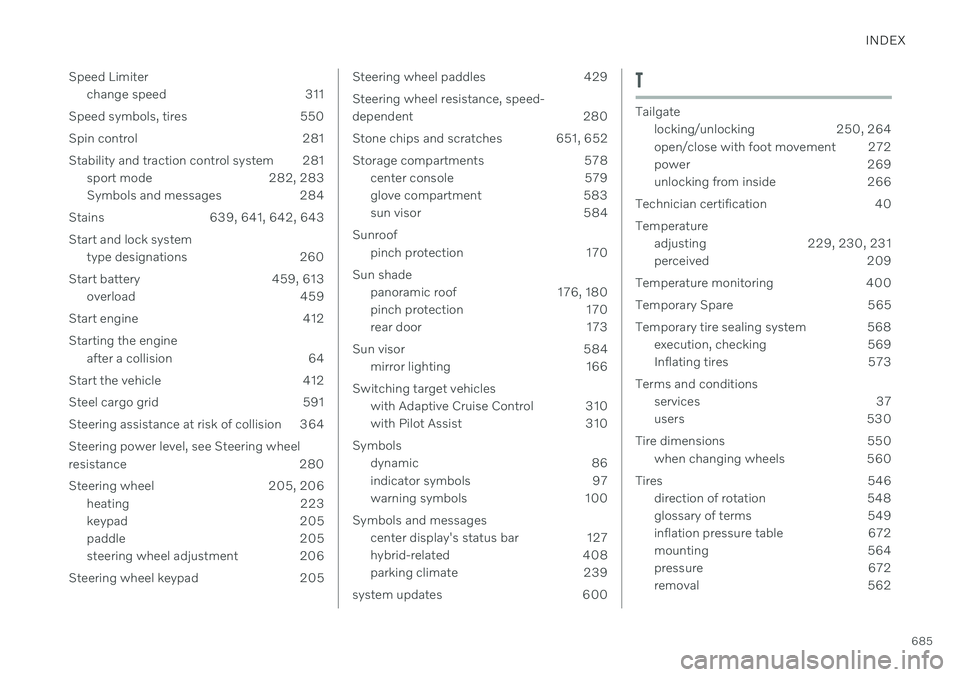
Speed Limiter
change speed 311
Speed symbols, tires 550 Spin control 281
Stability and traction control system 281 sport mode 282, 283
Symbols and messages 284
Stains 639, 641, 642, 643
Start and lock system type designations 260
Start battery 459, 613 overload 459
Start engine 412 Starting the engine after a collision 64
Start the vehicle 412
Steel cargo grid 591
Steering assistance at risk of collision 364 Steering power level, see Steering wheel
resistance 280
Steering wheel 205, 206 heating 223
keypad 205
paddle 205
steering wheel adjustment 206
Steering wheel keypad 205
Steering wheel paddles 429 Steering wheel resistance, speed-
dependent 280
Stone chips and scratches 651, 652
Storage compartments 578 center console 579
glove compartment 583
sun visor 584
Sunroof pinch protection 170
Sun shade panoramic roof 176, 180
pinch protection 170
rear door 173
Sun visor 584 mirror lighting 166
Switching target vehicles with Adaptive Cruise Control 310
with Pilot Assist 310
Symbols dynamic 86
indicator symbols 97
warning symbols 100
Symbols and messages center display's status bar 127
hybrid-related 408
parking climate 239
system updates 600T
Tailgate locking/unlocking 250, 264
open/close with foot movement 272
power 269
unlocking from inside 266
Technician certification 40 Temperature adjusting 229, 230, 231
perceived 209
Temperature monitoring 400
Temporary Spare 565
Temporary tire sealing system 568 execution, checking 569
Inflating tires 573
Terms and conditions services 37
users 530
Tire dimensions 550 when changing wheels 560
Tires 546 direction of rotation 548
glossary of terms 549
inflation pressure table 672
mounting 564
pressure 672
removal 562