ABS VOLVO XC90 TWIN ENGINE 2020 Owner's Manual
[x] Cancel search | Manufacturer: VOLVO, Model Year: 2020, Model line: XC90 TWIN ENGINE, Model: VOLVO XC90 TWIN ENGINE 2020Pages: 693, PDF Size: 13.34 MB
Page 645 of 693
MAINTENANCE AND SERVICE
}}
* Option/accessory.643
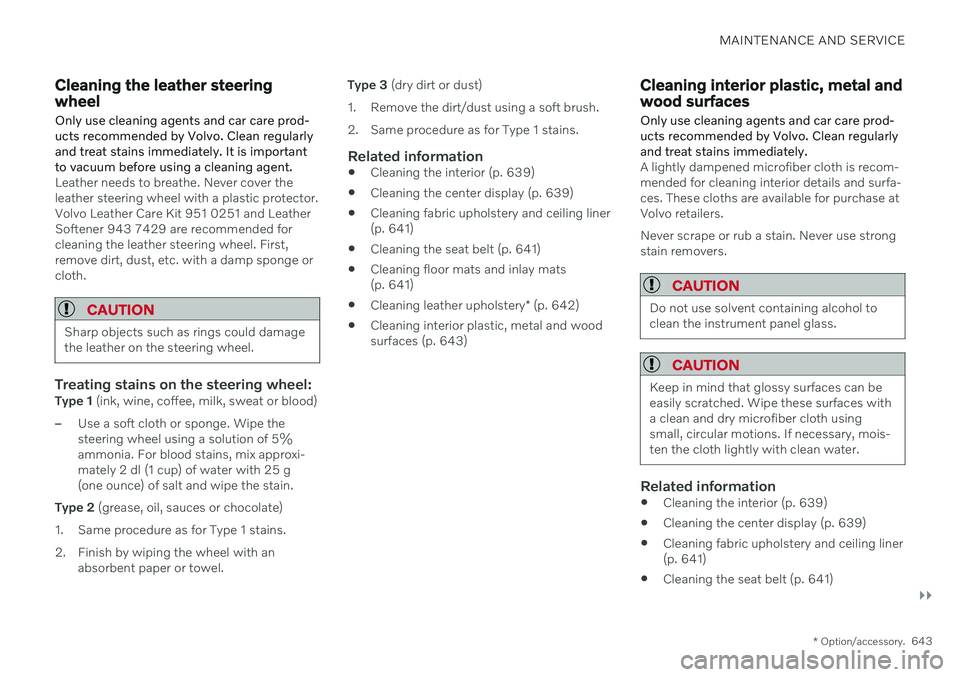
Cleaning the leather steering wheel
Only use cleaning agents and car care prod- ucts recommended by Volvo. Clean regularlyand treat stains immediately. It is importantto vacuum before using a cleaning agent.
Leather needs to breathe. Never cover the leather steering wheel with a plastic protector.Volvo Leather Care Kit 951 0251 and LeatherSoftener 943 7429 are recommended forcleaning the leather steering wheel. First,remove dirt, dust, etc. with a damp sponge orcloth.
CAUTION
Sharp objects such as rings could damage the leather on the steering wheel.
Treating stains on the steering wheel:Type 1 (ink, wine, coffee, milk, sweat or blood)
–Use a soft cloth or sponge. Wipe the steering wheel using a solution of 5%ammonia. For blood stains, mix approxi-mately 2 dl (1 cup) of water with 25 g(one ounce) of salt and wipe the stain.
Type 2 (grease, oil, sauces or chocolate)
1. Same procedure as for Type 1 stains.
2. Finish by wiping the wheel with an absorbent paper or towel. Type 3
(dry dirt or dust)
1. Remove the dirt/dust using a soft brush.
2. Same procedure as for Type 1 stains.
Related information
Cleaning the interior (p. 639)
Cleaning the center display (p. 639)
Cleaning fabric upholstery and ceiling liner (p. 641)
Cleaning the seat belt (p. 641)
Cleaning floor mats and inlay mats(p. 641)
Cleaning leather upholstery
* (p. 642)
Cleaning interior plastic, metal and woodsurfaces (p. 643)
Cleaning interior plastic, metal and wood surfaces
Only use cleaning agents and car care prod- ucts recommended by Volvo. Clean regularlyand treat stains immediately.
A lightly dampened microfiber cloth is recom- mended for cleaning interior details and surfa-ces. These cloths are available for purchase atVolvo retailers. Never scrape or rub a stain. Never use strong stain removers.
CAUTION
Do not use solvent containing alcohol to clean the instrument panel glass.
CAUTION
Keep in mind that glossy surfaces can be easily scratched. Wipe these surfaces witha clean and dry microfiber cloth usingsmall, circular motions. If necessary, mois-ten the cloth lightly with clean water.
Related information
Cleaning the interior (p. 639)
Cleaning the center display (p. 639)
Cleaning fabric upholstery and ceiling liner (p. 641)
Cleaning the seat belt (p. 641)
Page 675 of 693
INDEX
673
1, 2, 3 ...
4WD 431
A
ABSanti-lock brakes 417
AC (Air conditioning) 232
Accessories and extra equipment 37 installation 38
Accessory installation warning 38, 39
Active Bending Lights 162
Adapting driving characteristics 433
Adaptive Cruise Control 290 activating 293
auto-brake 313
change cruise control functionality 297
limitations 296
manage speed 311
passing 317
set time interval 312
standby mode 295
switching target vehicles 310
Symbols and messages 298
troubleshooting 296
turn off 294
WARNING 309
Adjusting the steering wheel 206
Airbag 55
activation/deactivation 59
driver's side 55
passenger side 55, 59
Air bag, see Airbag 55
Air conditioning 232Air conditioning, fluid volume and grade 671
Air distribution 213 air vents 213, 215
changing 214
defrosting 225
recirculation 224
table showing options 216
Air quality 210, 212 allergy and asthma 212
passenger compartment filter 213
Air recirculation 224
Alarm 276 deactivating 277
Allergy and asthma-inducing sub-
stances 212
All Wheel Drive, AWD 431
All Wheel Drive (AWD) 431
All Wheel Drive (four-wheel drive) 431
Android Auto 512, 513, 514Antenna location 264
Apple CarPlay 508, 509, 511
Approach lighting 165
Apps 480
Assistance at risk of collision 364 activating/deactivating 365
at risk of run-off 365
during collision risks from behind 367during collision risks from oncoming
traffic 366
limitations 368
Symbols and messages 369
Audio and media 478 Audio system HD digital radio 489 SiriusXM ®
Satellite radio 490, 491,
492
Auto-climate 224
Auto hold 424
Auto-hold brakes 424 activating/deactivating 425
after collision 426
driver support 280
Automatic car wash 647
Automatic high beam 161
Automatic locking 268
INDEX
Page 676 of 693
INDEX
674Automatic relocking 248, 262
Automatic transmission 427, 428
kickdown 431
oil 670
Trailer 465
Auxiliary heater 240
B
Backrest front seat, adjusting 188, 189, 192, 193 , 194, 195
rear seat, adjusting 202, 203
rear seat, folding 198, 203, 204
Battery Hybrid 617
jump-start 459
Maintenance 613
recycling 618
start 613
symbols on the battery 618
BLIS 342 activating/deactivating 343
limitations 344
Symbols and messages 345
Bloweradjusting 227, 228
air distribution 214
air vents 215
Bluetooth connect 505
connecting vehicle to Internet 525
phone 515
settings 523
Book service and repair 601
Booster cushions 74 Brake assist after collision 426
Brake energy 418, 432Brake fluid grade 670
Brake functions 417
Brake position 428
Brakes 417 anti-lock brakes, ABS 417
automatic when stationary 424
Brake Assist System, BAS 419
brake lights 164
brake system 417
emergency brake lights 164
Maintenance 420
on salted roads 420on wet roads 420
parking brake 421
brake system fluid 670
C
Camera sensor
see Camera 321
Camera unit 321 limitations 322
maintenance and cleaning 326
Capacity weight 574, 665
Cargo compartment 584 attachment points 587
cargo net 592
electrical outlet 580, 582
Lighting 167
Cargo compartment cover 588
cargo net 592
Cargo net 592
Car wash 644, 645, 647, 648, 649, 650
Catalytic converter 457 recovery 469
CD player 503
Cell phone, see Phone 516