mirror VOLVO XC90 TWIN ENGINE 2020 Repair Manual
[x] Cancel search | Manufacturer: VOLVO, Model Year: 2020, Model line: XC90 TWIN ENGINE, Model: VOLVO XC90 TWIN ENGINE 2020Pages: 693, PDF Size: 13.34 MB
Page 478 of 693

STARTING AND DRIVING
* Option/accessory.
476
Calibrating the compass *
The globe is divided into 15 magnetic zones. The compass 27
should be calibrated if the
vehicle is driven from one zone to another.
1. Stop the vehicle in a large, open area away from steel constructions and high-voltage power lines.
2. Start the engine and switch off all electri- cal equipment (climate system, wipers,etc.) and make sure all doors are closed.
NOTE
Calibration may fail or not even be initiated if electrical equipment is not turned off.
3. Hold the button on the bottom of the rear-view mirror pressed for about 3 seconds (using e.g. a paper clip). The number of thecurrent magnetic zone is shown.
15
14
13
12
11
9
8
7
6
5
4
3
2
1
10
Magnetic zones.
4. Press the button on the underside of themirror repeatedly until the desired mag- netic zone (
1–15) appears (see the map of
magnetic zones).
5. Wait until the display again shows
C, or
press and hold the button on the under- side of the rearview mirror for approx.
6 seconds until
C is displayed.
6. Drive slowly in a circle at a speed of no more than 10 km/h (6 mph) until a com- pass direction is shown in the display. Thisindicates that calibration is complete.Drive in a circle two more times to fine-tune the calibration. 7.
Vehicles with heated windshields *: If
Cis shown in the display when the wind- shield heating function is activated, per-form step 6 above with the heating func-tion on.
8. Repeat the above procedure as needed.
Related information
Compass
* (p. 475)
Activating and deactivating the compass
*
(p. 475)
27 Rearview mirror with compass is available as an option only on certain markets and models.
Page 586 of 693

||
LOADING, STORAGE AND PASSENGER COMPARTMENT
* Option/accessory.
584 ignition is in mode
II or when the engine is
running).
The illustration is generic – the design may vary.
Activate cooling.
Deactivate cooling.
–Activate or deactivate cooling by moving the control as far as possible toward thepassenger compartment/glove compart-ment.
Related information
Passenger compartment interior (p. 578)
Private Locking (p. 274)
Sun visors
In the ceiling in front of the driver's and front passenger's seats, there are sun visors thatcan be lowered and angled to the side asnecessary.
The illustration is generic – the design may vary.
The mirror lighting * comes on automatically
when the visor is lifted up. The mirror frame has a holder for e.g. cards or tickets.
Related information
Passenger compartment interior (p. 578)
Cargo compartment
The vehicle has a flexible cargo compartment that makes it possible to carry and securelarge objects.
The cargo compartment capacity can be con- siderably increased by folding down the back- rests in the second and third rows * of seats.
To make loading and unloading easier, the rear section of the vehicle can be raised and low- ered using the level control function *. Use the
load anchoring eyelets or grocery bag holders to help secure objects in place, and the retractable cargo compartment cover * to help
conceal objects in the cargo compartment. If the vehicle is equipped with a temporary spare tire, this is secured to the cargo com-partment floor under the cover. The towingeyelet and tire sealing system are locatedunder the cargo compartment floor.
Related information
Loading recommendations (p. 585)
Grocery bag holders (p. 587)
Load anchoring eyelets (p. 587)
Installing and removing the cargo com- partment cover
* (p. 588)
Page 633 of 693
MAINTENANCE AND SERVICE
}}
* Option/accessory.631
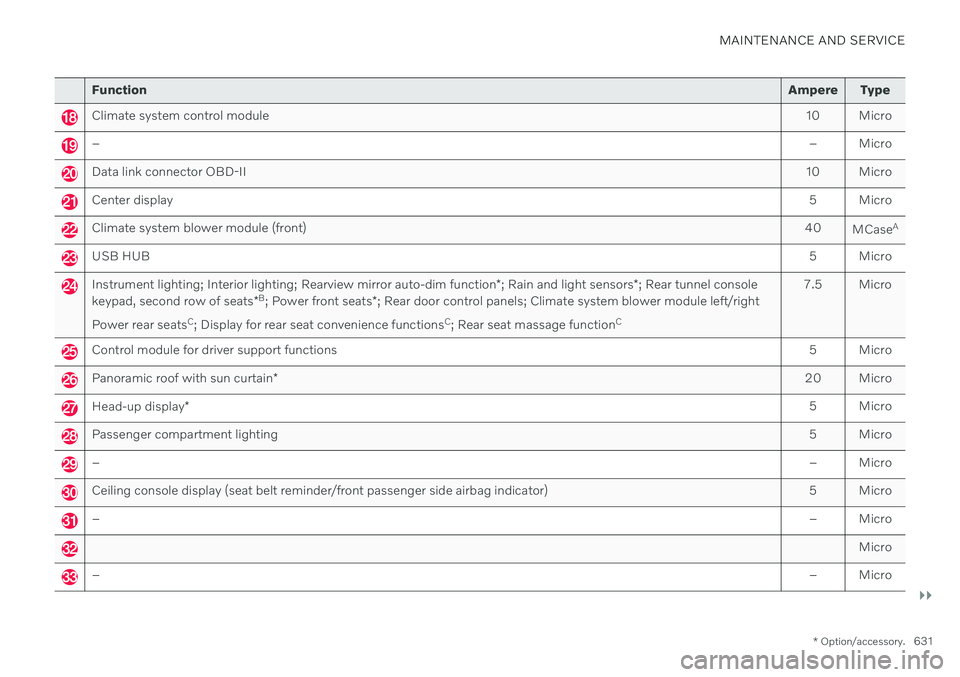
Function Ampere Type
Climate system control module 10 Micro
– – Micro
Data link connector OBD-II10 Micro
Center display 5 Micro
Climate system blower module (front)40
MCaseA
USB HUB
5 Micro
Instrument lighting; Interior lighting; Rearview mirror auto-dim function*; Rain and light sensors *; Rear tunnel console
keypad, second row of seats *B
; Power front seats *; Rear door control panels; Climate system blower module left/right
Power rear seats C
; Display for rear seat convenience functions C
; Rear seat massage function C 7.5 Micro
Control module for driver support functions
5 Micro
Panoramic roof with sun curtain* 20 Micro
Head-up display
* 5 Micro
Passenger compartment lighting
5 Micro
–– Micro
Ceiling console display (seat belt reminder/front passenger side airbag indicator) 5 Micro
–– Micro
Micro
–– Micro
Page 649 of 693
MAINTENANCE AND SERVICE
}}
* Option/accessory.647
Automatic car washes
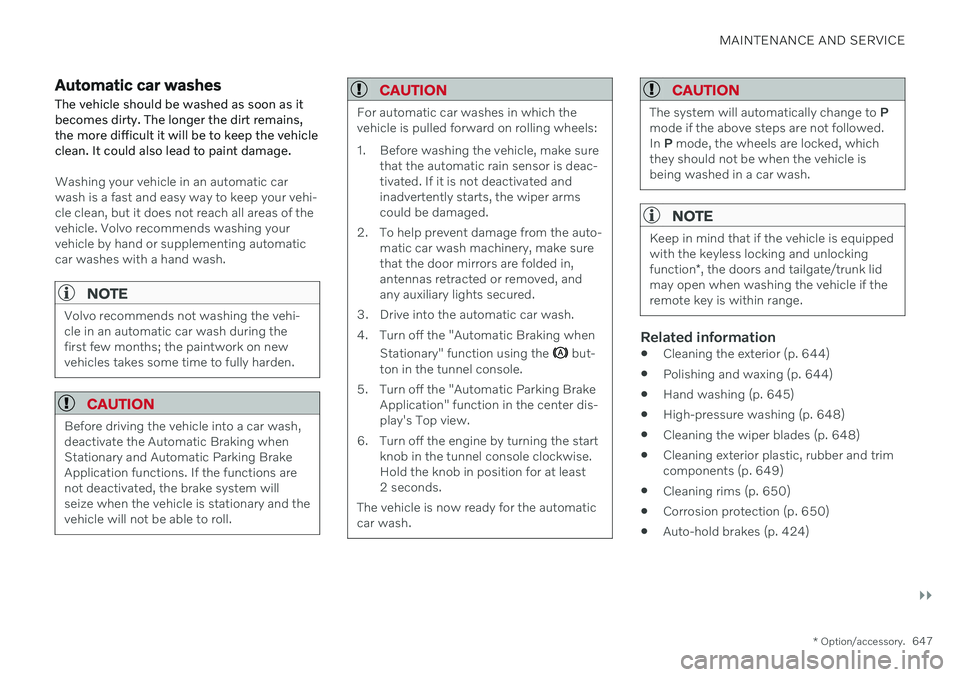
The vehicle should be washed as soon as it becomes dirty. The longer the dirt remains,the more difficult it will be to keep the vehicleclean. It could also lead to paint damage.
Washing your vehicle in an automatic car wash is a fast and easy way to keep your vehi-cle clean, but it does not reach all areas of thevehicle. Volvo recommends washing yourvehicle by hand or supplementing automaticcar washes with a hand wash.
NOTE
Volvo recommends not washing the vehi- cle in an automatic car wash during thefirst few months; the paintwork on newvehicles takes some time to fully harden.
CAUTION
Before driving the vehicle into a car wash, deactivate the Automatic Braking whenStationary and Automatic Parking BrakeApplication functions. If the functions arenot deactivated, the brake system willseize when the vehicle is stationary and thevehicle will not be able to roll.
CAUTION
For automatic car washes in which the vehicle is pulled forward on rolling wheels:
1. Before washing the vehicle, make sure that the automatic rain sensor is deac- tivated. If it is not deactivated andinadvertently starts, the wiper armscould be damaged.
2. To help prevent damage from the auto- matic car wash machinery, make surethat the door mirrors are folded in,antennas retracted or removed, andany auxiliary lights secured.
3. Drive into the automatic car wash.
4. Turn off the "Automatic Braking when Stationary" function using the
but-
ton in the tunnel console.
5. Turn off the "Automatic Parking Brake Application" function in the center dis- play's Top view.
6. Turn off the engine by turning the start knob in the tunnel console clockwise.Hold the knob in position for at least2 seconds.
The vehicle is now ready for the automaticcar wash.
CAUTION
The system will automatically change to P
mode if the above steps are not followed. In P mode, the wheels are locked, which
they should not be when the vehicle isbeing washed in a car wash.
NOTE
Keep in mind that if the vehicle is equipped with the keyless locking and unlocking function *, the doors and tailgate/trunk lid
may open when washing the vehicle if the remote key is within range.
Related information
Cleaning the exterior (p. 644)
Polishing and waxing (p. 644)
Hand washing (p. 645)
High-pressure washing (p. 648)
Cleaning the wiper blades (p. 648)
Cleaning exterior plastic, rubber and trim components (p. 649)
Cleaning rims (p. 650)
Corrosion protection (p. 650)
Auto-hold brakes (p. 424)
Page 666 of 693
||
SPECIFICATIONS
664
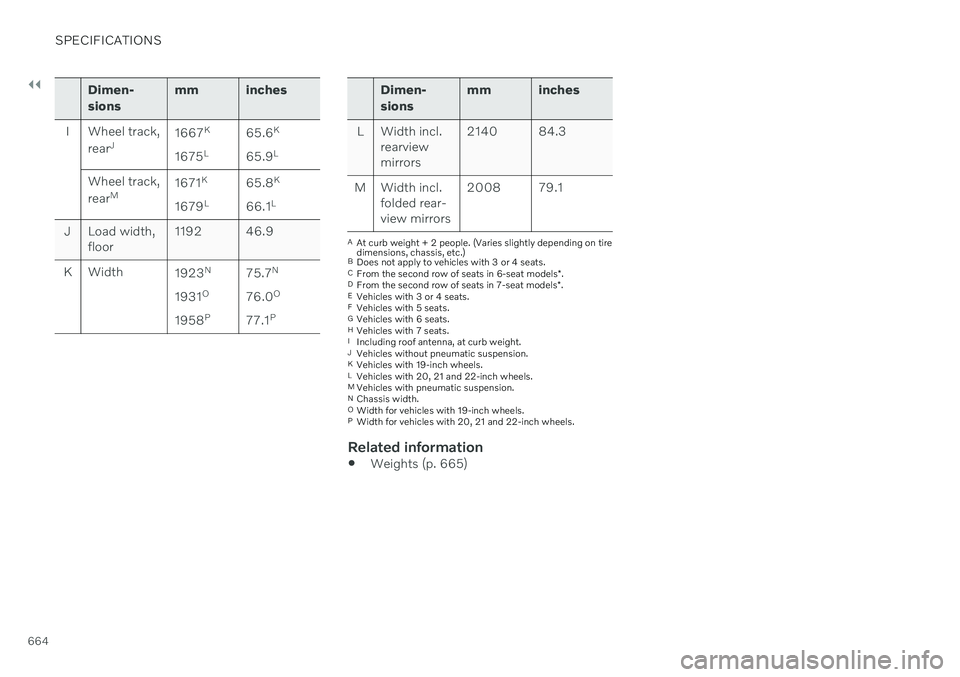
Dimen- sionsmm inches
I Wheel track, rearJ 1667
K
1675 L 65.6
K
65.9 L
Wheel track, rear M 1671
K
1679 L 65.8
K
66.1 L
J Load width, floor 1192 46.9
K Width 1923N
1931 O
1958 P 75.7
N
76.0 O
77.1 PDimen- sions mm inches
L Width incl. rearview mirrors 2140 84.3
M Width incl. folded rear-view mirrors 2008 79.1
A
At curb weight + 2 people. (Varies slightly depending on tire dimensions, chassis, etc.)
B Does not apply to vehicles with 3 or 4 seats.
C From the second row of seats in 6-seat models *.
D From the second row of seats in 7-seat models *.
E Vehicles with 3 or 4 seats.
F Vehicles with 5 seats.
G Vehicles with 6 seats.
H Vehicles with 7 seats.
I Including roof antenna, at curb weight.
J Vehicles without pneumatic suspension.
K Vehicles with 19-inch wheels.
L Vehicles with 20, 21 and 22-inch wheels.
M Vehicles with pneumatic suspension.
N Chassis width.
O Width for vehicles with 19-inch wheels.
P Width for vehicles with 20, 21 and 22-inch wheels.
Related information
Weights (p. 665)
Page 678 of 693
INDEX
676Collision warner
crossing traffic rear 346
see City Safety 327
Collision warning from the rear 341
Color code, paintwork 652
Color codes 652
Compass 475 calibration 476
Condensation in headlights 645, 647, 648, 649
Connecting vehicle to Internet No connection or poor connection 529
via a mobile device (WiFi) 525
via cellular phone (Bluetooth) 525
via vehicle's modem 526
Connect phone 516
Contact information 28
Convertible seats 72
coolant 670 filling 610
Cooling system overheating 458
Cornering assistance 315 activating/deactivating 316
limitations 316
Corner Traction Control 281
Corrosion protection 650 Covering cargo compartment 588
Crash, see Collision 44
Crash event data 35
Cross Traffic Alert 346 activating/deactivating 347
limitations 347
messages 349
Cruise control 287 activating 288
manage speed 311
standby mode 290
turn off 289
Curb weight 665
Customer Privacy Policy 37
CZIP (Clean Zone Interior Package) 212
D
Data recording 35 transferring between vehicle and
workshop 599
Data sharing 530, 531
Daytime running lights 158
Decals location 660
Defrosting 225 Detecting obstacles City Safety 331
Dimensions 663
Dipstick, electronic 609
Direction of rotation 548Display driver information 86
Display lighting 167
Distance Alert 285 activating/deactivating 286
limitations 287
Set time interval 312
DivX ®
504
Door mirrors 174 compass 475, 476
dimming 174
outer 174
power folding 175
resetting 175
store position 190, 191
Download Center 599 use 600
Driveline transmission 426
Page 684 of 693
INDEX
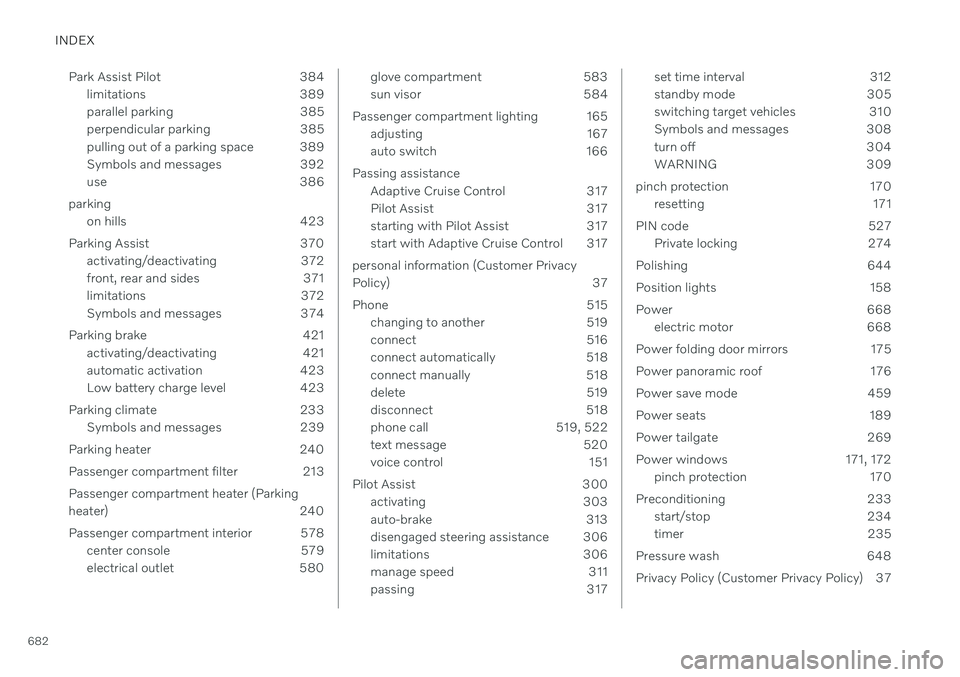
682Park Assist Pilot 384
limitations 389
parallel parking 385
perpendicular parking 385
pulling out of a parking space 389
Symbols and messages 392
use 386
parking on hills 423
Parking Assist 370 activating/deactivating 372
front, rear and sides 371
limitations 372
Symbols and messages 374
Parking brake 421 activating/deactivating 421
automatic activation 423
Low battery charge level 423
Parking climate 233 Symbols and messages 239
Parking heater 240
Passenger compartment filter 213Passenger compartment heater (Parking
heater) 240
Passenger compartment interior 578 center console 579
electrical outlet 580
glove compartment 583
sun visor 584
Passenger compartment lighting 165 adjusting 167
auto switch 166
Passing assistance Adaptive Cruise Control 317
Pilot Assist 317
starting with Pilot Assist 317
start with Adaptive Cruise Control 317
personal information (Customer Privacy
Policy) 37
Phone 515 changing to another 519
connect 516
connect automatically 518
connect manually 518
delete 519
disconnect 518
phone call 519, 522
text message 520
voice control 151
Pilot Assist 300 activating 303
auto-brake 313
disengaged steering assistance 306
limitations 306
manage speed 311
passing 317set time interval 312
standby mode 305
switching target vehicles 310
Symbols and messages 308
turn off 304
WARNING 309
pinch protection 170 resetting 171
PIN code 527 Private locking 274
Polishing 644
Position lights 158
Power 668 electric motor 668
Power folding door mirrors 175
Power panoramic roof 176
Power save mode 459
Power seats 189
Power tailgate 269
Power windows 171, 172 pinch protection 170
Preconditioning 233 start/stop 234
timer 235
Pressure wash 648
Privacy Policy (Customer Privacy Policy) 37
Page 685 of 693
INDEX
683
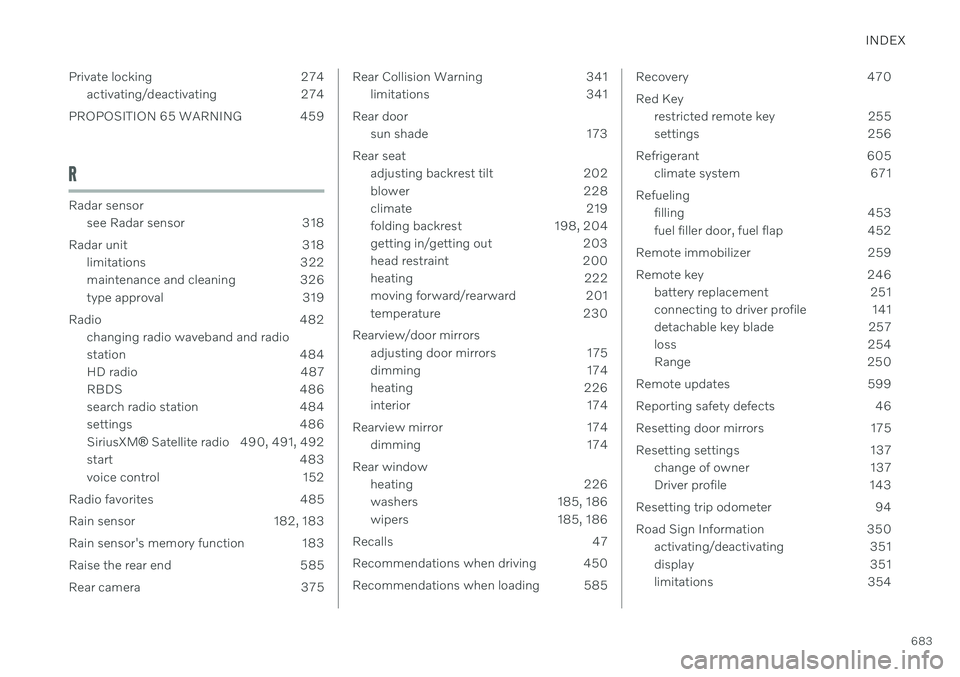
Private locking 274
activating/deactivating 274
PROPOSITION 65 WARNING 459
R
Radar sensor see Radar sensor 318
Radar unit 318 limitations 322
maintenance and cleaning 326
type approval 319
Radio 482 changing radio waveband and radio
station 484
HD radio 487
RBDS 486
search radio station 484
settings 486 SiriusXM ® Satellite radio 490, 491, 492
start 483
voice control 152
Radio favorites 485
Rain sensor 182, 183
Rain sensor's memory function 183
Raise the rear end 585
Rear camera 375
Rear Collision Warning 341 limitations 341
Rear door sun shade 173
Rear seat adjusting backrest tilt 202
blower 228
climate 219
folding backrest 198, 204
getting in/getting out 203
head restraint 200
heating 222
moving forward/rearward 201
temperature 230
Rearview/door mirrors adjusting door mirrors 175
dimming 174
heating 226
interior 174
Rearview mirror 174 dimming 174
Rear window heating 226
washers 185, 186
wipers 185, 186
Recalls 47
Recommendations when driving 450
Recommendations when loading 585Recovery 470 Red Key restricted remote key 255
settings 256
Refrigerant 605 climate system 671
Refueling filling 453
fuel filler door, fuel flap 452
Remote immobilizer 259
Remote key 246 battery replacement 251
connecting to driver profile 141
detachable key blade 257
loss 254
Range 250
Remote updates 599
Reporting safety defects 46
Resetting door mirrors 175
Resetting settings 137 change of owner 137
Driver profile 143
Resetting trip odometer 94
Road Sign Information 350 activating/deactivating 351
display 351
limitations 354
Page 687 of 693
INDEX
685
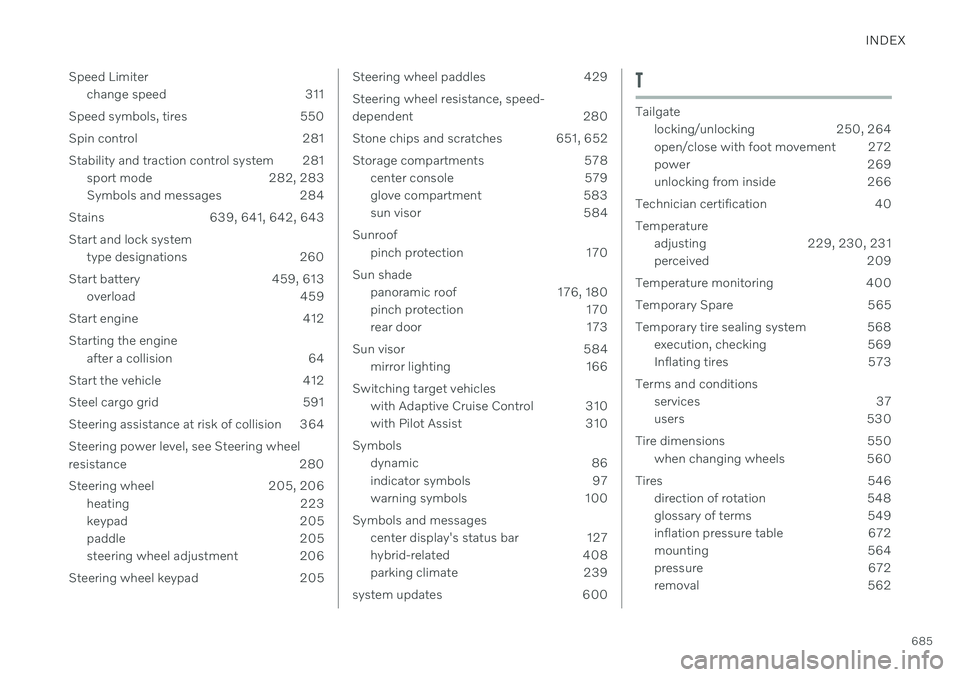
Speed Limiter
change speed 311
Speed symbols, tires 550 Spin control 281
Stability and traction control system 281 sport mode 282, 283
Symbols and messages 284
Stains 639, 641, 642, 643
Start and lock system type designations 260
Start battery 459, 613 overload 459
Start engine 412 Starting the engine after a collision 64
Start the vehicle 412
Steel cargo grid 591
Steering assistance at risk of collision 364 Steering power level, see Steering wheel
resistance 280
Steering wheel 205, 206 heating 223
keypad 205
paddle 205
steering wheel adjustment 206
Steering wheel keypad 205
Steering wheel paddles 429 Steering wheel resistance, speed-
dependent 280
Stone chips and scratches 651, 652
Storage compartments 578 center console 579
glove compartment 583
sun visor 584
Sunroof pinch protection 170
Sun shade panoramic roof 176, 180
pinch protection 170
rear door 173
Sun visor 584 mirror lighting 166
Switching target vehicles with Adaptive Cruise Control 310
with Pilot Assist 310
Symbols dynamic 86
indicator symbols 97
warning symbols 100
Symbols and messages center display's status bar 127
hybrid-related 408
parking climate 239
system updates 600T
Tailgate locking/unlocking 250, 264
open/close with foot movement 272
power 269
unlocking from inside 266
Technician certification 40 Temperature adjusting 229, 230, 231
perceived 209
Temperature monitoring 400
Temporary Spare 565
Temporary tire sealing system 568 execution, checking 569
Inflating tires 573
Terms and conditions services 37
users 530
Tire dimensions 550 when changing wheels 560
Tires 546 direction of rotation 548
glossary of terms 549
inflation pressure table 672
mounting 564
pressure 672
removal 562