Engine Control Unit YAMAHA FX SVHO 2022 Owners Manual
[x] Cancel search | Manufacturer: YAMAHA, Model Year: 2022, Model line: FX SVHO, Model: YAMAHA FX SVHO 2022Pages: 136, PDF Size: 5.75 MB
Page 7 of 136
Table of contents
General and important labels ........... 1Identification numbers .................... 1
Primary Identification (PRI-ID)
number............................................ 1
Craft Identification Number (CIN) ....... 1
Engine serial number.......................... 1
Manufactured date label .................... 2
Model information ........................... 3
Builder’s plate .................................... 3
Important labels .............................. 4
Warning labels.................................... 5
Other labels ........................................ 8
Safety information ............................. 9 Limitations on who may operate the watercraft ............................... 9
Cruising limitations ........................ 10
Operation requirements ................ 11
Recommended equipment ........... 13
Hazard information........................ 14
Watercraft characteristics ............. 14
Wakeboarding and water-skiing ... 16
Safe boating rules ......................... 17
Enjoy your watercraft responsibly ................................. 18
Description....................................... 19 Watercraft glossary ....................... 19
Location of main components ...... 20
Control function operation ............. 24 Watercraft control functions ......... 24
Yamaha Security System ................. 24
Engine start/stop switch ................. 24
Engine shut-off switch .................... 25
Throttle lever .................................... 25
RiDE lever ........................................ 26
Steering system ............................... 26
Adjustable tilt steering system ......... 26
Cooling water pilot outlets ............... 27
Water separator................................ 28
Watercraft operation ...................... 29Watercraft operation functions ..... 29
Shift system ..................................... 29
Electric trim system .......................... 31
Watercraft operation modes ......... 33
Reverse assist .................................. 33
T.D.E. (thrust directional
enhancer) ...................................... 33
No-wake mode ................................. 34
Drive control mode ........................... 36
Cruise assist ..................................... 37
Instrument operation ...................... 40 Multifunction information center ... 40
Operation buttons ............................ 41
Display .......................................... 42
Display notification information ........ 43
Home screen ............................... 44
Map screen .................................. 45
Waypoint .......................................... 46
Track ................................................ 48
GeoFence ......................................... 51
Map settings .................................... 52
Information screen ....................... 52
Drive control mode screen .......... 53
Media screen (equipped models) ...................................... 54
Setting menu screen .................... 54
Changing the PIN (“PIN Settings”) ... 54
Display settings (“Display”) .............. 55
Selecting the display units (“Unit”) ... 55
Selecting the display language
(“Language”) ................................. 55
Display clock change (“Clock”) ........ 55
Displaying the time since the last
maintenance (“Wellness”) ............. 56
Notification settings
(“Notifications”) ............................. 57
Phone management (“Phone Manager”)........................ 57
Map settings (“Map Settings”) ......... 59
Return to factory settings (“Factory Reset”) ........................... 62
UF3X73E0.book Page 1 Wednesday, October 6, 2021 9:04 AM
Page 49 of 136
Instrument operation
40
EJU46620
Multifunction information center
The multifunction information center displays
various watercraft information.
The multifunction information center is a
touch screen that you can touch directly to
turn the various functions on or off or change
settings. You can also perform operations
using the touchpad control.
The language and display units shown can be
changed. (See page 55 for information on
changing the language and display units.) In
the illustrations in this manual, English is used
for the language and US units are used for the
display units.
EWJ01980
For safety, do not touch the multifunction
information center while the watercraft is
moving. Otherwise, you could lose control
of the watercraft, which may lead to an ac-
cident.
TIP
The multifunction information center does not
receive operation input while the watercraft is
moving. Before operating the multifunction
information center, stop the watercraft and
check the area around you to make sure it is
safe to operate the center.
Turning on the multifunction information
center
When the engine start/stop switch is pushed,
the multifunction information center turns on.
After the logo is displayed for a few seconds
followed by a disclaimer, select “CONFIRM”
to display the home screen.
TIP
The multifunction information center is turned
on, even if the engine start/stop switch is also
pushed briefly.
Turning off the multifunction information
center
If no operations are performed for about 50
seconds after the engine stops, a message
appears on the multifunction information
center. Select “Shutdown” on the displayed
message to turn off the multifunction infor-
mation center.
TIP
If there is no operation input within 20 sec-
onds after the message is displayed, the mul-
tifunction information center turns off.
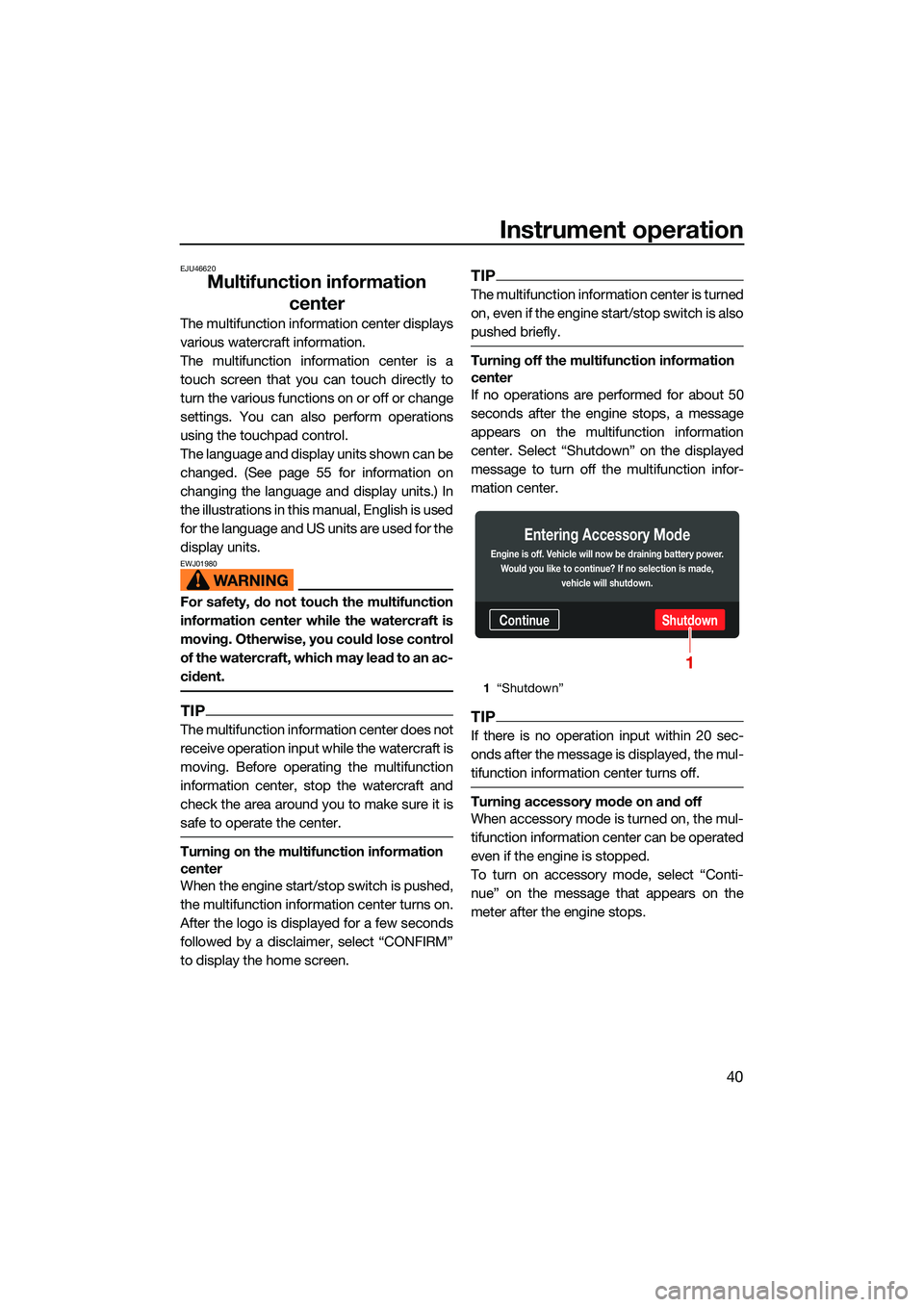
Turning accessory mode on and off
When accessory mode is turned on, the mul-
tifunction information center can be operated
even if the engine is stopped.
To turn on accessory mode, select “Conti-
nue” on the message that appears on the
meter after the engine stops.
1 “Shutdown”
ContinueShutdown
Entering Accessory Mode
Engine is off. Vehicle will now be draining battery power.
Would you like to continue? If no selection is made, vehicle will shutdown.
1
UF3X73E0.book Page 40 Wednesday, October 6, 2021 9:04 AM
Page 133 of 136
124
Index
A
Accessory outlet ...................................... 68
Adjustable tilt steering system ................. 26
Adjustable tilt steering system checks .... 88
After removing the watercraft from the water ................................................... 104
Audio control............................................ 66
Audio system (equipped models) ............ 66
B
Battery care............................................ 106
Battery checks ......................................... 87
Battery, jumping..................................... 121
Beaching and docking the watercraft .... 103
Beverage holder ....................................... 74
Bilge water check..................................... 87
Bilge water, draining ................................ 81
Bilge water, draining on land ................... 81
Bilge water, draining on water ................. 81
Boarding alone ......................................... 99
Boarding and starting off from a dock ... 102
Boarding the watercraft ........................... 99
Boarding with passenger(s) ................... 100
Bow eye ................................................... 71
Bow storage compartment ...................... 72
Builder’s plate ............................................ 3
C
Capsized watercraft ............................... 102
Changing the PIN ..................................... 54
Cleaning ................................................. 108
Cleaning the watercraft .......................... 106
Cleat ......................................................... 71
Cooling water pilot outlet check .............. 92
Cooling water pilot outlets ....................... 27
Craft Identification Number (CIN)............... 1
Cruise assist............................................. 37
Cruising limitations................................... 10
D
Depth contour and safety contour settings (“Depth/Position”) ................... 62
Display ..................................................... 42
Display clock change ............................... 55
Display notification information................ 43
Display settings ........................................ 55
Displaying the time since the last maintenance ......................................... 56 Drive control mode................................... 36
Drive control mode screen ....................... 53
Dual Rope Hooks ..................................... 72
E
Electric trim system.................................. 31
Electric trim system check ....................... 90
Emergency procedures .......................... 120
Engine break-in ........................................ 83
Engine compartment check ..................... 86
Engine cover, removing and installing ... 110
Engine idling speed check ....................... 92
Engine lock screen ................................... 63
Engine oil.................................................. 79
Engine oil and oil filter ............................ 114
Engine oil level check ............................... 87
Engine oil requirements ........................... 79
Engine serial number ................................. 1
Engine shut-off cord (lanyard) check ....... 89
Engine shut-off switch ............................. 25
Engine start/stop switch .......................... 24
Engine unit check ..................................... 87
Enjoy your watercraft responsibly ............ 18
Equipment ................................................ 69
F
Fire extinguisher check ............................ 90
Fire extinguisher holder and cover........... 75
Fire extinguisher holder, cover, and
band checks ......................................... 90
Flushing the cooling water passages..... 105
Fuel .......................................................... 77
Fuel level check........................................ 86
Fuel requirements .................................... 77
Fuel system checks ................................. 86
G
GeoFence ................................................. 51
GeoFence settings (“GeoFence”)............. 60
Getting to know your watercraft .............. 93
Glossary, watercraft ................................. 19
Glove compartment ................................. 73
H
Handgrip .................................................. 70
Hazard information................................... 14
Home screen ............................................ 44
Hood check .............................................. 91
Hull and deck check ................................ 91
UF3X73E0.book Page 124 Wednesday, October 6, 2021 9:04 AM