fuel YAMAHA MT-09 2016 Owners Manual
[x] Cancel search | Manufacturer: YAMAHA, Model Year: 2016, Model line: MT-09, Model: YAMAHA MT-09 2016Pages: 114, PDF Size: 4.24 MB
Page 6 of 114

Table of contentsSafety information............................ 1-1
Description ........................................ 2-1
Left view .......................................... 2-1
Right view ........................................ 2-2
Controls and instrument s................. 2-3
Instrument and co ntrol functions.... 3-1
Immobilizer system ....... ................... 3-1
Main switch/steering lock................. 3-2
Indicator lights and warning lights ... 3-4
Multi-function meter unit .................. 3-7
D-mode (drive mode)..................... 3-15
Handlebar switches ....................... 3-16
Clutch lever.................................... 3-18
Shift pedal....... ............................. .. 3-18
Brake lever .................................... 3-19
Brake pedal ................................... 3-19
ABS (for ABS models) .. ................. 3-20
Traction control system
(for equipped models) ................ 3-21
Fuel tank cap ................................. 3-22
Fuel................................................ 3-23
Fuel tank breather hose and overflow hose ............................. 3-24
Catalytic converter ......................... 3-24
Seat ............................................... 3-25
Storage compartment .................... 3-26
Adjusting the front fork................... 3-26
Adjusting the shock absorber assembly .................................... 3-28 Luggage strap holders .
................. 3-29
Sidestand ...................................... 3-30
Ignition circuit cut- off system ......... 3-30
Auxiliary DC connector.................. 3-32
For your safety – pre-operation
checks ............................................... 4-1
Operation and important riding
points ................................................. 5-1
Starting the engine .......................... 5-2
Shifting ............................................ 5-3
Tips for reducing fuel consumption ................................ 5-4
Engine break-in ............................... 5-5
Parking ............................................ 5-5
Periodic maintenance and
adjustment ........................................ 6-1
Owner’s tool kit................................ 6-2
Periodic maintenance chart for the emission control system .............. 6-3
General maintenance and
lubrication chart ........................... 6-4
Checking the spark plugs ................ 6-8
Engine oil and oil filter cartridge ...... 6-9
Coolant .......................................... 6-11
Air filter element ............................ 6-14
Checking the engine idling speed ......................................... 6-15 Checking the throttle grip free
play ............................................. 6-15
Valve clearance ............................. 6-15
Tires ............................................... 6-16
Cast wheels ................................... 6-18
Adjusting the clutch lever free play ............................................. 6-19
Checking the brake lever free
play ............................................. 6-19
Brake light switches ....................... 6-20
Checking the front and rear brake
pads............................................ 6-21
Checking the brake fluid level ........ 6-21
Changing the brake fluid ................ 6-23
Drive chain slack............................ 6-23
Cleaning and lubricating the drive chain ........................................... 6-25
Checking and lubricating the cables ................................... 6-25
Checking and lubricating
the throttle grip and cable ........... 6-26
Checking and lubricating the brake and shift pedals ........ .................. 6-26
Checking and lubricating the brake and clutch levers ........................ 6-27
Checking and lubricating the sidestand .............................. 6-27
Lubricating the swingarm pivots .... 6-28
Checking the front fork................... 6-28
Checking the steering .................... 6-29
Checking the wheel bearings......... 6-29B87-9-E0_1.book 1 ページ 2015年12月16日 水曜日 午前10時21分
Page 12 of 114

Safety information
1-5
1
2
3
4
5
6
7
8
9
10
11
12
Check that the fuel cock (if
equipped) is in the “OFF” position
and that there are no fuel leaks.
Point the front wheel straight
ahead on the trailer or in the truck
bed, and choke it in a rail to pre-
vent movement.
Shift the transmission in gear (for
models with a manual transmis-
sion).
Secure the motorcycle with
tie-downs or suitable straps that
are attached to solid parts of the
motorcycle, such as the frame or
upper front fork triple clamp (and
not, for example, to rubber-mount-
ed handlebars or turn signals, or
parts that could break). Choose
the location for the straps carefully
so the straps will not rub against
painted surfaces during transport.
The suspension should be com-
pressed somewhat by the
tie-downs, if possible, so that the
motorcycle will not bounce exces-
sively during transport.
B87-9-E0_1.book 5 ページ 2015年12月16日 水曜日 午前10時21分
Page 13 of 114

2-1
123
4
5
6
7
8
9
10
11
12
Description
EAU10411
Left view
1
2
3
4,5,6
7
8
9
11
10
1. Front fork spring preload adjusting bolt (page 3-26)
2. Shock absorber assembly rebound damping force adjusting screw (page 3-28)
3. Seat (page 3-25)
4. Fuse box 2 (page 6-31)
5. Main fuse (page 6-31)
6. Fuel injection system fuse (page 6-31)
7. Storage compartment (page 3-26) 8. Shock absorber assembly spring
preload adjusting ring (page 3-28)
9. Shift pedal (page 3-18)
10.Engine oil drain bolt (page 6-9)
11.Coolant drain bolt (page 6-12)
B87-9-E0_1.book 1 ページ 2015年12月16日 水曜日 午前10時21分
Page 14 of 114

Description
2-2
12
3
4
5
6
7
8
9
10
11
12
EAU10421
Right view
2
1
3
4
6
7
8
9
10
5
1. Fuel tank cap (page 3-22)
2. Front fork rebound damping force adjusting screw (page 3-26)
3. Headlight (page 6-34)
4. Fuse box 1 (page 6-31)
5. Coolant reservoir (page 6-11)
6. Engine oil level check window (page 6-9)
7. Engine oil filler cap (page 6-9)
8. Brake pedal (page 3-19) 9. Rear brake light switch (page 6-20)
10.Rear brake fluid reservoir (page 6-21)
B87-9-E0_1.book 2 ページ 2015年12月16日 水曜日 午前10時21分
Page 22 of 114

Instrument and control functions
3-7
1
23
4
5
6
7
8
9
10
11
12
EAU73263
Multi-function meter unit
MT09 MT09A
WARNING
EWA12423
Be sure to stop the vehicle before
making any setting changes to the
multi-function meter unit. Changing
settings while riding can distract the
operator and increase the risk of anaccident.
1. “SELECT” button
2. “RESET” button
2
1
1. Transmission gear display
2. Tachometer
3. Drive mode display
4. Fuel meter
5. Eco indicator “ECO”
6. Multi-function display
7. Clock
8. Speedometer1
2
3
4
5
6
7
8
1. Transmission gear display
2. Tachometer
3. Eco indicator “ECO”
4. TCS display
5. Drive mode display
6. Fuel meter
7. Multi-function display
8. Clock
9. Speedometer1
2
4
3
5
6
7
8
9
B87-9-E0_1.book 7 ページ 2015年12月16日 水曜日 午前10時21分
Page 23 of 114

Instrument and control functions
3-8
1
234
5
6
7
8
9
10
11
12
The multi-function meter unit is
equipped with the following:
a speedometer
a tachometer
a clock
a fuel meter
an eco indicator
a transmission gear display
a drive mode display
a TCS display (for equipped mod-
els)
a multi-function display
TIP
Except when switching to the
brightness control mode or to dis-
play the clock, turn the key to “ON”
before using the “SELECT” and
“RESET” buttons to adjust the
multi-function meter.
For the UK: To switch the speed-
ometer and multi-function displays
between kilometers and miles,
press the “SELECT” button for onesecond.
Speedometer
The speedometer shows the vehicle’s
traveling speed.
Tachometer
The tachometer allows the rider to
monitor the engine speed and keep it
within the ideal power range.
When the key is turned to “ON”, the ta-
chometer will sweep across the r/min
range and then return to zero r/min in
order to test the electrical circuit.
NOTICE
ECA10032
Do not operate the engine in the ta-
chometer red zone.Red zone: 11250 r/min and above
Clock
The clock uses a 12-hour time system.
When the key is not in the “ON” posi-
tion, the clock can be viewed for 10
1. Speedometer
1. Tachometer
2. Tachometer red zone
1
2
1
1. Clock
1
B87-9-E0_1.book 8 ページ 2015年12月16日 水曜日 午前10時21分
Page 24 of 114

Instrument and control functions
3-9
1
23
4
5
6
7
8
9
10
11
12 seconds by pushing the “SELECT” but-
ton.
To set the clock
1. Turn the key to “ON”.
2. Push the “SELECT” button and
“RESET” button together for two
seconds.
3. When the hour digits start flashing, push the “RESET” button to set the
hours.
4. Push the “SELECT” button, and the minute digits will start flashing.
5. Push the “RESET” button to set the minutes.
6. Push the “SELECT” button and then release it to start the clock. Fuel meter
The fuel meter indicates the amount of
fuel in the fuel tank. The display seg-
ments of the fuel meter disappear to-
wards “E” (empty) as the fuel level
decreases. When the last segment
starts flashing (“ ” will also flash for
MT09), refuel as soon as possible.
TIPIf a problem is detected in the electrical
ciruit, the fuel level segments and “ ”
will flash repeatedly. If this occurs, havea Yamaha dealer check vehicle. Eco indicator
MT09
MT09A
This indicator comes on when the vehi-
cle is being operated in an environmen-
tally friendly, fuel-efficient manner. The1. Fuel meter
1
1. Eco indicator “ECO”
1. Eco indicator “ECO”
1
1
B87-9-E0_1.book 9 ページ 2015年12月16日 水曜日 午前10時21分
Page 25 of 114
Instrument and control functions
3-10
1
234
5
6
7
8
9
10
11
12
indicator goes off when the vehicle is
stopped.
TIPConsider the following tips to reduce
fuel consumption:
Avoid high engine speeds during
acceleration.
Travel at a constant speed.
Select the transmission gear that
is appropriate for the vehiclespeed.
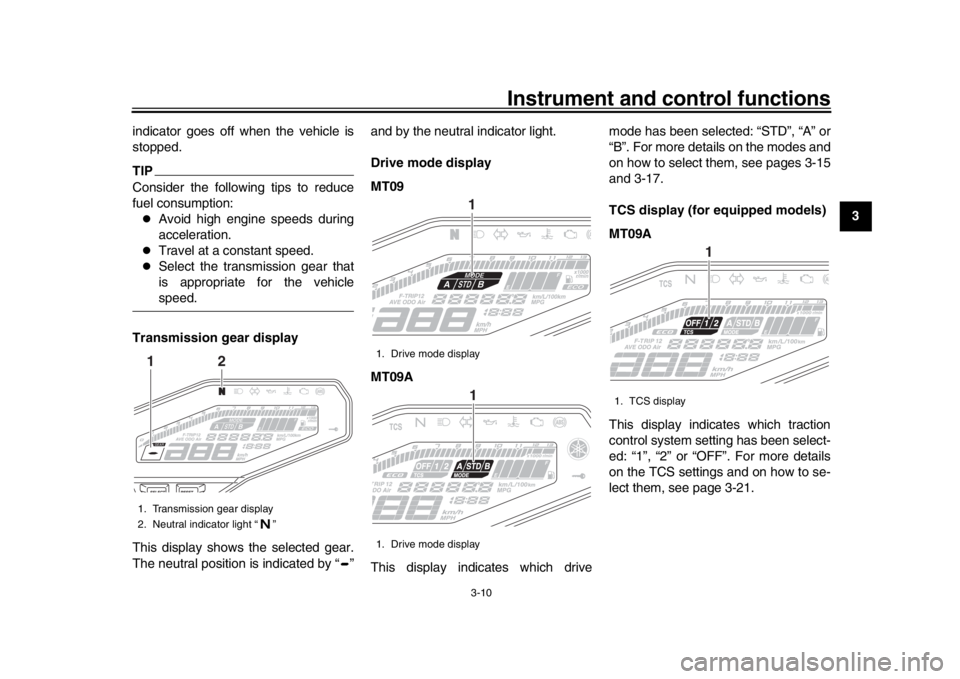
Transmission gear display
This display shows the selected gear.
The neutral position is indicated by “ ” and by the neutral indicator light.
Drive mode display
MT09
MT09A
This display indicates which drivemode has been selected: “STD”, “A” or
“B”. For more details on the modes and
on how to select them, see pages 3-15
and 3-17.
TCS display (for equipped models)
MT09A
This display indicates which traction
control system setting has been select-
ed: “1”, “2” or “OFF”. For more details
on the TCS settings and on how to se-
lect them, see page 3-21.
1. Transmission gear display
2. Neutral indicator light “ ”1
2
1. Drive mode display
1. Drive mode display
11
1. TCS display
1
B87-9-E0_1.book 10 ページ 2015年12月16日 水曜日 午前10時21分
Page 26 of 114
Instrument and control functions
3-11
1
23
4
5
6
7
8
9
10
11
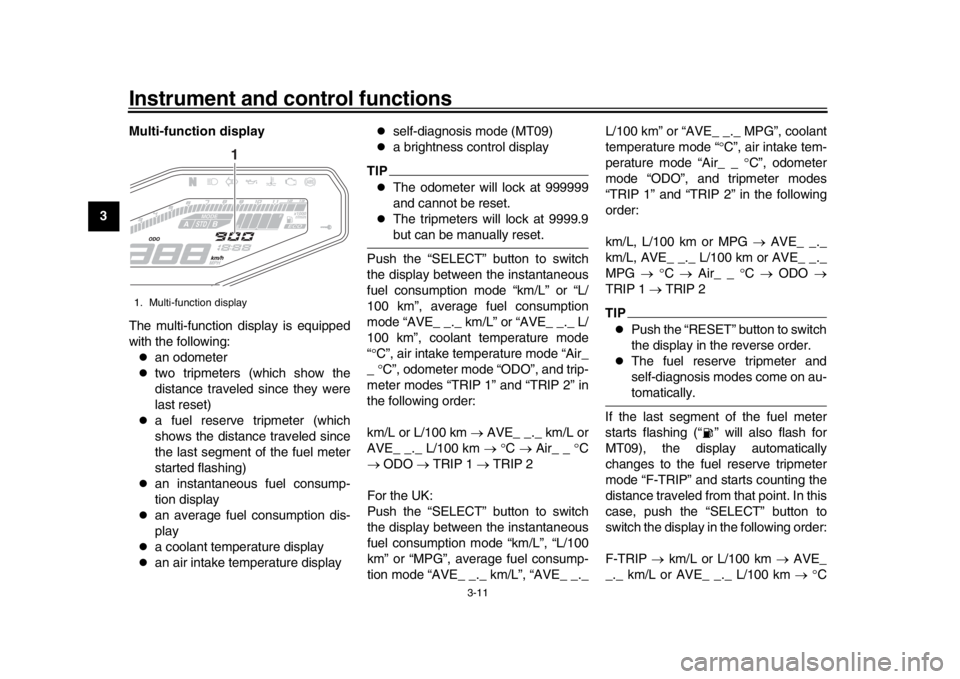
12 Multi-function display
The multi-function display is equipped
with the following:
an odometer
two tripmeters (which show the
distance traveled since they were
last reset)
a fuel reserve tripmeter (which
shows the distance traveled since
the last segment of the fuel meter
started flashing)
an instantaneous fuel consump-
tion display
an average fuel consumption dis-
play
a coolant temperature display
an air intake temperature display
self-diagnosis mode (MT09)
a brightness control display
TIP
The odometer will lock at 999999
and cannot be reset.
The tripmeters will lock at 9999.9but can be manually reset.
Push the “SELECT” button to switch
the display between the instantaneous
fuel consumption mode “km/L” or “L/
100 km”, average fuel consumption
mode “AVE_ _._ km/L” or “AVE_ _._ L/
100 km”, coolant temperature mode
“ C”, air intake temperature mode “Air_
_ C”, odometer mode “ODO”, and trip-
meter modes “TRIP 1” and “TRIP 2” in
the following order:
km/L or L/100 km AVE_ _._ km/L or
AVE_ _._ L/100 km C Air_ _ C
ODO TRIP 1 TRIP 2
For the UK:
Push the “SELECT” button to switch
the display between the instantaneous
fuel consumption mode “km/L”, “L/100
km” or “MPG”, average fuel consump-
tion mode “AVE_ _._ km/L”, “AVE_ _._ L/100 km” or “AVE_ _._ MPG”, coolant
temperature mode “
C”, air intake tem-
perature mode “Air_ _ C”, odometer
mode “ODO”, and tripmeter modes
“TRIP 1” and “TRIP 2” in the following
order:
km/L, L/100 km or MPG AVE_ _._
km/L, AVE_ _._ L/100 km or AVE_ _._
MPG C Air_ _ C ODO
TRIP 1 TRIP 2
TIP
Push the “RESET” button to switch
the display in the reverse order.
The fuel reserve tripmeter and
self-diagnosis modes come on au-tomatically.
If the last segment of the fuel meter
starts flashing (“ ” wi ll also flash for
MT09), the display automatically
changes to the fuel reserve tripmeter
mode “F-TRIP” and starts counting the
distance traveled from that point. In this
case, push the “SELECT” button to
switch the display in the following order:
F-TRIP km/L or L/100 km AVE_
_._ km/L or AVE_ _._ L/100 km C
1. Multi-function display
1
B87-9-E0_1.book 11 ページ 2015年12月16日 水曜日 午前10時21分
Page 27 of 114
Instrument and control functions
3-12
1
234
5
6
7
8
9
10
11
12
Air_ _ C ODO TRIP 1 TRIP
2 F-TRIP
For the UK:
F-TRIP km/L, L/100 km or MPG
AVE_ _._ km/L, AVE_ _._ L/100 km or
AVE_ _._ MPG C Air_ _ C
ODO TRIP 1 TRIP 2 F-TRIP
TIP
To reset a tripmeter, select it by
pushing the “SELECT” button, and
then push the “RESET” button for
one second.
If you do not reset the fuel reserve
tripmeter manually, it resets auto-
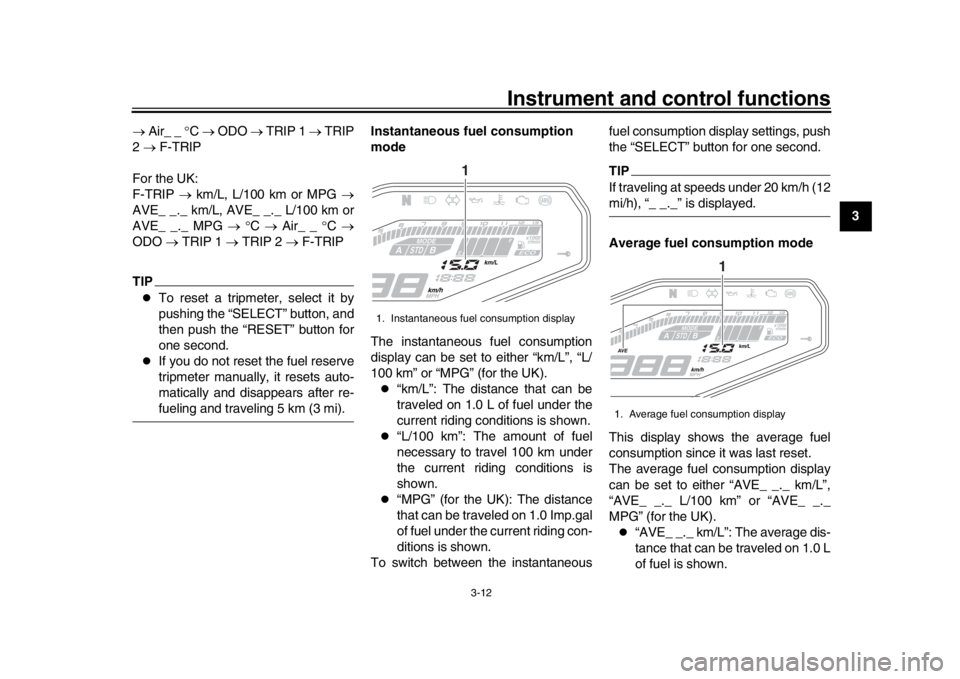
matically and disappears after re-fueling and traveling 5 km (3 mi). Instantaneous fuel consumption
mode
The instantaneous fuel consumption
display can be set to either “km/L”, “L/
100 km” or “MPG” (for the UK).
“km/L”: The distance that can be
traveled on 1.0 L of fuel under the
current riding conditions is shown.
“L/100 km”: The amount of fuel
necessary to travel 100 km under
the current riding conditions is
shown.
“MPG” (for the UK): The distance
that can be traveled on 1.0 Imp.gal
of fuel under the current riding con-
ditions is shown.
To switch between the instantaneous fuel consumption display settings, push
the “SELECT” button for one second.
TIPIf traveling at speeds under 20 km/h (12mi/h), “_ _._” is displayed.
Average fuel consumption mode
This display shows the average fuel
consumption since it was last reset.
The average fuel consumption display
can be set to either “AVE_ _._ km/L”,
“AVE_ _._ L/100 km” or “AVE_ _._
MPG” (for the UK).
“AVE_ _._ km/L”: The average dis-
tance that can be traveled on 1.0 L
of fuel is shown.
1. Instantaneous fuel consumption display
1
1. Average fuel consumption display
1
B87-9-E0_1.book 12 ページ 2015年12月16日 水曜日 午前10時21分