lock YAMAHA MT-10 2016 User Guide
[x] Cancel search | Manufacturer: YAMAHA, Model Year: 2016, Model line: MT-10, Model: YAMAHA MT-10 2016Pages: 110, PDF Size: 9.15 MB
Page 35 of 110
Instrument and control functions
4-14
1
2
345
6
7
8
9
10
11
12
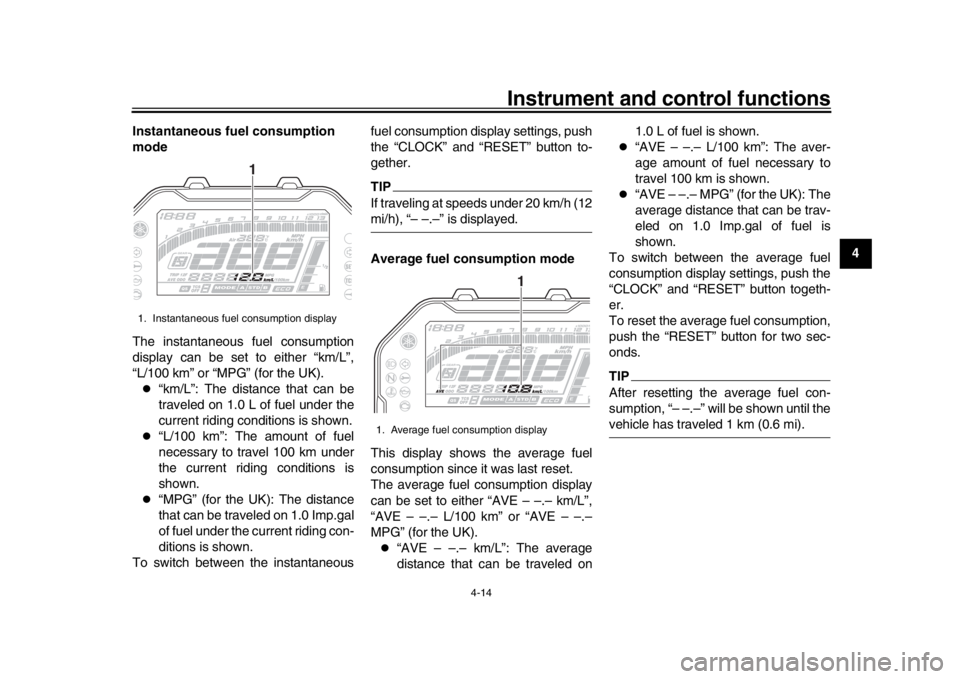
Instantaneous fuel consumption
mode
The instantaneous fuel consumption
display can be set to either “km/L”,
“L/100 km” or “MPG” (for the UK).
“km/L”: The distance that can be
traveled on 1.0 L of fuel under the
current riding conditions is shown.
“L/100 km”: The amount of fuel
necessary to travel 100 km under
the current riding conditions is
shown.
“MPG” (for the UK): The distance
that can be traveled on 1.0 Imp.gal
of fuel under the current riding con-
ditions is shown.
To switch between the instantaneous fuel consumption display settings, push
the “CLOCK” and “RESET” button to-
gether.
TIPIf traveling at speeds under 20 km/h (12mi/h), “– –.–” is displayed.
Average fuel consumption mode
This display shows the average fuel
consumption since it was last reset.
The average fuel consumption display
can be set to either “AVE – –.– km/L”,
“AVE – –.– L/100 km” or “AVE – –.–
MPG” (for the UK).
“AVE – –.– km/L”: The average
distance that can be traveled on1.0 L of fuel is shown.
“AVE – –.– L/100 km”: The aver-
age amount of fuel necessary to
travel 100 km is shown.
“AVE – –.– MPG” (for the UK): The
average distance that can be trav-
eled on 1.0 Imp.gal of fuel is
shown.
To switch between the average fuel
consumption display settings, push the
“CLOCK” and “RESET” button togeth-
er.
To reset the average fuel consumption,
push the “RESET” button for two sec-
onds.
TIPAfter resetting the average fuel con-
sumption, “– –.–” will be shown until thevehicle has traveled 1 km (0.6 mi).
1. Instantaneous fuel consumption display
1
1. Average fuel consumption display
1
B67-9-E0.book 14 ページ 2016年2月29日 月曜日 午前9時30分
Page 36 of 110
Instrument and control functions
4-15
1
2
34
5
6
7
8
9
10
11
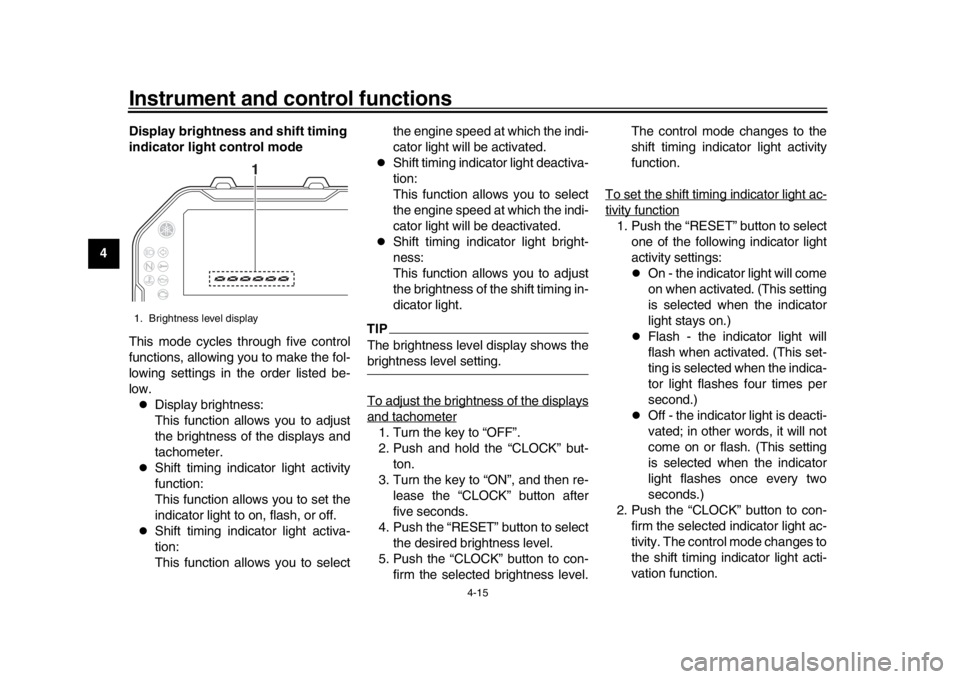
12 Display brightness and shift timing
indicator light control mode
This mode cycles through five control
functions, allowing you to make the fol-
lowing settings in the order listed be-
low.
Display brightness:
This function allows you to adjust
the brightness of the displays and
tachometer.
Shift timing indicator light activity
function:
This function allows you to set the
indicator light to on, flash, or off.
Shift timing indicator light activa-
tion:
This function allows you to select the engine speed at which the indi-
cator light will be activated.
Shift timing indica
tor light deactiva-
tion:
This function allows you to select
the engine speed at which the indi-
cator light will be deactivated.
Shift timing indicator light bright-
ness:
This function allows you to adjust
the brightness of the shift timing in-
dicator light.
TIPThe brightness level display shows thebrightness level setting.
To adjust the brightness of the displaysand tachometer1. Turn the key to “OFF”.
2. Push and hold the “CLOCK” but- ton.
3. Turn the key to “ON”, and then re- lease the “CLOCK” button after
five seconds.
4. Push the “RESET” button to select the desired brightness level.
5. Push the “CLOCK” button to con- firm the selected brightness level. The control mode changes to the
shift timing indicator light activity
function.
To set the shift timing indicator light ac-
tivity function1. Push the “RESET” button to select one of the following indicator light
activity settings:
On - the indicator light will come
on when activated. (This setting
is selected when the indicator
light stays on.)
Flash - the indicator light will
flash when activated. (This set-
ting is selected when the indica-
tor light flashes four times per
second.)
Off - the indicator light is deacti-
vated; in other words, it will not
come on or flash. (This setting
is selected when the indicator
light flashes once every two
seconds.)
2. Push the “CLOCK” button to con- firm the selected indicator light ac-
tivity. The control mode changes to
the shift timing indicator light acti-
vation function.
1. Brightness level display
1
B67-9-E0.book 15 ページ 2016年2月29日 月曜日 午前9時30分
Page 37 of 110
Instrument and control functions
4-16
1
2
345
6
7
8
9
10
11
12
To set the shift timing indicator light ac-
tivation functionTIPThe shift timing indicator light activation
function can be set between 7000 r/min
and 13000 r/min. The indicator light canbe set in increments of 200 r/min.
1. Push the “RESET” button to select the desired engine speed for acti-
vating the indicator light.
2. Push the “CLOCK” button to con- firm the selected engine speed.
The control mode changes to the
shift timing indicator light deactiva-
tion function.
To set the shift timing indicator light de-activation functionTIP
The shift timing indicator light de-
activation function can be set be-
tween 7000 r/min and 13000 r/min.
The indicator light can be set in in-
crements of 200 r/min.
Be sure to set the deactivation
function to a higher engine speed
than for the activation function,
otherwise the shift timing indicator
light will remain deactivated.
1. Push the “RESET” button to select the desired engine speed for deac-
tivating the indicator light.
2. Push the “CLOCK” button to con- firm the selected engine speed.
The control mode changes to the
shift timing indicator light bright-
ness function.
To adjust the shift timing indicator light
brightness1. Push the “RESET” button to select the desired indicator light bright-
ness level.
2. Push the “CLOCK” button to con- firm the selected indicator light
brightness level and exit the dis-
play brightness and shift timing in-
dicator light control mode.
EAU12822
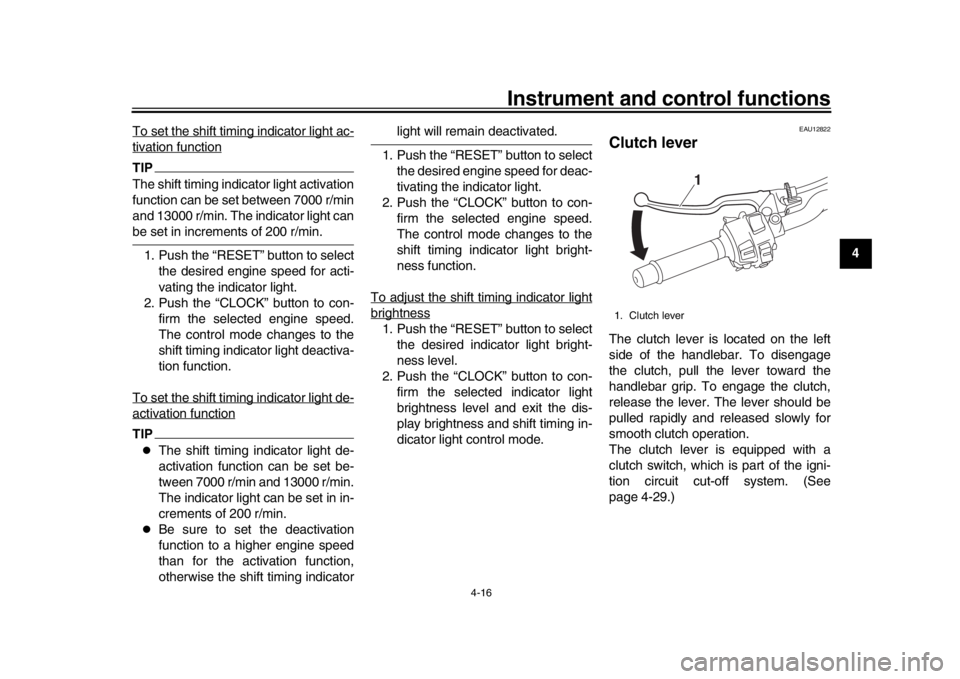
Clutch leverThe clutch lever is located on the left
side of the handlebar. To disengage
the clutch, pull the lever toward the
handlebar grip. To engage the clutch,
release the lever. The lever should be
pulled rapidly and released slowly for
smooth clutch operation.
The clutch lever is equipped with a
clutch switch, which is part of the igni-
tion circuit cut-off system. (See
page 4-29.)1. Clutch lever
1
B67-9-E0.book 16 ページ 2016年2月29日 月曜日 午前9時30分
Page 39 of 110
Instrument and control functions
4-18
1
2
345
6
7
8
9
10
11
12
EAU12944
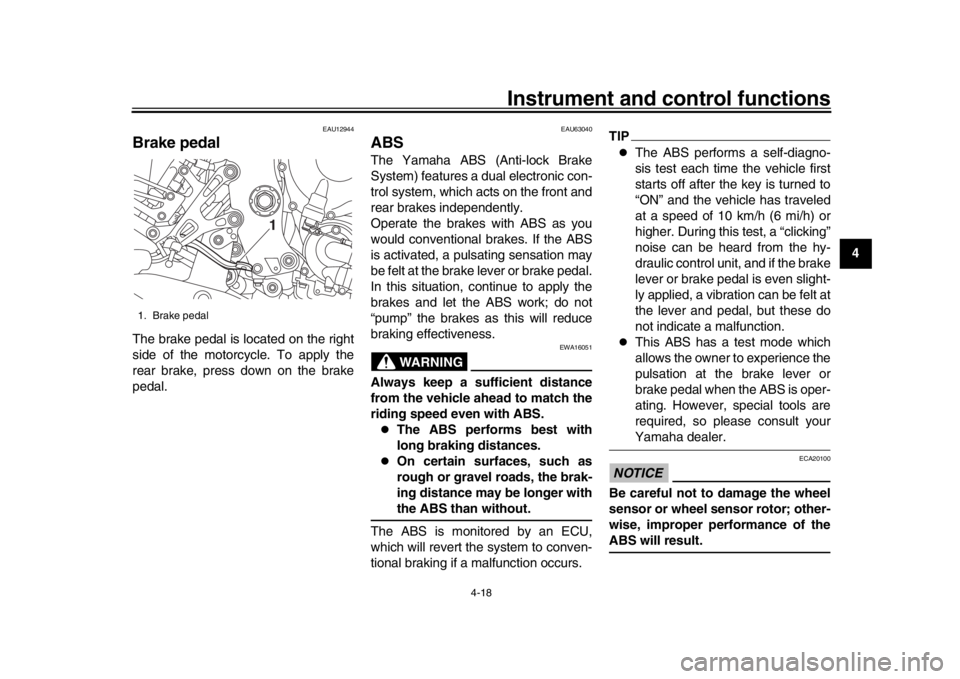
Brake pedalThe brake pedal is located on the right
side of the motorcycle. To apply the
rear brake, press down on the brake
pedal.
EAU63040
ABSThe Yamaha ABS (Anti-lock Brake
System) features a dual electronic con-
trol system, which acts on the front and
rear brakes independently.
Operate the brakes with ABS as you
would conventional br akes. If the ABS
is activated, a pulsating sensation may
be felt at the brake lever or brake pedal.
In this situation, continue to apply the
brakes and let the ABS work; do not
“pump” the brakes as this will reduce
braking effectiveness.
WARNING
EWA16051
Always keep a sufficient distance
from the vehicle ahead to match the
riding speed even with ABS.
The ABS performs best with
long braking distances.
On certain surfaces, such as
rough or gravel roads, the brak-
ing distance may be longer withthe ABS than without.
The ABS is monitored by an ECU,
which will revert the system to conven-
tional braking if a malfunction occurs.
TIP
The ABS performs a self-diagno-
sis test each time the vehicle first
starts off after the key is turned to
“ON” and the vehicle has traveled
at a speed of 10 km/h (6 mi/h) or
higher. During this test, a “clicking”
noise can be heard from the hy-
draulic control unit, and if the brake
lever or brake pedal is even slight-
ly applied, a vibration can be felt at
the lever and pedal, but these do
not indicate a malfunction.
This ABS has a test mode which
allows the owner to experience the
pulsation at the brake lever or
brake pedal when the ABS is oper-
ating. However, special tools are
required, so please consult yourYamaha dealer.
NOTICE
ECA20100
Be careful not to damage the wheel
sensor or wheel sensor rotor; other-
wise, improper performance of theABS will result.
1. Brake pedal
1
B67-9-E0.book 18 ページ 2016年2月29日 月曜日 午前9時30分
Page 40 of 110

Instrument and control functions
4-19
1
2
34
5
6
7
8
9
10
11
12
EAU13075
Fuel tank capTo open the fuel tank cap
Open the fuel tank cap lock cover, in-
sert the key into the lock, and then turn
it 1/4 turn clockwise. The lock will be re-
leased and the fuel tank cap can be
opened.
To close the fuel tank cap 1. Push the fuel tank cap into position with the key inserted in the lock.
2. Turn the key counterclockwise to the original position, remove it, and
then close the lock cover.
TIPThe fuel tank cap cannot be closed un-
less the key is in the lock. In addition,
the key cannot be removed if the cap isnot properly closed and locked.
WARNING
EWA11092
Make sure that the fuel tank cap is
properly closed after filling fuel.Leaking fuel is a fire hazard.
1. Front wheel sensor rotor
2. Front wheel sensor
1. Rear wheel sensor rotor
2. Rear wheel sensor
2
12
1
1. Fuel tank cap lock cover
2. Unlock.
1
2
B67-9-E0.book 19 ページ 2016年2月29日 月曜日 午前9時30分
Page 42 of 110

Instrument and control functions
4-21
1
2
34
5
6
7
8
9
10
11
12 brand. Use of unleaded fuel will extend
spark plug life and reduce maintenance
costs.
Gasohol
There are two types of gasohol: gaso-
hol containing ethanol and that contain-
ing methanol. Gasohol containing
ethanol can be used if the ethanol con-
tent does not exceed 10% (E10). Gas-
ohol containing methanol is not
recommended by Yamaha because it
can cause damage to the fuel system
or vehicle performance problems.
EAU74230
Fuel tank overflow hoseTIPSee page 7-10 for breather information.
Before operating the motorcycle:
Check the fuel tank overflow hose
connection.
Check the fuel tank overflow hose
for cracks or damage, and replace
it if necessary.
Make sure that the end of the fuel
tank overflow hose is not blocked,
and clean it if necessary.
Make sure that the fuel tank over-
flow hose is routed through the
clamp.
EAU13434
Catalytic converterThis model is equipped with a catalytic
converter in the exhaust system.
WARNING
EWA10863
The exhaust system is hot after op-
eration. To prevent a fire hazard or
burns:
Do not park the vehicle near
possible fire hazards such as
grass or other materials that
easily burn.
Park the vehicle in a place
where pedestrians or children
are not likely to touch the hot
exhaust system.
Make sure that the exhaust sys-
tem has cooled down before do-
ing any maintenance work.
Do not allow the engine to idle
more than a few minutes. Long
idling can cause a build-up ofheat.
NOTICE
ECA10702
Use only unleaded gasoline. The use
of leaded gasoline will cause unre-
1. Clamp
2. Fuel tank overflow hose
1
2
B67-9-E0.book 21 ページ 2016年2月29日 月曜日 午前9時30分
Page 43 of 110

Instrument and control functions
4-22
1
2
345
6
7
8
9
10
11
12
pairable damage to the catalytic
converter.
EAU57991
SeatTo remove the seat
1. Open the seat lock cover, insert the key into the seat lock, and then
turn the key counterclockwise.
2. While holding the key in that posi- tion, lift the rear of the seat up, and
then pull the seat off.
To install the seat 1. Insert the projections into the seat holders as shown. 2. Push the rear of the seat down to
lock it in place.
3. Remove the key.
TIPMake sure that the seat is properly se-cured before riding.
1. Seat lock
2. Seat lock cover
3. Unlock.
1 3
2
1. Projection
2. Seat holder
2
2 1
B67-9-E0.book 22 ページ 2016年2月29日 月曜日 午前9時30分
Page 46 of 110

Instrument and control functions
4-25
1
2
34
5
6
7
8
9
10
11
12
NOTICE
ECA10102
To avoid damaging the mechanism,
do not attempt to turn beyond themaximum or minimum settings.
This model is equipped with adjustable
suspension. The spring preload, re-
bound damping force, fast compres-
sion damping force, and slow
compression damping force can be ad-
justed.
Spring preload 1. Loosen the locknut.
2. To increase the spring preload and thereby harden the suspension,
turn the adjusting ring in direction
(a). To decrease the spring pre-
load and thereby soften the sus-
pension, turn the adjusting ring in
direction (b).
The spring preload setting is deter-
mined by measuring distance A.
The longer distance A is, the high-
er the spring preload; the shorter
distance A is, the lower the spring
preload.
Use the special wrench includ- ed in the additional tool kit to
make the adjustment.
3. Tighten the locknut to the specifiedtorque. NOTICE: Always tighten
the locknut against the adjust-
ing ring, and then tighten the
locknut to the specified
torque.
[ECA22760]
Rebound damping force
To increase the rebound damping force
and thereby harden the rebound damp-
ing, turn the adjusting screw in direction
(a). To decrease the rebound damping
force and thereby soften the rebound
damping, turn the adjusting screw in di-
rection (b).
1. Spring preload adjusting ring
2. Locknut
1. Distance A
(a) (b)1
2
1
Spring preload:
Minimum (soft):Distance A = 77.5 mm (3.05 in)
Standard:
Distance A = 81.5 mm (3.21 in)
Maximum (hard): Distance A = 85.5 mm (3.37 in)
Tightening torque: Locknut:25 Nm (2.5 m·kgf, 18 ft·lbf)
B67-9-E0.book 25 ページ 2016年2月29日 月曜日 午前9時30分
Page 68 of 110

Periodic maintenance and adjustment
7-10
1
2
3
4
5
67
8
9
10
11
12
EAU36112
CanisterThis model is equipped with a canister
to prevent the discharging of fuel vapor
into the atmosphere. Before operating
this vehicle, make sure to check the fol- lowing:
Check each hose connection.
Check each hose and canister for
cracks or damage. Replace if dam-
aged.
Make sure that the canister breath-
er is not blocked, and if necessary,
clean it.
EAU73971
Engine oil and oil filter
cartridgeThe engine oil level should be checked
before each ride. In addition, the oil
must be changed and the oil filter car-
tridge replaced at the intervals speci-
fied in the periodic maintenance and
lubrication chart.
To check the engine oil level
1. Place the vehicle on a level sur- face and hold it in an upright posi-
tion. A slight tilt to the side can
result in a false reading.
2. Start the engine, warm it up for several minutes, and then turn it
off.
3. Wait a few minutes until the oil set- tles, and then check the oil level
through the check window located
at the bottom-left side of the crank-
case.TIPThe engine oil should be between theminimum and maximum level marks.
1. Canister
1. Canister breather
1
1
B67-9-E0.book 10 ページ 2016年2月29日 月曜日 午前9時30分
Page 79 of 110
Periodic maintenance and adjustment7-21
1
2
3
4
5
678
9
10
11
12
EAU74130
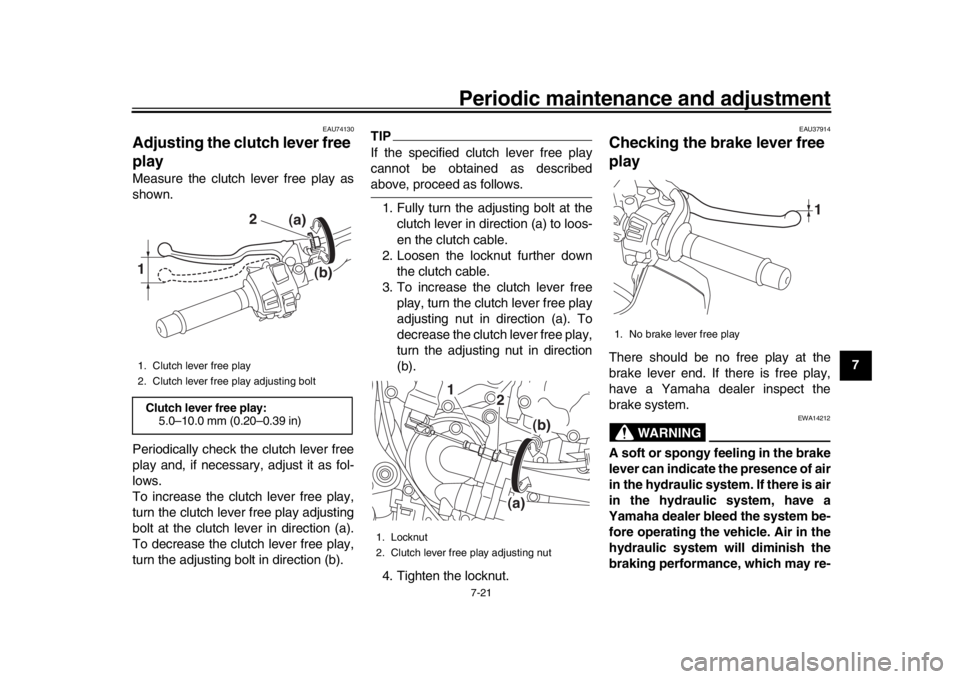
Adjusting the clutch lever free
playMeasure the clutch lever free play as
shown.
Periodically check the clutch lever free
play and, if necessary, adjust it as fol-
lows.
To increase the clutch lever free play,
turn the clutch lever free play adjusting
bolt at the clutch lever in direction (a).
To decrease the clutch lever free play,
turn the adjusting bolt in direction (b).
TIPIf the specified clutch lever free play
cannot be obtained as describedabove, proceed as follows. 1. Fully turn the adjusting bolt at the clutch lever in direction (a) to loos-
en the clutch cable.
2. Loosen the locknut further down the clutch cable.
3. To increase the clutch lever free play, turn the clutch lever free play
adjusting nut in direction (a). To
decrease the clutch lever free play,
turn the adjusting nut in direction
(b).
4. Tighten the locknut.
EAU37914
Checking the brake lever free
playThere should be no free play at the
brake lever end. If there is free play,
have a Yamaha dealer inspect the
brake system.
WARNING
EWA14212
A soft or spongy feeling in the brake
lever can indicate the presence of air
in the hydraulic system. If there is air
in the hydraulic system, have a
Yamaha dealer bleed the system be-
fore operating the vehicle. Air in the
hydraulic system will diminish the
braking performance, which may re-
1. Clutch lever free play
2. Clutch lever free play adjusting boltClutch lever free play: 5.0–10.0 mm (0.20–0.39 in)1
2 (a)
(b)
1. Locknut
2. Clutch lever free play adjusting nut
(b)
1
2
(a)
1. No brake lever free play
1
B67-9-E0.book 21 ページ 2016年2月29日 月曜日 午前9時30分