fuel YAMAHA NIKEN GT 2019 Owners Manual
[x] Cancel search | Manufacturer: YAMAHA, Model Year: 2019, Model line: NIKEN GT, Model: YAMAHA NIKEN GT 2019Pages: 108, PDF Size: 9.98 MB
Page 6 of 108

Table of contentsSafety information ............................ 1-1
Description ....................................... 2-1
Left view ......................................... 2-1
Right view ....................................... 2-2
Controls and instruments ............... 2-3
Instrument an d control functions ... 3-1
Immobilizer system......................... 3-1
Main switch/steering lock............... 3-2
Handlebar switches ........................ 3-3
Indicator lights and warning lights............................................ 3-5
Cruise control system..................... 3-8
Multi-function meter unit .............. 3-11
D-mode (drive mode).................... 3-19
Clutch lever .................................. 3-19
Shift pedal .................................... 3-20
Quick shift system ........................ 3-20
Brake lever.................................... 3-21
Brake pedal .................................. 3-21
ABS .............................................. 3-21
Traction control system ................ 3-22
Fuel tank cap ................................ 3-24
Fuel ............................................... 3-25
Fuel tank overflow hose ............... 3-27
Catalytic converter ....................... 3-27
Seats ............................................ 3-28
Helmet holding cable.................... 3-29
Storage compartment .................. 3-30
Rear view mirrors.......................... 3-31 Adjusting the front fork ................. 3-31
Adjusting the shock absorber
assembly.................................... 3-32
Auxiliary DC jacks ......................... 3-34
Sidestand ...................................... 3-35
Ignition circuit cut-off system ....... 3-35
For your safety – pre-operation
checks ............................................... 4-1
Operation an d important ri din g
points ................................................. 5-1
Starting the engine .......................... 5-1
Shifting ............................................ 5-2
Tips for reducing fuel consumption ................................ 5-4
Engine break-in ............................... 5-4
Parking ............................................ 5-5
Perio dic maintenance an d
a d justment ........................................ 6-1
Tool kit ............................................ 6-2
Periodic maintenance charts .......... 6-3
Periodic maintenance chart for the emission control system .............. 6-3
General maintenance and
lubrication chart ........................... 6-5
Removing and installing the panel ............................................ 6-9
Checking the spark plugs ............. 6-10
Canister ......................................... 6-11 Engine oil ...................................... 6-11
Why Yamalube.............................. 6-13
Coolant ......................................... 6-14
Air filter element ............................ 6-15
Checking the engine idling
speed ........................................ 6-15
Checking the throttle grip free play ............................................ 6-16
Valve clearance............................. 6-16
Tires .............................................. 6-16
Cast wheels .................................. 6-19
Adjusting the clutch lever free play ............................................ 6-19
Checking the brake lever free
play ............................................ 6-20
Brake light switches ..................... 6-20
Checking the front and rear brake pads ................................ 6-21
Checking the brake fluid level ...... 6-22
Changing the brake fluid .............. 6-23
Drive chain slack........................... 6-23
Cleaning and lubricating the drive chain ................................. 6-25
Checking and lubricating the cables ........................................ 6-25
Checking and lubricating the
throttle grip and cable ............... 6-26
Checking and lubricating the brake and shift pedals............... 6-26
Checking and lubricating the brake and clutch levers ............. 6-27UB5BE0E0.book Page 1 Friday, September 7, 2018 10:34 AM
Page 12 of 108

Safety information
1-5
1operator and may limit control
ability, therefore, such accesso-
ries are not recommended.
Use caution when adding electri-
cal accessories. If electrical ac-
cessories exceed the capacity of
the motorcycle’s electrical sys-
tem, an electric failure could re-
sult, which could cause a
dangerous loss of lights or engine
power.
Aftermarket Tires an d Rims
The tires and rims that came with your
motorcycle were designed to match
the performance capabilities and to
provide the best combination of han-
dling, braking, and comfort. Other
tires, rims, sizes, and combinations
may not be appropriate. See page 6-16
for tire specifications and for informa-
tion on servicing and replacing your
tires.
Transportin g the Motorcycle
Be sure to observe the following in-
structions before transporting the mo-
torcycle in another vehicle.
Remove all loose items from the
motorcycle.
Confirm there are no fuel or oil
leaks.
Shift the transmission into gear.
Secure with suitable straps that
are attached to solid parts of the
motorcycle, such as the frame or
upper front fork triple clamp. Do
not attach to turn signals, cowl-
ings and fairings, or any other
parts that can break. Choose the
location for the straps carefully so
the straps will not rub against
painted surfaces during transport.
The suspension should be partial-
ly compressed by the tie-down
straps so that the motorcycle will
not bounce excessively during
transport.
UB5BE0E0.book Page 5 Friday, September 7, 2018 10:34 AM
Page 14 of 108
Description
2-2
2
EAU10421
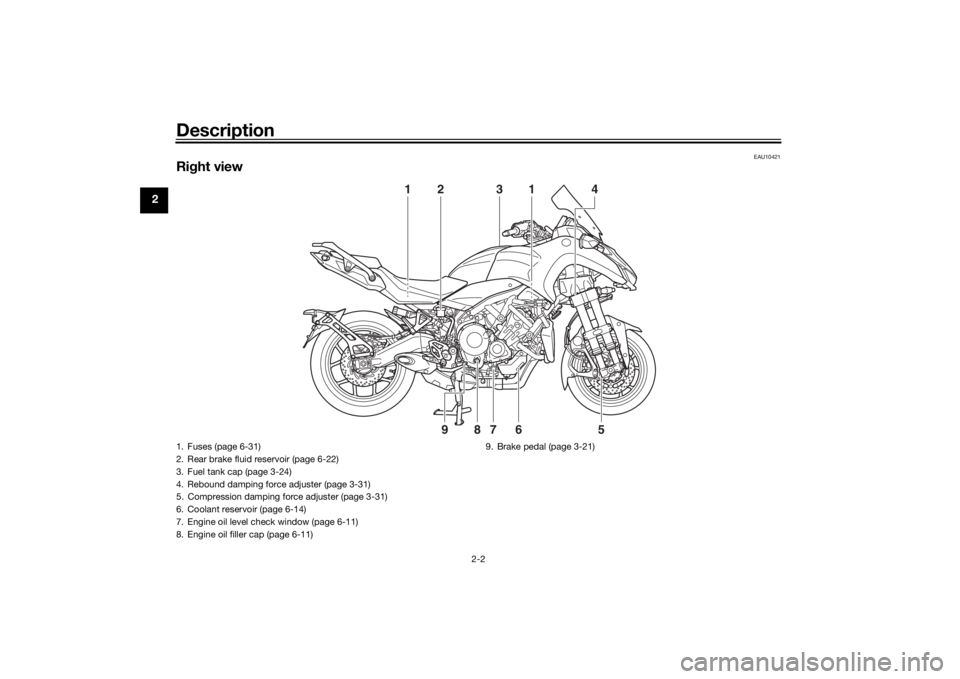
Right view
2
1
1
4
3
6
7
8
9
5
1. Fuses (page 6-31)
2. Rear brake fluid reservoir (page 6-22)
3. Fuel tank cap (page 3-24)
4. Rebound damping force adjuster (page 3-31)
5. Compression damping force adjuster (page 3-31)
6. Coolant reservoir (page 6-14)
7. Engine oil level check window (page 6-11)
8. Engine oil filler cap (page 6-11) 9. Brake pedal (page 3-21)UB5BE0E0.book Page 2 Friday, September 7, 2018 10:34 AM
Page 26 of 108
Instrument and control functions
3-11
3 ing speed. If this occurs, acceler-
ate to the desired traveling speed
using the throttle.
When the vehicle is traveling
downhill, the actual traveling
speed may become higher than
the set cruising speed. If this oc-
curs, the setting switch cannot be
used to adjust the set cruising
speed. To reduce the traveling
speed, apply the brakes. When
the brakes are applied, the cruise
control system will become deac-
tivated.
EAU85710
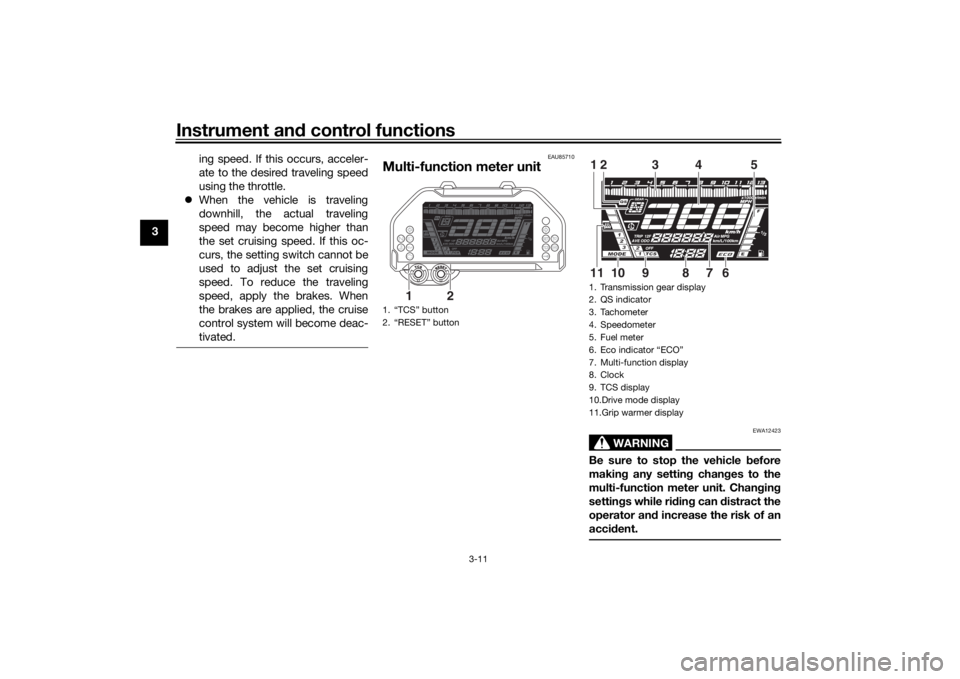
Multi-function meter unit
WARNING
EWA12423
Be sure to stop the vehicle before
makin g any settin g chan ges to the
multi-function meter unit. Chan gin g
settin gs while ri din g can distract the
operator an d increase the risk of an
acci dent.
1. “TCS” button
2. “RESET” button
1
2
1. Transmission gear display
2. QS indicator
3. Tachometer
4. Speedometer
5. Fuel meter
6. Eco indicator “ECO”
7. Multi-function display
8. Clock
9. TCS display
10.Drive mode display
11.Grip warmer display
3
4
5
12
6
7
8
9
10
11
UB5BE0E0.book Page 11 Friday, September 7, 2018 10:34 AM
Page 27 of 108
Instrument and control functions
3-12
3
The multi-function meter unit is
equipped with the following:
speedometer
tachometer
clock
fuel meter
eco indicator
transmission gear display
drive mode display
TCS display
QS indicator
grip warmer display
multi-function display
brightness and shift light control
mode
TIPThe multi-function meter unit can be
set to kilometers or miles. To switch
between kilometers and miles, set the
multi-function display to the odometer,
and then push the “RESET” button for
one second.
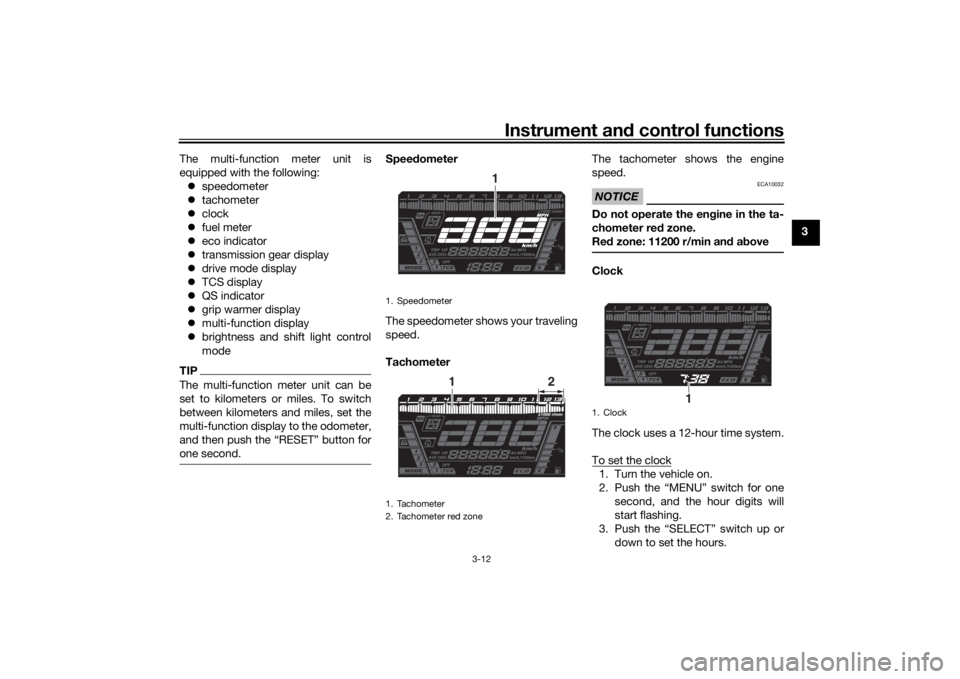
Speed ometer
The speedometer shows your traveling
speed.
Tachometer The tachometer shows the engine
speed.
NOTICE
ECA10032
Do not operate the en
gine in the ta-
chometer red zone.
Re d zone: 11200 r/min an d a boveClock
The clock uses a 12-hour time system.
To set the clock1. Turn the vehicle on.
2. Push the “MENU” switch for one
second, and the hour digits will
start flashing.
3. Push the “SELECT” switch up or down to set the hours.
1. Speedometer
1. Tachometer
2. Tachometer red zone
1
1
2
1. Clock
1
UB5BE0E0.book Page 12 Friday, September 7, 2018 10:34 AM
Page 28 of 108
Instrument and control functions
3-13
3 4. Push the “MENU” switch, and the
minute digits will start flashing.
5. Push the “SELECT” switch up or down to set the minutes.
6. Push the “MENU” switch to start the clock.
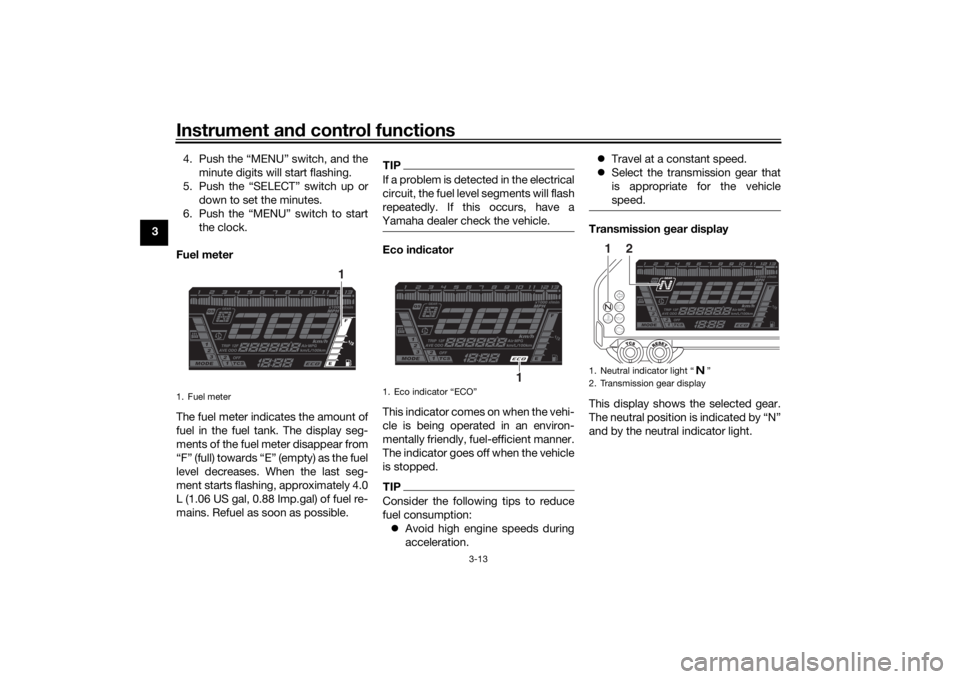
Fuel meter
The fuel meter indicates the amount of
fuel in the fuel tank. The display seg-
ments of the fuel meter disappear from
“F” (full) towards “E” (empty) as the fuel
level decreases. When the last seg-
ment starts flashing, approximately 4.0
L (1.06 US gal, 0.88 Imp.gal) of fuel re-
mains. Refuel as soon as possible.
TIPIf a problem is detected in the electrical
circuit, the fuel level segments will flash
repeatedly. If this occurs, have a
Yamaha dealer check the vehicle.Eco in dicator
This indicator comes on when the vehi-
cle is being operated in an environ-
mentally friendly, fuel-efficient manner.
The indicator goes off when the vehicle
is stopped.TIPConsider the following tips to reduce
fuel consumption: Avoid high engine speeds during
acceleration.
Travel at a constant speed.
Select the transmission gear that
is appropriate for the vehicle
speed.
Transmission gear display
This display shows the selected gear.
The neutral position is indicated by “N”
and by the neutral indicator light.
1. Fuel meter
1
1. Eco indicator “ECO”
1
1. Neutral indicator light “ ”
2. Transmission gear display
1
2
UB5BE0E0.book Page 13 Friday, September 7, 2018 10:34 AM
Page 30 of 108
Instrument and control functions
3-15
3 2. Push the “MENU” switch to select
the grip warmer display, and
will disappear.
3. Push the “SELECT” switch up or down to change the setting level.
4. Push the “MENU” switch.
TIPThe current grip warmer setting is
saved when the vehicle is turned off.NOTICE
ECA17932
Be sure to wear gloves when
usin g the grip warmers.
Do not use the grip warmers in
warm weather.
If the han dle bar grip or throttle
g rip becomes worn or dam-
a g ed , stop usin g the grip warm-
ers an d replace the g rips.To set the grip warmer temperaturelevels1. Turn the vehicle on.
2. Push the “MENU” switch to select
the grip warmer display, and
will disappear. 3. Push the “MENU” switch for one
second, and the grip warmer dis-
play and multi-function display will
start flashing.
4. Push the “MENU” switch to change the setting level.
5. Push the “SELECT” switch up or down to set the temperature level.
6. Push the “MENU” switch for one second.
Multi-function display
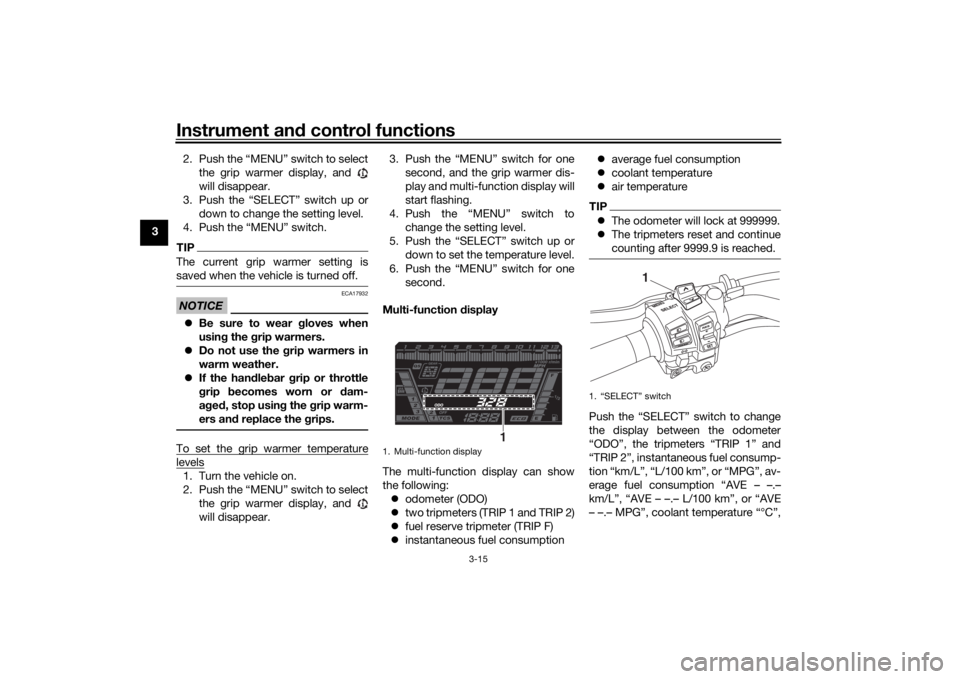
The multi-function display can show
the following: odometer (ODO)
two tripmeters (TRIP 1 and TRIP 2)
fuel reserve tripmeter (TRIP F)
instantaneous fuel consumption
average fuel consumption
coolant temperature
air temperature
TIPThe odometer will lock at 999999.
The tripmeters reset and continue
counting after 9999.9 is reached.Push the “SELECT” switch to change
the display between the odometer
“ODO”, the tripmeters “TRIP 1” and
“TRIP 2”, instantaneous fuel consump-
tion “km/L”, “L/100 km”, or “MPG”, av-
erage fuel consumption “AVE – –.–
km/L”, “AVE – –.– L/100 km”, or “AVE
– –.– MPG”, coolant temperature “°C”,
1. Multi-function display
1
1. “SELECT” switch
1
UB5BE0E0.book Page 15 Friday, September 7, 2018 10:34 AM
Page 31 of 108
Instrument and control functions
3-16
3
and air temperature “°C Air”. When
pushing “ ”, the display will change
in the following order.
ODO
→ TRIP 1 → TRIP 2 → km/L,
L/100 km, or MPG → AVE – –.– km/L,
AVE – –.– L/100 km, or AVE – –.– MPG
→ °C (coolant) → °C Air → ODO
When the last segment of the fuel me-
ter starts flashing, the display changes
to the fuel reserve tripmeter “TRIP F”
and starts counting the distance trav-
eled from that point. In this case,
push “ ” to change the display in the
following order.
TRIP F → km/L, L/100 km, or MPG →
AVE – –.– km/L, AVE – –.– L/100 km, or
AVE – –.– MPG → °C (coolant) → °C Air
→ ODO → TRIP 1 → TRIP 2 → TRIP F
TIP Push “ ” to change the display
in the opposite order.
To reset a tripmeter, push the
“RESET” button for one second.
The fuel reserve tripmeter can be
reset manually, or you can allow it
to reset automatically after refuel-
ing and traveling about 5 km (3
mi).
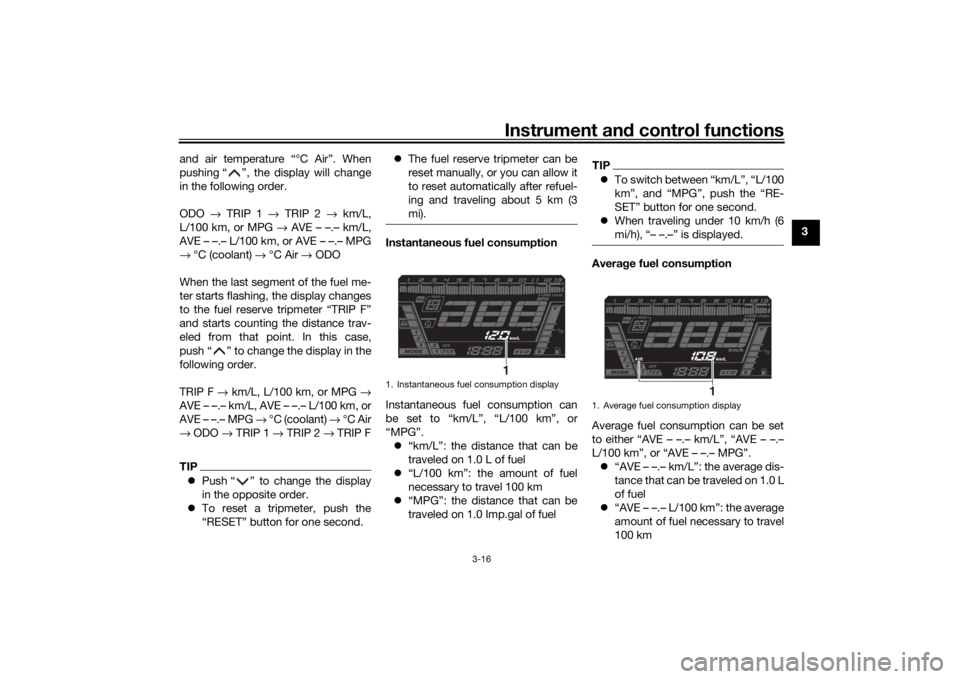
Instantaneous fuel consumption
Instantaneous fuel consumption can
be set to “km/L”, “L/100 km”, or
“MPG”.
“km/L”: the distance that can be
traveled on 1.0 L of fuel
“L/100 km”: the amount of fuel
necessary to travel 100 km
“MPG”: the distance that can be
traveled on 1.0 Imp.gal of fuel
TIPTo switch between “km/L”, “L/100
km”, and “MPG”, push the “RE-
SET” button for one second.
When traveling under 10 km/h (6
mi/h), “– –.–” is displayed.Avera ge fuel consumption
Average fuel consumption can be set
to either “AVE – –.– km/L”, “AVE – –.–
L/100 km”, or “AVE – –.– MPG”. “AVE – –.– km/L”: the average dis-
tance that can be traveled on 1.0 L
of fuel
“AVE – –.– L/100 km”: the average
amount of fuel necessary to travel
100 km
1. Instantaneous fuel consumption display
1
1. Average fuel consumption display
1
UB5BE0E0.book Page 16 Friday, September 7, 2018 10:34 AM
Page 32 of 108
Instrument and control functions
3-17
3
“AVE – –.– MPG”: the average dis-
tance that can be traveled on
1.0 Imp.gal of fuel
TIPTo reset the average fuel con-
sumption, push the “RESET” but-
ton for one second.
After resetting, “– –.–” will be
shown until the vehicle has trav-
eled a sufficient distance.
The display units cannot be
switched between “km/L”, “L/100
km”, and “MPG” in this mode;
change to the instantaneous fuel
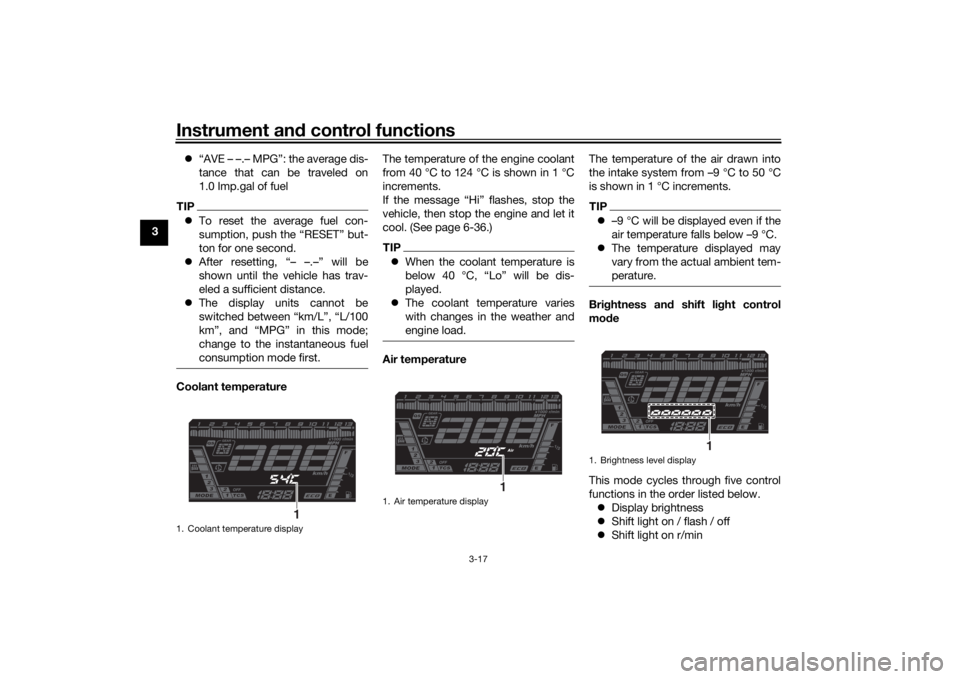
consumption mode first.Coolant temperature The temperature of the engine coolant
from 40 °C to 124 °C is shown in 1 °C
increments.
If the message “Hi” flashes, stop the
vehicle, then stop the engine and let it
cool. (See page 6-36.)
TIP
When the coolant temperature is
below 40 °C, “Lo” will be dis-
played.
The coolant temperature varies
with changes in the weather and
engine load.Air temperature The temperature of the air drawn into
the intake system from –9 °C to 50 °C
is shown in 1 °C increments.
TIP
–9 °C will be displayed even if the
air temperature falls below –9 °C.
The temperature displayed may
vary from the actual ambient tem-
perature.Bri ghtness and shift light control
mo de
This mode cycles through five control
functions in the order listed below. Display brightness
Shift light on / flash / off
Shift light on r/min
1. Coolant temperature display
1
1. Air temperature display
1
1. Brightness level display
1
UB5BE0E0.book Page 17 Friday, September 7, 2018 10:34 AM
Page 39 of 108
Instrument and control functions
3-24
3
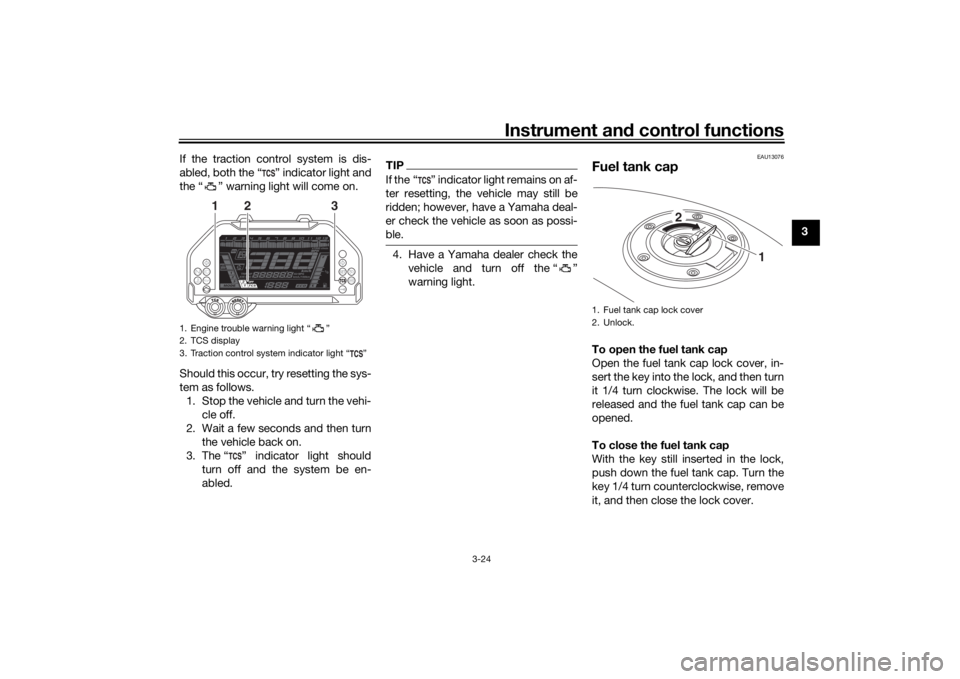
If the traction control system is dis-
abled, both the “ ” indicator light and
the “ ” warning light will come on.
Should this occur, try resetting the sys-
tem as follows.
1. Stop the vehicle and turn the vehi- cle off.
2. Wait a few seconds and then turn the vehicle back on.
3. The “ ” indicator light should turn off and the system be en-
abled.
TIPIf the “ ” indicator light remains on af-
ter resetting, the vehicle may still be
ridden; however, have a Yamaha deal-
er check the vehicle as soon as possi-
ble.4. Have a Yamaha dealer check thevehicle and turn off the “ ”
warning light.
EAU13076
Fuel tank capTo open the fuel tank cap
Open the fuel tank cap lock cover, in-
sert the key into the lock, and then turn
it 1/4 turn clockwise. The lock will be
released and the fuel tank cap can be
opened.
To close the fuel tank cap
With the key still inserted in the lock,
push down the fuel tank cap. Turn the
key 1/4 turn counterclockwise, remove
it, and then close the lock cover.
1. Engine trouble warning light “ ”
2. TCS display
3. Traction control system indicator light “ ”
3
2
1
1. Fuel tank cap lock cover
2. Unlock.
1
2
UB5BE0E0.book Page 24 Friday, September 7, 2018 10:34 AM