clock YAMAHA RHINO 700 2013 Owners Manual
[x] Cancel search | Manufacturer: YAMAHA, Model Year: 2013, Model line: RHINO 700, Model: YAMAHA RHINO 700 2013Pages: 188, PDF Size: 4.9 MB
Page 36 of 188
4-6
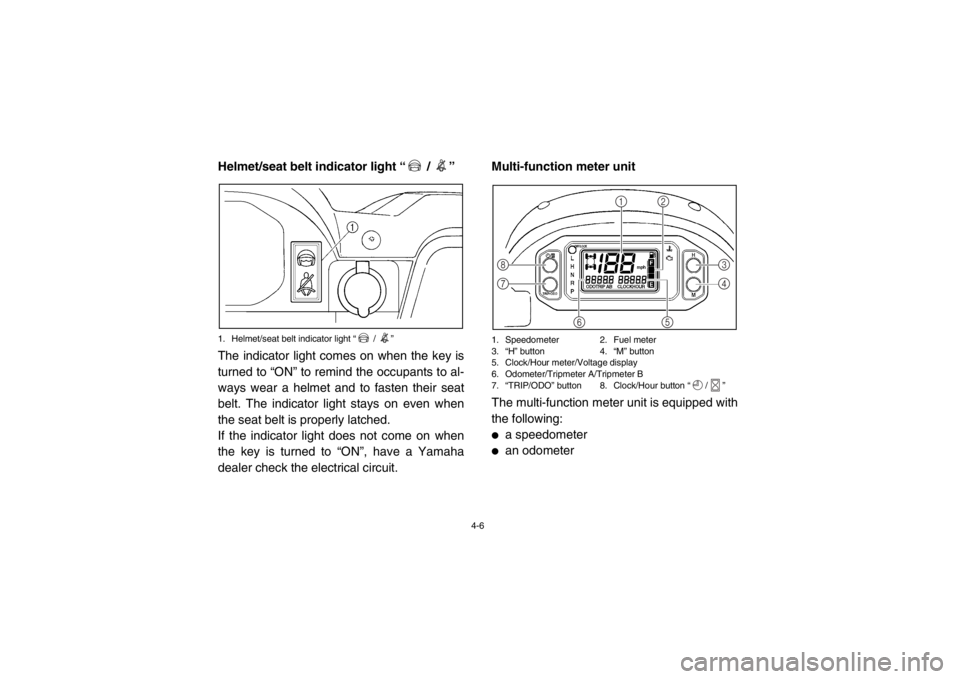
Helmet/seat belt indicator light “ / ”1. Helmet/seat belt indicator light “ / ”The indicator light comes on when the key is
turned to “ON” to remind the occupants to al-
ways wear a helmet and to fasten their seat
belt. The indicator light stays on even when
the seat belt is properly latched.
If the indicator light does not come on when
the key is turned to “ON”, have a Yamaha
dealer check the electrical circuit.
5B410004*Multi-function meter unit1. Speedometer 2. Fuel meter
3. “H” button 4. “M” button
5. Clock/Hour meter/Voltage display
6. Odometer/Tripmeter A/Tripmeter B
7. “TRIP/ODO” button 8. Clock/Hour button “ / ”The multi-function meter unit is equipped with
the following:●
a speedometer
●
an odometer
123
4
5
6
7 8
1RB7A_EE.book Page 6 Tuesday, April 24, 2012 9:07 AM
Page 37 of 188
4-7
●
two tripmeters (which show the distance
traveled since they were last set to zero)
●
a clock
●
an hour meter (which shows the total time
the engine has been running)
●
a voltage display (which shows the battery
voltage)
●
a fuel meter
●
a self-diagnosis device
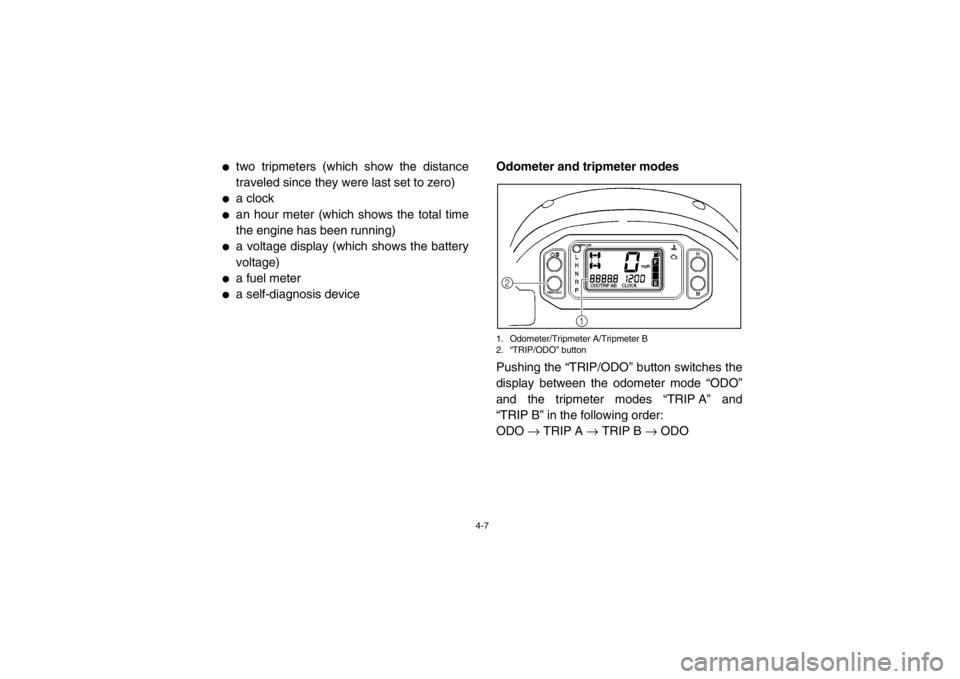
Odometer and tripmeter modes
1. Odometer/Tripmeter A/Tripmeter B
2. “TRIP/ODO” buttonPushing the “TRIP/ODO” button switches the
display between the odometer mode “ODO”
and the tripmeter modes “TRIP A” and
“TRIP B” in the following order:
ODO
→ TRIP A → TRIP B → ODO
1
2
1RB7A_EE.book Page 7 Tuesday, April 24, 2012 9:07 AM
Page 38 of 188
4-8
To reset a tripmeter, select it by pushing the
“TRIP/ODO” button, and then hold the “TRIP/
ODO” button for at least three seconds. The
tripmeters can be used to estimate the dis-
tance that can be traveled with a full tank of fu-
el. This information enables you to plan future
fuel stops.TIPTo switch the display between “km/h” and
“mph”, turn the key to “OFF”, then push and
hold the “TRIP/ODO” button while turning the
key to “ON”.
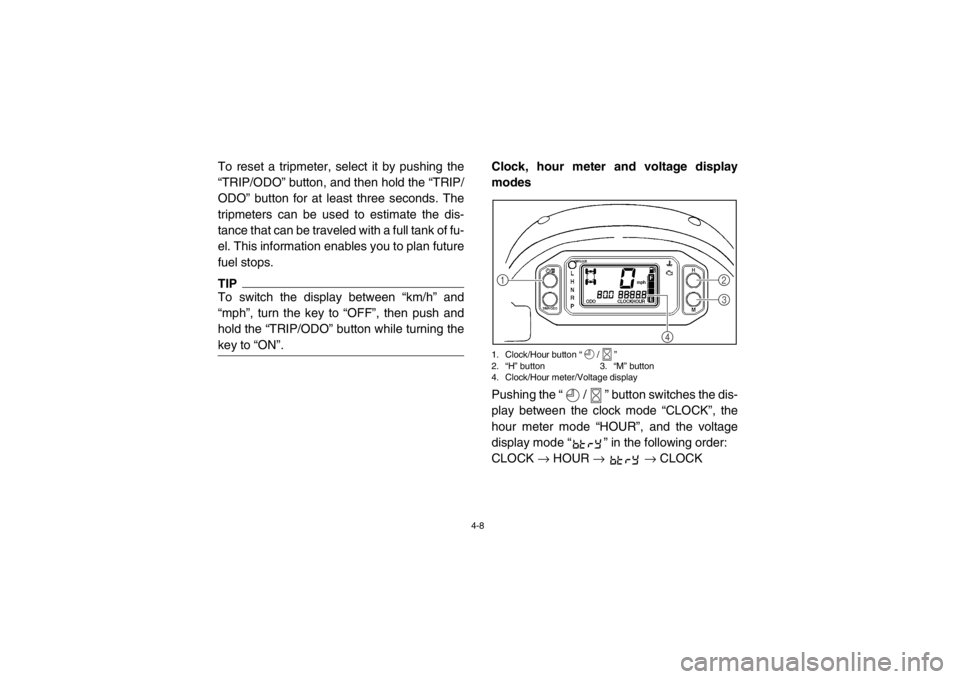
Clock, hour meter and voltage display
modes1. Clock/Hour button “ / ”
2. “H” button 3. “M” button
4. Clock/Hour meter/Voltage displayPushing the “ / ” button switches the dis-
play between the clock mode “CLOCK”, the
hour meter mode “HOUR”, and the voltage
display mode “ ” in the following order:
CLOCK → HOUR → → CLOCK
4
1
2
3
1RB7A_EE.book Page 8 Tuesday, April 24, 2012 9:07 AM
Page 39 of 188
4-9
To set the clock1. Set the display to the clock.
2. Push the “ / ” button until the clockstarts flashing.
3. Set the hours by pushing the “H” button.
4. Set the minutes by pushing the “M” but- ton.
5. Push the “ / ” button, and then re- lease it to start the clock. Voltage display mode
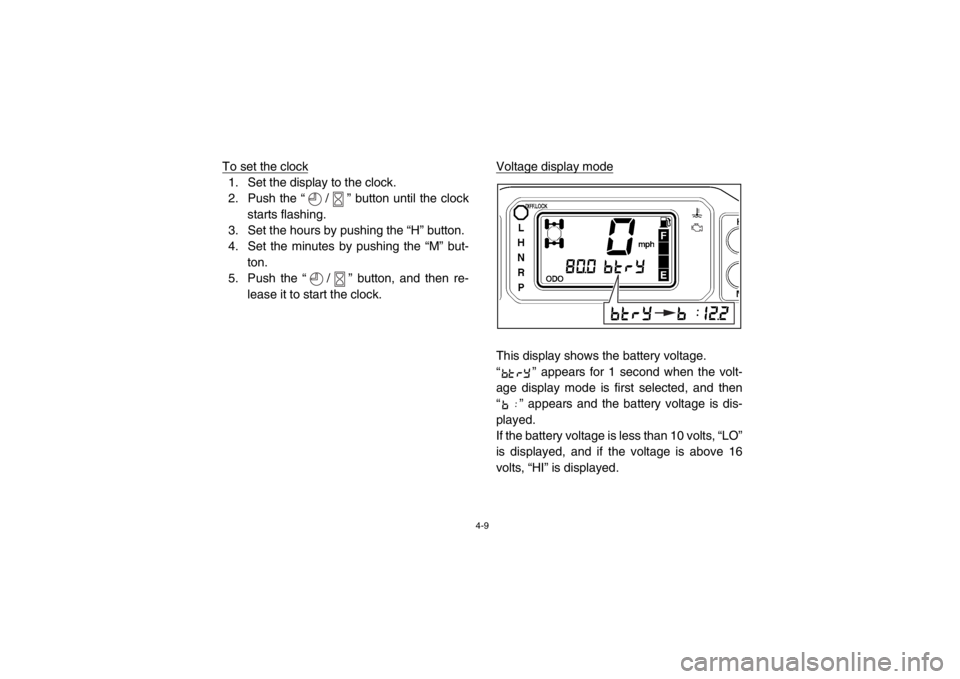
This display shows the battery voltage.
“ ” appears for 1 second when the volt-
age display mode is first selected, and then
“ ” appears and the battery voltage is dis-
played.
If the battery voltage is less than 10 volts, “LO”
is displayed, and if the voltage is above 16
volts, “HI” is displayed.
1RB7A_EE.book Page 9 Tuesday, April 24, 2012 9:07 AM
Page 47 of 188
4-17
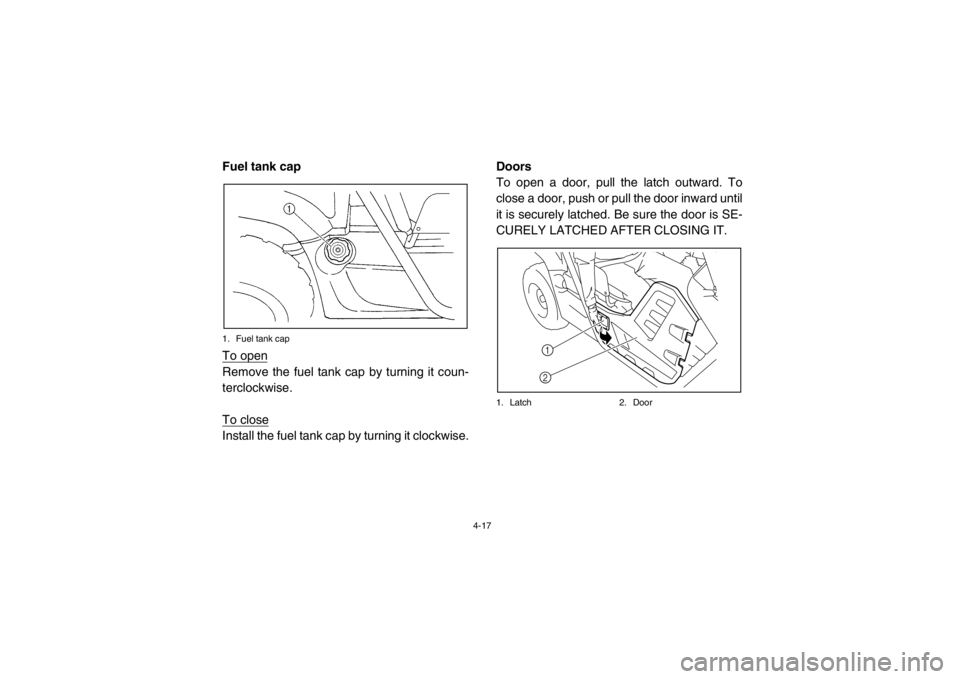
EVU00300Fuel tank cap1. Fuel tank capTo openRemove the fuel tank cap by turning it coun-
terclockwise.
To closeInstall the fuel tank cap by turning it clockwise.Doors
To open a door, pull the latch outward. To
close a door, push or pull the door inward until
it is securely latched. Be sure the door is SE-
CURELY LATCHED AFTER CLOSING IT.
1. Latch
2. Door
1
2
1RB7A_EE.book Page 17 Tuesday, April 24, 2012 9:07 AM
Page 167 of 188
8-54
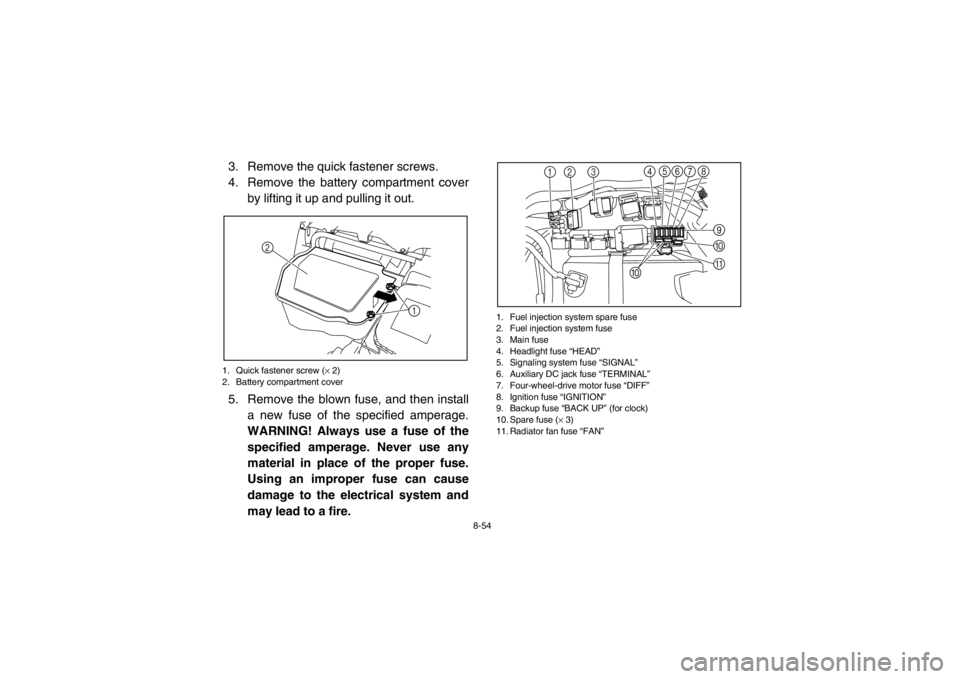
3. Remove the quick fastener screws.
4. Remove the battery compartment coverby lifting it up and pulling it out.1. Quick fastener screw ( × 2)
2. Battery compartment cover5. Remove the blown fuse, and then install
a new fuse of the specified amperage.
WARNING! Always use a fuse of the
specified amperage. Never use any
material in place of the proper fuse.
Using an improper fuse can cause
damage to the electrical system and
may lead to a fire.
1. Fuel injection system spare fuse
2. Fuel injection system fuse
3. Main fuse
4. Headlight fuse “HEAD”
5. Signaling system fuse “SIGNAL”
6. Auxiliary DC jack fuse “TERMINAL”
7. Four-wheel-drive motor fuse “DIFF”
8. Ignition fuse “IGNITION”
9. Backup fuse “BACK UP” (for clock)
10. Spare fuse ( × 3)
11. Radiator fan fuse “FAN”
1
2
12 3 7
9
456 8
A
@
0
1RB7A_EE.book Page 54 Tuesday, April 24, 2012 9:07 AM
Page 169 of 188
8-56
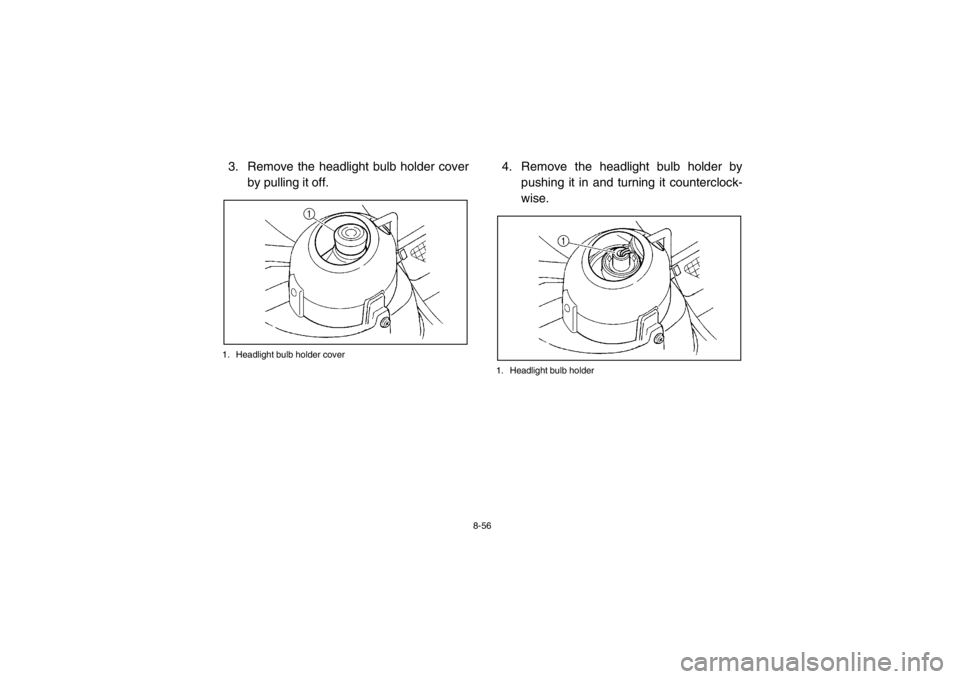
3. Remove the headlight bulb holder coverby pulling it off.1. Headlight bulb holder cover
4. Remove the headlight bulb holder by pushing it in and turning it counterclock-
wise.1. Headlight bulb holder
1RB7A_EE.book Page 56 Tuesday, April 24, 2012 9:07 AM
Page 170 of 188
8-57
5. Wait for the headlight bulb to cool beforetouching or removing it. Remove the bulb
by pulling it out.
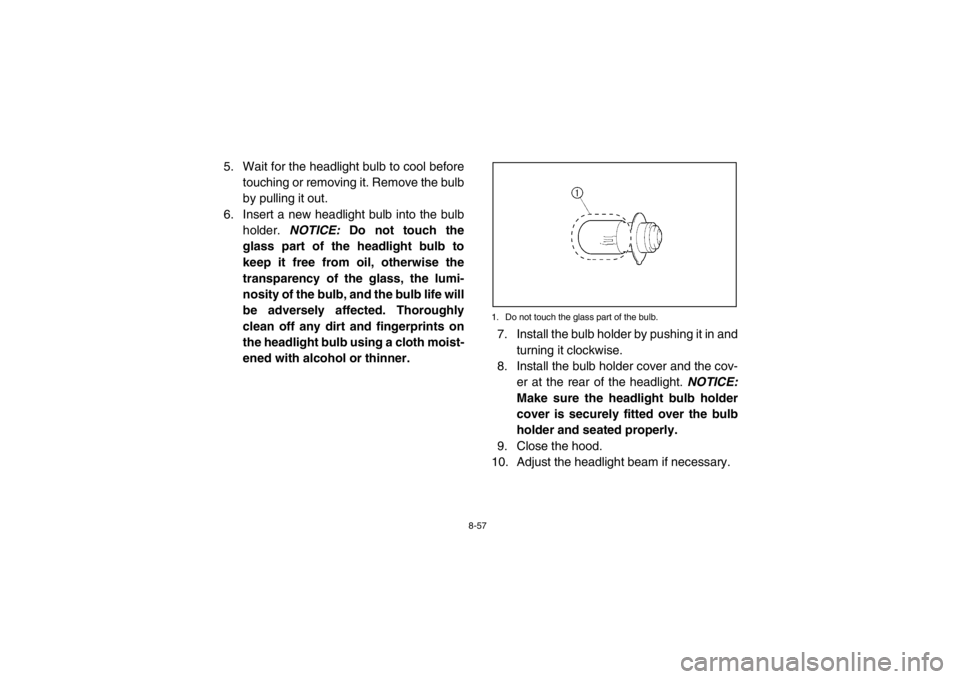
6. Insert a new headlight bulb into the bulb holder. NOTICE: Do not touch the
glass part of the headlight bulb to
keep it free from oil, otherwise the
transparency of the glass, the lumi-
nosity of the bulb, and the bulb life will
be adversely affected. Thoroughly
clean off any dirt and fingerprints on
the headlight bulb using a cloth moist-
ened with alcohol or thinner.
1. Do not touch the glass part of the bulb.7. Install the bulb holder by pushing it in and
turning it clockwise.
8. Install the bulb holder cover and the cov-
er at the rear of the headlight. NOTICE:
Make sure the headlight bulb holder
cover is securely fitted over the bulb
holder and seated properly.
9. Close the hood.
10. Adjust the headlight beam if necessary.
1RB7A_EE.book Page 57 Tuesday, April 24, 2012 9:07 AM
Page 172 of 188
8-59
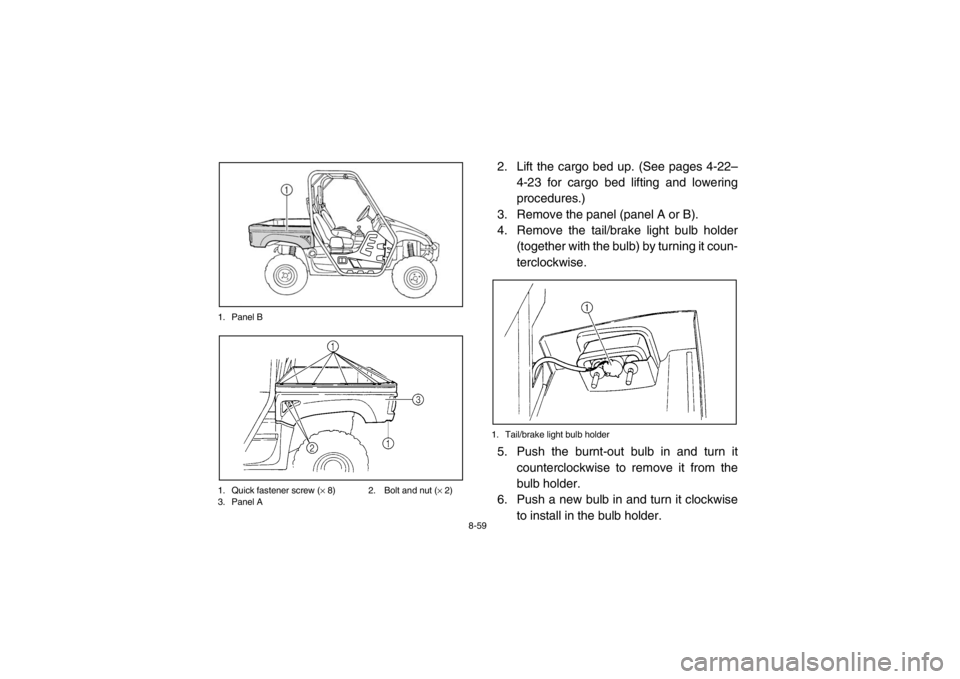
1. Panel B
1. Quick fastener screw (
× 8) 2. Bolt and nut ( × 2)
3. Panel A
2. Lift the cargo bed up. (See pages 4-22–
4-23 for cargo bed lifting and lowering
procedures.)
3. Remove the panel (panel A or B).
4. Remove the tail/brake light bulb holder (together with the bulb) by turning it coun-
terclockwise.1. Tail/brake light bulb holder5. Push the burnt-out bulb in and turn it
counterclockwise to remove it from the
bulb holder.
6. Push a new bulb in and turn it clockwise
to install in the bulb holder.
1RB7A_EE.book Page 59 Tuesday, April 24, 2012 9:07 AM
Page 173 of 188

8-60
7. Install the bulb holder (together with thebulb) by turning it clockwise.
8. Install the panel.
9. Lower the cargo bed.
10. Install the quick fastener screws, bolts and nuts, and then tighten the nuts to the
specified torque.
EVU01010Troubleshooting
Although Yamaha vehicles receive an inspec-
tion before shipment from the factory, trouble
may occur during operation. Any problem in
the fuel, compression, or ignition systems can
cause poor starting and loss of power. The
troubleshooting chart describes a quick, easy
procedure for making checks. If your vehicle
requires any repair, take it to a Yamaha deal-
er.
The skilled technicians at a Yamaha dealer-
ship have the tools, experience, and know-
how to properly service your vehicle. Use only
genuine Yamaha parts on your vehicle. Imita-
tion parts may look like Yamaha parts, but
they are often inferior. Consequently, they
have a shorter service life and can lead to ex-
pensive repair bills.
Tightening torque:
Panel nut: 7 Nm (0.7 m·kgf, 5.1 ft·lbf)
1RB7A_EE.book Page 60 Tuesday, April 24, 2012 9:07 AM