MPG YAMAHA TRACER 900 2018 Owners Manual
[x] Cancel search | Manufacturer: YAMAHA, Model Year: 2018, Model line: TRACER 900, Model: YAMAHA TRACER 900 2018Pages: 114, PDF Size: 7.51 MB
Page 27 of 114
Instrument and control functions
3-12
3
NOTICE
ECA10022
Do not continue to operate the en-
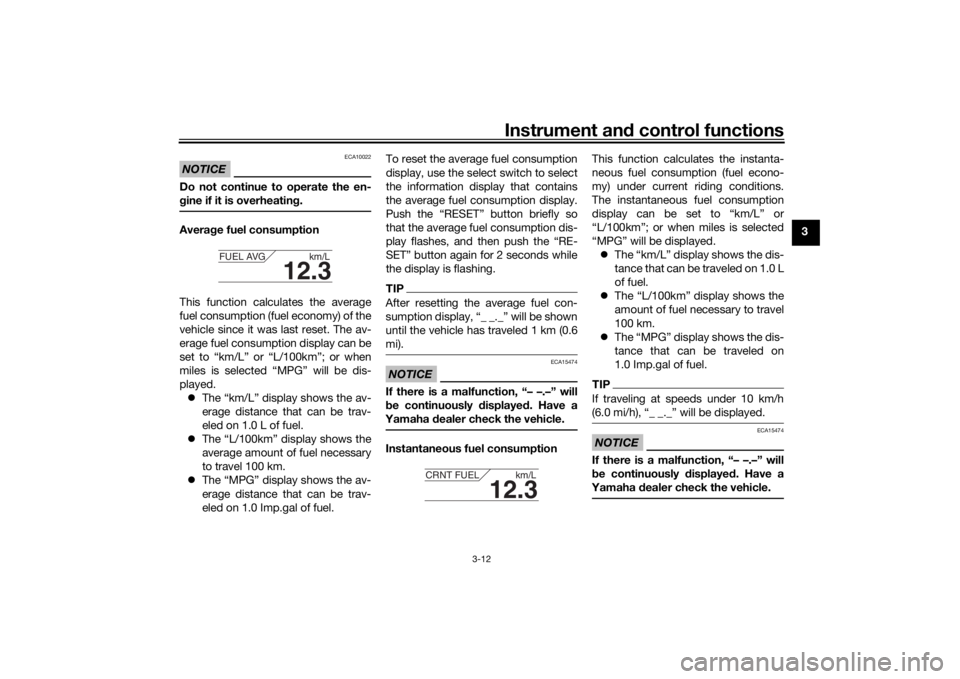
g ine if it is overheatin g.Avera ge fuel consumption
This function calculates the average
fuel consumption (fuel economy) of the
vehicle since it was last reset. The av-
erage fuel consumption display can be
set to “km/L” or “L/100km”; or when
miles is selected “MPG” will be dis-
played. The “km/L” display shows the av-
erage distance that can be trav-
eled on 1.0 L of fuel.
The “L/100km” display shows the
average amount of fuel necessary
to travel 100 km.
The “MPG” display shows the av-
erage distance that can be trav-
eled on 1.0 Imp.gal of fuel. To reset the average fuel consumption
display, use the select switch to select
the information display that contains
the average fuel consumption display.
Push the “RESET” button briefly so
that the average fuel consumption dis-
play flashes, and then push the “RE-
SET” button again for 2 seconds while
the display is flashing.
TIPAfter resetting the average fuel con-
sumption display, “_ _._” will be shown
until the vehicle has traveled 1 km (0.6
mi).NOTICE
ECA15474
If there is a malfunction, “– –.–” will
b
e continuously displaye d. Have a
Yamaha dealer check the vehicle.Instantaneous fuel consumption This function calculates the instanta-
neous fuel consumption (fuel econo-
my) under current riding conditions.
The instantaneous fuel consumption
display can be set to “km/L” or
“L/100km”; or when miles is selected
“MPG” will be displayed.
The “km/L” display shows the dis-
tance that can be traveled on 1.0 L
of fuel.
The “L/100km” display shows the
amount of fuel necessary to travel
100 km.
The “MPG” display shows the dis-
tance that can be traveled on
1.0 Imp.gal of fuel.
TIPIf traveling at speeds under 10 km/h
(6.0 mi/h), “_ _._” will be displayed.NOTICE
ECA15474
If there is a malfunction, “– –.–” will
be continuously displaye d. Have a
Yamaha dealer check the vehicle.
12.3
FUEL AVG km/L
12.3
CRNT FUEL km/L
UB5CE0E0.book Page 12 Wednesday, December 20, 2017 11:08 AM
Page 30 of 114
Instrument and control functions
3-15
3
TIP Keep kilometers selected: Skip to
step 5.
Select miles or kilometers: Contin-
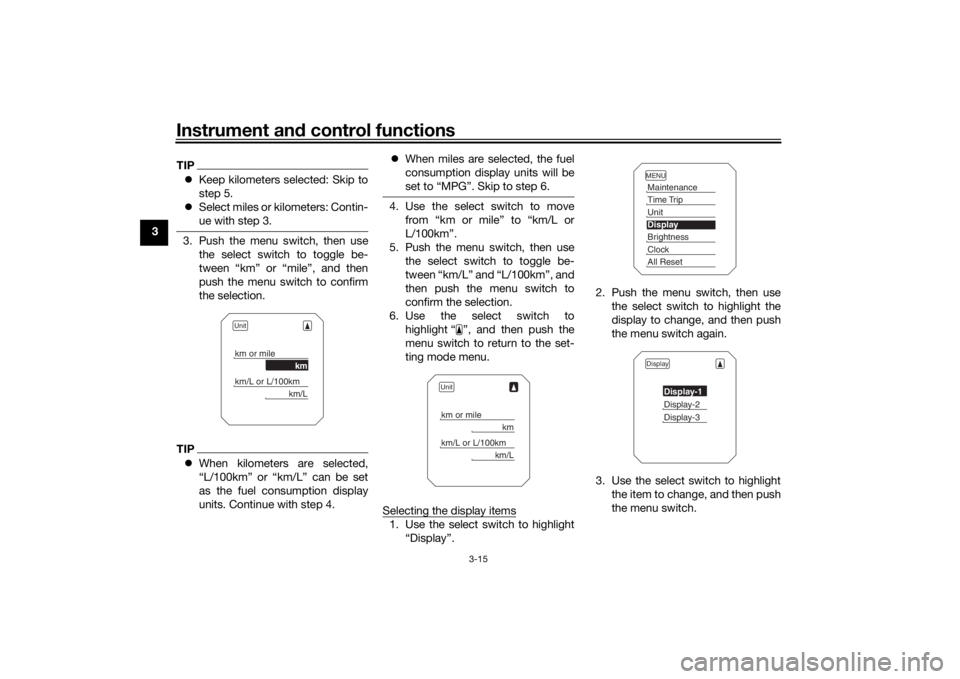
ue with step 3.3. Push the menu switch, then use
the select switch to toggle be-
tween “km” or “mile”, and then
push the menu switch to confirm
the selection.TIPWhen kilometers are selected,
“L/100km” or “km/L” can be set
as the fuel consumption display
units. Continue with step 4.
When miles are selected, the fuel
consumption display units will be
set to “MPG”. Skip to step 6.
4. Use the select switch to move
from “km or mile” to “km/L or
L/100km”.
5. Push the menu switch, then use the select switch to toggle be-
tween “km/L” and “L/100km”, and
then push the menu switch to
confirm the selection.
6. Use the select switch to highlight “ ”, and then push the
menu switch to return to the set-
ting mode menu.
Selecting the display items1. Use the select switch to highlight “Display”. 2. Push the menu switch, then use
the select switch to highlight the
display to change, and then push
the menu switch again.
3. Use the select switch to highlight the item to change, and then push
the menu switch.
Unitkm or mile
km
km/L or L/100km
km/L
Unitkm or mile
km
km/L or L/100km
km/L
MENUMaintenanceTime TripUnitDisplayBrightnessClockAll ResetDisplay
Display-1Display-2Display-3
UB5CE0E0.book Page 15 Wednesday, December 20, 2017 11:08 AM