lock YAMAHA VMAX 2016 User Guide
[x] Cancel search | Manufacturer: YAMAHA, Model Year: 2016, Model line: VMAX, Model: YAMAHA VMAX 2016Pages: 112, PDF Size: 3.25 MB
Page 29 of 112
Instrument and control functions
3-14
3
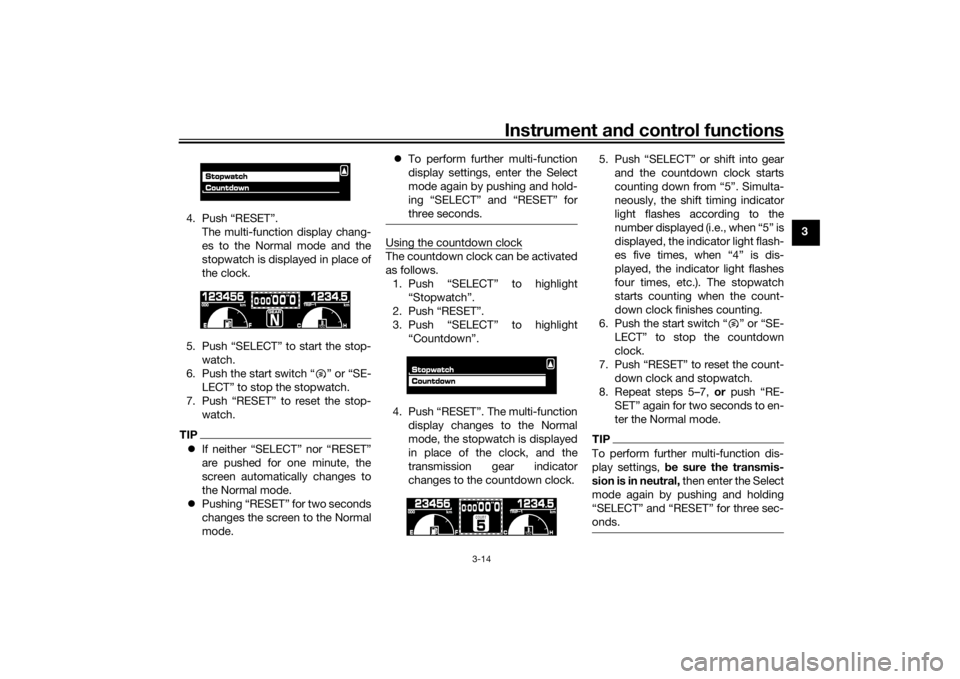
4. Push “RESET”.
The multi-function display chang-
es to the Normal mode and the
stopwatch is displayed in place of
the clock.
5. Push “SELECT” to start the stop- watch.
6. Push the start switch “ ” or “SE- LECT” to stop the stopwatch.
7. Push “RESET” to reset the stop- watch.
TIPIf neither “SELECT” nor “RESET”
are pushed for one minute, the
screen automatically changes to
the Normal mode.
Pushing “RESET” for two seconds
changes the screen to the Normal
mode.
To perform further multi-function
display settings, enter the Select
mode again by pushing and hold-
ing “SELECT” and “RESET” for
three seconds.
Using the countdown clockThe countdown clock can be activated
as follows.
1. Push “SELECT” to highlight “Stopwatch”.
2. Push “RESET”.
3. Push “SELECT” to highlight “Countdown”.
4. Push “RESET”. The multi-function display changes to the Normal
mode, the stopwatch is displayed
in place of the clock, and the
transmission gear indicator
changes to the countdown clock. 5. Push “SELECT” or shift into gear
and the countdown clock starts
counting down from “5”. Simulta-
neously, the shift timing indicator
light flashes according to the
number displayed (i.e., when “5” is
displayed, the indicator light flash-
es five times, when “4” is dis-
played, the indicator light flashes
four times, etc.). The stopwatch
starts counting when the count-
down clock finishes counting.
6. Push the start switch “ ” or “SE- LECT” to stop the countdown
clock.
7. Push “RESET” to reset the count- down clock and stopwatch.
8. Repeat steps 5–7, or push “RE-
SET” again for two seconds to en-
ter the Normal mode.
TIPTo perform further multi-function dis-
play settings, be sure the transmis-
sion is in neutral, then enter the Select
mode again by pushing and holding
“SELECT” and “RESET” for three sec-
onds.
U2CEE1E0.book Page 14 Thursday, November 19, 2015 10:32 AM
Page 30 of 112
Instrument and control functions
3-15
3 Checking and resetting the system sta-
tusThe status/readings of the following
items are displayed, and the tripmeters
can be reset.
tripmeters and odometer
fuel consumption
air intake temperature
throttle opening positionTIPThe “System status” menu cannot
be entered if the fuel level warning
light or coolant temperature warn-
ing light is on.
If, when the engine is running
while the system status menu is
displayed, the fuel level warning
light or coolant temperature warn-
ing light comes on, the Normal
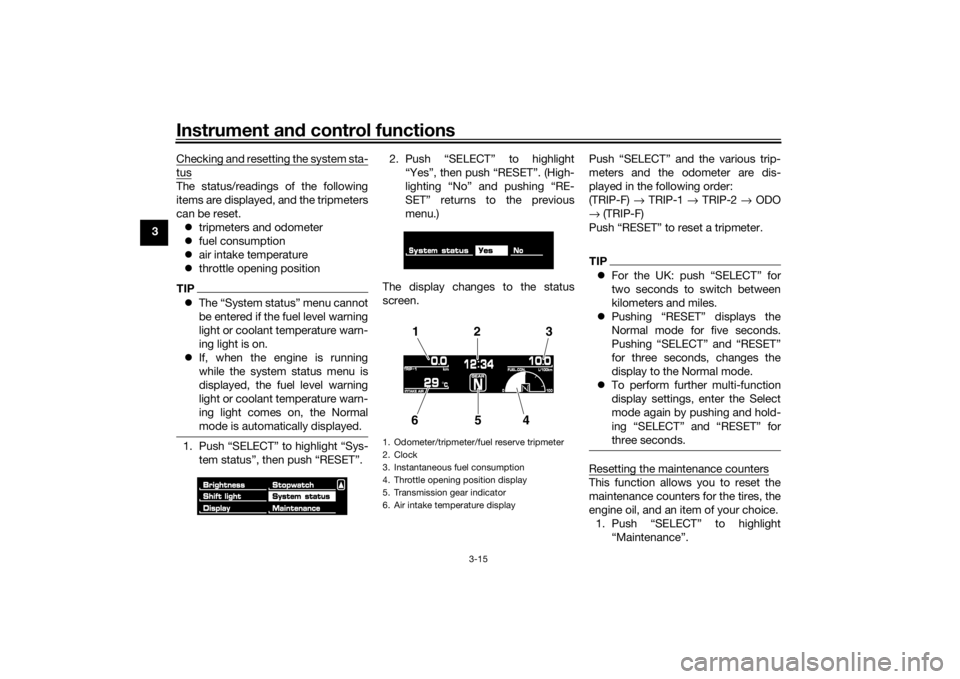
mode is automatically displayed.1. Push “SELECT” to highlight “Sys-
tem status”, then push “RESET”. 2. Push “SELECT” to highlight
“Yes”, then push “RESET”. (High-
lighting “No” and pushing “RE-
SET” returns to the previous
menu.)
The display changes to the status
screen. Push “SELECT” and the various trip-
meters and the odometer are dis-
played in the following order:
(TRIP-F)
→ TRIP-1 → TRIP-2 → ODO
→ (TRIP-F)
Push “RESET” to reset a tripmeter.
TIP For the UK: push “SELECT” for
two seconds to switch between
kilometers and miles.
Pushing “RESET” displays the
Normal mode for five seconds.
Pushing “SELECT” and “RESET”
for three seconds, changes the
display to the Normal mode.
To perform further multi-function
display settings, enter the Select
mode again by pushing and hold-
ing “SELECT” and “RESET” for
three seconds.Resetting the maintenance countersThis function allows you to reset the
maintenance counters for the tires, the
engine oil, and an item of your choice.
1. Push “SELECT” to highlight “Maintenance”.
1. Odometer/tripmeter/fuel reserve tripmeter
2. Clock
3. Instantaneous fuel consumption
4. Throttle opening position display
5. Transmission gear indicator
6. Air intake temperature display
12 3
654
U2CEE1E0.book Page 15 Thursday, November 19, 2015 10:32 AM
Page 35 of 112

Instrument and control functions
3-20
3
be sure to set it by aligning a groove on
the adjusting knob with the “ ” mark
on the brake lever.
EAU12944
Brake ped
alThe brake pedal is located on the right
side of the motorcycle. To apply the
rear brake, press down on the brake
pedal.
EAU51672
ABSThe Yamaha ABS (Anti-lock Brake
System) features a dual electronic con-
trol system, which acts on the front and
rear brakes independently.
Operate the brakes with ABS as you
would conventional brakes. If the ABS
is activated, a pulsating sensation may
be felt at the brake lever or brake ped-
al. In this situation, continue to apply
the brakes and let the ABS work; do
not “pump” the brakes as this will re-
duce braking effectiveness.
WARNING
EWA16051
Always keep a sufficient d istance
from the vehicle ahead to match the
ri din g speed even with ABS.
The ABS performs b est with
lon g b rakin g d istances.
On certain surfaces, such as
roug h or g ravel roa ds, the b rak-
in g d istance may be lon ger with
the ABS than without.The ABS is monitored by an ECU,
which will revert the system to conven-
tional braking if a malfunction occurs.
1. Brake pedal
1
U2CEE1E0.book Page 20 Thursday, November 19, 2015 10:32 AM
Page 37 of 112

Instrument and control functions
3-22
3
2. Insert the key into the lock, and
then turn it 1/4 turn clockwise. The
lock will be released and the fuel
tank cap can be removed.
To install the fuel tank cap 1. Insert the fuel tank cap into the tank opening with the key inserted
in the lock and with the mark on
the cap aligned with the mark on
the fuel tank. 2. Turn the key counterclockwise to
the original position, and then re-
move it.
3. Return the backrest to the original position.
TIPThe fuel tank cap cannot be installed
unless the key is in the lock. In addi-
tion, the key cannot be removed if the
cap is not properly installed and
locked.
WARNING
EWA10132
Make sure that the fuel tank cap is
properly installe d before ri din g.
Leakin g fuel is a fire hazar d.
EAU13213
FuelMake sure there is sufficient gasoline in
the tank.
WARNING
EWA10882
Gasoline an d gasoline vapors are
extremely flammab le. To avoid fires
an d explosions an d to re duce the
risk of injury when refuelin g, follow
these instructions.1. Before refueling, turn off the en- gine and be sure that no one is sit-
ting on the vehicle. Never refuel
while smoking, or while in the vi-
cinity of sparks, open flames, or
other sources of ignition such as
the pilot lights of water heaters
and clothes dryers.
2. Do not overfill the fuel tank. Stop filling when the fuel reaches the
bottom of the filler tube. Because
fuel expands when it heats up,
heat from the engine or the sun
can cause fuel to spill out of the
fuel tank.
1. Unlock.
1
1. Match marks
1
U2CEE1E0.book Page 22 Thursday, November 19, 2015 10:32 AM
Page 39 of 112
Instrument and control functions
3-24
3
EAU51172
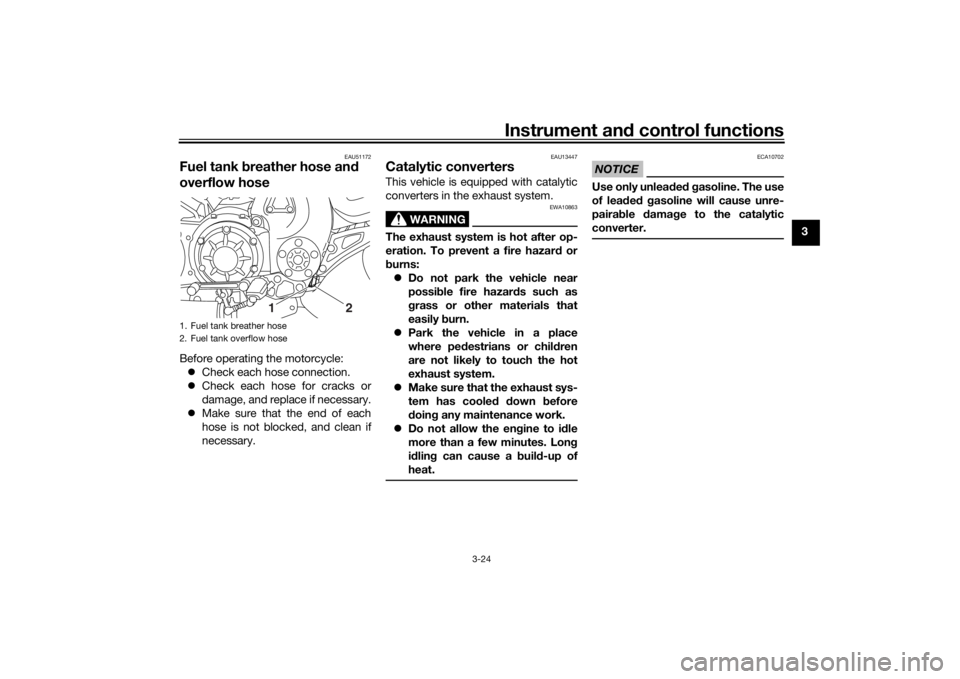
Fuel tank breather hose an d
overflow hoseBefore operating the motorcycle:
Check each hose connection.
Check each hose for cracks or
damage, and replace if necessary.
Make sure that the end of each
hose is not blocked, and clean if
necessary.
EAU13447
Catalytic converters This vehicle is equipped with catalytic
converters in the exhaust system.
WARNING
EWA10863
The exhaust system is hot after op-
eration. To prevent a fire hazar d or
b urns:
Do not park the vehicle near
possi ble fire hazar ds such as
g rass or other materials that
easily burn.
Park the vehicle in a place
where pe destrians or child ren
are not likely to touch the hot
exhaust system.
Make sure that the exhaust sys-
tem has cooled down before
d oin g any maintenance work.
Do not allow the en gine to id le
more than a few minutes. Lon g
i d lin g can cause a buil d-up of
heat.
NOTICE
ECA10702
Use only unlea ded g asoline. The use
of lea ded g asoline will cause unre-
paira ble damag e to the catalytic
converter.
1. Fuel tank breather hose
2. Fuel tank overflow hose
12
U2CEE1E0.book Page 24 Thursday, November 19, 2015 10:32 AM
Page 64 of 112

Periodic maintenance an d a djustment
6-9
6
EAU46472
Panel A
To remove the panel1. Insert the key into the lock, and
then turn it 1/4 turn clockwise.
2. Pull the panel outward.
To install the panel1. Place the panel in the original po- sition. 2. Turn the key counterclockwise to
the original position, and then re-
move it.
Panel B
To remove the panel
1. Remove the bolt. 2. Pull the panel outward.
To install the panel
Place the panel in the original position,
and then install the bolt.
Panel C
To remove the panel1. Remove the bolt.
2. Pull the panel upward.
1. Unlock.
2. Panel A
2
1
1. Bolt
2. Panel B1
2
U2CEE1E0.book Page 9 Thursday, November 19, 2015 10:32 AM
Page 81 of 112

Periodic maintenance an d a djustment
6-26
6
Rear
brake
TIPThe rear brake fluid reservoir is located
under the passenger seat. (See page
3-25.)
WARNING
EWA16011
Improper maintenance can result in
loss of b raking a bility. O bserve
these precautions: Insufficient brake flui d may al-
low air to enter the brake sys-
tem, re ducin g brakin g
performance.
Clean the filler cap before re-
movin g. Use only DOT 4 b rake
flui d from a seale d container.
Use only the specified b rake flu-
i d ; otherwise, the ru bber seals
may deteriorate, causin g leak-
a g e.
Refill with the same type of
brake flui d. A dding a brake fluid
other than DOT 4 may result in a
harmful chemical reaction.
Be careful that water or d ust
d oes not enter the brake flui d
reservoir when refillin g. Water
will si gnificantly lower the boil-
in g point of the flui d an d may re-
sult in vapor lock, an d d ir t may
cl
o g the ABS hy draulic unit
valves.
NOTICE
ECA17641
Brake flui d may d amage painte d
surfaces or plastic parts. Always
clean up spilled fluid imme diately.As the brake pads wear, it is normal for
the brake fluid level to gradually go
down. A low brake fluid level may indi-
cate worn brake pads and/or brake system leakage; therefore, be sure to
check the brake pads for wear and the
brake system for leakage. If the brake
fluid level goes down suddenly, have a
Yamaha dealer check the cause before
further riding.
1. Minimum level markSpecifie
d b rake flui d:
DOT 41
U2CEE1E0.book Page 26 Thursday, November 19, 2015 10:32 AM
Page 89 of 112

Periodic maintenance an d a djustment
6-34
6
EAU46456
Replacin g the fusesThe main fuse and the ABS motor fuse
are located behind cowling A. (See
page 6-8.)
Fuse box 1 is located under the rider
seat. (See page 3-25.) Fuse
box 1
Fuse box 2 is located behind panel B.
(See page 6-8.) Fuse
box 2
If a fuse is blown, replace it as follows. 1. Turn the key to “OFF” and turn off the electrical circuit in question.
2. Remove the blown fuse, and then install a new fuse of the specified
amperage. WARNING! Do not
use a fuse of a hi gher ampera ge
ratin g than recommen ded to1. Main fuse
2. ABS motor fuse
3. ABS motor spare fuse
1
3
2
1. ABS solenoid fuse
2. Fuel injection system fuse
3. Spare fuse
123
1. Ignition fuse
2. ABS control unit fuse
3. Headlight fuse
4. Backup fuse (for clock and immobilizer sys-
tem)
5. Electronic throttle valve fuse
6. Radiator fan motor fuse
7. Spare fuse
8. Signaling system fuse
9. Parking lighting fuse
10.Sub radiator fan motor fuse
1 23456
7
8
10
7
9
U2CEE1E0.book Page 34 Thursday, November 19, 2015 10:32 AM
Page 92 of 112

Periodic maintenance an d a djustment
6-37
6
EAU46405
Replacin g the auxiliary li ght
b ul bIf the auxiliary light bulb burns out, re-
place it as follows.
1. Remove the headlight unit. (See page 6-35.)
2. Remove the auxiliary light bulb socket (together with the bulb) by
turning it counterclockwise.
3. Remove the burnt-out bulb by pulling it out of the socket. 4. Insert a new bulb into the socket.
5. Install the socket (together with
the bulb) by turning it clockwise.
6. Install the headlight unit.
EAU70540
Brake/tail li ghtThis model is equipped with an LED-
type brake/tail light.
If the brake/tail light does not come on,
have a Yamaha dealer check it.
1. Auxiliary light bulb socket
1
1. Auxiliary light bulb
1
U2CEE1E0.book Page 37 Thursday, November 19, 2015 10:32 AM
Page 93 of 112

Periodic maintenance an d a djustment
6-38
6
EAU24205
Replacin g a turn sig nal light
b ul b1. Remove the turn signal light lens
by removing the screw.
2. Remove the burnt-out bulb by pushing it in and turning it coun-
terclockwise. 3. Insert a new bulb into the socket,
push it in, and then turn it clock-
wise until it stops.
4. Install the lens by installing the screw. NOTICE: Do not over-
ti g hten the screw, otherwise the
lens may break.
[ECA11192] EAU50453
Replacin
g a license plate li ght
b ul b1. Remove the holding plate by re-
moving the bolts.
2. Remove the license plate light unit bolts.
1. Screw
2. Turn signal light lens
1
2
1. Turn signal light bulb
1
1. Holding plate
2. Bolt
12
U2CEE1E0.book Page 38 Thursday, November 19, 2015 10:32 AM