Instrument and control functions
3-6
3
EAUM3831
Multi-function meter unit
WARNING
EWA12423
Be sure to stop the vehicle before
making any setting changes to the
multi-function meter unit. Changing
settings while riding can distract the
operator and increase the risk of an
accident.
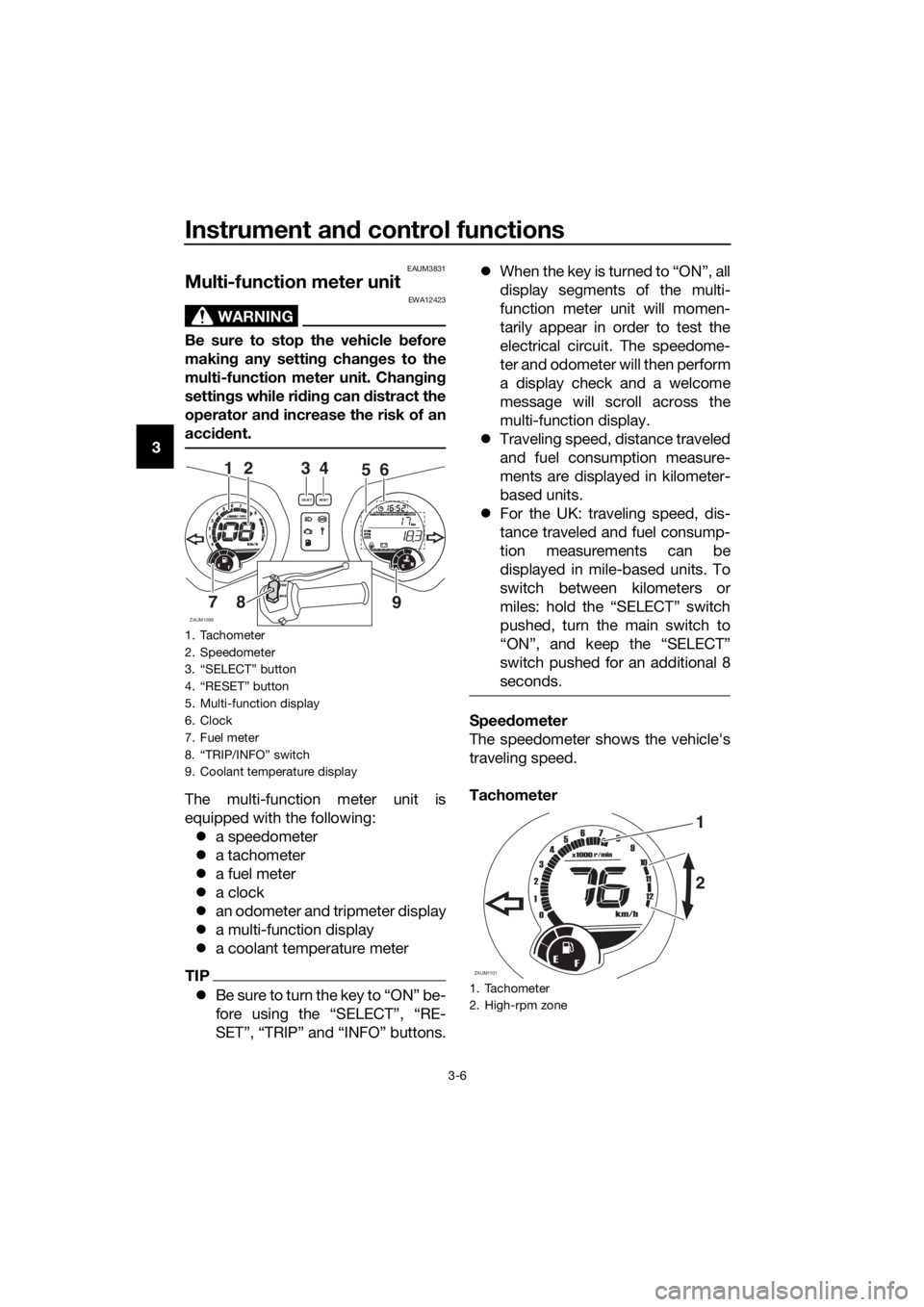
The multi-function meter unit is
equipped with the following:
a speedometer
a tachometer
a fuel meter
a clock
an odometer and tripmeter display
a multi-function display
a coolant temperature meter
TIP
Be sure to turn the key to “ON” be-
fore using the “SELECT”, “RE-
SET”, “TRIP” and “INFO” buttons.When the key is turned to “ON”, all
display segments of the multi-
function meter unit will momen-
tarily appear in order to test the
electrical circuit. The speedome-
ter and odometer will then perform
a display check and a welcome
message will scroll across the
multi-function display.
Traveling speed, distance traveled
and fuel consumption measure-
ments are displayed in kilometer-
based units.
For the UK: traveling speed, dis-
tance traveled and fuel consump-
tion measurements can be
displayed in mile-based units. To
switch between kilometers or
miles: hold the “SELECT” switch
pushed, turn the main switch to
“ON”, and keep the “SELECT”
switch pushed for an additional 8
seconds.
Speedometer
The speedometer shows the vehicle's
traveling speed.
Tachometer
1. Tachometer
2. Speedometer
3. “SELECT” button
4. “RESET” button
5. Multi-function display
6. Clock
7. Fuel meter
8. “TRIP/INFO” switch
9. Coolant temperature display
ZAUM1099
3
98765432111 10
12
0
1000r/minx
km/h
E
FCH
kmOdo
AirA
veCo
ns
OilV- Be
ltTi
meTr ipOdoSELECTRESETF
465
7
21
8
9INFOTRIP
1. Tachometer
2. High-rpm zone
ZAUM1101
1
9876543
2
1
11 10
12
0
1000r/minx
km/h
E
F
2
U2DME3E0.book Page 6 Friday, June 10, 2016 2:25 PM