light YAMAHA XV950 2014 User Guide
[x] Cancel search | Manufacturer: YAMAHA, Model Year: 2014, Model line: XV950, Model: YAMAHA XV950 2014Pages: 88, PDF Size: 2.37 MB
Page 20 of 88
INSTRUMENT AND CONTROL FUNCTIONS
3-5
3The ABS may not work correctly. If any
of the above occurs, have a Yamaha
dealer check the system as soon as
possible. (See page 3-11 for an expla-
nation of the ABS.)
WARNING
EWA16041
If the ABS warning light does not go
off after traveling at a speed of 10
km/h (6 mi/h) or higher, or if the
warning light comes on or flashes
while riding, the brake system re-
verts to conventional braking. If ei-
ther of the above occurs, or if the
warning light does not come on at
all, use extra caution to avoid possi-
ble wheel lock during emergency
braking. Have a Yamaha dealer
check the brake system and electri-
cal circuits as soon as possible.TIPIf the start switch is pushed while the
engine is running, the ABS warning
light will come on, but this is not a mal-
function.
EAU54681
Immobilizer system indicator
light “ ”
The electrical circuit of the indicator
light can be checked by turning the key
to “ON”. The indicator light should
come on for a few seconds, and then
go off.
If the indicator light does not come on
initially when the key is turned to “ON”,
or if the indicator light remains on, have
a Yamaha dealer check the electrical
circuit.
When the key is turned to “OFF” and
30 seconds have passed, the indicator
light will start flashing indicating the im-
mobilizer system is enabled. After 24
hours have passed, the indicator light
will stop flashing, however the immobi-
lizer system is still enabled.
The self-diagnosis device also detects
problems in the immobilizer system
circuits. (See page 3-7 for an explana-
tion of the self-diagnosis device.)
EAU57680
Multi-function meter unit
WARNING
EWA12423
Be sure to stop the vehicle before
making any setting changes to the
multi-function meter unit. Changing
settings while riding can distract the
operator and increase the risk of an
accident.The multi-function meter unit is
equipped with the following:
a speedometer
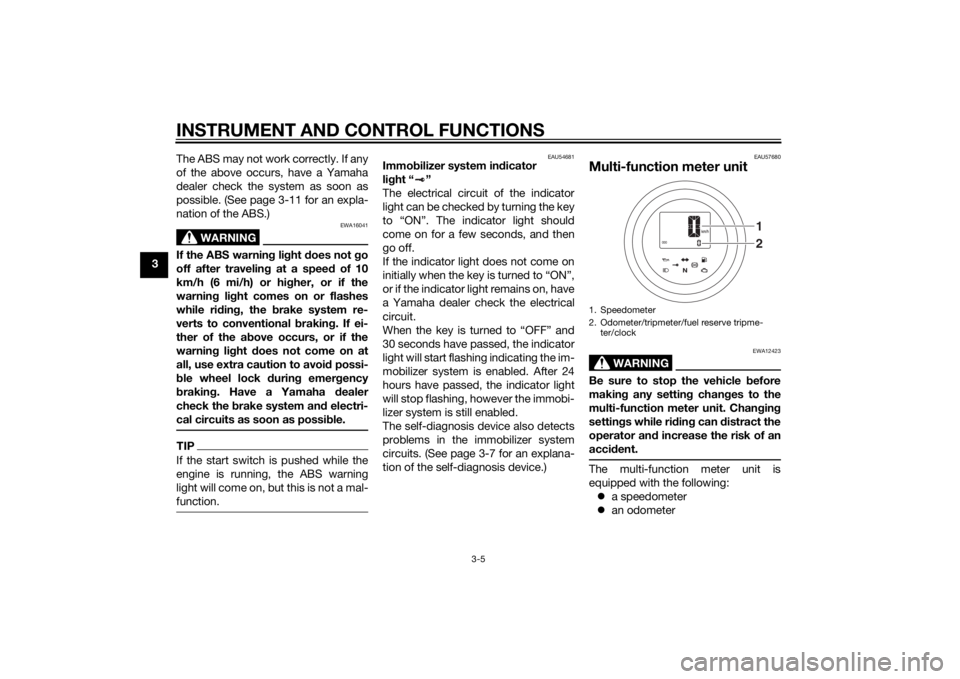
an odometer1. Speedometer
2. Odometer/tripmeter/fuel reserve tripme-
ter/clock
21
U2DEE0E0.book Page 5 Friday, June 14, 2013 1:38 PM
Page 21 of 88
INSTRUMENT AND CONTROL FUNCTIONS
3-6
3
two tripmeters (which show the
distance traveled since they were
last set to zero)
a fuel reserve tripmeter (which
shows the distance traveled on
the fuel reserve)
a clock
a self-diagnosis device
TIPBe sure to turn the key to “ON” be-
fore using the “SELECT” and “RE-
SET” switches.
For the U.K. only: To switch the
speedometer and odometer/trip-
meter displays between kilome-
ters and miles, push the
“SELECT” switch for at least three
seconds.
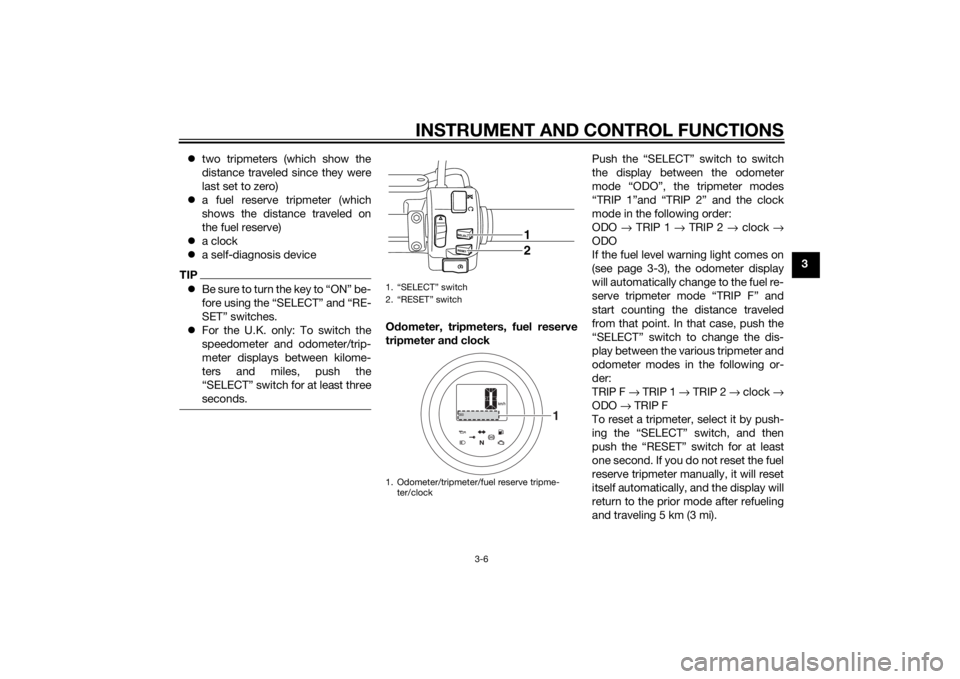
Odometer, tripmeters, fuel reserve
tripmeter an d clock Push the “SELECT” switch to switch
the display between the odometer
mode “ODO”, the tripmeter modes
“TRIP 1”and “TRIP 2” and the clock
mode in the following order:
ODO
→ TRIP 1 → TRIP 2 → clock →
ODO
If the fuel level warning light comes on
(see page 3-3), the odometer display
will automatically change to the fuel re-
serve tripmeter mode “TRIP F” and
start counting the distance traveled
from that point. In that case, push the
“SELECT” switch to change the dis-
play between the various tripmeter and
odometer modes in the following or-
der:
TRIP F → TRIP 1 → TRIP 2 → clock →
ODO → TRIP F
To reset a tripmeter, select it by push-
ing the “SELECT” switch, and then
push the “RESET” switch for at least
one second. If you do not reset the fuel
reserve tripmeter manually, it will reset
itself automatically, and the display will
return to the prior mode after refueling
and traveling 5 km (3 mi).1. “SELECT” switch
2. “RESET” switch
1. Odometer/tripmeter/fuel reserve tripme- ter/clock
1
2
1
U2DEE0E0.book Page 6 Friday, June 14, 2013 1:29 PM
Page 22 of 88
INSTRUMENT AND CONTROL FUNCTIONS
3-7
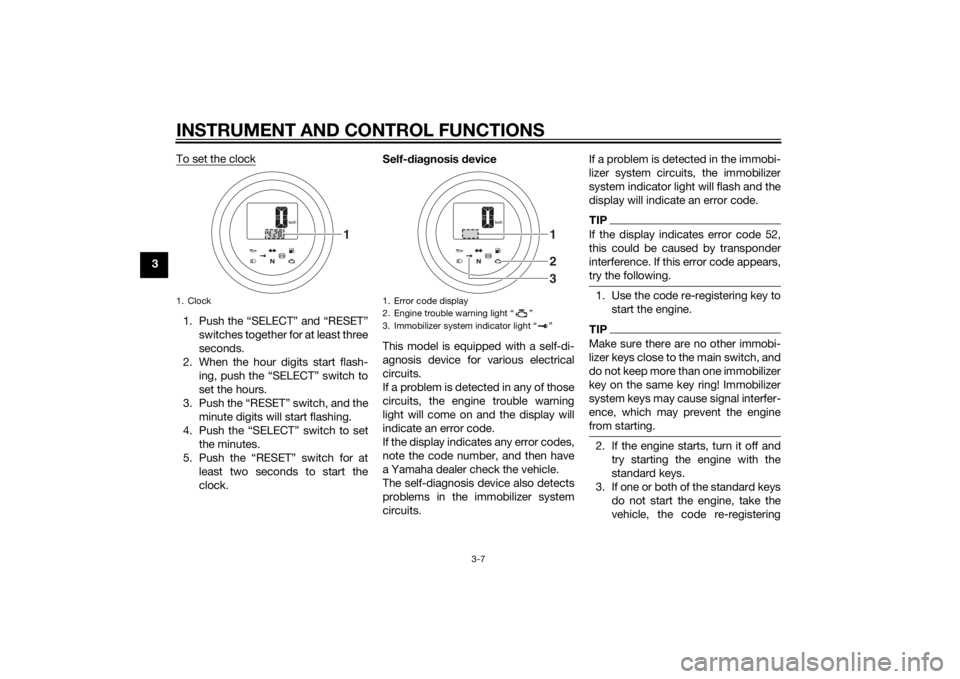
3To set the clock
1. Push the “SELECT” and “RESET”
switches together for at least three
seconds.
2. When the hour digits start flash- ing, push the “SELECT” switch to
set the hours.
3. Push the “RESET” switch, and the minute digits will start flashing.
4. Push the “SELECT” switch to set the minutes.
5. Push the “RESET” switch for at least two seconds to start the
clock. Self-
dia gnosis device
This model is equipped with a self-di-
agnosis device for various electrical
circuits.
If a problem is detected in any of those
circuits, the engine trouble warning
light will come on and the display will
indicate an error code.
If the display indicates any error codes,
note the code number, and then have
a Yamaha dealer check the vehicle.
The self-diagnosis device also detects
problems in the immobilizer system
circuits. If a problem is detected in the immobi-
lizer system circuits, the immobilizer
system indicator light will flash and the
display will indicate an error code.
TIPIf the display indicates error code 52,
this could be caused by transponder
interference. If this error code appears,
try the following.1. Use the code re-registering key to
start the engine.TIPMake sure there are no other immobi-
lizer keys close to the main switch, and
do not keep more than one immobilizer
key on the same key ring! Immobilizer
system keys may cause signal interfer-
ence, which may prevent the engine
from starting.2. If the engine starts, turn it off andtry starting the engine with the
standard keys.
3. If one or both of the standard keys do not start the engine, take the
vehicle, the code re-registering
1. Clock
1
1. Error code display
2. Engine trouble warning light “ ”
3. Immobilizer system indicator light “ ”
123
U2DEE0E0.book Page 7 Friday, June 14, 2013 1:29 PM
Page 23 of 88
INSTRUMENT AND CONTROL FUNCTIONS
3-8
3
key and both standard keys to a
Yamaha dealer and have the stan- dard keys re-registered.
NOTICE
ECA11591
If the display in dicates an error
co de, the vehicle shoul d b e checked
as soon as possi ble in or der to avoi d
en gine damag e.
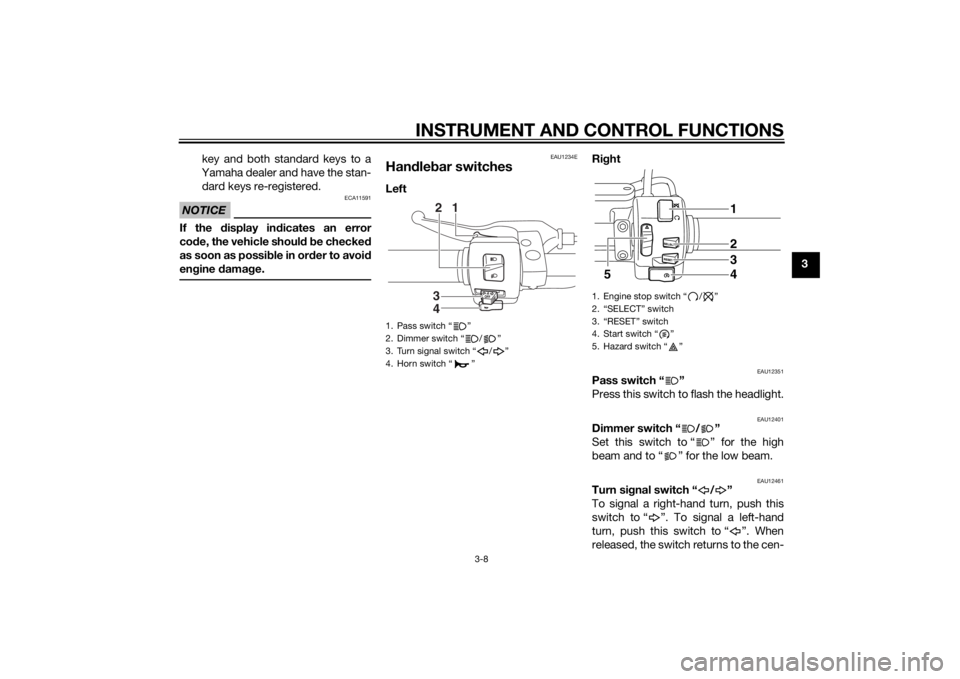
EAU1234E
Handle bar switchesLeft Ri
ght
EAU12351
Pass switch “ ”
Press this switch to flash the headlight.
EAU12401
Dimmer switch “ / ”
Set this switch to “ ” for the high
beam and to “ ” for the low beam.
EAU12461
Turn si gnal switch “ / ”
To signal a right-hand turn, push this
switch to “ ”. To signal a left-hand
turn, push this switch to “ ”. When
released, the switch returns to the cen-
1. Pass switch “ ”
2. Dimmer switch “ / ”
3. Turn signal switch “ / ”
4. Horn switch “ ”
3
4 12
1. Engine stop switch “ / ”
2. “SELECT” switch
3. “RESET” switch
4. Start switch “ ”
5. Hazard switch “ ”
1
5 2
3
4
U2DEE0E0.book Page 8 Friday, June 14, 2013 1:29 PM
Page 24 of 88
INSTRUMENT AND CONTROL FUNCTIONS
3-9
3ter position. To cancel the turn signal
lights, push the switch in after it has re-
turned to the center position.
EAU12501
Horn switch “ ”
Press this switch to sound the horn.
EAU12661
En
gine stop switch “ / ”
Set this switch to “ ” before starting
the engine. Set this switch to “ ” to
stop the engine in case of an emergen-
cy, such as when the vehicle overturns
or when the throttle cable is stuck.
EAU12712
Start switch “ ”
Push this switch to crank the engine
with the starter. See page 5-1 for start-
ing instructions prior to starting the en-
gine.
EAU41701
The engine trouble warning light will
come on when the key is turned to
“ON” and the start switch is pushed,
but this does not indicate a malfunc-
tion.
EAU12734
Hazar d switch “ ”
With the key in the “ON” or “ ” posi-
tion, use this switch to turn on the haz-
ard lights (simultaneous flashing of all
turn signal lights).
The hazard lights are used in case of an
emergency or to warn other drivers
when your vehicle is stopped where it
might be a traffic hazard.NOTICE
ECA10062
Do not use the hazard lights for an
exten ded len gth of time with the en-
g ine not runnin g, otherwise the bat-
tery may dischar ge.
EAU55701
“SELECT” switch
This switch is used to perform selec-
tions in the odometer and tripmeters
and to set the clock of the multi-func-
tion meter unit.
See “Multi-function meter unit” on
page 3-5 for detailed information.
EAU55711
“RESET” switch
This switch is used to reset the tripme-
ters and to set the clock of the multi-
function meter unit.
See “Multi-function meter unit” on
page 3-5 for detailed information.
U2DEE0E0.book Page 9 Friday, June 14, 2013 1:29 PM
Page 26 of 88
INSTRUMENT AND CONTROL FUNCTIONS
3-11
3
EAU12942
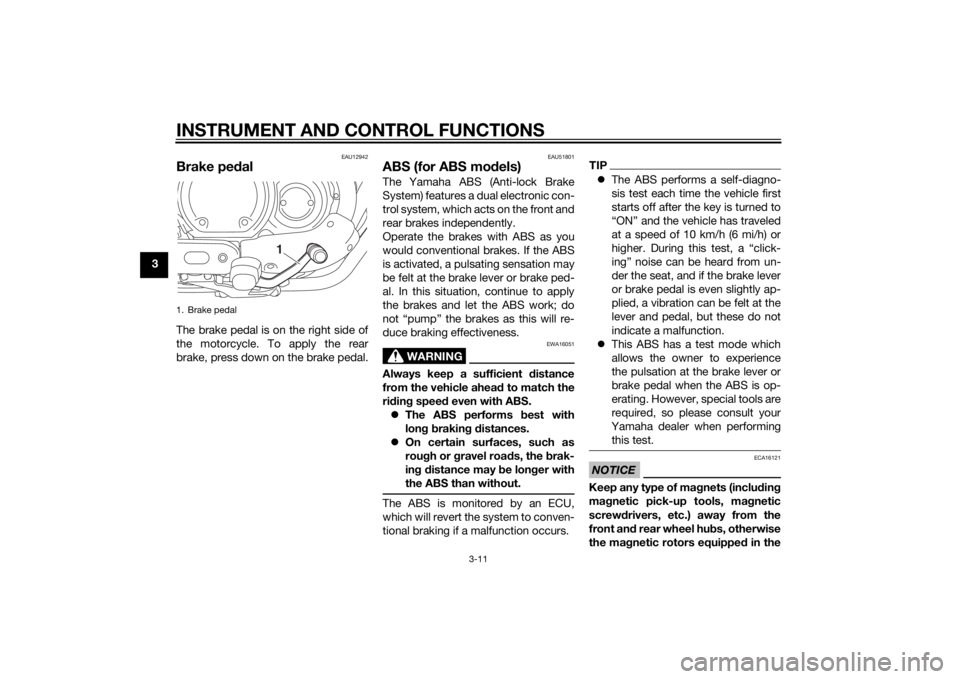
Brake pedalThe brake pedal is on the right side of
the motorcycle. To apply the rear
brake, press down on the brake pedal.
EAU51801
ABS (for ABS mo dels)The Yamaha ABS (Anti-lock Brake
System) features a dual electronic con-
trol system, which acts on the front and
rear brakes independently.
Operate the brakes with ABS as you
would conventional brakes. If the ABS
is activated, a pulsating sensation may
be felt at the brake lever or brake ped-
al. In this situation, continue to apply
the brakes and let the ABS work; do
not “pump” the brakes as this will re-
duce braking effectiveness.
WARNING
EWA16051
Always keep a sufficient distance
from the vehicle ahea d to match the
ri din g spee d even with ABS.
The ABS performs best with
lon g b rakin g d istances.
On certain surfaces, such as
rou gh or g ravel roa ds, the b rak-
in g d istance may b e longer with
the ABS than without.The ABS is monitored by an ECU,
which will revert the system to conven-
tional braking if a malfunction occurs.
TIP The ABS performs a self-diagno-
sis test each time the vehicle first
starts off after the key is turned to
“ON” and the vehicle has traveled
at a speed of 10 km/h (6 mi/h) or
higher. During this test, a “click-
ing” noise can be heard from un-
der the seat, and if the brake lever
or brake pedal is even slightly ap-
plied, a vibration can be felt at the
lever and pedal, but these do not
indicate a malfunction.
This ABS has a test mode which
allows the owner to experience
the pulsation at the brake lever or
brake pedal when the ABS is op-
erating. However, special tools are
required, so please consult your
Yamaha dealer when performing
this test.NOTICE
ECA16121
Keep any type of ma gnets (inclu din g
ma gnetic pick-up tools, mag netic
screwd rivers, etc.) away from the
front an d rear wheel hu bs, otherwise
the ma gnetic rotors equippe d in the
1. Brake pedal
1
U2DEE0E0.book Page 11 Friday, June 14, 2013 1:29 PM
Page 28 of 88
INSTRUMENT AND CONTROL FUNCTIONS
3-13
3
EAU13222
FuelMake sure there is sufficient gasoline in
the tank.
WARNING
EWA10882
Gasoline and g asoline vapors are
extremely flamma ble. To avoi d fires
an d explosions an d to re duce the
risk of injury when refuelin g, follow
these instructions.1. Before refueling, turn off the en- gine and be sure that no one is sit-
ting on the vehicle. Never refuel
while smoking, or while in the vi-
cinity of sparks, open flames, or
other sources of ignition such as
the pilot lights of water heaters
and clothes dryers.
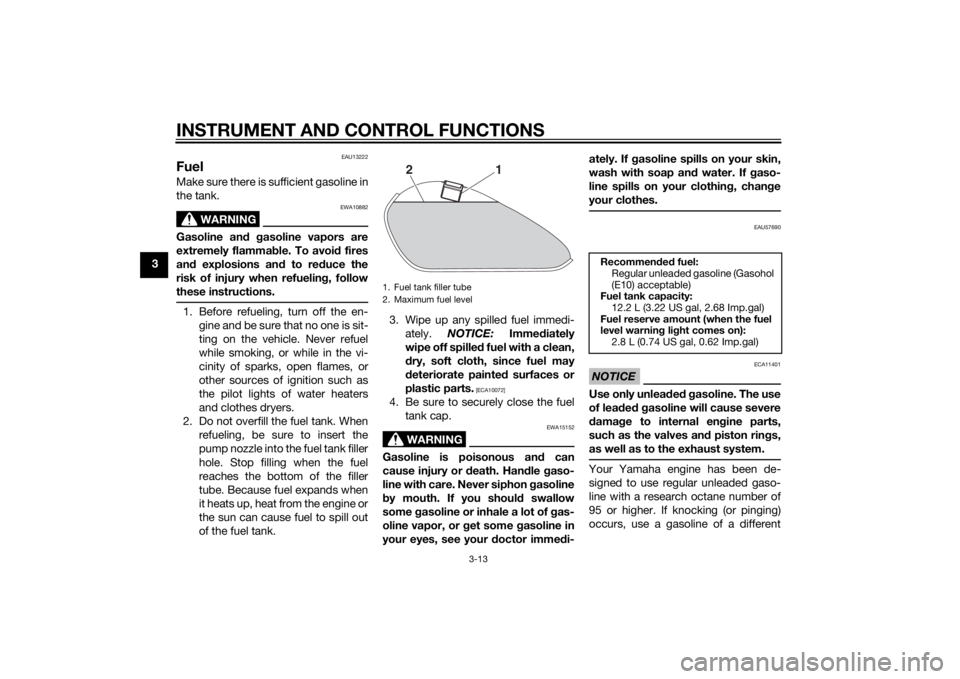
2. Do not overfill the fuel tank. When refueling, be sure to insert the
pump nozzle into the fuel tank filler
hole. Stop filling when the fuel
reaches the bottom of the filler
tube. Because fuel expands when
it heats up, heat from the engine or
the sun can cause fuel to spill out
of the fuel tank. 3. Wipe up any spilled fuel immedi-
ately. NOTICE: Immediately
wipe off spille d fuel with a clean,
d ry, soft cloth, since fuel may
d eteriorate painted surfaces or
plastic parts.
[ECA10072]
4. Be sure to securely close the fuel tank cap.
WARNING
EWA15152
Gasoline is poisonous an d can
cause injury or death. Han dle gaso-
line with care. Never siphon gasoline
b y mouth. If you shoul d swallow
some gasoline or inhale a lot of gas-
oline vapor, or g et some gasoline in
your eyes, see your doctor imme di- ately. If g
asoline spills on your skin,
wash with soap an d water. If gaso-
line spills on your clothin g, chan ge
your clothes.
EAU57690
NOTICE
ECA11401
Use only unlea ded g asoline. The use
of lea ded g asoline will cause severe
d amag e to internal en gine parts,
such as the valves an d piston rin gs,
as well as to the exhaust system.Your Yamaha engine has been de-
signed to use regular unleaded gaso-
line with a research octane number of
95 or higher. If knocking (or pinging)
occurs, use a gasoline of a different
1. Fuel tank filler tube
2. Maximum fuel level
2
1
Recommen ded fuel:
Regular unleaded gasoline (Gasohol
(E10) acceptable)
Fuel tank capacity:
12.2 L (3.22 US gal, 2.68 Imp.gal)
Fuel reserve amount (when the fuel
level warnin g lig ht comes on):
2.8 L (0.74 US gal, 0.62 Imp.gal)
U2DEE0E0.book Page 13 Friday, June 14, 2013 1:29 PM
Page 38 of 88
OPERATION AND IMPORTANT RIDING POINTS
5-1
5
EAU15952
Read the Owner’s Manual carefully to
become familiar with all controls. If
there is a control or function you do not
understand, ask your Yamaha dealer.
WARNING
EWA10272
Failure to familiarize yourself with
the controls can lead to loss of con-
trol, which coul d cause an acci dent
or injury.
EAU48711
TIPThis model is equipped with: a lean angle sensor to stop the en-
gine in case of a turnover. In this
case, the multi-function display in-
dicates error code 30, but this is
not a malfunction. Turn the key to
“OFF” and then to “ON” to clear
the error code. Failing to do so will
prevent the engine from starting
even though the engine will crank
when pushing the start switch.
an engine auto-stop system. The
engine stops automatically if left
idling for 20 minutes. If the engine
stops, simply push the start
switch to restart the engine.
EAU57780
Startin g the en gineIn order for the ignition circuit cut-off
system to enable starting, one of the
following conditions must be met:
The transmission is in the neutral
position.
The transmission is in gear with
the clutch lever pulled and the
sidestand up.
See page 3-18 for more informa-
tion.
1. Turn the key to “ON” and make sure that the engine stop switch is
set to “ ”.
The following warning lights and
indicator light should come on for
a few seconds, then go off. Oil level warning light
Fuel level warning light
Engine trouble warning light
Immobilizer system indicator
lightNOTICE
ECA17671
If the a bove warnin g li ghts or in dica-
tor li ght do not come on initially
when the key is turne d to “ON”, or if
a warnin g or in dicator li ght remains
U2DEE0E0.book Page 1 Friday, June 14, 2013 1:29 PM
Page 39 of 88
OPERATION AND IMPORTANT RIDING POINTS
5-2
5
on, see pa
ge 3-3 for the correspond -
in g warnin g an d in dicator li ght cir-
cuit check.
For ABS models:The ABS warning light should
come on when the main switch is
turned to “ON” and then go off af-
ter traveling at a speed of 10 km/h
(6 mi/h) or higher.
NOTICE
ECA17682
If the ABS warnin g li ght does not
come on an d then go off as ex-
plaine d a bove, see pa ge 3-3 for the
warnin g li ght circuit check.2. Shift the transmission into the
neutral position. The neutral indi-
cator light should come on. If not,
ask a Yamaha dealer to check the
electrical circuit.
3. Start the engine by pushing the start switch.
If the engine fails to start, release
the start switch, wait a few sec-
onds, and then try again. Each
starting attempt should be as
short as possible to preserve the battery. Do not crank the engine
more than 10 seconds on any one
attempt.
NOTICE
ECA11043
For maximum en
gine life, never ac-
celerate har d when the en gine is
col d!
EAU16672
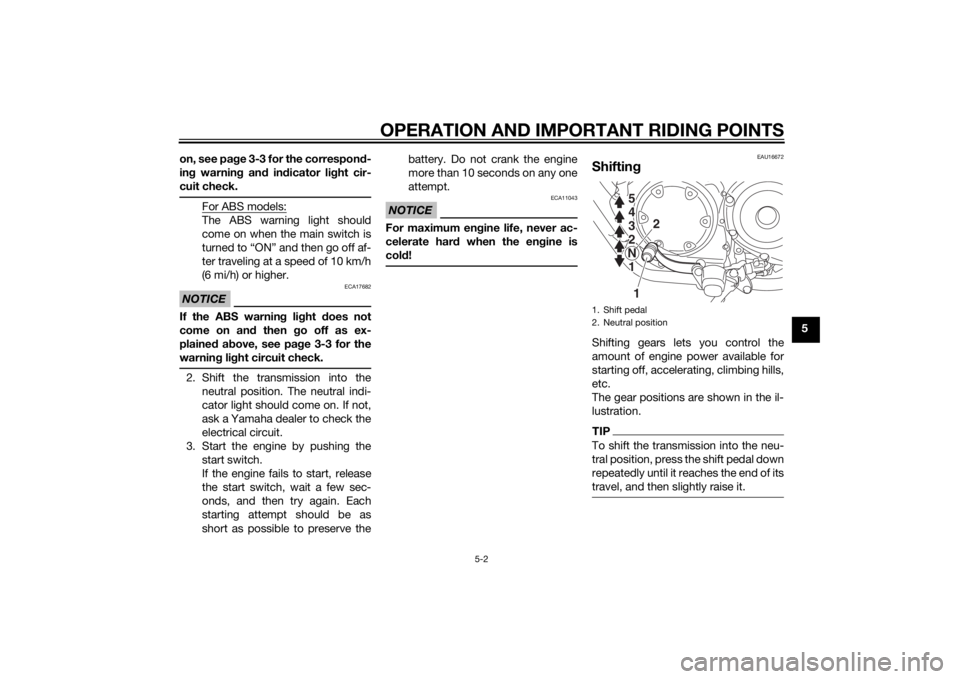
Shiftin gShifting gears lets you control the
amount of engine power available for
starting off, accelerating, climbing hills,
etc.
The gear positions are shown in the il-
lustration.TIPTo shift the transmission into the neu-
tral position, press the shift pedal down
repeatedly until it reaches the end of its
travel, and then slightly raise it.1. Shift pedal
2. Neutral position
1
2
5
4
3
2
N 1 5
4
3
2
N 1
U2DEE0E0.book Page 2 Friday, June 14, 2013 1:29 PM
Page 40 of 88
OPERATION AND IMPORTANT RIDING POINTS
5-3
5
NOTICE
ECA10261
Even with the transmission in
the neutral position, do not
coast for lon g period s of time
with the en gine off, an d d o not
tow the motorcycle for lon g d is-
tances. The transmission is
properly lu bricated only when
the en gine is runnin g. Ina de-
quate lu brication may damag e
the transmission.
Always use the clutch while
chan gin g g ears to avoi d d am-
a g in g the en gine, transmission,
an d d rive train, which are not
d esi gne d to withstan d the
shock of force d shifting .
EAU16811
Tips for re ducin g fuel con-
sumptionFuel consumption depends largely on
your riding style. Consider the follow-
ing tips to reduce fuel consumption:
Shift up swiftly, and avoid high en-
gine speeds during acceleration.
Do not rev the engine while shift-
ing down, and avoid high engine
speeds with no load on the en-
gine.
Turn the engine off instead of let-
ting it idle for an extended length
of time (e.g., in traffic jams, at traf-
fic lights or at railroad crossings).
EAU16842
Engine break-inThere is never a more important period
in the life of your engine than the period
between 0 and 1600 km (1000 mi). For
this reason, you should read the fol-
lowing material carefully.
Since the engine is brand new, do not
put an excessive load on it for the first
1600 km (1000 mi). The various parts in
the engine wear and polish themselves
to the correct operating clearances.
During this period, prolonged full-throt-
tle operation or any condition that
might result in engine overheating
must be avoided.
EAU17024
0–1000 km (0–600 mi)
Avoid prolonged operation above 1/3
throttle. NOTICE: After 1000 km (600
mi) of operation, the en gine oil must
b e chan ged , an d the oil filter car-
tri dge or element replace d.
[ECA11283]
1000–1600 km (600–1000 mi)
Avoid prolonged operation above 1/2
throttle.
U2DEE0E0.book Page 3 Friday, June 14, 2013 1:29 PM