display YAMAHA XVZ1300TF 2000 User Guide
[x] Cancel search | Manufacturer: YAMAHA, Model Year: 2000, Model line: XVZ1300TF, Model: YAMAHA XVZ1300TF 2000Pages: 121, PDF Size: 19.23 MB
Page 48 of 121
AUDIO SYSTEM
4-10
4
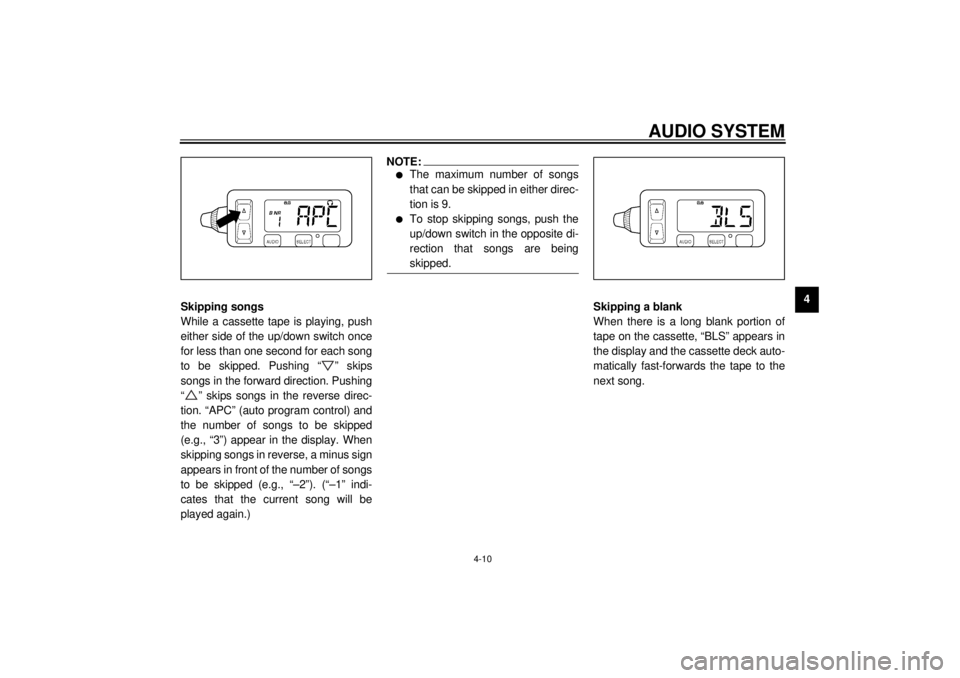
Skipping songs
While a cassette tape is playing, push
either side of the up/down switch once
for less than one second for each song
to be skipped. Pushing “ ” skips
songs in the forward direction. Pushing
“ ” skips songs in the reverse direc-
tion. “APC” (auto program control) and
the number of songs to be skipped
(e.g., “3”) appear in the display. When
skipping songs in reverse, a minus sign
appears in front of the number of songs
to be skipped (e.g., “–2”). (“–1” indi-
cates that the current song will be
played again.)
NOTE:@ l
The maximum number of songs
that can be skipped in either direc-
tion is 9.
l
To stop skipping songs, push the
up/down switch in the opposite di-
rection that songs are being
skipped.
@
Skipping a blank
When there is a long blank portion of
tape on the cassette, “BLS” appears in
the display and the cassette deck auto-
matically fast-forwards the tape to the
next song.
E_5jc_Audio.fm Page 10 Saturday, October 16, 1999 1:09 PM
Page 49 of 121
AUDIO SYSTEM
4-11
4
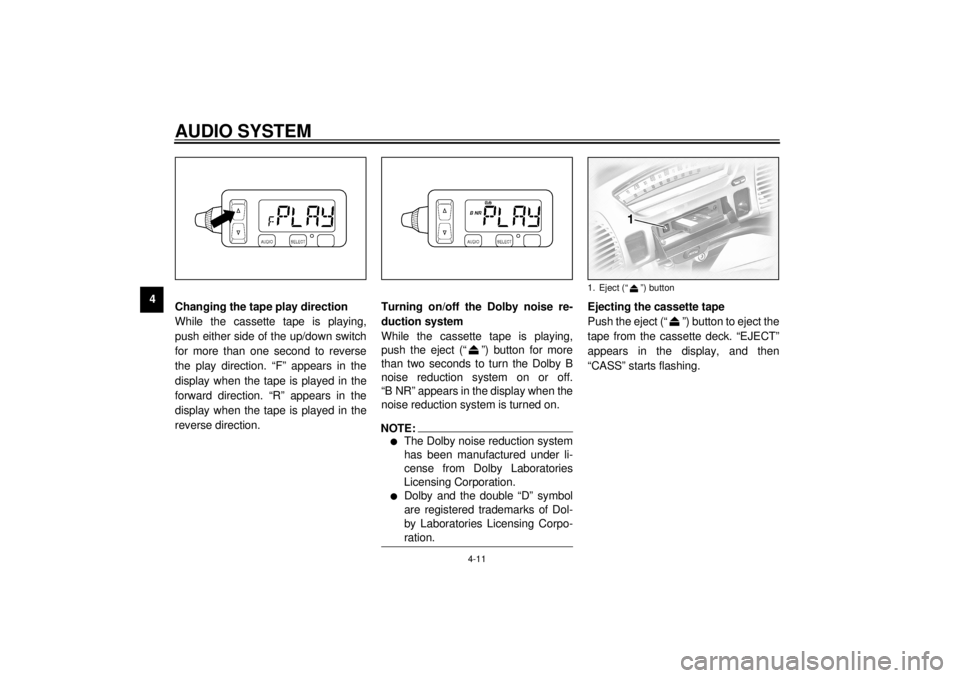
Changing the tape play direction
While the cassette tape is playing,
push either side of the up/down switch
for more than one second to reverse
the play direction. “F” appears in the
display when the tape is played in the
forward direction. “R” appears in the
display when the tape is played in the
reverse direction.Turning on/off the Dolby noise re-
duction system
While the cassette tape is playing,
push the eject (“ ”) button for more
than two seconds to turn the Dolby B
noise reduction system on or off.
“B NR” appears in the display when the
noise reduction system is turned on.
NOTE:@ l
The Dolby noise reduction system
has been manufactured under li-
cense from Dolby Laboratories
Licensing Corporation.
l
Dolby and the double “D” symbol
are registered trademarks of Dol-
by Laboratories Licensing Corpo-
ration.
@
Ejecting the cassette tape
Push the eject (“ ”) button to eject the
tape from the cassette deck. “EJECT”
appears in the display, and then
“CASS” starts flashing.1. Eject (“ ”) button
E_5jc_Audio.fm Page 11 Saturday, October 16, 1999 1:09 PM
Page 50 of 121
AUDIO SYSTEM
4
WARNING@
@
NO TE:@
@
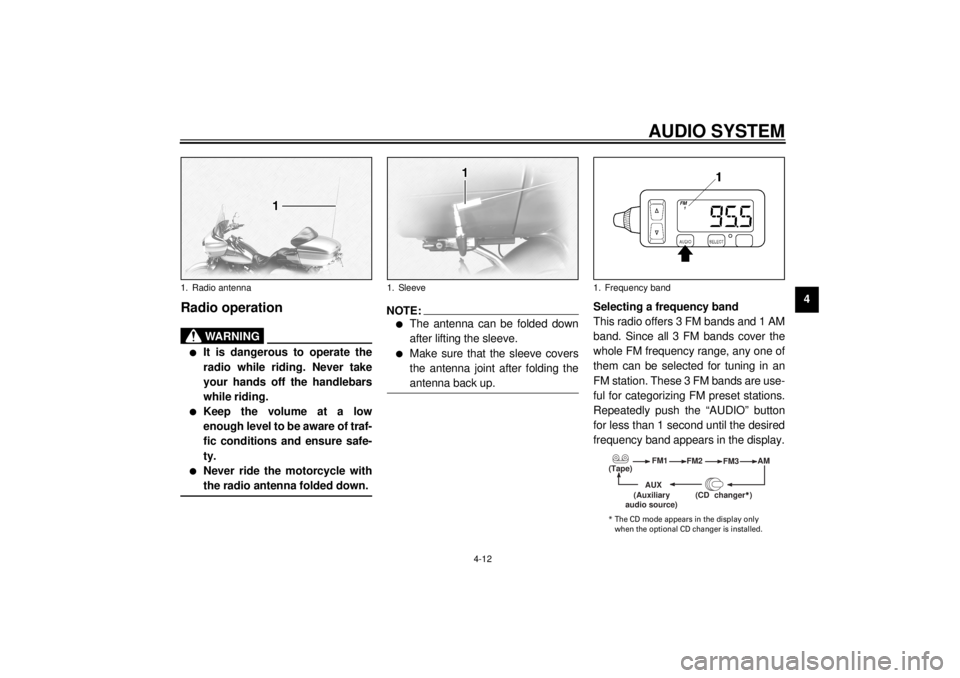
1. Sleeve1. Frequency band
(Tape)
(Auxiliary
* The CD mode appears in the display only
E_5jc_Audio.fm Page 12 Saturday, October 16, 1999 1:09 PM
Page 51 of 121
AUDIO SYSTEM
4-13
4
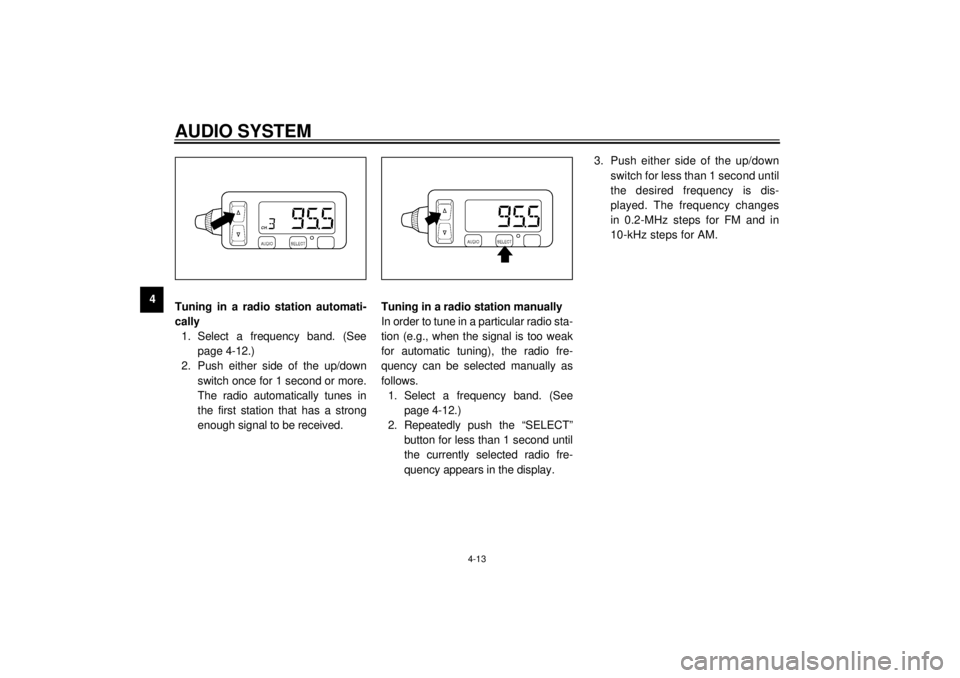
Tuning in a radio station automati-
cally
1. Select a frequency band. (See
page 4-12.)
2. Push either side of the up/down
switch once for 1 second or more.
The radio automatically tunes in
the first station that has a strong
enough signal to be received.Tuning in a radio station manually
In order to tune in a particular radio sta-
tion (e.g., when the signal is too weak
for automatic tuning), the radio fre-
quency can be selected manually as
follows.
1. Select a frequency band. (See
page 4-12.)
2. Repeatedly push the “SELECT”
button for less than 1 second until
the currently selected radio fre-
quency appears in the display.3. Push either side of the up/down
switch for less than 1 second until
the desired frequency is dis-
played. The frequency changes
in 0.2-MHz steps for FM and in
10-kHz steps for AM.
E_5jc_Audio.fm Page 13 Saturday, October 16, 1999 1:09 PM
Page 52 of 121
AUDIO SYSTEM
4-14
4
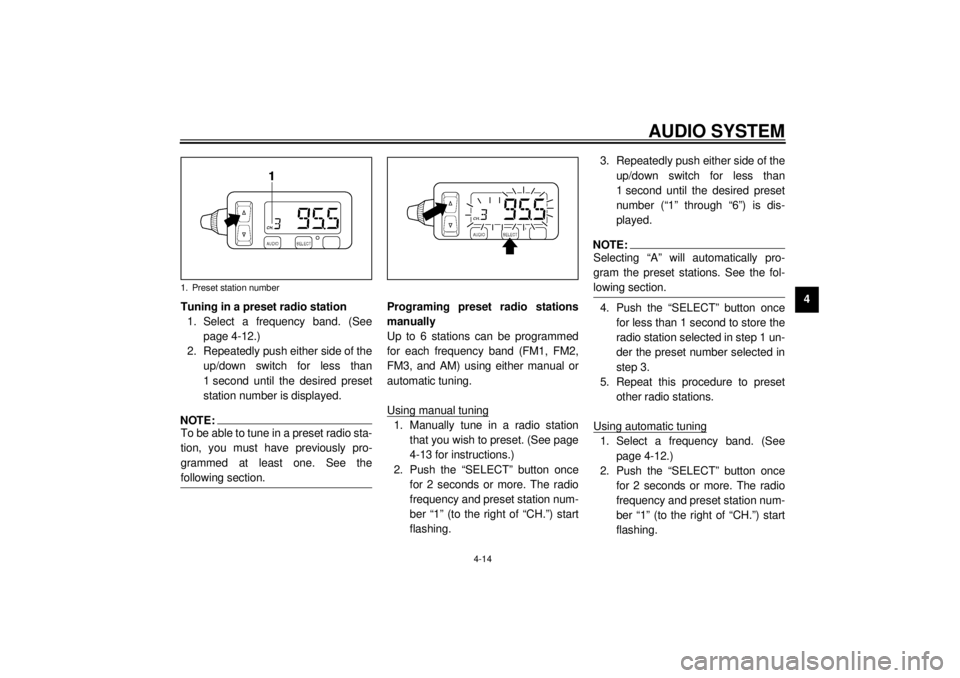
Tuning in a preset radio station
1. Select a frequency band. (See
page 4-12.)
2. Repeatedly push either side of the
up/down switch for less than
1 second until the desired preset
station number is displayed.
NOTE:@ To be able to tune in a preset radio sta-
tion, you must have previously pro-
grammed at least one. See the
following section. @
Programing preset radio stations
manually
Up to 6 stations can be programmed
for each frequency band (FM1, FM2,
FM3, and AM) using either manual or
automatic tuning.
Using manual tuning1. Manually tune in a radio station
that you wish to preset. (See page
4-13 for instructions.)
2. Push the “SELECT” button once
for 2 seconds or more. The radio
frequency and preset station num-
ber “1” (to the right of “CH.”) start
flashing.3. Repeatedly push either side of the
up/down switch for less than
1 second until the desired preset
number (“1” through “6”) is dis-
played.
NOTE:@ Selecting “A” will automatically pro-
gram the preset stations. See the fol-
lowing section. @4. Push the “SELECT” button once
for less than 1 second to store the
radio station selected in step 1 un-
der the preset number selected in
step 3.
5. Repeat this procedure to preset
other radio stations.
Using automatic tuning1. Select a frequency band. (See
page 4-12.)
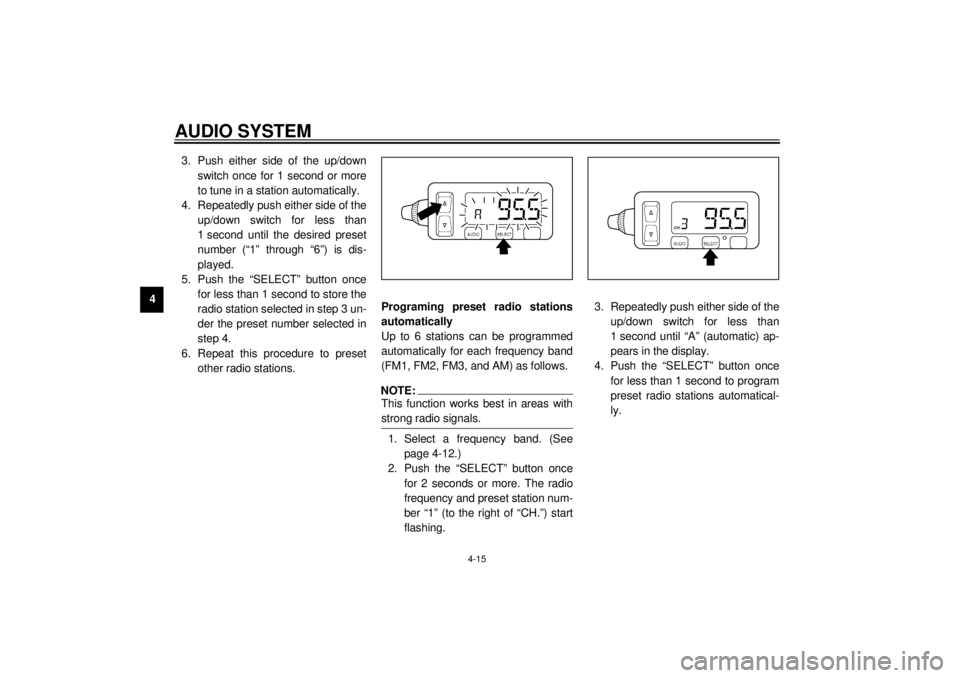
2. Push the “SELECT” button once
for 2 seconds or more. The radio
frequency and preset station num-
ber “1” (to the right of “CH.”) start
flashing.
1. Preset station number
E_5jc_Audio.fm Page 14 Saturday, October 16, 1999 1:09 PM
Page 53 of 121
AUDIO SYSTEM
4-15
43. Push either side of the up/down
switch once for 1 second or more
to tune in a station automatically.
4. Repeatedly push either side of the
up/down switch for less than
1 second until the desired preset
number (“1” through “6”) is dis-
played.
5. Push the “SELECT” button once
for less than 1 second to store the
radio station selected in step 3 un-
der the preset number selected in
step 4.
6. Repeat this procedure to preset
other radio stations.Programing preset radio stations
automatically
Up to 6 stations can be programmed
automatically for each frequency band
(FM1, FM2, FM3, and AM) as follows.
NOTE:@ This function works best in areas with
strong radio signals. @1. Select a frequency band. (See
page 4-12.)
2. Push the “SELECT” button once
for 2 seconds or more. The radio
frequency and preset station num-
ber “1” (to the right of “CH.”) start
flashing.3. Repeatedly push either side of the
up/down switch for less than
1 second until “A” (automatic) ap-
pears in the display.
4. Push the “SELECT” button once
for less than 1 second to program
preset radio stations automatical-
ly.
E_5jc_Audio.fm Page 15 Saturday, October 16, 1999 1:09 PM
Page 54 of 121
AUDIO SYSTEM
4-16
4
CD changer (optional)
operation
WARNING
@ l
It is dangerous to operate the
CD changer while riding. Never
take your hands off the handle-
bars while riding.
l
Keep the volume at a low
enough level to be aware of traf-
fic conditions and ensure safe-
ty.
@An optional 6-disc CD changer can be
mounted in the travel trunk. Ask a
Yamaha dealer to install the genuine
Clarion CDC635 model.Playing a CD
1. Insert up to 6 CDs into the CD
changer. Follow the manufactur-
er’s directions.
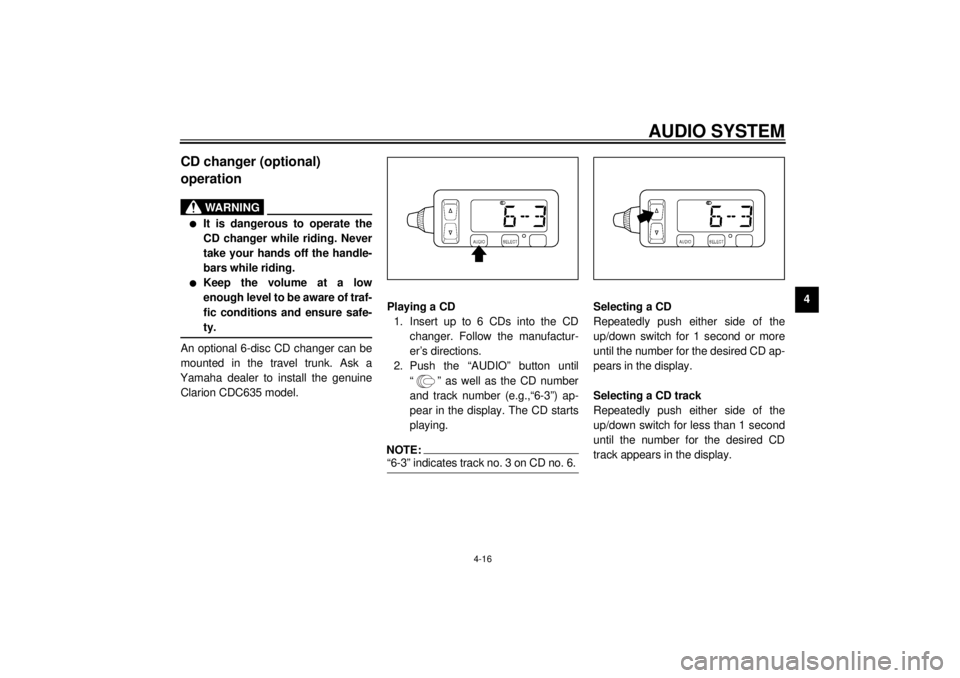
2. Push the “AUDIO” button until
“ ” as well as the CD number
and track number (e.g.,“6-3”) ap-
pear in the display. The CD starts
playing.
NOTE:@ “6-3” indicates track no. 3 on CD no. 6. @
Selecting a CD
Repeatedly push either side of the
up/down switch for 1 second or more
until the number for the desired CD ap-
pears in the display.
Selecting a CD track
Repeatedly push either side of the
up/down switch for less than 1 second
until the number for the desired CD
track appears in the display.
E_5jc_Audio.fm Page 16 Saturday, October 16, 1999 1:09 PM
Page 55 of 121
AUDIO SYSTEM
4-17
4
Auxiliary audio source
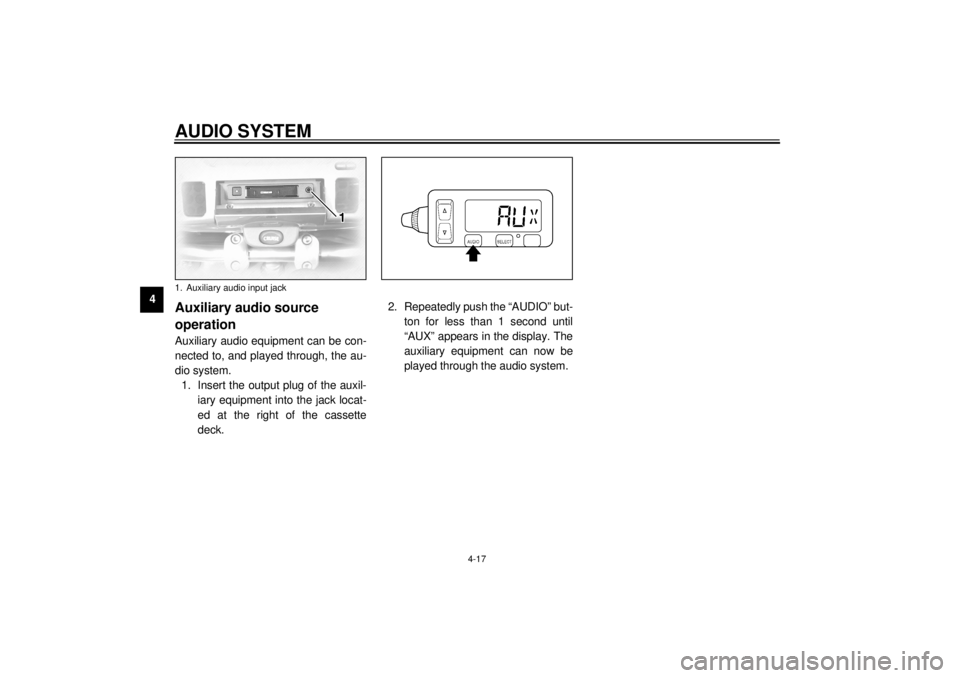
operationAuxiliary audio equipment can be con-
nected to, and played through, the au-
dio system.
1. Insert the output plug of the auxil-
iary equipment into the jack locat-
ed at the right of the cassette
deck.2. Repeatedly push the “AUDIO” but-
ton for less than 1 second until
“AUX” appears in the display. The
auxiliary equipment can now be
played through the audio system.1. Auxiliary audio input jackE_5jc_Audio.fm Page 17 Saturday, October 16, 1999 1:09 PM