brakes YAMAHA YFZ450R 2017 User Guide
[x] Cancel search | Manufacturer: YAMAHA, Model Year: 2017, Model line: YFZ450R, Model: YAMAHA YFZ450R 2017Pages: 154, PDF Size: 3.83 MB
Page 88 of 154
7-21
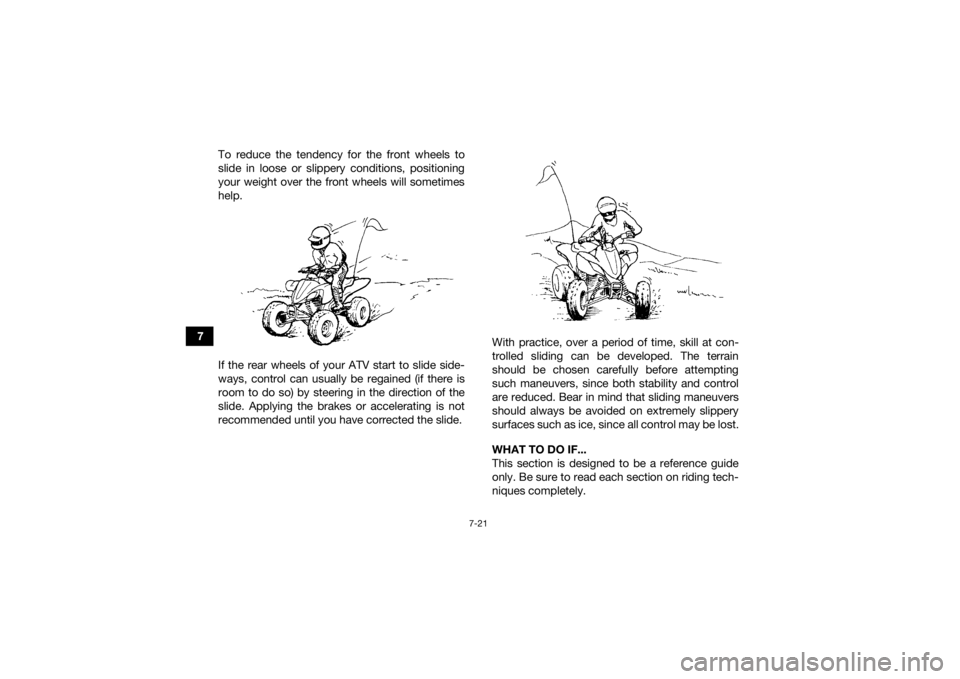
7To reduce the tendency for the front wheels to
slide in loose or slippery conditions, positioning
your weight over the front wheels will sometimes
help.
If the rear wheels of your ATV start to slide side-
ways, control can usually be regained (if there is
room to do so) by steering in the direction of the
slide. Applying the brakes or accelerating is not
recommended until you have corrected the slide.
With practice, over a period of time, skill at con-
trolled sliding can be developed. The terrain
should be chosen carefully before attempting
such maneuvers, since both stability and control
are reduced. Bear in mind that sliding maneuvers
should always be avoided on extremely slippery
surfaces such as ice, since all control may be lost.
WHAT TO DO IF...
This section is designed to be a reference guide
only. Be sure to read each section on riding tech-
niques completely.
UBW260E0.book Page 21 Thursday, May 12, 2016 2:28 PM
Page 89 of 154

7-22
7
WHAT TO DO...
If your ATV doesn’t turn when you want it to:
Bring the ATV to a stop and practice the turning
maneuvers again. Be sure you are putting your
weight on the footrest to the outside of the turn.
Position your weight over the front wheels for
better control. (See page 7-11.)
If your ATV begins to tip while turning:
Lean more into the turn to regain balance. If
necessary, gradually let off the throttle and/or
steer to the outside of the turn. (See page 7-11.)
If your ATV starts to slide sideways:
Steer in the direction of the slide if you have the
room. Applying the brakes or accelerating is not
recommended until you have corrected the
slide. (See page 7-20.)
If your ATV can’t make it up a hill you are trying
to climb:
Turn the ATV around if you still have forward
speed. If not, stop, dismount on the uphill side
of the ATV and physically turn the ATV around.
If the ATV starts to slip backwards, DO NOT
USE THE REAR BRAKE – the ATV may tip over
on top of you. Dismount the ATV on the uphill
side. (See page 7-13.)
If your ATV is traversing a sloping surface:
Be sure to ride with your weight positioned to-
wards the uphill side of the ATV to maintain
proper balance. If the ATV starts to tip, steer
down the hill (if there are no obstacles in your
way) to regain balance. If you discover that the
ATV is going to tip over, dismount on the uphill
side. (See page 7-17.)
If your ATV encounters shallow water:
Ride slowly and carefully through slow moving
water, watching for obstacles. Be sure to let wa-
ter drain from the ATV and CHECK YOUR
BRAKES FOR PROPER OPERATION when you
come out of the water. Do not continue to ride
your ATV until you have regained adequate
braking ability. (See page 7-18.)
UBW260E0.book Page 22 Thursday, May 12, 2016 2:28 PM
Page 117 of 154
8-28
8
must be adjusted by a Yamaha dealer at the inter-
vals specified in the periodic maintenance and lu-
brication chart.
EBU29602BrakesReplacement of brake components requires pro-
fessional knowledge. Brake service should be
performed by a Yamaha dealer.
WARNING
EWB02572Operating with improperly serviced or adjust-
ed brakes could lead to a loss in braking ability
and an accident. EBU24131Checking the front and rear brake padsThe front and rear brake pads must be checked
for wear at the intervals specified in the periodic
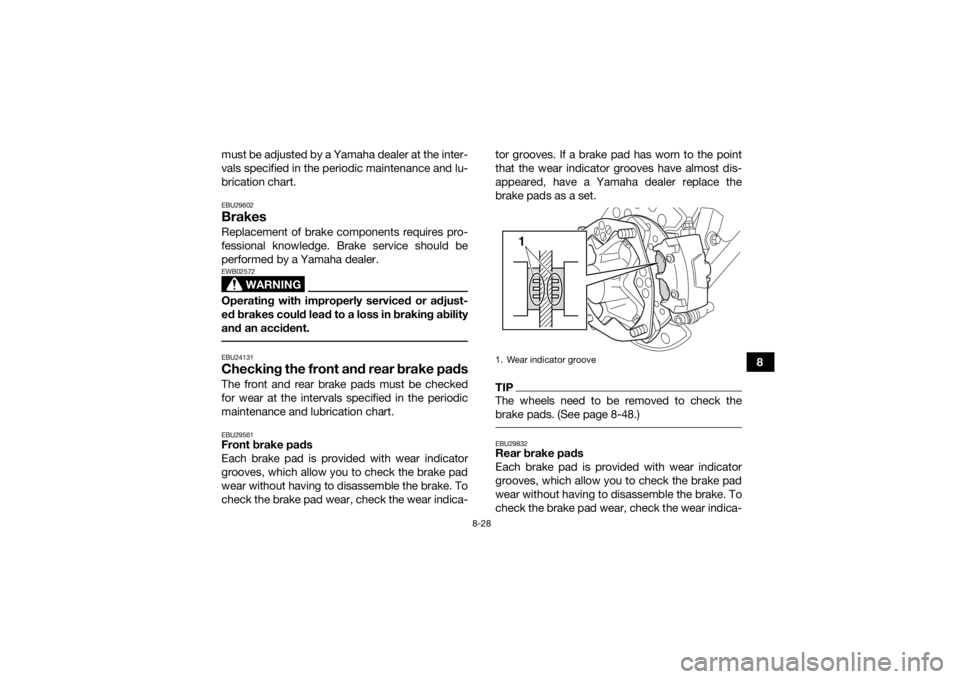
maintenance and lubrication chart.EBU29561Front brake pads
Each brake pad is provided with wear indicator
grooves, which allow you to check the brake pad
wear without having to disassemble the brake. To
check the brake pad wear, check the wear indica- tor grooves. If a brake pad has worn to the point
that the wear indicator grooves have almost dis-
appeared, have a Yamaha dealer replace the
brake pads as a set.
TIPThe wheels need to be removed to check the
brake pads. (See page 8-48.) EBU29832Rear brake pads
Each brake pad is provided with wear indicator
grooves, which allow you to check the brake pad
wear without having to disassemble the brake. To
check the brake pad wear, check the wear indica-1. Wear indicator groove
1
UBW260E0.book Page 28 Thursday, May 12, 2016 2:28 PM
Page 122 of 154
![YAMAHA YFZ450R 2017 User Guide 8-33
8NOTICE:
When tightening the locknut,
hold the adjusting bolt with a wrench so
that it does not turn together with the lock-
nut.
[ECB00522]
WARNING
EWB02091Operating with improperly serviced o](/img/51/53837/w960_53837-121.png "YAMAHA YFZ450R 2017 User Guide 8-33
8NOTICE:
When tightening the locknut,
hold the adjusting bolt with a wrench so
that it does not turn together with the lock-
nut.
[ECB00522]
WARNING
EWB02091Operating with improperly serviced o")
8-33
8NOTICE:
When tightening the locknut,
hold the adjusting bolt with a wrench so
that it does not turn together with the lock-
nut.
[ECB00522]
WARNING
EWB02091Operating with improperly serviced or adjust-
ed brakes could cause the brakes to malfunc-
tion, resulting in reduced braking
performance. This could increase the chance
of a collision or accident. After adjusting the
parking brake free play, block the rear of the
ATV off the ground and spin the rear wheels.
Check to make sure there is no brake drag. If
brake drag is noticed, perform the adjustment
again. EBU24744Brake light switchesThe brake light, which is activated by the brake
pedal and brake lever, should come on just before
braking takes effect. The brake light switch for the brake pedal can be
adjusted as follows, but the front brake light
switch should be adjusted by a Yamaha dealer.
Turn the rear brake light switch adjusting nut while
holding the brake light switch in place. To make
the brake light come on earlier, turn the adjusting
nut in direction (a). To make the brake light come
on later, turn the adjusting nut in direction (b).
EBU30153Adjusting the clutch lever free playThe clutch lever free play must be checked and, if
necessary, adjusted at the intervals specified in
the periodic maintenance and lubrication chart.
Tightening torque:
Locknut (rear brake caliper):16 N·m (1.6 kgf·m, 12 lb·ft)1. Rear brake light switch
2. Rear brake light switch adjusting nut
1
2(a) (b)
UBW260E0.book Page 33 Thursday, May 12, 2016 2:28 PM
Page 141 of 154

9-1
9
EBU25861
CLEANING AND STORAGE
EBU25903CleaningFrequent, thorough cleaning of your ATV will not
only enhance its appearance but will improve its
general performance and extend the useful life of
many components.1. Before cleaning the ATV: a. Block off the end of the exhaust pipe toprevent water entry. A plastic bag and
strong rubber band may be used.
b. Make sure the spark plug and all filler caps are properly installed.
2. If the engine case is excessively greasy, apply degreaser with a paint brush. Do not apply
degreaser to the chain, sprockets or wheel
axles.
3. Rinse the dirt and degreaser off with a garden hose. Use only enough pressure to do the
job. WARNING! Wet brakes may have re-
duced stopping ability, increasing the
chance of an accident. Test the brakes af-
ter washing. Apply the brakes several
times at slow speeds to let friction dry out
the linings.
[EWB02312]
NOTICE: Excessive wa- ter pressure may cause water seepage
and deterioration of wheel bearings,
brakes, transmission seals and electrical
devices. Many expensive repair bills have
resulted from improper high-pressure de-
tergent applications such as those avail-
able in coin-operated car washers.
[ECB00712]
4. Once most of the dirt has been hosed off,
wash all surfaces with warm water and mild,
detergent-type soap. An old toothbrush or
bottle brush is handy for hard-to-reach pla-
ces.
5. Rinse the ATV off immediately with clean wa- ter and dry all surfaces with a chamois, clean
towel or soft absorbing cloth.
6. Dry the chain and lubricate it to prevent it from rusting.
7. Clean the seat with a vinyl upholstery cleaner to keep the cover pliable and glossy.
8. Automotive type wax may be applied to all painted and chrome plated surfaces. Avoid
combination cleaner-waxes. Many contain
UBW260E0.book Page 1 Thursday, May 12, 2016 2:28 PM
Page 151 of 154

12-1
12
INDEX
AAccessories and loading ................................................ 6-5
Air filter element, cleaning ........................................... 8-21BBattery ......................................................................... 8-42
Brake and clutch levers, checking and lubricating ...... 8-38
Brake fluid, changing ................................................... 8-30
Brake fluid level, checking ........................................... 8-29
Brake lever ..................................................................... 4-6
Brake lever free play, checking the front ..................... 8-31
Brake light switches ..................................................... 8-33
Brake pads, checking the front and rear ..................... 8-28
Brake pedal .................................................................... 4-6
Brake pedal, checking and lubricating ........................ 8-39
Brake pedal height, checking ...................................... 8-31
Brakes .......................................................................... 8-28
Brakes, front and rear .................................................... 5-4CCables, checking and lubricating ................................ 8-37
Chassis fasteners .......................................................... 5-7
Cleaning ......................................................................... 9-1
Clutch lever .................................................................... 4-5
Clutch lever free play, adjusting .................................. 8-33
Coolant .................................................................5-4, 8-20
Coolant temperature warning light ................................ 4-2
Cowling and panels, removing and installing .............. 8-10DDrive chain ..................................................................... 5-5
Drive chain, lubricating ................................................ 8-37 Drive chain slack .......................................................... 8-35
EEngine break-in .............................................................. 6-4
Engine oil ....................................................................... 5-4
Engine oil and oil filter element .................................... 8-14
Engine, start ................................................................... 6-1
Engine stop switch ........................................................ 4-3
Engine trouble warning light .......................................... 4-3FFuel ......................................................................... 4-9, 5-4
Fuel level warning light .................................................. 4-3
Fuel tank cap ................................................................. 4-8
Fuse, replacing ............................................................ 8-44HHandlebar position, adjusting ...................................... 4-24
Handlebar switches ....................................................... 4-3
Headlight beam, adjusting ........................................... 8-47
Headlight bulb, replacing ............................................. 8-45IIdentification numbers ................................................. 11-1
Indicator light and warning lights ................................... 4-2
Instruments, lights and switches ................................... 5-8LLabel locations ............................................................... 1-1
Light switch ................................................................... 4-4MMain switch .................................................................... 4-1
Maintenance and lubrication chart ................................ 8-5
Maintenance chart, emission control system ................ 8-3
UBW260E0.book Page 1 Thursday, May 12, 2016 2:28 PM