instrument panel Acura ILX 2013 User Guide
[x] Cancel search | Manufacturer: ACURA, Model Year: 2013, Model line: ILX, Model: Acura ILX 2013Pages: 351, PDF Size: 8.21 MB
Page 69 of 351
68
uuIndicatorsu
Instrument Panel
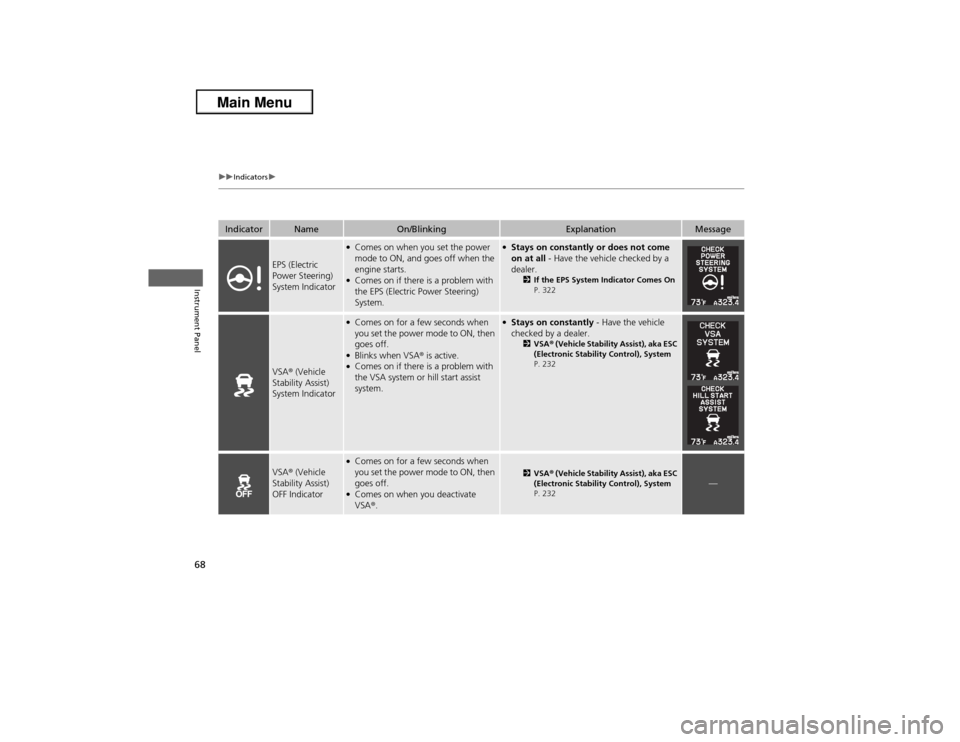
Indicator
Name
On/Blinking
Explanation
Message
EPS (Electric
Power Steering)
System Indicator
●Comes on when you set the power
mode to ON, and goes off when the
engine starts.●Comes on if there is a problem with
the EPS (Electric Power Steering)
System.
●Stays on constantly or does not come
on at all - Have the vehicle checked by a
dealer.
2If the EPS System Indicator Comes On
P. 322
VSA® (Vehicle
Stability Assist)
System Indicator
●Comes on for a few seconds when
you set the power mode to ON, then
goes off.●Blinks when VSA® is active.●Comes on if there is a problem with
the VSA system or hill start assist
system.
●Stays on constantly - Have the vehicle
checked by a dealer.
2VSA® (Vehicle Stability Assist), aka ESC
(Electronic Stability Control), System
P. 232
VSA® (Vehicle
Stability Assist)
OFF Indicator
●Comes on for a few seconds when
you set the power mode to ON, then
goes off.●Comes on when you deactivate
VSA®.
2VSA® (Vehicle Stability Assist), aka ESC
(Electronic Stability Control), System
P. 232
—
Page 70 of 351
69
uuIndicatorsu
Continued
Instrument Panel
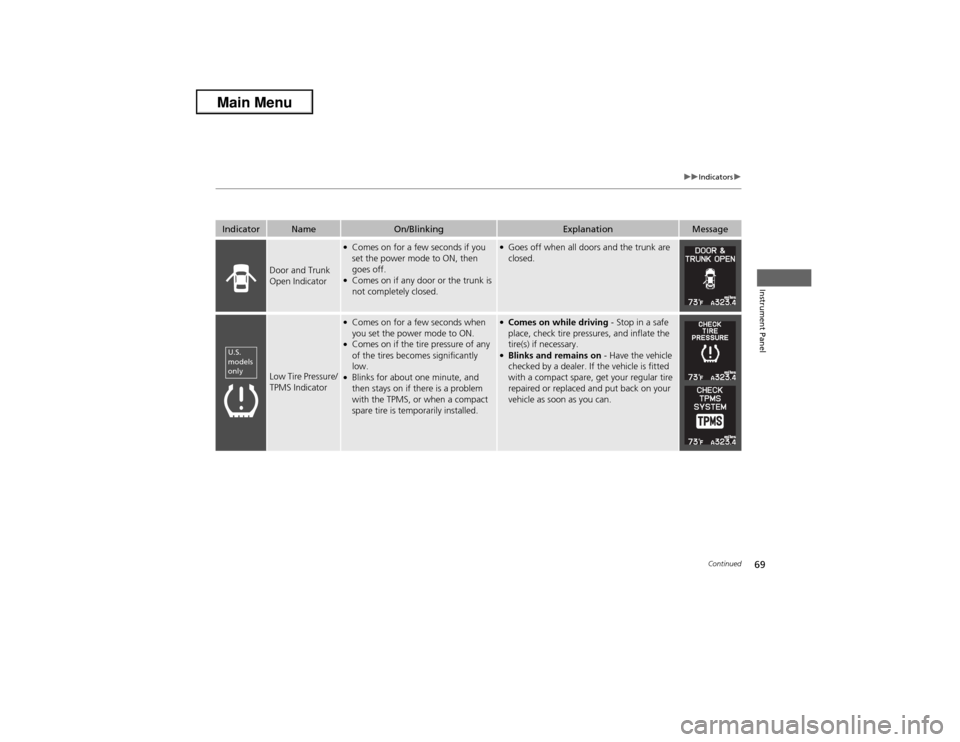
Indicator
Name
On/Blinking
Explanation
Message
Door and Trunk
Open Indicator
●Comes on for a few seconds if you
set the power mode to ON, then
goes off.●Comes on if any door or the trunk is
not completely closed.
●Goes off when all doors and the trunk are
closed.
Low Tire Pressure/
TPMS Indicator
●Comes on for a few seconds when
you set the power mode to ON.●Comes on if the tire pressure of any
of the tires becomes significantly
low.●Blinks for about one minute, and
then stays on if there is a problem
with the TPMS, or when a compact
spare tire is temporarily installed.
●Comes on while driving - Stop in a safe
place, check tire pressures, and inflate the
tire(s) if necessary.●Blinks and remains on - Have the vehicle
checked by a dealer. If the vehicle is fitted
with a compact spare, get your regular tire
repaired or replaced and put back on your
vehicle as soon as you can.
U.S.
models
only
Page 71 of 351
70
uuIndicatorsu
Instrument Panel
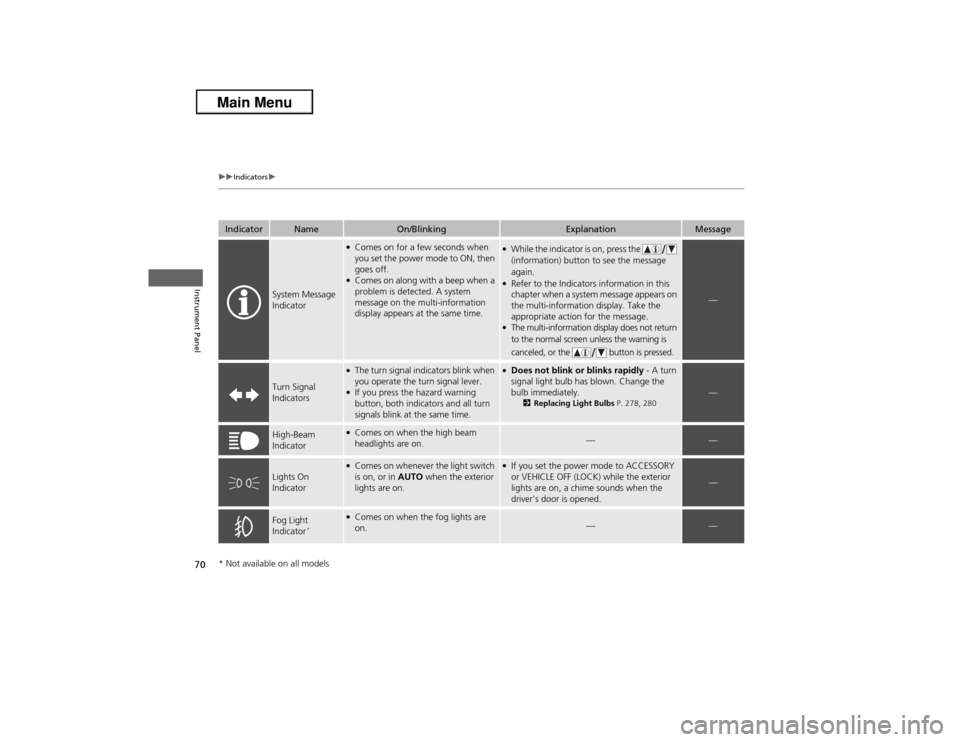
Indicator
Name
On/Blinking
Explanation
Message
System Message
Indicator
●Comes on for a few seconds when
you set the power mode to ON, then
goes off.●Comes on along with a beep when a
problem is detected. A system
message on the multi-information
display appears at the same time.
●While the indicator is on, press the
(information) button to see the message
again.●Refer to the Indicators information in this
chapter when a system message appears on
the multi-information display. Take the
appropriate action for the message.●The multi-information display does not return
to the normal screen unless the warning is
canceled, or the button is pressed.
—
Turn Signal
Indicators
●The turn signal indicators blink when
you operate the turn signal lever.●If you press the hazard warning
button, both indicators and all turn
signals blink at the same time.
●Does not blink or blinks rapidly - A turn
signal light bulb has blown. Change the
bulb immediately.
2Replacing Light Bulbs P. 278, 280
—
High-Beam
Indicator
●Comes on when the high beam
headlights are on.
—
—
Lights On
Indicator
●Comes on whenever the light switch
is on, or in AUTO when the exterior
lights are on.
●If you set the power mode to ACCESSORY
or VEHICLE OFF (LOCK) while the exterior
lights are on, a chime sounds when the
driver's door is opened.
—
Fog Light
Indicator
*
●Comes on when the fog lights are
on.
—
—
* Not available on all models
Page 72 of 351
71
uuIndicatorsu
Continued
Instrument Panel
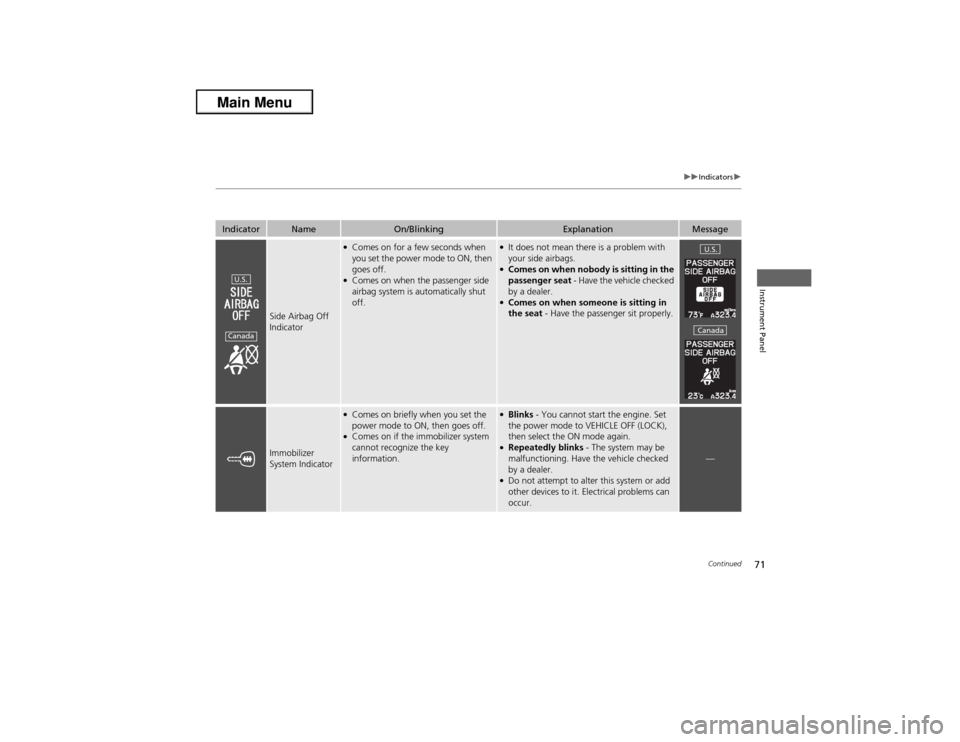
Indicator
Name
On/Blinking
Explanation
Message
Side Airbag Off
Indicator
●Comes on for a few seconds when
you set the power mode to ON, then
goes off.●Comes on when the passenger side
airbag system is automatically shut
off.
●It does not mean there is a problem with
your side airbags.●Comes on when nobody is sitting in the
passenger seat - Have the vehicle checked
by a dealer.●Comes on when someone is sitting in
the seat - Have the passenger sit properly.
Immobilizer
System Indicator
●Comes on briefly when you set the
power mode to ON, then goes off.●Comes on if the immobilizer system
cannot recognize the key
information.
●Blinks - You cannot start the engine. Set
the power mode to VEHICLE OFF (LOCK),
then select the ON mode again.●Repeatedly blinks - The system may be
malfunctioning. Have the vehicle checked
by a dealer.●Do not attempt to alter this system or add
other devices to it. Electrical problems can
occur.
—
U.S.Canada
U.S.Canada
Page 73 of 351
72
uuIndicatorsu
Instrument Panel
Indicator
Name
On/Blinking
Explanation
Message
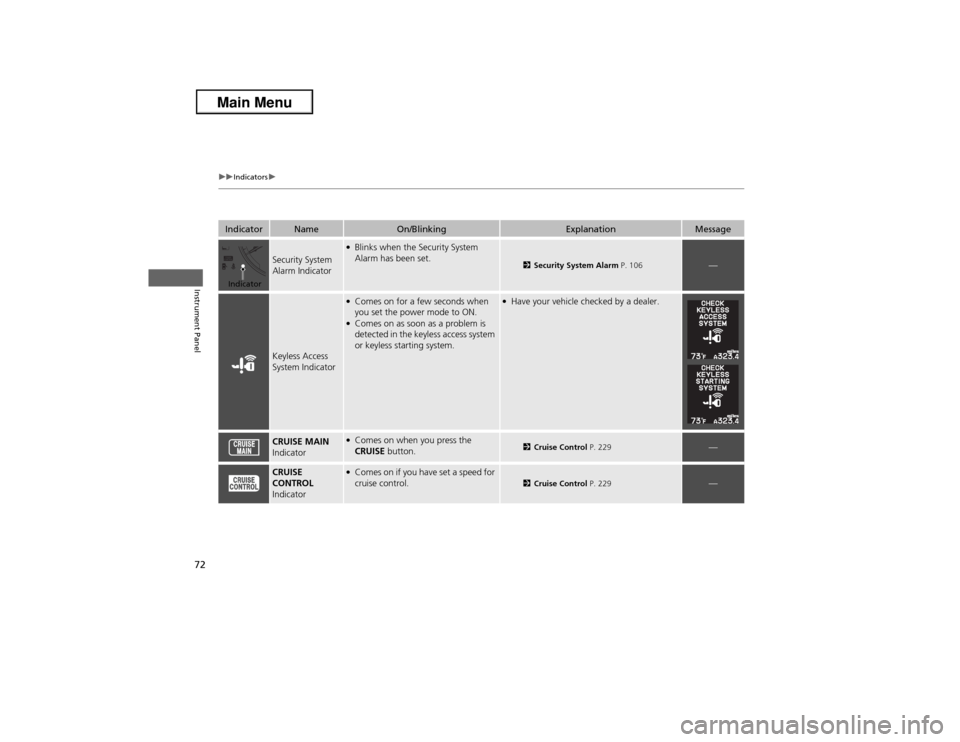
Security System
Alarm Indicator
●Blinks when the Security System
Alarm has been set.
2Security System Alarm P. 106
—
Keyless Access
System Indicator
●Comes on for a few seconds when
you set the power mode to ON.●Comes on as soon as a problem is
detected in the keyless access system
or keyless starting system.
●Have your vehicle checked by a dealer.
CRUISE MAIN
Indicator
●Comes on when you press the
CRUISE button.
2Cruise Control P. 229
—
CRUISE
CONTROL
Indicator
●Comes on if you have set a speed for
cruise control.
2Cruise Control P. 229
—
Indicator
Page 74 of 351
73
uuIndicatorsuMulti-Information Display Warning and Information Messages
Continued
Instrument Panel
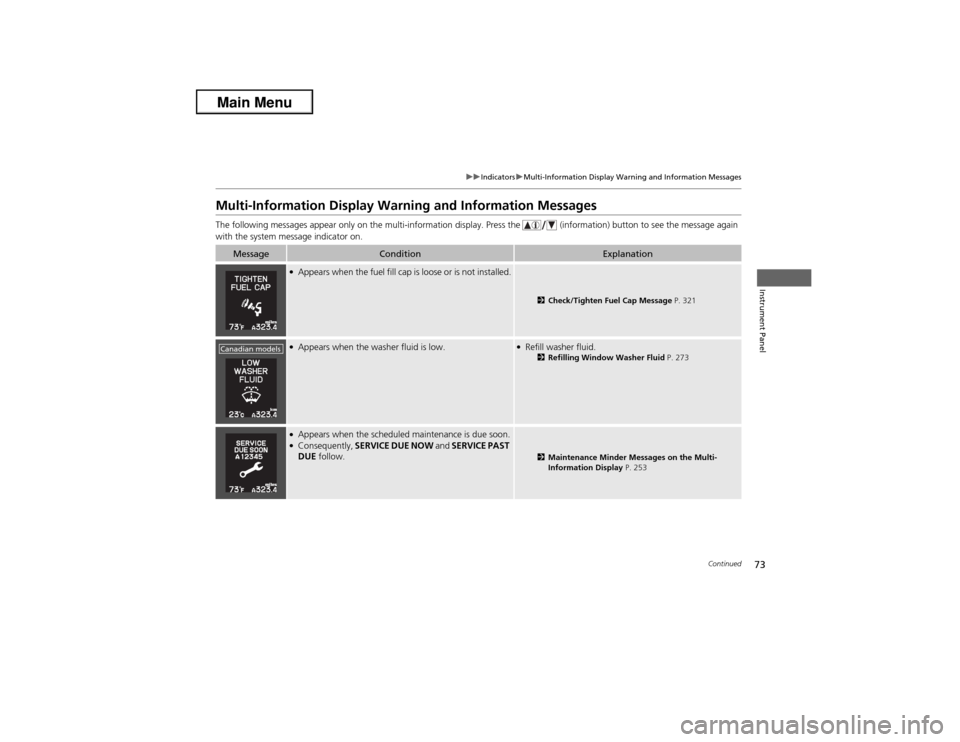
Multi-Information Display Warning and Information MessagesThe following messages appear only on the multi-information display. Press the (information) button to see the message again
with the system message indicator on.
Message
Condition
Explanation
●Appears when the fuel fill cap is loose or is not installed.
2Check/Tighten Fuel Cap Message P. 321
●Appears when the washer fluid is low.
●Refill washer fluid.
2Refilling Window Washer Fluid P. 273
●Appears when the scheduled maintenance is due soon.●Consequently, SERVICE DUE NOW and SERVICE PAST
DUE follow.
2Maintenance Minder Messages on the Multi-
Information Display P. 253
Canadian models
Page 75 of 351
74
uuIndicatorsuMulti-Information Display Warning and Information Messages
Instrument Panel
Message
Condition
Explanation
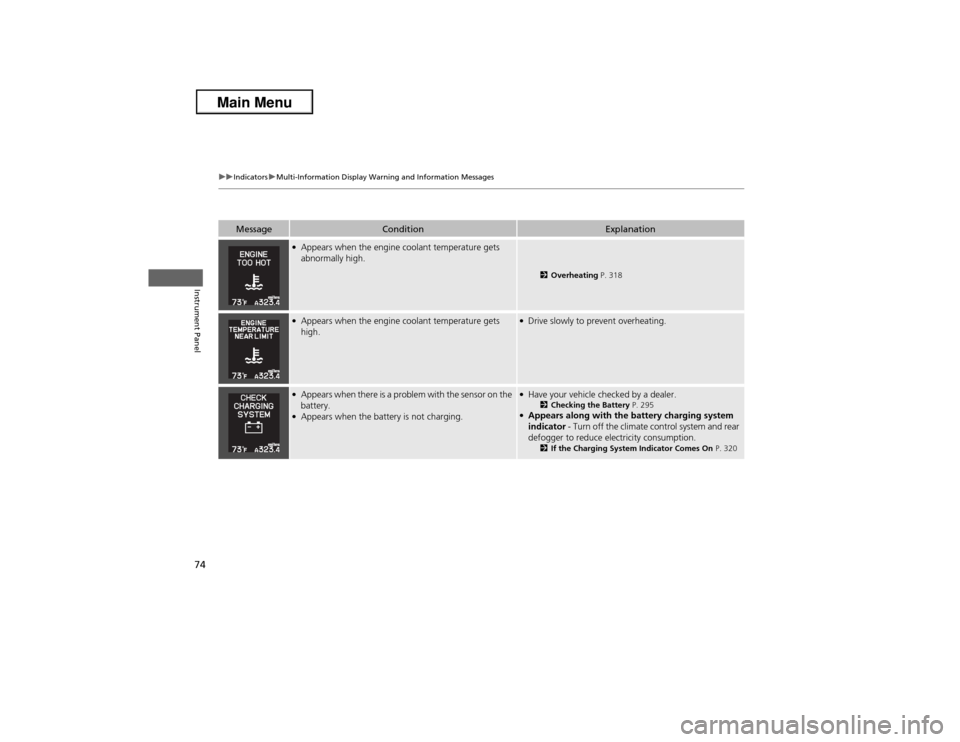
●Appears when the engine coolant temperature gets
abnormally high.
2Overheating P. 318
●Appears when the engine coolant temperature gets
high.
●Drive slowly to prevent overheating.
●Appears when there is a problem with the sensor on the
battery.●Appears when the battery is not charging.
●Have your vehicle checked by a dealer.
2Checking the Battery P. 295
●Appears along with the battery charging system
indicator - Turn off the climate control system and rear
defogger to reduce electricity consumption.
2If the Charging System Indicator Comes On P. 320
Page 76 of 351
75
uuIndicatorsuMulti-Information Display Warning and Information Messages
Continued
Instrument Panel
Message
Condition
Explanation
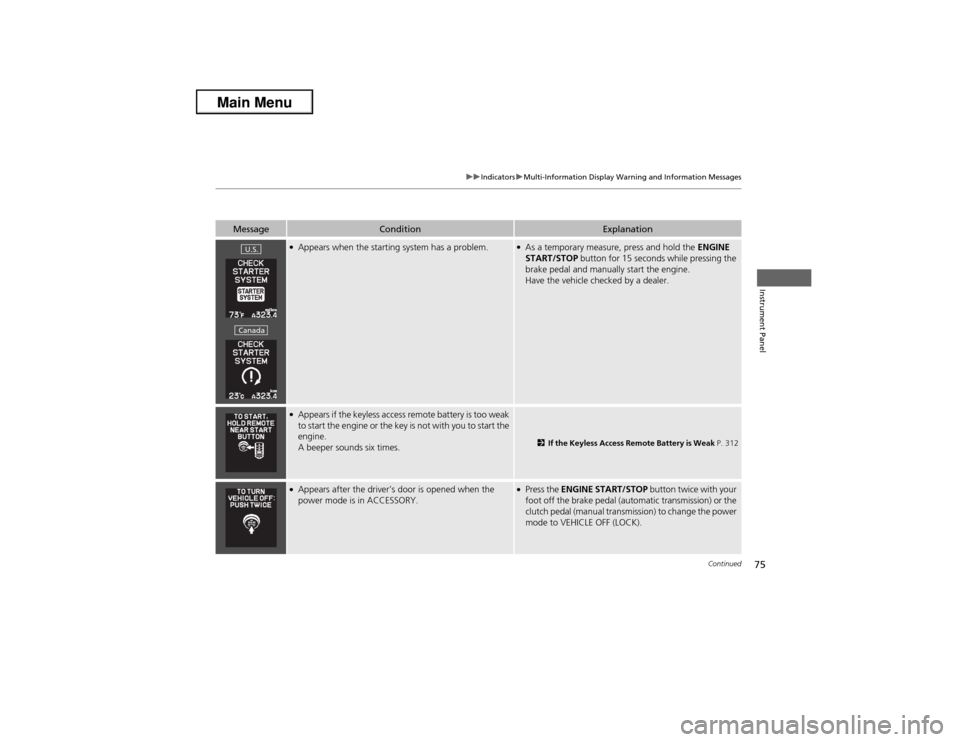
●Appears when the starting system has a problem.
●As a temporary measure, press and hold the ENGINE
START/STOP button for 15 seconds while pressing the
brake pedal and manually start the engine.
Have the vehicle checked by a dealer.
●Appears if the keyless access remote battery is too weak
to start the engine or the key is not with you to start the
engine.
A beeper sounds six times.
2If the Keyless Access Remote Battery is Weak P. 312
●Appears after the driver’s door is opened when the
power mode is in ACCESSORY.
●Press the ENGINE START/STOP button twice with your
foot off the brake pedal (automatic transmission) or the
clutch pedal (manual transmission) to change the power
mode to VEHICLE OFF (LOCK).
U.S.Canada
Page 77 of 351
76
uuIndicatorsuMulti-Information Display Warning and Information Messages
Instrument Panel
Message
Condition
Explanation
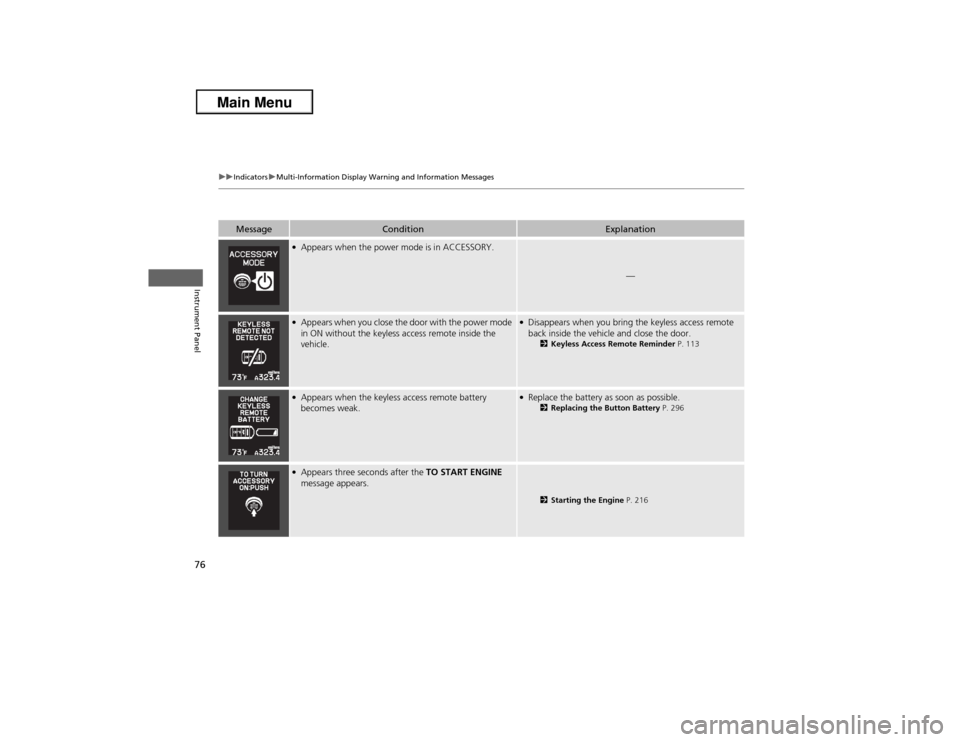
●Appears when the power mode is in ACCESSORY.
—
●Appears when you close the door with the power mode
in ON without the keyless access remote inside the
vehicle.
●Disappears when you bring the keyless access remote
back inside the vehicle and close the door.
2Keyless Access Remote Reminder P. 113
●Appears when the keyless access remote battery
becomes weak.
●Replace the battery as soon as possible.
2Replacing the Button Battery P. 296
●Appears three seconds after the TO START ENGINE
message appears.
2Starting the Engine P. 216
Page 78 of 351
77
uuIndicatorsuMulti-Information Display Warning and Information Messages
Instrument Panel
Message
Condition
Explanation
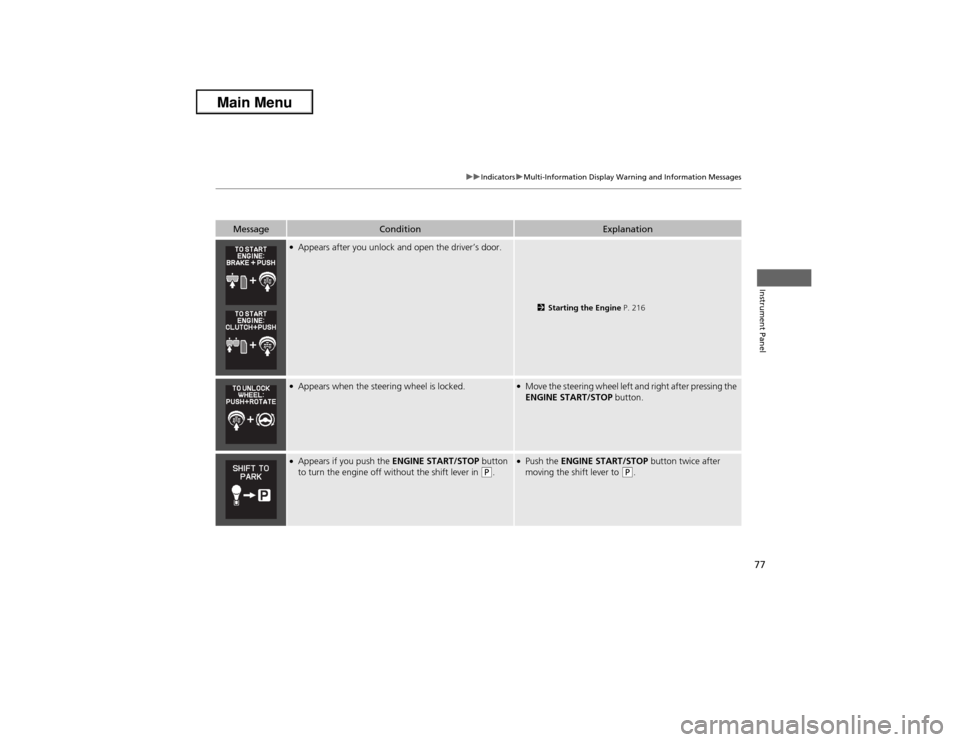
●Appears after you unlock and open the driver’s door.
2Starting the Engine P. 216
●Appears when the steering wheel is locked.
●Move the steering wheel left and right after pressing the
ENGINE START/STOP button.
●Appears if you push the ENGINE START/STOP button
to turn the engine off without the shift lever in
(P.
●Push the ENGINE START/STOP button twice after
moving the shift lever to
(P.