steering wheel Acura ILX 2014 Owner's Guide
[x] Cancel search | Manufacturer: ACURA, Model Year: 2014, Model line: ILX, Model: Acura ILX 2014Pages: 351, PDF Size: 7.94 MB
Page 232 of 351

231
uuWhen DrivinguCruise Control
Driving
Increase or decrease the vehicle speed using the RES/ACCEL or DECEL/SET buttons
on the steering wheel.
•Each time you press the button, the vehicle speed is increased or decreased by
about 1 mph (1.6 km/h).
•If you keep the button pressed, the vehicle speed increased or decreased by about
10 mph (16 km/h).
To cancel cruise control, do any of the
following:
•Press the CANCEL button.
•Press the CRUISE button.
•Depress the brake pedal.
•Depress the clutch pedal for five seconds or
more.
The CRUISE CONTROL indicator goes off.■To Adjust the Vehicle Speed
1To Adjust the Vehicle Speed
You can set the vehicle speed using the DECEL/SET
button on the steering wheel when adjusting the
speed with the accelerator and brake pedals.
■To Cancel
To decrease speedTo increase speed
1To Cancel
Resuming the prior set speed:
After cruise control has been canceled, you can still
resume the prior set speed by pressing the RES/
ACCEL button while driving at a speed of at least 25
mph (40 km/h) or more.
You cannot set or resume in the following situations:•When vehicle speed is less than 25 mph (40 km/h)•When the CRUISE button is turned off
At vehicle speeds of 22 mph (35 km/h) or less, cruise
control is canceled automatically.
CRUISE ButtonCANCEL Button
Page 239 of 351
uuBrakinguBrake System
238Driving
Your vehicle is equipped with disc brakes at all four wheels. A vacuum power assist
helps reduce the effort needed on the brake pedal. The brake assist system increases
the stopping force when you depress the brake pedal hard in an emergency
situation. The anti-lock brake system (ABS) helps you retain steering control when
braking very hard.2Brake Assist System P. 240
2ABS (Anti-lock Brake System) P. 239■Foot Brake
1Foot Brake
Check the brakes after driving through deep water,
or if there is a buildup of road surface water. If
necessary, dry the brakes by lightly depressing the
pedal several times.
If you hear a continuous metallic friction sound when
applying the brakes, the brake pads need to be
replaced. Have the vehicle checked by a dealer.
Constantly using the brake pedal while going down a
long hill builds up heat, which reduces the brake
effectiveness. Apply engine braking by taking your
foot off the accelerator pedal and downshifting to a
lower gear. With manual transmission use a lower
gear for greater engine braking.
Do not rest your foot on the brake pedal while
driving, as it will lightly apply the brakes and cause
them to lose effectiveness over time and reduce pad
life. It will also confuse drivers behind you.
Page 240 of 351
239
uuBrakinguABS (Anti-lock Brake System)
Driving
ABS (Anti-lock Brake System)Helps prevent the wheels from locking up, and helps you retain steering control by
pumping the brakes rapidly, much faster than you.
The electronic brake distribution (EBD) system, which is part of the ABS, also
balances the front-to-rear braking distribution according to vehicle loading.
You should never pump the brake pedal. Let the ABS work for you by always
keeping firm, steady pressure on the brake pedal. This is sometimes referred to as
“stomp and steer.”■ABS operation
The brake pedal may pulsate slightly when the ABS is working. Keep holding the
pedal firmly down. On dry pavement, you will need to press on the brake pedal very
hard before the ABS activates. However, you may feel the ABS activate immediately
if you are trying to stop on snow or ice.
When the vehicle speed goes under 6 mph (10 km/h), the ABS stops.■ABS
1ABS (Anti-lock Brake System)NOTICEThe ABS may not function correctly if you use an
incorrect tire type and size.
When the ABS indicator comes on while driving,
there may be a problem with the system.
While normal braking is not affected, there is a
possibility of the ABS not operating. Have the vehicle
checked by a dealer immediately.
The ABS does not reduce the time or distance it takes
to stop the vehicle. It only helps with steering control
during hard braking.
In the following cases, your vehicle may need more
stopping distance than a vehicle without the ABS:•When driving on rough road surfaces, including
when driving on uneven surfaces, such as gravel or
snow.•When tire chains are installed.
You may hear a motor sound coming from the
engine compartment while system checks are being
performed immediately after starting the engine or
while driving. This is normal.
Page 279 of 351
278
uuReplacing Light BulbsuFront Turn Signal Light Bulbs
Maintenance
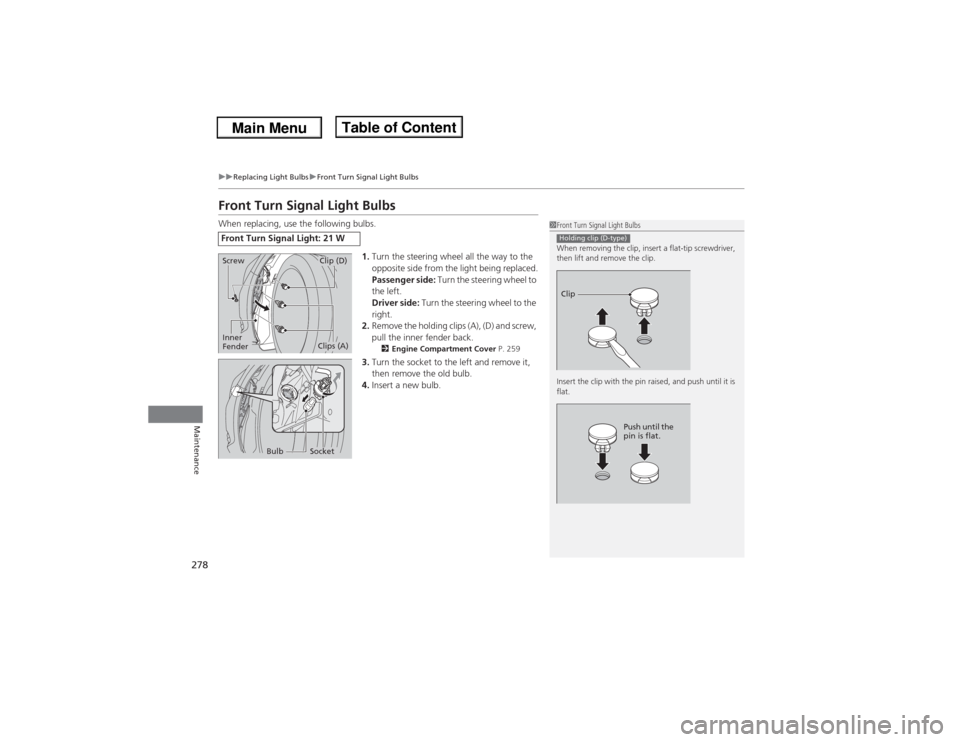
Front Turn Signal Light BulbsWhen replacing, use the following bulbs.
1.Turn the steering wheel all the way to the
opposite side from the light being replaced.
Passenger side: Turn the steering wheel to
the left.
Driver side: Turn the steering wheel to the
right.
2.Remove the holding clips (A), (D) and screw,
pull the inner fender back.
2Engine Compartment Cover P. 259
3.Turn the socket to the left and remove it,
then remove the old bulb.
4.Insert a new bulb.
Front Turn Signal Light: 21 W
1Front Turn Signal Light Bulbs
When removing the clip, insert a flat-tip screwdriver,
then lift and remove the clip.
Insert the clip with the pin raised, and push until it is
flat.Holding clip (D-type)Clip
Push until the
pin is flat.
ScrewInner
Fender
Clip (D)Clips (A)
Bulb
Socket
Page 280 of 351
279
uuReplacing Light BulbsuParking/Side Marker Light Bulbs
Maintenance
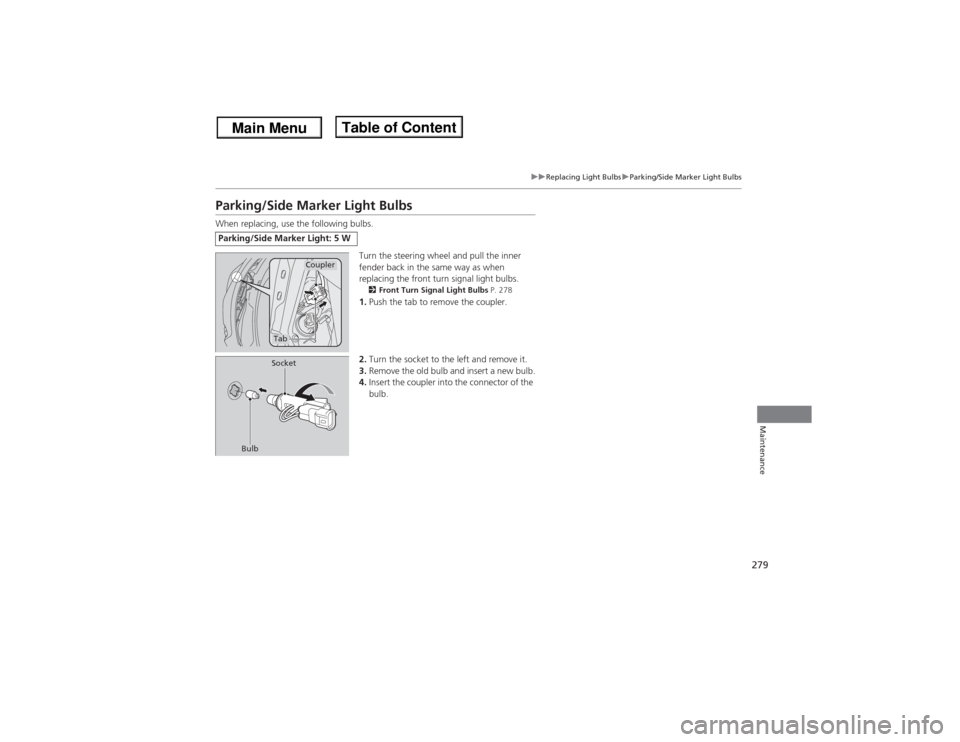
Parking/Side Marker Light BulbsWhen replacing, use the following bulbs.
Turn the steering wheel and pull the inner
fender back in the same way as when
replacing the front turn signal light bulbs.
2Front Turn Signal Light Bulbs P. 2781.Push the tab to remove the coupler.
2.Turn the socket to the left and remove it.
3.Remove the old bulb and insert a new bulb.
4.Insert the coupler into the connector of the
bulb.
Parking/Side Marker Light: 5 W
Coupler
Tab
BulbSocket
Page 295 of 351
294
uuChecking and Maintaining TiresuWinter Tires
Maintenance
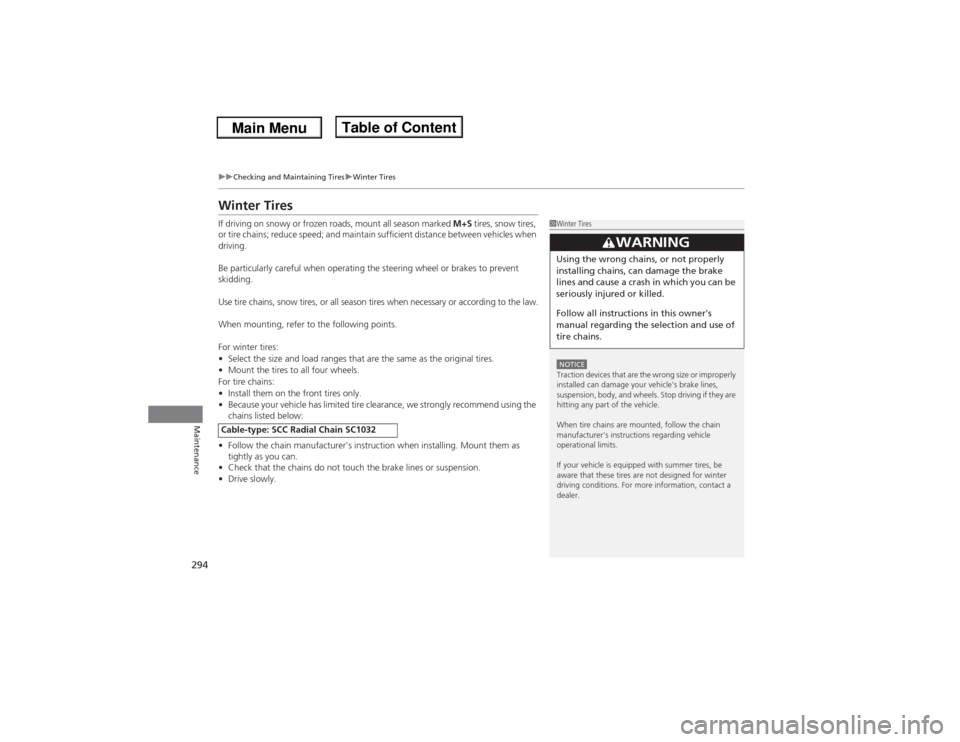
Winter TiresIf driving on snowy or frozen roads, mount all season marked M+S tires, snow tires,
or tire chains; reduce speed; and maintain sufficient distance between vehicles when
driving.
Be particularly careful when operating the steering wheel or brakes to prevent
skidding.
Use tire chains, snow tires, or all season tires when necessary or according to the law.
When mounting, refer to the following points.
For winter tires:
•Select the size and load ranges that are the same as the original tires.
•Mount the tires to all four wheels.
For tire chains:
•Install them on the front tires only.
•Because your vehicle has limited tire clearance, we strongly recommend using the
chains listed below:
•Follow the chain manufacturer's instruction when installing. Mount them as
tightly as you can.
•Check that the chains do not touch the brake lines or suspension.
•Drive slowly.Cable-type: SCC Radial Chain SC1032
1Winter TiresNOTICETraction devices that are the wrong size or improperly
installed can damage your vehicle's brake lines,
suspension, body, and wheels. Stop driving if they are
hitting any part of the vehicle.
When tire chains are mounted, follow the chain
manufacturer's instructions regarding vehicle
operational limits.
If your vehicle is equipped with summer tires, be
aware that these tires are not designed for winter
driving conditions. For more information, contact a
dealer.
3
WARNING
Using the wrong chains, or not properly
installing chains, can damage the brake
lines and cause a crash in which you can be
seriously injured or killed.
Follow all instructions in this owner's
manual regarding the selection and use of
tire chains.
Page 306 of 351

305
Continued
Handling the Unexpected
If a Tire Goes FlatChanging a Flat TireIf a tire goes flat while driving, grasp the steering wheel firmly, and brake gradually
to reduce speed. Then, stop in a safe place. Replace the flat tire with a compact
spare tire. Go to a dealer as soon as possible to have the full size tire repaired or
replaced.
1.Park the vehicle on firm, level, and non-slippery and apply the parking brake.
2.Move the shift lever in
(P.
2.Move the shift lever in (R.
3.Set the parking brake.
4.Turn on the hazard warning lights and set the power mode to VEHICLE OFF
(LOCK).
1Changing a Flat Tire
Periodically check the tire pressure of the compact
spare. It should be set to the specified pressure.
Specified Pressure: 60 psi (420 kPa, 4.2 kgf/cm
2)
When driving with the compact spare tire, keep the
vehicle speed under 50 mph (80 km/h). Replace with
a full size tire as soon as possible.
The compact spare tire and wheel in your vehicle are
specifically for this model.
Do not use them with another vehicle.
Do not use another type of compact spare tire or
wheel with your vehicle.
Do not mount tire chains on a compact spare tire.
If a chain-mounted front tire goes flat, remove one of
the full-size rear tires and replace it with the compact
spare tire. Remove the flat front tire and replace it
with the full size tire that was removed from the rear.
Mount the tire chains on the front tire.
Do not use a puncture-repairing agent on a flat tire,
as it can damage the tire pressure sensor.
U.S. models only
Automatic transmission modelsManual transmission modelsAll models
Page 314 of 351

313
uuEngine Does Not StartuEmergency Engine Stop
Handling the Unexpected
Emergency Engine StopIf you cannot stop the engine by pressing the ENGINE START/STOP button, do
either of the following operations:
•Press and hold the ENGINE START/STOP button for three seconds.
•Firmly press the ENGINE START/STOP button three times.
The steering wheel will not lock.
The power mode changes to VEHICLE OFF with the shift lever in
(P, and to
ACCESSORY with the shift lever in any position other than
(P.
The power mode changes to VEHICLE OFF.
1Emergency Engine Stop
Do not press the button while driving unless it is
absolutely necessary for the engine to be switched
off.
Automatic transmission modelsManual transmission models
Page 323 of 351
322
uuIndicator, Coming On/BlinkinguIf the Brake System Indicator Comes On
Handling the Unexpected
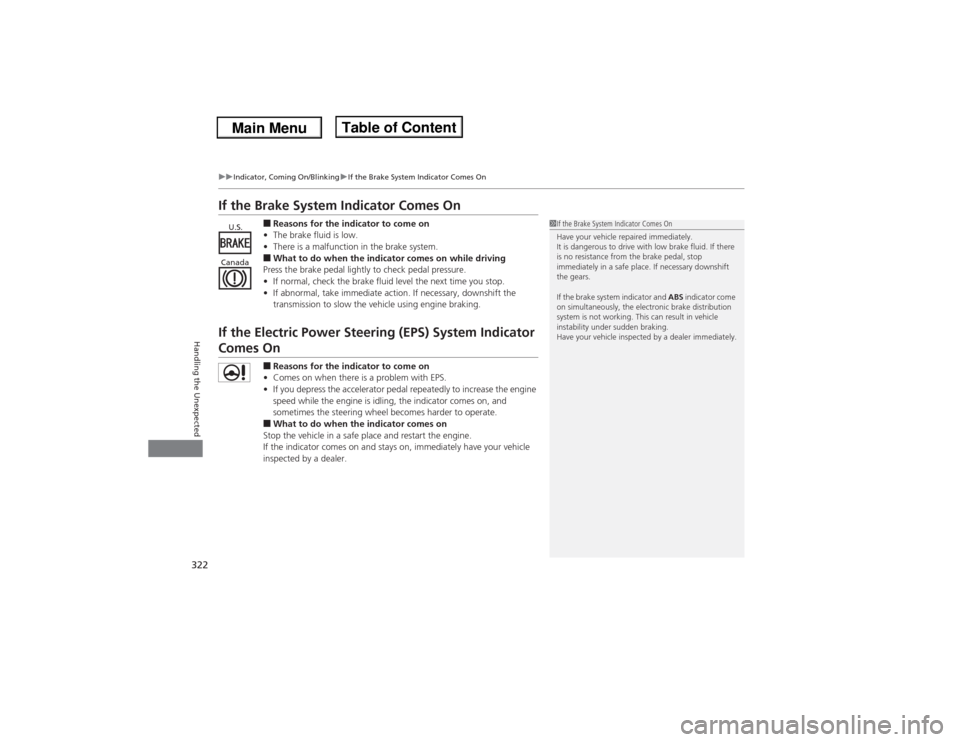
If the Brake System Indicator Comes On
■Reasons for the indicator to come on
•The brake fluid is low.
•There is a malfunction in the brake system.■What to do when the indicator comes on while driving
Press the brake pedal lightly to check pedal pressure.
•If normal, check the brake fluid level the next time you stop.
•If abnormal, take immediate action. If necessary, downshift the
transmission to slow the vehicle using engine braking.
If the Electric Power Steering (EPS) System Indicator Comes On
■Reasons for the indicator to come on
•Comes on when there is a problem with EPS.
•If you depress the accelerator pedal repeatedly to increase the engine
speed while the engine is idling, the indicator comes on, and
sometimes the steering wheel becomes harder to operate.■What to do when the indicator comes on
Stop the vehicle in a safe place and restart the engine.
If the indicator comes on and stays on, immediately have your vehicle
inspected by a dealer.
1If the Brake System Indicator Comes On
Have your vehicle repaired immediately.
It is dangerous to drive with low brake fluid. If there
is no resistance from the brake pedal, stop
immediately in a safe place. If necessary downshift
the gears.
If the brake system indicator and ABS indicator come
on simultaneously, the electronic brake distribution
system is not working. This can result in vehicle
instability under sudden braking.
Have your vehicle inspected by a dealer immediately.
U.S.
Canada
Page 344 of 351
Index
343Index
Index
AABS (Anti-lock Brake System).................. 239
Accessories and Modifications................ 246
Accessory Power Sockets......................... 134
Additives
Coolant .................................................. 268
Engine Oil ............................................... 261
Washer ................................................... 273
Additives, Engine Oil............................... 261
Adjusting
Armrest .................................................. 130
Front Seats.............................................. 123
Head Restraints ....................................... 126
Mirrors.................................................... 121
Rear Seat ................................................ 129
Steering Wheel ....................................... 120
Temperature ............................................. 81
Air Conditioning System (Climate Control
System).................................................... 136
Changing the Mode................................ 136
Defrosting the Windshield and
Windows .............................................. 137
Dust and Pollen Filter .............................. 297
Recirculation/Fresh Air Mode................... 136
Sensors ................................................... 139
Synchronized Mode ................................ 138
Using Automatic Climate Control............ 136
Air Pressure.............................. 287, 331, 333
Airbags....................................................... 33
Advanced Airbags ..................................... 39
After a Collision ........................................ 37Airbag Care ............................................... 47
Event Data Recorder .................................. 19
Front Airbags (SRS) .................................... 36
Indicator ........................................ 44, 67, 71
Passenger Airbag Off Indicator .................. 45
Sensors...................................................... 33
Side Airbag Cutoff System ......................... 42
Side Airbag Off Indicator ........................... 46
Side Airbags .............................................. 40
Side Curtain Airbags .................................. 43
AM/FM Radio............................................ 151
Anti-lock Brake System (ABS).................. 239
Indicator .................................................... 67
Armrest..................................................... 130
Audio Remote Controls............................ 149
Audio System............................................ 142
Adjusting the Sound ................................ 150
Auxiliary Input Jack .................................. 143
Error Messages ........................................ 170
General Information ................................ 173
iPhone®................................................... 176
iPod®....................................................... 158
MP3/WMA/AAC ...................................... 163
Pandora®................................................. 161
Reactivating............................................. 144
Recommended CDs ................................. 174
Recommended Devices ............................ 176
Security Code .......................................... 144
Theft Protection....................................... 144
USB Adapter Cable .................................. 143
USB Flash Drives ...................................... 176Audio/Information Screen....................... 146
Authorized Manuals................................ 341
Auto Door Locking/Unlocking................. 101
Customize ................................................. 86
Automatic Lighting.................................. 115
Automatic Transmission........................... 221
Creeping ................................................. 221
Fluid ........................................................ 270
Kickdown ................................................ 221
Operating the Shift Lever................... 13, 223
Shift Lever Does Not Move ...................... 317
Shifting ................................................... 222
Auxiliary Input Jack.................................. 143
Average Fuel Economy.............................. 81
Average Speed........................................... 82
BBattery...................................................... 295
Charging System Indicator................. 65, 320
Jump Starting .......................................... 314
Maintenance (Checking the Battery) ........ 295
Maintenance (Replacing) ......................... 296
Belts (Seat).................................................. 26
Beverage Holders..................................... 133
Bluetooth® Audio..................................... 166
Bluetooth® HandsFreeLink®..................... 179
Booster Seats (For Children)...................... 59