change time Acura ILX 2015 Owner's Manual
[x] Cancel search | Manufacturer: ACURA, Model Year: 2015, Model line: ILX, Model: Acura ILX 2015Pages: 353, PDF Size: 16.19 MB
Page 3 of 353
Contents
This owner’s manual should be considered a permanent part of the
vehicle and should remain with the vehicle when it is sold.
This owner’s manual covers all models of your vehicle. You may find
descriptions of equipment and features that are not on your
particular model.
Images throughout this owner’s manu al (including the front cover)
represent features and equipment that are available on some, but
not all, models. Your particular mo del may not have some of these
features.
This owner’s manual is for vehicles sold in the United States and
Canada.
The information and specifications in cluded in this publication were
in effect at the time of approval for printing. Honda Motor Co., Ltd.
reserves the right, however, to discontinue or change specifications
or design at any time without notice and without incurring any
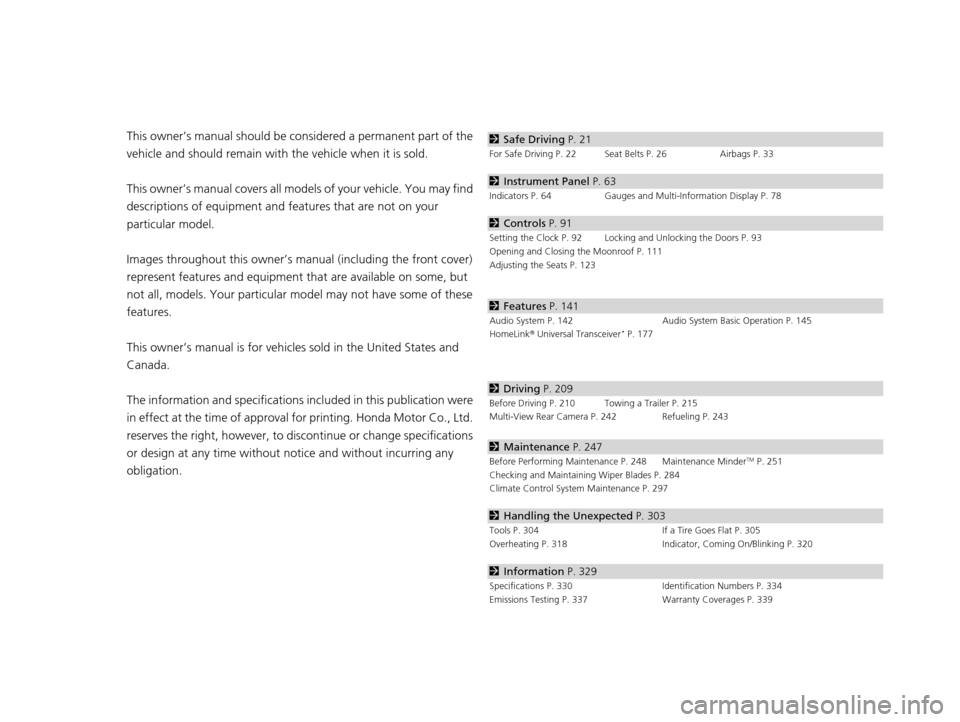
obligation.2 Safe Driving P. 21
For Safe Driving P. 22 Seat Belts P. 26 Airbags P. 33
2Instrument Panel P. 63
Indicators P. 64 Gauges and Multi-Information Display P. 78
2Controls P. 91
Setting the Clock P. 92 Locking and Unlocking the Doors P. 93
Opening and Closing the Moonroof P. 111
Adjusting the Seats P. 123
2Features P. 141
Audio System P. 142 Audio System Basic Operation P. 145
HomeLink ® Universal Transceiver* P. 177
2 Driving P. 209
Before Driving P. 210 Towing a Trailer P. 215
Multi-View Rear Camera P. 242 Refueling P. 243
2Maintenance P. 247
Before Performing Maintenance P. 248 Maintenance MinderTM P. 251
Checking and Maintaining Wiper Blades P. 284
Climate Control System Maintenance P. 297
2Handling the Unexpected P. 303
Tools P. 304 If a Tire Goes Flat P. 305
Overheating P. 318 Indicator, Coming On/Blinking P. 320
2Information P. 329
Specifications P. 330 Identification Numbers P. 334
Emissions Testing P. 337 Warranty Coverages P. 339
15 ACURA ILX-31TX66200.book 2 ページ 2014年3月27日 木曜日 午前10時34分
Page 71 of 353
70
uuIndicators u
Instrument Panel
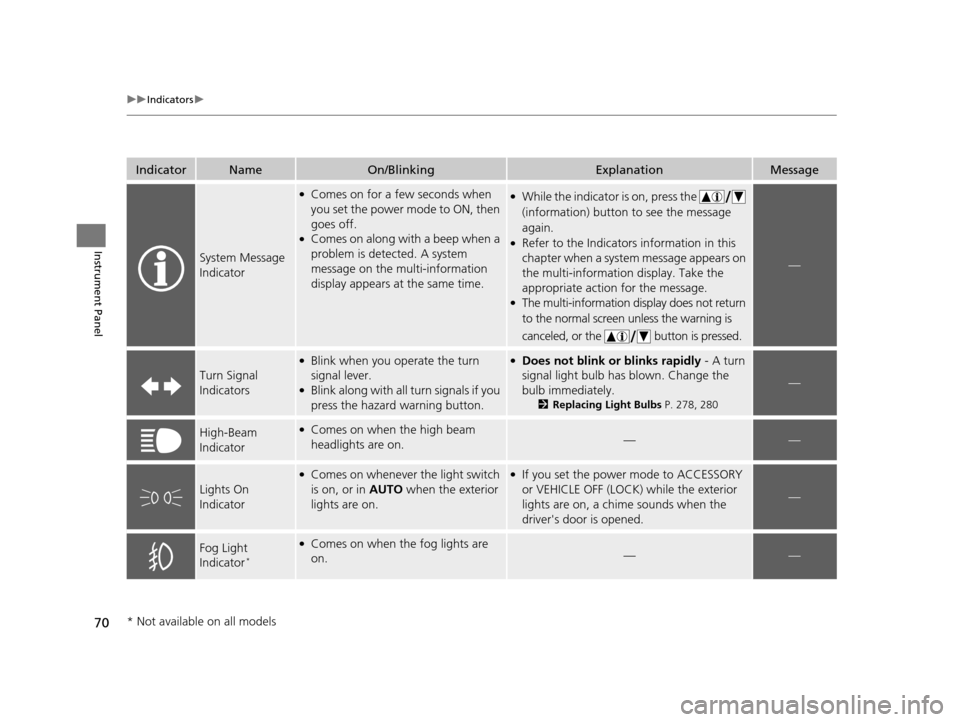
IndicatorNameOn/BlinkingExplanationMessage
System Message
Indicator
●Comes on for a few seconds when
you set the power mode to ON, then
goes off.
●Comes on along with a beep when a
problem is detected. A system
message on the multi-information
display appears at the same time.
●While the indicator is on, press the
(information) button to see the message
again.
●Refer to the Indicators information in this
chapter when a system message appears on
the multi-information display. Take the
appropriate action for the message.
●The multi-information display does not return
to the normal screen unless the warning is
canceled, or the button is pressed.
—
Turn Signal
Indicators
●Blink when you operate the turn
signal lever.
●Blink along with all turn signals if you
press the hazard warning button.
●Does not blink or blinks rapidly - A turn
signal light bulb has blown. Change the
bulb immediately.
2 Replacing Light Bulbs P. 278, 280
—
High-Beam
Indicator●Comes on when the high beam
headlights are on.——
Lights On
Indicator
●Comes on whenever the light switch
is on, or in AUTO when the exterior
lights are on.●If you set the power mode to ACCESSORY
or VEHICLE OFF (LOCK) while the exterior
lights are on, a chime sounds when the
driver's door is opened.
—
Fog Light
Indicator*
●Comes on when the fog lights are
on.——
* Not available on all models
15 ACURA ILX-31TX66200.book 70 ページ 2014年3月27日 木曜日 午前10時34分
Page 76 of 353
75
uuIndicators uMulti-Information Display Warning and Information Messages
Continued
Instrument Panel
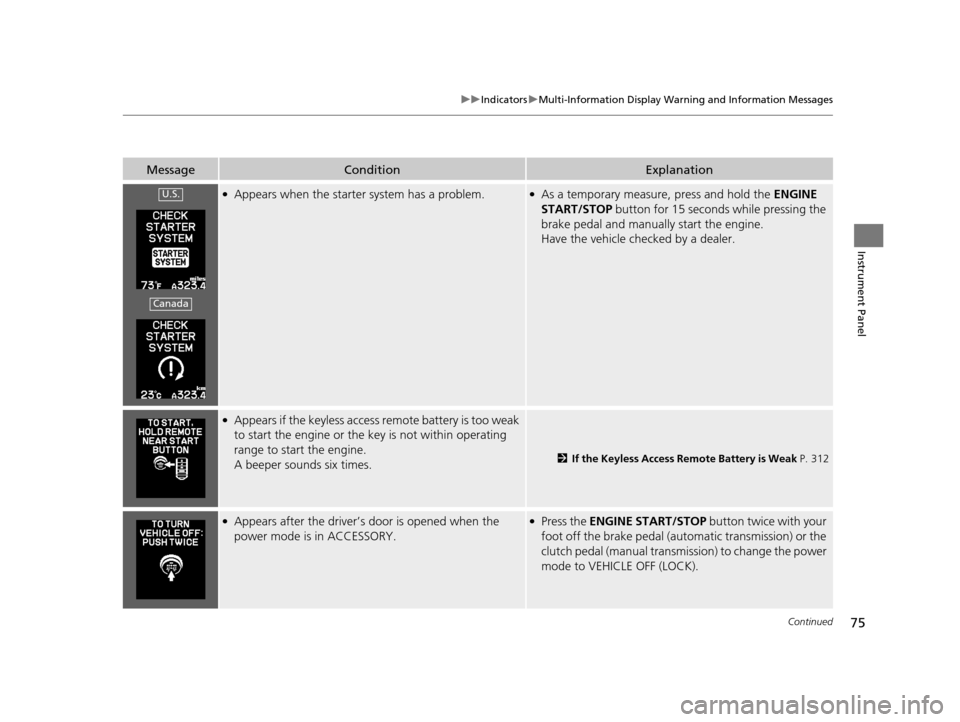
MessageConditionExplanation
●Appears when the starter system has a problem.●As a temporary measure, press and hold the ENGINE
START/STOP button for 15 seconds while pressing the
brake pedal and manually start the engine.
Have the vehicle checked by a dealer.
●Appears if the keyless access remote battery is too weak
to start the engine or the key is not within operating
range to start the engine.
A beeper sounds six times.
2 If the Keyless Access Remote Battery is Weak P. 312
●Appears after the driver’s door is opened when the
power mode is in ACCESSORY.●Press the ENGINE START/STOP button twice with your
foot off the brake pedal (automatic transmission) or the
clutch pedal (manual transmission) to change the power
mode to VEHICLE OFF (LOCK).
U.S.
Canada
15 ACURA ILX-31TX66200.book 75 ページ 2014年3月27日 木曜日 午前10時34分
Page 80 of 353
79
uuGauges and Multi-Information Display uMulti-Information Display
Continued
Instrument Panel
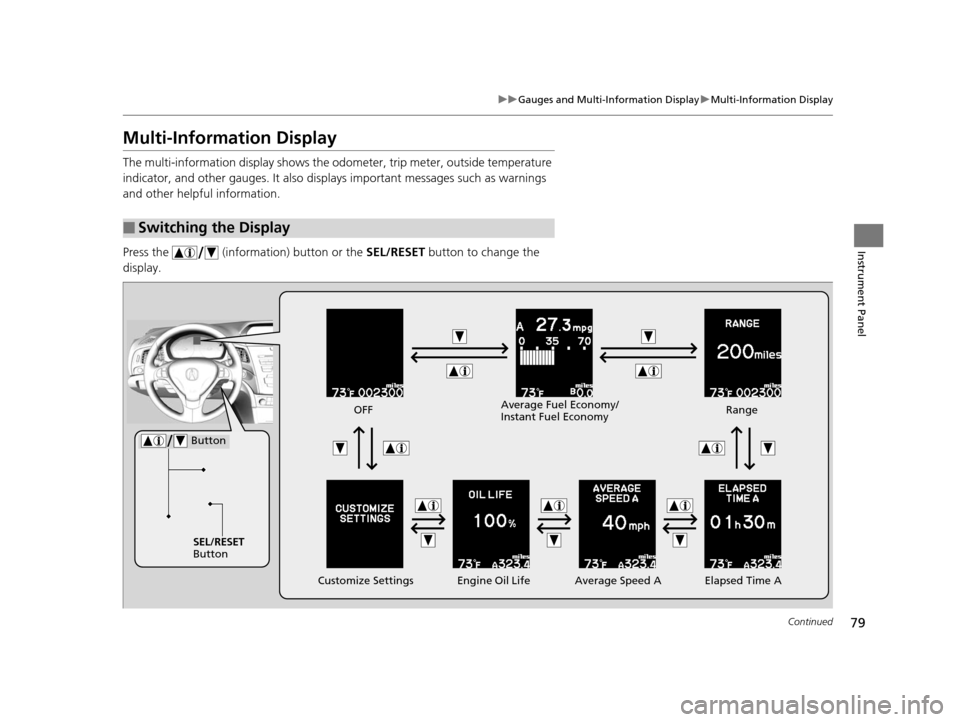
Multi-Information Display
The multi-information displa y shows the odometer, trip meter, outside temperature
indicator, and other gauges. It also displa ys important messages such as warnings
and other helpful information.
Press the (information) button or the SEL/RESET button to change the
display.
■Switching the Display
SEL/RESET
Button
Engine Oil Life
Customize Settings Elapsed Time A
Button
OFF
Average Speed ARange
Average Fuel Economy/
Instant Fuel Economy
15 ACURA ILX-31TX66200.book 79 ページ 2014年3月27日 木曜日 午前10時34分
Page 82 of 353
Continued81
uuGauges and Multi-Information Display uMulti-Information Display
Instrument Panel
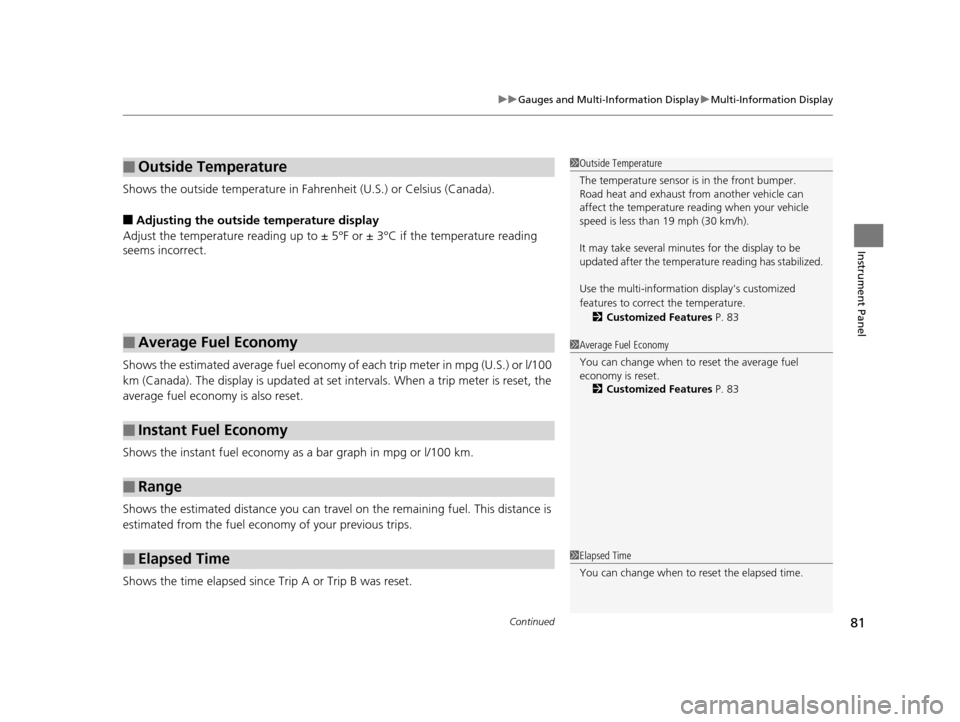
Shows the outside temperature in Fahr enheit (U.S.) or Celsius (Canada).
■Adjusting the outside temperature display
Adjust the temperature reading up to ± 5°F or ± 3°C if the temperature reading
seems incorrect.
Shows the estimated average fuel economy of each trip meter in mpg (U.S.) or l/100
km (Canada). The display is updated at set intervals. When a trip meter is reset, the
average fuel economy is also reset.
Shows the instant fuel economy as a bar graph in mpg or l/100 km.
Shows the estimated distance you can travel on the remaining fuel. This distance is
estimated from the fuel economy of your previous trips.
Shows the time elapsed since Trip A or Trip B was reset.
■Outside Temperature
■Average Fuel Economy
■Instant Fuel Economy
■Range
■Elapsed Time
1 Outside Temperature
The temperature sensor is in the front bumper.
Road heat and exhaust fr om another vehicle can
affect the temperature reading when your vehicle
speed is less than 19 mph (30 km/h).
It may take several minutes for the display to be
updated after the temperature reading has stabilized.
Use the multi-information display's customized
features to correct the temperature.
2 Customized Features P. 83
1Average Fuel Economy
You can change when to reset the average fuel
economy is reset.
2 Customized Features P. 83
1Elapsed Time
You can change when to reset the elapsed time.
15 ACURA ILX-31TX66200.book 81 ページ 2014年3月27日 木曜日 午前10時34分
Page 86 of 353
85
uuGauges and Multi-Information Display uMulti-Information Display
Continued
Instrument Panel
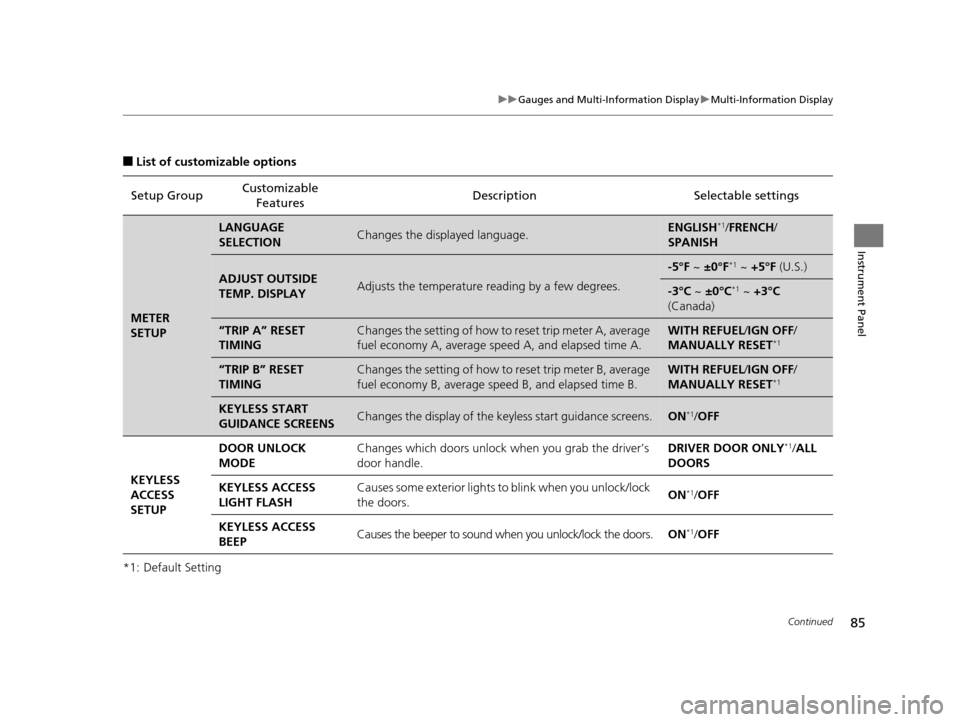
■List of customizable options
*1: Default Setting Setup Group
Customizable
Features Description Selectable settings
METER
SETUP
LANGUAGE
SELECTIONChanges the displayed language.ENGLISH*1/
FRENCH /
SPANISH
ADJUST OUTSIDE
TEMP. DISPLAYAdjusts the temperature r eading by a few degrees.
-5°F ~ ±0°F*1 ~ +5°F (U.S.)
-3°C ~ ±0°C*1 ~ +3°C
(Canada)
“TRIP A” RESET
TIMINGChanges the setting of how to reset trip meter A, average
fuel economy A, average speed A, and elapsed time A.WITH REFUEL /IGN OFF /
MANUALLY RESET*1
“TRIP B” RESET
TIMINGChanges the setting of how to reset trip meter B, average
fuel economy B, average sp eed B, and elapsed time B.WITH REFUEL/IGN OFF /
MANUALLY RESET*1
KEYLESS START
GUIDANCE SCREENSChanges the display of the key less start guidance screens.ON*1/OFF
KEYLESS
ACCESS
SETUP DOOR UNLOCK
MODE
Changes which doors unlock when you grab the driver’s
door handle. DRIVER DOOR ONLY
*1/
ALL
DOORS
KEYLESS ACCESS
LIGHT FLASH Causes some exterior lights to blink when you unlock/lock
the doors.
ON
*1/
OFF
KEYLESS ACCESS
BEEP Causes the beeper to sound when you unlock/lock the doors.
ON
*1/OFF
15 ACURA ILX-31TX66200.book 85 ページ 2014年3月27日 木曜日 午前10時34分
Page 87 of 353
86
uuGauges and Multi-Information Display uMulti-Information Display
Instrument Panel
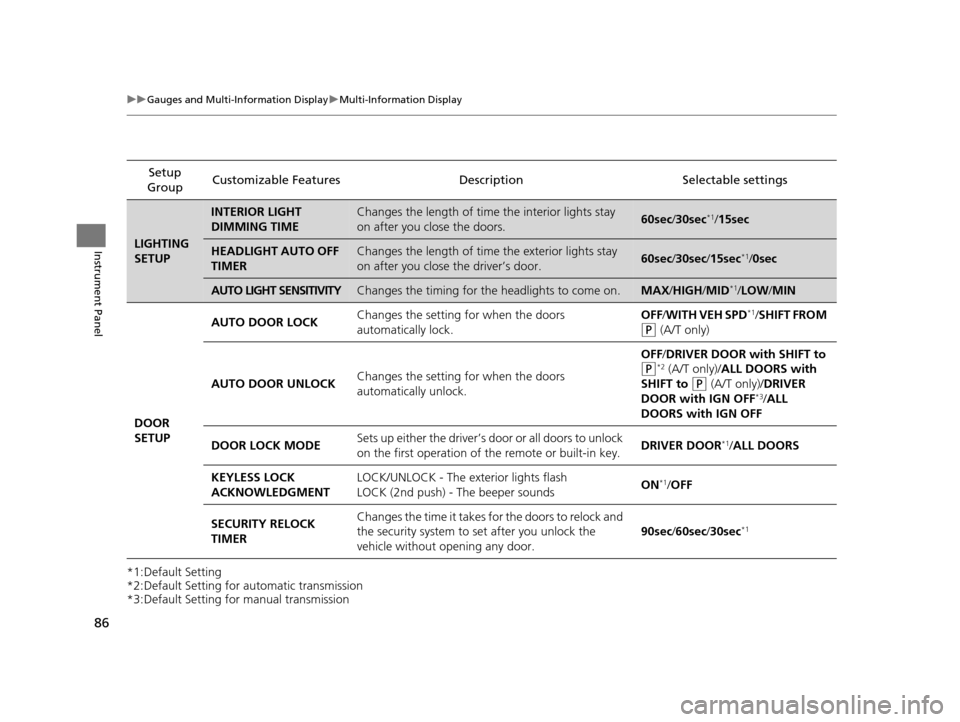
*1:Default Setting
*2:Default Setting for automatic transmission
*3:Default Setting for manual transmission Setup
Group Customizable Features
DescriptionSelectable settings
LIGHTING
SETUP
INTERIOR LIGHT
DIMMING TIMEChanges the length of time the interior lights stay
on after you close the doors.60sec/30sec*1/ 15sec
HEADLIGHT AUTO OFF
TIMERChanges the length of time the exterior lights stay
on after you close the driver’s door.60sec /30sec /15sec*1/0sec
AUTO LIGHT SENSITIVITYChanges the timing for the headlights to come on.MAX /HIGH/ MID*1/LOW /MIN
DOOR
SETUP AUTO DOOR LOCK
Changes the setting for when the doors
automatically lock. OFF
/WITH VEH SPD
*1/SHIFT FROM
(P (A/T only)
AUTO DOOR UNLOCK Changes the setting for when the doors
automatically unlock. OFF
/DRIVER DOOR with SHIFT to
(P*2 (A/T only)/ALL DOORS with
SHIFT to
(P (A/T only)/ DRIVER
DOOR with IGN OFF*3/ ALL
DOORS with IGN OFF
DOOR LOCK MODE Sets up either the driver’s d
oor or all doors to unlock
on the first operation of the remote or built-in key. DRIVER DOOR
*1/
ALL DOORS
KEYLESS LOCK
ACKNOWLEDGMENT LOCK/UNLOCK - The exterior lights flash
LOCK (2nd push) - The beeper sounds
ON
*1/
OFF
SECURITY RELOCK
TIMER Changes the time it takes for the doors to relock and
the security system to set after you unlock the
vehicle without opening any door.
90sec
/60sec /30sec
*1
15 ACURA ILX-31TX66200.book 86 ページ 2014年3月27日 木曜日 午前10時34分
Page 96 of 353
95
uuLocking and Unlocking the Doors uLocking/Unlocking the Doors from the Outside
Continued
Controls
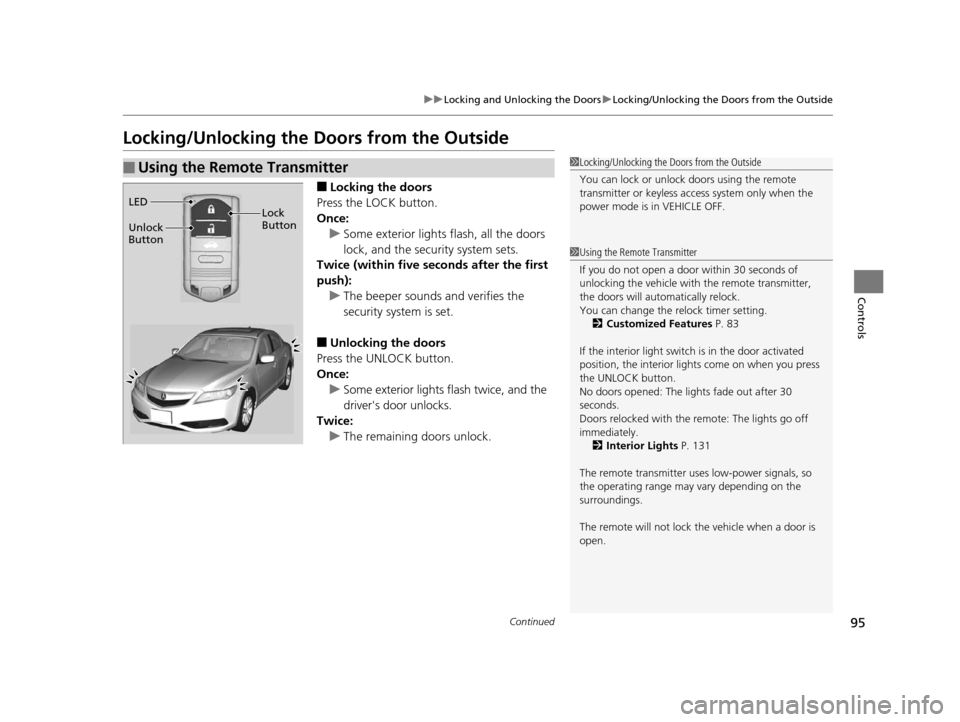
Locking/Unlocking the Doors from the Outside
■Locking the doors
Press the LOCK button.
Once: u Some exterior lights flash, all the doors
lock, and the security system sets.
Twice (within five se conds after the first
push): u The beeper sounds and verifies the
security system is set.
■Unlocking the doors
Press the UNLOCK button.
Once:
u Some exterior lights flash twice, and the
driver's door unlocks.
Twice:
u The remaining doors unlock.
■Using the Remote Transmitter1Locking/Unlocking the Doors from the Outside
You can lock or unlock doors using the remote
transmitter or keyless access system only when the
power mode is in VEHICLE OFF.
1Using the Remote Transmitter
If you do not open a door within 30 seconds of
unlocking the vehicle with the remote transmitter,
the doors will auto matically relock.
You can change the relock timer setting.
2 Customized Features P. 83
If the interior light switch is in the door activated
position, the interior light s come on when you press
the UNLOCK button.
No doors opened: The li ghts fade out after 30
seconds.
Doors relocked with the remote: The lights go off
immediately. 2 Interior Lights P. 131
The remote transmitter us es low-power signals, so
the operating range may vary depending on the
surroundings.
The remote will not lock th e vehicle when a door is
open.
LED
Unlock
Button Lock
Button
15 ACURA ILX-31TX66200.book 95 ページ 2014年3月27日 木曜日 午前10時34分
Page 108 of 353
107
uuSecurity System uSecurity System Alarm
Controls
■Setting the security system alarm
The security system alarm automatically sets when the following conditions have
been met:
• The power mode is set to VEHICLE OFF (LOCK).
• The hood and trunk are closed.
• All doors are locked from outside with the key, remote transmitter or keyless
access system.
■When the security system alarm sets
The security system indicator in the in strument panel blinks. When the blinking
interval changes after about 15 seconds, the security system is set.
■To cancel the security system alarm
The security system is canceled when the ve hicle is unlocked using the key or remote
transmitter, or you grab either front do or handle while carrying the keyless access
remote. The security system indica tor goes off at the same time.
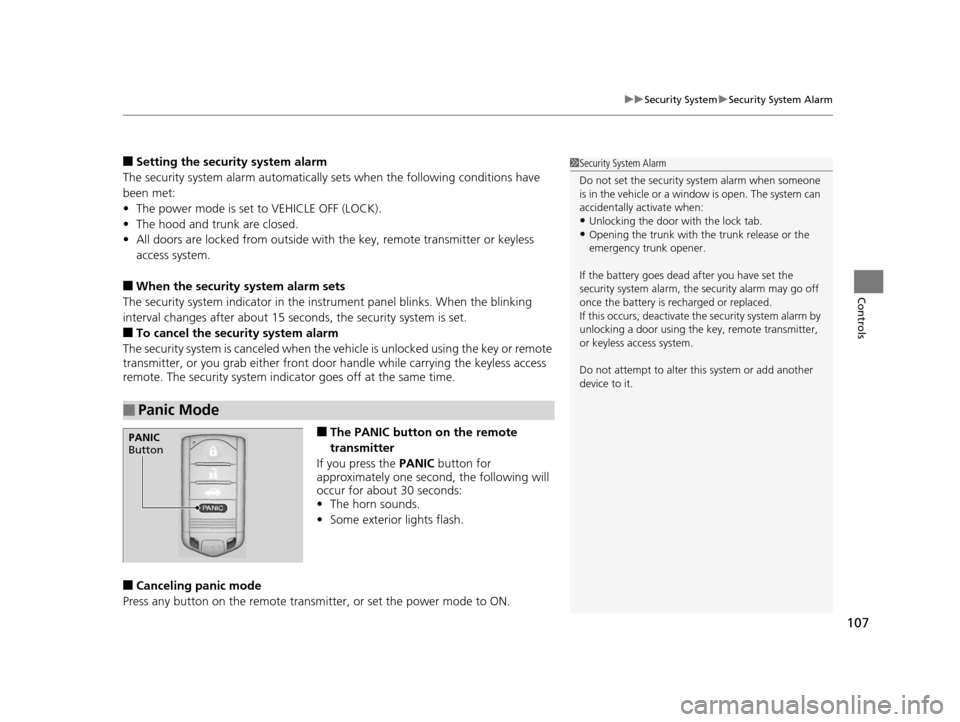
■The PANIC button on the remote
transmitter
If you press the PANIC button for
approximately one second, the following will
occur for about 30 seconds:
• The horn sounds.
• Some exterior lights flash.
■Canceling panic mode
Press any button on the remote transmi tter, or set the power mode to ON.
■Panic Mode
1Security System Alarm
Do not set the security system alarm when someone
is in the vehicle or a window is open. The system can
accidentally activate when:
•Unlocking the door with the lock tab.•Opening the trunk with the trunk release or the
emergency trunk opener.
If the battery goes dead after you have set the
security system alarm, the security alarm may go off
once the battery is re charged or replaced.
If this occurs, deactivate the security system alarm by
unlocking a door using the ke y, remote transmitter,
or keyless access system.
Do not attempt to alter th is system or add another
device to it.
PANIC
Button
15 ACURA ILX-31TX66200.book 107 ページ 2014年3月27日 木曜日 午前10時34分
Page 115 of 353
114
uuOperating the Switches Around the Steering Wheel uTurn Signals
Controls
Turn Signals
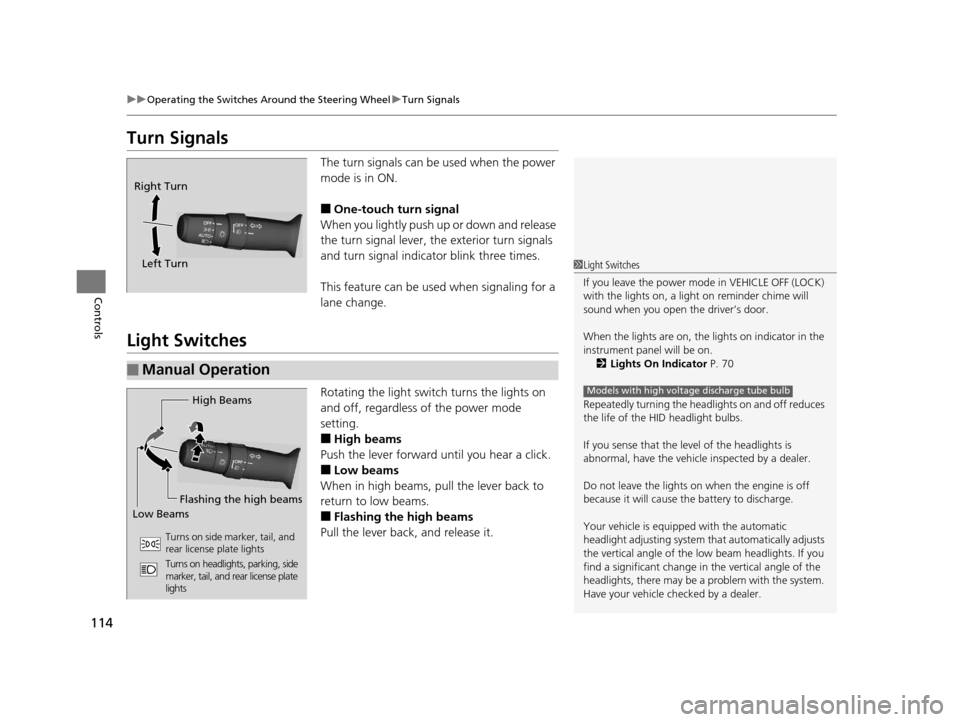
The turn signals can be used when the power
mode is in ON.
■One-touch turn signal
When you lightly push up or down and release
the turn signal lever, th e exterior turn signals
and turn signal indica tor blink three times.
This feature can be used when signaling for a
lane change.
Light Switches
Rotating the light switch turns the lights on
and off, regardless of the power mode
setting.
■High beams
Push the lever forward until you hear a click.
■Low beams
When in high beams, pull the lever back to
return to low beams.
■Flashing the high beams
Pull the lever back, and release it.
Right Turn
Left Turn
■Manual Operation
1 Light Switches
If you leave the power mode in VEHICLE OFF (LOCK)
with the lights on, a light on reminder chime will
sound when you open the driver’s door.
When the lights are on, the lights on indicator in the
instrument pane l will be on.
2 Lights On Indicator P. 70
Repeatedly turning the headlights on and off reduces
the life of the HI D headlight bulbs.
If you sense that the le vel of the headlights is
abnormal, have the vehicl e inspected by a dealer.
Do not leave the lights on when the engine is off
because it will cause the battery to discharge.
Your vehicle is equipped with the automatic
headlight adjusting system that automatically adjusts
the vertical angle of the low beam headlights. If you
find a significant change in the vertical angle of the
headlights, there may be a problem with the system.
Have your vehicle checked by a dealer.
Models with high voltage discharge tube bulbHigh Beams
Flashing the high beams
Low Beams
Turns on side marker, tail, and
rear license plate lights
Turns on headlights, parking, side
marker, tail, and rear license plate
lights
15 ACURA ILX-31TX66200.book 114 ページ 2014年3月27日 木曜日 午前10時34分