buttons Acura ILX 2016 Owner's Guide
[x] Cancel search | Manufacturer: ACURA, Model Year: 2016, Model line: ILX, Model: Acura ILX 2016Pages: 521, PDF Size: 24.09 MB
Page 352 of 521
351
uuWhen Driving uCruise Control*
Driving
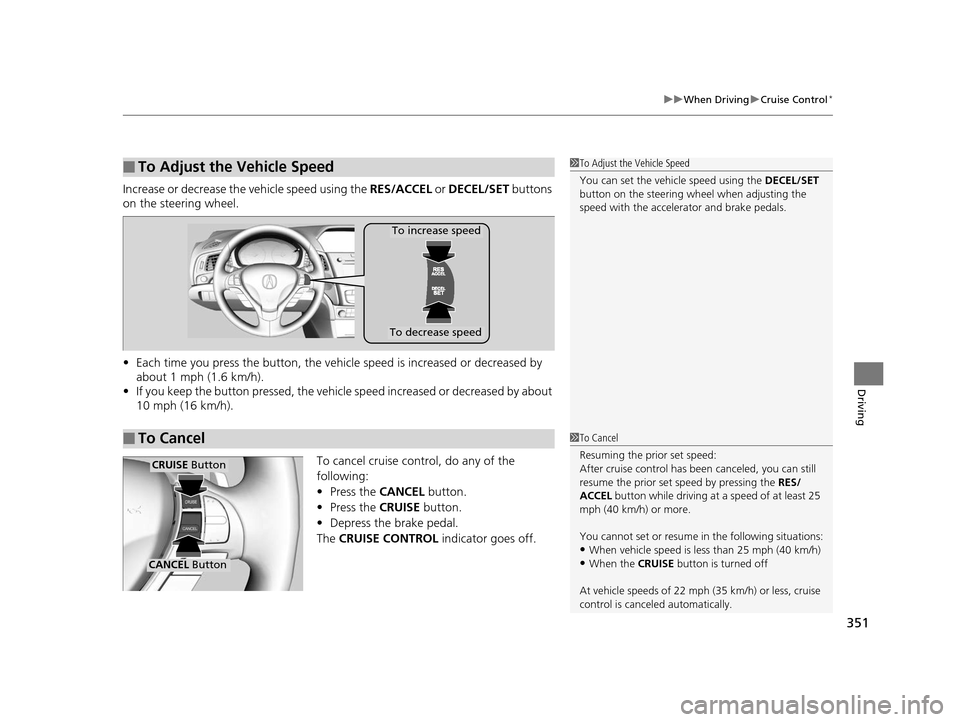
Increase or decrease the vehicle speed using the RES/ACCEL or DECEL/SET buttons
on the steering wheel.
• Each time you press the button, the vehicl e speed is increased or decreased by
about 1 mph (1.6 km/h).
• If you keep the button pressed, the vehicl e speed increased or decreased by about
10 mph (16 km/h).
To cancel cruise control, do any of the
following:
• Press the CANCEL button.
• Press the CRUISE button.
• Depress the brake pedal.
The CRUISE CONTROL indicator goes off.
■To Adjust the Vehicle Speed1To Adjust the Vehicle Speed
You can set the vehicle speed using the DECEL/SET
button on the steering wheel when adjusting the
speed with the accelera tor and brake pedals.
■To Cancel
To decrease speed
To increase speed
1To Cancel
Resuming the prior set speed:
After cruise control has be en canceled, you can still
resume the prior set speed by pressing the RES/
ACCEL button while driving at a speed of at least 25
mph (40 km/h) or more.
You cannot set or resume in the following situations:
•When vehicle speed is less than 25 mph (40 km/h)
•When the CRUISE button is turned off
At vehicle speeds of 22 m ph (35 km/h) or less, cruise
control is canceled automatically.
CRUISE Button
CANCEL Button
16 ACURA ILX-31TX66300.book 351 ページ 2014年12月22日 月曜日 午後10時15分
Page 362 of 521
Continued361
uuWhen Driving uAdaptive Cruise Control (ACC)*
Driving
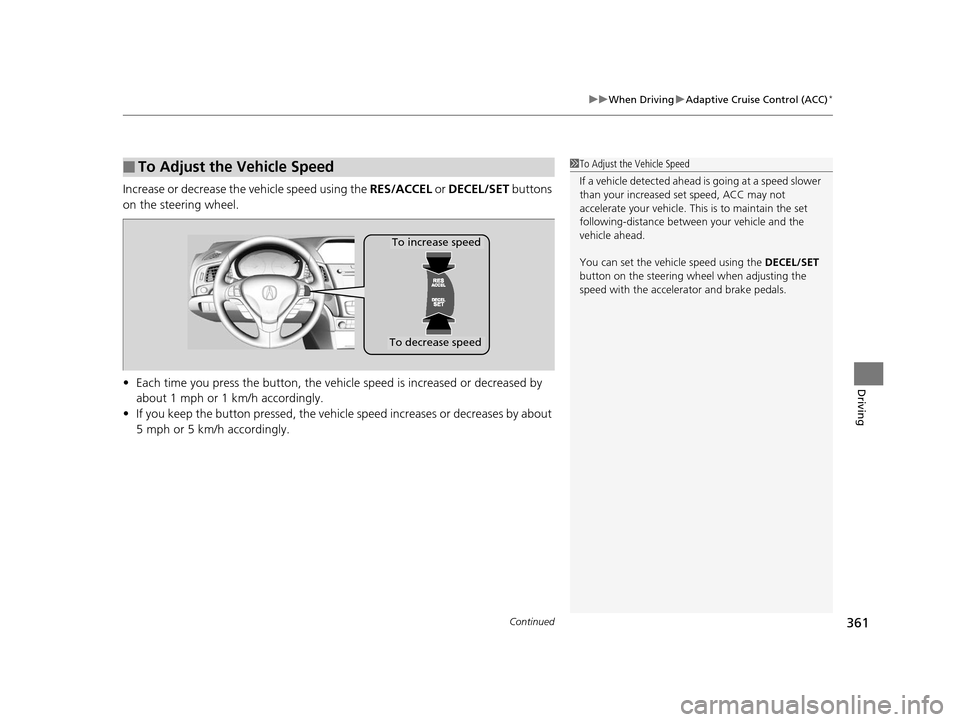
Increase or decrease the vehicle speed using the RES/ACCEL or DECEL/SET buttons
on the steering wheel.
• Each time you press the button, the vehicl e speed is increased or decreased by
about 1 mph or 1 km/h accordingly.
• If you keep the button pressed, the vehicle speed increases or decreases by about
5 mph or 5 km/h accordingly.
■To Adjust the Vehicle Speed1To Adjust the Vehicle Speed
If a vehicle detected ahead is going at a speed slower
than your increased set speed, ACC may not
accelerate your vehicle. This is to maintain the set
following-distance betwee n your vehicle and the
vehicle ahead.
You can set the vehicle speed using the DECEL/SET
button on the steering wheel when adjusting the
speed with the accelera tor and brake pedals.
To increase speed
To decrease speed
16 ACURA ILX-31TX66300.book 361 ページ 2014年12月22日 月曜日 午後10時15分
Page 453 of 521
452
Maintenance
Remote Transmitter Care
Replacing the Button Battery
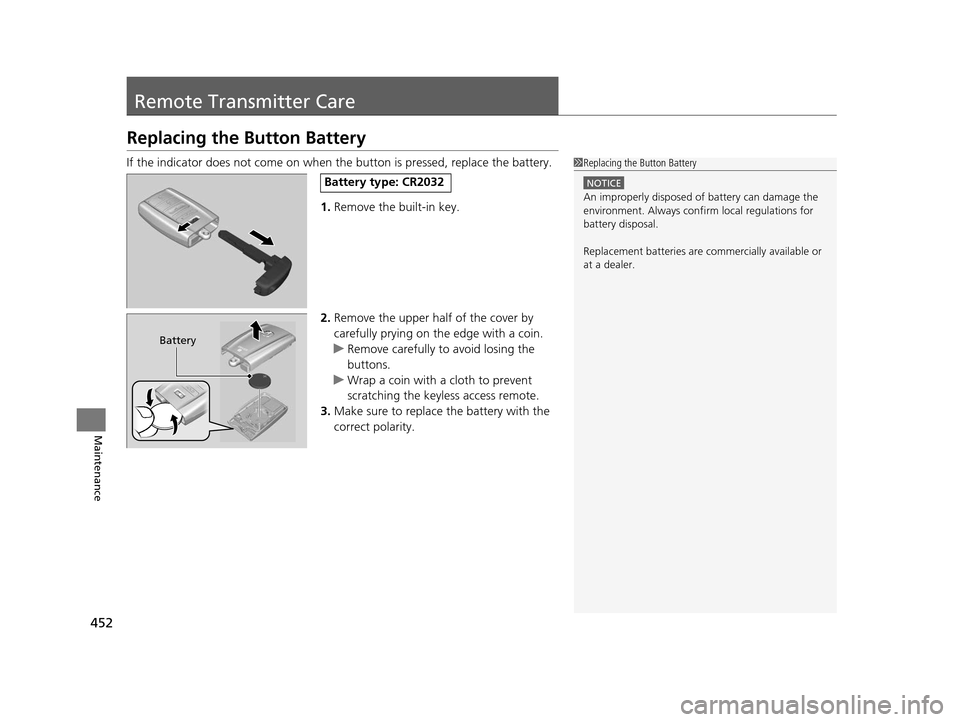
If the indicator does not come on when the button is pressed, replace the battery.
1. Remove the built-in key.
2. Remove the upper half of the cover by
carefully prying on the edge with a coin.
u Remove carefully to avoid losing the
buttons.
u Wrap a coin with a cloth to prevent
scratching the keyle ss access remote.
3. Make sure to replace the battery with the
correct polarity.1 Replacing the Button Battery
NOTICE
An improperly disposed of battery can damage the
environment. Always conf irm local regulations for
battery disposal.
Replacement batteries are commercially available or
at a dealer.
Battery type: CR2032
Battery
16 ACURA ILX-31TX66300.book 452 ページ 2014年12月22日 月曜日 午後10時15分
Page 454 of 521
453
uuRemote Transmitter Care uReplacing the Button Battery
Maintenance
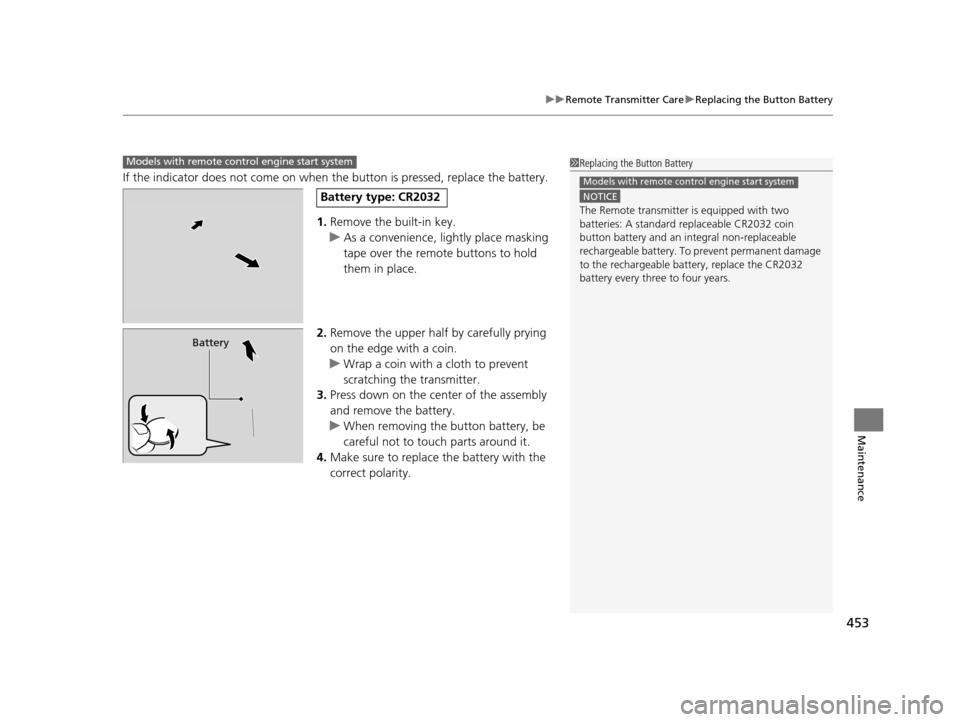
If the indicator does not come on when the button is pressed, replace the battery.
1. Remove the built-in key.
u As a convenience, lightly place masking
tape over the remote buttons to hold
them in place.
2. Remove the upper half by carefully prying
on the edge with a coin.
u Wrap a coin with a cloth to prevent
scratching the transmitter.
3. Press down on the center of the assembly
and remove the battery.
u When removing the button battery, be
careful not to touch parts around it.
4. Make sure to replace the battery with the
correct polarity.
1Replacing the Button Battery
NOTICE
The Remote transmitter is equipped with two
batteries: A standard replaceable CR2032 coin
button battery and an in tegral non-replaceable
rechargeable battery. To prevent permanent damage
to the rechargeable battery, replace the CR2032
battery every three to four years.
Models with remote control engine start system
Models with remote control engine start system
Battery type: CR2032
Battery
16 ACURA ILX-31TX66300.book 453 ページ 2014年12月22日 月曜日 午後10時15分
Page 484 of 521

483
uuEngine Does Not Start uIf the Keyless Access Remote Battery is Weak
Handling the Unexpected
If the Keyless Access Re mote Battery is Weak
If the beeper sounds, the To Start, Hold Remote Near Start Button message
appears on the multi-information display, the indicator on the ENGINE START/
STOP button flashes, and the engine won’t start. Start the engine as follows.
1. Touch the center of the ENGINE START/
STOP button with the A logo on the keyless
access remote while the indicator on the
ENGINE START/STOP button is flashing.
The buttons on the keyless access remote
should be facing you.
u The indicator flashes for about 30
seconds.
2. Depress the brake pedal and press the
ENGINE START/STOP button within 10
seconds after the beeper sounds and the
indicator stays on.
u If you don’t depress the pedal, the mode
will change to ACCESSORY.
16 ACURA ILX-31TX66300.book 483 ページ 2014年12月22日 月曜日 午後10時15分
Page 516 of 521
515
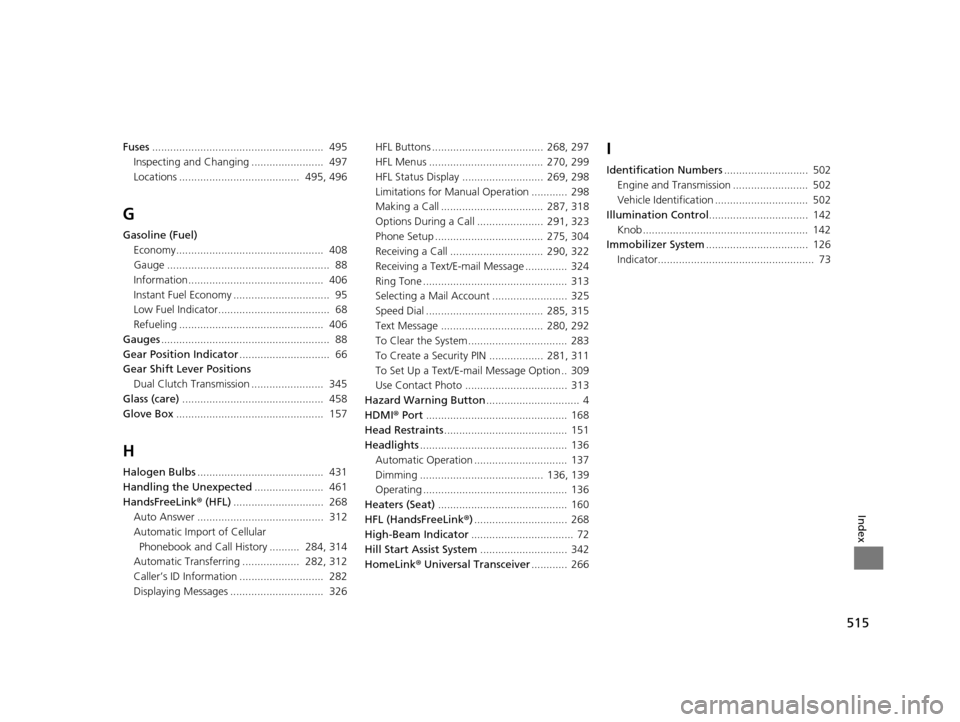
Index
Fuses......................................................... 495
Inspecting and Changing ........................ 497
Locations ........................................ 495, 496
G
Gasoline (Fuel)
Economy................................................. 408
Gauge ...................................................... 88
Information............................................. 406
Instant Fuel Economy ................................ 95
Low Fuel Indicator..................................... 68
Refueling ................................................ 406
Gauges ........................................................ 88
Gear Position Indicator .............................. 66
Gear Shift Lever Positions
Dual Clutch Transmission ........................ 345
Glass (care) ............................................... 458
Glove Box ................................................. 157
H
Halogen Bulbs .......................................... 431
Handling the Unexpected ....................... 461
HandsFreeLink ® (HFL) .............................. 268
Auto Answer .......................................... 312
Automatic Import of Cellular Phonebook and Call History .......... 284, 314
Automatic Transferring ................... 282, 312
Caller’s ID Information ............................ 282
Displaying Messages ............................... 326 HFL Buttons ..................................... 268, 297
HFL Menus ...................................... 270, 299
HFL Status Display ........................... 269, 298
Limitations for Manua
l Operation ............ 298
Making a Call .................................. 287, 318
Options During a Call ...................... 291, 323
Phone Setup .................................... 275, 304
Receiving a Call ............................... 290, 322
Receiving a Text/E-mail Message .............. 324
Ring Tone ................................................ 313
Selecting a Mail Account ......................... 325
Speed Dial ....................................... 285, 315
Text Message .................................. 280, 292
To Clear the System ................................. 283
To Create a Security PIN .................. 281, 311
To Set Up a Text/E-mail Message Option .. 309
Use Contact Photo .................................. 313
Hazard Warning Button ............................... 4
HDMI ® Port ............................................... 168
Head Restraints ......................................... 151
Headlights ................................................. 136
Automatic Operation ............................... 137
Dimming ......................................... 136, 139
Operating ................................................ 136
Heaters (Seat) ........................................... 160
HFL (HandsFreeLink ®)............................... 268
High-Beam Indicator .................................. 72
Hill Start Assist System ............................. 342
HomeLink® Universal Transceiver ............ 266
I
Identification Numbers ............................ 502
Engine and Transmission ......................... 502
Vehicle Identification ............................... 502
Illumination Control ................................. 142
Knob ....................................................... 142
Immobilizer System .................................. 126
Indicator.................................................... 73
16 ACURA ILX-31TX66300.book 515 ページ 2014年12月22日 月曜日 午後10時15分