emergency Acura ILX 2020 Owner's Manual
[x] Cancel search | Manufacturer: ACURA, Model Year: 2020, Model line: ILX, Model: Acura ILX 2020Pages: 621, PDF Size: 34.94 MB
Page 4 of 621
Contents
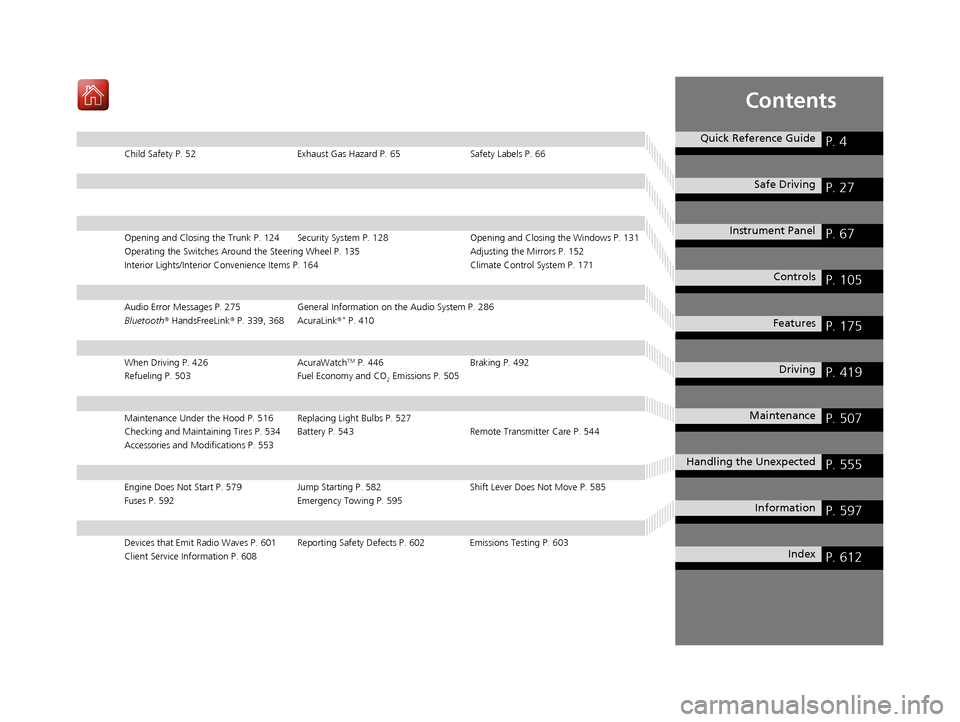
Child Safety P. 52Exhaust Gas Hazard P. 65Safety Labels P. 66
Opening and Closing the Trunk P. 124 Security System P. 128 Opening and Closing the Windows P. 131
Operating the Switches Around the Steering Wheel P. 135 Adjusting the Mirrors P. 152
Interior Lights/Interior Convenience It ems P. 164 Climate Control System P. 171
Audio Error Messages P. 275General Information on the Audio System P. 286
Bluetooth ® HandsFreeLink ® P. 339, 368 AcuraLink ®* P. 410
When Driving P. 426 AcuraWatchTM P. 446Braking P. 492
Refueling P. 503 Fuel Economy and CO
2 Emissions P. 505
Maintenance Under the Hood P. 516 Replacing Light Bulbs P. 527
Checking and Maintaining Tires P. 534 Battery P. 543 Remote Transmitter Care P. 544
Accessories and Modifications P. 553
Engine Does Not Start P. 579Jump Starting P. 582 Shift Lever Does Not Move P. 585
Fuses P. 592 Emergency Towing P. 595
Devices that Emit Radio Waves P. 601 Reporting Safety Defects P. 602 Emissions Testing P. 603
Client Service Information P. 608
Quick Reference GuideP. 4
Safe DrivingP. 27
Instrument PanelP. 67
ControlsP. 105
FeaturesP. 175
DrivingP. 419
MaintenanceP. 507
Handling the UnexpectedP. 555
InformationP. 597
IndexP. 612
20 ACURA ILX-31TX66710.book 3 ページ 2020年4月16日 木曜日 午後8時46分
Page 9 of 621
Visual Index
8
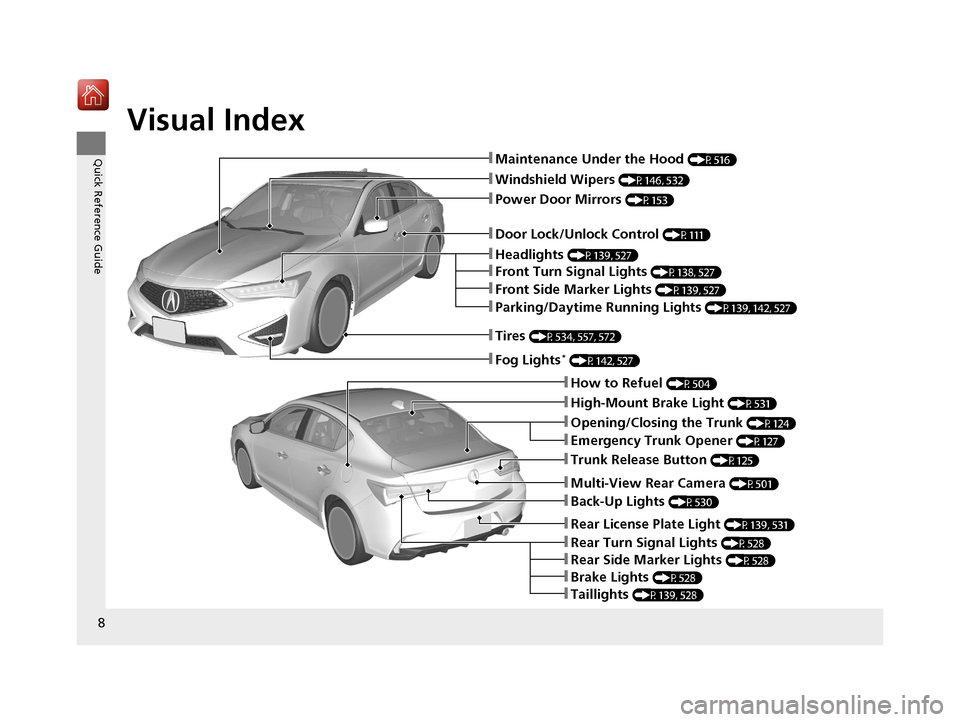
Quick Reference Guide❚Maintenance Under the Hood (P516)
❚Windshield Wipers (P146, 532)
❚Tires (P534, 557, 572)
❚Door Lock/Unlock Control (P111)
❚Power Door Mirrors (P153)
❚Headlights (P139, 527)
❚Parking/Daytime Running Lights (P139, 142, 527)
❚Front Turn Signal Lights (P138, 527)
❚Front Side Marker Lights (P139, 527)
❚Fog Lights* (P142, 527)
❚How to Refuel (P504)
❚High-Mount Brake Light (P531)
❚Emergency Trunk Opener (P127)
❚Opening/Closing the Trunk (P124)
❚Back-Up Lights (P530)
❚Multi-View Rear Camera (P501)
❚Trunk Release Button (P125)
❚Taillights (P139, 528)
❚Rear Turn Signal Lights (P528)
❚Rear License Plate Light (P139, 531)
❚Brake Lights (P528)
❚Rear Side Marker Lights (P528)
20 ACURA ILX-31TX66710.book 8 ページ 2020年4月16日 木曜日 午後8時46分
Page 23 of 621
22
Quick Reference Guide
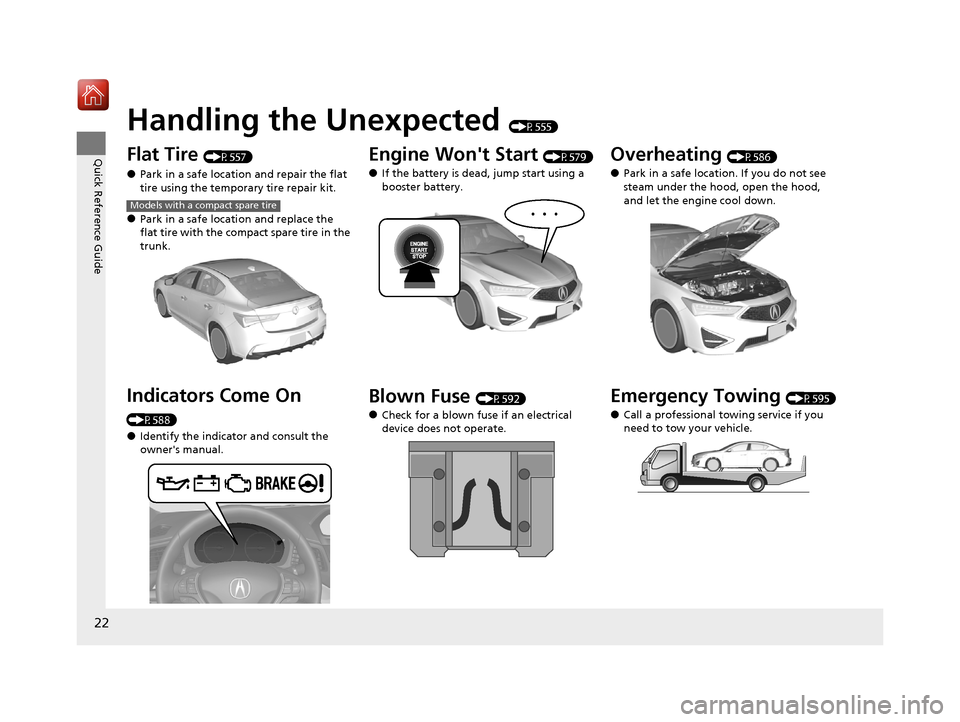
Handling the Unexpected (P555)
Flat Tire (P557)
●Park in a safe location and repair the flat
tire using the temporary tire repair kit.
●Park in a safe location and replace the
flat tire with the compact spare tire in the
trunk.
Indicators Come On
(P588)
●Identify the indicator and consult the
owner's manual.
Models with a compact spare tire
Engine Won't Start (P579)
●If the battery is dead, jump start using a
booster battery.
Blown Fuse (P592)
●Check for a blown fuse if an electrical
device does not operate.
Overheating (P586)
●Park in a safe location. If you do not see
steam under the hood, open the hood,
and let the engine cool down.
Emergency Towing (P595)
●Call a professional towing service if you
need to tow your vehicle.
20 ACURA ILX-31TX66710.book 22 ページ 2020年4月16日 木曜日 午後8時46分
Page 33 of 621
32
Safe Driving
Seat Belts
About Your Seat Belts
Seat belts are the single most effective safety device because they keep you
connected to the vehicle so that you can take advantage of many built-in safety
features. They also help keep you from being thrown against the inside of the
vehicle, against any passenger s, or out of the vehicle. When worn properly, seat
belts also keep your body properly positi oned in a crash so that you can take full
advantage of the additional prot ection provided by the airbags.
In addition, seat belts help protect you in almost every type of crash, including:
- frontal impacts
- side impacts
- rear impacts
- rollovers
■Lap/shoulder seat belts
All five seating positions are equipped with lap/shoulder seat belts with emergency
locking retractors. In normal driving the retractor lets you move freely while keeping
some tension on the belt. During a collis ion or sudden stop the retractor locks to
restrain your body.
The front passenger’s and rear seat belts al so have a lockable retractor for use with
child seats.
2 Installing a Child Seat with a Lap/Shoulder Seat Belt P. 59
1About Your Seat Belts
Seat belts cannot complete ly protect you in every
crash. But in most cases, seat belts can reduce your
risk of serious injury.
Most states and all Canadian provinces and territories
require you to wear seat belts.
If you extend the seat belt t oo quickly, it will lock in
place. If this happens, sli ghtly retract the seat belt,
then extend it slowly.
3WARNING
Not wearing a seat belt properly increases
the chance of serious injury or death in a
crash, even though your vehicle has
airbags.
Be sure you and your passengers always
wear seat belts and wear them properly.
20 ACURA ILX-31TX66710.book 32 ページ 2020年4月16日 木曜日 午後8時46分
Page 86 of 621
85
uuIndicators uMulti-Information Display Warning and Information Messages
Continued
Instrument Panel
MessageConditionExplanation
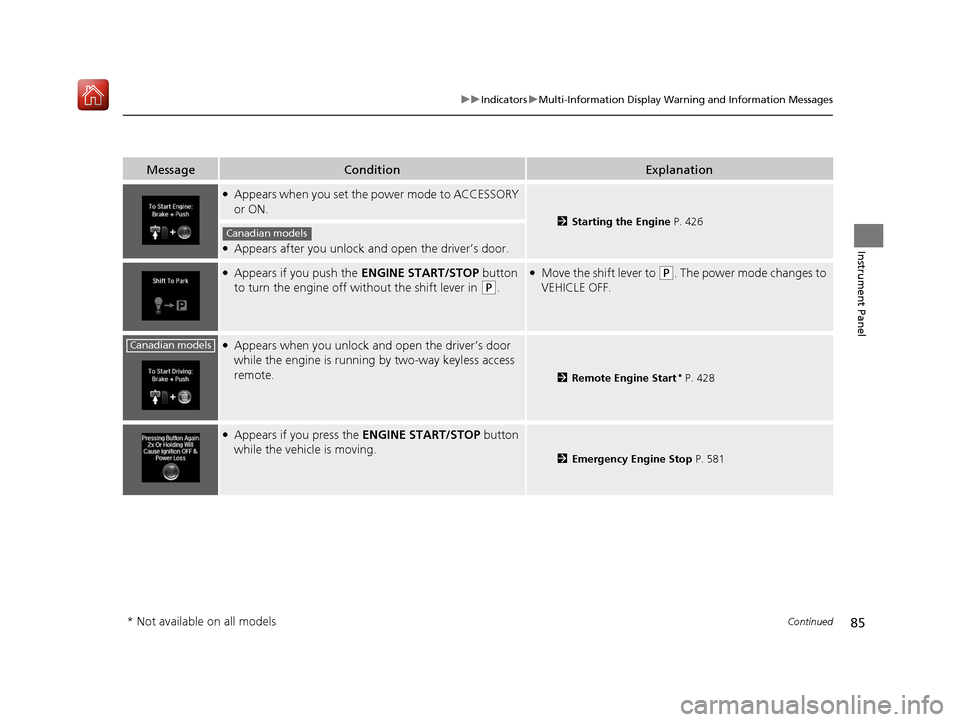
●Appears when you set the power mode to ACCESSORY
or ON.
2 Starting the Engine P. 426
●Appears after you unlock and open the driver’s door.
●Appears if you push the ENGINE START/STOP button
to turn the engine off wi thout the shift lever in
(P.
●Move the shift lever to (P. The power mode changes to
VEHICLE OFF.
●Appears when you unlock an d open the driver’s door
while the engine is running by two-way keyless access
remote.
2 Remote Engine Start* P. 428
●Appears if you press the ENGINE START/STOP button
while the vehicle is moving.
2 Emergency Engine Stop P. 581
Canadian models
Canadian models
* Not available on all models
20 ACURA ILX-31TX66710.book 85 ページ 2020年4月16日 木曜日 午後8時46分
Page 128 of 621
127
uuOpening and Closing the Trunk uEmergency Trunk Opener
Controls
Emergency Trunk Opener
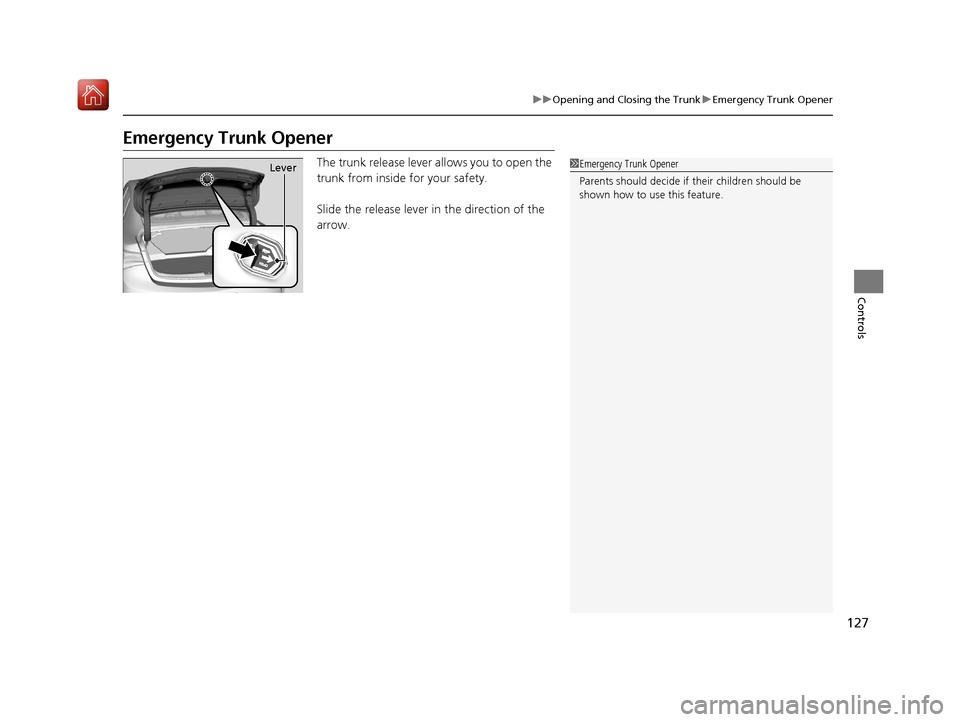
The trunk release lever allows you to open the
trunk from inside for your safety.
Slide the release lever in the direction of the
arrow.1Emergency Trunk Opener
Parents should deci de if their children should be
shown how to use this feature.Lever
20 ACURA ILX-31TX66710.book 127 ページ 2020年4月16日 木曜日 午後8時46分
Page 130 of 621
Continued129
uuSecurity System uSecurity System Alarm
Controls
■To deactivate the security system alarm
Unlock the vehicle using the key, remote tra nsmitter or keyless access system, or set
the power mode to ON. The system, along with the horn and flashing lights, is
deactivated.
■Setting the security system alarm
The security system alarm automatically sets when the following conditions have
been met:
• The power mode is set to VEHICLE OFF (LOCK).
• The hood is closed.
• All doors and the trunk are locked from ou tside with the key, remote transmitter
or keyless access system.
■When the security system alarm sets
The security system alarm in dicator in the instrument panel blinks and the blinking
interval changes after about 15 seconds.
■To cancel the security system alarm
The security system alarm is canceled when the vehicle is unlocked using the remote
transmitter or keyless access system, or when the power mode is set to ON. The
security system alarm indicato r goes off at the same time.
1Security System Alarm
Do not set the security system alarm when someone
is in the vehicle or a window is open. The system can
accidentally activate when:
•Unlocking the door with the lock tab.•Opening the trunk with the trunk opener or the
emergency trunk opener.
•Opening the hood with the hood release.•Taking the transmission out of ( P.
If the battery goes dead after you have set the
security system alarm, the security alarm may go off
once the battery is re charged or replaced.
If this occurs, deactivate the security system alarm by
unlocking a door using the ke y, remote transmitter,
or keyless access system.
20 ACURA ILX-31TX66710.book 129 ページ 2020年4月16日 木曜日 午後8時46分
Page 296 of 621
295
uuGeneral Information on the Audio System uHonda App License Agreement
Continued
Features
2. Potential Map Inaccuracy and Route Safety. Maps used by this system may be inaccurate because of changes in roads, traffic controls,
routing, or driving conditions. Always use good judgment and co mmon sense when following suggested routes. Do not follow the ro ute
suggestions if doing so would result in an unsafe or illegal driving maneuver, if you would be placed in an unsafe situation, o r if you would
be directed into an area that you consider unsafe. Do not rely on any navigation features included in the system to route you t o emergency
services. Not all emergency services such as police, fire stations, hospitals, or clinics are likely to be contained in the map database for such
navigation features. Ask local authorities or an emergency services operator for such locations and routes. The driver is ultimately
responsible for the safe operation of the vehicle and therefore, must evaluate whether it is safe to follow the suggested directions. Any
navigation features are pr ovided only as an aid. Make your driving decisions based on your obse rvations of local conditions and existing
traffic regulations. Navigation features are not a substitute for your personal judgment. Any route suggestions made by the SOFTWARE or
SERVICES should never replace any local traffic regulations or your personal judgment or knowledge of safe driving practices.
3. Speech Recognition:
You acknowledge and understand that HONDA and PROV IDERS may record, retain, and use voices commands
when you use the speech recognition componen ts of the SOFTWARE or SERVICES. You and all VEHICLE operators and passengers (a)
consent to the recording and retention of vo ice commands in support of providing speech recognition components and (b) release HONDA
and PROVIDERS from all claims, liabilities, and losses that may result from any use of such recorded voice commands. Recognition errors
are inherent in speech recognition. It is your responsibility to monitor any speech recognition f unctions included in the system and address
any errors. Neither HONDA nor PROVIDERS will be liable for any damages arising out of errors in the speech recognition process.
4. Distraction Hazards.
Navigation features may require manual (non-verbal) input or setup. Attempting to perform such set-up or insert
data while driving can seriously distract your attention and co uld cause a crash or other serious consequences; the ability to undertake such
interactions may also be limited by state or local law, which laws you are responsible to know and follow. Even occasional shor t scans of
the screen may be hazardous if your attention has been diverted away from your driving at a critical time. Pull over and stop the vehicle in
a safe and legal manner before attempting to access a function of the system requiring prolonged attention. Do not raise the vo lume
excessively. Keep the volume at a level where you can still hear outside traffic and emergency signals while driving. Driving while unable
to hear these sounds could result in a crash.
20 ACURA ILX-31TX66710.book 295 ページ 2020年4月16日 木曜日 午後8時46分
Page 411 of 621
410
Features
AcuraLink®*
Is a subscription-based service that provid es convenient features such as voice
communication in case of emergency, online security, one-on-one operator
assistance, and the transmission of impo rtant messages regarding your vehicle’s
status.
For information on traffic rerouting and traffi c information updates, provided by the
AcuraLink server, see the Na vigation System Manual.
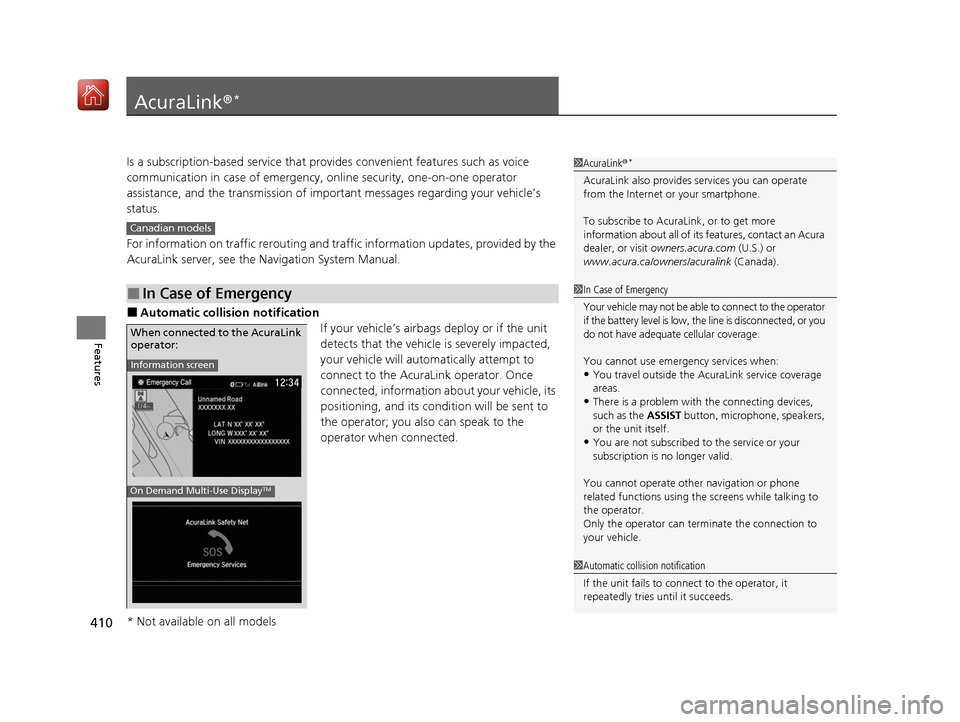
■Automatic collision notification
If your vehicle’s airbags deploy or if the unit
detects that the vehicle is severely impacted,
your vehicle will automatically attempt to
connect to the AcuraLink operator. Once
connected, information about your vehicle, its
positioning, and its condition will be sent to
the operator; you also can speak to the
operator when connected.
■In Case of Emergency
1AcuraLink ®*
AcuraLink also provides services you can operate
from the Internet or your smartphone.
To subscribe to AcuraLink, or to get more
information about all of its features, contact an Acura
dealer, or visit owners.acura.com (U.S.) or
www.acura.ca/owners/acuralink (Canada).
Canadian models
1In Case of Emergency
Your vehicle may not be able to connect to the operator
if the battery level is low, the line is disconnected, or you
do not have adequate cellular coverage.
You cannot use emergency services when:
•You travel outside the AcuraLink service coverage
areas.
•There is a problem with the connecting devices,
such as the ASSIST button, microphone, speakers,
or the unit itself.
•You are not subscribed to the service or your
subscription is no longer valid.
You cannot operate othe r navigation or phone
related functions using the screens while talking to
the operator.
Only the operator can terminate the connection to
your vehicle.
1 Automatic collision notification
If the unit fails to connect to the operator, it
repeatedly tries until it succeeds.
Information screen
On Demand Multi-Use DisplayTM
When connected to the AcuraLink
operator:
* Not available on all models
20 ACURA ILX-31TX66710.book 410 ページ 2020年4月16日 木曜日 午後8時46分
Page 412 of 621
Continued411
uuAcuraLink ®*u
Features
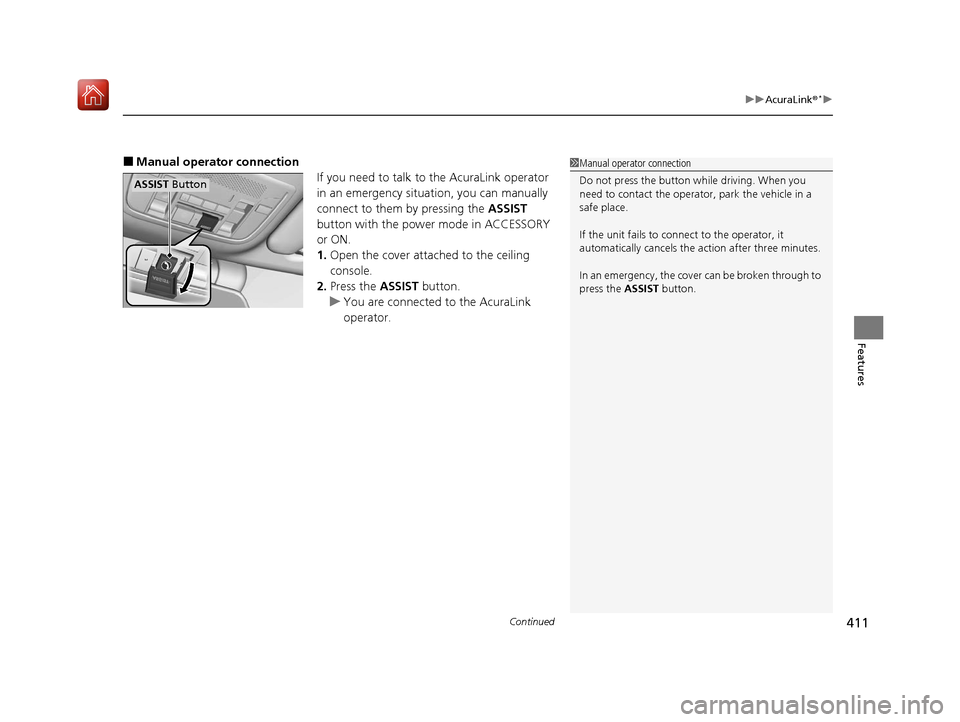
■Manual operator connection
If you need to talk to the AcuraLink operator
in an emergency situation, you can manually
connect to them by pressing the ASSIST
button with the power mode in ACCESSORY
or ON.
1. Open the cover attached to the ceiling
console.
2. Press the ASSIST button.
u You are connected to the AcuraLink
operator.1Manual operator connection
Do not press the button while driving. When you
need to contact the operato r, park the vehicle in a
safe place.
If the unit fails to connect to the operator, it
automatically cancels the action after three minutes.
In an emergency, the cover can be broken through to
press the ASSIST button.
ASSIST Button
20 ACURA ILX-31TX66710.book 411 ページ 2020年4月16日 木曜日 午後8時46分