radio controls ACURA ILX 2022 Owners Manual
[x] Cancel search | Manufacturer: ACURA, Model Year: 2022, Model line: ILX, Model: ACURA ILX 2022Pages: 632, PDF Size: 20.56 MB
Page 7 of 632
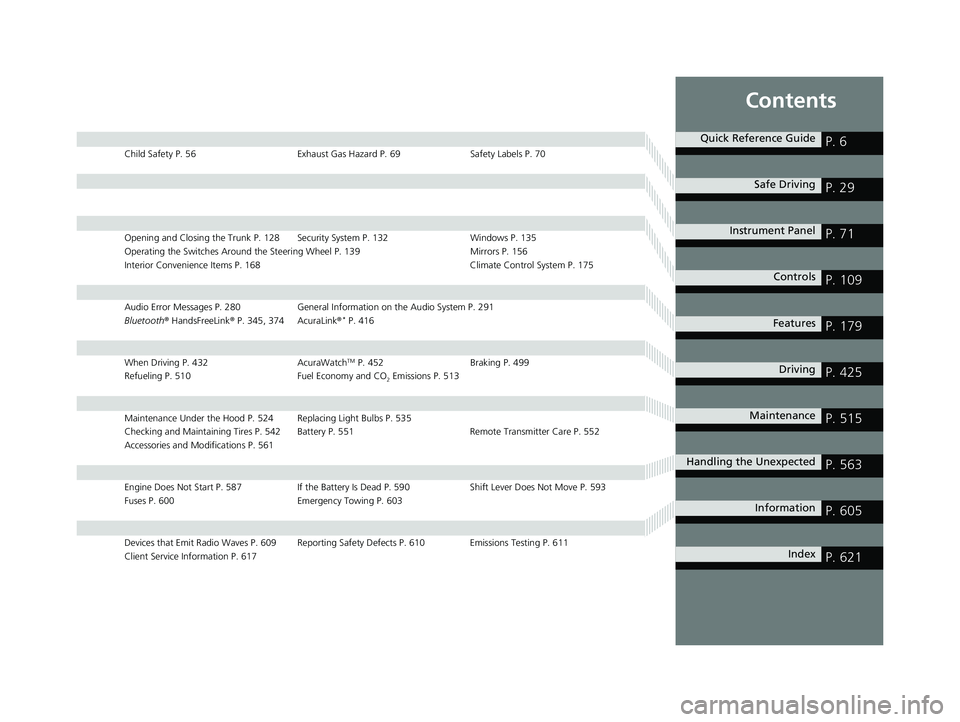
Contents
Child Safety P. 56Exhaust Gas Hazard P. 69Safety Labels P. 70
Opening and Closing the Trunk P. 128 Security System P. 132 Windows P. 135
Operating the Switches Around the Steering Wheel P. 139 Mirrors P. 156
Interior Convenience Items P. 168 Climate Control System P. 175
Audio Error Messages P. 280General Information on the Audio System P. 291
Bluetooth ® HandsFreeLink ® P. 345, 374 AcuraLink ®* P. 416
When Driving P. 432 AcuraWatchTM P. 452Braking P. 499
Refueling P. 510 Fuel Economy and CO
2 Emissions P. 513
Maintenance Under the Hood P. 524 Replacing Light Bulbs P. 535
Checking and Maintaining Tires P. 542 Battery P. 551 Remote Transmitter Care P. 552
Accessories and Modifications P. 561
Engine Does Not Start P. 587If the Battery Is Dead P. 590 Shift Lever Does Not Move P. 593
Fuses P. 600 Emergency Towing P. 603
Devices that Emit Radio Waves P. 609 Reporting Safety Defects P. 610 Emissions Testing P. 611
Client Service Information P. 617
Quick Reference GuideP. 6
Safe DrivingP. 29
Instrument PanelP. 71
ControlsP. 109
FeaturesP. 179
DrivingP. 425
MaintenanceP. 515
Handling the UnexpectedP. 563
InformationP. 605
IndexP. 621
22 ACURA ILX-31TX66900.book 5 ページ 2021年4月26日 月曜日 午前11時27分
Page 21 of 632
19
Quick Reference Guide
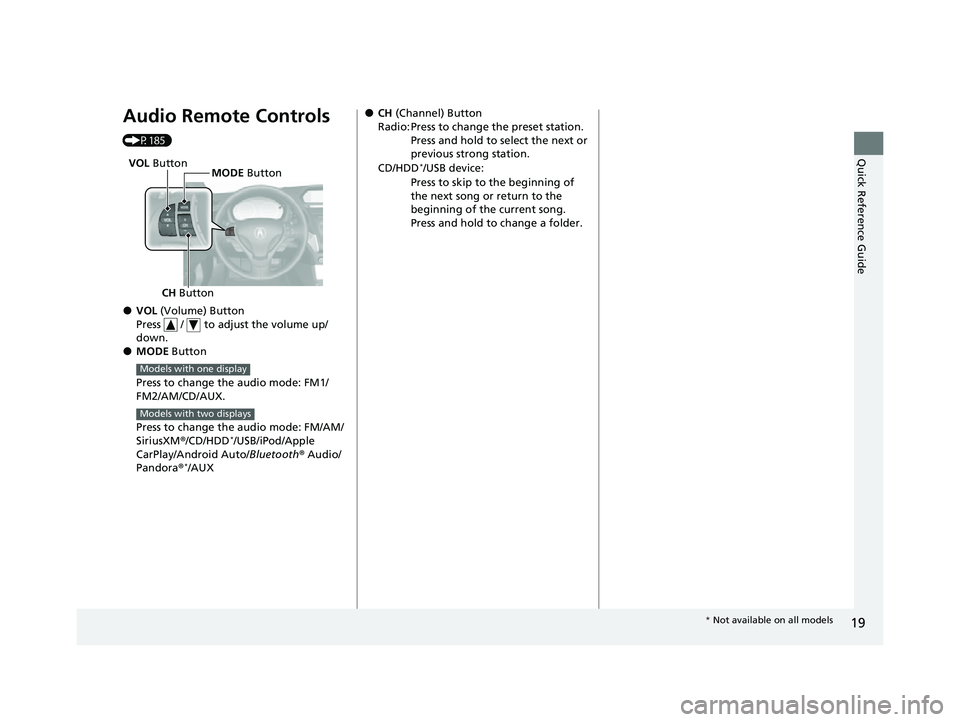
Audio Remote Controls
(P185)
●VOL (Volume) Button
Press / to adjust the volume up/
down.
●MODE Button
Press to change the audio mode: FM1/
FM2/AM/CD/AUX.
Press to change the audio mode: FM/AM/
SiriusXM ®/CD/HDD
*/USB/iPod/Apple
CarPlay/Android Auto/ Bluetooth® Audio/
Pandora ®
*/AUX
CH Button MODE
Button
VOL
Button
Models with one display
Models with two displays
●CH (Channel) Button
Radio: Press to change the preset station. Press and hold to select the next or
previous strong station.
CD/HDD
*/USB device:
Press to skip to the beginning of
the next song or return to the
beginning of the current song.
Press and hold to change a folder.
* Not available on all models
22 ACURA ILX-31TX66900.book 19 ページ 2021年4月26日 月曜日 午前11時27分
Page 116 of 632
uuLocking and Unlocking the Doors uLow Keyless Remote Signal Strength
114
Controls
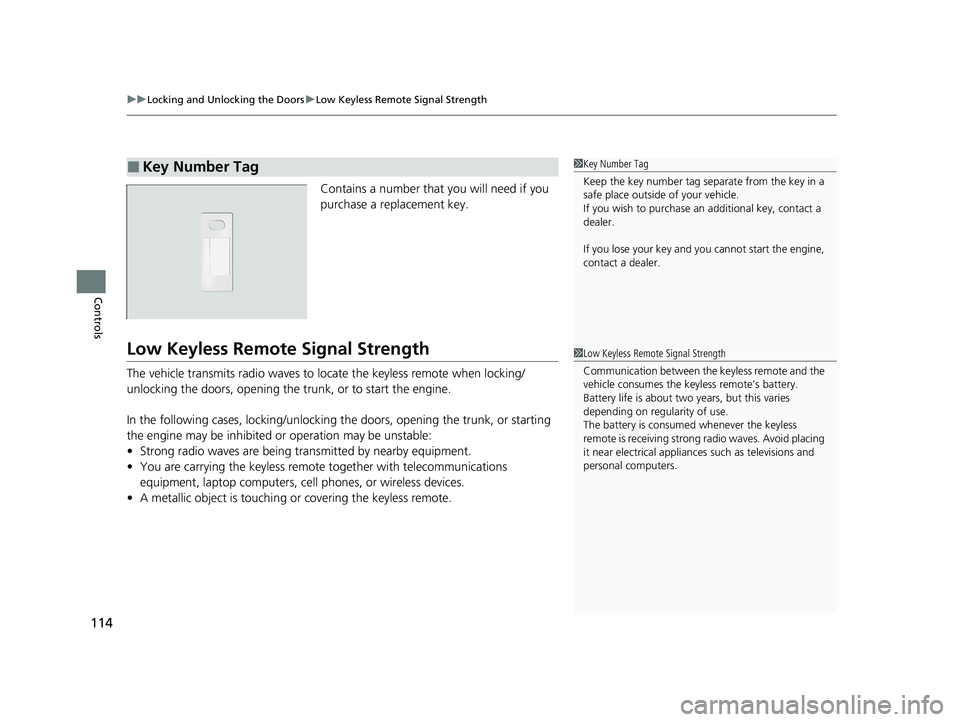
Contains a number that you will need if you
purchase a replacement key.
Low Keyless Remote Signal Strength
The vehicle transmits radio waves to lo cate the keyless remote when locking/
unlocking the doors, opening the trunk, or to start the engine.
In the following cases, locking/unlocking the doors, opening the trunk, or starting
the engine may be inhibited or operation may be unstable:
• Strong radio waves are being tra nsmitted by nearby equipment.
• You are carrying the keyless remote together with telecommunications
equipment, laptop computers, ce ll phones, or wireless devices.
• A metallic object is touching or covering the keyless remote.
■Key Number Tag1Key Number Tag
Keep the key number tag separate from the key in a
safe place outside of your vehicle.
If you wish to purchase an additional key, contact a
dealer.
If you lose your key and you cannot start the engine,
contact a dealer.
1 Low Keyless Remote Signal Strength
Communication between the keyless remote and the
vehicle consumes the ke yless remote’s battery.
Battery life is about two years, but this varies
depending on re gularity of use.
The battery is consumed whenever the keyless
remote is receivi ng strong radio wave s. Avoid placing
it near electrical appliances such as televisions and
personal computers.
22 ACURA ILX-31TX66900.book 114 ページ 2021年4月26日 月曜日 午前11時27分
Page 134 of 632

132
Controls
Security System
Immobilizer System
This system prevents a key that has not been pre-registered from starting the
engine.
Pay attention to the follo wing when pressing the ENGINE START/STOP button:
• Do not allow objects that emit strong radio waves near the ENGINE START/
STOP button.
• Make sure the key is not covered by or touching a metal object.
• Do not bring a key from another vehi cle’s immobilizer system near the ENGINE
START/STOP button.
• Do not put the key near magnetic items. Electronic devices, such as televisions
and audio systems emit strong magnetic fields. Note that even a key chain can
become magnetic.
Security System Alarm
The security system alarm activates wh en the trunk, hood or doors are forcibly
opened. The alarm does not activate if th e trunk or doors are opened with the key,
remote transmitter or keyless access system.
However, the alarm activates if a door is opened with the key and then the
transmission is taken out of
(P or the hood is opened before the power mode is set
to ON.
■When the security sy stem alarm activates
The horn sounds intermittently and some exterior lights flash.
1 Immobilizer System
NOTICE
Leaving the key in the vehicl e can result in theft or
accidental movement of the vehicle.
Always take the key with you whenever you leave the
vehicle unattendedM
Do not alter the system or add other devices to itM
Doing so may damage the system and make your
vehicle inoperableM
1 Security System Alarm
Do not alter the system or add other devices to it.
Doing so may damage the system and make your
vehicle inoperable.
The security system alarm continues for a maximum
of two minutes until the security system alarm
deactivates.
22 ACURA ILX-31TX66900.book 132 ページ 2021年4月26日 月曜日 午前11時27分
Page 181 of 632
179
Features
This chapter describes how to operate technology features.
Audio System.................................... 180
USB Adapter Cable*........................ 181
USB Port*........................................ 182
Auxiliary Input Jack .......................... 183
Audio System Theft Protection ......... 184
Audio Remote Controls .................... 185
Audio System Basic Operation ........ 187
Audio/Information Screen ................ 188
Playing AM/FM Radio ....................... 194
Playing a CD .................................... 196
Playing an iPod ................................ 199
Playing Pandora ®
*1........................... 202
Playing a USB Flash Drive ................. 205
Models with one display
Playing Bluetooth ® Audio................. 208
Audio System Basic Operation ........ 210
On Demand Multi-Use Display
TM...... 211
Information Screen .......................... 215
Display Setup ................................... 221
Playing AM/FM Radio ....................... 225
Playing SiriusXM ® Radio ................... 228
Playing a CD .................................... 239
Playing Hard Disk Drive (HDD) Audio ... 242
Playing an iPod ................................ 255
Song By Voice
TM (SBV) ...................... 258
Playing Pandora ®*1........................... 262
Playing a USB Flash Drive ................. 264
Models with two displaysPlaying Bluetooth ® Audio ................ 267
Siri Eyes Free .................................... 269
Apple CarPlay .................................. 270
Android Auto .................................. 275
Audio Error Messages ...................... 280
General Information on the Audio System ............................................. 291
HomeLink® Universal Transceiver*......342Customized Features ................ 310, 316
Bluetooth® HandsFreeLink® ..... 345, 374
AcuraLink®
*....................................... 416
*1: Available only on U.S. models.
* Not available on all models
22 ACURA ILX-31TX66900.book 179 ページ 2021年4月26日 月曜日 午前11時27分
Page 182 of 632
180
Features
Audio System
About Your Audio System
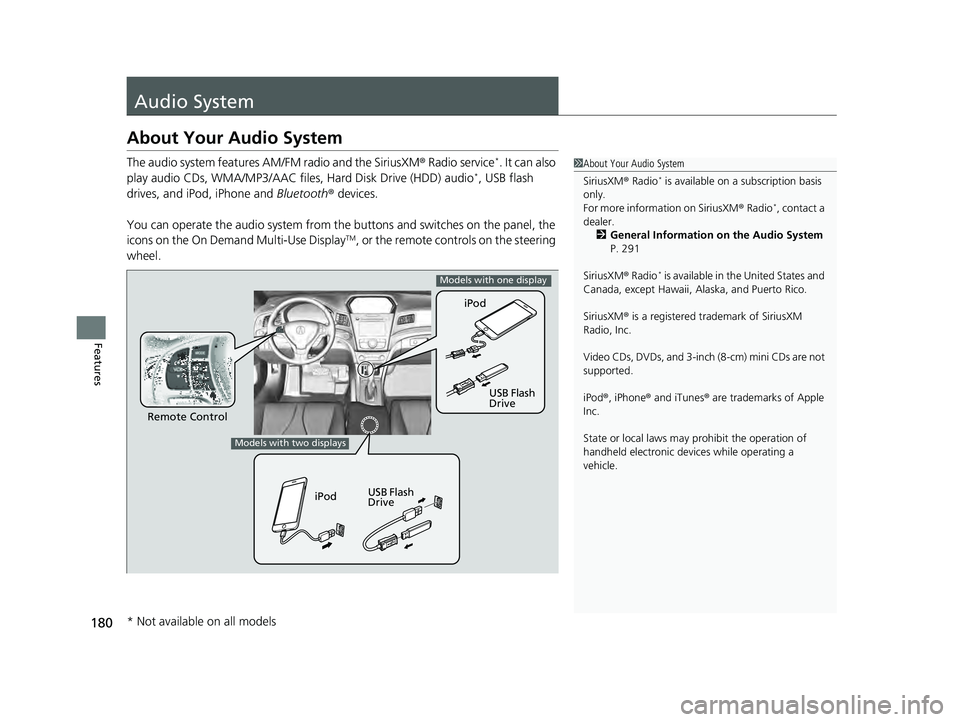
The audio system features AM/FM radio and the SiriusXM® Radio service*. It can also
play audio CDs, WMA/MP3/AAC files, Hard Disk Drive (HDD) audio*, USB flash
drives, and iPod, iPhone and Bluetooth® devices.
You can operate the audio system from the buttons and switches on the panel, the
icons on the On Demand Multi-Use Display
TM, or the remote controls on the steering
wheel.
1 About Your Audio System
SiriusXM ® Radio
* is available on a subscription basis
only.
For more information on SiriusXM ® Radio
*, contact a
dealer. 2 General Information on the Audio System
P. 291
SiriusXM ® Radio
* is available in the United States and
Canada, except Ha waii, Alaska, and Puerto Rico.
SiriusXM ® is a registered trademark of SiriusXM
Radio, Inc.
Video CDs, DVDs, and 3-inch (8-cm) mini CDs are not
supported.
iPod ®, iPhone ® and iTunes ® are trademarks of Apple
Inc.
State or local laws may pr ohibit the operation of
handheld electronic devices while operating a
vehicle.
Remote Control iPod
USB Flash
Drive
iPod USB Flash
Drive
Models with one display
Models with two displays
* Not available on all models
22 ACURA ILX-31TX66900.book 180 ページ 2021年4月26日 月曜日 午前11時27分
Page 187 of 632
185
uuAudio System uAudio Remote Controls
Continued
Features
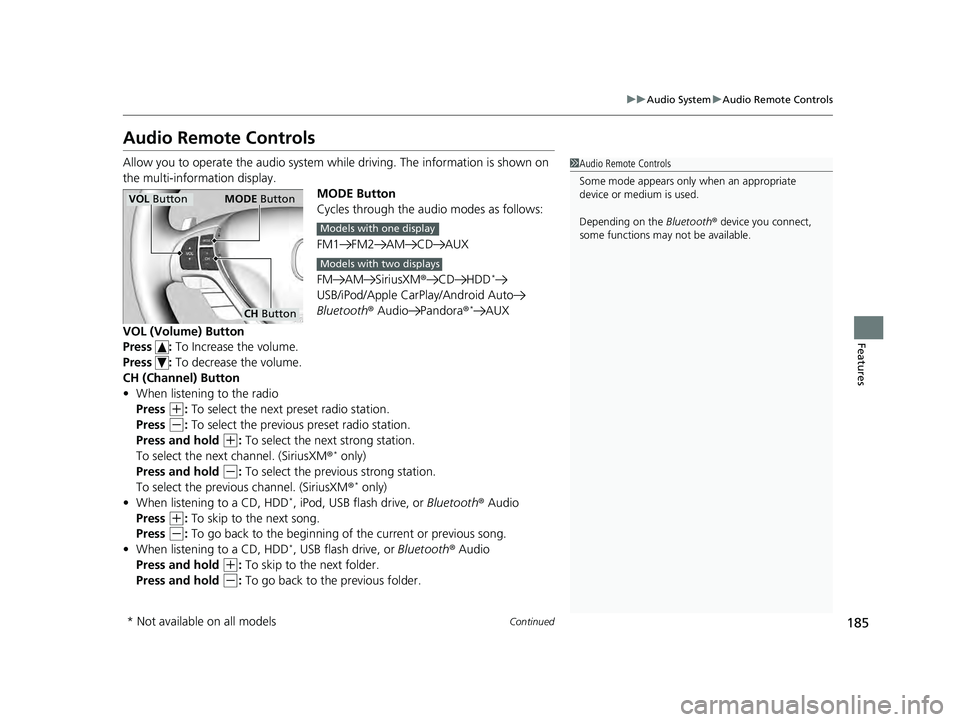
Audio Remote Controls
Allow you to operate the audio system whil e driving. The information is shown on
the multi-information display. MODE Button
Cycles through the audio modes as follows:
FM1 FM2 AM CD AUX
FM AM SiriusXM®CD HDD
*
USB/iPod/Apple CarPlay/Android Auto
Bluetooth ® Audio Pandora ®*AUX
VOL (Volume) Button
Press : To Increase the volume.
Press : To decrease the volume.
CH (Channel) Button
• When listening to the radio
Press
(+: To select the next preset radio station.
Press
(-: To select the previous preset radio station.
Press and hold
(+: To select the next strong station.
To select the next channel. (SiriusXM ®* only)
Press and hold
(-: To select the previous strong station.
To select the previous channel. (SiriusXM ®* only)
• When listening to a CD, HDD*, iPod, USB flash drive, or Bluetooth® Audio
Press
(+: To skip to the next song.
Press
(-: To go back to the beginning of the current or previous song.
• When listening to a CD, HDD*, USB flash drive, or Bluetooth ® Audio
Press and hold
(+: To skip to the next folder.
Press and hold
(-: To go back to the previous folder.
1 Audio Remote Controls
Some mode appears only when an appropriate
device or medium is used.
Depending on the Bluetooth® device you connect,
some functions may not be available.
VOL Button MODE Button
CH Button
Models with one display
Models with two displays
* Not available on all models
22 ACURA ILX-31TX66900.book 185 ページ 2021年4月26日 月曜日 午前11時27分
Page 197 of 632

195
uuAudio System Basic Operation uPlaying AM/FM Radio
Features
Provides text data information related to your selected RDS-capable FM station.
■RDS Information
1.Press the SETUP button and rotate to
select RDS Information .
2. Each time you press , the RDS
Information switches between on and off.
■To find an RDS station from your selected program category
1.Press the FOLDER bar to display and select
an RDS category.
2. Use SKIP or SCAN to select an RDS station.
■Radio Data System (RDS)
RDS Category
1Playing AM/FM Radio
The ST indicator appears on the display indicating
stereo FM broadcasts.
Stereo reproduction in AM is not available.
Switching the Audio Mode
Press the MODE button on the steering wheel.
2 Audio Remote Controls P. 185
You can store 6 AM stations and 12 FM stations into
the preset button memory. FM1 and FM2 let you
store 6 stations each.
Auto Select function scans and stores up to 6 AM
stations and 12 FM stations with a strong signal into
the preset button memory.
If you do not like the stati ons auto select has stored,
you can manually store your preferred frequencies.
22 ACURA ILX-31TX66900.book 195 ページ 2021年4月26日 月曜日 午前11時27分
Page 228 of 632

uuAudio System Basic Operation uPlaying AM/FM Radio
226
Features
To store a station:
1. Tune to the selected station.
2. Select and hold the preset number you want to store that station.
Provides text data information related to your selected RDS-capable FM station.
■To find an RDS station from Station List
1. Select Stations .
2. Select station on the list.
■Manual update
Updates your available station list at any time.
1. Select Stations .
2. Select Refresh on the list.
■Preset Memory
■Radio Data System (RDS)
1Playing AM/FM Radio
You can control the AM/FM radio using voice
commands
*.
2 Voice Control Operation P. 222
The ST indicator appears on the display indicating
stereo FM broadcasts.
Stereo reproduction in AM is not available.
Switching the Audio Mode
Press the MODE button on the steering wheel.
2 Audio Remote Controls P. 185
You can store 6 AM stations and 12 FM stations into
the preset memory.
HD Radio Technology manufactured under license
from iBiquity Digi tal Corporation. U.S. and Foreign
Patents. HD Radio
TM and the HD, HD Radio, and
“Arc” logos are proprietary trademarks of iBiquity
Digital Corp.
Models with HD RadioTM feature
* Not available on all models
22 ACURA ILX-31TX66900.book 226 ページ 2021年4月26日 月曜日 午前11時27分
Page 230 of 632

228
uuAudio System Basic Operation uPlaying SiriusXM ® Radio
Features
Playing SiriusXM ® Radio
On Demand Multi-Use DisplayTM
VOL/ (Volume/Power) Knob
Press to turn the audio system on
and off.
Turn to adjust the volume.
Category Up/Down Icons
Select or to display and select
a SiriusXM ® Radio category.
Audio Menu
Select to display the menu items.
Source
Select to change an audio source. (Information) Icon
Select to display the current
channel details.
Select to display the previous
screen.
Preset Icons
Tune the preset channel. Select and hold the
preset icon to store that channel. Select or to display preset 4 onwards.
Tune
Select to display the channel
number input screen.
Presets/Controls
Select to change between the
Presets mode and Controls mode
of the Replay function.
Browse
Select to display the channel list of
Categories, Channels or Featured
Channels types.
Channel Up/Down Icons
Select or to the previous or
next channel.
Select and hold to rapidly skip 10
channels at a time.
22 ACURA ILX-31TX66900.book 228 ページ 2021年4月26日 月曜日 午前11時27分