warning Acura ILX Hybrid 2013 Owner's Guide
[x] Cancel search | Manufacturer: ACURA, Model Year: 2013, Model line: ILX Hybrid, Model: Acura ILX Hybrid 2013Pages: 365, PDF Size: 8.63 MB
Page 83 of 365
82
uuIndicatorsuMulti-Information Display Warning and Information Messages
Instrument Panel
Message
Condition
Explanation
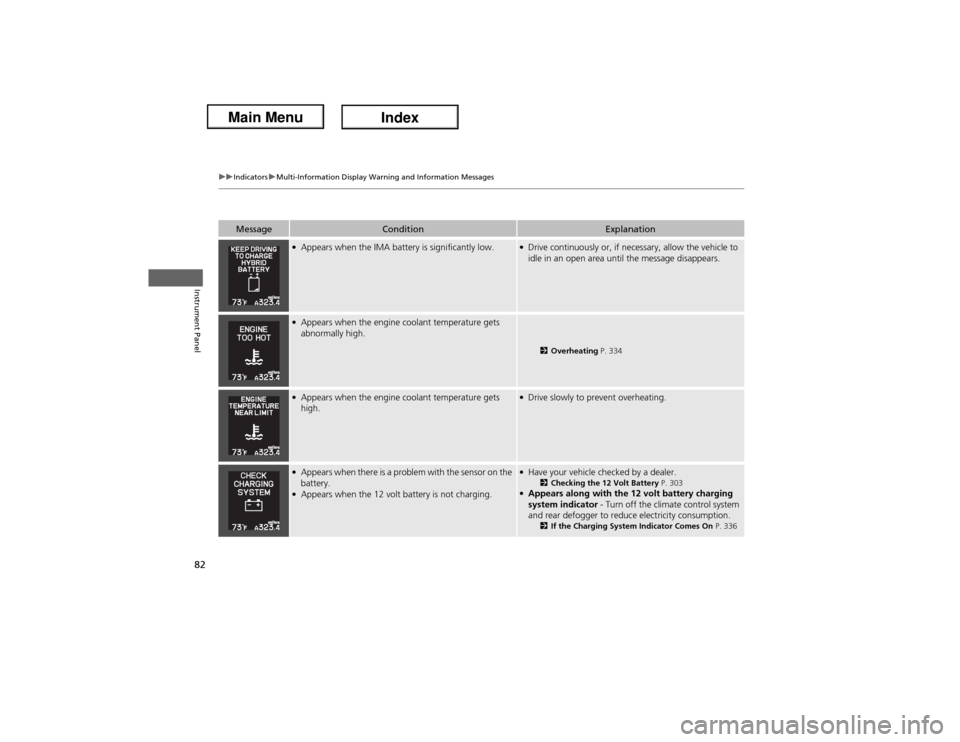
●Appears when the IMA battery is significantly low.
●Drive continuously or, if necessary, allow the vehicle to
idle in an open area until the message disappears.
●Appears when the engine coolant temperature gets
abnormally high.
2Overheating P. 334
●Appears when the engine coolant temperature gets
high.
●Drive slowly to prevent overheating.
●Appears when there is a problem with the sensor on the
battery.●Appears when the 12 volt battery is not charging.
●Have your vehicle checked by a dealer.
2Checking the 12 Volt Battery P. 303
●Appears along with the 12 volt battery charging
system indicator - Turn off the climate control system
and rear defogger to reduce electricity consumption.
2If the Charging System Indicator Comes On P. 336
Page 84 of 365
83
uuIndicatorsuMulti-Information Display Warning and Information Messages
Continued
Instrument Panel
Message
Condition
Explanation
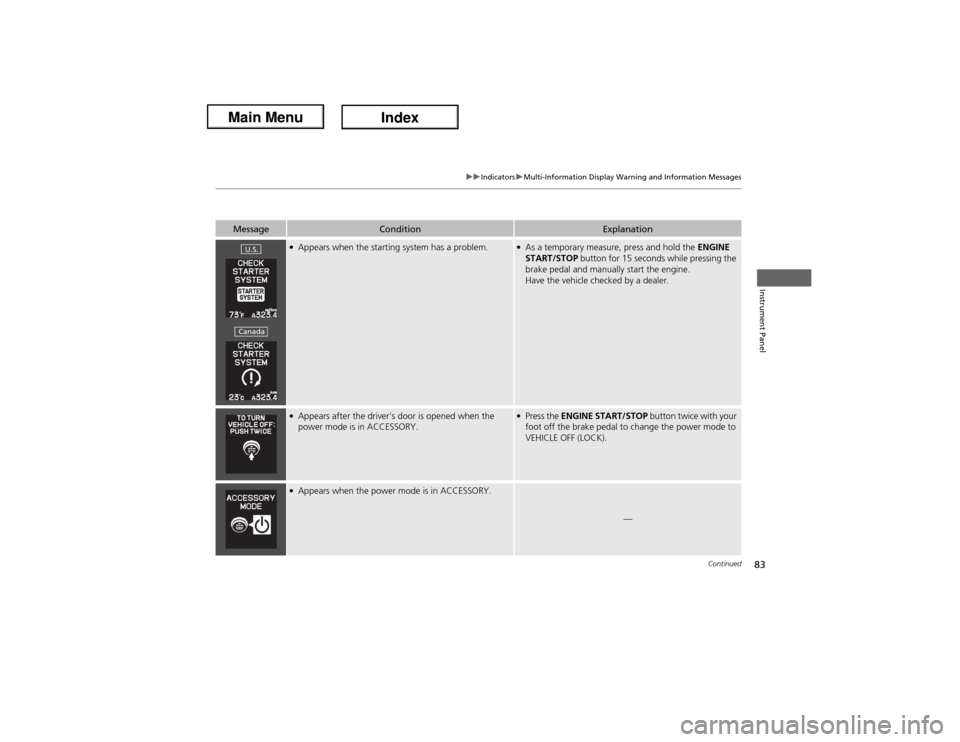
●Appears when the starting system has a problem.
●As a temporary measure, press and hold the ENGINE
START/STOP button for 15 seconds while pressing the
brake pedal and manually start the engine.
Have the vehicle checked by a dealer.
●Appears after the driver’s door is opened when the
power mode is in ACCESSORY.
●Press the ENGINE START/STOP button twice with your
foot off the brake pedal to change the power mode to
VEHICLE OFF (LOCK).
●Appears when the power mode is in ACCESSORY.
—
U.S.Canada
Page 85 of 365
84
uuIndicatorsuMulti-Information Display Warning and Information Messages
Instrument Panel
Message
Condition
Explanation
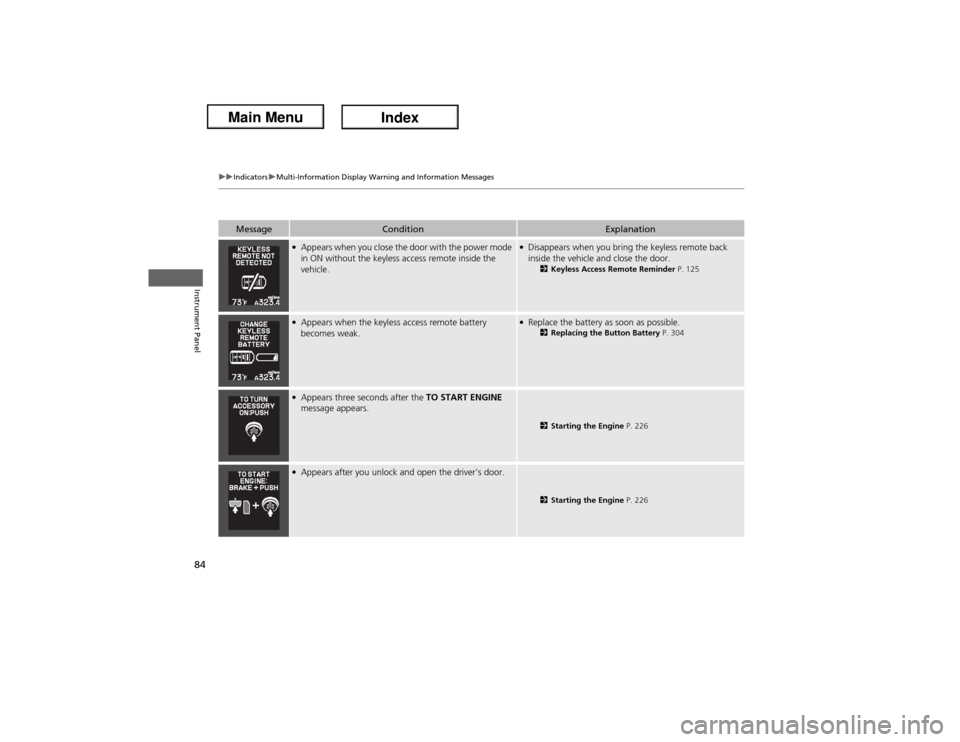
●Appears when you close the door with the power mode
in ON without the keyless access remote inside the
vehicle.
●Disappears when you bring the keyless remote back
inside the vehicle and close the door.
2Keyless Access Remote Reminder P. 125
●Appears when the keyless access remote battery
becomes weak.
●Replace the battery as soon as possible.
2Replacing the Button Battery P. 304
●Appears three seconds after the TO START ENGINE
message appears.
2Starting the Engine P. 226
●Appears after you unlock and open the driver’s door.
2Starting the Engine P. 226
Page 86 of 365
85
uuIndicatorsuMulti-Information Display Warning and Information Messages
Instrument Panel
Message
Condition
Explanation
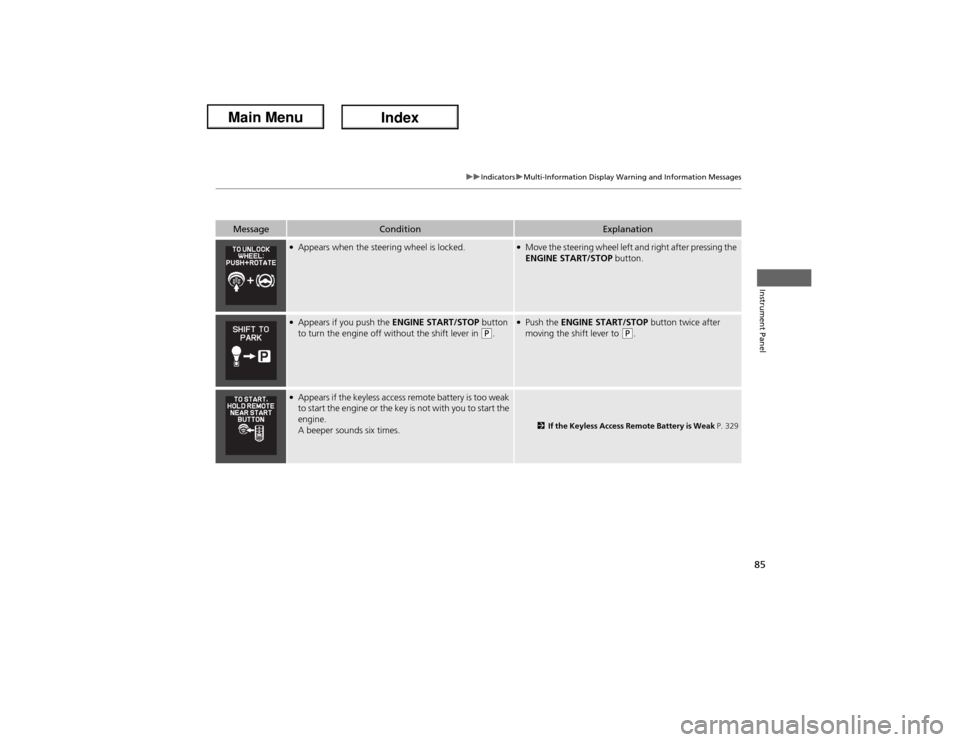
●Appears when the steering wheel is locked.
●Move the steering wheel left and right after pressing the
ENGINE START/STOP button.
●Appears if you push the ENGINE START/STOP button
to turn the engine off without the shift lever in
(P.
●Push the ENGINE START/STOP button twice after
moving the shift lever to
(P.
●Appears if the keyless access remote battery is too weak
to start the engine or the key is not with you to start the
engine.
A beeper sounds six times.
2If the Keyless Access Remote Battery is Weak P. 329
Page 88 of 365
87
uuGauges and Multi-Information DisplayuMulti-Information DisplayContinued
Instrument Panel
Multi-Information DisplayThe multi-information display shows the odometer, trip meter, outside temperature
indicator, and other gauges. It also displays important messages such as warnings
and other helpful information.
Press the (information) button or the SEL/RESET button to change the
display.■Switching the Display
Page 121 of 365
120Controls
Opening and Closing the WindowsOpening/Closing the Power WindowsThe power windows can be opened and closed when the power mode is in ON,
using the switches on the doors. The driver's side switches can be used to open and
close all of the windows.
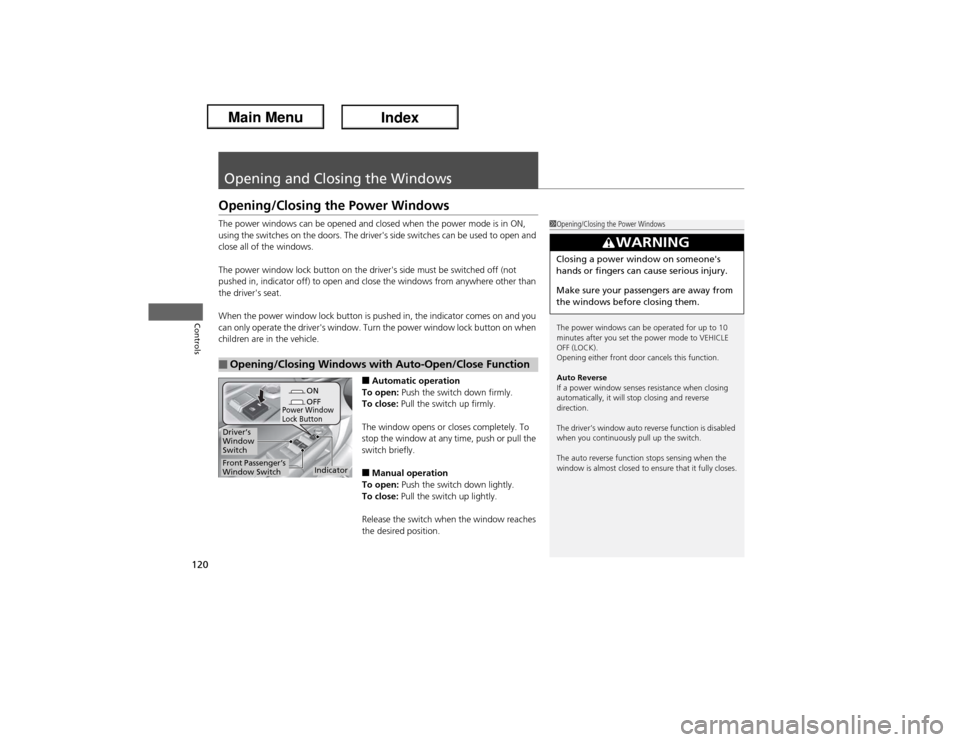
The power window lock button on the driver's side must be switched off (not
pushed in, indicator off) to open and close the windows from anywhere other than
the driver's seat.
When the power window lock button is pushed in, the indicator comes on and you
can only operate the driver's window. Turn the power window lock button on when
children are in the vehicle.
■Automatic operation
To open: Push the switch down firmly.
To close: Pull the switch up firmly.
The window opens or closes completely. To
stop the window at any time, push or pull the
switch briefly.■Manual operation
To open: Push the switch down lightly.
To close: Pull the switch up lightly.
Release the switch when the window reaches
the desired position.
■Opening/Closing Windows with Auto-Open/Close Function
1Opening/Closing the Power Windows
The power windows can be operated for up to 10
minutes after you set the power mode to VEHICLE
OFF (LOCK).
Opening either front door cancels this function.
Auto Reverse
If a power window senses resistance when closing
automatically, it will stop closing and reverse
direction.
The driver’s window auto reverse function is disabled
when you continuously pull up the switch.
The auto reverse function stops sensing when the
window is almost closed to ensure that it fully closes.
3
WARNING
Closing a power window on someone's
hands or fingers can cause serious injury.
Make sure your passengers are away from
the windows before closing them.
ON
OFF
Power Window
Lock Button
Indicator
Driver’s
Window
SwitchFront Passenger’s
Window Switch
Page 124 of 365
123Controls
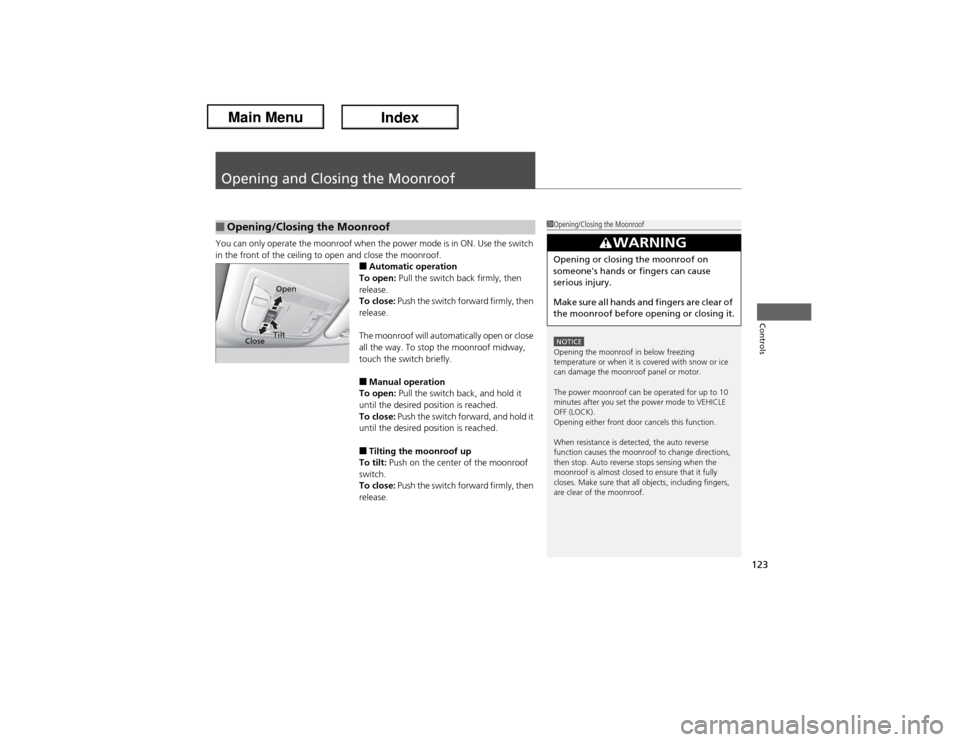
Opening and Closing the MoonroofYou can only operate the moonroof when the power mode is in ON. Use the switch
in the front of the ceiling to open and close the moonroof.
■Automatic operation
To open: Pull the switch back firmly, then
release.
To close: Push the switch forward firmly, then
release.
The moonroof will automatically open or close
all the way. To stop the moonroof midway,
touch the switch briefly.■Manual operation
To open: Pull the switch back, and hold it
until the desired position is reached.
To close: Push the switch forward, and hold it
until the desired position is reached.■Tilting the moonroof up
To tilt: Push on the center of the moonroof
switch.
To close: Push the switch forward firmly, then
release.
■Opening/Closing the Moonroof
1Opening/Closing the MoonroofNOTICEOpening the moonroof in below freezing
temperature or when it is covered with snow or ice
can damage the moonroof panel or motor.
The power moonroof can be operated for up to 10
minutes after you set the power mode to VEHICLE
OFF (LOCK).
Opening either front door cancels this function.
When resistance is detected, the auto reverse
function causes the moonroof to change directions,
then stop. Auto reverse stops sensing when the
moonroof is almost closed to ensure that it fully
closes. Make sure that all objects, including fingers,
are clear of the moonroof.
3
WARNING
Opening or closing the moonroof on
someone's hands or fingers can cause
serious injury.
Make sure all hands and fingers are clear of
the moonroof before opening or closing it.
CloseOpen
Tilt
Page 126 of 365
125
uuOperating the Switches Around the Steering WheeluENGINE START/STOP Button
Controls
If you open the driver’s door when the power mode is set to ACCESSORY, a warning
buzzer sounds.
Warning buzzers may sound from inside or/
and outside the vehicle to remind you that the
keyless access remote is out of the vehicle. If
the buzzer continues even after the remote is
put back inside, place it to be within its
operational range.
■When the power mode is in ON
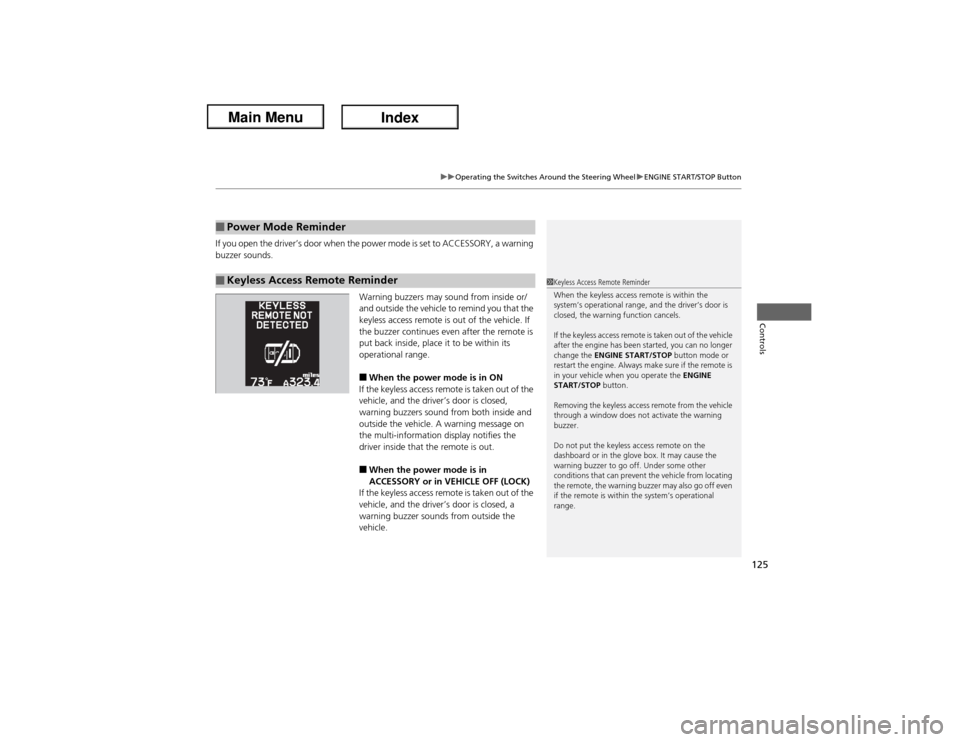
If the keyless access remote is taken out of the
vehicle, and the driver’s door is closed,
warning buzzers sound from both inside and
outside the vehicle. A warning message on
the multi-information display notifies the
driver inside that the remote is out.■When the power mode is in
ACCESSORY or in VEHICLE OFF (LOCK)
If the keyless access remote is taken out of the
vehicle, and the driver’s door is closed, a
warning buzzer sounds from outside the
vehicle.
■Power Mode Reminder■Keyless Access Remote Reminder
1Keyless Access Remote Reminder
When the keyless access remote is within the
system’s operational range, and the driver’s door is
closed, the warning function cancels.
If the keyless access remote is taken out of the vehicle
after the engine has been started, you can no longer
change the ENGINE START/STOP button mode or
restart the engine. Always make sure if the remote is
in your vehicle when you operate the ENGINE
START/STOP button.
Removing the keyless access remote from the vehicle
through a window does not activate the warning
buzzer.
Do not put the keyless access remote on the
dashboard or in the glove box. It may cause the
warning buzzer to go off. Under some other
conditions that can prevent the vehicle from locating
the remote, the warning buzzer may also go off even
if the remote is within the system’s operational
range.
Page 133 of 365
132
uuOperating the Switches Around the Steering WheeluRear Defogger/Heated Door Mirror Button
Controls
Rear Defogger/Heated Door Mirror Button
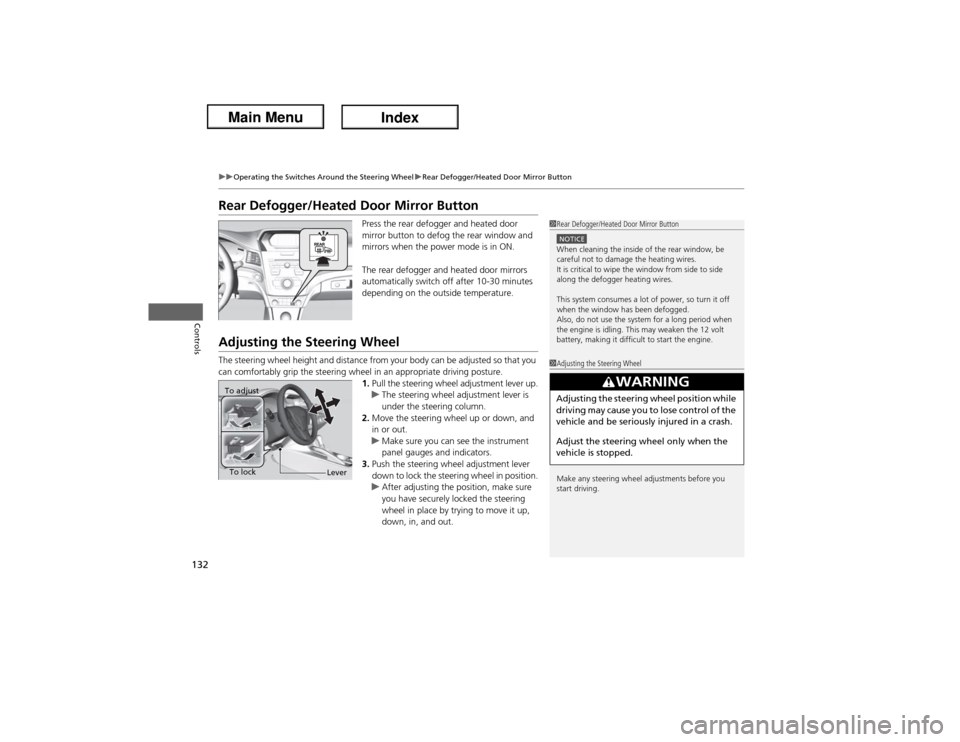
Press the rear defogger and heated door
mirror button to defog the rear window and
mirrors when the power mode is in ON.
The rear defogger and heated door mirrors
automatically switch off after 10-30 minutes
depending on the outside temperature.
Adjusting the Steering WheelThe steering wheel height and distance from your body can be adjusted so that you
can comfortably grip the steering wheel in an appropriate driving posture.
1.Pull the steering wheel adjustment lever up.
uThe steering wheel adjustment lever is
under the steering column.
2.Move the steering wheel up or down, and
in or out.
uMake sure you can see the instrument
panel gauges and indicators.
3.Push the steering wheel adjustment lever
down to lock the steering wheel in position.
uAfter adjusting the position, make sure
you have securely locked the steering
wheel in place by trying to move it up,
down, in, and out.
1Rear Defogger/Heated Door Mirror ButtonNOTICEWhen cleaning the inside of the rear window, be
careful not to damage the heating wires.
It is critical to wipe the window from side to side
along the defogger heating wires.
This system consumes a lot of power, so turn it off
when the window has been defogged.
Also, do not use the system for a long period when
the engine is idling. This may weaken the 12 volt
battery, making it difficult to start the engine.1Adjusting the Steering Wheel
Make any steering wheel adjustments before you
start driving.
3
WARNING
Adjusting the steering wheel position while
driving may cause you to lose control of the
vehicle and be seriously injured in a crash.
Adjust the steering wheel only when the
vehicle is stopped.
To adjust
To lock
Lever
Page 136 of 365
135
Continued
Controls
Adjusting the SeatsAdjusting the Seat Positions
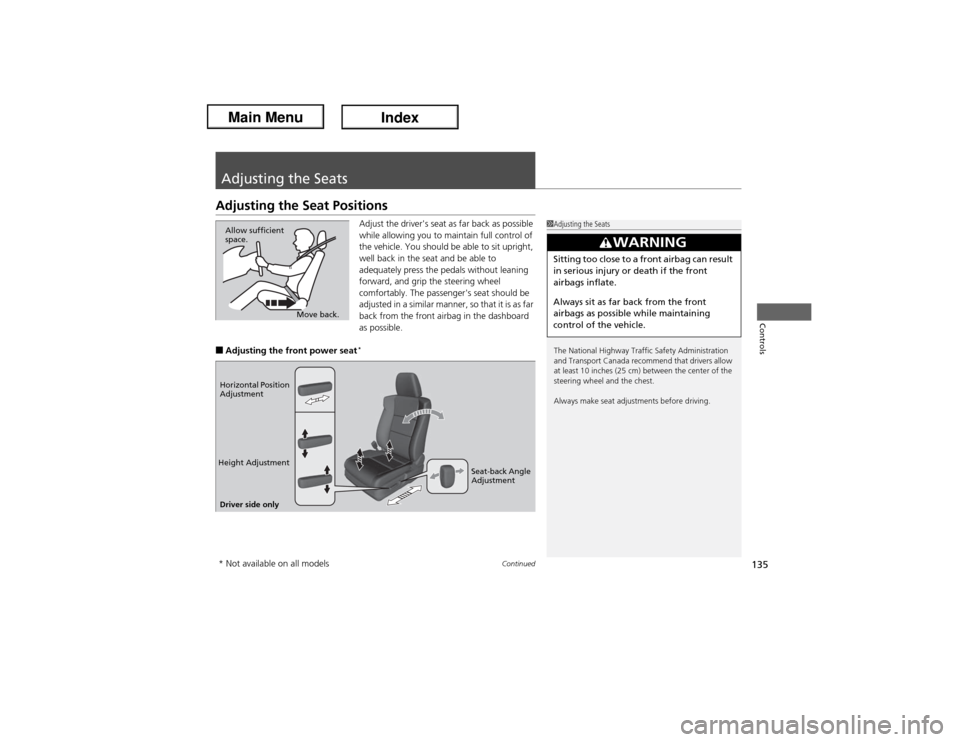
Adjust the driver's seat as far back as possible
while allowing you to maintain full control of
the vehicle. You should be able to sit upright,
well back in the seat and be able to
adequately press the pedals without leaning
forward, and grip the steering wheel
comfortably. The passenger's seat should be
adjusted in a similar manner, so that it is as far
back from the front airbag in the dashboard
as possible.
■Adjusting the front power seat
*
1Adjusting the Seats
The National Highway Traffic Safety Administration
and Transport Canada recommend that drivers allow
at least 10 inches (25 cm) between the center of the
steering wheel and the chest.
Always make seat adjustments before driving.
3
WARNING
Sitting too close to a front airbag can result
in serious injury or death if the front
airbags inflate.
Always sit as far back from the front
airbags as possible while maintaining
control of the vehicle.
Move back. Allow sufficient
space.
Horizontal Position
Adjustment
Height Adjustment
Seat-back Angle
Adjustment
Driver side only* Not available on all models