lock Acura ILX Hybrid 2015 Repair Manual
[x] Cancel search | Manufacturer: ACURA, Model Year: 2015, Model line: ILX Hybrid, Model: Acura ILX Hybrid 2015Pages: 365, PDF Size: 12.67 MB
Page 184 of 365
183Features
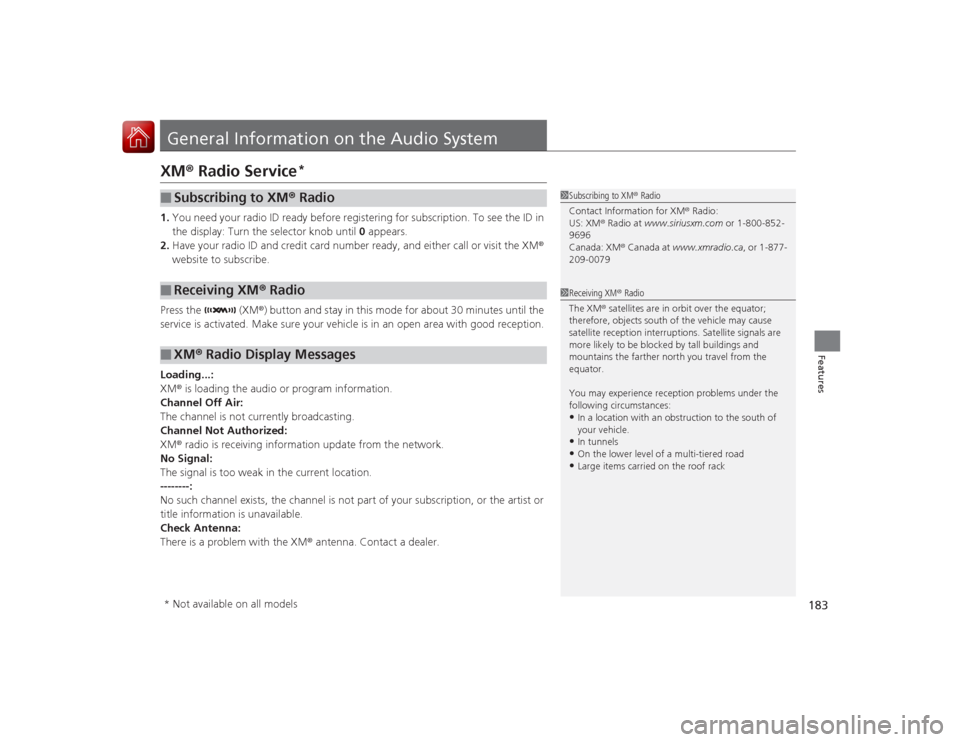
General Information on the Audio SystemXM® Radio Service
*
1. You need your radio ID ready before registering for subscription. To see the ID in
the display: Turn the selector knob until 0 appears.
2. Have your radio ID and credit card number ready, and either call or visit the XM ®
website to subscribe.
Press the (XM ®) button and stay in this mode for about 30 minutes until the
service is activated. Make sure your vehicle is in an open area with good reception.
Loading...:
XM ® is loading the audio or program information.
Channel Off Air:
The channel is not currently broadcasting.
Channel Not Authorized:
XM ® radio is receiving information update from the network.
No Signal:
The signal is too weak in the current location.
--------:
No such channel exists, the channel is not part of your subscription, or the artist or
title information is unavailable.
Check Antenna:
There is a problem with the XM ® antenna. Contact a dealer.■
Subscribing to XM® Radio
■
Receiving XM ® Radio
■
XM ® Radio Display Messages
1 Subscribing to XM ® Radio
Contact Information for XM ® Radio:
US: XM ® Radio at www.siriusxm.com or 1-800-852-
9696
Canada: XM® Canada at www.xmradio.ca , or 1-877-
209-00791 Receiving XM ® Radio
The XM ® satellites are in orbit over the equator;
therefore, objects south of the vehicle may cause
satellite reception interruptions. Satellite signals are
more likely to be blocked by tall buildings and
mountains the farther north you travel from the
equator.
You may experience reception problems under the
following circumstances:•In a location with an obstruction to the south of
your vehicle.•In tunnels•On the lower level of a multi-tiered road•Large items carried on the roof rack
* Not available on all models
Page 187 of 365
186
uuGeneral Information on the Audio System uCompatible iPod, iPhone, and USB Flash Drives
Features
Compatible iPod, iPhone, and USB Flash Drives•Use a recommended USB flash drive of 256 MB or higher.
• Some digital audio players may not be compatible.
• Some USB flash drives (e.g., a device with security lockout) may not work.
• Some software files may not allow for audio play or text data display.
• Some versions of MP3, WMA, or AAC formats may be unsupported.■
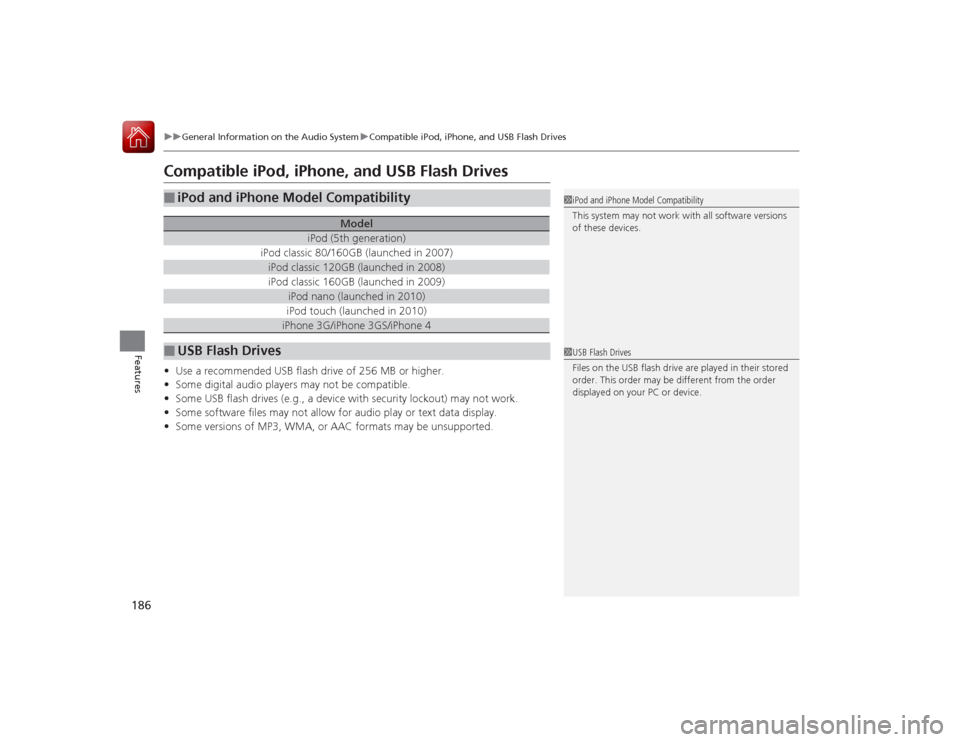
iPod and iPhone Model Compatibility
Model
iPod (5th generation)
iPod classic 80/160GB (launched in 2007)iPod classic 120GB (launched in 2008)iPod classic 160GB (launched in 2009)
iPod nano (launched in 2010)iPod touch (launched in 2010)iPhone 3G/iPhone 3GS/iPhone 4
■
USB Flash Drives
1iPod and iPhone Model Compatibility
This system may not work with all software versions
of these devices.1USB Flash Drives
Files on the USB flash drive are played in their stored
order. This order may be different from the order
displayed on your PC or device.
Page 220 of 365
219
Driving
This chapter discusses driving, refueling, and information on items such as accessories.
Before DrivingDriving Preparation .......................... 220
Maximum Load Limit........................ 223
Towing a Trailer Towing Your Vehicle ........................ 225
When Driving Starting the Engine .......................... 226
Precautions While Driving................. 229Continuous Variable Transmission (CVT).. 230Shifting ............................................ 231
Auto Idle Stop .................................. 236
ECON Button ................................... 239 Cruise Control ................................. 240
Vehicle Stability Assist (VSA
®), aka Electronic
Stability Control (ESC), System ............. 243
Tire Pressure Monitoring System (TPMS) .. 245Tire Pressure Monitoring System (TPMS) - Required Federal Explanation ......... 246
Braking Brake System ................................... 248
Anti-lock Brake System (ABS) ........... 250
Brake Assist System.......................... 251
Parking Your Vehicle When Stopped................................. 252 Multi-View Rear Camera
.................. 253
Refueling Fuel Information .............................. 254
How to Refuel ................................. 255
Fuel Economy Improving Fuel Economy .................. 256
Accessories and Modifications Accessories ...................................... 257
Modifications................................... 257
Page 221 of 365
220Driving
Before DrivingDriving PreparationCheck the following items before you start driving.
•Make sure there are no obstructions on the windows, door mirrors, exterior
lights, or other parts of the vehicle.
u Remove any frost, snow, or ice.
u Remove any snow on the roof, as this can slip down and obstruct your field of
vision while driving. If frozen solid, remove ice once it has softened.
u When removing ice from around the wheels, be sure not to damage the wheel
or wheel components.
• Make sure the hood is securely closed.
u If the hood opens while driving, your front view will be blocked.
• Make sure the tires are in good condition.
u Check air pressures, and check for damage and excessive wear.
2 Checking and Maintaining Tires P. 294
•Make sure there are no people or objects behind or around the vehicle.
u There are blind spots from the inside.■
Exterior Checks
1Exterior ChecksNOTICEWhen doors are frozen shut, use warm water around
the door edges to melt any ice. Do not try to force
them open, as this can damage the rubber trim
around the doors. When done, wipe dry to avoid
further freezing.
Do not pour warm water into the key cylinder.
You will be unable to insert the key if the water
freezes in the hole.
Heat from the engine and exhaust can ignite
flammable materials left under the hood, causing a
fire. If you've parked your vehicle for an extended
period, inspect and remove any debris that may have
collected, such as dried grass and leaves that have
fallen or have been carried in for use as a nest by a
small animal.
Also check under the hood for leftover flammable
materials after you or someone else has performed
maintenance on your vehicle.
Page 222 of 365
Continued
221
uuBefore Driving uDriving Preparation
Driving
• Store or secure all items on board properly.
u Carrying too much cargo, or improperly storing it, can affect your vehicle's
handling, stability, stopping distance, and tires, and make it unsafe.
2 Maximum Load Limit P. 223
•Do not pile items higher than the seat height.
u They can block your view and may be thrown forward in the event of sudden
braking.
• Do not place anything in the front seat footwells. Make sure to secure the floor
mat.
u An object or unsecured floor mat can interfere with your brake and accelerator
pedal operation while driving.
• If you have any animals on board, do not let them move around in the vehicle.
u They may interfere with driving and a crash could occur.
• Securely close and lock all doors and the trunk.
2 Locking/Unlocking the Doors from the Inside P. 111
•Adjust your seating position properly.
u Adjust the head restraint, too.
2 Adjusting the Seats P. 135
2 Adjusting the Head Restraints P. 138
•Adjust the mirrors and steering wheel properly for your driving.
u Adjust them while sitting in the proper driving position.
2 Adjusting the Mirrors P. 133
2 Adjusting the Steering Wheel P. 132
■
Interior Checks
1Interior Checks
The headlight aim is set by the factory, and does not
need to be adjusted. However, if you regularly carry
heavy items in the trunk, have the aiming readjusted
at a dealer or by a qualified technician.
Page 227 of 365
226Driving
When DrivingStarting the Engine
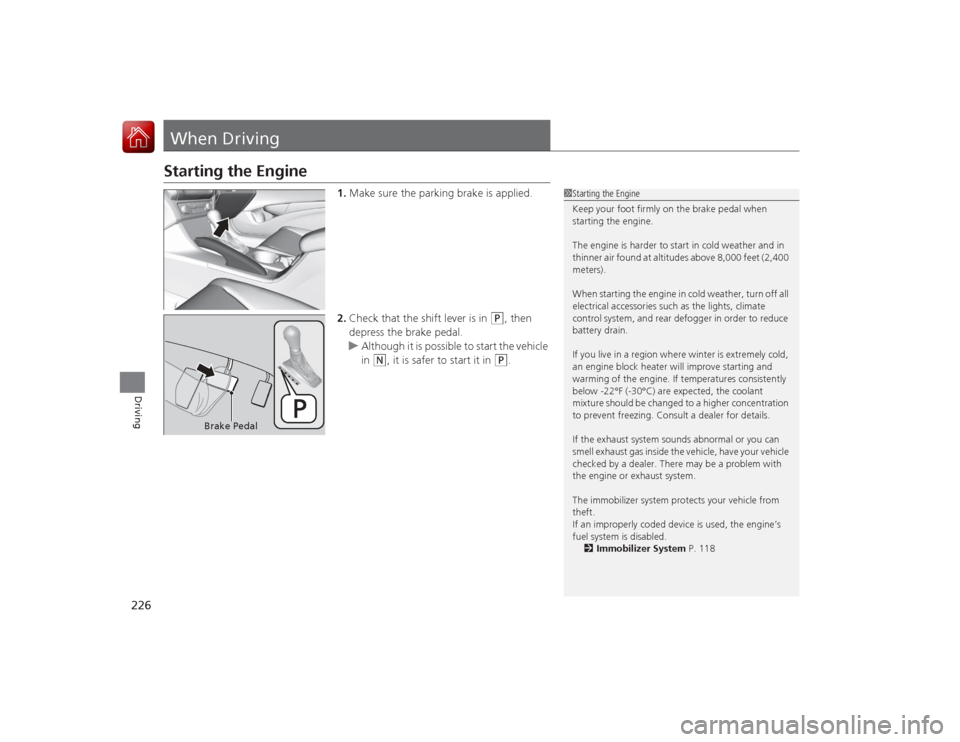
1.Make sure the parking brake is applied.
2. Check that the shift lever is in
(P
, then
depress the brake pedal.
u Although it is possible to start the vehicle
in
(N
, it is safer to start it in
(P
.
1Starting the Engine
Keep your foot firmly on the brake pedal when
starting the engine.
The engine is harder to start in cold weather and in
thinner air found at altitudes above 8,000 feet (2,400
meters).
When starting the engine in cold weather, turn off all
electrical accessories such as the lights, climate
control system, and rear defogger in order to reduce
battery drain.
If you live in a region where winter is extremely cold,
an engine block heater will improve starting and
warming of the engine. If temperatures consistently
below -22°F (-30°C) are expected, the coolant
mixture should be changed to a higher concentration
to prevent freezing. Consult a dealer for details.
If the exhaust system sounds abnormal or you can
smell exhaust gas inside the vehicle, have your vehicle
checked by a dealer. There may be a problem with
the engine or exhaust system.
The immobilizer system protects your vehicle from
theft.
If an improperly coded device is used, the engine’s
fuel system is disabled.
2 Immobilizer System P. 118
Brake Pedal
Page 231 of 365
230
uuWhen Driving uContinuous Variable Transmission (CVT)
Driving
Continuous Variable Transmission (CVT)The engine runs at a higher idle speed and creeping increases.
Keep the brake pedal firmly depressed when stopped.
Quickly depressing the accelerator pedal while driving uphill may cause the
transmission to drop to a lower ratio, unexpectedly increasing vehicle speed.
Depress the accelerator pedal carefully, especially on slippery roads and curves.■
Creeping
■
Kickdown
1Precautions While DrivingNOTICEFollowing can damage the under spoiler:•Parking the vehicle by a parking block•Parallel parking along the road shoulder•Driving towards the bottom of a hill•Driving up or down to a different surface level
(such as a road shoulder)•Driving on a rutted or bumpy road•Driving on a road with potholes
Page 232 of 365
231
uuWhen Driving uShifting
Continued
Driving
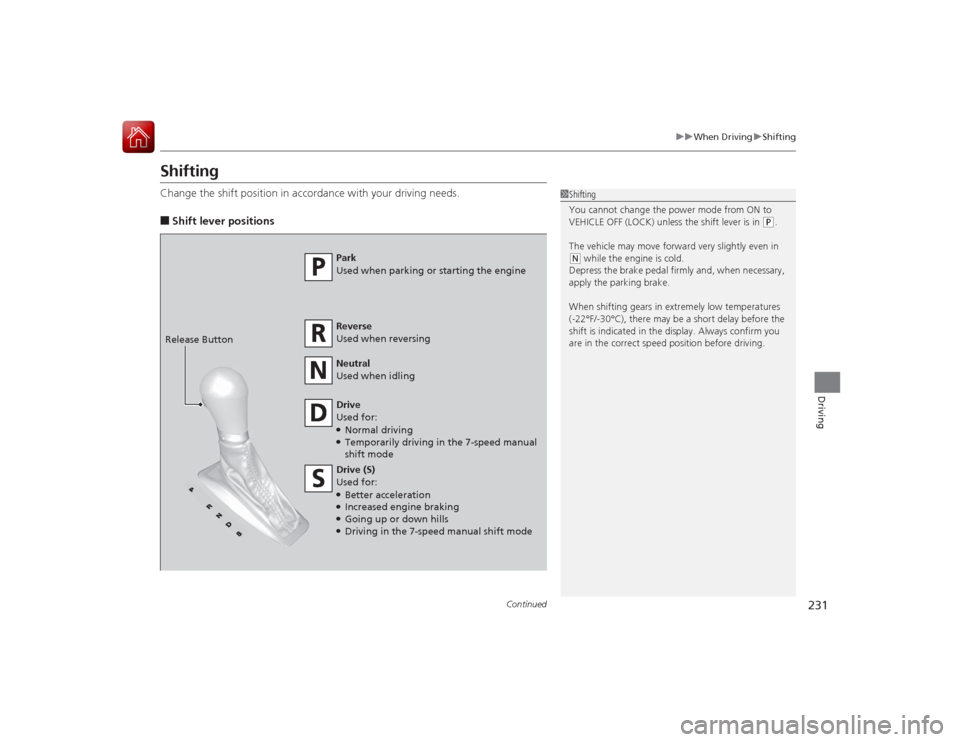
ShiftingChange the shift position in accordance with your driving needs.■Shift lever positions
1Shifting
You cannot change the power mode from ON to
VEHICLE OFF (LOCK) unless the shift lever is in
(P.
The vehicle may move forward very slightly even in
( N while the engine is cold.
Depress the brake pedal firmly and, when necessary,
apply the parking brake.
When shifting gears in extremely low temperatures
(-22°F/-30°C), there may be a short delay before the
shift is indicated in the display. Always confirm you
are in the correct speed position before driving.
Park
Used when parking or starting the engine
Reverse
Used when reversing
Neutral
Used when idling
Drive
Used for:●Normal driving●Temporarily driving in the 7-speed manual
shift mode
Drive (S)
Used for:●Better acceleration●Increased engine braking●Going up or down hills●Driving in the 7-speed manual shift mode
Release Button
Page 234 of 365
Continued
233
uuWhen Driving uShifting
Driving
Use the paddle shifters to change between 1st and 7th speeds without removing
your hands from the steering wheel. The transmission switches to the 7-speed
manual shift mode when you pull a paddle shifter while driving. This mode is useful
when engine braking is needed.■When the shift lever is in
(D
:
The shift mode goes into the 7-speed manual shift mode temporarily, and the
number is displayed in the shift indicator.
The 7-speed manual shift mode is canceled automatically if you drive at constant
speed or accelerate, and the number in the shift indicator goes off.
You can also cancel this mode by pulling the
(+
paddle shifter for a few seconds.
The 7-speed manual shift mode is especially useful when reducing the vehicle speed
temporarily before making a turn.
■When the shift lever is in
(S
:
The shift mode goes into the 7-speed manual shift mode. The ( M indicator and the
speed number are displayed in the shift indicator. As the vehicle speed slows down,
the transmission automatically shifts down accordingly. When the vehicle comes to
a stop, it automatically shifts down into 1st.
If the vehicle speed increases and the engine speed reaches near the tachometer's
red zone, the transmission automatically shifts up.
You can only pull away in 1st speed.
When canceling out of the 7-speed manual shift mode, move the shift lever from
(S
to
(D
. When the 7-speed manual shift mode is cancelled, the M indicator and shift
indicator go off.
■
7-Speed Manual Shift Mode
1 7-Speed Manual Shift Mode
In the 7-speed manual shift mode, the transmission
shifts up or down by operating either paddle shifter
under the following conditions:
Shift Up: The engine speed reaches the lowest
threshold of the higher speed position.
Shift Down: The engine speed reaches the highest
threshold of the lower speed position.
When the engine speed reaches near the
tachometer’s red zone, the transmission shifts up
automatically.
When the engine speed reaches the lowest threshold
of the selected speed position, the transmission shifts
down automatically.
Operating the paddle shifters on slippery surfaces
may cause the tires to lock up. In this case, the 7-
speed manual shift mode is canceled and goes back
to the normal D driving mode.
Page 250 of 365
249
uuBraking uBrake System
Driving
Your vehicle is equipped with disc brakes at all four wheels. A vacuum power assist
helps reduce the effort needed on the brake pedal. The brake assist system increases
the stopping force when you depress the brake pedal hard in an emergency
situation. The anti-lock brake system (ABS) helps you retain steering control when
braking very hard.2 Brake Assist System P. 251
2 Anti-lock Brake System (ABS) P. 250■
Foot Brake
1Foot Brake
Check the brakes after driving through deep water,
or if there is a buildup of road surface water. If
necessary, dry the brakes by lightly depressing the
pedal several times.
If you hear a continuous metallic friction sound when
applying the brakes, the brake pads need to be
replaced. Have the vehicle checked by a dealer.
Constantly using the brake pedal while going down a
long hill builds up heat, which reduces the brake
effectiveness. Apply engine braking by taking your
foot off the accelerator pedal and downshifting to a
lower speed position.
Do not rest your foot on the brake pedal while
driving, as it will lightly apply the brakes and cause
them to lose effectiveness over time and reduce pad
life. It will also confuse drivers behind you.