lights Acura Integra 2001 User Guide
[x] Cancel search | Manufacturer: ACURA, Model Year: 2001, Model line: Integra, Model: Acura Integra 2001Pages: 285, PDF Size: 3.79 MB
Page 70 of 285

Control
s Nea r th e Steerin g Wheel , Steerin g Whee l Control s
2. Move the steering wheel to the desired position, making sure the
wheel points toward your chest, not toward your face. Make sure
you can see the instrument panel gauges and the indicator lights.
3. Push the lever up to lock the steering wheel in that position.
4. Make sure you have securely locked the steering wheel in place
by trying to move it up and down. Cruis
e Contro l
LS, GS and GS-R models
Cruise control allows you to maintain
a set speed above 25 mph (40 km/h)
without keeping your foot on the accelerator pedal. It should be used
for cruising on straight, open
highways. It is not recommended for conditions such as city driving,
winding roads, slippery roads, heavy rain, or bad weather. You should
have full control of the car under
those conditions.
The cruise control, as it operates,
moves the accelerator pedal. You can
damage your car's accelerator
mechanism by resting your foot under the pedal and blocking the movement.
CONTINUED
Instrument s an d Control s
NOTIC
E
Improper use of the cruise
control can lead to a crash.
Use the cruise control only
when traveling on open
highways in good weather.
Page 77 of 285
Key
s an d Lock s
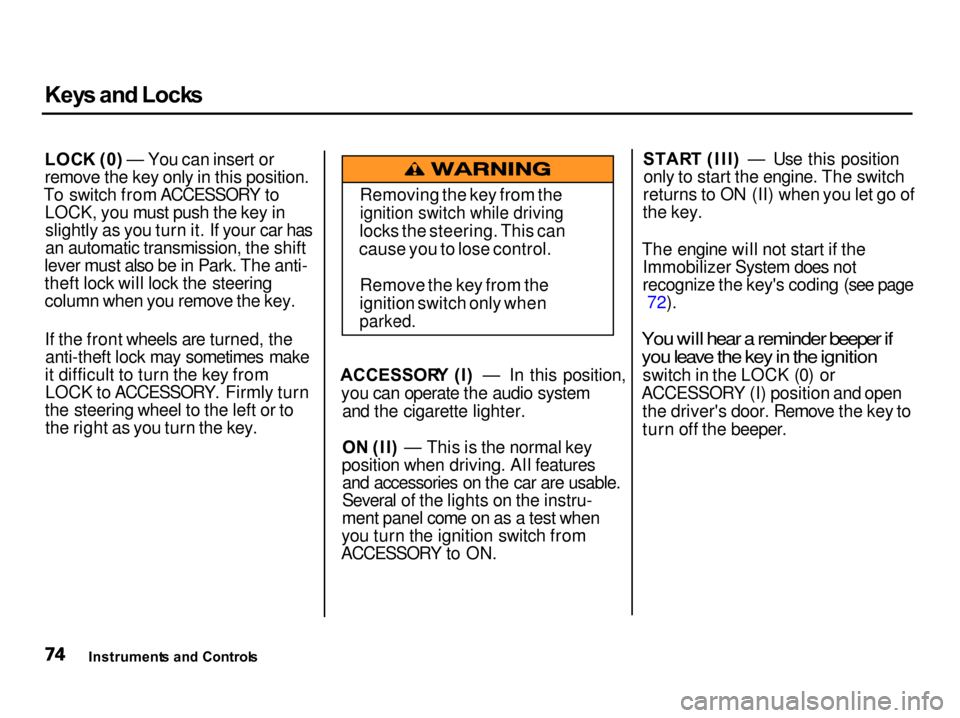
LOC K (0 ) — You can insert or
remove the key only in this position.
To switch from ACCESSORY to LOCK, you must push the key inslightly as you turn it. If your car has
an automatic transmission, the shift
lever must also be in Park. The anti-
theft lock will lock the steering column when you remove the key.
If the front wheels are turned, theanti-theft lock may sometimes make
it difficult to turn the key from LOCK to ACCESSORY. Firmly turn
the steering wheel to the left or to the right as you turn the key. ACCESSOR
Y (I ) — In this position,
you can operate the audio system and the cigarette lighter.
O N (II ) — This is the normal key
position whe n driving. All features
and accessories on the car are usable.
Several of the lights on the instru-
ment panel come on as a test when
you turn the ignition switch from
ACCESSORY to ON. STAR
T (III ) — Use this position
only to start the engine. The switch
returns to ON (II) when you let go of
the key.
The engine will not start if the Immobilizer System does not
recognize the key's coding (see page 72).
You will hear a reminder beeper if
you leave the key in the ignition
switch in the LOCK (0) or
ACCESSORY (I) position and open the driver's door. Remove the key to
turn off the beeper.
Instrument s an d Control s Removing the key from the
ignition switch while driving
locks the steering. This can
cause you to lose control.
Remove the key from the
ignition switch only when
parked.
Page 81 of 285

Key
s an d Lock s
Glov e Bo x
Open the glove box by pulling the
bottom of the handle. Close it with a
firm push. Lock or unlock the glove
box with the master key.
LS, GS, GS-R and Type-R models
The glove box light comes on only when the instrument panel lights are
on.
Instrument s an d Control s
An open glove box can cause
serious injury to your passengerin a crash, even if the
passenger is wearing the seat
belt.
Always keep the glove box
closed while driving.
Page 89 of 285

Moonroof
, Mirror s
If you try to open the moonroof in below-freezing temperatures, or whenit is covered with snow or ice, you can
damage the moonroof panel or motor.
Mirror
s
Keep the inside and outside mirrors clean and adjusted for best visibility.
Be sure to adjust the mirrors before
you start driving.
The inside mirror has day and night positions. The night position reduces
glare from headlights behind you.Flip the tab on the bottom edge of
the mirror to select the day or night
position.
Adjusting the Power Mirrors
Adjust the outside mirrors with the adjustment switch on the driver's
door:
1. Turn the ignition switch ON (II).
2. Move the selector switch to L (driver's side) or R (passenger's
side).
Instrument s an d Control s
NOTIC
E
TAB
SELECTO
R SWITC H
Closing the moonroof on
someone's hands or fingers can
cause serious injury.
Make sure passengers are
clear of the moonroof before
closing it.
Page 95 of 285
Interio
r Light s
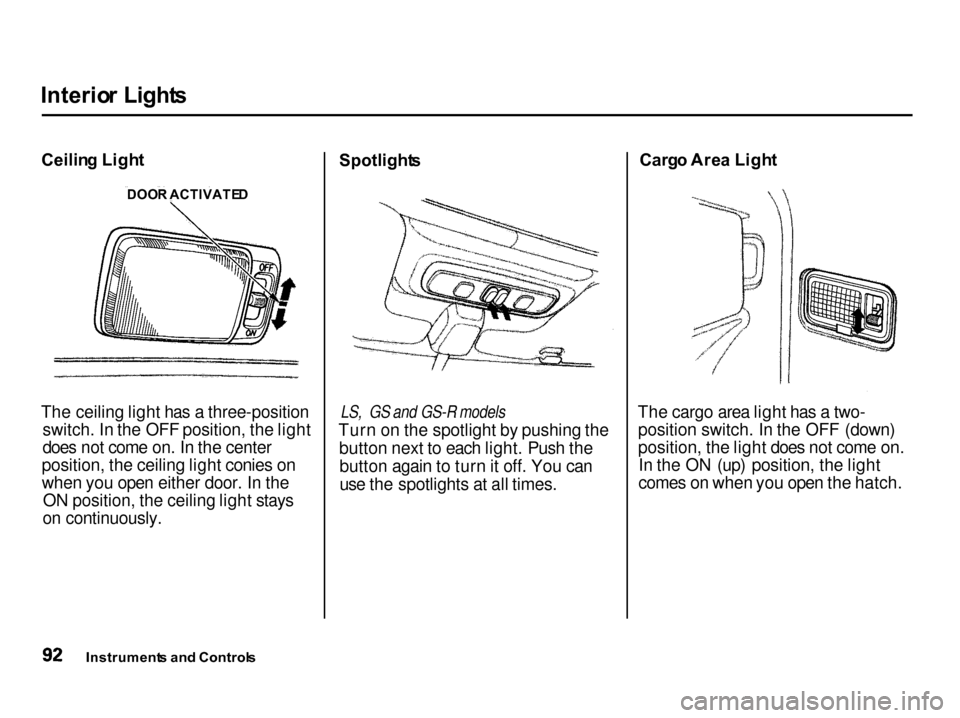
Ceilin g Ligh t
The ceiling light has a three-position switch. In the OFF position, the light
does not come on. In the center
position, the ceiling light conies on
when you open either door. In the ON position, the ceiling light stays
on continuously. Spotlight
s
LS, GS and GS-R models
Turn on the spotlight by pushing the button next to each light. Push thebutton again to turn it off. You can
use the spotlights at all times. Carg
o Are a Ligh t
The cargo area light has a two- position switch. In the OFF (down)
position, the light does not come on.In the ON (up) position, the light
comes on when you open the hatch.
Instrument s an d Control s
DOO
R ACTIVATE D
Page 97 of 285

Heatin
g an d Coolin g
Proper use of the Heating and Cooling system can make the
interior dry and comfortable, and
keep the windows clear for best
visibility.
(Canadian Type-R model only)
If your car does not have air
conditioning, it can be installed at
any time. Your dealer will install a Genuine Acura air conditioning
system that meets Acura's high
quality standards and is designed to
exactly fit your car. Please contact
your dealer for more information.
Wha t Eac h Contro l Doe s
Fa n Contro l Leve r
Sliding this lever to the right
increases the fan's speed, which increases air flow. Temperatur
e Contro l Leve r
Sliding this lever to the right
increases the temperature of the air
flow.
Ai r Conditionin g (A/C ) Butto n
This button turns the air condi- tioning ON and OFF. The indicatorin the button lights when the A/C is
on.
Recirculatio
n Butto n
This button controls the source of the air going into the system. When
the indicator in this button is lit, air
from the car's interior is sent through the system again (Recircula-
tion mode). When the indicator is off, air is brought in from outside the car (Fresh Air mode).
Comfor t an d Convenienc e Feature s MOD
E BUTTON SRECIRCULATIO
N
BUTTO N AI
R CONDITIONIN G
BUTTO N
TEMPERATUR E
CONTRO L LEVE R
FA
N CONTRO L
LEVE R
Page 133 of 285

Accessorie
s an d Modification s
Modifying your car, or installing some non-Acura accessories, can
make your car unsafe. Before you
make any modifications or add any accessories, be sure to read the
following information.
Accessorie s
Your dealer has Genuine Acura accessories that allow you to
personalize your car. These accessories have been designed and
approved for your car, and are
covered by warranty.
Non-Acura accessories are usuallydesigned for universal applications.
Although aftermarket accessories may fit on your car, they may not
meet factory specifications, andcould adversely affect your car's
handling and stability. (See "Modifications" on the page 131 for
additional information.) When properly installed, cellular
phones, alarms, two-way radios, and
low-powered audio systems shouldnot interfere with your car's
computer-controlled systems, suchas the SRS and anti-lock brake
system.
However, if electronic accessories are improperly installed, or exceed
your car's electrical system capacity, they can interfere with the operation of your car, or even cause the
airbags to deploy.
Before installing any accessory: Make sure the accessory does not
obscure any lights, or interfere
with proper car operation or performance. Be sure electronic accessories do
not overload electrical circuits (see page 243). Have the installer contact your
Acura dealer for assistance before installing any electronic accessory.
If possible, have your dealer inspect
the final installation.
Befor e Drivin g
Improper accessories or
modifications can affect your
car's handling, stability and performance, and cause a
crash in which you can be hurt
or killed.
Follow all instructions in this
owner's manual regarding
accessories and modifications.
Page 139 of 285

Preparin
g to Driv e
You should do the following checks and adjustments every day before
you drive your car.
1. Make sure all windows, mirrors, and outside lights are clean and
unobstructed. Remove frost, snow,or ice.
2. Check that the hood and hatch are fully closed.
3. Visually check the tires. If a tire looks low, use a gauge to check its
pressure.
4. Check that any items you may be carrying with you inside are stored
properly or fastened down
securely.
5. Check the adjustment of the seat
(see page 79 ).
6. Check the adjustment of the inside and outside mirrors (see
page 86 ).
7. Check the adjustment of the steering wheel (see page 66 ).
8. Make sure the doors and hatch
are securely closed and locked.
9. Fasten your seat belt. Check that
your passengers have fastened
their seat belts (see page 16 ). 10. Turn the ignition switch ON (II).
Check the indicator lights in the
instrument panel.
11. Start the engine (see page 137).
12. Check the gauges and indicator lights in the instrument panel (see
page 53).
Drivin g
Page 147 of 285

Parkin
g
Always use the parking brake when you park your car. The indicator onthe instrument panel shows that theparking brake is not fully released; itdoes not indicate that the parking
brake is firmly set. Make sure the
parking brake is set firmly or your car may roll if it is parked on an
incline.
If your car has an automatic
transmission, set the parking brake
before you put the transmission in Park. This keeps the car from
moving and putting pressure on the
parking mechanism in the
transmission — making it easier to move the shift lever out of Park
when you want to drive away. If the car is facing uphill, turn the
front wheels away from the curb. If
you have a manual transmission, put it in first gear.
If the car is facing downhill, turn the
front wheels toward the curb. If you
have a manual transmission, put it in reverse gear.
Make sure the parking brake is fully
released before driving away.
Driving with the parking brake
partially set can overheat or damage
the rear brakes. Parkin
g Tip s Make sure the moonroof and the
windows are closed. Turn off the lights.
Place any packages, valuables, etc.,
in the cargo area or take them
with you.
Lock the doors.
Never park over dry leaves, tall
grass, or other flammable
materials. The three way catalytic
converter gets very hot, and could
cause these materials to catch on
fire.
Drivin g
Page 148 of 285

Th
e Brakin g Syste m
Your Acura is equipped with disc brakes at all four wheels. A power assist helps reduce the effort needed
on the brake pedal. The ABS helps
you retain steering control when braking very hard.
Put your foot on the brake pedal only
when you intend to brake. Resting
your foot on the pedal keeps the brakes applied lightly, causing themto build up heat. Heat build-up can
reduce how well your brakes work. It
also keeps your brake lights on all
the time, confusing drivers behind
you.
Constant application of the brakes
when going down a long hill builds up heat and reduces their effective-
ness. Use the engine to assist the
brakes by downshifting to a lower gear and taking your foot off theaccelerator pedal.
Check your brakes after driving
through deep water. Apply the
brakes moderately to see if they feel normal. If not, apply them gently and
frequently until they do. Since a
longer distance is needed to stop
with wet brakes, be extra cautious and alert in your driving. Brak
e Wea r Indicator s
All four brakes have audible brake wear indicators.
When the brake pads need replacing, you will hear a distinctive metallic "screeching" sound when you apply
the brakes. If you do not have the
brake pads replaced, they will begin screeching all the time.
Your brakes may sometimes squeal or squeak when you apply them
lightly. Do not confuse this with the
brake wear indicators. They make a
very audible "screeching."
Driving