instrument panel ACURA INTEGRA 2023 Service Manual
[x] Cancel search | Manufacturer: ACURA, Model Year: 2023, Model line: INTEGRA, Model: ACURA INTEGRA 2023Pages: 740, PDF Size: 22.94 MB
Page 120 of 740
118
uuGauges and Displays uDriver Information Interface (Right Side Area)
Instrument Panel
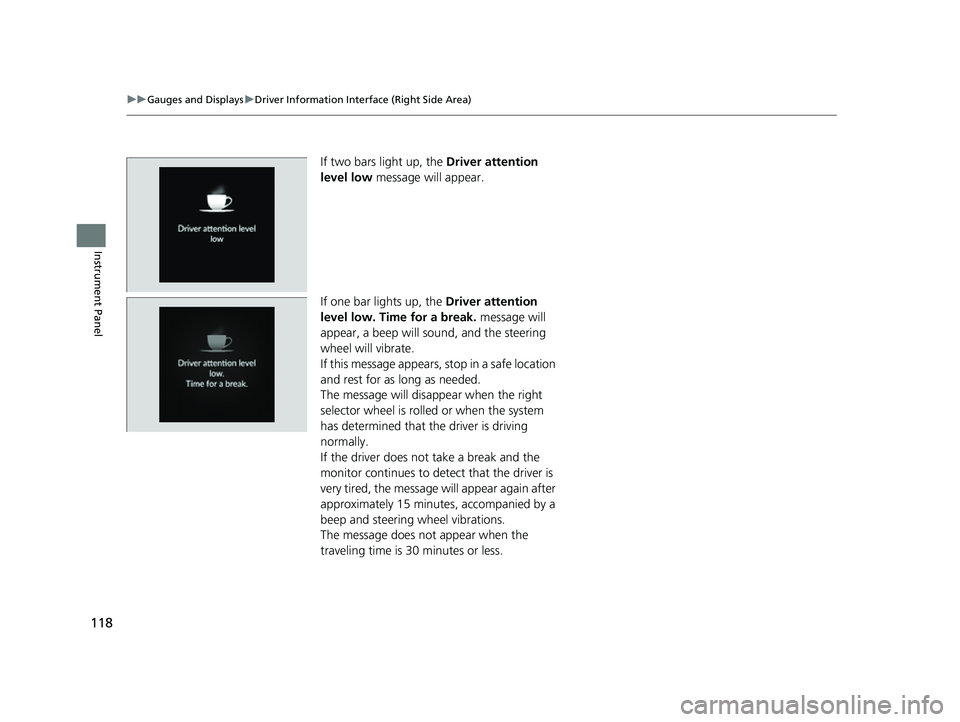
If two bars light up, the Driver attention
level low message will appear.
If one bar lights up, the Driver attention
level low. Time for a break. message will
appear, a beep will sound, and the steering
wheel will vibrate.
If this message appears, stop in a safe location
and rest for as long as needed.
The message will disa ppear when the right
selector wheel is rolled or when the system
has determined that the driver is driving
normally.
If the driver does not take a break and the
monitor continues to dete ct that the driver is
very tired, the message will appear again after
approximately 15 minutes, accompanied by a
beep and steering wheel vibrations.
The message does not appear when the
traveling time is 30 minutes or less.
23 ACURA INTEGRA-313S56000_03.book 118 ページ 2022年3月18日 金曜日 午前11時47分
Page 121 of 740
Continued119
uuGauges and Displays uDriver Information Interface (Right Side Area)
Instrument Panel
■The Driver Attention Monitor resets when:
• The engine is turned off.
• The driver unfastens the seat belt and ope ns the door while the vehicle is stopped.
■For the Driver Attention Monitor to function:
• The vehicle must be traveling above 25 mph (40 km/h).
• The electric power steering (EPS) system indicator must be off.
■Depending on driving conditions or other factors, the Driver Attention
Monitor may not function in the following circumstances:
• The steering assist function of the Lane Keeping Assist System (LKAS) is active.
2Lane Keeping Assist System (LKAS) P. 545
•The condition of the road is poor, e.g. the surface is unpaved or bumpy.
• It is windy.
• The driver is frequently op erating the vehicle in an assertive manner such as
changing lanes or accelerating.
■Customizing
You can change the Driver Atte ntion Monitor settings. Select Tactile and audible
alert
*1/ Tactile And Audible Alert*2, Tactile alert*1/Tactile Alert*2, or OFF .
2Vehicle Settings* P. 126
2 Customized Features P. 359
*1: Models with 7-in. Color Touchscreen
*2: Models with 9-in. Color Touchscreen
1For the Driver Attention Monitor to function:
The bars on the driver information interface remain
grayed out unless the Driv er Attention Monitor is
functioning.
Models with 7-in. Color Touchscreen
Models with 9-in. Color Touchscreen
* Not available on all models
23 ACURA INTEGRA-313S56000_03.book 119 ページ 2022年3月18日 金曜日 午前11時47分
Page 122 of 740
uuGauges and Displays uDriver Information Interface (Right Side Area)
120
Instrument Panel
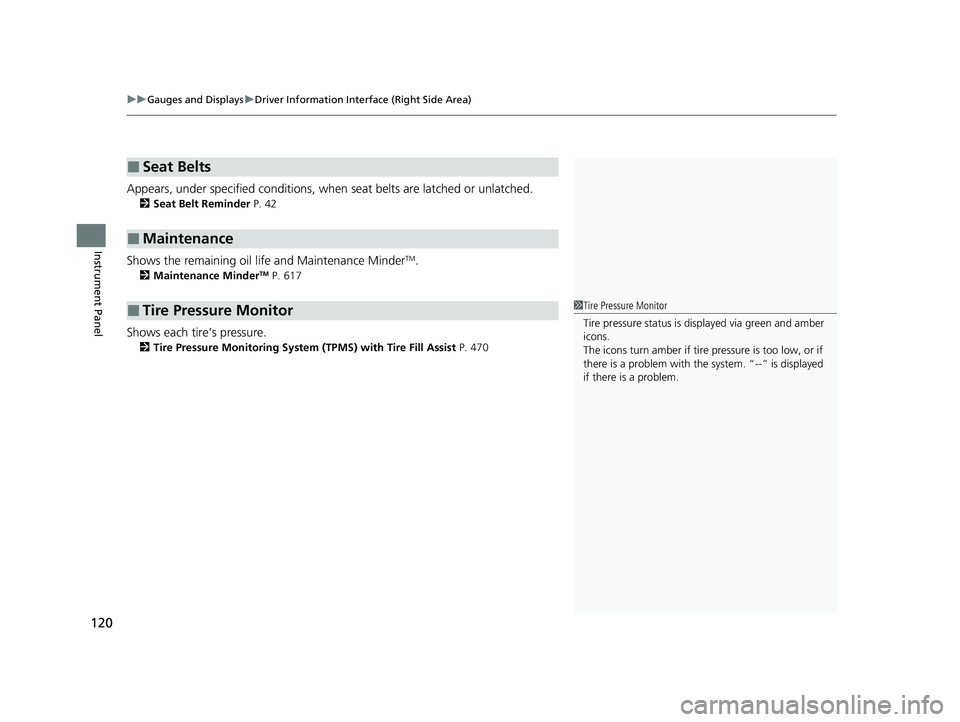
Appears, under specified conditions, when seat belts are latched or unlatched.
2Seat Belt Reminder P. 42
Shows the remaining oil life and Maintenance MinderTM.
2Maintenance MinderTM P. 617
Shows each tire’s pressure.
2Tire Pressure Monitoring System (TPMS) with Tire Fill Assist P. 470
■Seat Belts
■Maintenance
■Tire Pressure Monitor1Tire Pressure Monitor
Tire pressure status is di splayed via green and amber
icons.
The icons turn amber if tire pressure is too low, or if
there is a problem with the system. “--” is displayed
if there is a problem.
23 ACURA INTEGRA-313S56000_03.book 120 ページ 2022年3月18日 金曜日 午前11時47分
Page 123 of 740
Continued121
uuGauges and Displays uDriver Information Interface (Right Side Area)
Instrument Panel
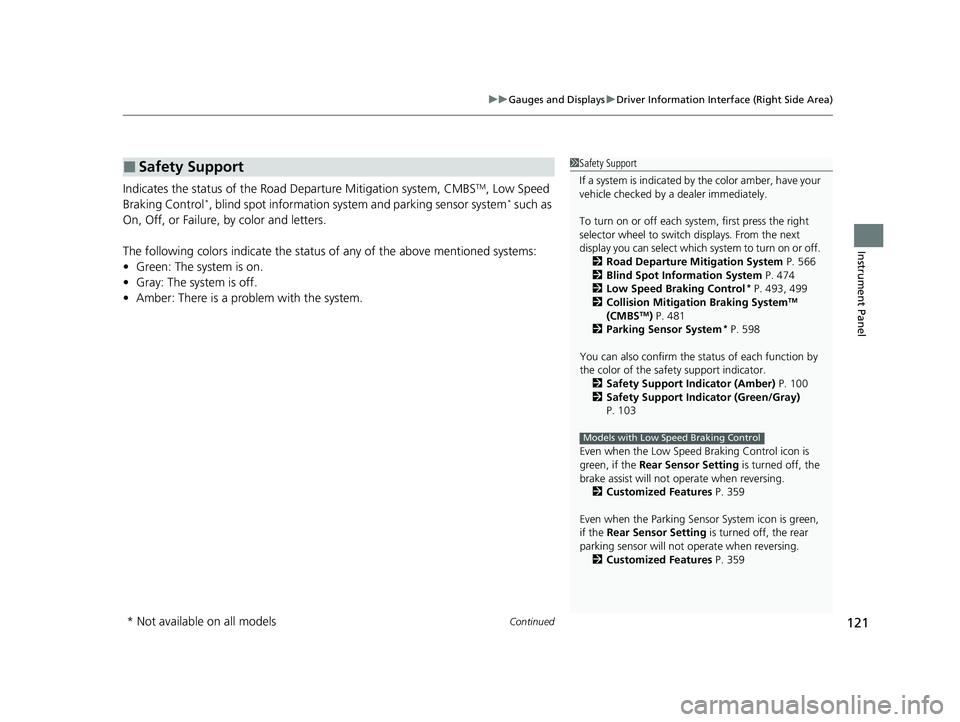
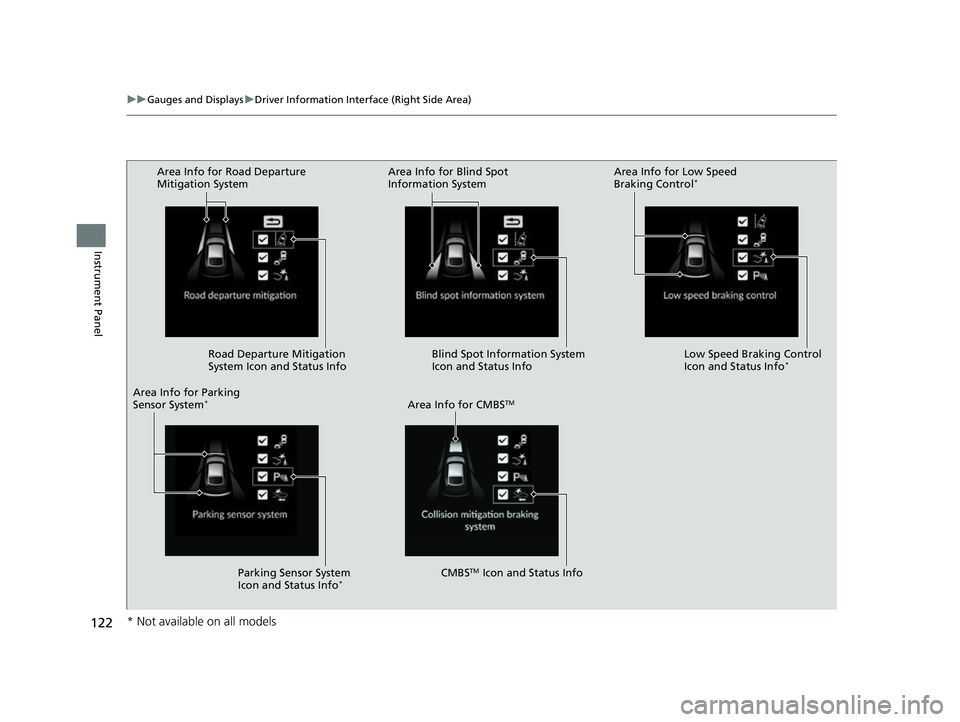
Indicates the status of the Road Departure Mitigation system, CMBSTM, Low Speed
Braking Control*, blind spot information system and parking sensor system* such as
On, Off, or Failure, by color and letters.
The following colors indicate the status of any of the above mentioned systems:
• Green: The system is on.
• Gray: The system is off.
• Amber: There is a problem with the system.
■Safety Support1Safety Support
If a system is indicated by the color amber, have your
vehicle checked by a dealer immediately.
To turn on or off each system, first press the right
selector wheel to switch displays. From the next
display you can select which system to turn on or off. 2 Road Departure Mitigation System P. 566
2 Blind Spot Information System P. 474
2 Low Speed Braking Control
* P. 493, 499
2 Collision Mitigation Braking SystemTM
(CMBSTM) P. 481
2 Parking Sensor System* P. 598
You can also confirm the st atus of each function by
the color of the safe ty support indicator.
2 Safety Support Indicator (Amber) P. 100
2 Safety Support Indicator (Green/Gray)
P. 103
Even when the Low Speed Braking Control icon is
green, if the Rear Sensor Setting is turned off, the
brake assist will not operate when reversing.
2 Customized Features P. 359
Even when the Parking Sensor System icon is green,
if the Rear Sensor Setting is turned off, the rear
parking sensor will not operate when reversing.
2 Customized Features P. 359
Models with Low Speed Braking Control
* Not available on all models
23 ACURA INTEGRA-313S56000_03.book 121 ページ 2022年3月18日 金曜日 午前11時47分
Page 124 of 740
122
uuGauges and Displays uDriver Information Interface (Right Side Area)
Instrument Panel
Area Info for Road Departure
Mitigation System
Road Departure Mitigation
System Icon and Status Info
Area Info for CMBS
TM
CMBSTM Icon and Status Info
Area Info for Parking
Sensor System
*
Area Info for Blind Spot
Information System
Area Info for Low Speed
Braking Control*
Blind Spot Information System
Icon and Status Info Low Speed Braking Control
Icon and Status Info*
Parking Sensor System
Icon and Status Info*
* Not available on all models
23 ACURA INTEGRA-313S56000_03.book 122 ページ 2022年3月18日 金曜日 午前11時47分
Page 125 of 740
123
uuGauges and Displays uDriver Information Interface (Right Side Area)
Continued
Instrument Panel
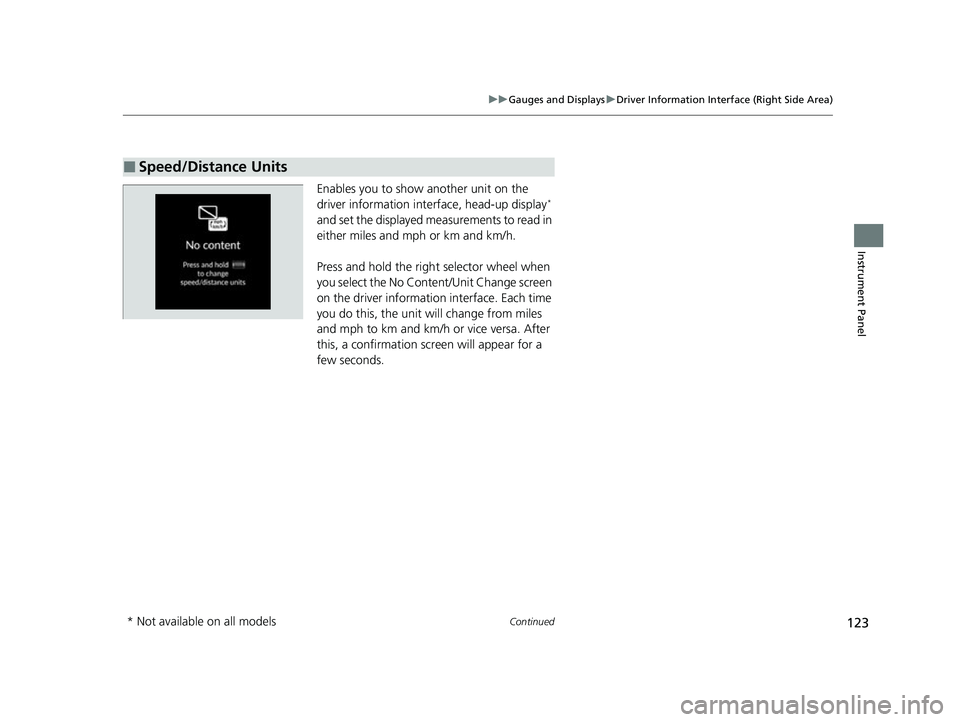
Enables you to show another unit on the
driver information interface, head-up display*
and set the displayed measurements to read in
either miles and mph or km and km/h.
Press and hold the righ t selector wheel when
you select the No Content/Unit Change screen
on the driver informati on interface. Each time
you do this, the unit will change from miles
and mph to km and km/h or vice versa. After
this, a confirmation scr een will appear for a
few seconds.
■Speed/Distance Units
* Not available on all models
23 ACURA INTEGRA-313S56000_03.book 123 ページ 2022年3月18日 金曜日 午前11時47分
Page 126 of 740
uuGauges and Displays uDriver Information Interface (Right Side Area)
124
Instrument Panel
Display the adjustment for instrument panel brightness.
When the power mode is in ON, you can use the right selector wheel to adjust
instrument panel brightness.
Brighten: Roll the right selector wheel up.
Dim: Roll the right selector wheel down.
Press the right selector wheel to exit.
■Brightness1 Brightness
The brightness of the gauge is automatically adjusted
depending on the ambient brightness.
•The brightness dims when the ambient light is
dark.
•The brightness brightens when the ambient light is
bright.
You can change the setting even when the ambient
lighting is bright, but the brightness of the gauge
won’t change.
23 ACURA INTEGRA-313S56000_03.book 124 ページ 2022年3月18日 金曜日 午前11時47分
Page 127 of 740
Continued125
uuGauges and Displays uDriver Information Interface (Right Side Area)
Instrument Panel
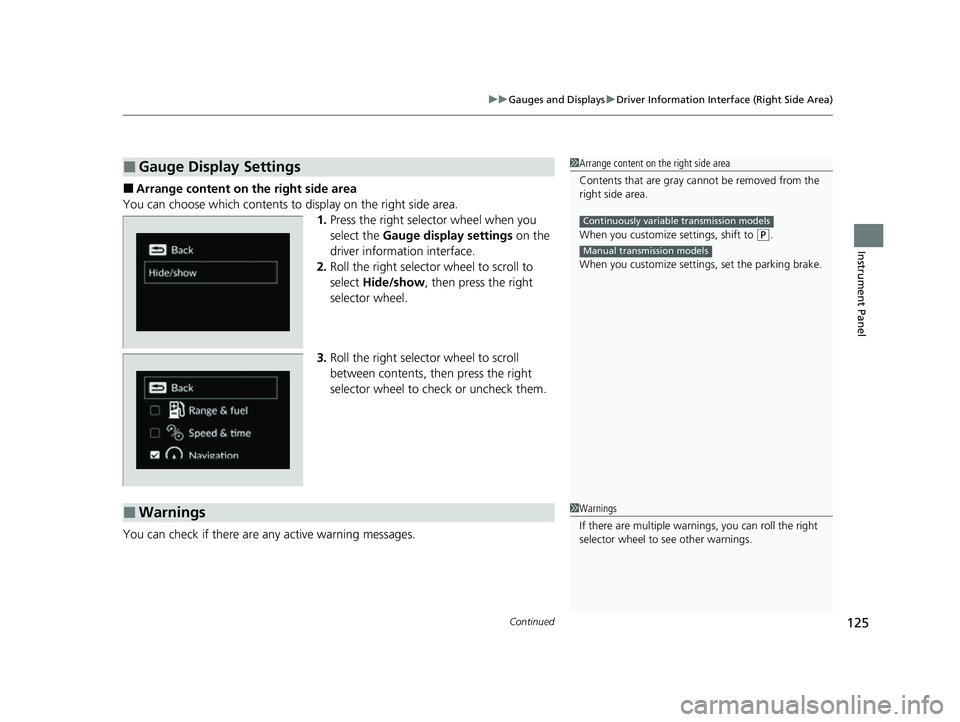
■Arrange content on the right side area
You can choose which contents to display on the right side area. 1.Press the right selector wheel when you
select the Gauge display settings on the
driver information interface.
2. Roll the right selector wheel to scroll to
select Hide/show , then press the right
selector wheel.
3. Roll the right selector wheel to scroll
between contents, then press the right
selector wheel to check or uncheck them.
You can check if there are any active warning messages.
■Gauge Display Settings1 Arrange content on the right side area
Contents that are gray ca nnot be removed from the
right side area.
When you customize settings, shift to
( P.
When you customize setti ngs, set the parking brake.
Continuously variable transmission models
Manual transmission models
■Warnings1Warnings
If there are multiple warnings, you can roll the right
selector wheel to see other warnings.
23 ACURA INTEGRA-313S56000_03.book 125 ページ 2022年3月18日 金曜日 午前11時47分
Page 128 of 740
uuGauges and Displays uDriver Information Interface (Right Side Area)
126
Instrument Panel
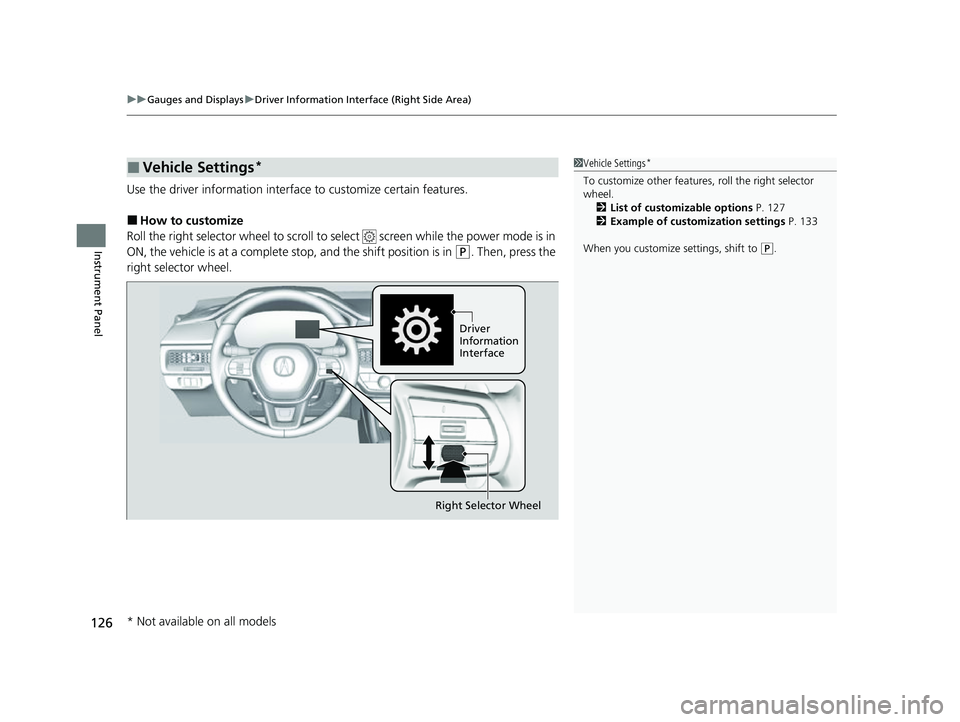
Use the driver information interfac e to customize certain features.
■How to customize
Roll the right selector wheel to scroll to se lect screen while the power mode is in
ON, the vehicle is at a complete stop, and the shift position is in
(P. Then, press the
right selector wheel.
■Vehicle Settings*1 Vehicle Settings*
To customize other features , roll the right selector
wheel. 2 List of customizable options P. 127
2 Example of customization settings P. 133
When you customize settings, shift to
( P.
Driver
Information
Interface
Right Selector Wheel
* Not available on all models
23 ACURA INTEGRA-313S56000_03.book 126 ページ 2022年3月18日 金曜日 午前11時47分
Page 129 of 740
127
uuGauges and Displays uDriver Information Interface (Right Side Area)
Continued
Instrument Panel
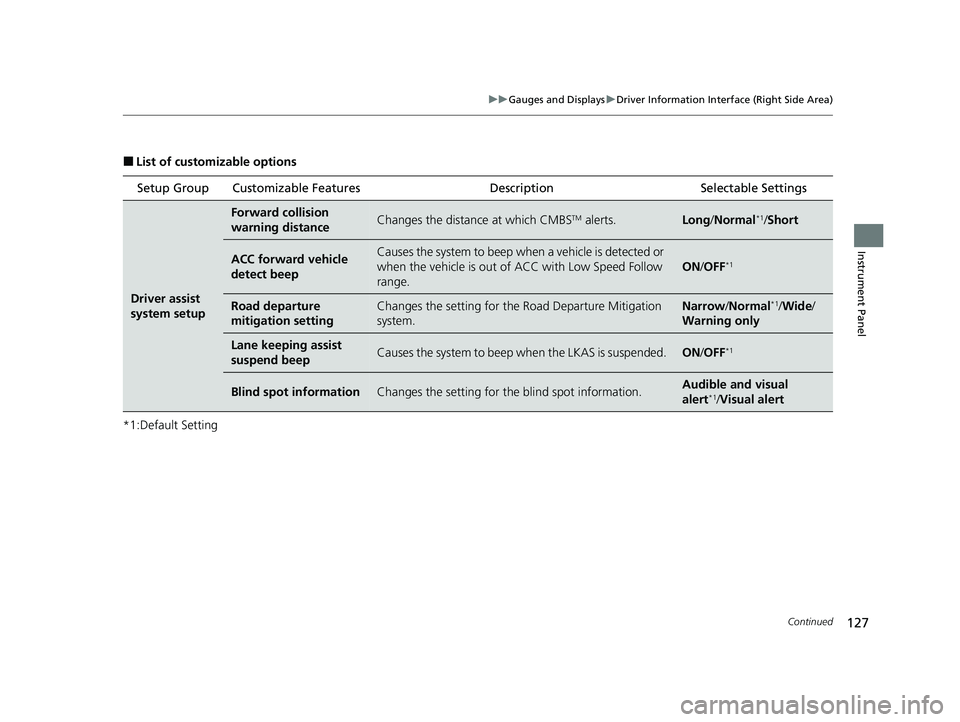
■List of customizable options
*1:Default Setting Setup Group Customizable Features
Description Selectable Settings
Driver assist
system setup
Forward collision
warning distanceChanges the distance at which CMBSTM alerts.Long/Normal*1/Short
ACC forward vehicle
detect beepCauses the system to beep wh en a vehicle is detected or
when the vehicle is out of ACC with Low Speed Follow
range.
ON /OFF*1
Road departure
mitigation settingChanges the setting for th e Road Departure Mitigation
system.Narrow /Normal*1/Wide /
Warning only
Lane keeping assist
suspend beepCauses the system to beep when the LKAS is suspended.ON/OFF*1
Blind spot informationChanges the setting for th e blind spot information.Audible and visual
alert*1/Visual alert
23 ACURA INTEGRA-313S56000_03.book 127 ページ 2022年3月18日 金曜日 午前11時47分