Type s ACURA INTEGRA 2024 Owner's Manual
[x] Cancel search | Manufacturer: ACURA, Model Year: 2024, Model line: INTEGRA, Model: ACURA INTEGRA 2024Pages: 766, PDF Size: 28.39 MB
Page 417 of 766

Continued415
uuBluetooth ® HandsFreeLink ®u HFL Menus
Features
■When Auto Sync Phone is set to On:
When your phone is paired, the contents of its
phonebook and call history are automatically
imported to the system.
■Changing the Auto Sync Phone setting
1. Go to the phone settings screen.
2 Phone settings screen P. 408
2.Select Auto Sync Phone.
3. Select ON or OFF .
■Automatic Import of Cellular Phonebook and Call History1Automatic Import of Cellular Phonebook and Call History
When you select a name from the list in the cellular
phonebook, you can see a category icon. The icons
indicate what types of num bers are stored for that
name.
On some phones, it may no t be possible to import the
category icons to the system.
The phonebook is updated after every connection.
Call history is updated after every connection or call.
Home
Mobile
Work
PagerFax
Car
Voice
Other
Pref
24 ACURA INTEGRA-313S56100.book 415 ページ 2023年2月13日 月曜日 午後2時41分
Page 465 of 766

463
uuWhen Driving uAuto Idle Stop
Continued
Driving
Auto Idle Stop
To help maximize fuel economy, the engi ne automatically stops when the vehicle
comes to a stop, depending on environmental and vehicle operating conditions. The
indicator (green) comes on at this time.
The environmental and vehicle conditions that
impact Auto Idle Stop system operation are
varied.
2Auto Idle Stop Activates When: P. 465, 466
The engine then restarts once the vehicle is
about to move again, and the indicator
(green) goes off.
2The Engine Automatically Restarts When:
P. 467
If the driver’s door is opened while the
indicator (green) comes on, a buzzer sounds
to notify you that the Auto Idle Stop function
is in operation.
A message associated with Auto Idle Stop
appears on the driver information interface.
Continuously variable transmission models
1 Auto Idle Stop
The 12-volt battery insta lled in this vehicle is
specifically designed for a m odel with Auto Idle Stop.
Using a 12-volt battery other than this specified type
may shorten the 12-volt ba ttery life, and prevent
Auto Idle Stop from activati ng. If you need to replace
the 12-volt battery, make sure to select the specified
type. Ask a dealer for more details.
Auto Idle Stop
Indicator (Green)
24 ACURA INTEGRA-313S56100.book 463 ページ 2023年2月13日 月曜日 午後2時41分
Page 471 of 766

469
uuWhen Driving uAuto Idle Stop*
Continued
Driving
Auto Idle Stop*
To help maximize fuel economy, the engi ne automatically stops when the vehicle
comes to a stop, depending on environmental and vehicle operating conditions. The
indicator (green) comes on at this time.
The environmental and vehicle conditions that
impact Auto Idle Stop system operation are
varied.
2Auto Idle Stop Activates When:
P. 471, 472
The engine then restarts once the vehicle is
about to move again when you depress the
clutch pedal, and the indicator (green) goes
off.
2The Engine Automatically Restarts When:
P. 473
If the driver’s door is opened while the
indicator (green) comes on, a buzzer sounds
to notify you that the Auto Idle Stop function
is in operation.
A message associated with Auto Idle Stop
appears on the driver information interface.
Manual transmission models
1 Auto Idle Stop*
The 12-volt battery insta lled in this vehicle is
specifically designed for a m odel with Auto Idle Stop.
Using a 12-volt battery other than this specified type
may shorten the 12-volt ba ttery life, and prevent
Auto Idle Stop from activati ng. If you need to replace
the 12-volt battery, make sure to select the specified
type. Ask a dealer for more details.
Auto Idle Stop
Indicator (Green)
* Not available on all models
24 ACURA INTEGRA-313S56100.book 469 ページ 2023年2月13日 月曜日 午後2時41分
Page 476 of 766
474
uuWhen Driving uVehicle Stability AssistTM (VSA ®), aka Electronic Stability Control (ESC), System
Driving
Vehicle Stability AssistTM (VSA ®), aka Electronic
Stability Control (ESC), System
VSA ® helps stabilize the vehicle during cornering if the vehicle turns more or less
than what was intended. It also assists in maintaining traction on slippery surfaces.
It does so by regulating engine output and selectively applying the brakes.
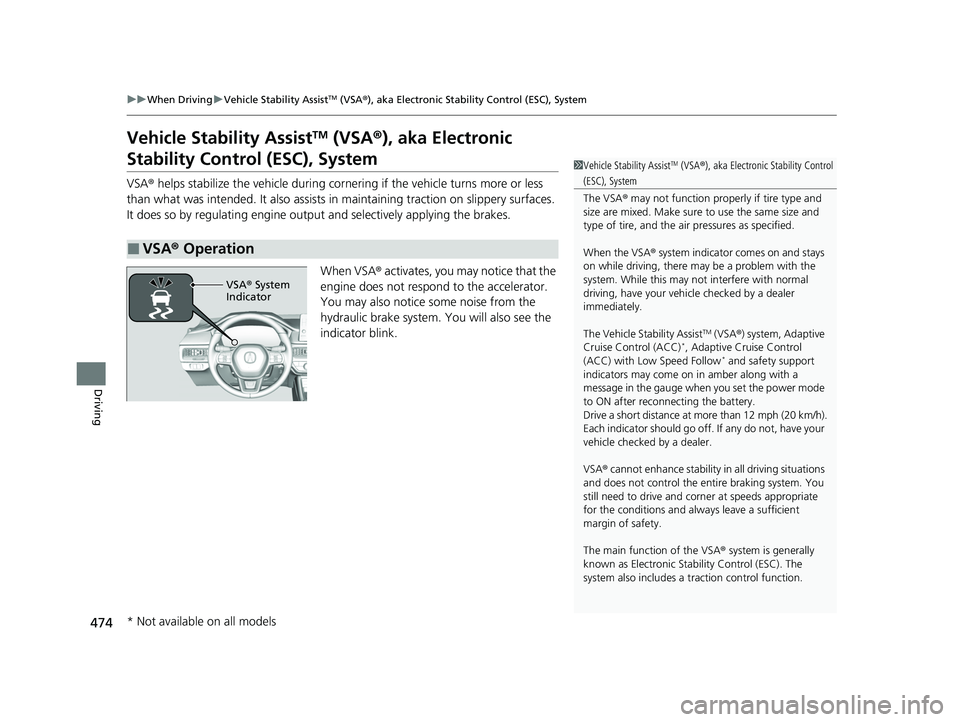
When VSA® activates, you may notice that the
engine does not respond to the accelerator.
You may also notice some noise from the
hydraulic brake system. You will also see the
indicator blink.
■VSA ® Operation
1 Vehicle Stability AssistTM (VSA ®), aka Electronic Stability Control
(ESC), System
The VSA ® may not function properl y if tire type and
size are mixed. Make sure to use the same size and
type of tire, and the air pressures as specified.
When the VSA ® system indicator comes on and stays
on while driving, there may be a problem with the
system. While this may not interfere with normal
driving, have your vehi cle checked by a dealer
immediately.
The Vehicle Stability Assist
TM (VSA ®) system, Adaptive
Cruise Control (ACC)*, Adaptive Cruise Control
(ACC) with Low Speed Follow* and safety support
indicators may come on in amber along with a
message in the gauge when you set the power mode
to ON after reconnecting the battery.
Drive a short distance at more than 12 mph (20 km/h).
Each indicator should go off. If any do not, have your
vehicle checked by a dealer.
VSA ® cannot enhance stability in all driving situations
and does not control the entire braking system. You
still need to drive and corner at speeds appropriate
for the conditions and always leave a sufficient
margin of safety.
The main function of the VSA ® system is generally
known as Electronic Stab ility Control (ESC). The
system also includes a traction control function.
VSA® System
Indicator
* Not available on all models
24 ACURA INTEGRA-313S56100.book 474 ページ 2023年2月13日 月曜日 午後2時41分
Page 479 of 766

477
uuWhen Driving uLimited Slip Differential (LSD)
Driving
Limited Slip Differential (LSD)
LSD (limited slip differential) is a type of differential that delivers extra torque to the
wheel or the wheels with the most tracti on to minimize wheel slip and maintain
control of the vehicle.
■Limited Slip Differential (LSD)
Manual transmission models
1 Limited Slip Differential (LSD)
NOTICE
Make sure both front tires of your vehicle are of the
same brand and specified si ze, and have equal wear.
Otherwise, the LSD may not function properly.
24 ACURA INTEGRA-313S56100.book 477 ページ 2023年2月13日 月曜日 午後2時41分
Page 498 of 766

uuAcuraWatchTMuCollision Mitigation Braking SystemTM (CMBSTM)
496
Driving
■Examples of limitations on the correc t detection of the camera due to the
condition of the vehicle ahead of you, oncoming vehicles, pedestrians, or
moving bicycles
• The distance between your vehicle an d the vehicle ahead of you, oncoming
vehicle, pedestrian, or moving bicycle ahead of you is too short.
• The vehicle ahead of you, oncoming vehicle, pedestrian, or moving bicycle
suddenly cuts in front of or jumps out in front of you.
• The bicycle is stopped.
• The oncoming vehicle or vehicle ahead of you is sideways or facing diagonally.
• When the vehicle ahead of you, oncoming vehicle, pedestrian, or moving bicycle
blends in with the background, preventing the system from recognizing it.
• When several pedestrians are moving ahead of you in a group.
• When several bicycles are movi ng ahead of you in a group.
• When a pedestrian or moving bicycle crosses the road too quickly.
• A pedestrian or moving bicycle approaches from the opposite direction.
• The headlights of the vehicle ahead of you or oncoming vehicle are lit on one side
or not lit on either side in a dark place.
• When part of a pedestrian (heads, limbs, etc.) is hidden by a load.
• When a pedestrian is bent over or squatt ing, when their hands are raised, or they
are running.
• When the pedestrian is shorter than about 3.3 feet (1 meter) or taller than about
6.6 feet (2 meters) in height.
• When the pedestrian is pu shing a stroller or bicycle.1Collision Mitigation Braking SystemTM (CMBSTM)
Make sure that all the tires are of the same specified
size, type and brand, and that they are evenly worn.
If you use tires of different sizes, types, brands, or
degree of wear, the syst em may not work properly.
Do not modify the suspensi on. Altering the height of
the vehicle may prevent the system from working
properly.
24 ACURA INTEGRA-313S56100.book 496 ページ 2023年2月13日 月曜日 午後2時41分
Page 504 of 766

uuAcuraWatchTMuLow Speed Braking Control*
502
Driving
■Assistive braking
Assistive braking provides a visual and audible alert when the vehicle is moving
between approximately 1 and 6 mph (2 and 10 km/h) and there is the possibility of
a collision with a detected wall or other ob stacles, as well as providing assistance
with braking.
If only the rear sensors are turned off using the parking sensor system, the assistive
braking will not work when reversing.
2 Customized Features P. 367
■How the System Works1Low Speed Braking Control*
For directions on the prop er handling of the sonar
sensors, please refer to the following page.
2 Sonar Sensors
* P. 592
The vehicle will release the brake and start moving a
few seconds after the system is activated. To keep the
vehicle stopped, keep the brake pedal depressed or
put the transmission into
( P.
In order to prevent the sy stem from activating when
not needed, always turn it off during vehicle
maintenance; when loading on ships, trucks, and so
on; when using a chassis dy namometer or free rollers
for inspection; or when washing the car in conveyor
type car wash machine.Audible Alert
Beep Beep
The vehicle
applies brake Driver
depresses
brake pedal
Release
brake after
maintaining
stationary
positionStop
* Not available on all models
24 ACURA INTEGRA-313S56100.book 502 ページ 2023年2月13日 月曜日 午後2時41分
Page 510 of 766
uuAcuraWatchTMuLow Speed Braking Control*
508
Driving
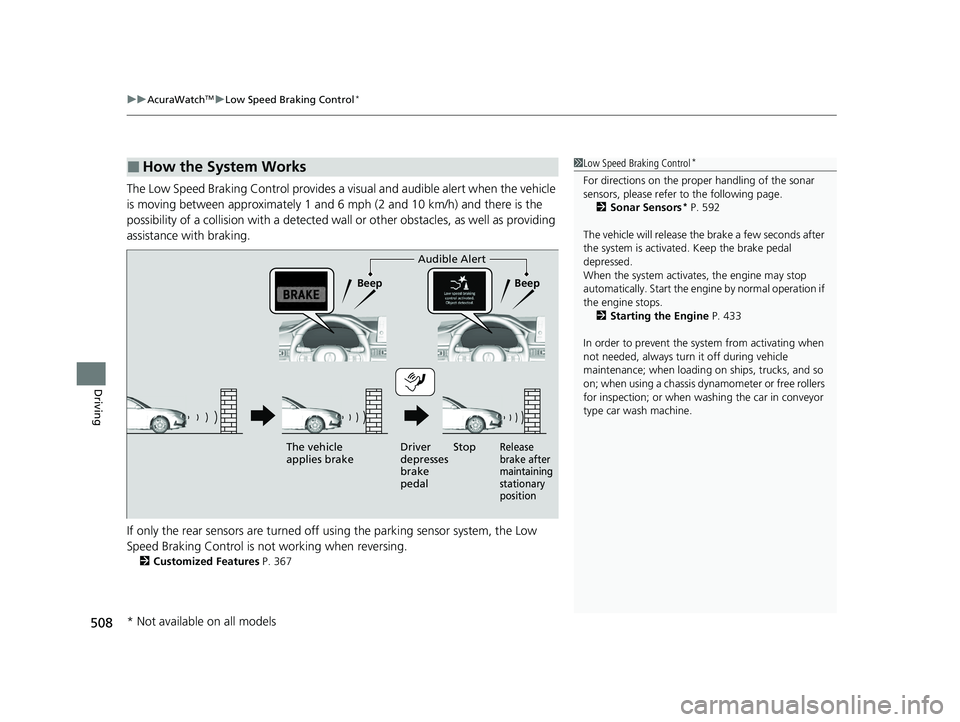
The Low Speed Braking Control provides a visual and audible alert when the vehicle
is moving between approximately 1 and 6 mph (2 and 10 km/h) and there is the
possibility of a collision with a detected wall or other obstacles, as well as providing
assistance with braking.
If only the rear sensors are turned off using the parking sensor system, the Low
Speed Braking Control is not working when reversing.
2 Customized Features P. 367
■How the System Works1Low Speed Braking Control*
For directions on the prop er handling of the sonar
sensors, please refer to the following page.
2 Sonar Sensors
* P. 592
The vehicle will release the brake a few seconds after
the system is activated. Keep the brake pedal
depressed.
When the system activates, the engine may stop
automatically. Start the engine by normal operation if
the engine stops. 2 Starting the Engine P. 433
In order to prevent the sy stem from activating when
not needed, always turn it off during vehicle
maintenance; when loading on ships, trucks, and so
on; when using a chassis dy namometer or free rollers
for inspection; or when washing the car in conveyor
type car wash machine.
Audible Alert
Beep Beep
The vehicle
applies brake Driver
depresses
brake
pedal
Release
brake after
maintaining
stationary
positionStop
* Not available on all models
24 ACURA INTEGRA-313S56100.book 508 ページ 2023年2月13日 月曜日 午後2時41分
Page 590 of 766

588
uuAcuraWatchTMuTraffic Sign Recognition System
Driving
The traffic sign recognition system may no t operate correctly, such as displaying
signs that do not adhere to the actual regulations for the roadway or do not exist at
all in the following cases.
u A speed limit sign may display at a higher or lower speed than the actual speed
limit.
• There is a supplementary sign with furth er information such as weather, time,
vehicle type, school zone, etc.
• Figures on the sign are hard to read (electric signs, numbers on the sign are
blurred, etc.).
• The sign is in the vicinity of the lane you are driving in, even though it is not for
the lane, such as a speed limit sign situated at an exit or an intersection between
the side road and the main road.
• There are things that look similar in color or shape to recognized objects (similar
sign, electric sign, signboard, structure, etc.).
24 ACURA INTEGRA-313S56100.book 588 ページ 2023年2月13日 月曜日 午後2時41分
Page 599 of 766

Continued597
uuBraking uBrake System
Driving
■Activating and deactivating the automatic parking brake feature
With the power mode is in ON, carry out th e following steps to either activate or
deactivate the automatic parking brake feature.
1. Shift the select lever to
(P.
2. Without depressing the brake pedal, pull up and release the electric parking brake
switch.
u Check that the parking brake and brake sy stem indicator (red) has come on.
3. Pull up and hold the electric parking br ake switch. When you hear a beeping
sound, release the switch and within three seconds pull up and hold the switch
again.
4. When you hear a sound indicating that the procedure is completed, release the
switch.
u Two beeps indicates that the feature has been activated.
u One beep indicates that the feature has been deactivated.
u When you have completed activating the feature, the parking brake will
remain applied after you turn off the engine.
u To confirm that the parkin g brake is applied, check if the parking brake and
brake system indicator (red) is on.
1 Activating and deactivating the automatic parking brake feature
In cold climates, the parking brake may freeze in
place if applied.
When parking the vehicle, chock the wheels and
make sure the automatic parking brake feature is
deactivated.
Also, when putting your vehicle through a conveyor-
type car wash or when ha ving your vehicle towed,
deactivate the automatic parking brake feature and
leave the parking brake released.Continuously variable transmission models
24 ACURA INTEGRA-313S56100.book 597 ページ 2023年2月13日 月曜日 午後2時41分