phone ACURA INTEGRA 2024 Service Manual
[x] Cancel search | Manufacturer: ACURA, Model Year: 2024, Model line: INTEGRA, Model: ACURA INTEGRA 2024Pages: 766, PDF Size: 28.39 MB
Page 331 of 766
329
uuAudio System Basic Operation uApple CarPlay
Continued
Features
■Connect Apple CarPlay wirele ssly on the home screen
1. Press the button.
2. Select Smartphone Connection .
3. Select + Connect New Device .
4. Pair the iPhone to the vehicle’s Bluetooth® HandsFreeLink ® (HFL) system.
2Phone Setup P. 410
5.Select Yes.
u If your iPhone asks to accept for connecting Apple CarPlay, accept for
connection. A confirmation message for AcuraLink Assist appears.
6. Select Yes or No .
■Connect Apple CarPlay wirelessly on the Apple CarPlay device list
1. Press the button.
2. Select General Settings .
3. Select Smartphone Connection .
4. Select Apple CarPlay .
5. Select + Connect New Device .
6. Pair the iPhone to the vehicle’s Bluetooth® HandsFreeLink ® (HFL) system.
2Phone Setup P. 410
7.Select Yes.
u If your iPhone asks to accept for connecting Apple CarPlay, accept for
connection. A confirmation message for AcuraLink Assist appears.
8. Select Yes or No .
■Connect Apple CarPlay Wirelessly
24 ACURA INTEGRA-313S56100.book 329 ページ 2023年2月13日 月曜日 午後2時41分
Page 332 of 766
330
uuAudio System Basic Operation uApple CarPlay
Features
■Connect Apple CarPlay wirelessly on the Bluetooth® device list
1. Press the button.
2. Select General Settings .
3. Select Connections .
4. Select Bluetooth .
5. Select + Connect New Device .
6. Pair the iPhone to the vehicle’s Bluetooth® HandsFreeLink ® (HFL) system.
2Phone Setup P. 410
7.Check the box on Apple CarPlay.
u If you select Apple CarPlay, you cannot select Audio and Phone .
8. Select Connect .
9. Select Yes.
u If your iPhone asks to accept for connecting Apple CarPlay, accept for
connection. A confirmation message for AcuraLink Assist appears.
10. Select Yes or No.
■Connect Apple CarPlay wirele ssly with the steering wheel
1. Press and hold the (Talk) button on the steering wheel.
2. Pair the iPhone to the vehicle’s Bluetooth® HandsFreeLink ® (HFL) system.
2 Phone Setup P. 410
3.Check the box on Apple CarPlay.
u If you select Apple CarPlay , you cannot select Audio and Phone .
4. Select Connect .
5. Select Yes.
u If your iPhone asks to accept for connecting Apple CarPlay, accept for
connection. A confirmation message for AcuraLink Assist appears.
6. Select Yes or No.
24 ACURA INTEGRA-313S56100.book 330 ページ 2023年2月13日 月曜日 午後2時41分
Page 333 of 766
331
uuAudio System Basic Operation uApple CarPlay
Continued
Features
■Connect Apple CarPlay wirelessly at start-up (when there is no phone
paired to the system)
1. Set the power mode to ACCESSORY or ON.
2. Select OK.
u If there is no registered device, the Bluetooth® pairing screen will be displayed.
u If you check the box with Do not show this again, this screen will not be
displayed.
3. Pair the iPhone to the vehicle’s Bluetooth® HandsFreeLink ® (HFL) system.
2Phone Setup P. 410
4.Check the box on Apple CarPlay.
u If you select Apple CarPlay , you cannot select Audio and Phone .
5. Select Connect .
6. Select Yes.
u If your iPhone asks to accept for connecting Apple CarPlay, accept for
connection. A confirmation message for AcuraLink Assist appears.
7. Select Yes or No .
24 ACURA INTEGRA-313S56100.book 331 ページ 2023年2月13日 月曜日 午後2時41分
Page 335 of 766

333
uuAudio System Basic Operation uAndroid AutoTM
Continued
Features
Android AutoTM
When you connect an Android phone to the audio system via the USB port or
wirelessly, Android Auto is automatically initiated. When connected via Android
Auto, you can use the audio/information screen to access the Phone, Google Maps
(Navigation), and Google Now functions. When you first use Android Auto, a
tutorial will appear on the screen.
We recommend that you comple te this tutorial while safely parked before using
Android Auto.
2 USB Port(s) P. 235
2 Auto Pairing Connection P. 335
1Android AutoTM
Android Auto is a trademark of Google LLC.
We recommend that you upda te Android OS to the
latest version when using Android Auto.
Bluetooth A2DP cannot be used while your phone is
connected to Android Auto.
To use Android Auto on a smartphone with Android
9.0 (Pie) or earl ier, you need to download the
Android Auto app from Google Play to your
smartphone.
Park in a safe place befo re connecting your Android
phone to Android Auto and when launching any
compatible apps.
When your Android phone is connected to Android
Auto, it is not possible to use the Bluetooth® Audio.
However, other previously paired phones can stream
audio via Bluetooth ® while Android Auto is
connected. 2 Phone Setup P. 410
Apple CarPlay and Android Auto cannot run at the
same time.
Android Auto
24 ACURA INTEGRA-313S56100.book 333 ページ 2023年2月13日 月曜日 午後2時41分
Page 336 of 766
uuAudio System Basic Operation uAndroid AutoTM
334
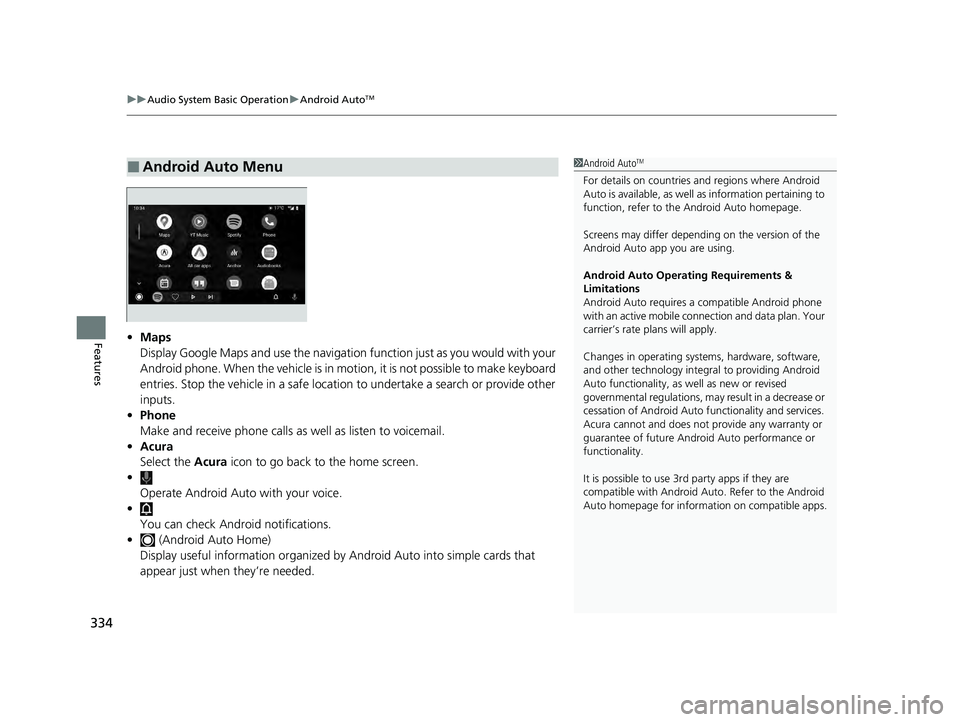
Features• Maps
Display Google Maps and use the navigation function just as you would with your
Android phone. When the vehicle is in motion, it is not possible to make keyboard
entries. Stop the vehicle in a safe location to undertake a search or provide other
inputs.
• Phone
Make and receive phone calls as well as listen to voicemail.
• Acura
Select the Acura icon to go back to the home screen.
• Operate Android Auto with your voice.
•
You can check Android notifications.
• (Android Auto Home)
Display useful information organized by Android Auto into simple cards that
appear just when they’re needed.
■Android Auto Menu1 Android AutoTM
For details on c ountries and regions where Android
Auto is available, as well as information pertaining to
function, refer to the Android Auto homepage.
Screens may differ depending on the version of the
Android Auto app you are using.
Android Auto Operating Requirements &
Limitations
Android Auto requires a compatible Android phone
with an active mobile connection and data plan. Your
carrier’s rate plans will apply.
Changes in operating systems, hardware, software,
and other technology integral to providing Android
Auto functionality, as well as new or revised
governmental regulations, may result in a decrease or
cessation of Android Auto functionality and services.
Acura cannot and does not provide any warranty or
guarantee of future Android Auto performance or
functionality.
It is possible to use 3r d party apps if they are
compatible with Android Auto. Refer to the Android
Auto homepage for informat ion on compatible apps.
24 ACURA INTEGRA-313S56100.book 334 ページ 2023年2月13日 月曜日 午後2時41分
Page 337 of 766
Continued335
uuAudio System Basic Operation uAndroid AutoTM
Features
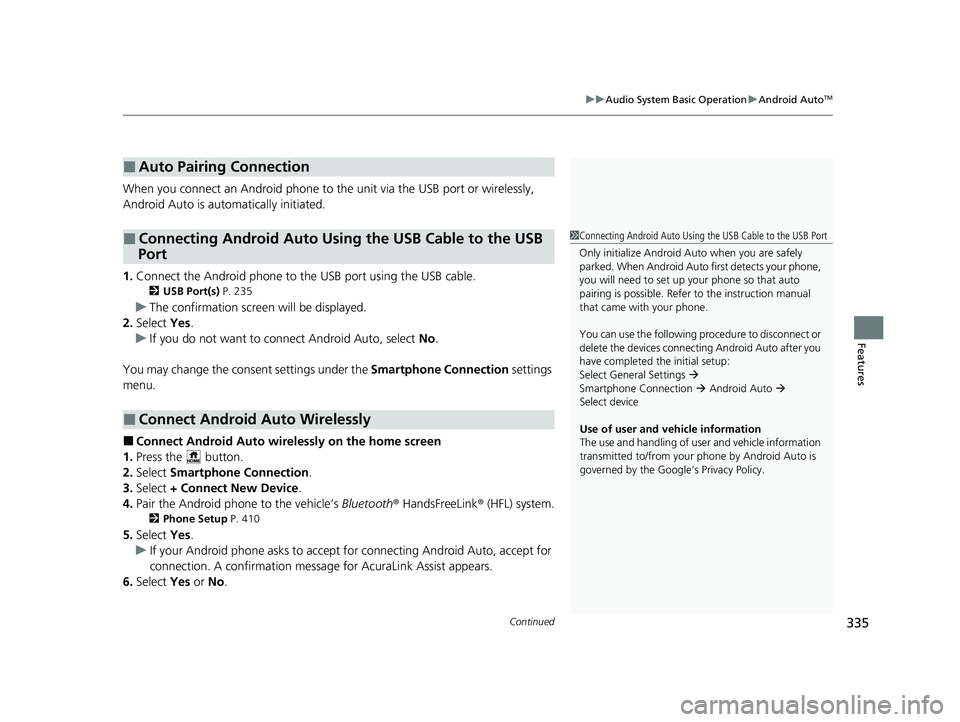
When you connect an Android phone to the unit via the USB port or wirelessly,
Android Auto is automatically initiated.
1. Connect the Android phone to the USB port using the USB cable.
2 USB Port(s) P. 235
uThe confirmation screen will be displayed.
2. Select Yes.
u If you do not want to connect Android Auto, select No.
You may change the cons ent settings under the Smartphone Connection settings
menu.
■Connect Android Auto wirelessly on the home screen
1. Press the button.
2. Select Smartphone Connection .
3. Select + Connect New Device .
4. Pair the Android phone to the vehicle’s Bluetooth® HandsFreeLink ® (HFL) system.
2Phone Setup P. 410
5.Select Yes.
u If your Android phone asks to accept for connecting Android Auto, accept for
connection. A confirmation message for AcuraLink Assist appears.
6. Select Yes or No .
■Auto Pairing Connection
■Connecting Android Auto Using the USB Cable to the USB
Port
■Connect Android Auto Wirelessly
1 Connecting Android Auto Using the USB Cable to the USB Port
Only initialize Android Au to when you are safely
parked. When Android Auto first detects your phone,
you will need to set up your phone so that auto
pairing is possibl e. Refer to the instruction manual
that came with your phone.
You can use the following procedure to disconnect or
delete the devices connecting Android Auto after you
have completed the initial setup:
Select General Settings
Smartphone Connection Android Auto
Select device
Use of user and vehicle information
The use and handling of user and vehicle information
transmitted to/from your phone by Android Auto is
governed by the Google’s Privacy Policy.
24 ACURA INTEGRA-313S56100.book 335 ページ 2023年2月13日 月曜日 午後2時41分
Page 338 of 766

336
uuAudio System Basic Operation uAndroid AutoTM
Features
■Connect Android Auto wirelessly on the Android Auto device list
1. Press the button.
2. Select General Settings .
3. Select Smartphone Connection .
4. Select Android Auto .
5. Select + Connect New Device .
6. Pair the Android phone to the vehicle’s Bluetooth® HandsFreeLink ® (HFL) system.
2Phone Setup P. 410
7.Select Yes.
u If your Android phone asks to accept for connecting Android Auto, accept for
connection. A confirmation message for AcuraLink Assist appears.
8. Select Yes or No.
■Connect Android Auto wirelessly on the Bluetooth® device list
1. Press the button.
2. Select General Settings .
3. Select Connections .
4. Select Bluetooth .
5. Select + Connect New Device .
6. Pair the Android phone to the vehicle’s Bluetooth® HandsFreeLink ® (HFL) system.
2Phone Setup P. 410
7.Check the box on Android Auto.
u If you select Android Auto , you cannot select Audio and Phone.
8. Select Connect .
9. Select Yes.
u If your Android phone asks to accept for connecting Android Auto, accept for
connection. A confirmation message for AcuraLink Assist appears.
10. Select Yes or No.
24 ACURA INTEGRA-313S56100.book 336 ページ 2023年2月13日 月曜日 午後2時41分
Page 339 of 766
337
uuAudio System Basic Operation uAndroid AutoTM
Continued
Features
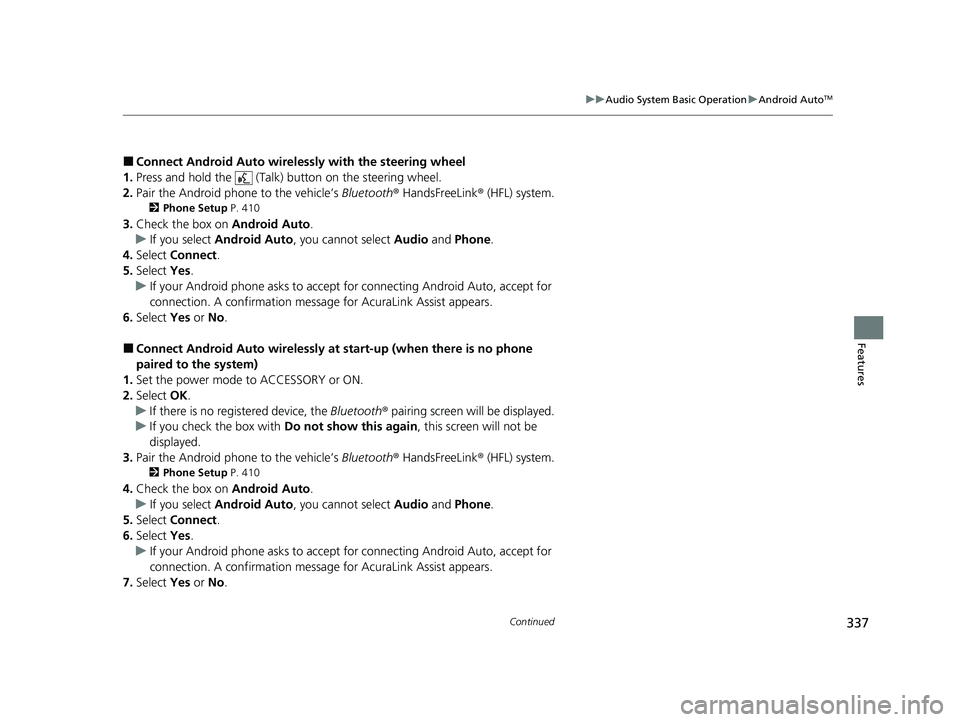
■Connect Android Auto wireless ly with the steering wheel
1. Press and hold the (Talk) button on the steering wheel.
2. Pair the Android phone to the vehicle’s Bluetooth® HandsFreeLink ® (HFL) system.
2Phone Setup P. 410
3.Check the box on Android Auto.
u If you select Android Auto , you cannot select Audio and Phone .
4. Select Connect .
5. Select Yes.
u If your Android phone asks to accept for connecting Android Auto, accept for
connection. A confirmation message for AcuraLink Assist appears.
6. Select Yes or No .
■Connect Android Auto wirelessly at start-up (when there is no phone
paired to the system)
1. Set the power mode to ACCESSORY or ON.
2. Select OK.
u If there is no registered device, the Bluetooth® pairing screen will be displayed.
u If you check the box with Do not show this again, this screen will not be
displayed.
3. Pair the Android phone to the vehicle’s Bluetooth® HandsFreeLink ® (HFL) system.
2Phone Setup P. 410
4.Check the box on Android Auto.
u If you select Android Auto , you cannot select Audio and Phone .
5. Select Connect .
6. Select Yes.
u If your Android phone asks to accept for connecting Android Auto, accept for
connection. A confirmation message for AcuraLink Assist appears.
7. Select Yes or No .
24 ACURA INTEGRA-313S56100.book 337 ページ 2023年2月13日 月曜日 午後2時41分
Page 344 of 766
342
uuGeneral Information on the Audio System uCompatible iPod, iPhone, and USB Flash Drives
Features
Compatible iPod, iPhone, and USB Flash Drives
• A USB flash drive of 256 MB or higher is recommended.
• Some digital audio players may not be compatible.
• Some USB flash drives (e.g., a device with security lockout) may not work.
• Some software files may not allow for audio play or text data display.
• Some versions of MP3, WMA, AAC, FLAC, or WAV formats may be unsupported.
*1: Models with 9-in. Color Touchscreen
*2: Models with 7-in. Color Touchscreen
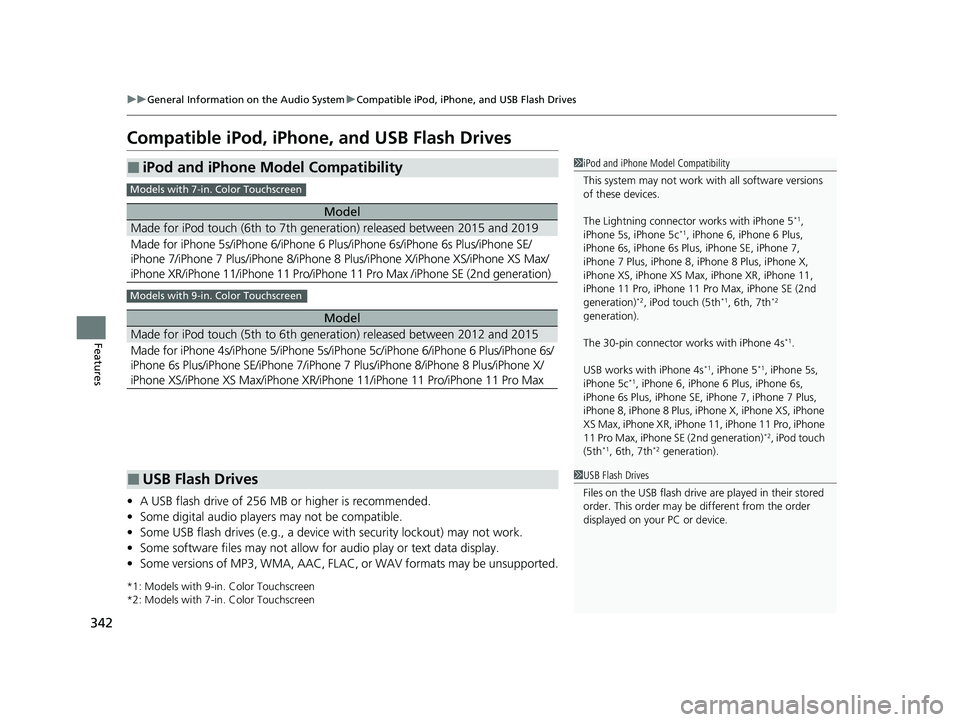
■iPod and iPhone Model Compatibility
Model
Made for iPod touch (6th to 7th generation) released between 2015 and 2019
Made for iPhone 5s/iPhone 6/iPhone 6 Plus/iPhone 6s/iPhone 6s Plus/iPhone SE/
iPhone 7/iPhone 7 Plus/iPhone 8/iPhone 8 Plus/iPhone X/ iPhone XS/iPhone XS Max/
iPhone XR/iPhone 11/iPhone 11 Pro/iPhone 11 Pro Max /iPhone SE (2nd generation)
Model
Made for iPod touch (5th to 6th generation) released between 2012 and 2015
Made for iPhone 4s/iPhone 5/iPhone 5s/iP hone 5c/iPhone 6/iPhone 6 Plus/iPhone 6s/
iPhone 6s Plus/iPhone SE/iPhone 7/iPhone 7 Plus/iPhone 8/iPhone 8 Plus/iPhone X/
iPhone XS/iPhone XS Max/iPhone XR/iPhone 11/iPhone 11 Pro/iPhone 11 Pro Max
1 iPod and iPhone Model Compatibility
This system may not work with all software versions
of these devices.
The Lightning connector works with iPhone 5
*1,
iPhone 5s, iPhone 5c*1, iPhone 6, iPhone 6 Plus,
iPhone 6s, iPhone 6s Plus , iPhone SE, iPhone 7,
iPhone 7 Plus, iPhone 8, iPhone 8 Plus, iPhone X,
iPhone XS, iPhone XS Max, iPhone XR, iPhone 11,
iPhone 11 Pro, iPhone 11 Pr o Max, iPhone SE (2nd
generation)
*2, iPod touch (5th*1, 6th, 7th*2
generation).
The 30-pin connector works with iPhone 4s
*1.
USB works with iPhone 4s
*1, iPhone 5*1, iPhone 5s,
iPhone 5c*1, iPhone 6, iPhone 6 Plus, iPhone 6s,
iPhone 6s Plus, iPhone SE, iPhone 7, iPhone 7 Plus,
iPhone 8, iPhone 8 Plus, iP hone X, iPhone XS, iPhone
XS Max, iPhone XR, iPhone 11, iPhone 11 Pro, iPhone
11 Pro Max, iPhone SE (2nd generation)
*2, iPod touch
(5th*1, 6th, 7th*2 generation).
Models with 7-in. Color Touchscreen
Models with 9-in. Color Touchscreen
■USB Flash Drives1 USB Flash Drives
Files on the USB flash drive are played in their stored
order. This order may be different from the order
displayed on your PC or device.
24 ACURA INTEGRA-313S56100.book 342 ページ 2023年2月13日 月曜日 午後2時41分
Page 355 of 766

353
uuGeneral Information on the Audio System uHonda App License Agreement
Continued
Features
L. Changes to the SOFT WARE or SERVICES. WE may change, modify, or update the SOFTWARE or SERVICES from time to time. Unless
explicitly stated otherwise, any new featur es or services that augment or enhance the SOFTWARE or SERVICES in the future shall
respectively be considered part of the SOFTWARE or SERVICES and s ubject to this AGREEMENT. WE reserve the right at any time and from
time to time to interrupt, res trict, modify, suspend, discontinue, temporarily or permanently, the SOFTWARE or SERVICES (or any portion
thereof), with or without notice to you, and you agree that HONDA shall not be li able to you or to any third party for any modification,
suspension or discontinuance of the SOFTWARE or SERVICES.
M. ARBITRATION:
PLEASE READ THIS ARBITRATION PROVISION CAREFULLY TO UNDER STAND YOUR RIGHTS. YOU AGREE THAT ANY CLAIM THAT YOU
MAY HAVE IN THE FUTURE MUST BE RESOLVED THROUGH BIND ING ARBITRATION. YOU WAIVE THE RIGHT TO HAVE YOUR DISPUTE
HEARD IN COURT AND WAIVE THE RIGHT TO BRING CLASS CL AIMS. YOU UNDERSTAND THAT DISCOVERY AND APPEAL RIGHTS ARE
MORE LIMITED IN ARBITRATION.
Arbitration is a method of resolving a claim, dispute or contro versy without filing a lawsuit. By agreeing to arbitrate, the right to go to
court is waived and instead clai ms, disputes or controversies are submitted to binding arbitration. This provision sets forth t he terms and
conditions of our agreement. YOU and HONDA agree and acknowle dge that this Agreement affects interstate commerce and the
Federal Arbitration Act (“FAA”) applies. By using the Software, Vehicle, or Services, YO U elect to have disputes resolved by arbitration.
YOU, HONDA or any involved third party may pursue a Claim. “Claim” means any dispute between YOU, HONDA, or any involved third
party relating to your use of the Software , the Vehicle, or the Services, this Agreement, or our relationship, including any
representations, omissions or warranties. “Claim” does not include personal injury or wrongful death claims. YOU or HONDA may s eek
remedies in small claims court or provisional judicial remedies without arbitrating. In addition, notwithstanding anything here in to the
contrary, YOU or HONDA may seek equitable re lief in a court of competent jurisdiction.
YOU or HONDA may select arbitration with American Arbitration Asso ciation, JAMS or National Arbitration and Mediation. Contact
these sponsors for their rules. The hearing will be in the federal district where YOU reside. If agreed, it may be by telephone or written
submissions. Filing and arbitrator fees to be paid per the sponsor rules. You may contact the sponsor for a fee waiver. If no fee waivers,
HONDA will pay filing and arbitrator fees up to $5,000, unless law requires more. Each party is responsible for other fees. Arbitrator
may award costs or fees to pr evailing party, if permitted by law. HONDA will not seek fees, unless the claims are frivolous.
24 ACURA INTEGRA-313S56100.book 353 ページ 2023年2月13日 月曜日 午後2時41分