mirror Acura MDX 2003 Owner's Manua
[x] Cancel search | Manufacturer: ACURA, Model Year: 2003, Model line: MDX, Model: Acura MDX 2003Pages: 420, PDF Size: 5.46 MB
Page 6 of 420
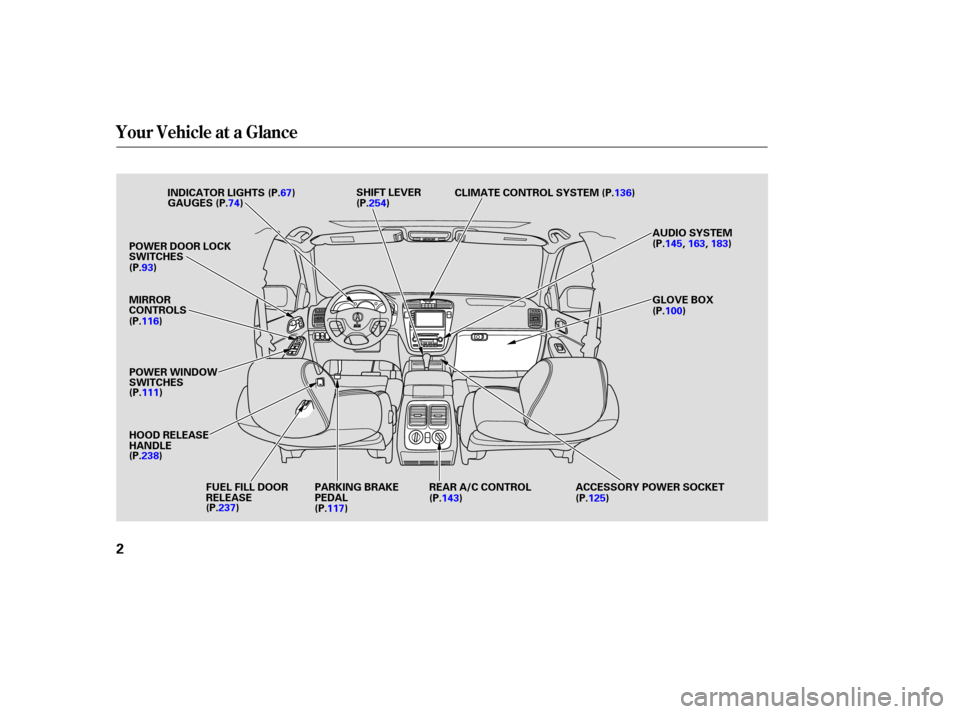
Your Vehicle at a Glance
2
INDICATOR LIGHTS
POWER DOOR LOCK
SWITCHES
MIRROR
CONTROLS
POWER WINDOW
SWITCHES
HOOD RELEASE
HANDLE FUEL FILL DOOR
RELEASE PARKING BRAKE
PEDAL REAR A/C CONTROL ACCESSORY POWER SOCKET GLOVE BOX AUDIO SYSTEM
CLIMATE CONTROL SYSTEM
SHIFT LEVER
(P.67)
GAUGES (P.74)
(P.93)
(P.116)
(P.111)
(P.238) (P.237) (P.117) (P.143)
(P.125)(P.100) (P.145,
163,183)
(P.136)
(P.254)
Page 69 of 420
This section gives inf ormation about
the controls and displays that
contribute to the daily operation of
your Acura. All the essential controls
are within easy reach............................
Control Locations .66
...............................
Indicator Lights .67
.............................................
Gauges .74
Controls Near the Steering .......................................
Wheel .78
...................................
Headlights .79 ....................
Automatic Lighting .80
Automatic Lighting Off .....................................
Feature .81
............
Daytime Running Lights . 82
....
Instrument Panel Brightness . 82
................................
Turn Signals .83
.....................
Windshield Wipers .83
..................
Windshield Washers . 87
Rear Window Wiper and .....................................
Washer .87
..........................
Hazard Warning .87
.............
Rear Window Def ogger . 88
.....................................
Fog Light .88
......
Steering Wheel Adjustment . 89
...............................
Keys and Locks .90
..............................................
Keys .90
....................
Immobilizer System . 91
............................
Ignition Switch .92
......................
Power Door Locks .93
...................
Remote Transmitter . 95
..............
Childproof Door Locks . 99
........................................
Tailgate .99
..................................
Glove Box .100
...............................................
Seats .101
..........
Power Seat Adjustments . 101
.........
Driver’s Lumbar Support . 102 ........
Manual Seat Adjustments . 103
Second and Third Row seat ..........................
Adjustments .104
........................
Head Restraints .105
......................
Rear Seat Access .106
..........
Folding the Second Seat . 106
.............
Folding the Third Seat . 107
.................
Detachable Anchors . 109
..................................
Seat Heaters .110
............................
Power Windows .111
.......................................
Moonroof .114
...........................................
Mirrors .115
...............................
Parking Brake .117
Driving Position Memory ........................................
System .118
...........................
Beverage Holder .121
.................
Console Compartment . 123
.......................
Rear Compartment .123
.................................
Cargo Hooks .123
........................
Sunglasses Holder .124
........................................
Sun Visor .124
................................
Vanity Mirror .125
............
Accessory Power Sockets . 125
........................................
Coin Box .127
......................................
Coat Hook .127
...............................
Interior Lights .128
Instruments and Controls
Inst rument s and Cont rols65
Page 70 of 420
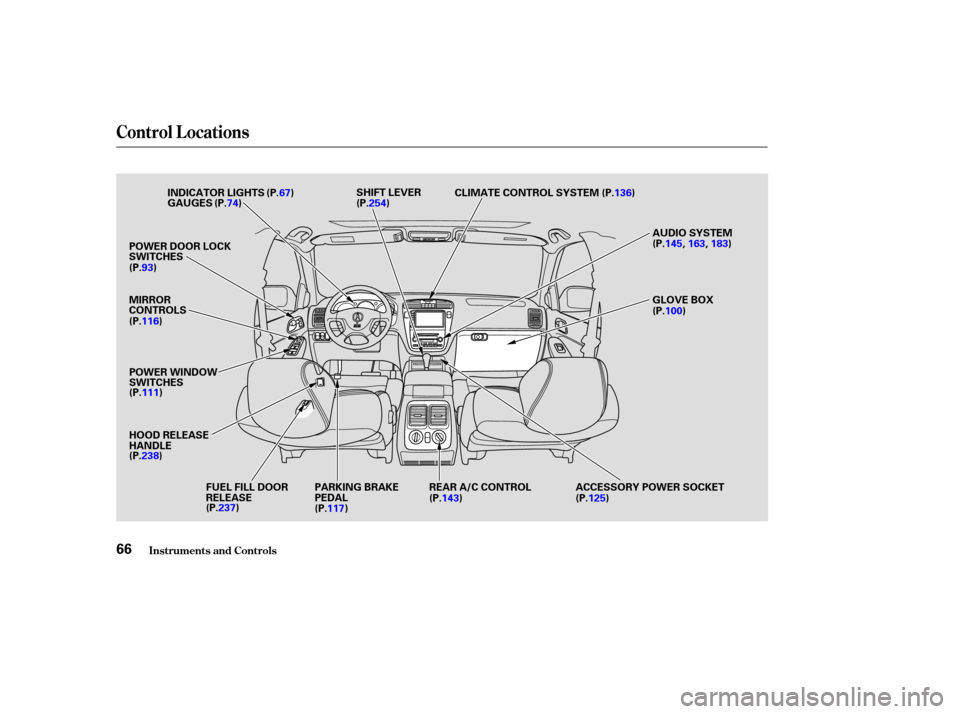
Control L ocations
Inst rument s and Cont rols66
MIRROR
CONTROLS
HOOD RELEASE
HANDLEPARKING BRAKE
PEDALREAR A/C CONTROL ACCESSORY POWER SOCKET GLOVE BOX AUDIO SYSTEM
CLIMATE CONTROL SYSTEM
SHIFT LEVER
INDICATOR LIGHTS
GAUGES
POWER DOOR LOCK
SWITCHES
POWER WINDOW
SWITCHES FUEL FILL DOOR
RELEASE(P.67)
(P.74)
(P.93)
(P.116)
(P.111)
(P.238) (P.237) (P.117) (P.143)
(P.125)(P.100) (P.145,
163,183)
(P.136)
(P.254)
Page 90 of 420
If you try to clean the windshield
around the rainf all sensor using a
cloth soaked with water with the
ignition switch in the ON (II)
position and the wiper switch in the
AUTO position, the wiper may
operate unexpectedly and you may
get injured. Make sure to turn of f
the wipers bef ore you wash your
vehicle.
To operate the wipers in mist mode,
push the control lever down. The
wipers run at high speed until you
release the lever. This gives you a
quick way to clear the windshield. The rainfall sensor is located in the
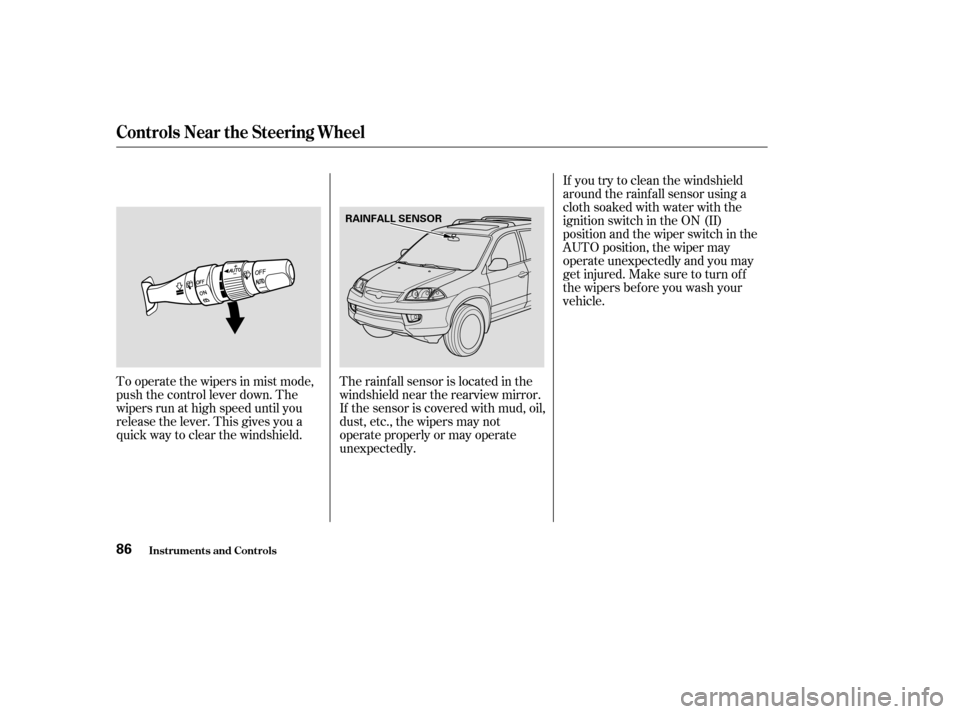
windshield near the rearview mirror.
If the sensor is covered with mud, oil,
dust, etc., the wipers may not
operate properly or may operate
unexpectedly.
Controls Near the Steering Wheel
Inst rument s and Cont rols86
RAINFALL SENSOR
Page 102 of 420
Theremotetransmitterswillalso
activate the Driving Position
Memory System (see page ).
When you open the driver’s door
after unlocking it with the remote
transmitter, you will hear a beep.
The driver’s seat and outside mirrors
move to the positions stored in that
memory location. You will hear two
beeps when the movement iscomplete.
If the seat and mirrors are already in
the proper positions, you will hear
three beeps when you open the door.
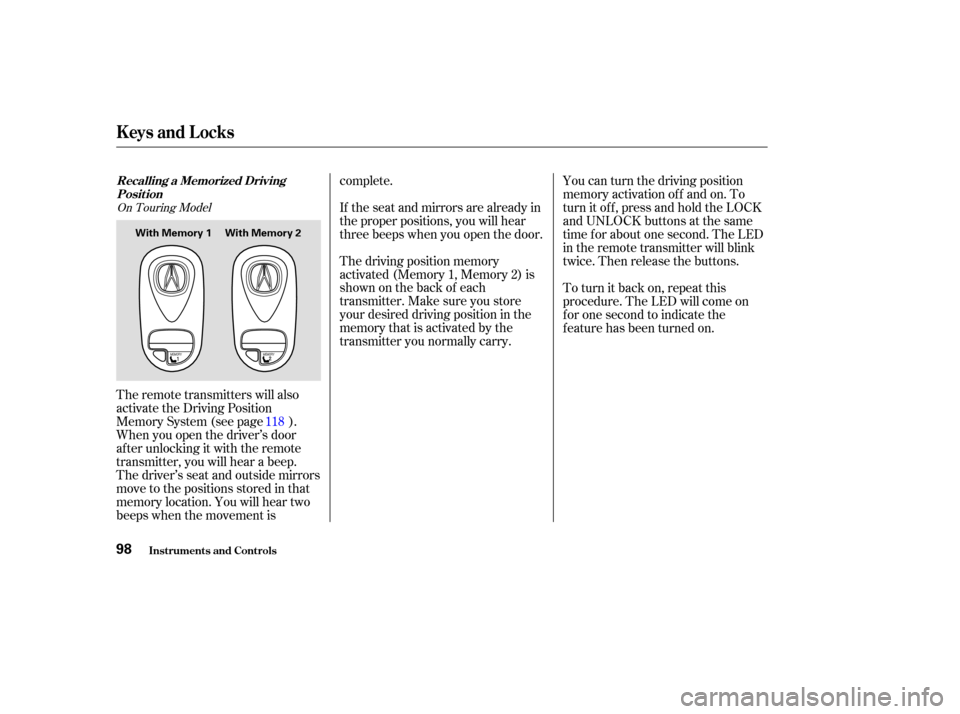
The driving position memory
activated (Memory 1, Memory 2) is
shownonthebackof each
transmitter. Make sure you store
your desired driving position in the
memory that is activated by the
transmitter you normally carry.
To turn it back on, repeat this
procedure. The LED will come on
f or one second to indicate the
f eature has been turned on. You can turn the driving position
memory activation off and on. To
turn it of f , press and hold the LOCK
and UNLOCK buttons at the same
time f or about one second. The LED
in the remote transmitter will blink
twice. Then release the buttons.
118
On Touring Model
Recalling a Memorized Driving
Position
Keys and Locks
Inst rument s and Cont rols98
With Memory 1 With Memory 2
Page 119 of 420
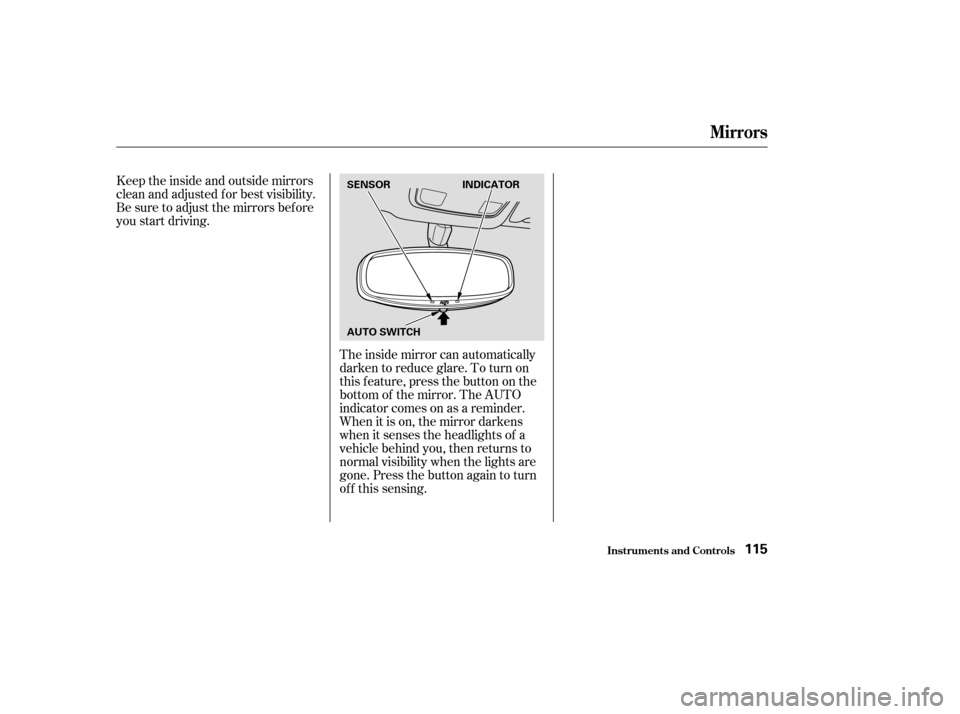
The inside mirror can automatically
darken to reduce glare. To turn on
this feature, press the button on the
bottom of the mirror. The AUTO
indicator comes on as a reminder.
When it is on, the mirror darkens
when it senses the headlights of a
vehicle behind you, then returns to
normal visibility when the lights are
gone. Press the button again to turn
of f this sensing.
Keeptheinsideandoutsidemirrors
clean and adjusted f or best visibility.
Be sure to adjust the mirrors bef ore
you start driving.
Mirrors
Inst rument s and Cont rols115
SENSOR
AUTO SWITCH
INDICATOR
Page 120 of 420
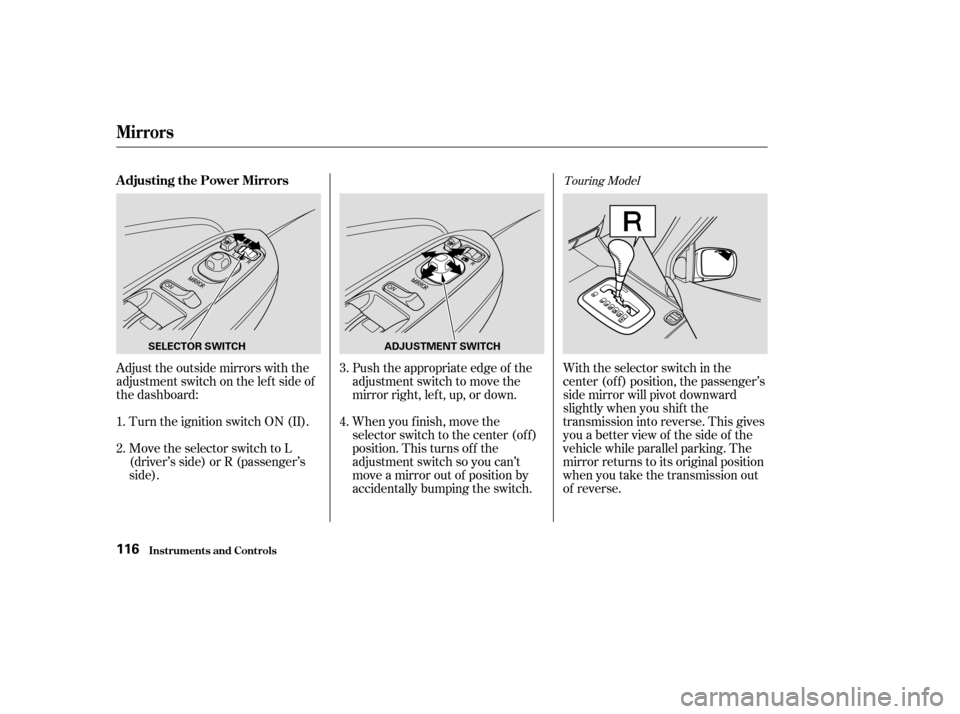
Adjust the outside mirrors with the
adjustment switch on the lef t side of
the dashboard:Turn the ignition switch ON (II).
Move the selector switch to L
(driver’s side) or R (passenger’s
side). Push the appropriate edge of the
adjustment switch to move the
mirrorright,left,up,ordown.
When you f inish, move the
selector switch to the center (off)
position. This turns of f the
adjustment switch so you can’t
move a mirror out of position by
accidentally bumping the switch.With the selector switch in the
center (of f ) position, the passenger’s
side mirror will pivot downward
slightly when you shif t the
transmission into reverse. This gives
you a better view of the side of the
vehicle while parallel parking. The
mirror returns to its original position
when you take the transmission out
of reverse.
1.
2. 3.
4.
Touring ModelAdjusting the Power Mirrors
Mirrors
Inst rument s and Cont rols116
SELECTOR SWITCH
ADJUSTMENT SWITCH
Page 121 of 420
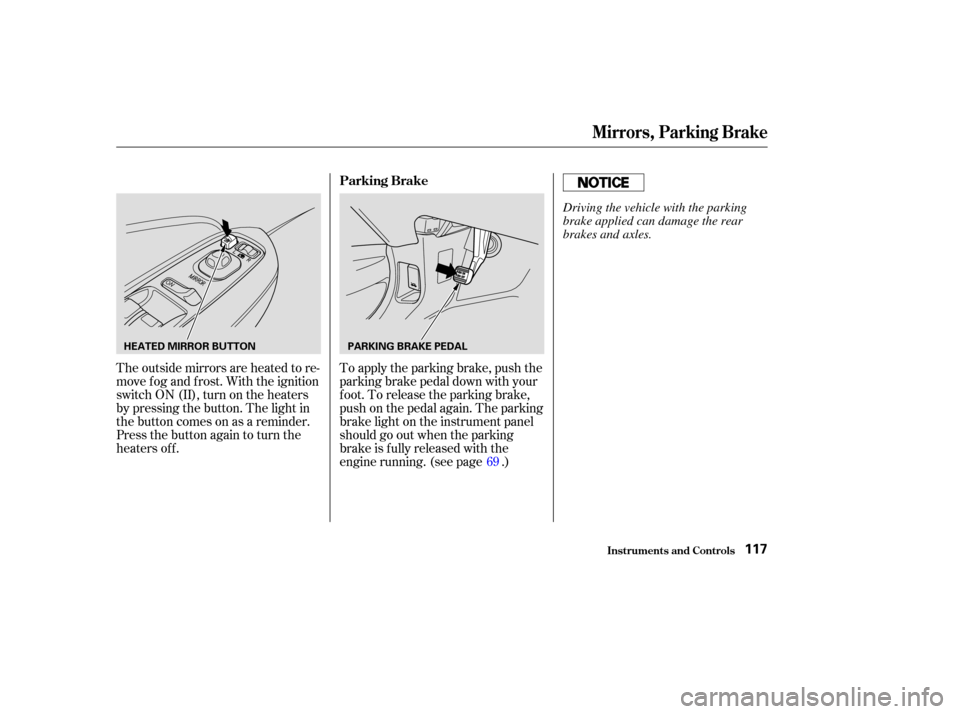
To apply the parking brake, push the
parking brake pedal down with your
f oot. To release the parking brake,
push on the pedal again. The parking
brake light on the instrument panel
should go out when the parking
brake is f ully released with the
engine running. (see page .)
The outside mirrors are heated to re-
move fog and frost. With the ignition
switchON(II),turnontheheaters
by pressing the button. The light in
the button comes on as a reminder.
Press the button again to turn the
heaters off.
69
Parking Brake
Mirrors, Parking Brake
Inst rument s and Cont rols117
HEATED MIRROR BUTTON
PARKING BRAKE PEDAL
Driving the vehicle with the parking
brake applied can damage the rear
brakes and axles.
Page 122 of 420
Turn the ignition switch ON (II).
You cannot add a new driving
position in the memory unless the
ignition switch is ON (II). You can
recall a memorized position with
the ignition switch in any position.
Seat and outside mirror positions, f or
two dif f erent drivers or driving
conditions,canbestoredinseparate
memories. You select a memorized
position by pushing the appropriate
button or using the appropriate
remote transmitter (Memory 1 or
Memory 2). Store a driving position as explained
in this section only when the vehicle
is parked.
Adjust the seat to a comfortable
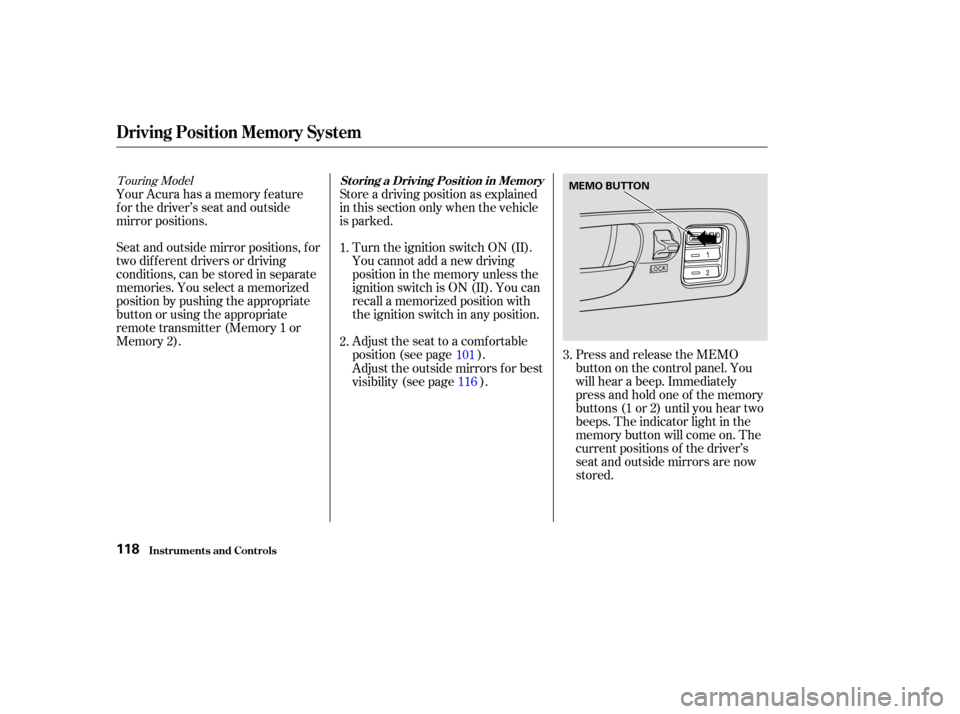
position (see page ). Press and release the MEMO
buttononthecontrolpanel.You
will hear a beep. Immediately
press and hold one of the memory
buttons (1 or 2) until you hear two
beeps. The indicator light in the
memory button will come on. The
current positions of the driver’s
seat and outside mirrors are now
stored.
Your Acura has a memory f eature
f or the driver’s seat and outside
mirror positions.
Adjust the outside mirrors f or best
visibility (see page ).3.
1.
2.
116
101
Touring Model
St oring a Driving Posit ion in Memory
Driving Posit ion Memory Syst em
Inst rument s and Cont rols118
MEMO BUTTON
Page 123 of 420
Doing any of the f ollowing af ter
pressing the MEMO button will
cancel the storing procedure.Not pressing a memory button
within 5 seconds.
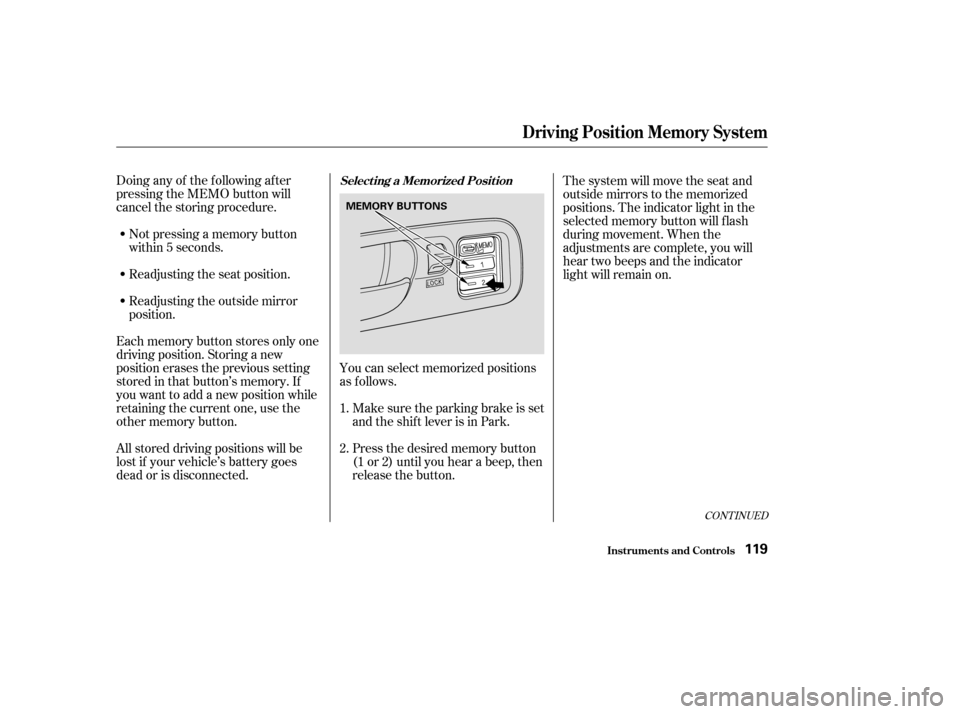
You can select memorized positions
as f ollows.Make sure the parking brake is set
and the shif t lever is in Park.
Readjusting the seat position.
Readjusting the outside mirror
position.
Each memory button stores only one
driving position. Storing a new
position erases the previous setting
stored in that button’s memory. If
you want to add a new position while
retaining the current one, use the
other memory button. Press the desired memory button
(1 or 2) until you hear a beep, then
release the button.The system will move the seat and
outside mirrors to the memorized
positions. The indicator light in the
selected memory button will f lash
during movement. When the
adjustments are complete, you will
hear two beeps and the indicator
light will remain on.
All stored driving positions will be
lost if your vehicle’s battery goes
dead or is disconnected. 1.
2.
CONT INUED
Select ing a Memorized Posit ion
Driving Posit ion Memory Syst em
Inst rument s and Cont rols119
MEMORY BUTTONS