4 digit code Acura MDX 2008 Navigation Manual
[x] Cancel search | Manufacturer: ACURA, Model Year: 2008, Model line: MDX, Model: Acura MDX 2008Pages: 171, PDF Size: 6.52 MB
Page 33 of 171

Navigation System33
Scroll through the list to find your
desired destination. After you select it,
the system then displays the Calculate
route to screen (see Driving to Your
Destination on page50).
Adding Addresses to the
Personal Address Book
There are two ways to enter addresses to
the personal Address Book:
Entering them in the personal
Address Book feature in Setup (see
page85).
Adding them in the Address Book directly from the Calculate route to
screen (see page50).
NOTE:
Destinations chosen from the Address Book do not show up in Previous
Destinations.
Prior to departure, you can set areas to avoid. The system then includes
them in its calculations for the
destination you have entered. See
Edit Avoid Area on page96.
For information on the available voice commands, see Voice
Command Index on page146.
By Places
After you select Places from the Enter
destination by screen, the display
changes to:
There are four ways to find a place or
point of interest (POI), by Category,
Name , Phone Number , or ZAGAT
2007 .
Let’s assume you want to find a coffee
shop (restaurant) called “Bucks.”
If you know the phone number of the coffee shop, select Phone Number,
then enter the 10-digit number with
area code. This is the quickest way to
find it. The second best method is to select
Category , then Restaurant , and
enter the keyword “Bucks.” The list
will include all restaurants that have
the letters “bucks” anywhere in the
name.
You can try to enter “Bucks” using Name , but you may have to search
through a list that might include
Bucks Welding, Bu cks Surplus, etc.
NOTE:
Prior to departure, you can set areas to avoid. The system then includes
them in its calculations for the
destination you have entered. See
Edit Avoid Area on page96.
You can enter the desired destination using the voice control system. For
information on the available voice
commands, see Voice Command
Index on page146.
Entering a Destination
2008 MDX
Page 87 of 171

Navigation System87
System Set-up
Edit Phone Number
You can enter the telephone number of
the address. If the address was chosen
with Places , and it has a telephone
number, that number is entered
automatically.
Say or select Edit Phone Number to
display the Enter phone number
screen. Enter the telephone number,
including the area code, by using the
voice control system (say the entire
phone number one digit at a time), or by
using the Interface Dial . Say or select
DONE when finished. Edit Category
If desired, you can specify the category
of the address. Say or select
Edit
Category to display the Select a
category screen.
Scroll the screen and select a category
by saying the number next to your
choice, or by pushing in on the
Interface Dial .
If you wish to set, add, or edit a new
category, select EDIT CATEGORY in
the upper right corner on the screen. The
system will show the Select a
category to edit screen. Follow the on-
screen prompts to add, change or delete
a category. If you delete a category that
was used to categorize addresses, the
category for those addresses becomes
“UNFILED.” NOTE:
You may have up to 100 categories.
These are shared between Driver 1 and
Driver 2.
The system will then display everything
that you have entered.
If all the information is correct, say or
select
Done. This will return you to the
Address Book list.
If you want to enter another address,
select NEW ADDRESS in the upper
right corner on the screen, then repeat
the procedures above. If not, press the
CANCEL button.
2008 MDX
Page 109 of 171
Navigation System109
System Initialization
System Initialization
If for any reason, you lose power to the
navigation system (like the battery was
disconnected), the navigation system
will require initialization. Once
completed, your system will be ready to
use.
This initialization requires the
following:
Entry of the 4-digit anti-theft security code to “unlock” the navigation
system.
GPS initialization (may not be needed depending on the le ngth of time the
system was without power).
Map matching to align the GPS coordinates to a place on the map
(displays current street at the bottom
of the map).
Entering the Security Code
If the battery goes dead or is
disconnected for any reason, you will
have to enter a secur ity code for both the
audio system and the navigation system
before you can use it again.
When you purchased the vehicle, you
should have received two cards that
have the audio and navigation system’s
security codes and serial numbers. Keep
these cards in a sa fe place in case you
need the codes. If you lose the cards,
you must obtain the security codes from
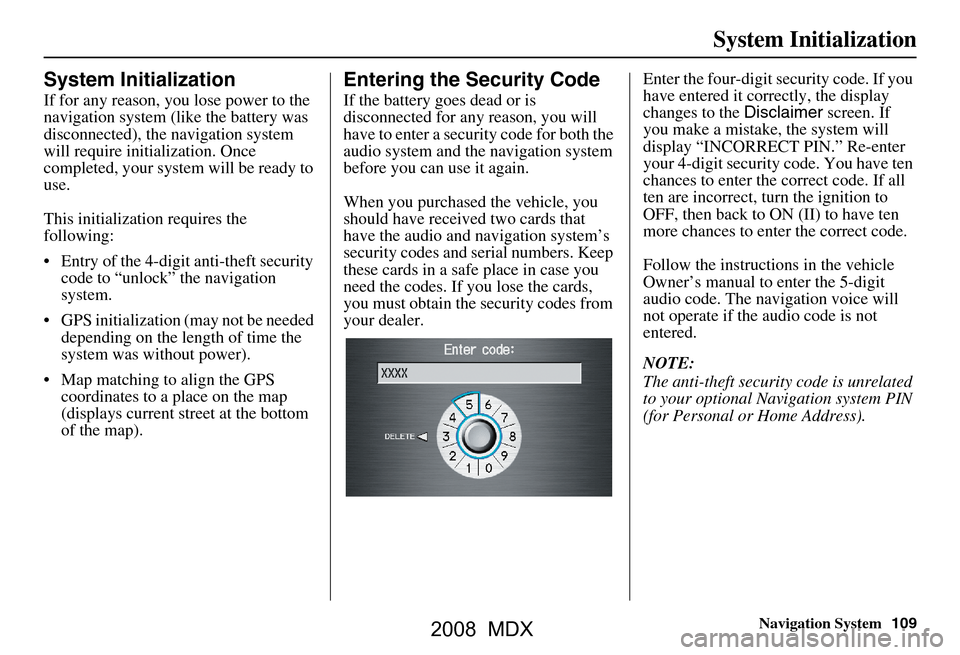
your dealer. Enter the four-digit s
ecurity code. If you
have entered it corr ectly, the display
changes to the Disclaimer screen. If
you make a mistake, the system will
display “INCORRECT PIN.” Re-enter
your 4-digit security code. You have ten
chances to enter the correct code. If all
ten are incorrect, turn the ignition to
OFF, then back to ON (II) to have ten
more chances to enter the correct code.
Follow the instructio ns in the vehicle
Owner’s manual to enter the 5-digit
audio code. The navigation voice will
not operate if the audio code is not
entered.
NOTE:
The anti-theft security code is unrelated
to your optional Navigation system PIN
(for Personal or Home Address).
2008 MDX
Page 141 of 171
Navigation System141
Frequently Asked Questions
Daylight savings time occurred, but the navigation system did
not change time even though Se tup shows “Auto Daylight” is
“ON.” Go to the
Clock adjustment screen in Setup and select DST Selection.
Ensure that the correct DST schedule is selected. For more information, see
Clock Adjustment on page
99.
The navigation system automatic daylight time feature is not
switching the navigation system clock on the correct dates.
Why is this? 1) Go to the
Clock adjustment screen in Setup and ensure that Auto
Daylight is ON .
2) The navigation system is designed to switch to daylight savings time
according to the months selected in the DST schedule selection screen.
Ensure that the appropriate schedule is selected. For more information,
see Clock Adjustment on page99.
The navigation system clock switched by one hour for no
apparent reason. Wh at can cause this? 1) You may be driving near
a time zone boundary (see Auto Time Zone on
page
100).
2) The navigation system does not, or incorrectly switches between
standard and Daylight Savings Time. Set Auto Daylight to ON on the
Clock adjustment screen in Setup, and ensu re that the correct month
switching schedule is chosen on the DST schedule selection screen.
See page
100 for more information.
3) Your remotes may not be linked. Fo llow the linking procedure covered in
the main Owner's Manual.
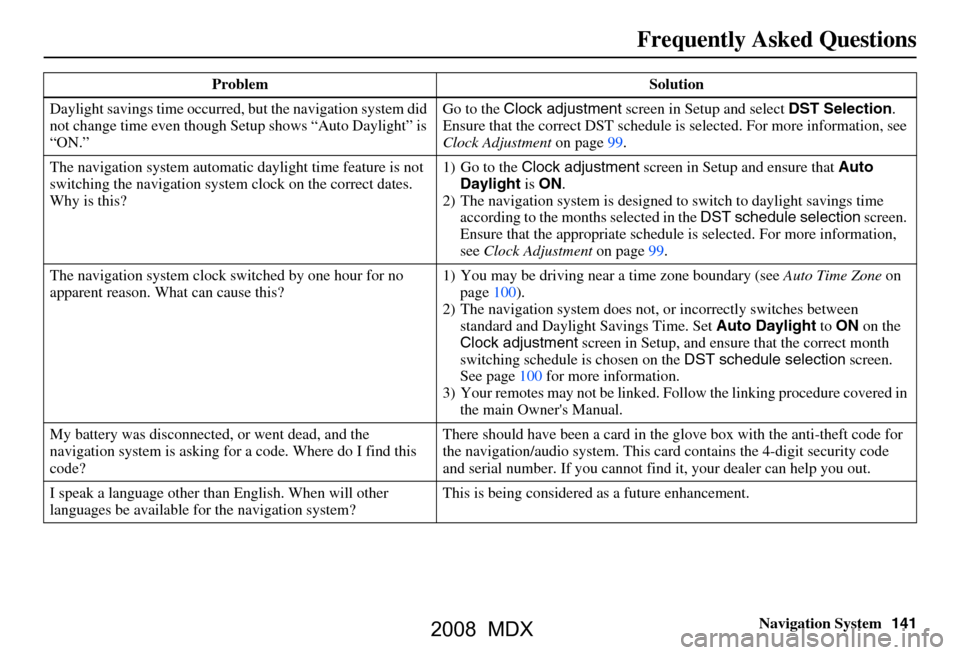
My battery was disconnected, or went dead, and the
navigation system is asking for a code. Where do I find this
code? There should have been a card in the
glove box with the anti-theft code for
the navigation/audio system. This card contains the 4-digit security code
and serial number. If you cannot find it, your de aler can help you out.
I speak a language other than English. When will other
languages be available fo r the navigation system? This is being considered
as a future enhancement.
Problem Solution
2008 MDX
Page 144 of 171

144Navigation System
Glossary
Initialization - This refers to the period
needed to reacquire the GPS satellite
orbital information whenever the
navigation system power has been
disconnected. This can take 10 to 45
minutes with the ve hicle out in an
open area.
LCD - Liquid Crystal Display. The
navigation screen.
Map Matching - The received GPS
information allows the navigation
system to position the vehicle on the
map. Map matching has occurred if
the map screen is displaying the
current street name in the bottom-
shaded area.
Mic - Abbreviation for the microphone
used for receiving voice commands.
It is located near the map light in the
ceiling.
MP3 - A music file format that can be
played from a CD-R.
Multi-Information Display (MID) -
Located in the gauge assembly. See
the Owner’s manual for additional
information. MW -
Maneuver Window. While on-
route to a destination, this window
displays information about the next
maneuver.
Navi - Abbreviation for the navigation
system.
North Pointer - The map symbol
showing the map orientation. See
page61.
Off Route - This occurs when the user
leaves mapped roads. Off road
tracking dots (“breadcrumbs”) are
displayed if the option is enabled in
the Setup screen. The user can use
them to return to a mapped road. The
bottom of the navigation screen will
say “Not on a digitized road.”
Outlying Areas - These are rural areas
that typically have only their main
roads mapped. All other roads are
shown in light brown for reference
only, since they have not been
verified.
PIN - Personal Identification Number.
A random 4-digit number created by
the client to protect personal
information. POI -
Point Of Interest. These are the
businesses, schools etc. found under
the Places option on the Enter
destination by screen. See page54.
Polygon - Colored areas on the map
screen denoting parks, schools etc.
See Map Screen “features” for a list
of the assigned colors. See page54.
Reminder - Automatic “pop-up”
Calendar message. See Calendar on
page78.
Remote Keyless Entry - Allows you to
lock/unlock the doors, unlock the
tailgate, and link/ unlink Driver 1/
Driver 2 settings.
RES - Rear Entertainment System.
(Factory installed)
Security Code - Code needed to
activate the navigation system or
audio system. See Entering the
Security Code on page109.
2008 MDX