oil level Acura MDX 2009 Owner's Manual
[x] Cancel search | Manufacturer: ACURA, Model Year: 2009, Model line: MDX, Model: Acura MDX 2009Pages: 489, PDF Size: 11.91 MB
Page 62 of 489

Your vehicle's exhaust contains
carbon monoxide gas. Carbon
monoxide should not enter the
vehicle in normal driving if you
maintain your vehicle properly and
follow the information on this page.
Have the exhaust system inspected
for leaks whenever:●The vehicle is raised for an oil
change.●You notice a change in the sound
of the exhaust.●The vehicle was in an accident that
may have damaged the underside.
Carbon monoxide gas is toxic.
Breathing it can cause
unconsciousness and even kill
you.
Avoid any enclosed areas or
activities that expose you to
carbon monoxide.
High levels of carbon monoxide can
collect rapidly in enclosed areas,
such as a garage. Do not run the
engine with the garage door closed.
Even with the door open, run the
engine only long enough to move the
vehicle out of the garage. With the tailgate open, airflow can
pull exhaust gas into your vehicle's
interior and create a hazardous
condition. If you must drive with the
tailgate open, open all the windows,
and set the climate control system as
shown below.
If you must sit in your parked vehicle
with the engine running, even in an
unconfined area, adjust the climate
control system as follows:
1. Select the fresh air mode.
2. Select the
mode.
3. Turn the fan on high speed.
4. Set the temperature control to a comfortable setting.
Carbon Monoxide Hazard5808/06/06 16:58:07 09 ACURA MDX MMC North America Owner's M 50 31STX620 enu
2009 MDX
Page 69 of 489
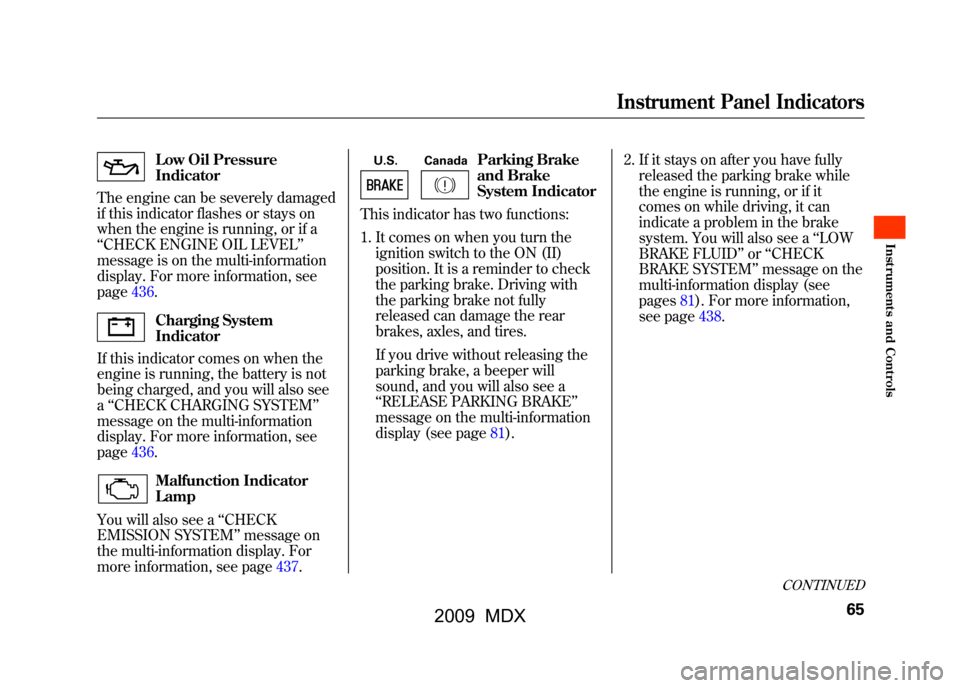
Low Oil Pressure
Indicator
The engine can be severely damaged
if this indicator flashes or stays on
when the engine is running, or if a
‘‘ CHECK ENGINE OIL LEVEL’’
message is on the multi-information
display. For more information, see
page436.Charging System
Indicator
If this indicator comes on when the
engine is running, the battery is not
being charged, and you will also see
a ‘‘CHECK CHARGING SYSTEM ’’
message on the multi-information
display. For more information, see
page436.Malfunction Indicator
Lamp
You will also see a ‘‘CHECK
EMISSION SYSTEM’’ message on
the multi-information display. For
more information, see page437.
U.S. Canada
Parking Brake
and Brake
System Indicator
This indicator has two functions:
1. It comes on when you turn the ignition switch to the ON (II)
position. It is a reminder to check
the parking brake. Driving with
the parking brake not fully
released can damage the rear
brakes, axles, and tires.
If you drive without releasing the
parking brake, a beeper will
sound, and you will also see a
‘‘RELEASE PARKING BRAKE ’’
message on the multi-information
display (see page81). 2. If it stays on after you have fully
released the parking brake while
the engine is running, or if it
comes on while driving, it can
indicate a problem in the brake
system. You will also see a ‘‘LOW
BRAKE FLUID ’’or ‘‘CHECK
BRAKE SYSTEM ’’message on the
multi-information display (see
pages81).For more information,
see page438.
CONTINUED
Instrument Panel Indicators
65
Inst rument s and Cont rols
08/06/06 16:58:07 09 ACURA MDX MMC North America Owner's M 50 31STX620 enu
2009 MDX
Page 84 of 489
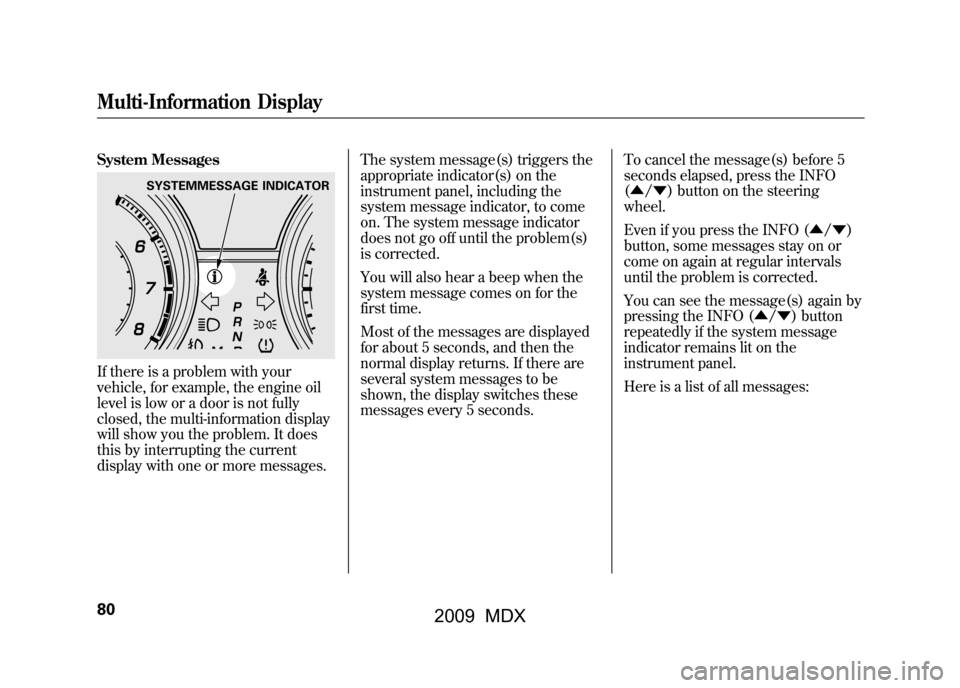
System MessagesIf there is a problem with your
vehicle, for example, the engine oil
level is low or a door is not fully
closed, the multi-information display
will show you the problem. It does
this by interrupting the current
display with one or more messages.The system message(s) triggers the
appropriate indicator(s) on the
instrument panel, including the
system message indicator, to come
on. The system message indicator
does not go off until the problem(s)
is corrected.
You will also hear a beep when the
system message comes on for the
first time.
Most of the messages are displayed
for about 5 seconds, and then the
normal display returns. If there are
several system messages to be
shown, the display switches these
messages every 5 seconds.
To cancel the message(s) before 5
seconds elapsed, press the INFO
(▲
/▼ ) button on the steering
wheel.
Even if you press the INFO (▲ /▼ )
button, some messages stay on or
come on again at regular intervals
until the problem is corrected.
You can see the message(s) again by
pressing the INFO (▲/ ▼) button
repeatedly if the system message
indicator remains lit on the
instrument panel.
Here is a list of all messages:
SYSTEMMESSAGE INDICATOR
Multi-Information Display8008/06/06 16:58:07 09 ACURA MDX MMC North America Owner's M 50 31STX620 enu
2009 MDX
Page 325 of 489

Before you begin driving your
vehicle, you should know what
gasoline to use and how to check the
levels of important fluids. You also
need to know how to properly store
luggage or packages. The
information in this section will help
you. If you plan to add any
accessories to your vehicle, please
read the information in this section
first.Break-in Period
...........................
322
Fuel Recommendation
................
322
Service Station Procedures
.........
323
Refueling
.................................
323
Tighten Fuel Cap Message
.....
324
Opening and Closing the
Hood
...................................
325
Oil Check
................................
326
Engine Coolant Check
............
326
Fuel Economy
.............................
327
Accessories and
Modifications
..........................
330
Carrying Cargo
...........................
332
Before Driving
321
Bef ore Driving
08/06/06 16:58:07 09 ACURA MDX MMC North America Owner's M 50 31STX620 enu
2009 MDX
Page 330 of 489
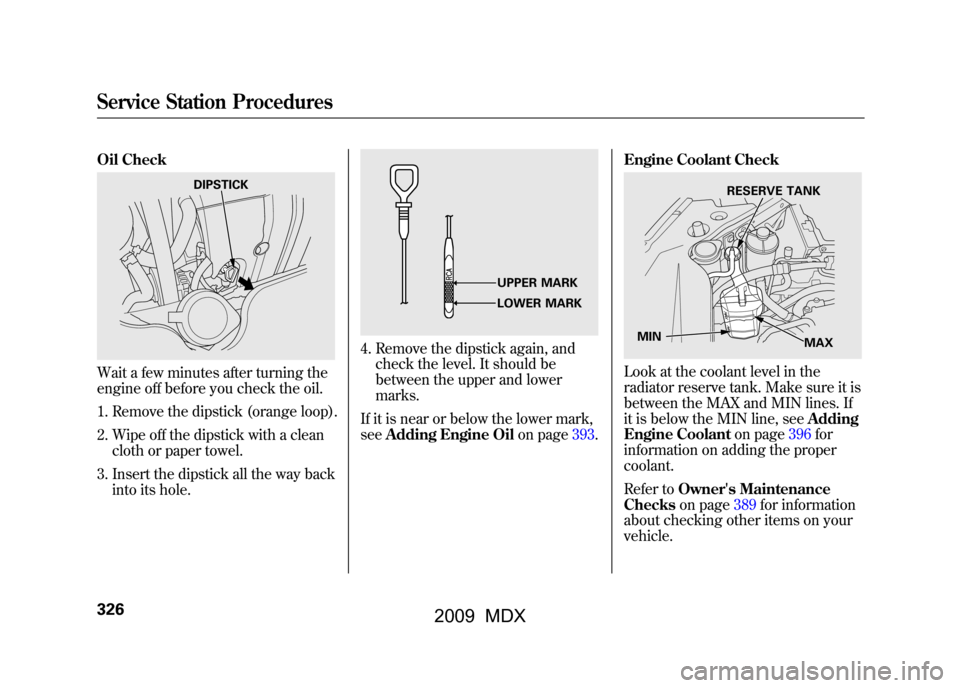
Oil CheckWait a few minutes after turning the
engine off before you check the oil.1. Remove the dipstick (orange loop).
2. Wipe off the dipstick with a clean cloth or paper towel.
3. Insert the dipstick all the way back into its hole.
4. Remove the dipstick again, andcheck the level. It should be
between the upper and lower
marks.
If it is near or below the lower mark,
see Adding Engine Oil on page393.Engine Coolant Check
Look at the coolant level in the
radiator reserve tank. Make sure it is
between the MAX and MIN lines. If
it is below the MIN line, see
Adding
Engine Coolant on page396for
information on adding the proper
coolant.
Refer to Owner's Maintenance
Checks on page389for information
about checking other items on your
vehicle.
DIPSTICK
UPPER MARK
LOWER MARK
RESERVE TANK
MIN MAX
Service Station Procedures32608/06/06 16:58:07 09 ACURA MDX MMC North America Owner's M 50 31STX620 enu
2009 MDX
Page 393 of 489
U.S. Vehicles:
Maintenance, replacement, or
repair of emissions control
devices and systems may be done
by any automotive repair
establishment or individual using
parts that are‘‘certified’’to EPA
standards.
According to state and federal
regulations, failure to perform
maintenance on the items marked
with #will not void your emissions
warranties. However, Acura
recommends that all maintenance
services be performed in accordance
with the intervals indicated by the
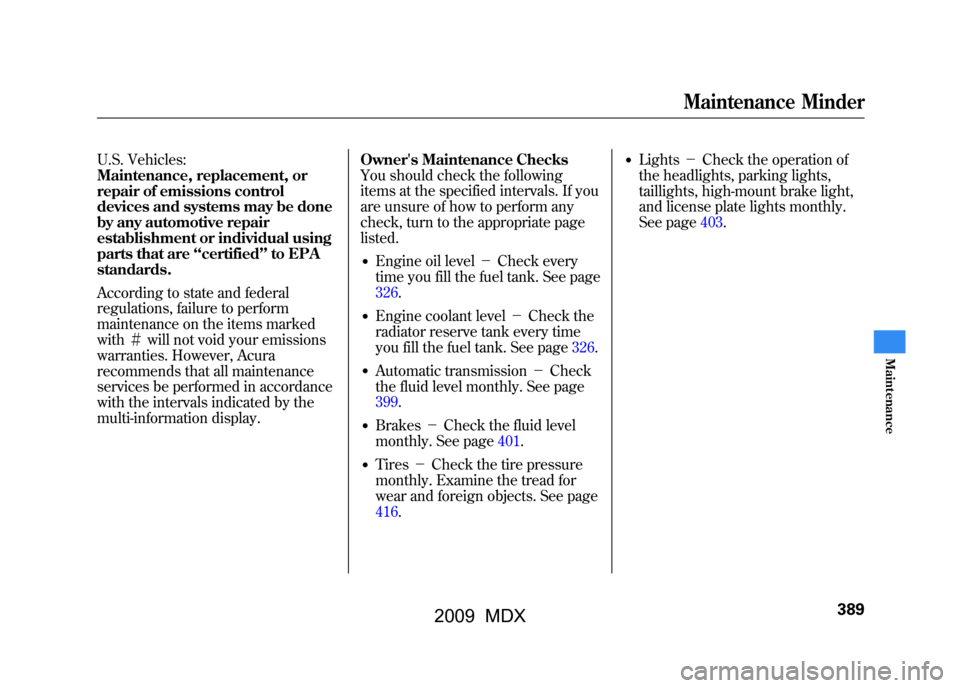
multi-information display. Owner's Maintenance Checks
You should check the following
items at the specified intervals. If you
are unsure of how to perform any
check, turn to the appropriate page
listed.
●Engine oil level
-Check every
time you fill the fuel tank. See page
326.●Engine coolant level -Check the
radiator reserve tank every time
you fill the fuel tank. See page326.●Automatic transmission -Check
the fluid level monthly. See page
399.●Brakes -Check the fluid level
monthly. See page401.●Tires -Check the tire pressure
monthly. Examine the tread for
wear and foreign objects. See page
416.
●Lights -Check the operation of
the headlights, parking lights,
taillights, high-mount brake light,
and license plate lights monthly.
See page403.
Maintenance Minder
389
Maint enance
08/06/06 16:58:07 09 ACURA MDX MMC North America Owner's M 50 31STX620 enu
2009 MDX
Page 394 of 489

SymbolMaintenance Main Items
A
●Replace engine oil
1
B
●Replace engine oil
1and oil filter
●Inspect front and rear brakes●Check parking brake adjustment●Inspect these items:●Tie rod ends, steering gear box, and boots●Suspension components●Driveshaft boots●Brake hoses and lines (including ABS)●All fluid levels and condition of fluids●Exhasut system
#
●Fuel lines and connections
#
1: If the message ‘‘SERVICE DUE NOW ’’does not appear more than
12 months after the display is reset, change the engine oil every
year.
# : See information on maintenance and emissions warranty in the
first column on page388.
NOTE:
●Independent of the maintenance messages in the multi-
information display, replace the brake fluid every 3 years.●Inspect idle speed every 160,000 miles (256,000 km).●Adjust the valves during services A, B, 1, 2, or 3 if they are
noisy. Symbol
Maintenance Sub Items
1
●Rotate tires
2●Replace air cleaner element
If you dirve in dusty conditions, replace every 15,000
miles (24,000 km).●Replace dust and pollen filterIf you dirve primarily in urban areas that have high
concentrations of soot in the air from industry and from
diesel-powered vehicles, replace every 15,000 miles
(24,000 km).●Inspect drive belt
3●Replace transmission and transfer fluid
4●Replace spark plugs●Replace timing belt and inspect water pump If you drive regularly in very high temperatures (over
110°F, 43°C), in very low temperatures (under -20°F, -
29°C), or towing a trailer, replace every 60,000 miles (U.
S.)/100,000 km (Canada).●Inspect valve clearance
5●Replace engine coolant
6●Replace rear differential fluid Driving in mountainous areas at very low vehicle
speeds or trailer towing results in higher level of
mechanical (shear) stress to fluid. This requires
differential fluid changes more frequently than
recommended by the maintenance minder. If you
regularly drive your vehicle under these conditions,
have the differential fluid changed at 7,500 miles (12,000
km), then every 15,000 miles (24,000 km).
Maintenance Minder
Maintenance Minder
39008/06/06 16:58:07 09 ACURA MDX MMC North America Owner's M 50 31STX620 enu
2009 MDX
Page 397 of 489

Unscrew and remove the engine oil
fill cap on top of the valve cover. Pour
in the oil slowly and carefully so you
do not spill. Clean up any spills
immediately. Spilled oil could
damage components in the engine
compartment.
Reinstall the engine oil fill cap, and
tighten it securely. Wait a few
minutes, and recheck the oil level on
the engine oil dipstick. Do not fill
above the upper mark; you could
damage the engine.Recommended Engine Oil
Oil is a major contributor to your
engine's performance and longevity.
Always use a premium-grade 5W-20
detergent oil displaying the API
Certification Seal. This seal indicates
the oil is energy conserving, and that
it meets the American Petroleum
Institute's latest requirements. It is
highly recommended that you use
Acura motor oil in your vehicle.
Make sure the API Certification Seal
says
‘‘For Gasoline Engines. ’’
The oil viscosity or weight is
provided on the container's label.
5W-20 oil is formulated for year-
round protection of your vehicle to
improve cold weather starting and
fuel economy.
ENGINE OIL FILL CAP
API CERTIFICATION SEAL
Ambient Temperature
CONTINUED
Adding Engine Oil
393
Maint enance
08/06/06 16:58:07 09 ACURA MDX MMC North America Owner's M 50 31STX620 enu
2009 MDX
Page 399 of 489

3. Remove the oil filter, and let theremaining oil drain. A special
wrench (available from your
dealer) is required.
Make sure the oil filter gasket is
not stuck to the engine block. If it
is, remove it before installing a
new oil filter. 4. Install a new oil filter according to
the instructions that come with it.
Make sure to clean off any dirt and
dust on the connecting surface of a
new oil filter.
5. Put a new washer on the drain bolt, then reinstall the drain bolt.
Tighten the drain bolt to:
29 lbf·ft (39 N·m, 4.0 kgf·m)
6. Refill the engine with the recommended oil.
Engine oil change capacity
(including filter):
4.5 US qt (4.3 L) 7. Reinstall the engine oil fill cap.
Start the engine. The oil pressure
indicator should go out within 5
seconds. If it does not, turn off the
engine, and check your work.
8. Let the engine run for several minutes, then check the drain bolt
and oil filter for leaks.
9. Turn off the engine and let it sit for several minutes, then check the oil
level on the dipstick. If necessary,
add more oil.
Improper disposal of engine oil can be
harmful to the environment. If you
change your own oil, please dispose of
the used oil properly. Put it in a sealed
container, and take it to a recycling
center. Do not discard it in a trash bin
or dump it on the ground.
OIL FILTER
Changing the Engine Oil and Filter
395
Maint enance
08/06/06 16:58:07 09 ACURA MDX MMC North America Owner's M 50 31STX620 enu
2009 MDX
Page 440 of 489
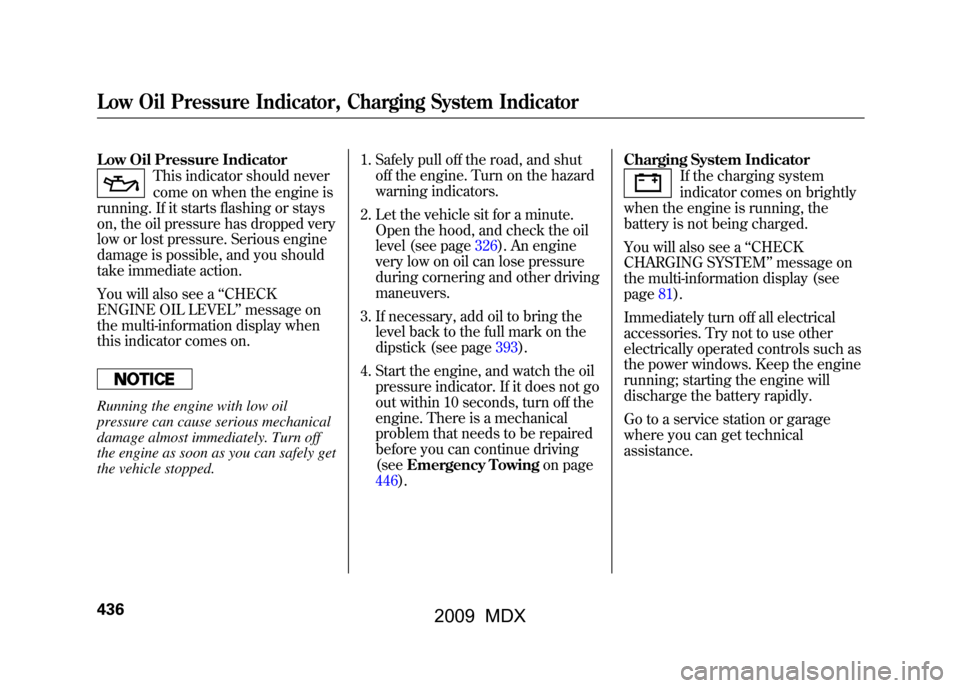
Low Oil Pressure Indicator
This indicator should never
come on when the engine is
running. If it starts flashing or stays
on, the oil pressure has dropped very
low or lost pressure. Serious engine
damage is possible, and you should
take immediate action.
You will also see a ‘‘CHECK
ENGINE OIL LEVEL’’ message on
the multi-information display when
this indicator comes on.
Running the engine with low oil
pressure can cause serious mechanical
damage almost immediately. Turn off
the engine as soon as you can safely get
the vehicle stopped. 1. Safely pull off the road, and shut
off the engine. Turn on the hazard
warning indicators.
2. Let the vehicle sit for a minute. Open the hood, and check the oil
level (see page326).An engine
very low on oil can lose pressure
during cornering and other driving
maneuvers.
3. If necessary, add oil to bring the level back to the full mark on the
dipstick (see page393).
4. Start the engine, and watch the oil pressure indicator. If it does not go
out within 10 seconds, turn off the
engine. There is a mechanical
problem that needs to be repaired
before you can continue driving
(see Emergency Towing on page
446). Charging System Indicator
If the charging system
indicator comes on brightly
when the engine is running, the
battery is not being charged.
You will also see a ‘‘CHECK
CHARGING SYSTEM ’’message on
the multi-information display (see
page81).
Immediately turn off all electrical
accessories. Try not to use other
electrically operated controls such as
the power windows. Keep the engine
running; starting the engine will
discharge the battery rapidly.
Go to a service station or garage
where you can get technical
assistance.
Low Oil Pressure Indicator, Charging System Indicator43608/06/06 16:58:07 09 ACURA MDX MMC North America Owner's M 50 31STX620 enu
2009 MDX